 Problems? See this thread at archive.org.
Alright, thanks.
-
-
It's the same message, except that I was on battery when I pressed Fn+F5.
-
We're trying to gather critical information from people experiencing throttling, if you have experienced this and would like to help us please send me a PM with the following:
1. GPU
2. Vbios
3. GPU clocks for each state changed
4. Optimus, 3D or dGPU mode
5. Where issue was observed (what app or game)
6. System Bios version
7. AC adapter wattage
Thanks in advance,
-Luis -
Ok, I thought you were saying you get the Battery message each time even when plugged in.
-
I just found it strange that the message remained the same regardless of whether I was in dGPU mode or had Optmus activated.
Strangely though, the 780M doesn't downclock as much in Optimus Mode as it does in dGPU mode. -
Whoops, messed up.
-
At the end I ended up playing Far Cry 3 and DOTA2. My temps based on HWMonitor for the GPU were:
Min: 45c and Max; 83c (achieved once)
While playing the games I had a software extracting files from a HFS+ drive and another encrypting my external drive. Visual Studio was downloading some components and I had a few other processes running. I was monitoring HWMonitor in an external display, continuously. Most of the times it was around 55c (way cooler than my 68c GPU temp on my MBP that is running on the desk next to me.
When I came home from work and booted the AW, I was getting errors from AlienFx, even the color scheme wasn't the one I selected. Moreover the back lights, the touchpad and one of the two light bars went off. I tried in Command Centre to change a theme, but no luck. I restarted it twice, but nothing. After removing and re-installing the Command Centre, things seems to work again. -
I think it just sends a toggle command to whatever controls optimus being on or off when you toggle optimus on or off.
Clocks wise, it depends what you use to monitor it some put it at high clocks constantly or depending on your power profile as well. -
I really hope you guys manage to find out what the issues with the throttling are, and then iron them out. It would go quite some way to making me want to buy my next laptop from alienware.
-
Hey man, your testing methodology is a little weird. If you're running all that stuff in the background, there's a possibility that your CPU won't be able to support the requirements of the game you're running, and therefore the GPU may not run at full load during your tests, thereby not exposing the highest possible GPU temperatures and throttling scenarios. Also, if you're running any kind of games that have the ability to stress your GPU to 100%, then I can understand your 83 degC max temperature, but then how that equates with a 55 degC average is not really understandable. Testing methodology seems a little suspect to me. (EDIT: Vsync would also need to be off in game ideally.)
To be thorough, you might want to choose one game that stresses your GPU to the max, something like Crysis 3 on pretty much max settings. Then have nothing else running in the background that is unnecessary. Then play the game & do your monitoring as you have been. -
Has anyone played around much on battery only? I did a bit and set to use descrete and at maxium power usage in the Nvidia control panel. My battery showed about 1 to 1h 20min on average on 100% full charge. Full screen brightness, all alienware lights, and most Nvidia settings on.
Then I tried switching to the default power saver mode (from balanced) and it only boosted the time by some 10 or 20 min. Does that sound right? I thought this thing would be capable of at least 3 or 4 hours on battery without gaming.
And another note for anyone curious.. I had tried gaming on battery with everything on max power and tried a few games. NBA2K13 on max settings was perfectly playable, no lag or obvious loss of frames. Bioshock Infinite on max also appeared playable on max at full settings. Oddly Mortal Kombat Komplete Edition was a bit slower but when I dropped the res to 720p it was back to being perfectly playable again. I guess it will be hit and miss with many games. But I'm still impressed this thing can even do some of these games on battery on max settings. My M17x R3 couldn't do that. -
Question for AW17 with 780m config.
If I remove the battery and use mains power only will there be enough juice from the 240W AC Adapter to run the 780m fluently?
Thx -
We already know what the issue is, so i don't know why Dell is asking for all that info. The answer is simple and unrelated to most of that info... the throttling is due to the temperature limit. BIOS modder SLV7 and others found out he issue is Dell/Alienware put two temp limits in their vBIOS, 77 C on Dedicated graphics mode and 66 C on Optimus mode. There is no issue with the cards or computers, the issue is that they put such a low temp limit on the GPUs that are rated up to 92 C by Nvidia. This has caused people to rely on 3rd party software or modded vBIOS to circumvent the Dell/Alienware temp limit. While 77 C in Dedicated graphics mode is somewhat reasonable as most people are reporting that their machines don't go above 74 C (But it makes it so you can't overclock and some people's machines just don't run that cool due to environment); the 66C limit on Optimus mode is ridiculous, such a powerful card could never maintain that temp under load.
-
Never go by the "time remaining" in the status bar on a new system. I find it can be anywhere from 20 min to over 1 hour off of actual runtimes. If you run it down a few times it will get more accurate. In the end though, your timing it yourself will give you the only dead on numbers.
Yes, when plugged in the system doesn't take any draw from the battery. But as a Li Ion battery when it is charged to 100% it no longer receives any charge from the main, so there is no need to remove to preserve the battery like in older systems. -
I don't see why not, it's not like the NOS system in MSI laptops (think it's MSI laptops). They sometimes use the battery power to support the power adapter under high load scenarios. In my mind NOS is useless, why not just incorporate a power supply with enough Watts to start with! A cheap marketing gimmick to make people think they're getting more, when in actual fact they're getting less. (The same viewpoint could be construed for GPU Boost 2.0 in NVidia, but that's another story!!).
-
I agree, but it does seem that Dell want to try & officially acknowledge its a problem by collecting this information, even if they may know unnofficially! (Hmm, not sure that makes sense!). Either way, it can only help to work with the rep from Alienware here, as then Alienware become engaged with the problem, and hence more likely to be 'pressured' into a solution. So, I think it's a good thing if people PM him with the info he's asking for.
-
What is NOS? So AW laptops don't use battery in conjunction with PSU for extra juice for the GPU or overall system?
-
That's what I commented on above. For the most part yes.. Some games won't be playable on max settings, some will. But keep in mind you'll only get about 1hr on battery give or take a a few mintues to hardcore game on the go.
-
Good point, I'll throw him some GPUz logs with standard clocks, and overclocks all at regular temps limits. Maybe if they see it enough they may trow us an official firmware update.
-
NOS is a term more often associated with modified car engines, which is all about getting 'liquid oxygen' into the engine to increase the amount of oxygen available for combustion, thereby increasing horsepower (similar effect to a turbo, but in a different manner). But here, it's just about using the battery power to supplement a power adapter that has insufficient wattage to supply high load situations where the CPU & GPU are both highly stressed. It's a ridiculous system. Have a look on the MSI website to find out more, but that's essentially it. The A17's don't have it or need it, they have a 240W adapter which is more than enough.
EDIT: NOS is even more ridiculous because as you use the battery power to supplement the power adapter, then it becomes discharged - hence turning your laptop into a desktop, because it's no longer mobile, because the battery will only have 30% juice left! -
Yep, exactly, that's how I think it could work.
-
NOS was the idea by MSI that they can draw on the Battery for extra power if its needed. Yes, the 240w PSU is more than enough. The GPU is 100w and the CPU is ~45w, that with the mainboard and SSD + HDD, and Optical Drive wont even reach 240w. Why MSI thought it would be a good idea for a smaller PSU and to constantly drain on the Battery I don't know. I think they offer better PSU's now though.
-
First thing you learn at Software Engineering at Uni: Test at the most extreme conditions possible. For a variety of reasons, I do the same thing for my hardware testing, during the first two weeks I get something new. I try to see the limits of it compare to my usual workflow. Due to the demanding nature of my work and my company, I can't afford playing games and ignore other stuff thus I usually leave stuff such as downloads, batch-processed on the background and I play my games, alt-tabing frequently to see their status or using a 2nd monitor.
Already people here established that in an "ideal for the GPU environment" (without any background processes), there is throttle. Repeating tests people did and expecting a different result would be a waste of time. I want to see within my everyday workflow (or at least almost my everyday), when the throttle is happening and whenever it will effect other applications.
What is wrong with the 55 degC? I am using a proper laptop cooler pad, with the fans adjusted right bellow the CPU and GPU for maximum effect. Moreover I got the pad a tad more raise than normal usage to allow air freely bellow. -
I see some of what you're saying about wanting to experiment to see if there's a throttle in your real world environment of working & gaming at the same time, so I'll take that point from you.
With regards to the average temperature during gaming of 55 degC, and a maximum of around 83 degC, that's a highly improbable temperature profile to experience if your game is consistently stressing your GPU to 100%. What would typically happen with a GPU is that as the temperature increases the fans gradually kick in harder to keep the temperatures under control. So, for instance, on mine the fans try to operate to keep the the GPU temperature below 65degC, so they gradually increase in fan speed through the gaming session, and temperatures stabalise at 63 to 65 degC. For you to have a maximum temperature in the 80's is understandable, but then the fans would kick in harder and drop the temperatures maybe a degree or two, but not by 30 degC. The fan control has got to be a little more subtle than that! You've gotta give Alienware some credit! ;-) Also, just from a mathematical perspective a max of 80 degC and an average of 55 degC means that your gaming temperatures were also quite often below 55 degC, which I highly doubt if the GPU was anywhere close to 100% stressed. So, your figures don't make much sense, hence me questioning your methodology. -
IMO, if he is constantly "Alt Tab" to view desktop apps and download things, His GPU will throttle down to mim requirements, even with the game still running in the background (I've seen this happen with Bioshock Inf.) Thus the GPU temp will rapidly cool to around 44 C (Thats my base). He will then bring the game back up and the temps will rise to the average 74 or so. Thats why he gets an average of 55. I could be wrong about what he's doing though.
-
Yep, that i can see happening! If that's the case that would be an unusual way of ascertaining an average temperature for a GPU while gaming, because it's a little meaningless.
-
Oh good! As I said in a previous post, benchmarks tools tend to lie if there is a software issue. Showing that something is wrong, is not the lie, the lie is how big that problem is.
I see what you are saying. The max of 83c happened when my extraction program hit a corrupted file. Dunno if it uses any CUDA (GP-GPU computing). I assume that the 83c was hit momentarily -afterall I only observed it once- when the GPU was pushed and then due to the throttle the temp went down as the GPU was underclocked to low its' temp.
I may try get better graphs and Crysis.
Yes I give AW lots of credits. Having the CPU and the GPU away from each other, with a dedicated cooling, means the temps of either of them doesn't directly effect the other.
I still got to test the system battery, while working and I think I found a small bug with the touchpad....
But yeah all in all: I would recommend this machine to anyone! It feels like money well-spent and that I won't miss my Mac THAT much
-
Oh lordy, the muddy waters, the wood for the trees! ;-)
-
No estimates on IGP web browsing-type battery life from anyone yet?
-
I got 1 hour of Far Cry 3 gaming, no alt-tabing or any background processes other than EVGA Precision, Chrome, RivaTuner, mouse+keypad software, Alienware stuff and Skype. I created a log with EVGA, converted the htm file and import it to a spreadsheet software -more than 10k lines, as my refresh was set at 500ms. I set the temp limit to 85, no OC. I got the averages from that hour as:
GPU clock: 570.085583586618
Memory clock: 1870.29320234474 30Mhz
GPU temperature: 58.9253148067738
GPU usage: 64.7659574468085
FB usage: 18.3721233174121
VID usage: 0
BUS usage: 4.41815023881893
Memory usage: 729.30159791576
GPU voltage: 0.909714285714301
V-Synch was off, all settings on max.
From the GPU usage, I can see the GPU wasn't really stretched with most of the times being about 550Mhz based on RivaTuner. During fire fights and some sceneries with lots of reflections, this would jump as high as 849MHz. The highest temp I found in the log is 83c (again!) 4 times in a c with the following speeds: 849.193/2497.485 at all times. After the 83C, I noticed it was slowly dropping the temp by 1c at a time, while retaining the GPU Clock/ Memory speeds. It was stabilised for 10 minutes around 70c era, before dropping again bellow. During the whole time fans weren't any particular loud.
If I remember correctly nVidia said 780M is rated at 823/2500MHz with a boost option depending on laptop's manufacture. Since I kept the stock vBIOS and no OC, looks like Dell added an extra 26MHz as a boost. I wonder now if I raise the temp limit to 90c, if I will see a bigger boost.
EDIT: Optimus is OFF. With Optimus on, even with Far Cry selected as a dGPU program, the performance is awful! -
This community can be part of the solution by providing what Mr. Pardo has asked for. I posted this in the launch thread, but it is relevant here also.
Everyone - anything you can observe and share will be useful as feedback to Alienware. I know they are trying to fix this, and want to fix it ASAP. Please see what Mr. Pardo has posted (quoted below). Please help him out by providing the requested detail. Anything supplemental to the information he has corrected will potentially be useful.
Last edited by a moderator: May 6, 2015 -
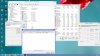
How can I check that works the CPU fan, but I have never seen that move....which program cen I checked?
I see this.......

-
Only 60 % of GPU usage doesn't look right. What are your ingame settings? Far Cry 3 stresses my system like anything else so far.
Edit: I guess it's because u were running it on battery with balanced power setting. -
Set HWiNFO64 fan to "System Auto" and stop using a profile. If you try to control fan speeds it will disable your GPU fan and you may experience overheating. The new systems cannot use the manual fan controls with HWiNFO64 right now. That might come in the future release, but for now use "System Auto" to avoid issues.
Additionally, the readings for fan speed may not be reported correctly. However, what you are showing in your screen shots suggests the fan is disabled, so please use "System Auto" for the fans. -
Thanks for your response! But i dont using profil......but I have this...
-
Optimus was off, but the machine plugged-in with the dGPU only available. All settings on FC3 were on ultra.
-
Yep, Far Cry 3 stresses my GPU to 100% too, so it does look weird to me too.
Although I am a little confused now as to what we're trying to figure out now.
Athonline, what are you testing your system for, what is it that you want to check, are you testing it for the throttle issue that has been discussed? The reason has got lost for me in all the information. -
Someone asked me for temps log, so I posted them. I just reposted them now without stuff in the background or me alt-tabbing. It it 60% on average, at some firefights the usage was clearly more.
In other news:
-I found a 2cm long scratch (more like the rubber was peeled off) from the factory. I call Dell and they offered me to return the laptop, after talking with them they agreed to sent a technician to replace the whole palm-rest part.
-I just got a DHL Express with my Vindicator sleeve, was had an EDD 27 August! So yeah I guess Dell got a few back in-stock
-
If you're getting the throttling issue, it might be useful to PM the Alienware Rep Luis Pardo (post #1101) with the information he's asked the community for?
-
Are aw laptops meant to come with media suite essentials? My order says cyber link power DVD bd instead
-
Some people might find this useful:
¡¾Alienware 17п360¶ÈÈ«·½Î»³àÉíÂãÌå±ùÌìÑ©µØ´óÆʽâ_´÷¶ûAlienwareÍâÐÇÈËÂÛ̳
The touchpad does not look secure. -
The trackpad flexes slightly, especially at the part near the bottom at the middle. If you push hard you can probably get another a few millimeters of flex. I am fine with slight flex in the touchpad but that may be a cause of concern for some.
-
Mine came with both CyberLink Power DVD and CyberLink Media Suite Essentials, just searched CyberLink in Find. It also has Power Director 10, Power2Go 8, and Label Print 2.5 (all CyberLink)
-
I have absolutely no regular flex. I have to push down with a considerable amount of pressure to get my trackpad to move, and the palmrests don't move at all. The most flex I have is my keyboard, by the spacebar, but even then it doesn't flex under normal typing.
-
I don't think that was pre-installed for me. Though I know it came with a DVD. I assume I have to install it manually?
-
When did you order yours? My original order it was all pre installed but my order now implies a blu ray disc - part number 430-XYHQ
-
Everything came pre-installed for me, though I didn't even know it was there till I did a search for CyberLink (I remember back in the day they left desktop icons for all your pre-installed software). Anyway I'm running windows 8 if that makes a difference.
-
I ordered mine around June 16th. I guess I should do a search to see if it's installed.
Questions.. Will WMP will play bluray's natively? I haven't tried. Or is Cyberlink needed to play them?
Also, can we burn bluray's and dvd's as well or is it just a reader? -
No native bluray playback in WMP, unfortunately. Also, Dell stopped issuing BR Burner's back with the M17x R2, sadly, so you will be stuck with read only - unless you upgrade your ODD.
MPEG and DVD video: frequently asked questions
-
Well that's unfortunate.. And I just checked my system. Nothing from Cyberlink came pre-installed so I guess I'll check out the disc they gave me.
*OFFICIAL* Alienware 17 Ranger (2013) Owner's Lounge Thread
Discussion in 'Alienware 17 and M17x' started by Mr. Fox, Jun 12, 2013.


