Problems? See this thread at archive.org.
Is that aluminium under where the coating has come off??? - is that bit on the lid the 'soft touch' stuff or is it just paint??
-
-
I think that the top of the lid is plastic with aluminum underneath, but I would not bet on it.
-
Hmmm...it's just that it looks like the silver aluminium underneath where the black coating has come off, in places....just wondering if it is the same as the rest of the lid under that coating....
-
-
does alienware have ambient light senser ?
reborn2003 likes this. -
Does anybody know where I can get the latest/best software for the AlienFX Media Plugin on the latest Alienware 17?
reborn2003 likes this. -
No, there is no ambient light sensor. I haven't seen many laptops that have them. I have that disabled on my ThinkPad because the automatic changes in display brightness is somewhat annoying.
I believe that might be misinformation. I wonder if that is the same German rumor mill that spread so much inaccurate information about the new Alienware machines by some bogus engineer insider that claimed to know everything. Most of those "authoritative" leaks were way off base.
(Edit: yup, same clown... Snuffels is full of baloney. Don't believe anything that person posts... very unreliable source of information relating to new Alienware stuff. Notice the dude owns a bunch of EOL legacy products.)
Both the mSATA and 2.5" Liteon SSD drives from Dell are running at 6.0GB/s just fine for me. See below. I would approach the idea of flashing over Dell's proprietary firmware with OEM firmware with caution. It might turn out OK, but then again, it might not. If you see evidence of a few people doing it successfully with good results, then it may be safe. I would be waiting to let a dozen or so guinea pigs do it first.
reborn2003, alienwolf and Dusk Star like this. -
I'm thinking about changing my M17xR4 for the new AW 17 with Nvidia Gtx780m.
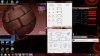
I'd like to meet that works Gtx780m temperatures under max load.
It is hotter than the M17xR4?? The fan noise in idle and under load compared with the M17xR4?
Thanks. -
Under no load I get no fans..under full load fans run full not very loud at all maybe half the noise of a R3..:thumbsup:
 steviejones133 likes this.
 -
these temperatures are with the factory thermal paste?
-
Hi alienwolf
what is the temperature of the sensor test is being run?
mine
-
wow, important differences...
-
Are those maximum CPU temperatures under heavy load? If so, that's much better than I expected from the 17.
-
I do not think, hi dont run the test.....This is mine maximum CPU temperatures under heavy load
View attachment 101940 -
You asked about 780 GPU temps those are with the 780 under stress with the CPU at 4.0 load..and both have been repaste..

-
Hello Alienwolf,
How did you make your 4900mq run at 4.0Ghz? Mine has been set in the bios for OC level 1, but when running a stress test for four cores, I notice that my multiplier stays at 36 instead of 38. Can I have a screenshot of your performance settings in the bios?
-
Set it to level 3 in the BIOS and change the frequencies manually.
-
I had order an Alienware17
it comes with : 256GB mSATA Boot + 750GB SATA 3Gb/s (7,200 RPM)
I would like to get another 750GB SATA 3Gb/s (7,200 RPM)
what the purpose of raid ? what raid should I used and it the raid setup in the bios?
the 256GB mSATA Boot means that windows 7 is image on this drive? -
Yep, windows is on that 256GB mSata SSD. This means you have one HDD bay available to do with as you please.
-
Hey guys I'm new here and new to gaming laptops. I just orderd a 17 exactly two weeks ago today. Can't wait . I was just wondering after reading this thread and hearing everyone updating their bios and nvidia drivers . My last computer I had automatically let me know when there was a bios update and asked if I wanted to update . I put yes and it automatically did it for me . Along with software updates and windows updates. Why are some people having so many problems updating their alienware laptops with bios and drivers. Is a gaming laptop different than any other laptop besides the extra gpu. I've never had a gaming laptop but can't wait to get mine but sure sounds like a lot work to keep it updated and working compared to a regular laptop. Just curious thanks.
-
It's not difficult, it's just much easier to screw something up, which leads to difficulties down the road. Updates aren't usually automatic on these systems, at least not BIOS updates. NVIDIA control panel will alert you of new driver updates.
Don't sweat it... You'll love your new AW17. And welcome to the forum! If you run into an issue, come here first and we'll do our best to help. :thumbsup: There are also Alienware Tech Support Specialists actively viewing these forums Monday through Friday, of whom answer questions and help people on this forum.alienwolf likes this. -
Thanks for the info and the welcome. These forums are like the coolest place to go for help for computer owners. I really feel sorry for the people who own computers and have problems and have no idea that forums like this exist. I nearly found out myself like a year ago and I have owned computers since my fist commoddore 64 lol. Anywhay enough rambling. Good luck to all you alienware 17 owners and I wish everyone the best of luck with there systems. I'm sure I will posting back once i recieve mine edd October 7.
Peace.alienwolf likes this. -
I am enjoying my 17x gtx780 a lot.i got it one month before & it has just 1year basic waranty support.would like to extend the waranty.does it costs the same while getting a new system or would it be costly now.thanks in advance
-
You would need to contact the sales team but I have heard that the warranty extension is more expensive if purchased after.
-
I think the new 17 mSATA 64 GB Liteon lmt-64m6m definitely has a problem with the firmware that limits to 3 Gb/s currently, I saw your alienware with Liteon 256 GB mSATA, and a different mSATA SSD Liteon 64 GB (m3m ?) with different firmware version than DM6110D currently on the new Liteon lmt-64m6m. I searched on DEL (by search part Liteon lmt), both of the 128 and 256 mSATA Liteon SSD with newer firmware update that might have the correct speed of SATA III 6 GB/s. As posted by user struselix, i do think DELL is using its OEM firmware (verson DM6110D) on lmt-64m6m with only 3 Gb/s. I cannot explain why user alienwolf (thanks for his help with screen capture) has shown the 6 Gb/s.. I have been trying quite a few ways of dealing this 3 Gb/s limitation on lmt-64m6m (as suggested disable LPM fix), no success, only one time very briefly shown as 6 Gb/s for the port 5 on 64 Gb mSATA, but consistently always goes back to 3 Gb/s.. There is huge difference between 6 Gb/s and 3 Gb/s speed on port 5 when having the OEM Liteon mSATA 64 GB model. The download link from from Liteon is broken, and actually it doesn't have the original firmware there for its mSATA 64m6m. I contacted Liteon tech support and was told since it is OEM and user needs to contact DELL. DELL should issue a firmware to take out the 3 Gb/s limitation on its OEM Liteon 64 GB mSATA (64m6m).
Or we need more user with the same mSATA Liteon lmt-64m6m to check the system and verify the 3 Gb/s limitation problem.Thermometer and alienwolf like this. -
Have you guys read the Engadget review of the Alienware 14/17? Quite interesting.
Alienware 14 and 17 review: Dell's new gaming laptops are fast, powerful and well-lit
About this bit:
Can you guys confirm that basically you can't have the trackpad lightning OFF and keyboard lightning ON? -
It's a little odd. In the Bios you can set it up to be "always on" otherwise it is dark until you touch it, stays lit for like two minutes, then goes dark again. So if you're using a mouse, it will stay dark all the time.
-
My LMT-64M6M mSATA 64GB shows a SATA transfer rate of 6 Gb/s. However, my main drive, the 750GD HD, shows a rate of 3 Gb/s.
-
The mSata is a pain to get to...
-
Would you please tell the firmware version number on your LMT-64M6M?
-
Sure, it is DM6110D
-
Anyone knows how to install the mSATA SDD on the Alienware 17 2013? And I have to use an specific brand of mSATA. Also i need to know if I can use mSATA as a primary drive to install windows. I need assistance with that.
-
look for clips or guide that allow you to remove the optical drive. You have to remove the same amount of parts to get to the mSATA slot. Theres no restriction on brand as fas as I know and I am using mine as the main Windows partition.
-
Has anyone here attempted replacing or removing their mSata SSD? According to Mr. Fox, it requires a lot of disassembly to get to it, including removing the GPU and CPU heat sinks to reach three hidden screws. I ask because a step by step tutorial or perhaps a teardown video would be nice to see and use for reference. :thumbsup:
-
I need to know where is the slot. in in the bottom section with other drives or is in the keyboard section?
-
It's sort of underneath the left palmrest, if I remember correctly. On the opposite side of the motherboard from the two 2.5" drive bays.
EDIT: assuming you mean the mSATA slot, that is. -
I found this.. I hope this hlep: How to add a msata card to alienwar M17 R5 - Alienware Arena ForumsJ.Dre likes this.
-
That does help, thank you. It's sort of ridiculous that you have to re-paste both the CPU and GPU to add/remove/replace the mSATA SSD, but at least they provided a guide to do so.
Thanks again. -
How fast is the mSATA like main drive for windows. And what is the capacity of yours?? Do you recommend a mSATA drive as main drive?
-
J. Dre Yeah the same to replace ram modules in the slot 1 and 2. That should be an easy access.
-
It's actually alot easier then you think. I went ahead and did this on my Alienware 17. You have about 20 screws to remove on the bottom to remove the top palm rest area. Once you are done that you are good to go. I did not have to remove the heatsinks or fans of the gpu/cpu.
-
Oh really? Even the manual from Alienware shows we need to. Please make a video or tutorial! I don't want to go digging around in the 17 trying to figure out other ways.
-
From the service manual, it looks like all you have to do is take off the bottom cover, remove the necessary screws (as described in the PDF), unplug the keyboard, and then lift the palmrest off. You shouldn't need to remove the GPU or any of the heatsinks, I think.
Sure just try it and see what happens, you'll know right away if the palmrest isn't going to lift off. -
So far I've been told and have read that it requires removing the fans and GPU/CPU heat sinks, but I'll definitely take a look.
-
Did anyone try the new Nvidia driver 327.23 yet?
-
http://forum.notebookreview.com/alienware-17-m17x/732565-geforce-327-23-whql-driver.html
Here is the information you need. -
Guys i've having a bit of an issue with the 64gb of ssd cache. For some reason one day my AW17 started booting really slow, now when booting, on the boot screen, shows the 64gb cache is disabled, and once you hit Ctrl+I to get into boot menu, it says the same. Has anyone seen this issue before or have any suggestions on what i need to look at. In the intel rapid storage technology, it says its performing normally.
-
Ok for anyone out there who has a A17 with the Broadcomm wireless card and is experiencing a conflict between the bluetooth network controller and the wifi controller, in that you basically lose all your bandwidth when using both, you will likely have to replace your network card for the Killer Network card to fix, apparently the only fix Dell has right now
-
On a similar (as in networking-related) note, the killer ethernet adapter software/driver was originally limiting my connection to 100down/10up, quick fix in the program settings but still rather annoying! (I was under the false impression that upload speeds over Ethernet at my university sucked, but I'm back to getting 100mbit symmetric now, which is the limit of my network switch anyways)
Not sure if this is the default settings or if it just does that upon detecting a 100mbit ethernet connection (instead of gigabit), but still worth knowing about! -
If you're going to get another wireless card, get the Killer Wireless 1103 off of eBay or something and slap that baby in there. The 1103 is probably the best wireless card I've ever used in a laptop.
I had a similar issue on an old M18x, and the solution was to remove it as a caching drive, basically resetting it, and then adding it back as a cache drive again afterwards.
*OFFICIAL* Alienware 17 Ranger (2013) Owner's Lounge Thread
Discussion in 'Alienware 17 and M17x' started by Mr. Fox, Jun 12, 2013.