 Problems? See this thread at archive.org.
How did you find that driver!? Does it work on Windows 8? I might try it to
-
Good find.
-
I don't know if you know this but buy a xbox360 USB controller. It will install the driver and you are good to go. I also am waiting for a replacement..
-
I'm actually thinking that I'll just buy a wireless receiver for the 360 controller that I already have...but for now the motionjoy setup works.
-
What the f0ck ????
Dell Alienware packing - YouTube

-
Pretty old video, lol.
-
not sure if i still want an alienware
-
Why is that?
-
On factory paste I think I got 92 highest in the realtemp prime95 benchmark but when gaming it averages around 74-76 (though in BF3 this is around 80 at max settings) - GPU never goes above 73 though.
-
Are you talking about the left or right fan? My right fan does this after quitting games every now and again though after a couple of minutes turns off. Not sure if it is just being safe or something!
-
No, it doesn't stop after a couple of minutes. I haven't noticed which one, though I'm assuming it's the GPU one based on this new bit of info that I learned today: if I launch Nvidia Inspector (which I got in an effort to get Sleeping Dogs to run without stuttering) after I quit the game, the fan immediately stops. It must be related to that software, then.
-
That's about normal. I was seeing 93C from the Windows Experience Index, lol. A re-paste was necessary for me, and I'm glad I did it. The WEI now only takes it to like 71C, and gaming on max settings is about the same.
If you're planning to stress test any system, a re-paste is something you should consider either way. That's like putting Royal Purple in your car versus Walmart/Kroger oil - I would even go as far as saying it is necessary for extensive and intensive benchmarking or gaming.
For such expensive systems, I only want the best. -
I'm having the same problem, it's gpu fan and it's does stop after a couple of minutes after quitting game. It's started to happen after updating to the A05 bios. -
Has anyone updated to Windows 8.1 and not have any issues? And any recommendations if I should update or not considering no new drivers are out for 8.1 from Dell?
-
I've updated to 8.1 - and haven't had any major problems so far. Had to uninstall/reinstall a few items - but overall the upgrade went pretty smooth. The biggest issue is that the upgrade process tries to force you to use a Microsoft account for login if you've been using a local account. After upgrading a few systems, discovered that you can skip that portion of the upgrade - and avoid the hassle of automatically creating the Microsoft account and then manually deactivating it.
-
I will be looking to repaste but not confident enough to do it yet until I have watched more videos! If it ever gets to 90 while gaming I will definitely do it (I don't really benchmark or OC just wanted to see whether I had a good or bad factory paste)
-
Ive just rang dell regarding warranty extension for my 17 from 1yr to 3yrs (couldn't afford to add it at the time of purchase) and the rep gave me a price of £528! I instantly told him that price was ludicrous and that I expected a slight rise over the price at purchase of the laptop but not double. I told him I was willing to pay £300 or as close too it as possible and he came back with £320 (two sentences got a £200 drop, they clearly have bags of room with these prices!)
This is my first AW laptop so I have no reference to how long the hardware lasts, other than what i read on the net. My question is this; is it worth the £320 to extend the warranty or is it money wasted. I understand a new CPU or GPU will set me back a pretty penny if they go pop but whats the likely hood of that happening in the next three years, going off your experience as past AW owners? -
It's definitely worth 320 EUR.
-
Considering I only had my laptop 2 days and have to get a replacement, I would say the 320 is definitely worth it.
I got the 3 year normal warranty and 3 year accidental just to be safe.
FYI, got my order number for the replacement. Was ordered today and has an EDD of tomorrow.....lol like that is going to happen
-
If anyone was wondering, the M17x sleeve fits the AW 17. :thumbsup: You can grab them for $8.99 on eBay (while supplies last).
![[IMG]](images/storyImages/voohds.jpg)
![[IMG]](images/storyImages/34gaqac.jpg)
Can you see me now? -
I saw a post here a while ago about calibrating the Alienware 17's screen using a file but cannot find it to refer back. Am I imagining things? Does anyone know how I can make the 17's screen warmer?
Thanks. -
-
Never had any PC or laptop crap out on me, and have never bought anything above the base warranty that comes as standard. Like everything, they make money on the warranties on average, so in the long run you're better off financially if you don't extend the warranties. However, over the the short term, if you're unlucky then you might have the odd blip where something will crap out, but in the long run makes sense not to get the warranty, but depends on whether you would be able to afford to fix or replace it though if you're very unlucky.
-
All it takes is that one time, 10 days before your warranty runs out and you'll be happy that you purchased the 3 year warranty! Hell, if I could have afforded it, I would have gotten the 4 year.
I don't have much good to say about Dell, but I will say their warranties are quite good. I've never had much luck with their products, but I've always gotten replacements via warranties, so ti's a good thing to have, it was a pain, but I went a 6 year stretch without having to buy a laptop because I had one on original 3 year warranty, it died a few times and they finally replaced it with a brand new 1 right before the warranty was up and I managed to convince them to give me another 3 year warranty on the replacement (which they refurbed a couple of times for motherboard issues) but by then I was getting sick of losing my laptop every 6 months for a few days for a trip to the depot so I went somewhere else for my laptop needs.
I only came back because I was getting this Alienware and while being a division of Dell, I had hopes that they would still be independent enough not to inherit Dell's massive customer service and poor quality control issues, but I guess I was wrong. I knew ahead of time though to cover myself with warranty....and I have another laptop to use as a backup if need be. -
I calibrated mine yesterday using the profile within that link and its much better now.
As for the warranty, I ended up just getting it. I was starting to panic a little as its my first high end gaming laptop and I had visions of it going pop the day after its warranty expires... i figured it was worth it to stop me fretting for the next 3 yearsRobbo99999 likes this. -
The way I saw it, in 3 years I should have enough money built up to buy a new one anyways....
SteveMonk likes this.
-
Yes, I think if you are unlucky, then a warranty can help. Personally I've never had a problem with Dell laptops; this one is my third, I had the Insipron 15 (2004-2008), M1530 (2008 - 2012), M17xR3 (2012 - present). Luck of the draw it seems, although I don't lug my laptops around much, I always use them at home so maybe it's because they're not subjected to lots of movement & knocks.
-
Could be though I've had a Dell Dimension back in the day that died just after the warranty was up. 2 Dell printers that both crapped out in the first year. 2 Dell Inspiron 15's that had nothing but trouble the whole time I had them and 1 Studio 1555, that within the first 6 months, had to be sent to the depot twice for motherboard replacements (I sold it as a refurb when I got it back the second time).
My wife and I have owned Lenovo's, Toshiba's and HP's and never had any trouble with them and they were all in the $300-$400 range (though the HP I was not crazy about, just felt cheap all around).
We'll see how it goes with this Alienware, though it's not starting out very good so far....lol -
Hmm just a few quirks with the new laptop.
Where is the PEG vs SG option in the BIOS on the A17? I have loaded into games a few times with the Intel GPU instead of my 770.
I thought i saw a way to change the TactX keys on the A17's keyboard to behave like media player contrls (Play/Pause, next etc..) How can I set this up?
Obrigado -
Wow, seems like you could be in a black spot of the world in terms of Dell quality control given your experience! Maybe it varies from region to region or country to country?
-
You can white list games to run on the dGPU (as opposed to the Intel GPU) in the NVidia Control Panel under "Manage 3D Settings" > "Program Settings". That might be easier than resorting to making semi-permanent changes in the BIOS. You can make these stipulations on a per game basis.
-
Just go into the TactX software (part of command center) and assign a hotkey to fn+whatever - or at least that's what worked for me. Really nothing to it.
-
Well done! I had not noticed the play pause buttons on the Arrow keys.
-
Just jumped on the Alienware 17 bandwagon at last to replace my aged desktop and replace the xbox as my main gaming rig. Just a tad late for BF4 release!
4700 3.4ghz CPU
16gb RAM
750gb HD
1920 x 1080
780M GTX
Win 8 Pro
Got 10% and free delivery too. -
Haha, excellent! You'll fly through BF4 given the benchmark results I've seen here:
Battlefield 4 VGA graphics performance benchmark review - DirectX 11 class graphics card performance up-to Full HD
Somewhere between 7870 & 680 performance on that chart! (680 if you flash modified VBIOS & overclock!) -
Sounds good to me!
-
Whereas my 765m is sitting down below the 560TI... Guess I won't be playing on Ultra then. (Though I really didn't expect to, of course)
-
Have you tried overclocking & flashing a modified VBIOS to gain greater overclocking heardroom? Temperatures should be a non-issue with that 'small' GPU, so should overclock quite well I would have thought? (Overclocking the memory is a good priority with that GPU too, due to the fairly low memory bandwidth).
-
Are they not all the desktop cards though?
-
Yep, that's right, in that chart I linked they're all desktop cards, but I know the 780M is better than the GTX 660 and as good as the GTX 680 if you flash a modified VBIOS and overclock to the same level as a GTX 680. A 780M is essentially a GTX 680 (same architecture & layout - same number of stream processors & same memory bus bit width), but with lower clocks, hence the need to just raise clocks to same level as GTX 680 to get GTX 680 performance. And the desktop GTX 680 is a mighty card!
-
I'm currently running +125 core, +250 mem at stock voltages and it stays below 60C, so I should probably do that. Might even be able to reach GTX650Ti performance levels with a modded vBIOS, though the 128bit memory bus is going to be hard to get around.
-
Yep, you're right, I think you understand your card well, the memory bus width is the biggest bottleneck of that card. Max out your memory overclock, and then see what your core can do. Your temperatures are awesome! Can you not get up to +135 on the core? That's the max limit on the current VBIOS you have. With a modded VBIOS I reckon you'd be able to hit 1100Mhz core no problem (but you'd need to raise the voltage a little to do that maybe, but no biggie if your temps are good).
EDIT: svl7 on tech inferno forums has done a modified VBIOS for 765M? (I'm not sure). To increase your confidence, I'm using his modified VBIOS for my GPU in my sig, best thing I've done to my laptop, awesome! -
Aaand thank you for the extra 10mhz - for some reason I thought +125 was the maximum and had stuck with that.
I really wish I could have gotten a 770m for the wider memory bus, but I couldn't convince the person I was dealing with for a replacement to let me pay for it. (current machine is a warranty replacement for my m17xr3, which had a nice string of motherboard and GPU issues/failures - and that might explain why I'll be avoiding modded vBIOSes for a bit longer) -
Haha, when you put it like that, the extra 10Mhz doesn't sound like much does it - because it's not! (Didn't really think about that when I posted!).
You did an excellent job negotiating your replacement of the R3 for what you have - that was a good deal. So, I can understand your reticence to get involved with heavy overclocking & modified VBIOS's (especially given the history of hardware failures you've had)! I guess I'm kind of cavalier about it, because I've never had such hardware failures, so I've always pushed the boundaries, while making sure temps are less than 90 degC - that's been my only criterion. The way I look at it, I don't want any free performance left on the table - I want it all! Also, on a practical level, Kepler GPU's take up to 1.18V (stock) on their core for some of the smaller chips like the 750M, so the silicon can handle it if the temperature & the overall power levels are within the MXM board max levels. This is what makes me confident with the overclocking of Kepler on these laptops. (Assuming max MXM board power levels are 100W, then this gives you a lot of headroom on voltage. My GPU doesn't consume much more than 85W overvolted & overclocked as it currently stands in my sig - measured/extrapolated with Watt Meter at electrical outlet). Therefore, your GPU has a lot of headroom for overclocking/overvolting too. -
Hey everyone, Just Thought I would let you know that my replacement Alienware 17 just arrived today with the 1080 screen, Its much better that the other by far and I love it.
Dell got it to me in a little over a week and sent it next day business at no charge as well as no additional cost for the 1080 upgrade..
Very happy and I am currently reinstalling programs so everyone have a great weekend, I know I will....rednekcowboy and SteveMonk like this. -
So, I've been messing with the power settings trying to squeeze out as much battery life as I can, just because...and I found that there is a setting in there that limits your network while on battery. A lot of people here have been complaining about how slow their internet speed is, etc. and I thought maybe this could be the issue. It seems to have some sort of 'power saving' mode and basically cuts your internet speeds in half, or worse depending on what it is set to.
Just thought this information may be useful to some... I didn't know this was causing issues, I had always assumed it was the driver. When I changed it to "Maximum Performance," my internet speeds literally doubled.![[IMG]](images/storyImages/1zoiyhw.png) Thermometer and alienwolf like this.
Thermometer and alienwolf like this. -
Guys is anyone tried to overclock the Nvidia 770 on the Alienware 17 and wich are the safe values You reach? Also what software do You recommend for that?
-
I've just upgraded to Windows 8.1 recently. And after upgrading, my AlienFX is not working correctly. The light is changing colors and turning on and off randomly.
When I open the command center, suddenly the lights works again but when I click on anything on the Command Center, this error appears.
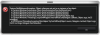
Anyone know how to fix this? -
Has anyone else used the 327.45 driver from the Dell website? I was planning on downgrading from 331.40 to 327.45.
*OFFICIAL* Alienware 17 Ranger (2013) Owner's Lounge Thread
Discussion in 'Alienware 17 and M17x' started by Mr. Fox, Jun 12, 2013.


