 Problems? See this thread at archive.org.
Guys I'm planning to buy an Alienware m17 r1 for 250usd and an used gtx 970m 6gb for 200usd
So before i bought it i want to ask
Do m17xr1 could run that gpu?
-
Windows 10 can make a laptop run real slow due to several reasons. One possible reason is the super fetch service. Try to disable it and see if that does the trick. I had to do that on my Alienware m11x R3 and even the Alienware m14x R1 as well. After that the disk usage went from like 99 percent to around 1 - 51 percent and the machines ran smooth again. Some of those Windows 10 services can be rather rough on the disk usage.
-
Ooops...wrong area. Can't figure out how to delete.
Last edited: Sep 8, 2018 -
Do you think a single 8970M is better than single 680M?
Did anyone figure out how to run 680M SLI? (w/ adjusted 330W psu to 400W output) -
Single 8970M is definitely quite a bit faster than 680M.
-
thanks for the information, anther question do you know is the brightness control works with de alienware m17x r2 with m6100? or will stock to the maximun brightnees all the time? i also know i need hwinfo to control the gpu fan and the 240w PSU
And what is the correct drivers to install ? hd8950 adrenalin-edition-18.5.1? -
Best bench I could get on my M17x R1
https://www.3dmark.com/3dm11/13786812
Core 2 Extreme is a tired chip. -
Hey guys new to the page here. I have a M17x R1. Pretty sure the motherboard went out on me but here is what happened. Bought the laptop knowing the power adapter with it was worn but worked so I ordered a brand new one from dell (240w). My specs are as follows: CPU QX9300, GPU's SLI GTX 280m's, Samsung EVO 860 ssd, etc etc. I did a tear down when I first got it home and cleaned everything up good and put it back together no issues. Well I unplug it use it on battery and still all is fine but then I go to plug it back in to charge and nothing. Laptop totally not recognizing the charger. New charger finally came so I reset the computer by pulling the battery and ac and holding the power button down for 30 secs then reassembled. After that it turned back on and bios shows proper 240w adapter is working. So I take it with me to my work use it on battery till it needs to charge and bam same issues again now! Not charging... Did the reset again and nothing. Tore it back apart to check everything nothing.. So my motherboard is the DELH-40GAB3300-A800. I ordered a new motherboard online which was factory refurb and sealed. Upon arrival I noticed the new motherboard has this for a p/n: DELH-40GAB3300-A900. I put everything back together with the brand new motherboard (also wearing a static grounding bracelet while doing so) and still the same damn problem!!! So I take it back apart and remove the ram, nothing, removed 1 gpu nothing, removed both gpus nothing, tried a different cpu nothing, pull the ssd and hdd nothing, pulled all the accessories off the mb and nothing! I went and pulled the 330w and 180w adapters off of my brand new area-51m 9900k and still doesn't pick up its being charged still won't even power on. The blue led on the adapter is on and its not turning off either. I did try powering it on also via the power button that is on the board itself and I also have 3 other power button/media center bars and that did nothing. I replaced the ribbon cable that goes from the mobo to the power bar as well and still no difference. I can only think that this 2nd board must be a dead on arrival situation because nothing at all worked... I have gone ahead and returned that one and tracked down another board now which has the same dell p/n as the A800 one I originally pulled from the laptop. I am hoping the third board will solve the issues cause its driving me nuts. Not sure if any of you have had a similar issue but asking doesn't hurt. I do know that the bios was A07 on both the first and second boards but the first board was a REV A00 and the second was REV A01. The socket on my original board says that it is an Intel 478BR and the second board is labeled mPGA479M but I don't believe the socket is the issue. The third board is on the way and will be here wed and in its pictures even though its a rev A00 and A800 it has the other style cpu socket as the second board stating that its mPGA479m even though its an older board that the second. Any and all help is appreciated guys. Hoping this works if not I will be switching over to an R2 board and better setup.. Also would love to hear any kind of info on about setting up a crossfire 5870 for this laptop if that's possible.
-
Battery is probably toast. It is at least 10-12 years old at this pointDrammar09 likes this.
-
So bit of an update here ok. Third motherboard arrived and still the same damn problem. BUT I tried something new.. I ripped apart my old Dell inspiron 1420 and was able to attach my m17x r1 battery to it and sure enough it charged fine! I even was able to charge it just fine with the 240w charges both of them as a matter of fact.. I installed the battery into the r1 and it turned on works fine no issues but still not charging.. I reinstalled the os back to win 7 64bit installed all proper drivers, chipset, alienware OSD, alienware control center, etc. Tried flashing bios to a07, a06, etc still nothing. I have done the battery reset method again to by removing ac and battery and holding power button for 30 secs with no dang luck.. I can perfectly charge the battery with another laptop so i know for a fact there is nothing wrong with my chargers, battery, or motherboards.. Hardware test also passed on cpu, ssd, hdd, memory, etc. I am not sure what I am missing here. I also tried to enable hybrid sli which it will let me do if i update the bios and i tried switching between hybrid sli mode and stealth mode still making no difference. This is just such an odd issue really I can't pin point the problem. If its not the charger, not the MoBo, not the battery, or the OS, then what is causing this blasted issue?
-
Are you receiving a "Plugged in, not charging" notification in Windows? With my R2, while its plugged in, just sliding the battery lock mechanism so it pops out and then pushing it back in resolves the issue for me. Not certain if the same bug occurs in the R1, but I guess its worth a try if you haven't done so.
-
As of today the problem is fixed. Picked up another R1 that just popped up locally. Believe it or not the issue that was causing all of this was the keyboard on my first R1. When installing the keyboard from the second one I got today it charges fine on all 3 of my new motherboards. Who would of guessed that a keyboard would be behind this entire issue?? I am glad to have it back up and running now and it looks like I have 2 now as I had enough parts to get the 2nd one running as well. Hope in the future my issues help others solve their issues. It never even registered that it was plugged in either Nospheratu.. It was essentially like it wasn't even attached to an adapter which wasn't true. Finding these keyboards brand new is one hell of a hassle as well.Nospheratu likes this.
-
Seems my newest issue now however is the Broadcom 1510 card likes to just wig out and disappear when it likes to and not always connect to a network. Maybe I can get a better card to go in its place
-
Anyone know if there is compatibility issue with an m2 to mpcie adapter for a wifi card in the R1? Going to pop an Intel AX200 replacing the separate bluetooth and wifi cards.
Rengsey R. H. Jr. likes this. -
I'm currently using intel 7260 wifi card.
I upgraded it today. Had bought a virgin M17X R2 for $150. lol
i5 : 8GB Ram : Intel Wifi 7260 : GTX 880M 8GB : BD Drive : Windows 10TruenoG7 likes this. -
That is what I'm going to do if the adapter doesn't work. As you saw, I popped one of those in an m11x a couple weeks back and it works great. It is WiFi 5 and supported by modern drivers, but I still want to do more. Looks like the M17x R1 has a half mini and full mini pcie slot. I think the adapter with the AX200 will fit in the full slot (where the bluetooth card is now) and I can try to find a creative use for the half mini slot.
I have to see what the speeds are between mini pcie SSD vs m17x's SATA. That or maybe install a USB card and put a dongle inside or something
I'm just brainstorming because I may buy back the m17x R1 I sold to a buddy a few years back. It was my trusted buddy for so many years and I want it back Looks like it is maxed out for what it is, QX9300 and CFX 5870s... nowhere to go with it now.
edit:
Some ebay links for reference to see what I'm messing around with:
https://www.ebay.com/i/133362803551?chn=ps (add an internal USB 2.0 port, wireless mouse dongle?)
https://www.ebay.com/itm/M-2-NGFF-WIFI-WLAN-Card-Module-to-Mini-PCI-E-Express-Adapter-Converter-Antenna/282556857999?ssPageName=STRK:MEBIDX:IT&_trksid=p2057872.m2749.l2649 (m2 to mcpie for wifi card)
Both are able to be cut to fit in a half mini slot.
In this teardown video, , the wifi card is in the middle of the m17x under the palm rest. The cords reach this area. The bluetooth card is on the left side and is a full slot. I doubt the M2 adapter with the wifi card will fit in the half slot, so I'll have to figure out how to route the antenna cords to the left side. Then I'll have a half mini slot to fill, likely with a USB port since I can't think of anything else interesting to put there.
I could see legitimate issues with the cords not being able to reach the left side. I might have to do a total tear down, which I plan to do since I'm sure my friend hasn't changed the thermal paste since he owned it and it is sitting with the AS5 I put in there years ago
I remember reading about someone doing something similar a few years back, but I can't find it.
edit: i5 and 880m for $150? That is a STEAL! WOW!
edit 2: not sure why I would bother with the m2 adapter and such when I consider the speed of the mpcie2.0 x1 slot. The Intel 7260 is more than enough. I'd have to hope that WiFi 6 optimizations would give extra speed, but doesn't seem worth the hassle. I'll just remove the bluetooth card and stick something else in there and just use a 7260.
I'm also thinking about doing a mobo swap to an R2. From what I've read you only need the mobo and CPU heatsink. Anyone have a working link for a guide these days? I'd drop in an i7 (probably 920xm but I haven't looked at prices) and stick with the 5870s until they either die or I decide to splurge on a more modern card.Last edited: Apr 26, 2020 -
Neither the M17x R1 and R2 have a msata slot and one does get the slot until the R4, there is a FCM slot which is different and is not sata based. You can though use msata and m.2 via an adapter taking up a 2.5 sata bay.
-
Tried the Quadro K4100m in the R1 and all went well with one exception that being the card didn't fully clock up but otherwise there was no issues. So for those using Win 10 there is little to no need to use dated 5870Ms and G92s that are well past their usefulness unless for retro or just collection. If anyone who is very new to this and is using win 10 Quadro cards will install as normal without needing to mod the drivers or do anything complicated unless it happens to be a M1000M. As a side note I haven't tried Fermi based Quadros but I have the feeling that they might work.
-
Fan control and onboard audio work?
-
Audio yes but not certain of the fan control as I had jerry rigged the fan when I had a 5870m installed. Aside from not getting full clocks it worked flawlessly with the CCFL screen. Tried the card in my R2 with the RGB and got solid color screens once into windows. This is why I like quadros so much that they often just work without all the mess plus the cost is lower.
-
This is awesome, people still using the m17xR1/2. I have had my R2 since 2007 and it still runs great. Sadly it is not just an internet browsing work computer but its solid and still holds a charge.
Papusan likes this. -
Got a 940XM coming in today .... So far the best upgrade.
-
This would work too right?
https://www.amazon.com/NGFF-M-2-Blu...ini+PCI-E&qid=1589140202&s=electronics&sr=1-3 -
Yeah, but I'm not sure if it is worth bothering since PCIe Gen 2 x1 won't see much of a speed benefit from WiFi 5 (Intel 7260) and WiFi 6 (AX200). Maybe on the router side/managing interference, but I think it may not be worth it for most users. Maybe it is worth the mod though. I decided to just do the 7260 since all the WiFi antenna cords will run to the same spot, rather than the full mini pcie slot on the left.
If you end up doing it and notice any difference over a WiFi 5 card, let us know!
I can't think of anything else to use the port for. -
So now my config on the $150 well spent M17X R2 has the following after a CPU upgrade.
i7 - 940XM or X 940 as the laptop display it.
8GB RAM
4GB K4000M GPU
500GB Conventional Hard Drive
1200P RGB Screen
Intel AC-7260 Wifi
Blu-Ray Player
240 Watts OEM PSU
I can't believe the speakers on this particular model out do all the new siblings. -
Awesome set up. Great media and older game machine right there. Definitely needs an SSD though! First thing I shucked in my m17x was the dvd drive and replaced it with a HDD caddy. I thought about doing a Blu Ray drive, but realized I own no blu rays...
Do you have experience with the 920xm? If you do, notice any difference? I bought a 920 xm because it was half the price, but thinking I might have been better off going all in. -
PCIe 2.0 bandwidth is 500MB per lane, even a Gigabit connection will give you 1Gb/8 = 128MB, an AX200 is a worthy upgrade, because WiFi will be as good as the worst connection you have on your router, if there is physical space, go for an m.2 adapter and an AX200 card.
Regarding the CPU, on stock condition the 940XM is only 133Mhz faster than the 920XM, but its a whole year more recent, so the process was more mature, so in principle you should get a better binned CPU when buying a 940XM. -
Anyone know if the second gpu fan does anything if a second gpu is not installed? Does it matter if anything is in there or not? The plastic gpu placeholder is getting hard to find. When I saw a picture of it, I realized I found it in a box of stuff a couple years back and threw it out
-
It will work even though there is nothing in the slot, wasn't aware that the place holder was getting rare so I will keep that in mind.
-
Anyone know how to create a crisis media on Win10? I haven't blown up a bios yet, but just in case. All the instructions say that WinXP is required. I'm thinking about making a virtual machine of XP and doing it from there. Either that, or I would pay someone to send me one!
Also, would an m17x R2 make it to bios or windows without an MXM card in? R2 motherboard I'm testing isn't posting, has 3 beeps (either GPU or chipset failure) plus 2 flashing left lights (gpu failure). This is with a master 5870m in or out, same error. When I add the slave card in and connect crossfire, the 3 beeps do not occur but the flashing lights do. I'm thinking the iGPU is dead, but IIRC earlier BIOS of the R2 didn't support 5870m either. In which case, I'll need a GPU that it does support to get into Windows and flash OR I'll have to use crisis media. I am confident the 5870m cards are good, since I just pulled them from an R1 and they were working in crossfire just fine. If the iGPU is dead, all of this hypothesizing is for nothing and I need a new mobo.
I have buggy R1 and R2 on the way this week and plan to shuck things out for troubleshooting. I hope to have a solid R2 to keep, a solid R1 to sell, and an R2 to sell for parts when all is said and done. -
First off.....It's been a VERY long time since I have posted here, but here I am, on my Alienware M17x-R2. Still going strong....needs a battery though....I am trying to install Windows 10 1903 updates and they fail or stop at 70%. I have been troubleshooting this issue for 8 months off and on and I still can't find a solution for this.
I even resorted to replacing the SSD with a different brand/model SSD and burn the Windows 10 1903 ISO to a CD and try to do a clean install of Windows 10, but that fails mid setup and Windows 10 cannot install. I wonder if there's a hardware compatibility issue with Windows 10 1903 and the M17x-R2 that just won't work with Windows 10. I am going to try installing Windows 10 2004 once the ISO becomes available from Microsoft to download, but that is going to be a little while still. I ran Dell Diagnostics and the built in BIOS diagnostics and so far everything has passed except for the Laptop Battery, which I get warned at every startup that it has experienced a failure and needs replacement, so I am not sure why Windows 10 keeps failing the install. I will try booting to USB next to see if that solves the issue as well.
Second: Anyone here mod a DirectX 12 compatible GPU into an M17x-R2 yet? Is it just Plug and Play or are there some BIOS firmware versions that need to be installed before the GPUs are supported? I miss gaming on it and I know that with a GPU upgrade, my 8GB RAM Alienware can play some games decently at 1920 x 1200 if it were to have a beefed up GPU that supports DX12.
Appreciate any input that can assist in keeping this beast running!!! -
8970M supports DX12 but only at feature level 11_1. If also supports vulkan.PsiPr0 likes this.
-
Ok, good to know. So the fresh install of Windows 10 2004 went smoothly. I am missing bluetooth though. I got a message stating that the drivers were not compatible so I wouldn't be able to use it anymore until I update the driver. VERY happy that AlienFX still works and I still have all my themes for the keyboard going. Sound, display, and mouse drivers all still work. Touch sensitive strip still works too!
I will need more storage space though. Do they still sell those adapters to convert the connection in the 2nd drive bay to SATA? I'll have to hunt one of those down. Haven't tried burning a disc or watching a BluRay movie just yet. These speakers are good these days because of the massive size of the laptop, but in it's time, there were other laptops that had better sound than it back then too.
Gonna start the hunt for parts. Should I get a USB WiFi adapter OR buy a different internal WiFi card? -
Is anyone here running Windows 10 with the IDT control panel working?
Whenever I change a value such as TrueBass it goes back to 0. Everything is 0 on the IDT control panel. Nothing changes when I move the sliders.
I am on Windows 7 again and it works fine. -
Ah, I need to download the IDT control panel. I don't have that installed yet.
-
Please let me know if your control panel works correctly in windows 10
-
I think it is. I thought maybe I just didn't know how to use it, but whenever I make changes, it doesn't keep them. In fact, I tried playing sounds while changing the settings but didn't really hear any difference. How is the control panel supposed to work when used? Here's some screenshots of the control panel on my machine.
-
Yours is also not working. Mine does same thing in windows 10.
Works fine in Windows 7. I will try and figure it out. Sound is way better with the control panel working. -
Give the below mod a try. I can confirm it does still work on Windows 10 and you can adjust the audio to your liking using the Dolby Control Panel.
Dolby Home Theater v4 - M17x R2 and IDT High Definition Audiossj92 likes this. -
Hey everyone I am having sn issue with the PCIe running at 1.1 instead of 2.0. I am pretty sure the M17xR2 is a 2.0 system.
GPU, even my PCIe components like Expresscard & Wi-Fi card is running at 1.1.
In HWInfo it says PCIe supported is 1.1
Specs in sig, I tried power drain, flashing A10 unlocked BIOS (no option to set link speed still)
@Raidriar @Baddemichl
Thanks I'll give this a shot. I think the link was dead last time I checked. -
Try googling your Bluetooth card hardware ID, the Broadcom card driver can be found on Lenovo site iirc.
-
I told you before the "unlocked" bios provides nothing useful.
8970M running at pcie 1.1 x 8 at idle, pcie 2.0 x 8 under load according to gpu-z -
This worked. Thanks! Sound is good in Windows 10 now.
The unlocked BIOS allowed me to turn off the annoying PXE boot screen every boot. On the stock BIOS even with network disabled under boot tab I would still see it. It also allows you to turn off specific sata ports allowing one to turn off a secondary hdd when installing windows without removing the hdd. I was hoping to find a PCIe version option but there is none.
Regarding the original issue, even under full load the GPU is running PCIe x8 1.1. All of my PCIe devices including wi-fi card and usb3 expresscard show up as 1.1.
I know this laptop should support 2.0. If you use HWInfo to see what your MB support PCIe is, it should show 2.0. Along with devices connected through PCIe showing 2.0 as supported. Mine show up as 1.1, idk why. This explains why my USB3 capture card is also probably not working. 2.0 is 2x faster than 1.1.Last edited: Jun 22, 2020 -
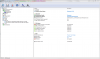
Here is my machine, Windows 7 Ultimate x64.If you have problems with PCIe could be a hwinfo bug in win10 or chipset driver problem in win10. M17x R2 is not designed with win10 so keep that in mind.Some of the acpi calls stored in the dsdt may not longer be valid for win10
 ssj92 likes this.
 -
Thanks for this. I still have Windows 7 installed on my second drive, will check that OS and see what it comes up as.
-
Guess there's an issue somewhere else...Windows 7 also shows 1.1
![[IMG]](images/storyImages/Qckwhrz.png)
-
I would check to make sure your chipset drivers are latest
-
On the windows 7 install I used the ones directly on Dell's website.
Is there any others you recommend?
On windows 10, just tried installing latest one from intel and it still runs at 1.1Last edited: Jun 23, 2020 -
My 10 year old M17x is finally faster than a 2020 office laptop LOL
https://www.3dmark.com/3dm/48502901? -
There is something wrong with PCI recently. @Sentarshi has a similar issue, his CLEVO is recognizing a card (M4000M) as it is, but won't let the PCI run in any faster mode tha 1x, resulting in poor performance. Any clues on what may be causing that? vBIOS has been swapped in and out between different versions, nothing sticks.
Sentarshi likes this.
*OFFICIAL* Alienware M17x R1/R2 Owner's Lounge Thread - Part 1
Discussion in 'Alienware 17 and M17x' started by katalin_2003, Dec 6, 2011.


