Problems? See this thread at archive.org.
Shame that is a deal breaker for you. So many good points that I just get used to it. I'm sure that an aftermarket anti-glare will help in windows but I don't need my 3d games to be any darker, I like the 'crispness' the glossy screen gives in low light.
E.g. White wall to left with daylight from right not directly onto the screen:
-
Attached Files:
-
-
Was it possible before that the M17x were able to have an SLI configuration?
-
Nope, sorry.
-
If you mean an earlier model then yes the R2 I believe.
-
Yeah I didn't really think it was necessary but I also picked up a u3 on a lark while it was on an amazon deal and have been very pleased especially for the price ($19) I paid.
Some question the longevity of the fans but so far so good. -
I just installed 32GB of Corsair ram and was wondering, what do you do if you encounter screws with worn out grooves? I happen to notice quite a few and I only managed to unscrew after a lot of effort.
Does Dell replace the screws? Or if you're unable to unscrew, what do you do?
Also, the metal cover protecting the memory slots under the keyboard had one of those screws that had worn out grooves (the one on top), to get at it I just bent the metal piece and installed the ram. When I tried bending it back, one part of it snapped off. I know I should have waited till I had the screw removed, but I didn't want to wait too long especially after I had already gone through the trouble to get everything opened.
Can I get a replacement for that or am I screwed? (haha)
Also, I have 1TB 5400 and the stock 2 x 4gb ram that came with the machine that I switched out. Can I get rid of it? Or do I have to keep it for Dell warranty purposes? -
how do i get hdmi-in to play sound though speakers or headphones on the R4
-
The setting is in the sound blaster recon3di panel. It's about the 4th or 5th category down iirc, and there should be an option for HDMI In there. Make sure it is clicked where it says "Listen to this port." Should work fine after that.
-
Sorry another stupid question, how do i turn on the AMD card by default? Right now it's showing everything using the intel gfx which looks super pixely and ugly. Is there a way to run everything off the AMD without having to assign each process to it?
-
FN+F7, that should turn off the Enduro and force your laptop to run on the dedicated 7970M. You can double check by running a benchmark. It should score way high compared to your state right now.
-
When i do that it goes to even worse graphics, like safe mode style....
-
Yes, both the m17x and the M17x R2 were dual GPU, aluminium body systems, Just like the m18x right now.
The M17x R3 & R4 along with the M14x line replaced the M15x line. -
That's odd. It shouldn't do that since you're already on the intel graphics. Is your laptop plugged in?
-
Yeah plugged in.
-
my friend had this problem. a tech was sent to his house to fix it. the tech brought new screws and new mobo,video card in case of damage when unscrewing. His video card was overheating and needed to reach the heatpipe to clean the dust. Hope this helps =]
-
Hey does the Free Fall Sensor show up in device manager as an unknown device if you don't install the driver? Just trying to figure out if I am missing something else, wasn't really planning to use the sensor.
-
My R3 did after a re-install and another forum member had the same so that is probably it.
-
Anyone playing Guild Wars 2?
So far it's been epic for me! 60FPS with some few dips to 50 on my Alienware M17X R4 7970M on the highest possible setting! This is great!
-
Noticed that myself... I simply installed the driver that I downloaded for it from the Dell site manually through Device Manager.
-
My alienware windows 7 login screen turned into a windows 7 premium screen yesterday? Any way to fix this? The bright blue just isn't as cool as the dark red lol
-
Yeah happened to me too last month. Follow steps 3 and 4 should get your original background to show again.
http://forum.notebookreview.com/alienware-m15x/509868-alienware-login-screen-those-who-lost.html -
Thanks. It looks so much better.
-
Proud to say I am the newest member of the Alienware m17x R4 club: Photo Album - Imgur Beautiful machine, amazing performance
-
Welcome to the club!
-
Welcome to the club from me as well!! Hope you enjoy yours as much as I enjoy mine.
-
Hey guys,
Just ran 3dmark11 Basic edition v1.03 and got the following scores at default clocks:
Score
P5994 3DMarks
Graphics Score
5858
Physics Score
8090
Combined Score
4937
Do those numbers seem about right? -
Ok I have 7970m as stated in my sig and I just noticed that my gpu doesn't running at 100% in skyrim it doesn't go above 75% gpu usage and was wondering if any of you know why
Sent From My Rooted E3D -
Maybe a hair low, should be another 1-200 points for the P, but you should be working well.
Turn off Vsync. -
^^^^
I have looked and just can't seem to find it /:
Edit found it hope my game plays better now
Sent From My Rooted E3D -
Just installed the Nvidia 306.02 BETA drivers. Chose the clean install option and I actually had to do a hard reboot by holding the power button down as the screen went black and it was beeping once every so often. Once I rebooted, I re-ran the setup and it got me to reboot a couple of times but everything went through OK it seems. 3DMark11 P score went up 200-300 points and now I seem to be able to adjust the brightness on the screen when it is set to 120Hz which I wasn't able to do before. Try at your own risk
EDIT: Rebooted and it looks like my screen is still stuck at one dimness for 120Hz again. Doesn't make a difference if I change the 3D mode under the Nvidia control panel as another thread suggested. 60Hz goes way brighter for me. -
So is it par for the course that the 120Hz 3D screen can't have the brightness adjusted (dimmer up and down) when set to 120Hz for regular Windows usage? I have tried adjusting the 3D settings in the NVIDIA control panel as one thread suggested but can still only change the brightness in 60Hz mode.
-
I've just checked mine out and if the display is set to 'always use 3d' then the brightness control does nothing. It took a restart to get it back and strangely now it is greyed out.
I've had the brightness stop working after exiting some games but a restart gets it working again. Always set at 120hz.
Edit: it was greyed out after the restart as it failed to detect the AW display and was in 'vision' mode. manual change fixed it
Attached Files:
-
-
Thanks for the input. Still seems to be hit or miss with me. For me it seems that if it does start letting me do it, a restart takes away the dimming function.
-
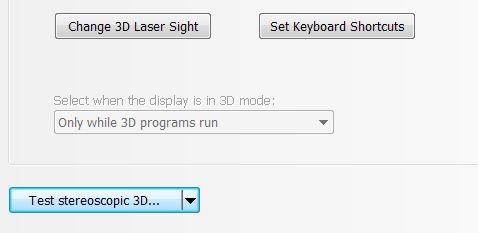
That is strange. Sounds like it is defaulting to 3d mode even in windows. Have you tried the enable/disable 3d shortcuts in the Start menu as a test? With these you don't have to go through the wizard every time you want to enable 3D
-
Hi guys.
I just instaled a 7970m from a R4 into my Precision M6600. One issue that I have is that when I'm connected to an external display powerplay ,when idling, clocks the card to 300 gpus and 1200 mem if I set it to maximum power. The thing is if I set it to power saver it goes to 450/300 but stays there even if I use furmark. If I use only the built-in display the card clocks down to 300/150 when not in use and goes up to 850/1200 when in full load with power setting set to maximum power.
Is there anything I can do to setup powerplay properly? -
Hi all,
i'm new in this forum and i need an answer for an easy question: i have a M17x R3 with nvidia 560M. Can i use the nvidia drivers (301.42 is the last release) or i have to use the drivers on the dell support page?
(sorry for my bad eng i'm italian) -
Of course you can use the nvidia's official driver or a modded one but it seems like you have to sacrifice your optimize by doing so.
-
The Dell drivers are the "modded"? What's better?
-
Modded drivers are some unofficial drivers based on official Nvidia ones, may be unstable in someone's cases but added more function to it. Dell's drivers are called OEM drivers.
By the way, I just found a modded 306 driver which may support Optimus, you might want to try it.
http://forum.notebookreview.com/gam...s/686178-geforce-306-02-universal-driver.html -
I believe all the drivers straight from nvidia have optimus bundled with them. No need to use modded drivers. I would go with the latest from nvidia and see how much of a performance increase you get. I'm sure there will be at least a slight increase.
Edit: One reason to use modded drivers is if your card is not officially supported by the driver release, laptop2go adds all the Hardware ID's so the drivers will install.
-
I thought all the Alienware laptops had to have the drivers downloaded from Dell? I know I have tried to install drivers straight from Nvidia but it says my card is not supported.
-
You don't have to use them (video drivers) unless you have a problem that you need to call dell for, they only support the 'official' drivers on the dell site.
I had the same problem of 'unsupported hardware' right up to the latest beta release from NV ( Drivers | GeForce) when I wanted a V 3xx driver. Laptopvideo2go have all the driver versions along with a modded inf file to alow it to install. http://www.laptopvideo2go.com/http://www.laptopvideo2go.com/ . Make sure you read the instructions/disclaimers, etc and download/save the .inf to copy over the original.
HTH -
Weird I just had tried to install those beta drivers a few days ago and it failed but this morning it felt like working lol.
-
I tried playing with that hardware monitor app but it seems it made the fans not work as well as they were prior. So I uninstalled the app and cant get the fans to kick in high gear for nothing. GPU idling at about 56c with no cooler with running EQ2 GW2 or SWTOR it gets to about 62c. But it sounds as if fan speeds never change. Did something get messed up with that program or is this normal or what?
-
Anyone? Please help.
-
Those temps sound OK to me. I only hear my fan at around 65c. I idle at 52c-58c. The fan on it's lowest setting is starting/stopping to go between those temps.
-
I guess during gameplay the temps hasnt gotten any higher. Although at idle they seem to be a bit more even with the cooler. I use to idle at about 35-37c now its 40sih with the cooler. On another note, has anyone else noticed the colors on the laptop screen look a little washed compared to the colors or a stand alone monitor? My 24" Samsung LED monitor displays much better coloring.
-
As a proud owner of an Alienware M17x R4, am I the only one thinking that Alienware should have an agreement with Microsoft and include a built in Microsoft Wireless xBox 360 Receiver? Heck, after all, it is a gaming machine.
-
So is more safe if i use the Nvidia drivers for my GTX 560m true?
-
I second that. Or at least Microsoft could have used a small little USB dongle like my G700 mouse instead of the long cord and grey bulgy receiver.
*OFFICIAL* Alienware M17x R3/R4 Owner's Lounge Thread
Discussion in 'Alienware 17 and M17x' started by katalin_2003, May 4, 2012.