Problems? See this thread at archive.org.
Thanks! Now I'm just waiting for somebody to reply about what i should do if an engineer needs to come and if the parts are refurb or not.
-
You will just need to make sure that you have a good HDMI cable, 1.4 spec if possible. You will need to purchase 3DTV play from Nvidia or Tridef 3D software to use 3D on your TV for games. If you use 3DTV play you will have to run at a resolution of 1080p at 24Hz (not really good enough for gaming but will work for 3D blu-rays with blu-ray software) or 720p at 60Hz. Tridef will let you run at 1080p at 60 Hz but using a side by side format that means the actual resolution is 960x1080 but it looks good too.
-
I would watch the engineer like a hawk and make sure they know what they are doing. As to the parts, the replacement parts I have received have always been refurbs (as far as I know).
-
Thank you
-
Hi Everyone,
I purchased my M17x R4 from the Dell Outlet as a "certified refurb" unit. I received it 2 days ago. Everything is perfect except the keyboard bezel center cover has (2) scratches (one easily over a 1" long) and several pits across the media panel area. No where when I purchased it did it mention it was a "scratch and dent" unit, I bought it as a refurb. I'm pondering whether I should call Dell and complain or just buy a "new" bezel off Ebay for $27. What are your thoughts? -
At that price probably best to just purchase one. I'm sure you'll find some small print about 'minor cosmetic damage' somewhere, although it wont hurt to call and complain anyway. Who knows, maybe they will send you the part
-
Yeah. I think it would not hurt to call and complain. It is your $$$ after all. If they can't fix that, you can always have the option to buy a replacement. Since it's refurbished, I would not surprise to see a few dents and scratches here and there. The only refurbished items without scratches that I know probably are from Apple. Oh well...
-
Just wanted to post my benchmark from 3DMark11 (GPU 1000/1600) (CPU 40,39,38,38) AMD Radeon HD 7970M video card benchmark result - Intel Core i7-3720QM Processor,Alienware M17xR4 score: P6879 3DMarks
Score
P6879 3DMarks
Graphics Score
6603
Physics Score
8672
Combined Score
6907 -
What the. How did you even manage to get the 7970M reach the 6K mark? :O
-
I take it he's overclocked..
-
Is it over-volted too..?
-
1000/6000 is most def an OC. Stock 850/1200 is typically mid P5800s and even a mild OC 7970m cracks P6000. What I see is a solid run with an OC that doesn't backlash on him (i.e. no neg returns).
I'm willing to bet he didn't flash an OV and just has himself a gem. -
View SIG, 1.075ov I have not tried at stock voltage as I have my vbios flashed to 900/1300 1.075v
also I played crysis 2 on these setting and gained a steady 7-8 fps increase. CPU runs hot 84c, but gpu is a steady temp of 70c max. The CPU heatsink is a joke should be a 3 pipe. In my sig is a mod I'm working on for the CPU heatsink, but no positive results for my liking yet, but it still is a work in progress.
That would be one beastly card if I could pull that off at stock voltage. -
yepp, but possible. I pull off 974/1560 stock V. Didn't notice the sig earlier, but didn't really look either
-
With OV the card still Runs cold, no reason not to keep a stock OV IMO.
-
For you guys who have the Killer N 1103, when you turn off your wifi, does the bluetooth turn off too? Or your bluetooth is still on? Whenever I turn my wifi off with the wireless button, the bluetooth is turned off. Just think it's kinda weird.
-
you can set wifi button behavior in BIOS.
-
Hi guys,
Just wondering how do you turn off Enduro for Radeon 7970M on Alienware M17x R4.
Heard that a lot of people were getting in trouble with Enduro due to driver issues. -
Just use FN+F7 then restart
-
Fn+F7 ..
-
I just realized that my RAM is only running at 1333 right now. I have the stock Samsung 4GB (m471b5273dh0-ck0) stick that came with the machine and a Corsair Vengeance 4GB (cmsx4gx3m1a1600c9) stick I bought installed but can't seem to get them to run at 1600. I have tried playing with the timings in the BIOS but it won't post at that speed. Anyone have a similar config?
-
try the XMP settings if both your RAMs support 1600Mhz. Otherwise the system will run at the lowest available speed.
-
Yeah, both of the RAM sticks show as 1600 compatible (800 at DDR) in CPU-Z. I have tried using the XMP 1 and 2 profiles in the BIOS and have also tried setting the timings manually to match the lower ratings of the Samsung stick. I even tried bumping the voltage up to 1.55 but have not had any luck.
Someone on here must have done a similar swap out of the 2GB stick that comes with the base config, no? -
Does the M17x R4 have "Stealth Mode" ?
-
sorry mate, cant help you much there.
what do you mean? The only one I can think of is: set the computer to battery saving (minimum fan noise), go dark on alienFX and lowest screen brightness. -
Did the same thing, well - stock 8gb with 8gb Vengeance. Won't go over 1333. Just gonna swap it all out.
-
Good to know it's not just me then. I guess I will pick up another 4GB stick of vengeance and swap out the original 4GB stick. Thanks for the reply!
-
Nope. The m17x r3 doesn't have it either.
-
So, I'm mostly impatient and know I should wait longer, but am curious to know about how long any of you had to wait before you were emailed your Dell egift cards? I've got ones coming for $200 and 5% (about $120) and can't wait to spend them. My m17x shipped on 8/31.
Thanks! -
congrats on the new system!!
-
Officially an Alienware M17x R4 owner now
Should arrive in 2 weeks
-
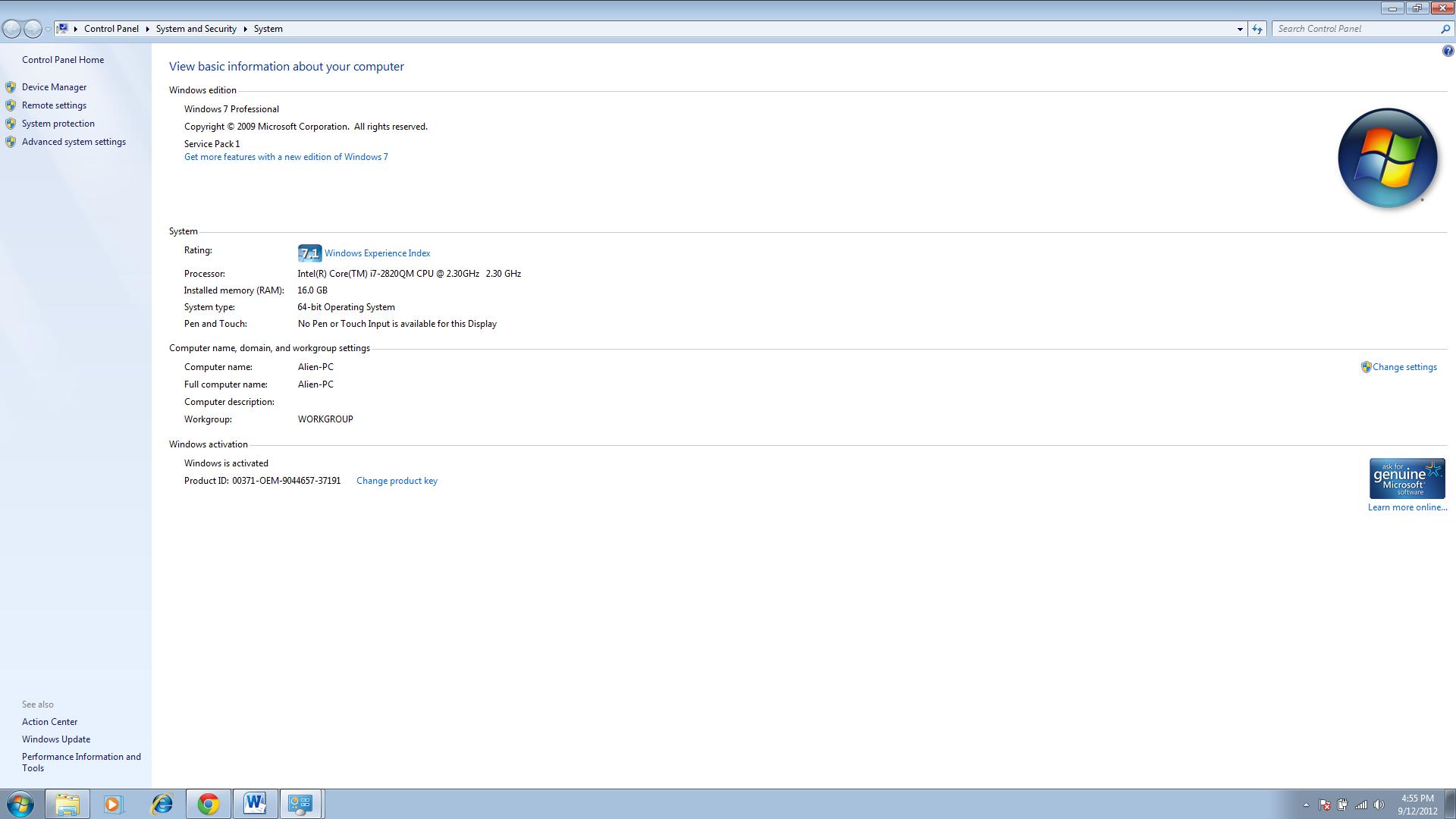
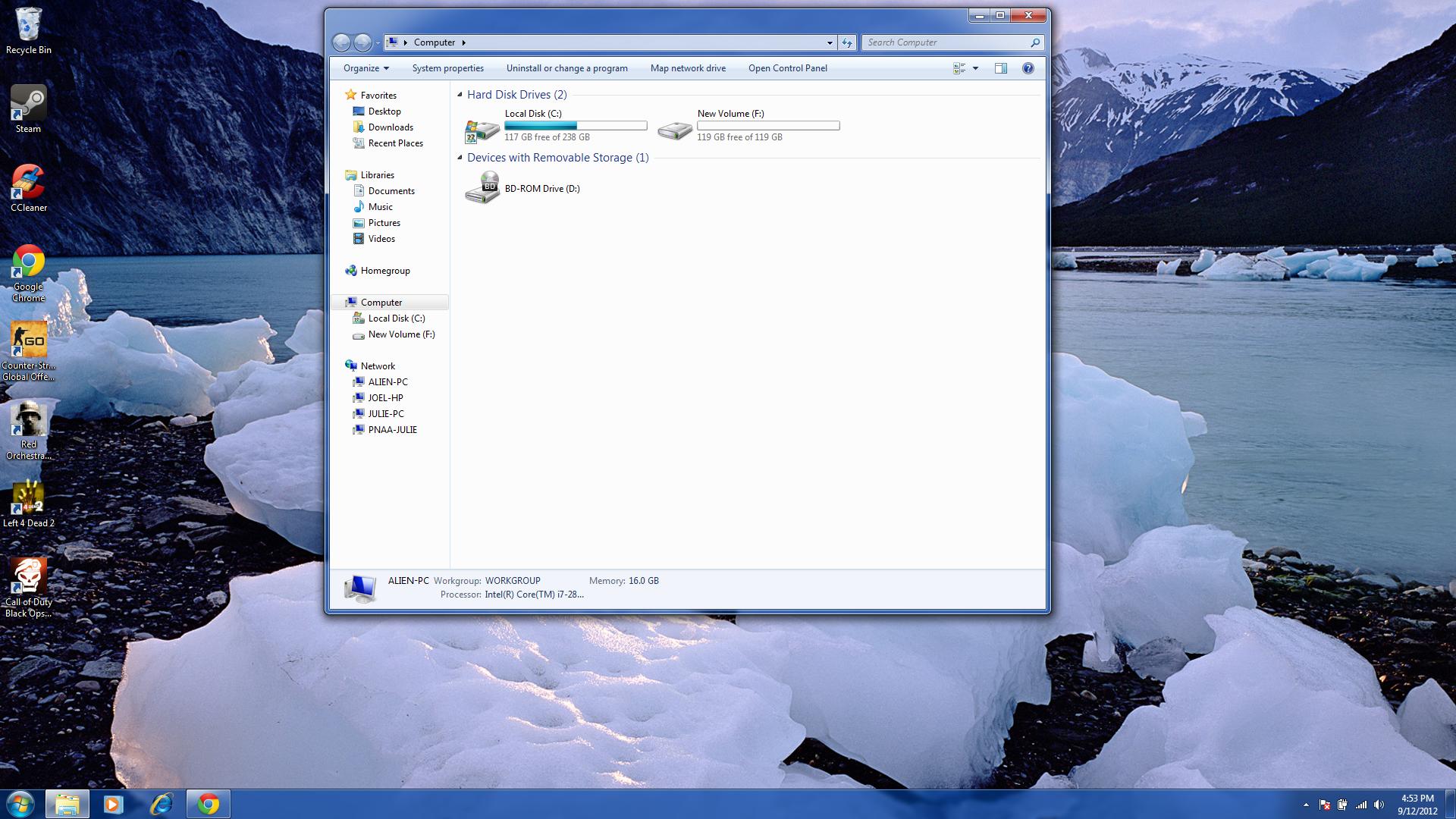
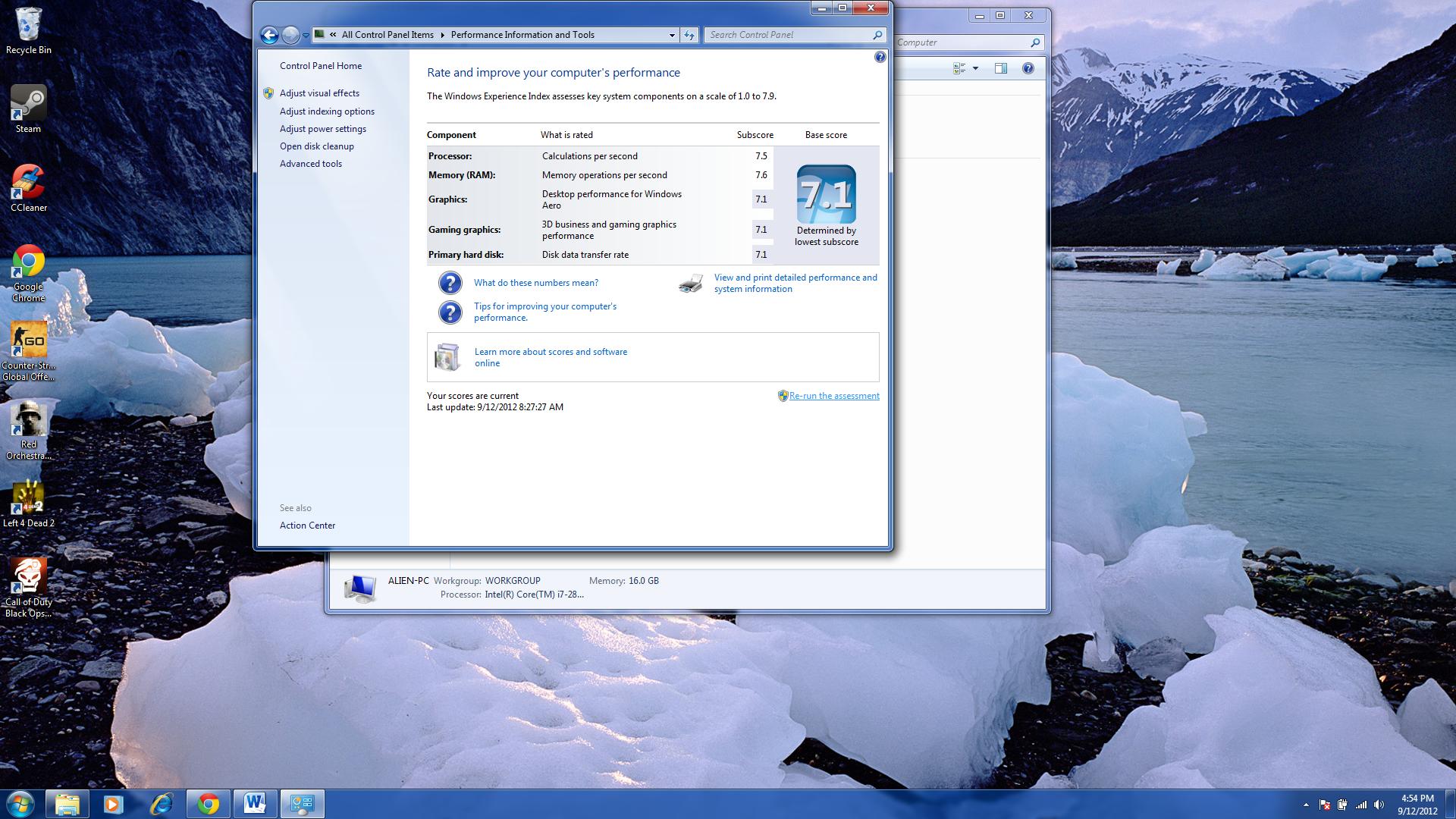
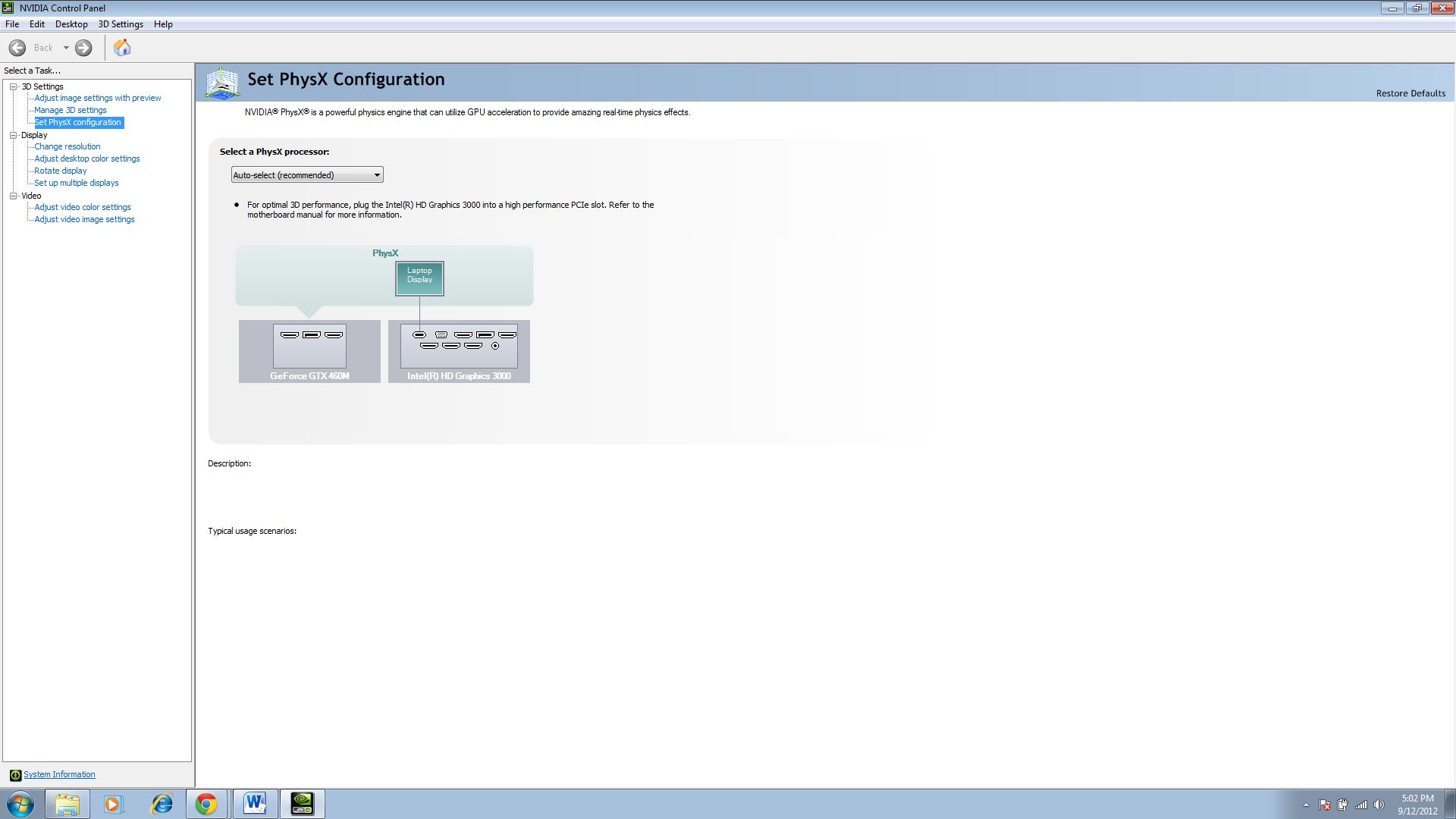
Hello all I am new to the forum have been really into gaming but never really had the right rigg to game with. So I looked into alien ware and ended up buying a used m17x from a craigslist seller who happens to work for valve and has about 6 hardcore gaming computers I got a good deal at $1200 (I hope so). Anyways I figured I would post some pictures of the specs and all, let me know what you guys think. if you look on the last picture in the Nvidia control panel, I was curious how do I switch the laptop display box to the GeForce GTX 460m so the laptop is running on that video card not the intel HD Graphics 3000. Maybe this sounds like a dumb question but I am kind of a rookie
. Thanks
-
That to me reads that you are running off the 480M only, you can try holding down FN + F7 to enable the HD3000. To verify if you have both enabled just view display adapters in "Device Manager" under control panel.
-
I press fn +f7 and it said "your graphics solution is automatically configured for optimal performance" did you look at the last screenshot?
-
Like mikecacho said, go to Device Manager > Display Adapters > and confirm that both the 460m AND Intel HD3000 are listed. If so, switching should happen automatically.
Some games, however, the computer thinks should be on integrated graphics. You should be able to configure this in the NVIDIA Control Panel > Manage 3D settings. There you can add game .exe files and set whether the graphics processor is chosen automacially, set to GPU, or set to HD3000. -
Yes, What Display adapters are showing up?
Go to control panel < System and Security < Device Manager < Display Adapters. Select the drop down and type what it shows please.
Please list M17x Version and specs, thanks.
-Mike -
It shows this
Display Adapters
-Intel(R) HD Graphics 3000
NVIDIA GeForce GTX 460M
Not sure what you mean by version but the specs are
Processor: Intel(R) Core(TM) i7-2820QM CPU @ 2.30Ghz 2.30 Ghz
Installed memory (RAM) 16 GB
and the video cards listed above
Not sure what people refer to when they say I have R2 or R3 what does that even mean? thanks -
I'm guessing this is an M17x r3 since it has a 2nd generation core i7 processor, this system works with the Nvidia Optimus technology which switches the graphics cards depending on what the system requires, here's more information:
Nvidia Optimus Technology
Edit ADD: R stands for Revision, so Revision 1, Revision 2 or Revision 3 -
ahh gotcha thank you sir
-
Ok so you are running both display adpaters Bimmer. What this means is you are utilizing Optimus technology which is designed for power saving, so when you are just doing basic tasks such as browsing the internet or watching a movie the HD3000 will be the defaut for those low performance programs, but once you start playing a High performance program such as a Game or running Video editing software etc.. the system will automatically determine which setting is optimal for that specific application and switch between those two application.
As for your Nvidia control panel, leaving settings to recommened is best. HD3000 is integrated graphics built into the CPU vs integrated graphics built into the motherboard such as in the 2009 M17x which has the GeForce 9400 integrated GPU built into the motherboard. I hope this helped answer some questions.
-Mike -
thank you! I finally understand what does r2 and r3 mean?
-
It is a Model number, R2 is the second revision and R3 is the third, with each year that passes AW releases a new model revision for that specific type, this year is R4.
-
R stands for revision. M17x r1 is the Revision 1 of the 17 inch laptop released by Dell Alienware, m17x r2 is the 2nd Revision released with a few updates and it's newer than the M17x r1, the m17x r3 was released after the m17x r2.
-
Congrats!!!
Sent from my Samsung Galaxy S2 running Resurrection Remix -
Hey, on the glossy black parts underneath the speaker grills, do you guys have a bunch of scratches/swirl marks on in. I know these finishes love to have the little marks in them, but I'm pretty sure they were here from the get go. No big deal, just wondering.
-
Not on mine. I've got the shiny, patent leather look... no swirls at all.
-
not on mine either.
-
Hmm... At first I thought the teeth of my jacket rubbed against it but I basically ruled it out. 1) too many marks in a short period of time ( holding it about 10mins). 2) I looked at some pictures I took of it when I got it and you can see the swirls through the protective film.
I guess some of it could be from wiping the dust off, but I don't know.
Sent from my SGH-T999 using Tapatalk 2 -
what is my laptop than r3 or r2?? thanks
-
Just got my R4, and really like the build quality but just a bit concern of the soft touch. as for my questions:
1) does the optical drive bay support sata III speeds?
2) Am giving thought of buying a skin for it, anyone have any recommendations?
3)Also looking for a good backpack or messenger bag to fit this beast.
*OFFICIAL* Alienware M17x R3/R4 Owner's Lounge Thread
Discussion in 'Alienware 17 and M17x' started by katalin_2003, May 4, 2012.