 Problems? See this thread at archive.org.
I have seen three machines here completely trashed following a bios flash, wouldn't even power up (MB replacement) so that put me right off any modded bios'.
Seems to be machines with later than 08 flashing an earlier version but I never saw a definite answer. I have my USB stick prepared for the day I need it and I upfate it with the current bios file but hopefully I won't need it. Too much stress for me
-
-
Well there is always a risk flashing community firmware.
-
Yeah, a beeping post failure I can cope with. It's the total destruction of the MB attempting a recovery that sucks.
-
Yes and it's not an easy or cheap job to replace it, so as always user beware with this stuff.
-
That's good to know. I thought about 'forgetting' the 3D glasses but didn't. Don't ask, don't tell I guess

-
Hey, just found this little gem in my steam list: Painkiller Hell & Damnation. No idea where it came from but fun. And it has the 'plays best on alienware' logo. The AlienFX interaction is a nice touch to those moments of terror...
-
Ah the fabled "How did that get in my steam list" moment, probably a drunken night during a steam sale
-
funny how I never have any problem with svl7's modded bios but the moment I flashed the official A05, my lappy just drop dead on me.
They are giving us a free weekend so yeah... -
I`ve been flashing unlocked bios in my msi gt60 milion times and it runs ok so don`t know why on alienware some mainboards dies.
-
I thinks its due to the way Dell has it to flash the bios. They haven't updated or changed it to a safer method of flashing the bios, or something like that.
Anyways, I recently flashed my R4 with an unlocked bios version A10. The only way to flash it is to downgrade to ver. A05 and from what I've read, A05 can brick your motherboard. My laptop starts to beep for like 10 minutes nonstop when downgrading, and then it shuts down/ restarts (I don't remember which). Then you'll be able to flash to an unlocked bios (A10).
I think it's a very risky to flash and I wouldn't suggest doing so unless it's neccessary, or you still have warranty. -
Yep I have still warany I`ve just bought it
. I will wait I dont need it so much but I would like to oc r7970m but I can`t find in CCC overdrive tab? I have been trying to use that metod
http://forum.notebookreview.com/ali...-mobility-7970-m17x-r3-illustrated-guide.html but all the time i have 850 MHz max on gpu and I can`t overclock more. ENABLEULPS 1 I change on 0 but all the time after restart It changes on 1. I am using new drivers 13.x beta 3 .
-
I have also tried to overclock, I can but when I do everything seems very unstable like my screen splits and tears in the desktop and games etc. This happens even if i just go from 850-851? Any ideas?
Sent from my GT-I9300 using Tapatalk 2 -
Ahh, that will account for the '3 days remaining' when I first saw it, although a drunken night at a steam sale seemed just as likely, thanks
-
Which tool are you using?
-
Msi after burner
Sent from my GT-I9300 using Tapatalk 2 -
And what about divers is it new one 13.1?
-
Yeah but im installing 13.2 beta now.
Sent from my GT-I9300 using Tapatalk 2 -
Ran 3DMARK 11 with the AMD 13.1 drivers installed and got a jump from 5,500 with the previous performance drivers to 6,506 ( AMD Radeon HD 7970M video card benchmark result - Intel Core i7-3630QM Processor,Alienware M17xR4 score: P6506 3DMarks). But I noted 2 nagging issues:
1) My core clock was 300 MHz and memory clock was 150 MHz. Temps were fine so what's going on?
2) It noted my driver version as 9.12 and not 13.1
Anyone have any ideas? P.S. My saga with CCC is still going on, I still do not have all options to me such as Software info and so forth despite multiple uninstall/reinstall of just CCC and also the whole package. -
lol It's in my Steam library too, it's a free to play weekend
edit: long beat me to it, whoops lol -
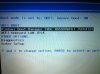
Me again, just had a read of your reply and then checked my BIOS again. My SATA has options for RAID (which it is set at now) and AHCI and ATA, so could I in theory install Windows 7 without needing to extract the drivers at all?
Just to get some other advice while I'm hear actually. When I first received my Alienware from Dell it arrived with a broken speaker, at the time the Alienware support team got me to into the BIOS settings and run a diagnostics, I was then advised to update the BIOS and did so, long story short my speakers were repaired by a technician. But when I went into the BIOS again and came out of it I got a MEDIA FAIL error.
I did a google around and discovered it might be to do with the UEFI onboard LAN IPv4, so I changed the boot order. Everything runs fine now, and I don't receive the Media Fail anymore but not being familiar with UEFI boot and the SATA drive options I'm just wondering if the settings I have enabled at the moment are correct?
-
Hi, as long as you do not want to use a cache drive or combine two drives (RAID 0) then you can use AHCI mode and use the drivers that windows installs by default. If you have a cache drive it will then show up as a separate drive for use (and your load times will be much longer). To change after windows is installed (if you later decide you need it) will require some work tracking down the registry changes needed (as I read it) OR a reinstall of windows with the correct disk driver.
The UEFI/fast boot options are for speeding up windows 8 loading and should be left at default for 7.
Good luck
EDIT: If you have aready installed windows in RAID mode you will have to reinstall with the raid off (AHCI). Just changing it will result in a BSOD when windows loads. -
I would do that but I want my games to be on my SSD
-
Think of it as a gift from you.... to you...
-
As was the laptop - I'm good at this gift choosing thing - always seem to get the right stuff
-
Just a couple quick questions.
First, I haven't upgraded my 7970m drivers since the end of last summer. What driver if any should I switch to and what is the best way of doing so?
Also, I have my display off time set to 10 minutes and sleep set to 30 minutes. The display will turn off but it never goes to sleep. Any idea what would be causing this? This just started happening a few days ago.
Thanks in advance -
Installed anything new lately? I do know some applications have a 'deny sleep' option when in the background (still allowed under the Geneva convention)
-
All I had been doing during the time frame that I noticed it happen is play BF3 which I've had installed for a long time. And I don't think I've installed anything recently but I'm not 100% sure.
-
Oh well, apart from trying to exit things running on the taskbar to see if that helps I'm out of ideas - and AMD drivers are not my bag, I gave up on them years ago so can't help with that issue
-
I've always disabled sleep. Always screws up my downloads. guess I'm old school.
Sent from my Samsung Galaxy S2 running Resurrection Remix -
I'll mess around with stuff and see if I can get it to work. As for the AMD drivers. Not gonna mess with those until I hear from someone that knows what they are talking about. Since I sure don't.
-
A wise decision - over to you bigtonyman
-
Well you should just be able to install the latest 13.1 WHQL drivers right over the top of your current drivers and you should be good to go.
-
Thanks. I'll give it a shot and let you guys know how it goes.
-
Yup, 13.1 is the way to go. I just go into the control panel/add or remove programs/uninstall amd ccc, express untinstall all amd software, then restart and install the new driver. I don't recommend driver sweeper or registry editors since I've had issues with BSODs after using them on my Sager.
-
Its not working. I tried installing over my old drivers. Then I just uninstalled everything and its still not working. It only gives me 3 things to install.
-
Use AMD's new uninstaller program: AMD Catalyst Un-install Utility
-
Got it working now I think
-
I don't understand why you people recommend installing it on top of current driver.
If you can't install it standalone, it means that installing it on top doesn't really update the driver itself but rather the other stuff like catalyst control, etc... Which could pose problems(poor performance, compatibility,etc...).
Sent from my EVO using Tapatalk 2 -
Right?
I'm at work right now and my M17x is at home downloading BF3, lid closed ofc -
problem is the graphics switching for the older cards (6990m and 6970m) is packaged within the older drivers and isn't in the newer ones. That's why you need the stock drivers first as it preforms just fine for me. And it must be installing something if my 3dmark score keeps going up bit by bit with the same clocks.
My network speed is sooo slow at home it sucks living here in alaska.
-
I'm looking to increase my memory to 16GB in my m17. Is there a particular brand that is better than others? I've read good things about Corsair. Any input will help. Thanks.
-
Unless you're doing hardcore benchmarking, there is absolutely no difference. Corsair and Kingston are 2 of the best/most well known brands, I've got 16GB of Corsair Vengeance 1600Mhz and it's working just fine... multitasking etc is perfectly smooth and I haven't encountered any "issues".
Just get the cheapest set from either Corsair or Kingston and you're set IMO
-
I was leaning towards Corsair, based on what I've read. Thanks for the input.
-
Doesn't matter too much, I went with cheapo own brand komputerbay ones. 16GB (2x8GB) kit was 50% more to get a equivalent corsair one (same speeds and timings CL10). Make sure you look at the timings, aim for CL10 or lower.
-
Ah, thanks for the CL xx tip. I hadn't really been paying much attention to the CL number.
-
Hey guys!
So I started Guild Wars 2 yesterday and it is awesome! Can max it out of course no problem, it's even totally smooth with Supersampling on
Anybody else here play it?
Actually came here for some advice on my keyboard issue... So every now and then, some of my keys just get f****d and don't work at all get's me super pissed... usually they are W, F, I think J as well..
It takes me a lot of blowing under the key, removed the W key one time, multiple restarts, pressing the keyboard hard while.the computer is off... To get them working again, and then it's fine again for a few days. But it is really pissing me off how it's the same keys every time, and I can't see a reason for it. I didn't see any dirt under the keys, and the first time it happened.. a simple restart fixed it.. so is it software related or something?
Help please I'm gonna make a separate thread for this too and just copy paste this
-
I wonder if it might be the connection?
Sent from my GT-I9300 using Tapatalk 2 -
I'd just get one of the Alienware guys who work NBR to send you a new keyboard. I wouldn't worry about troubleshooting further than you've already done or starting a new thread until I swap out the keyboard. Reason: keyboards are relatively cheap and easy to replace, so AW won't mind shooting you a replacement.
-
Quick question: on my M1710 there are volume controls on the front edge of the notebook, such that I can close the lid/display and still reach over and change the volume. Very handy, for example if I'm listening to a podcast or music on the notebook at night next to the bed and need to reach over and turn down (or up) the volume (and I want the lid closed so no light from the screen.
Are there any volume controls on the M17x that can be accessed when it is closed?
Thanks -
Nothing I am aware of. If I remember right I could control the volume via my iPhone on bluetooth but that was only when playing music from it.
*OFFICIAL* Alienware M17x R3/R4 Owner's Lounge Thread
Discussion in 'Alienware 17 and M17x' started by katalin_2003, May 4, 2012.


