Problems? See this thread at archive.org.
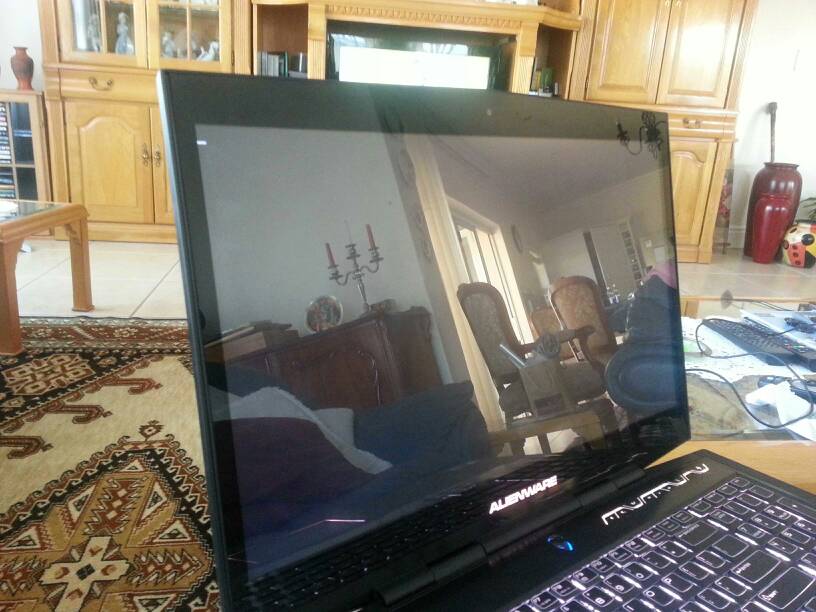
Hey everyone, thanks SO much for the help! Just finished fully setting up my m17x r4, and holy crap am I satisfied. Specs are:
- Intel i7-3630QM
- 16GB 1600Mhz DDR3 RAM
- 2GB nVidia 680m GPU
- 1920*1080 17" FHD 3D screen
- HD 0: OCZ Vector 256GB SSD
- HD 1: WD Blue 1TB 5400RPM
- Intel 2230 Wireless Card
- Windows 8 Pro 64-bit
- 7.8/7.9 Windows Experience Index!
Anyways, this thing is a BEAST! I'm in love, and I've already managed to find my favourite colouring arrangement.
Thanks again to everyone who recommended and helped me with this, definitely the best computer so far in my life!
-
congrats! i'm considering the same spec-ed m17x as well, except the wireless card.
u can get intel 6235 for ~$30 on ebay and the intel driver that's already on ur laptop will
recognize it automatically. very easy upgrade if u want the benefits of dual-band wireless.
enjoy ur new laptop! -
I should probably do that, but I'll see. It's awesome either way!
-
Congratz ion your new lappy You'll simply love this machine!
-
Great config!
Enjoy the 3D ! I have heard its pretty awesome!
-
Congrats on the laptop.
-
congrats on the laptops everybody... I have a question.... I particularly don't really like win 8 7 or vista and have been playing around with a xp 64bit install.
I don't want to ask "why not win 8" that's not me question etc etc.... ok, I have installed win xp 64 bit on my M17x r4 and everything is fine until I come to install drivers.
DELL said they wouldn't make them etc etc... so I set out to find which ones I needed.
unfortunately the soundblaster Recon 3di is very difficult to get drivers for under xp as is the nvidea 560m also.
I have found the drivers for the card reader, intel chipset, st microelectronics and the intel management app all work fine.
but everything else is a no-go... any ideas? -
Luis, PM sent, thanks.
-
Just a note for people who want something more reliable than eBay you can buy this card brand new from Amazon for $22. Amazon.com: Intel Network 6235AN.HMWWB Centrino WiFi Card Advanced-N 6235 Dual Band Bluetooth Retail: Computers & Accessories
-
So I just installed windows 8 in ufei boot mode and now I can't go to my GPU only and I can't get the drivers to install because of it also could there be a chance that my track pad doesn't work from a loose wire?
Sent From My AOKP Galaxy S III From Sprint -
The GPU only boot won't work judging from your specs, the HD7970m doesn't have a compatible vBIOS (the newer cards do) so it will fail to boot under UEFI. You tried the trackpad button FN+ F11 i think it is? You need to manually install .net framework 3.5 and 4.0 on windows 8 which i think OSD and command centre rely on.
Might be loose otherwise. -
Hello,
Bought a BenQ xl2420T with 120hz and it's awesome!
I bought a seperate mini displayport to displayport cable and full 120HZ (working) and 1920x1080 and look very good.
Use my alienware @ home now as second screen.
Also the BENQ is alot better picture quality and better response, very happy with this buy.
Also bought next to my logitech Z623 a USB sound set (15euro lol) a Logitech Z120, why?
I needed a little bit more local sound and I think the Z120 looks cute, best spend 15 euro in a long time. -
That's the second positive I've seen here for that monitor
Shame you don't have an NV model, I'd be interested to hear how the lightboost ('3D Vision 2 ready') support looks in 3D. -
I am not that 3D type gamer, I think it's nice but I don't like things on my head like glasses, I skip some generations haha
.
I can say the difference between 60HZ and 120HZ is very big in 2D mode.
Even when games dont get over 60 fps it feels alot better, alot smoother.
The screen looks also very good after some calibration, only black levels are sometimes little washed out, but not very much, I was looking the movie Thor on it and sometimes you saw the Black is washed, also the screen is sometimes very blueish in movies, but also rare. -
Is there anyways to update the vBIOS or should I call dell and try to get a new card?
Sent From My AOKP Galaxy S III From Sprint -
New card is not necessary but you can flash the vBIOS I think, I havent tried it since Optimus works fine for me, but not sure about enduro. You gotta look at the techinferno forums for the vBIOS flash, seems easy enough but I don't want to risk my setup.
-
Thanks man, looks like another piece of HW to add to my wish list...
-
Anyone have a problem like me?
-
Hey I have another question similar to what I asked a few weeks ago...but now I ditched my M17xR2 for an M17xR4.
Can I use my spare M18x 330 watt AC adapter with my M17xR4 now?
I plan on leaving my M17xR4 AC adapter at work and would like to use my 330watt M18x adapter at home with my R4 if needed. Or do I need to have the 240watt? -
Once upon a time I had my r3 working perfectly on win 8 preview,
then max payne came out and it wouldn't run on windows 8 so I went back to windows 7..
then I got so busy being the emergency resident on one of the busiest highways here in Egypt ..
I installed ssd and upgraded my ram but kept everything like it is till I realized my fan is broken and it cost me a monthly salary to get it here
then I decided to do clean install of windows 8 and it would crash when installing the ATI just non responsive white screen while installing display driver, I tried every way mentioned here ..
different driver
disable driver signature
safe mode
even if I disabled intel graphics from unlocked bios the computer wouldn't post or stop beeping ..
please help what should I do to get me 6990 to work on windows 8 ??!! -
So I just installed ESET security service 6 on my m17x and now msi after burner, precision x, system restore, device manager, techwerup all say access denied.
Anyone know what is going on before I call the company tomorrow when they reopen??? And for some reason my razer orochi mouse stopped working in wireless mode. So I have to call newegg tomorrow too. -
What is ESET? never seen the abbreviation. Sounds like it bumped up integrated windows security settings maybe UAC control?
-
Once upon a time I had my r3 working perfectly on win 8 preview,
then max payne came out and it wouldn't run on windows 8 so I went back to windows 7..
then I got so busy being the emergency resident on one of the busiest highways here in Egypt ..
I installed ssd and upgraded my ram but kept everything like it is till I realized my fan is broken and it cost me a monthly salary to get it here
then I decided to do clean install of windows 8 and it would crash when installing the ATI just non responsive white screen while installing display driver, I tried every way mentioned here ..
different driver
disable driver signature
safe mode
even if I disabled intel graphics from unlocked bios the computer wouldn't post or stop beeping ..
please help what should I do to get me 6990 to work on windows 8 ??!! -
Hi man, Don't know much about win 8, it doesn't interest me ATM but since you've got no response I thought I throw out some suggestions.
Did you set any of the win 8 options like UEFI in the BIOS? The machine will not boot on the AMD so it fails POST.
Could you have 'cooked' the GPU when you said the fan expired?
Give up on win 8 unless it offers something you really want, wait for SP1 (cop out!). If your laptop is your hobby then play away but if it's a tool then stick to what works
-
So I am about to receive the 1 TB HDD I ordered to replace my 500 GB HDD that came with the laptop. I was planning to use Norton Ghost to backup the data onto an external drive and then switch over the HDDs but I am not sure what to do about the recovery partition. Any suggestions?
-
I found that the first time I run alienrespawn it detected no recovery partition and took me through creating one. It then did a 'factory' backup to it.
-
Oh good, so I just run Alienrespawn after installing the new HDD then?
-
That's how it worked for me after replacing a boot drive
-
Personally I will never use alienrespawn again ever. Haha I'm not sure what happened but I was at war with it, I ended up reinstalling windows several times! Eventually I gave up and just started from scratch.
Sent from my GT-I9300 using Tapatalk 2 -
Yeah, I wouldn't recommend it as a backup program, tries too hard to make it simple, but the re-creation of the factory partition was a nice touch, of course I never got to test it
-
Tried to open Command Centre to see what Alienrespawn does and all I get is a "Command Center stopped working" error message. I uninstalled it, downloaded the latest version and installed it (restarts included) but nothing. Any ideas?
-
Only making sure the dot-net framework windows updates are applied before attempting to install command center. Can you launch respawn directly (alienrespawn on the start menu), probably the same error but worth a try?
-
I don't even see alienrespawn in my start menu, I see the rest of them. I got .net 4.5 installed.
-
I had to find it after a clean install, well one of the reps here gave me the link. I'll have a look and see if I can find it....
Edit: http://alwdownload.alienrespawn.com/alwdownload-en.html -
I will try downloading and installing it, the command center issue is still there.
+rep for all your help thanks! -
You're very welcome.
I'm seeing a trend here with command center problems, wondering if it has to do with win 8/win7 versions? Respawn HAS to have been re-coded for win 8. -
"RPSetup error 1" prevented an install
-
Sorry man, I'm at a loss here - something weird going on. Maybe one of the dell guys can offer some advice???
Edit: a bit of research shows that error is the recovery partition setup. Was this a clone or a fresh installation?
No solution but background: http://forum.notebookreview.com/alienware-m14x/581596-recovery-partition.html -
I found the problem, it was one of my program cause the problem (vWorkspace Connector for Web Access). Dont know what that program messing around with AlienFX communication with the board...
-
Hey guys!
I really need some help, when I try boot my laptop, it won't post it just gets stuck with the white line blinking in the top left, once it beeped 5 times? But mostly just doesn't do anything at all? I uploaded a photo as an example, it just stays like that. Any help would be greatly appreciated as I really need my laptop!
Edit: I tried emailing dell tech support in my country but my service tag won't work in South Africa and the US page says I'm from a different country(which I am) so all and all, it seems I'm alone on this and my under warranty laptop, does not exist :/ help please it is urgent!
It will also beep if I push any key.
Sent from my GT-I9300 using Tapatalk 2Attached Files:
-
-
Have you try this method from Dell?
Code:http://www.dell.com/support/troubleshooting/us/en/19/KCS/KcsArticles/ArticleView?c=us&l=&s=dhs&docid=530513
-
Yeah I did, thanks for the reply.
So I have now removed my hard drive and managed to get some life out of it, it has booted into ePSA pre boot system assessment.
Update: it seems there is something wrong with the drive that I received with the laptop awhile back, fortunately I have another drive and installing Windows now.
Will try get a replacement
Sent from my GT-I9300 using Tapatalk 2 -
Hi guys..
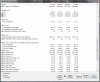
I want some help some u guys if possible.. My R3 is getting frequent freeze ( the screen goes black and the sound makes a stuck sound).. I tried reinstalling Windows 7 from Alien respawn and freesh windows install from my 2nd harddrive but the problem still come but not as frequent before. The only hardware different is I install new 8Gb x 2 1600Mhz standard RAM and new 1Tb 5400rpm Western Digital 2nd hardrive. I to run diagnose from pressing F10 after the boot and run Alienware diagnose program but they all come out as no problem detected. But by running HWinfo I found that the temperature for 2nd harddrive is crazy like 5600C or more.. Is it because the MB is not recording the right temp or my HD is not functiong properly? i attached the HWinfo sensor image..
-
Not a lot of help but my R3 started doing this, loud buzzing at the same time as the screen goes blank with a hard lock. I called dell and they wanted to replace the MB (video had already been replaced), but as this was the third or fourth time I had serious problems I asked for a replacement - got the one in my sig
That HD temp is crazy wrong, have you tried it without the second drive - it might be the trigger??
Oh yeah, I noticed that the lockup would happen at the point my GPU got to 72C, every time, but of course it could be any component giving up as it gets hot. -
Now windows says that it can't work with my hardware? Both win 7 and win 8? Any ideas would be greatly appreciated!
Thanks
Sent from my GT-I9300 using Tapatalk 2 -
Grabbing at straws here, have you tried defaulting the BIOS?
-
Will give that a shot when I get home thanks
Sent from my GT-I9300 using Tapatalk 2 -
Makes the day a little less stressful when you have something to try later
Did you make any BIOS changes?
I've not seen anyone with an active caching drive clean install win 8 but it should be fine
-
I disabled the caching drive cz I thought that was causing the problems but seems it wasn't :/
Sent from my GT-I9300 using Tapatalk 2 -
Well, a default BIOS, and use the AW win 7 DVD should work as a starting point. Fingers crossed...
*OFFICIAL* Alienware M17x R3/R4 Owner's Lounge Thread
Discussion in 'Alienware 17 and M17x' started by katalin_2003, May 4, 2012.