Problems? See this thread at archive.org.
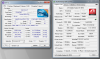
obviously! the sensors in this case show my temps during idle or slight use (actually i was running registry cleaner to show the full cpu speed on e-leet utility, so cpu temps reached 74 C).
so i guess i may be the first who successfully installed 5870s over 4870s. (CF working on A07 Bios). again for 4870s owners take care of the notes on my previous post
i still have to see this performance boost over 4870s. i only run a benchmark to test that 5870s work properly. now games test starts.
-
-
Yeh it seems you got lucky and were able to purchase a pair of 5870s from an existing R2 unit.
The others whom are having trouble upgrading their 4870s to 5870s are mainly those whom bought theirs from dells spare parts department or something similar. So they have had to wait for the new batch which has arrived now so they can start sorting out the issue.
Hows the games testing going? Not sure if you will notice any difference. Might be hard to tell as the 4870s were pretty formidable cards as well. You might need to run FRAPs while gaming to check out the numbers. Or refer to other benches you had previously done and compare the number scores.
Cheers. -
Okay well the X9000 swimming in the M17x R1 was quite a disappointment.
I guess the main thing was I just wanted to see if it would work. It does!!!
Too bad the R1s didn't support any of the core i CPU series.
It seems to be drawing quite a bit of power or something. I find it hard to run and even trying a little bit of overclocking results in BSODs or system hangs. I guess it wasn't optimised to run with this CPU.
Running it at stock settings seems to be fine though. Not to bad. Quite smooth however performance is very low. I can feel the Q9000's higher FSB support and perhaps even the extra 2 cores giving it quite a boost. Also the Q9000 happily overclocked to 2.4Ghz no problem. Quite a great level entry quad core CPU that one.
Testing with the X9000 so far as provided very low bench results. Probably not even worth posting up any pics of. LOL.
I might try a little gaming to see how it feels. Shouldn't be to bad considering the GPUs are still the same. -
The x9000 and x9100 were both very hot running cpus, that was really the main problem with them. Something like the T9900 was the dual core to have if you did not want a quad as it runs MUCH cooler and typically overclocked as far if not further than the extreme parts
-
Ah true true I see.
well it looks like thats as much action the X9000 will be getting then. Running in the M17x really feels like it is under performing or fighting in the wrong weight division.
Running in a dell 1420 or 1720 is where it really shines and performs awesome! Gives those older notebooks quite a nice boost, even when running on stock clocks.
Now where are my 460 SLi and 470 SLi's to test out.
I really want to see how they stack up against our 5870s.
I wonder if they will even be able to fit. I sure hope so.
I'm sure glad dell decided to change how the GPUs were SLied back during the M1730 days. When it was just on one big block side by side 2 gpus stuck together. Makes for harder upgradability. -
Ya it is good that they have adopted the standard MXM slots now.
-
i only played cod mw2 till now. no difference in performance. of course this is not the most demanding game in the world. it was maxed with 4870s as well. and yes i use fraps too.
by the way how do you know they got a new batch of secondary 5870s. the one i got was from an ebay seller who took it out from a working R2. not that he purchased it from Dell. no way to order -getting shipped primary or secondary 5870s as spare parts. At least not yet. -
Oh Brian one of the dell guys who sometimes saids Hi in these forums replied to one of my questions. He said that they were waiting for the new batch for spare parts to be available. They arrived from China sometime last week if I recall. So peeps with 2nd cards not being able to boot up are able to ring into dell and get it sorted now. I think he was referring to the US only at this stage though. Not too sure about other countries because some users have rang in and dell have no idea what they are talking about unfortunately.
http://forum.notebookreview.com/alienware-m17x/490277-m17x-r2-cf5870-wont-boot-13.html
However it was a good thing you were able to get yours from a previous R2 owner. Guaranteed to work pretty much.
Also yeh mw2 is really easy to run eheheheh. That game like can run close to 200fps lol at times ehahahaha and well over 100 most of the other times
If you try or have access to Battlefield bad company 2 or starcraft 2 on ultra settings they will give your new cards a good workout. Metro 2033 and Split second will as well. Metro 2033 especially if you try running it maxed out in DX 11 settings mode.
Enjoy testing your new card setup!
Cheers. -
Hi Guys,
I'm pretty new to all this benchmarking lark, but since I recently received my new M17x-R2, and it is my first serious machine I figured I'd see about doing some number chasing.
I don't know a great deal about OCing yet, the only OCing I've done is the 5% in the system BIOS so far.
My specs are
i7 940xm
XF 5870s
so I am hoping for some good scores stock?
However, looking at a post on the first page, someone had a stock M17x with the same GPUs as mine with scores for SM 2.0, and SM 3.0 (on 3DMark 06) in the 8k region. Running my own benchmark I only got ~5k. Anyone know why this may be?
Basically my scores are as follows:
3DMark Score 12861
SM 2.0 Score 4965
SM 3.0 Score 5428
CPU Score 4868
Is this roughly inline with what it should be for a stock R2 or is something amiss? -
It's because the scores on the "Top Scores" pages are higly overclocked systems. GPU's are flashed with edited vbios that are over clocked and over volted, and the CPU is pushed much farther then the stock 5% speeds. The tops scores on page one are out dated and there is a link on that post to the most recent and updated scores.
-
Hi and welcome.
I too am not that much of a bencher. I got my new system a week or so ago as well.
Yeh also ignore the super high scores they did some magic to get them scores lol eheheheh
black magic LOL eheheheh
Those scores you got seem very low for your spec machine. Even my low specs get a higher stock score. I got 15k right out of the box on day one. Hmmsss something definitely seems odd.
I think for your system you should be getting at least 18k or above easily. I'm assuming that was 3d mark 06.
If you have Vantage give that a quick run and tell us what numbers you get there.
You might have stealth mode on or something hmmmsssss.....
Cheers. -
Regardless of all that DR650e, his stock score should be about 20k in 06 with that setup
Make sure stealth mode is disabled? -
I don't think I'm in stealth mode, the indicator light doesn't seem to be dimmed and in Command Center it doesn't tell me that Stealth mode is on...
Anything else to check for?
EDIT: Just downloaded Watto's Stealth Mode Indicator and I am definitely not in Stealth Mode... -
Yea, your right, I overlooked that, and didn't really look at his score. Make sure your set to "high performance" power plan and are benching with the notebook plugged in.
-
Check to both of those, are there still issues relating to Hybrid graphics getting disabled in the BIOS occasionally and might that be the issue?
Not really sure what is causing this, but hope to get it sorted out soon so I can unlock this things true potential! -
Yea, it would have been nice if they all worked. As for the 920vs940, I'm not sure. I like the 920 because I've had better luck with overclocking it. I like the 940 because stock, it's faster. So the computer runs better and I don't have to mess with throttle stop or anything like that. I really havn't decided.
-
Hmmssss.
Theres no hybrid graphics on the R2 models. Just your 2 CFX 5780s now. No more integrated solution on these models. They were only on the R1s.
Wonder whats going on with your score ey.
Have you tried running anything else? some games or other apps to get a feel of the speed of the system? -
Haha, I have no idea! I am running the beta Dell drivers for the GPUs but not the Beta vBios by the way.
I have run BFBC2, but it is only at playable framerates at medium or low settings which was my first indicator that something might be amiss as I think that game should run smoothly on high really?
EDIT: GPU-Z shows my GPU load at 0% regardless of what I am doing, might this be related? -
do you know if your system is running on all four cores?
-
I have no idea, how would I find this out?
Also, GPU-Z shows my GPU clock at 700MHz and Memory at 1000Mhz whereas CPU-Z shows these as 300Mhz and 400Mhz respectively... -
in CPU-Z on the bottom right it should say 4cores/8threads. If it says anything differant, that could be the issue.
I just thought of another thing. Where are you benching? On a desk? What are your ambient temps? And what BIOS are you running? A08? You might be thermal throttling, and if not, and your running A08 BIOS, your CPU is crippled courtesy of Dell. The best option would be to flash back to A07 and rebench. -
CPU-Z reports 4 cores/8 threads
I am benching on a desk yes, ambient temp is roughly 20C/70F. Pretty sure I'm running A07 BIOS at the moment but I will double check. -
Silly question I hope.....you confirmed crossfire is enabled?
-
Crossfire is definitely enabled in CCC yup.
Do I need the Intel Turbo Boost Technology driver? I'm just seeing it on the Dell support page and don't believe I have it, hopefully it is something as simple as this? -
What is GPU-Z saying? Enabled (2Cards)?
-
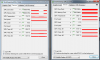
I have attached my CPU-Z and GPU-Z screens. Everything appears pretty normal on the face of it.
However, as I said in the Graphics tab of CPU-Z it says my clocks and memory are 300/400 rather than 700/1000 as in GPU-Z...Attached Files:
-
-
Hmm, I was thinking that you might have some CPU thermal throttling going on, but it appears to be a GPU issue now that I look at your scores. Have you tried updated drivers? Open up GPU-Z and keep them running. open up two GPU-Z application, and on the second one drop down and select your second 5870GPU. Set the temps to record your max temps on both GPU-Z applications. Rerun the GPU bench portion, and if your temps don't rise on both cards we know only one card is running.
-
Split second is the one i thought to test now
by the way can anyone help me with this issue i refer here?
http://forum.notebookreview.com/ali...7x-r2-edition-owners-lounge-part-2-a-390.html
post #3894 ? this didnt happen with 4870s. with 4870s i only had to restart explorer. -
I am running the latest drivers I believe, I installed the Dell beta drivers yesterday.
I have just run the bench again and seen increases in both temps for the GPU. The Primary GPU had a max temp of 73, the secondary GPU had a max temp of 56.
Does that seem normal to you? Seems as though they both must be operational though...although quite a sizable difference between them.. -
Hmm, I'm sure your secondary should be higher than that. Did you flash the new vbios? and if so, did you ensure that it flashed both GPUs?
-
I haven't flashed the new vbios, would you recommend I try that?
On closer inspection of my GPU-Z it does appear that there are numerous differences, perhaps you could cast your eye over the attached comparison?Attached Files:
-
-
Hmm, I havn't tried the new vbios, but from what I understand, if your using the newest GPU drivers, then it should only be compatible with the vbios. But I'm not sure how new drivers/old gpu vbios would work out. I would first try and use older drivers, just to ensure its a compatibility issue. If you can download the previous drivers before the newest release, that might solve your issue. If it does, then you may want to flash your vbios with the new one, and use the new drivers. From my understanding the new GPU vbios is only compatible with the new GPU drivers. That said, if you want to roll back to older drivers, you would need the original vbios, which I have a copy of that is flashed through dos. It appears that your slave GPU isn't clocking up as it should. The new vbios/driver combination is supposed to be the best stability for gaming, but I'm using old drivers that dell removed from thier site, and not having many issues. Try older drivers first.
-
Thanks, I will try this, where can I get the older drivers if they have been removed from Dells site? Also where is the new vbios available, as I think I read it was only available to a select few for the time being...
-
I have a copy of it, let me see if I can dig it up for you.
Here is the dell rep advising on the new vbios/drivers.
http://forum.notebookreview.com/ali...r2-driver-amd-5870-vbios-read-post-1-2-a.html -
Go here, Drivers download
Are you running the beta drivers? Try the official drivers if you are. -
are there any download links for the new primary and secondary vbios? i couldnt find any.
-
At the moment they are not available to the general public. Only a few have them. PM brian (erawneila ) for a copy, but make sure you read the vbios thread. You can't use older drivers with the new vbios. they are biscally stil in testing i believe. I have a copy but havn't bothered flashing to them yet. Maybe friday.
-
does this bios work on the g73jh? the master copy that is.
-
Good question, don't think it's been tested yet. May have interesting results, or could be bad.
-
i use the beta dell driver now and i am really pissed of with the black screen after sleep ( i actually have sleep disabled, i just dont use the machine for long and the come back and see this black screen). ok i guess i will wait. i really tried hard to find my 5870s. i dont want to ruin them now.
-
Running the official drivers now and no change has been made. One of the cards is still not clocking up correctly and showing 0% load...
There is a severely reduced performance on the benchmark when not running in Crossfire, down from 12k to 7k, so the second card must be doing something surely? Just not quite doing what it should... -
I doubt it and I wouldn't advise trying. Asus issued their own new vbios for the G73, you should download it. It can run the ATi 10.8 catalysts from what I read. -
Hey theres,
Yep sorry to tell you that using the new beta drivers will and most certainly cause sleep, battery, hibernation and also the black blank screen issues your experiencing. Which only a hard shutdown will solve. The only way to fix and cure them all is to use the combo of new beta 10.8 8.763 drivers with the new beta vbios.
Dell is still creating a package that will be made publicly available hopefully in the near future. However if you want the fix now I suggest you read through this thread thouroughly. The download page and instructions can be found on page 33 - 35.
http://forum.notebookreview.com/ali...r2-driver-amd-5870-vbios-read-post-1-2-a.html
Cheers. -
that's what im running now (plus bios 211)... that and trying out all these different cat drivers to see what is what. my unit was stable from the get go, but not a hell of an over clocker on gpu though. i can run 800/1100 all day...but trying to get 850/1200....not gonna happen...
-
Ah trues trues. I've been having trouble OCing these cards too. I managed to get the 1st card too 800/1100 however the 2nd card just gives me the middle finger lol It just won't budge or system will freeze.
-
i have just done that. it has to be proved if this actually works. thanks so much for your help
-
Ah, Okays cool. Yeh sure no worries.
Give things a test run. They should be all better now.
Cheers. -
I'm now on the new vbios and beta drivers and still no improvement...
The slave card is still not clocking up, displaying any load etc....
Does it sound like it might be a hardware fault? I may spend tomorrow with the system open to see if there are any loose connections etc...would it be the crossfire cable or one of the GPUs that was the problem do we think? -
Hmmsss yeh very odd. Does sound like one of your cards most likely the 2nd one is underperforming. Double check using HWiNFO32. Run it and run the sensors button. Then run some games or the benchmark again and post up a screenshot. Will have a gander and see whats what just to confirm.
HWiNFO32 Download
download the latest beta one; top right link.
Cheers. -
Your most likely culprit is the Crossfire cable. It may be seated just enough for CCC to see that Crossfire is available, but not quite enough for it to be used in games.
If re-seating the cable doesn't work, you may have a faulty secondary card or Crossfire cable. The best thing to do in that case is to get Dell to come out with a new card.
*OFFICIAL* M17x Benchmark Thread - Part 3
Discussion in 'Alienware 17 and M17x' started by BatBoy, Jan 30, 2010.