 Problems? See this thread at archive.org.
Well Eurocom shipped them yesterday and its a 3 day shipping time with UPS according to them. But its xmas so Im not fully sure I trust that 3 day. Probably 5 days, so maybe monday next week here too. Or earlier if im lucky.
@TBone: What GPUs did you buy? 980Ms or 970Ms?
-
-
Ha yeah I got an ETA of 3 days too. I'm really hoping xmas doesn't screw that up. I got 980m's
reborn2003 and Cloudfire like this.
-
Cloud why didn't buy the GPU's the minute you bought your Alienware 18? Would have saved you quite a wait!
-
Nice:thumbsup:
I bought GTX 970Ms to play around with. I like having a setup that isnt experimented with too much. Plus the power of these two (roughly GTX 980 performance) is enough for me, and they will be 75W GPUs running in 100W heatsinks so they will run cool and quiet.
A decent upgrade from my AW18 with 770M SLI
reborn2003, D2 Ultima, Ashtrix and 2 others like this. -
I know but so many things got in the way. Warranty issues, work, xmas, getting rid of my old GPUs etc etc. Its about priority you know.
I still need to buy a copy of Win8 because they wont work with my Win7 PRO which is a bummer. Cant say I actually loved that OS the last time I used it. But atleast we get them to work. Thats the important part
-
Nice :thumbsup: It will be a massive upgrade and fun to install, tinker and play with something new. Yes, and still bucket loads of power.
Wifey so kindly gifted me the VG248QE 144hz monitor I wanted for Xmas (I must have been a good boy this year ) . I'm dying to open pandora's box and see what 120fps gaming feels like. Shame AW never offered a 120hz screen on the 18. The 17 gets it but arguably needs it less.
reborn2003, Cloudfire, D2 Ultima and 3 others like this. -
120Hz gaming is HNGGGGGGGGGGGGGGGGGGGGGGGGGGGGGGGGGGGGGGGGGGGGGGGGCloudfire, TBoneSan, Robbo99999 and 1 other person like this.
-
Cloud please do post some pictures if you get your 970Ms early of the pad layout.. It will help me when I do it..
Tbone, lucky you.. my table is so small that if I got a 24" monitor, I'd have to move my AW and mousepad almost to the edge of the other side and it would be so unconfortable.... Also lucky you.. Your wifey's generous.. Had to get my 970M upgrade out of my whole pocket because my parents wouldn't donate a cent to it.. Well whatever Merry XMas to us
TBoneSan likes this. -
Have that exact monitor. It's going to feel like you got a GPU upgrade. It's seriously a huge difference and you will probably get better at games. It's ridiculous the difference it makes for FPS games.TBoneSan and Robbo99999 like this.
-
You'll never, EVER want to go back to 60 Hz again, EVER.
My only recommendation is you download the ICC calibration profile from PCMonitors. Out the box my panel's gamma was completely whack and everything looked washed out. After applying their ICC profile the colors are a lot better. It's still no 90% gamut or IPS, but the vividness starts to show just a bit, whereas before it was just "bleh".reborn2003, D2 Ultima, Talon and 1 other person like this. -
VG248QE is smashin monitor, FPS gamin on 144hz would be awesome. I think you can install G-sync card init.
TBoneSan likes this. -
Welcome, true high refresh rate gaming is great
especially when you have the hardware to properly push it.
TBoneSan likes this. -
There's almost no question that my next major PC tech purchase will be something with 120Hz - either a killer laptop or a desktop I'll build myself! After playing Titanfall at 'high' refresh rates of 78Hz vs the 30fps+ I was used to before, there's just no comparison - 120Hz would be pure bliss combined with one hell of advantage too! 120Hz is defo my next upgrade - zero question at all, question is when!
Peter likes this. -
ROG Swift is the way to go, amazing gaming experience..
-
Time to ask a question:
If I make a custom resolution at 2560x1440p@120hz
What is that called? And how far off of a real 2560x1440p 120hz or higher screen would this be.
Thanks. -
Are you talking about downsampling John? Downsampling not as good as running at native res at that 2560x1440. Not sure if you've got a 120Hz panel in your laptop, but most laptop screens will not overclock to 120Hz, but a lot of Asus screens I've seen have got to about 100Hz.
-
I second this. This is the first thing I did when I got the monitor. Out of box colors leave something to be desired. After this profile everything looked much much better. I also use 96R 94G 94B and 30 % brightness on the on screen controls.
-
I have a 120hz screen.
And when you say, "Not as good" What does that mean exactly?
The reason Im asking is because I can run these settings, but want to know the equivalent of it to the real thing. -
I'd even recommend spending a fair amount on a calibration meter (& it's software). You'll get that perfectly calibrated screen for true colours, and will get the best from your screen. You can use it on multiple laptops/PC's, even on your TV. I used mine and my sh*tty 900p screen was a world better after calibration, my Sony LCD TV after using free HCFR free software combined with my calibration meter is now also offering real true colours & grayscale - it's a revelation really!
That's a good question, and in truth I don't think I have the answers, but I have a theory based on how I think I understand the difference. Downsampling is gonna be like running SSAA, whereas running a pure native high res of 2560x1440 (that you're interested in) is gonna be a crisper & more satisfying experience in my eyes in comparison to say 2560x1440 downsampled to 1080p or whatever. -
I did this video before using those settings. You can't really tell in quality, but the frames when running it are still above 60fps.
The quality looks better if you view it from current window and not full screen.
Last edited by a moderator: May 12, 2015 -
I'm pretty certain, that for all intensive purposes.. it's the exactly same equivalent of the real thing (1440p 120hz). I'd call it "running 1440p" even though your display isn't necessarily showing that amount of pixels 1 for 1.
You are however internally running those specs which should be just as demanding as if you were pushing that to a native 1440p display. -
Apparently, while forcing a downsample will improve the visuals by squishing the pixels down, the PPI being higher on a higher native resolution screen (same physical size of the monitor) will improve crispness of the image itself. While you can get a better image quality through downsampling and other forms of anti-aliasing, there is apparently no substitute for higher native resolutions.
Or so people say. I've seen 5k displays before in person, and the real estate is wonderful, but I've not seen any games running on them, so... I can't confirm firsthand, unfortunately. -
Yes the clarity is there on a higher resolution display. However you start to notice bad texture work even more easily.
D2 Ultima likes this. -
Any one tested 980m sli in AW18?
One of my friends just got two 980m and installed them into AW18.
And he said his 2nd gpu fan doens't work.
He tried everything but nothing worked.
Then he came back to 780m sli, fan works.Peter likes this. -
@godfafa_kr I think @knowltg got Aw 18 with 980ms. As from his post, i think his system got same issue as your friend's does. tho he didn't mention which gpu hit 90C.
-
Could be wrong, but I believe Mr. Fox tried them in the 18 and they worked; you'd have to ask him though.
-
He didn't try it in the AW18. Someone mentioned it was working fine so he didn't try it.
D2 Ultima likes this. -
Louis1978uk I believe is the one with them working in a alienware 18.
-
Maybe its just one of them sloppy fan table thingy?
-
Have the same issue. Installed 980ms in AW18 and Second Card temp is around ~82°C. Have nice fps during Firestrike till temp gets higher -> Downclock from 2nd Card.
-
yeah that's what my friend is experiencing.
Exactly the same. -
Yes the cards themselves draw much less than the 880m so either the heatsink is not on quite right or the fans are not working as they should.
-
Hello,
got a question for you guys. from reading a few pages, the 980m has a throttling problem when cpu is overclocked.
Do you guys know if SLV7/johnkiss will be releasing a modded vbios for this? (like 780m vbios)
or is this problem not fixable?
Sorry for the noob question.... Thinking on upgrading to 980ms but i really like to OC my cpu. so really debating.
Thanks -
With a little luck I might get my cards tomorrow. Does anyone recommend a particular set of drivers to install for the 980m's right now? I'm gathering that the 344.75 Fox Mod drivers seem to work the best so far for the R2's.
Last edited: Dec 26, 2014reborn2003 likes this. -
Tbone, please do take some pictures of your upgrade like the layout of the pads etc... You know like a method.. This is the only thing missing from peter's thread...
-
I personally dont think it is CPU OC related.
My 3940xm is OCed to 4.7 now and it works PEFECT with 980m with the new driver.
CPU clock remains at 4.7.
GPU clock fluctuate between 1038~1127 and this is normal for stock vbios. It is meant to work this way for now.
GPU memory remains at 2506.
New driver fixed all of my problem.
http://www.3dmark.com/fs/3604579
http://www.3dmark.com/3dm11/9190330Last edited: Dec 26, 2014reborn2003 likes this. -
Just some questions @godfafa_kr how much is the maximum total power consumption when u bench 3d marks or when u play games at :
3940xm@ 4.7 ghz
GTX 980m sli a@ 1038 mhz and oced to 1173 mhz?
do u have a watt meter to measure? it would be great if u could give us some findings.
is one 330 watt power brick enough for it? or dual psu needed? -
Thanks For the reply Godfafa,
is it me or you ran those benchmarks on only single 980m? I am looking to get 2 in SLI.. so maybe the throttling problem only occurs in sli?
I know how to mod the drivers for the 780m on r2. But i still havent seen instructions on how to mod it for the 980ms. Can you explain the process?
Thanks, I am strongly considering the switch to the 980ms -
ya i dont think my fan is working i just figured it is a driver thing until alieware can get there together, i am going to put 12v fans on my xigmatic cooling pad and run a 110 to 12v to run it so i am not drawing power from my aw18 i am running 3 80mm fans 1 under each gpux2 and cpu1 cutting holes out of the cooler and adding just a mesh. i had to mod my heatsink so it sat flat on the 980m on slot one or the left side facing the monitor, also for my setup i did just what they said on the first page except i used mr. foxes drivers I also used liguidultra pro, my idol temps are left side card that heats up right now is sitting at 100.4 degrees F, right slot 2 is at 125 degrees F but doesnt get much over 140 degrees while playing cod aw, cpu sitting about 118 F overclocked in the bios to basic ocv1.
 it said i was in the 78th percentile of systems and that is just with the demo version of 3d mark. i am happy with it, it is a laptop lol.
-
Can you please put the temperatures in celcius? Celcius is the standard for PC hardware temperatures. Also, most people will not convert C to F in their heads. Myself included.
Also, your PC is not even CLOSE to working correctly according to that firestrike score (unless that's firestrike extreme or ultra). My 780Ms are beating your two 980Ms by a LARGE degree, and that should not happen. -
Running 344.24 I am seeing boost clock and memory holding steady ≤ 13MHz core fluctuation, CPU @ 4.5GHz. These Heaven and Valley runs are stock vBIOS with no GPU overclock whatsoever.
[ Download: 344.24 GTX 980M Mod for M17xR4 M18xR2 ] << Note: This driver was released by NVIDIA specifically for GTX 970M and GTX 980M and does not have native INF support for any other GPUs.
![[IMG]](images/storyImages/qgGzPfr.jpg)
![[IMG]](images/storyImages/KeETKo7.jpg)
![[IMG]](images/storyImages/5wPaIWph.jpg)
-
LOL, if I did my math right those are pretty nice temps in Celsius. What type of mod did you have to do to your heat sink? Are the 980ms not a perfect fit in the AW 18? It seems a big problem that one of your fans does not work, when you swapped in a 980 card. Does it work when you put your original card back in? Do try one of the new Nvidia drivers made for the 980s, maybe scores will increase. -
so my temps idol 26 c on card that fan is not running and 30c on cpu and gpu 2, also the demo version of 3d mark uses firestrike ultra. so what should i be using to test my machine? the card is the same size just i had to file down both ends so the heatsink it sits flat because of the extra chip or what ever it is.
-
Try the non-ultra version if you can. I was worried about, what I thought were poor scores, until someone pointed out that ultra scores were generally lower. Again, those are really awesome temps, but do try to find a way to get your internal fan working. Do not count on alienware releasing anything. Its been months since the 980s came out, and other brands have released their 980ms pcs, and not a peep from Dell/Alienware. If Dell/Alienware had done something then there would not be a need for thread like this. So, the 980 has an extra chip? that requires the heat sink to be filed down?? (YIKES)
Continued Good luck and success. -
reran with regular firestrike
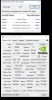 i am going to try the driver that mr. fox just put out. and see if it is working with that driver
-
Yeah, that score sucks bro, i can almost hit that score it my single 980m
-
ok i had gp2 set to physx i switched it to back to auto, this is my score now much better dont you think
Mr. Fox likes this.
-
I'd call that a good beginning
-
it works for me lol, and what i use it for thanks for the drive though.
Aw m18x R2 Dual 980m SLI upgrade!!
Discussion in 'Alienware 18 and M18x' started by Peter, Nov 12, 2014.


![[IMG]](http://i.imgur.com/5wPaIWp.jpg)

