Problems? See this thread at archive.org.
Heh, well I hope you enjoy your gaming as that's all ready to go really
-
-
-
hi brother fox benching at 4.5 ghz/? how much is the power draw?
-
I don't know. I haven't checked because I have been traveling for the holidays and don't have a way to check it. I'm not too concerned about that right now, as the machine hasn't even pretended it was going shut off due to lack of power using a single 330W AC adapter like it would with 780M SLI. I am still running a stock vBIOS, so that might change when I start pushing some higher clock speeds and more voltage.
bumbo2, Riddhy916 and pathfindercod like this. -
nice mr. fox did you oc the 980s then how did you get that crazy high. on another note anyone run a ribbon cable to hook to there fans and run an external controller just get male adapters for each fan and then even run some temperature probes just like a desktop pc? I am thinking of doing this I have an old desktop pc fan controller laying around i can put a quick connect to the fans and keep the controller mounted in my cooler on the bottom of the laptop. any thoughts?
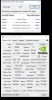 this is with my cpu overclocked to clv3 or what ever it is called in the bios.
Last edited: Dec 27, 2014
this is with my cpu overclocked to clv3 or what ever it is called in the bios.
Last edited: Dec 27, 2014 -
@knowltg So you are running 980ms with Aw18? I installed also 2 980ms but the second fan isnt working and i dont know why. If yours are working, could you please tell me what vbios, driver etc. are you using? Thanks
-
Yes the 980m will get hungry as you increase the volts and clock it up. Though I think you will get reasonably far on a single 330w brick.
Riddhy916 likes this. -
980m is hungry even at stock.
Even with stock clock, core clock fluctuate between 1036~1127. -
Yeah but louis1987 got it to work with both cards. I can activate both cards, but not very long, cause the second fan is not working. (all on stock clocks,volts) So Second stays @ 82-86°C. Hm I just want without OC to get this fan to work...
-
Doens't louis use clevo?
Everyone with 980m sli on AW18 has 2nd gpu fan issue. -
My slot one fan is not working either but the max temp I had it is about 80c I am going to hook up an external fan controller with temp probs to control all 3 fans my idol temps are good though it only goes high if I push it
-
So both fans are not working or just one?
EDIT: btw. if i activate K-Boost both cards (Full Speed) and 4910mq OC to 4.2GHz and i can hold this level without throttling. But if second card Temp > 86° -> Downclock to 135MHz. -
I have a M18xR2 with single 680m, 3940XM and 240W AC Adapter Power Charger. Can i use the 240W AC Charger for the M18xR2 with single 980m and 3940XM?
Can i use old the heatsink/backplate (GTX680M) for the new GTX 980m? -
Should you overclock both the CPU and a single 980m becomes a 240W power supply too weak, but under stock speed or a little Overclock it works good.Mr. Fox likes this.
-
This is with a single AC adapter. The 980M SLI seems to draw at least 100W less than 780M SLI did, at least as this moderate overclock level. This benchmark run showed a max of about 340W on my UPS output meter, whereas with an overclock of 1175/1500 780M SLI is pulling over 500W. It is also about 10°C cooler than 780M... barely hitting 70°C most of the time.
Have I mentioned Windows 8 sucks? *cough* Yeah, I think I did already. (The physics score is almost 1000 3DMark points lower than Windows 7 at the same clock speed.)
-
Nice score. You'd easily crack the 20k if windows 8 wasn't such a gimp.
Man, windows 8 is such a waste of time having to turn of DSE at every turn. -
Hey guys, how do you apply IC Diamond on GPU? Do you have to put it in a warm cup of water to melt/become less thick before application or do you just squeeze out a line across the centre of the die without warming it up?
TBoneSan likes this. -
How can you get 80C when the fan isnt working...?
-
wow hitting 1288 on the core? got unlocked bios finally? hows the firestrike score on 1288?
-
Just did a quick Firestrike with 3940XM @ 4.2GHz + 970M on stock clocks (runing at full boost speed in benches)... Hope it's working correctly
NVIDIA GeForce GTX 970M video card benchmark result - Intel Core i7-3940XM,Alienware M17xR4
Will do more tomorrow
reborn2003, Peter and Robbo99999 like this. -
Yes the bios has been unlocked by a couple of people, search the ORB for the highest scores on the 980m/970M to see the results.
-
Actually, I can do over 1300 on core stable, but 980M tries "fighting" my CPU overclock so much that I actually don't gain anything and benchmark scores begin going down due to a lack of CPU horsepower. If I run my CPU wide open like I could with 680M and 780M the 980M throttles really bad. I'm guessing some sort of retarded power-saving filth is causing that, or maybe NVIDIA still hasn't got their drivers sorted for Maxwell. Looking at complaints at GeForce community, this inconsistent performance (spastic clocks) issue seems to be a problem for a fair number of 970 and 980 desktop owners as well.
CptXabaras likes this. -
Meanwhile nVidia is raping with the 980M, where the **** is AMD.... we are about to hit 3 years on the SAME CORE!
I want a 980M, but not if its forcing me into Windows 8 and UEFI/Secure boot bullcrap -
I think that would be dell doing doing that. The clevo machines can run legacy and 980M in sli.Mr. Fox likes this.
-
Yup, it's really amazing that in the span of little more than 18 months Alienware has bitten the dust in a catastrophic manner, and in stark contrast to their failures Clevo really picked up their game. A dog that bites the hand that feeds it needs to be put to sleep.
Prema, Kade Storm, D2 Ultima and 2 others like this. -
I still imagine you just having this like, eye twitch, silently demanding Clevo release a x99 machine with support for DDR4 4266MHz cl14 sticks and tri-SLI in a 20" form factor with a 660W power brick by default with support for another 660W power brick and internal water cooling for all devices.
.... I think I just put too much of a thought in your head with the above post. Now you'll never be satisfied XD.Mr. Fox likes this. -
Yeah, that's a perfect GPU score, a bit higher than others that are on notebook check. Considering it runs so cold on your R4 I'd be really curious to see how you get on with some serious overclocking & an unlocked modified vBIOS, it's a perfect candidate for it - no doubt I'd go ahead and flash it, as well as running a substantial overclock, it's begging for it!reborn2003 likes this.
-
No cards yesterday or today
Thank you holidays
-
DOH! Soon...soon!
-
Hm. Here are my Nvidia-Inspector Pics from both Cards in AW18.
Single Mode - Non SLI (Second card @135Mhz)
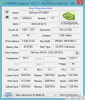
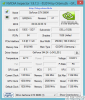
SLI Mode
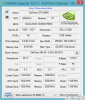
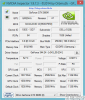
3DMark Test 1 Score 1080p. Its only 1st test, cause second card is downclocking after temp is > ~82°C cause second fan isnt working.

Hm i dont know how i could fix that fan problem, maybe other vbios (Gigabyte)? Or wait for svl7 vbios from 980m?Last edited: Dec 30, 2014reborn2003 likes this. -
I managed to get rid of the inconsistencies on my desktop cards only by modding my own vbios and yes, definetly drivers for new Maxwell cards need to mature a lot.reborn2003 and Mr. Fox like this.
-
Hmm, that failing second fan is a common theme that everyone, with an AW 18, who has posted to this thread is suffering. For whatever reason the 980m is resulting in this failure. Have you tested the pc with only one 980m, have you replaced your original gpu to make sure the fan works? Heck, have you checked your fan connection? Its really awful, to spend all that money and you can't get the full benefit of dual 980m SLI in the AW 18 because of a dead fan. Dell won"t be fixing this, hell they haven't even put out their own 980m laptops. -
I think You can fix it by using HWINFO64 manual fan profile. Check out this smashin guide by Mr.Fox
http://forum.notebookreview.com/alienware-18-m18x/754014-hwinfo64-alienware-18-fan-controls.html#post9676818reborn2003 and 1Schumsta1 like this. -
confirmed just tried it i have all 3 fans working with hwinfo64 all 3 fans working max temp 54c playing cod aw max yah to mr fox, figures cause i just ordered the fan controller and all that i wish i would have waited heh.
reborn2003 and Peter like this. -
Well at least it's all working to some extent now, you can get some gaming in.
reborn2003 likes this. -
I can't believe I had such a big brain fart and did not mention HWinfo64. Especially, since I had been showing my kid how to use it on their pc right before my last post. If it is the solution/work around to the bad fan, awesome. Knowltg, can you run some numbers now that all your fans are working.
reborn2003 likes this. -
@Scanner.... ALL FANS ARE WORKING and seperatly adjustable..... BIG THANKS TO PETER!!!! RLY BIG THX!
Peter likes this. -
First Result of 980ms + 4910mq with AW18... I think i need to repaste my cpu. Temp gets too high ~92°C. Probably i try Liquid Pro.

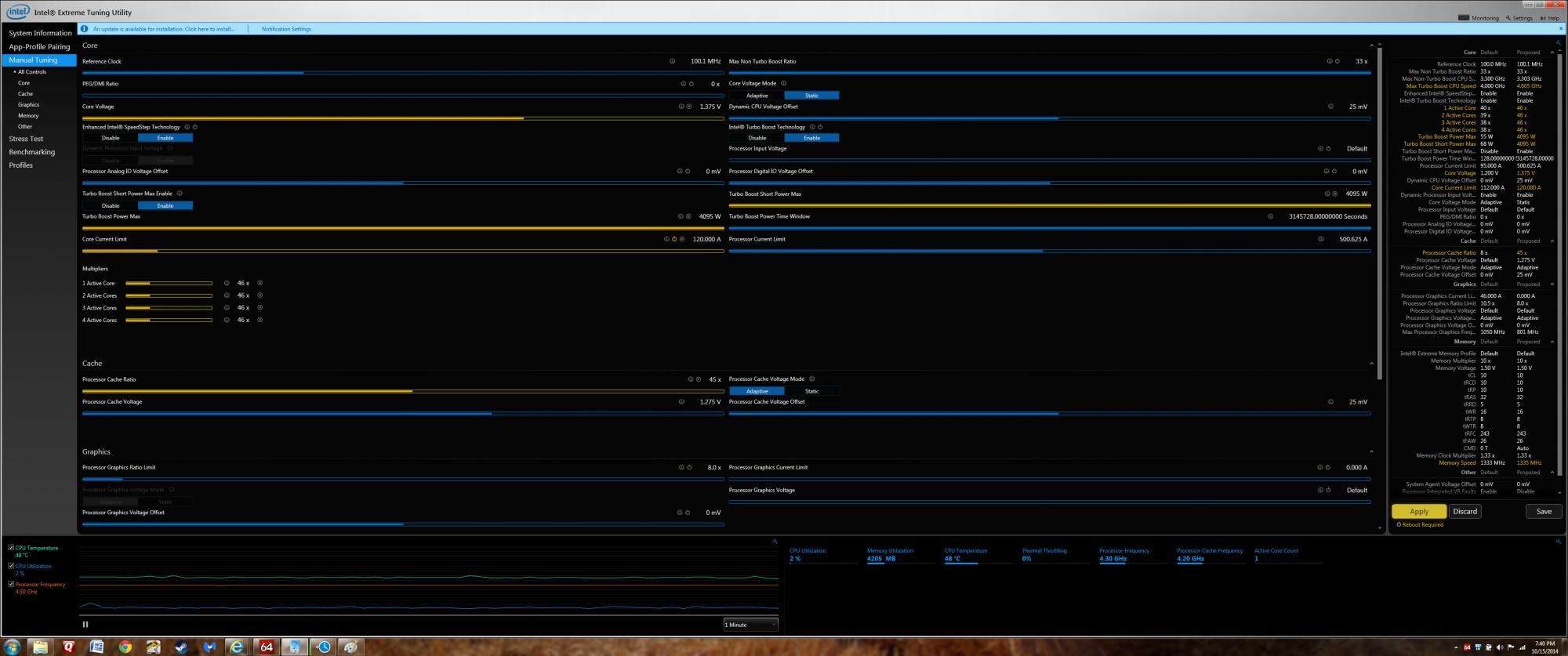
Maybe someone can tell me if i should correct some cpu settings (@Full load it downclocks to : 3591Mhz)
 reborn2003 likes this.
 -
Hey 1Schumsta1,
Below are the settings I use for XTU. I use the 4.3 settings for day to day activities, and the 4.6 for chasing numbers. Unfortunately, these profiles, as I have learned, are not plug and play. Everyone has to find the settings that work for themAttached Files:
reborn2003 likes this. -
-
Yep every chip produced is different due to manufacturing variances.
-
After skimming thru 114 pages of work I have come to the conclusion that getting 980m's is on my buy list with taxes
I love the results that everyone is getting and my 680m's are starting to meet the end of their run of being overkill for gaming. I think I will end up running these on Win 8.1 Pro. Seems like it will be more tolerable with Win 8.1 Pro.
reborn2003 likes this. -
Can someone point me to the guide on installing these in the r2. I can't seem to find it in the pages
-
There is no real guide yet. Basically for the r2 it's be on full UEFI in your bios, Windows 8, then swap GPU's like normal.
reborn2003 and Peter like this. -
I've updated first post, as you just need to enabled UEFI before installing 980Ms. If you'r lookin for R2 teardown guide then check out below video,
Last edited by a moderator: May 12, 2015 -
Question:
My bro already has win 8.1 on his pc. Is the only thing he has to do is change the bios setting, and then put in the 980 cards and they should work? Sorry if this seems like a dumb question. -
yes just go into system Bios > boot then Enabled UEFI (it will automatically disabled Legacy boot). Just make sure that Legacy ROM is disabled.reborn2003 likes this.
-
Also make sure OS disk is formatted GPT... I have to say my 970M install was literally painless and very smooth.. Not completely painless due to the damm thermal pad placement.. would have prefer if Hidevolution did that for me already...
-
You have to use a non unlocked BIOS?
-
I could use a non-unlocked BIOS on my R4 as I'm only using Optimus mode so there is no need for one.. For the 18x R2 you will need unlocked BIOS I believe...
Aw m18x R2 Dual 980m SLI upgrade!!
Discussion in 'Alienware 18 and M18x' started by Peter, Nov 12, 2014.