 Problems? See this thread at archive.org.
Here are my results
Nai's Benchmark
Allocating Memory . . .
Chunk Size: 128 MiByte
Allocated 61 Chunks
Allocated 7808 MiByte
Benchmarking DRAM
DRAM-Bandwidth of Chunk no. 0 (0 MiByte to 128 MiByte):127.39 GByte/s
DRAM-Bandwidth of Chunk no. 1 (128 MiByte to 256 MiByte):127.83 GByte/s
DRAM-Bandwidth of Chunk no. 2 (256 MiByte to 384 MiByte):128.99 GByte/s
DRAM-Bandwidth of Chunk no. 3 (384 MiByte to 512 MiByte):128.87 GByte/s
DRAM-Bandwidth of Chunk no. 4 (512 MiByte to 640 MiByte):128.81 GByte/s
DRAM-Bandwidth of Chunk no. 5 (640 MiByte to 768 MiByte):128.94 GByte/s
DRAM-Bandwidth of Chunk no. 6 (768 MiByte to 896 MiByte):128.82 GByte/s
DRAM-Bandwidth of Chunk no. 7 (896 MiByte to 1024 MiByte):128.73 GByte/s
DRAM-Bandwidth of Chunk no. 8 (1024 MiByte to 1152 MiByte):128.84 GByte/s
DRAM-Bandwidth of Chunk no. 9 (1152 MiByte to 1280 MiByte):128.93 GByte/s
DRAM-Bandwidth of Chunk no. 10 (1280 MiByte to 1408 MiByte):128.87 GByte/s
DRAM-Bandwidth of Chunk no. 11 (1408 MiByte to 1536 MiByte):128.92 GByte/s
DRAM-Bandwidth of Chunk no. 12 (1536 MiByte to 1664 MiByte):128.93 GByte/s
DRAM-Bandwidth of Chunk no. 13 (1664 MiByte to 1792 MiByte):128.80 GByte/s
DRAM-Bandwidth of Chunk no. 14 (1792 MiByte to 1920 MiByte):128.82 GByte/s
DRAM-Bandwidth of Chunk no. 15 (1920 MiByte to 2048 MiByte):128.87 GByte/s
DRAM-Bandwidth of Chunk no. 16 (2048 MiByte to 2176 MiByte):128.94 GByte/s
DRAM-Bandwidth of Chunk no. 17 (2176 MiByte to 2304 MiByte):128.75 GByte/s
DRAM-Bandwidth of Chunk no. 18 (2304 MiByte to 2432 MiByte):128.98 GByte/s
DRAM-Bandwidth of Chunk no. 19 (2432 MiByte to 2560 MiByte):128.64 GByte/s
DRAM-Bandwidth of Chunk no. 20 (2560 MiByte to 2688 MiByte):128.82 GByte/s
DRAM-Bandwidth of Chunk no. 21 (2688 MiByte to 2816 MiByte):128.90 GByte/s
DRAM-Bandwidth of Chunk no. 22 (2816 MiByte to 2944 MiByte):128.93 GByte/s
DRAM-Bandwidth of Chunk no. 23 (2944 MiByte to 3072 MiByte):128.68 GByte/s
DRAM-Bandwidth of Chunk no. 24 (3072 MiByte to 3200 MiByte):128.74 GByte/s
DRAM-Bandwidth of Chunk no. 25 (3200 MiByte to 3328 MiByte):128.65 GByte/s
DRAM-Bandwidth of Chunk no. 26 (3328 MiByte to 3456 MiByte):128.91 GByte/s
DRAM-Bandwidth of Chunk no. 27 (3456 MiByte to 3584 MiByte):128.91 GByte/s
DRAM-Bandwidth of Chunk no. 28 (3584 MiByte to 3712 MiByte):128.81 GByte/s
DRAM-Bandwidth of Chunk no. 29 (3712 MiByte to 3840 MiByte):128.78 GByte/s
DRAM-Bandwidth of Chunk no. 30 (3840 MiByte to 3968 MiByte):128.75 GByte/s
DRAM-Bandwidth of Chunk no. 31 (3968 MiByte to 4096 MiByte):128.83 GByte/s
DRAM-Bandwidth of Chunk no. 32 (4096 MiByte to 4224 MiByte):128.86 GByte/s
DRAM-Bandwidth of Chunk no. 33 (4224 MiByte to 4352 MiByte):129.05 GByte/s
DRAM-Bandwidth of Chunk no. 34 (4352 MiByte to 4480 MiByte):128.79 GByte/s
DRAM-Bandwidth of Chunk no. 35 (4480 MiByte to 4608 MiByte):128.56 GByte/s
DRAM-Bandwidth of Chunk no. 36 (4608 MiByte to 4736 MiByte):128.88 GByte/s
DRAM-Bandwidth of Chunk no. 37 (4736 MiByte to 4864 MiByte):128.89 GByte/s
DRAM-Bandwidth of Chunk no. 38 (4864 MiByte to 4992 MiByte):129.03 GByte/s
DRAM-Bandwidth of Chunk no. 39 (4992 MiByte to 5120 MiByte):128.84 GByte/s
DRAM-Bandwidth of Chunk no. 40 (5120 MiByte to 5248 MiByte):128.70 GByte/s
DRAM-Bandwidth of Chunk no. 41 (5248 MiByte to 5376 MiByte):128.74 GByte/s
DRAM-Bandwidth of Chunk no. 42 (5376 MiByte to 5504 MiByte):128.82 GByte/s
DRAM-Bandwidth of Chunk no. 43 (5504 MiByte to 5632 MiByte):128.91 GByte/s
DRAM-Bandwidth of Chunk no. 44 (5632 MiByte to 5760 MiByte):128.80 GByte/s
DRAM-Bandwidth of Chunk no. 45 (5760 MiByte to 5888 MiByte):128.69 GByte/s
DRAM-Bandwidth of Chunk no. 46 (5888 MiByte to 6016 MiByte):128.95 GByte/s
DRAM-Bandwidth of Chunk no. 47 (6016 MiByte to 6144 MiByte):128.94 GByte/s
DRAM-Bandwidth of Chunk no. 48 (6144 MiByte to 6272 MiByte):128.99 GByte/s
DRAM-Bandwidth of Chunk no. 49 (6272 MiByte to 6400 MiByte):128.75 GByte/s
DRAM-Bandwidth of Chunk no. 50 (6400 MiByte to 6528 MiByte):128.80 GByte/s
DRAM-Bandwidth of Chunk no. 51 (6528 MiByte to 6656 MiByte):128.81 GByte/s
DRAM-Bandwidth of Chunk no. 52 (6656 MiByte to 6784 MiByte):128.69 GByte/s
DRAM-Bandwidth of Chunk no. 53 (6784 MiByte to 6912 MiByte):128.91 GByte/s
DRAM-Bandwidth of Chunk no. 54 (6912 MiByte to 7040 MiByte):128.77 GByte/s
DRAM-Bandwidth of Chunk no. 55 (7040 MiByte to 7168 MiByte):128.66 GByte/s
DRAM-Bandwidth of Chunk no. 56 (7168 MiByte to 7296 MiByte):128.78 GByte/s
DRAM-Bandwidth of Chunk no. 57 (7296 MiByte to 7424 MiByte):128.80 GByte/s
DRAM-Bandwidth of Chunk no. 58 (7424 MiByte to 7552 MiByte):128.93 GByte/s
DRAM-Bandwidth of Chunk no. 59 (7552 MiByte to 7680 MiByte): 3.86 GByte/s
DRAM-Bandwidth of Chunk no. 60 (7680 MiByte to 7808 MiByte): 3.86 GByte/s
Benchmarking L2-Cache
L2-Cache-Bandwidth of Chunk no. 0 (0 MiByte to 128 MiByte):347.05 GByte/s
L2-Cache-Bandwidth of Chunk no. 1 (128 MiByte to 256 MiByte):347.15 GByte/s
L2-Cache-Bandwidth of Chunk no. 2 (256 MiByte to 384 MiByte):347.11 GByte/s
L2-Cache-Bandwidth of Chunk no. 3 (384 MiByte to 512 MiByte):347.22 GByte/s
L2-Cache-Bandwidth of Chunk no. 4 (512 MiByte to 640 MiByte):347.15 GByte/s
L2-Cache-Bandwidth of Chunk no. 5 (640 MiByte to 768 MiByte):347.21 GByte/s
L2-Cache-Bandwidth of Chunk no. 6 (768 MiByte to 896 MiByte):347.20 GByte/s
L2-Cache-Bandwidth of Chunk no. 7 (896 MiByte to 1024 MiByte):347.08 GByte/s
L2-Cache-Bandwidth of Chunk no. 8 (1024 MiByte to 1152 MiByte):347.20 GByte/s
L2-Cache-Bandwidth of Chunk no. 9 (1152 MiByte to 1280 MiByte):347.15 GByte/s
L2-Cache-Bandwidth of Chunk no. 10 (1280 MiByte to 1408 MiByte):347.12 GByte/s
L2-Cache-Bandwidth of Chunk no. 11 (1408 MiByte to 1536 MiByte):347.04 GByte/s
L2-Cache-Bandwidth of Chunk no. 12 (1536 MiByte to 1664 MiByte):347.12 GByte/s
L2-Cache-Bandwidth of Chunk no. 13 (1664 MiByte to 1792 MiByte):347.12 GByte/s
L2-Cache-Bandwidth of Chunk no. 14 (1792 MiByte to 1920 MiByte):347.25 GByte/s
L2-Cache-Bandwidth of Chunk no. 15 (1920 MiByte to 2048 MiByte):347.26 GByte/s
L2-Cache-Bandwidth of Chunk no. 16 (2048 MiByte to 2176 MiByte):347.22 GByte/s
L2-Cache-Bandwidth of Chunk no. 17 (2176 MiByte to 2304 MiByte):347.10 GByte/s
L2-Cache-Bandwidth of Chunk no. 18 (2304 MiByte to 2432 MiByte):347.15 GByte/s
L2-Cache-Bandwidth of Chunk no. 19 (2432 MiByte to 2560 MiByte):347.19 GByte/s
L2-Cache-Bandwidth of Chunk no. 20 (2560 MiByte to 2688 MiByte):347.12 GByte/s
L2-Cache-Bandwidth of Chunk no. 21 (2688 MiByte to 2816 MiByte):347.25 GByte/s
L2-Cache-Bandwidth of Chunk no. 22 (2816 MiByte to 2944 MiByte):347.20 GByte/s
L2-Cache-Bandwidth of Chunk no. 23 (2944 MiByte to 3072 MiByte):347.14 GByte/s
L2-Cache-Bandwidth of Chunk no. 24 (3072 MiByte to 3200 MiByte):347.16 GByte/s
L2-Cache-Bandwidth of Chunk no. 25 (3200 MiByte to 3328 MiByte):347.16 GByte/s
L2-Cache-Bandwidth of Chunk no. 26 (3328 MiByte to 3456 MiByte):347.23 GByte/s
L2-Cache-Bandwidth of Chunk no. 27 (3456 MiByte to 3584 MiByte):347.05 GByte/s
L2-Cache-Bandwidth of Chunk no. 28 (3584 MiByte to 3712 MiByte):347.09 GByte/s
L2-Cache-Bandwidth of Chunk no. 29 (3712 MiByte to 3840 MiByte):347.18 GByte/s
L2-Cache-Bandwidth of Chunk no. 30 (3840 MiByte to 3968 MiByte):347.24 GByte/s
L2-Cache-Bandwidth of Chunk no. 31 (3968 MiByte to 4096 MiByte):347.17 GByte/s
L2-Cache-Bandwidth of Chunk no. 32 (4096 MiByte to 4224 MiByte):347.20 GByte/s
L2-Cache-Bandwidth of Chunk no. 33 (4224 MiByte to 4352 MiByte):347.20 GByte/s
L2-Cache-Bandwidth of Chunk no. 34 (4352 MiByte to 4480 MiByte):347.20 GByte/s
L2-Cache-Bandwidth of Chunk no. 35 (4480 MiByte to 4608 MiByte):347.24 GByte/s
L2-Cache-Bandwidth of Chunk no. 36 (4608 MiByte to 4736 MiByte):347.22 GByte/s
L2-Cache-Bandwidth of Chunk no. 37 (4736 MiByte to 4864 MiByte):347.11 GByte/s
L2-Cache-Bandwidth of Chunk no. 38 (4864 MiByte to 4992 MiByte):347.19 GByte/s
L2-Cache-Bandwidth of Chunk no. 39 (4992 MiByte to 5120 MiByte):347.10 GByte/s
L2-Cache-Bandwidth of Chunk no. 40 (5120 MiByte to 5248 MiByte):347.16 GByte/s
L2-Cache-Bandwidth of Chunk no. 41 (5248 MiByte to 5376 MiByte):347.10 GByte/s
L2-Cache-Bandwidth of Chunk no. 42 (5376 MiByte to 5504 MiByte):347.11 GByte/s
L2-Cache-Bandwidth of Chunk no. 43 (5504 MiByte to 5632 MiByte):347.11 GByte/s
L2-Cache-Bandwidth of Chunk no. 44 (5632 MiByte to 5760 MiByte):347.16 GByte/s
L2-Cache-Bandwidth of Chunk no. 45 (5760 MiByte to 5888 MiByte):347.27 GByte/s
L2-Cache-Bandwidth of Chunk no. 46 (5888 MiByte to 6016 MiByte):347.26 GByte/s
L2-Cache-Bandwidth of Chunk no. 47 (6016 MiByte to 6144 MiByte):347.14 GByte/s
L2-Cache-Bandwidth of Chunk no. 48 (6144 MiByte to 6272 MiByte):347.23 GByte/s
L2-Cache-Bandwidth of Chunk no. 49 (6272 MiByte to 6400 MiByte):347.17 GByte/s
L2-Cache-Bandwidth of Chunk no. 50 (6400 MiByte to 6528 MiByte):347.22 GByte/s
L2-Cache-Bandwidth of Chunk no. 51 (6528 MiByte to 6656 MiByte):347.27 GByte/s
L2-Cache-Bandwidth of Chunk no. 52 (6656 MiByte to 6784 MiByte):347.17 GByte/s
L2-Cache-Bandwidth of Chunk no. 53 (6784 MiByte to 6912 MiByte):347.05 GByte/s
L2-Cache-Bandwidth of Chunk no. 54 (6912 MiByte to 7040 MiByte):347.19 GByte/s
L2-Cache-Bandwidth of Chunk no. 55 (7040 MiByte to 7168 MiByte):347.35 GByte/s
L2-Cache-Bandwidth of Chunk no. 56 (7168 MiByte to 7296 MiByte):347.13 GByte/s
L2-Cache-Bandwidth of Chunk no. 57 (7296 MiByte to 7424 MiByte):347.03 GByte/s
L2-Cache-Bandwidth of Chunk no. 58 (7424 MiByte to 7552 MiByte):347.22 GByte/s
L2-Cache-Bandwidth of Chunk no. 59 (7552 MiByte to 7680 MiByte): 3.83 GByte/s
L2-Cache-Bandwidth of Chunk no. 60 (7680 MiByte to 7808 MiByte): 3.83 GByte/s
Press any key to continue . . .
I ran it about 10 times.. 1 of those time resulted in a black screen. Not sure if that is significant of anything...
-
True that - i see it. Hmmm not sure what to make of it. I haven't noticed any performance issues during gaming.
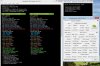
GPU Shark 0.9.3 Released (with VRAM Vendor for NVIDIA GPUs) | Geeks3D -
Maybe the same thing that causes throttling. Even the memory throttles some with those crappy locked-down drivers.
TBoneSan likes this. -
Since it's the primary card in a non optimus system I would expect some usage of the vram by window , that's normal.
-
CoD: Ghosts and Advanced warfare apparently just love to use as much vRAM as you have available for the reason of "devs can't code". On a 2GB card it plays fine at max settings at 1080p. On a 4GB card it uses up all 4GB and plays just as fine. On 8GB 980Ms it uses ~7800MB and plays equally as fine. You'd honestly have to ask the devs how they arrived at that technological blunder. Remember, AW came after Ghosts, which is the game that CODED 4GB OF RAM AS "NULL" THEN PREVENTED USERS FROM LAUNCHING THE GAME UNLESS THEY HAD 6GB OF SYSTEM RAM. Yeah, that's right, they coded the game requiring 6GB of RAM, coded usefulness for 2GB, then the next 4GB that it "required" was "NULL".Kade Storm likes this.
-
Don't really know about that null stuff, but when Brother Fox and I played it. It compensated on his system verses it used up to 8 gb of vram. At some places it only used 4 gb. On his setup it used most of his 4 gb and a wopping 6 to 10 gigs of his memory. I noticed if i turn a bunch of settings down, it will also use far less vram as well. So is this vantiy vram use or real? Only talking about Advanced warfare only.reborn2003 and Mr. Fox like this.
-
AW caches textures and such to allow faster loading times. My GTX TITAN's 6GB of vram stayed maxed out on my monitor (2560x1600) through constant gameplay. I know I wasn't running out of vram though because gameplay was smooth with no dips or stutter. I remember a long time ago with SLI 470s at 1080p, I played Crysis 2 for the first time and ran out of vram, the experience was horrible, constant lag/stutter. it was unplayable. Had the same thing happen with my GTX 690 on my monitor (2560x1600) with its 2GB framebuffer, thus switched to a Titan.
A lot of games today do the whole caching thing. It makes it confusing whether or not your vram is actually being fully utilized or the game is just taking advantage of the extra vram available. -
Honestly I could not say. I don't have 8GB vRAM cards to test, and I can say that AW uses all 4GB of my vRAM at 1080p without any kind of SSAA settings. I asked some users with 980Ms to check, and they reported ~7780MB vRAM usage regardless of the high caching settings, so I went with that. I have no idea how to tell what the real deal on them is.
-
Sounds like a fair answer to me. I just tested with super low res (1280x1024) and low settings and it used less than 2gb. And ran at like 800 fps...LOL
D2 Ultima likes this. -
On the topic of throttling, Interestingly I ran into the throttling bug after experimenting with different drivers. DDU and my favorite 344.91 couldn't get rid of it.
Luckily I had a recent Windows image of my system running well which did the trick.
For what it's worth I recommend Macrum Reflect over Arcronis for doing system images/recoveries. It's seems faster and often I've had Acronis not accept images I've previously made too many times.reborn2003, Mr. Fox and Ashtrix like this. -
Was the throttling during gaming or something?

-
Macrium Reflect is amazing. Acronis used to be good, but Reflect is far superior and I now view Acronis as being garbage. I have had it fail several times and reject images created with it. Besides that, the latest versions have nagware that bugs you about using its cloud backup crapware.
-
It was core throttling during benching and I'm certain gaming would have been the same. Core speed would drop to 400mhz and bounce back up when it felt like it.
I've been pretty lucky as far as throttling goes. My recommendation.. If things are running well.. "make an image!"
It only takes about 5 mins to restore an old image and saves hours of frustration and heartache.
I was playing around with Quadro drivers at the time, but I only think they were indirectly responsible somehow.
Things are now great again. Nvidia are a bunch of goofs. Something as mentioned sounds a little familiar to 880m except we have the benefit of lower temps.
I still maintain I'm happy enough with these cards for now. I don't regret getting them. Actually what is annoying me more is being forced to use W8.1 and my CPU being much less potent.
I wish we could get these working in Legacy mode.Kade Storm and Ashtrix like this. -
Yep that's exactly it. Acronis and it's 'nagware' and worst of all - failing to do its only job 'back up' far too many times. I think I had about 3 images crap out using them when I needed it most before I realized their software is rotten and a waste of my time and money.
-
Just a quick off-topic question regarding Macrium Reflect:
All this talk of Macrium Reflect got me curious to try it (not happy with Windows 7 backup feature). I've got my SSD divided into 2 partitions: System Partition and then Games Partition. Using Macrium Reflect I just created a system image of the System Partition (very fast - only took 12mins!). Am I right in thinking I can restore the System Partition only without affecting the Games Partition by booting up using the Macrium USB Rescue Media and then select a restore option of JUST the System Partition, which would leave my Games Partion intact? (from what I've read in the Help section I think this is possible, but just wanted to confirm with people who have used it). -
Should work just fine. If you like it and decide to buy the full version, you can even set up Windows PE dual-boot with an option menu when Windows loads to launch the WinPE version of Reflect to restore or backup without having to use a USB stick. Works extremely well, and also allows you to fix boot problems (BCD or UEFI Windows Boot Manager errors), or deploy your Windows image to new hardware.
Robbo99999 likes this. -
Hi Mr. Fox and of course all my other brothers.
I have a M18xR2 and want to buy a AW18. I would like to upgrade the AW18, because it is newer model.
But what is better upgrade to 980m, M18xR2 or AW18, which laptop makes more problems after upgrade?
Or I have less problems upgarde my AW17 R1?Last edited: Jan 26, 2015 -
Hey Sergeant!
At this stage you would have less issues if you upgraded your AW17 R1. I would probably wait a bit longer and see if some of the issues can be fixed by drivers or modded vbios's before upgrading to SLi 980Ms for your M18x R2.Robbo99999 likes this. -
Sell the 17 R1 and just keep/upgrade the M18x r2. In my own opinion, all haswell based Alienwares are garbage. Locked BIOS, screwed up NVRAM, soft bricks if you tinker with XTU, weaker fans, broken fan tables.
-
I agree with technos. You'll lose more than you will ever gain replacing the R2 with an 18. Some people like the aesthetics of the new machine better, but if you're not doing it for that reason it's a really bad idea. Fewer features, lower performance, and more prone to problems. Both of those machines are better than the Alienware 17.
-
Nvidia förklarar det segmenterade videominnet i Geforce GTX 970 - Grafikkort - SweClockers.com translate it with google translate.. could this be for 980m as well?
Mr. Fox likes this. -
I will have to try again later. I cannot get that web site to load. It keeps timing out. What is the gist of it, since you have been able to see it?
unityole likes this. -
mobile GPUs are fine. 970 is only affected by the memory issue (assuming this is what you linked)unityole likes this.
-
crippled gm204. im not techy at all comes to GPU but looks like thats what its about.
-
Ok, thanks brothers.
Thats are no good news for me. I hope someone can find a way to be fixed/modified AW18 bios/ driver.Mr. Fox likes this. -
Maybe this will help you feel good about keeping the beast...
M18xR1 performance... LINK
M18xR2 performance... LINKreborn2003, UltraGSM, Ashtrix and 1 other person like this. -
Here is the short skinny, based on my testing. Have fun trying to make this work right. I think I am done. It might work better in a system with a wimpy CPU... sad... very sad.
unityole likes this. -
"I guess the BIOS minds its own business on the Clevos" I'm sorry, I just died laughing at that. I probably need some sleep haha.
-
Ha ha, yeah... the Clevo BIOS says, " I'm busy, dammit! Leave me alone, you slimy green GPU!"
I think I would almost prefer to have the sucker just shut itself off instead of throttling. Might as well, because when it throttles hard and drops to like 135MHz on core and runs everything at 12 FPS it's more or less worthless. -
I did exactly this, with m18x-r2 and 2 x 980m gtx. DID NOT WORK. Still 8 Beeps. The VGA does get some signal for a second when the laptop is being turned on, course I also tried this before using the LVDS screen itself connected to the laptop, haha just was at resetting a BIOS on an m18x-r2 and thought, hell - might as well try it, since I seen this here on the forum. So, no, this will not solve the 8 beep issue. I will try it with the LCD plugged in now....
well, sticking in an old BROKEN 7970m worked to reset the bios..wish I put the keyboard on, because it loaded all the way until windows... lol. Damn 7970M is supposed to be broken, but works so long as i don't do any 3D... anyways, its great for resetting Bios's!reborn2003 likes this. -
Maybe we could open a IdeaStorm regarding this to be addressed. As they are not supporting the 18 series any longer. Instead of wasting our time asking for new 18's inch models.
Maybe IdeaStorm or change.org
I do not see why we should not try this... If they solve this problem they might still be on the top of performance for a while (talking about laptops with mobile CPUs)
Because at the moment they are behind even of MSI...
What do you think? -
Go for it, Brother Nikos. The worst that can happen is they do nothing.
The new MSI Titan is a jokebook. The M18xR2 with 780M SLI is better than that BGA piece of trash.Ashtrix likes this. -
Thats the one with the mechanical keyboard right ?
LOL, BGA soldered on 980M's are almost as powerful as a 780M GTX... however - they take half the power and produce like 1/3rd the heat. Overall the system is the price tag of a AW 18 with SLI, and performance, but . . . its an ugly MSI crap book. Actually I think the AW 18, is still cheaper for a low config like that.Mr. Fox likes this. -
Well hopefully MSI improve, we need as much competition in the SLI space as possible right now
-
-
lol already tried it's totally crap. Even 344.75 better then Dell version.reborn2003 and Ashtrix like this.
-
What are you talking about? The 980m in the MSI GT80 are not soldered on? Did you even both to look into this before you spewed that blatantly wrong information? The only thing soldered is the CPU. Unless you go with Clevo systems using desktop CPUs in the future, then you had better get used to it. People will buy the BGA crap, and there isn't enough of us holding out to change that.
I'm either going back to a desktop build myself, or possibly making a move towards the recent Clevo systems released using desktop chips. At least as long as they still support MXM designed GPUs when the CPUs refresh.
At least MSI is still supporting MXM cards, and not going full R like Alienware with soldered CPU/GPU jokebooks as Mr. Fox puts them.reborn2003, Mr. Fox, Ashtrix and 2 others like this. -
Yes, I looked at it very closely, with great interest initially. It was excited, but that lasted only a few minutes. The CPU is a low-TDP BGA pile of steamy, creamy feces. Doesn't matter if the GPUs are MXM. Either one being BGA and it comes off my list and gets assigned to the jokebook category. Check out the Physics performance of that worthless CPU... it's pathetic. I won't get used to it and I won't give them an inch. Too many people willing to compromise and buy this filth and it will be a self-fulfilling prophecy that all laptops will become garbage. If enough people will draw a line in the sand and let the filth rot on warehouse shelves, together we can make a difference. MSI sold out before they had to by adopting this low-TDP trash for their new pseudo-beast. Saying "get used to it" makes you part of the problem rather than being part of the solution. You means "anyone" not you specifically. Monkey see, monkey do. Sheeple will do whatever their friends do if they get "liked" on Facebook. It does not take many consumers with an axe to grind to turn a ton of people against something. A massive fire can be started from a spark, but the flame needs to be fanned by people that will do the right thing and take a stand instead of surrendering. Intel is in business to make money and if they don't, this BGA turd kick will have a short tail on it. Then the jokebook owners will be scrambling to unload their garbage and buy something awesome.Talon, Ashtrix, TBoneSan and 1 other person like this.
-
Yes, too many people are spouting BGA integration is a foregone conclusion. If no one buys these toy machines, things will change. Nothing bothers me more than people who want to act helpless.
Not aiming this at anyone in particular, I understand people are in the market for a new machine and need something too.
But other than that.. People surrendering are part of the problem.Kade Storm, Mr. Fox, Ashtrix and 1 other person like this. -
My original plan was to update my R2 to 980m's. That idea was quickly turned into a steaming pile of poo. I'm not running UEFI Windows 8.1 just to get the video cards to function correctly. And by function correctly, I mean actually post. Not the throttling.
I opted to go a different route, albeit an expensive one. I ordered a Sager P377SM-A with dual 980m's. My thinking is this: if the 980m's ever function correctly in the R2, I'll pull the 980's from the Sager and drop them into the R2, then replace the GPU's in the Sager with whatever. If the 980's don't ever function correctly in the R2, then I will already have a machine that they will work properly with.
It's kind of sad. As I use my R2, I look at it and think that once upon a time, it was the baddest of the bad with respect to GPU power. I thought it would be in that same conversation for a long while because of the ability to upgrade the GPU's. Now I have a fear that the best it will ever be able to handle is dual 780's. That's a bummer.
I can only hope that if the 980's never get sorted out on the R2, there will be a miraculous miracle and future GPU's may in fact work. Whether that is the next Maxwell, or whatever comes after Maxwell.Last edited: Jan 27, 2015reborn2003, Mr. Fox and TBoneSan like this. -
The problem is that people want passable power and pure gamers don't give a crap if their CPU is hitting 3.2GHz while gaming if it doesn't impact the game. They're broken, but not in the way most people care. They're happy to take something thin as hell if it runs games ok, and that's what they do... they run games ok. A 4910MQ at 4GHz and a 780M at 1058/6000 in a P177SM-A with a 330W power brick is bigger and thicker and harder to carry around than a P650SG with a locked, barely 3.3GHz CPU and a soldered 980M in BF4... but guess what? The latter is gonna run BF4 better. And it's cheaper.
People who just wanna pick up a machine that works? They're gonna pick up the thinner/lighter model and be 100% happy with it. Even the people who're all googly-eyed at the P7xxZM models? Half of them are sad because it has no option for Optimus and even more of them are completely foregoing the 4690K or 4790K, instead opting for 4790S, Xeon X-1231 chips or even the TDP locked 4790T. Because they assume "low TDP = low heat" and they "don't need anything higher than ~3.5GHz" or some stuff like that. They don't wanna grab a 4690K and "OC" because they "don't want to be bothered with OCing". Confuses me to no end why they bother with that line of machines then.
That being said, I hope the P7xxZM and old PxxxSM-A sell like crazy to the enthusiast crowd, as well as the GT60 and GT70 machines from MSi as they still have socketed CPUs and MXM GPUs. Even if their power bricks are small. *sighs*Kade Storm, Mr. Fox and TBoneSan like this. -
Here's a little history of my machine and another reason why soldered parts shaft the consumer.
3610qm with 7970m CF
Upgraded to 3920xm (QS) with 7970m CF.
QS didn't OC worth a dam (4.2ghz). Rolled the silicon lottery again and got a 3920xm (OEM @ 4.6ghz )
1 x 7970m died. Warranty sent me the part the next day. I replaced it.
Noticed everyone with 7970m's were dropping off like flies. Sold my newly replaced cards.
Upgraded to 780m SLI.
Upgraded to 980m SLI.
Had I been stuck with a 3610qm I would have been very disappointed. Worse still, had I been stuck with soldered 7970m's and a machine without warranty I would have been totally screwed. I would have had a failure prone machine that I wouldn't want to take to the limits and that I couldn't resell. I'd have been stuck with AMDs mistakes and held hostage for the entire lifespan of the machine.
Obviously I'm preaching to the choir in this thread
reborn2003, Kade Storm, Cloudfire and 4 others like this. -
Yes, but misery loves company. Keep on preaching the truth. The lost and lame will never find their way in this messed up world without a preacher to tell them the truth.
The BGA compromisers (at least some of them) will find out soon enough why we are so adamantly opposed to it and vehemently critical of it. Month 13 on a 1 year warranty is not when you want to discover your fatal lack of discernment about that shiny new computer that kept you up at night, lusting after its beauty and refreshing your email inbox a dozen times a day hoping for an update on delivery status. It all unravels and turns to poop when you cannot fix (or upgrade) something as simple as what should be a bolt-in part.
Those are good examples of why it is garbage in every sense of the word. Upgrading is awesome. Being able to do simple repairs and replace components that do not last forever is simply the price of admission. -
I'm starting to feel sorry for the ones who don't know, Mr. Fox. I was in the MSI forum tonight. Saw a GT72 user asking why his CPU throttles under load while only being 73 degrees celcius. He can't get it to hold its clocks no matter what he did in XTU. I had to PM him and tell him it's because he has a 4710HQ CPU and not a 4710MQ. I thought I'd laugh at people when they discovered what they were "asking" for, but the ones who don't know just make me feel bad for them.
unityole likes this. -
MSI also supporting now a 230W power supply. A powerful toy like the New Alienware 17r2 just(only) need 180w ..
Mr. Fox likes this.
-
Well, that 180W AC adapter mistake is certainly not the Achilles' Heel for the new machines. I would say that is the least critical issue for 17r2 owners to fret about. Simply plug in a 330W AC adapter on the new 17r2 and that problem is history, same as with the Ranger 17. Works like a champ. No need to worry about the wimpy 180W AC adapter. I'm sure MSI jokebook owners would love to be able to use that 330W AC adapter on their jokebook.
reborn2003, Zero989 and papusan like this.
Aw m18x R2 Dual 980m SLI upgrade!!
Discussion in 'Alienware 18 and M18x' started by Peter, Nov 12, 2014.


![[Nikos]](images/avatars/[Nikos])


