Problems? See this thread at archive.org.
Official support for your SLI setup? Sign me up... grumble... Then you can sell off the M2 for some other person to deal with unofficial support, Win 8.1+ only, bricking...
Homer
-
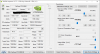
3DMark 11 Power consumption test (CPU: 4.5GHz | SLI GTX 980M - +260 MHz/+400MHz 1.2V)
Mr. Fox likes this. -
Good work. With 556W max consumption is enough for two PSUs, did you get a overclock that surpasses the 660Watts mark?
[Nikos] likes this. -
I did the 3x330W mod because it was not just enough to have two of them, we built a test bed for the PSUs to check their capabilities with a constant load.
It seems the PSUs are not capable of sustaining a constant load (I am talking about the 3 psu working at the same time) higher than 580W (maybe it happens just with my psus).
The video shows just one run but the run I did before recording the video I saw even higher values 587W.
This is funny and I will tell you why, yesterday I have changed the power strip (I do not know how to say in English I think it is power strip, but I do mean the place you plug your laptop and others things to charge, etc...)
After changing the power strip I did some benchmarks and they were much higher than ever (talking about wattage consumption (W)) so maybe the previous power strip was faulty or something. That is why I decided to upload a new video about it
The final mod will include the option up-to 4 PSUs we will try to do it for 240W PSU's as well or lower so maybe you do not need to get 2x330W PSUs which are much more expensive. -
I think you mean power outlet
Btw are you considering to use external connectors in your PSU mod?[Nikos] likes this. -
What do you mean with external connectors :s ?
Which is the correct word for this?
![[IMG]](images/storyImages/Regleta_de_Protecion_Mooster_6_Tomas_1.jpg) Mr. Fox likes this.
Mr. Fox likes this. -
I am thinking of upgrading video cards on my 18xR2 but i have a few questions that could point me in the direction that I want to go.
I am not an overclocker would I still need to do the dual psu mod?
Am I still portable with this setup, will I need to do constant tweaks and have to download drivers or bios a lot? I travel all over new mexico and the hotels here do not have the best internet connections. -
As long as your machine was shipped with 680ms in SLi you should be fine upgrading to 980ms without dual PSU (your current adaptor should be 330w) enough for stock clocks. However keep in mind that after the upgrade you will not be able to use integrated graphics (battery mode) which means need a power supply at all times to use your GPUs! Besides the initial setup and tweaks you don't need any further optimization.
Sent from my Nexus 6P using Tapatalk -
Insane!!
Hey guys there a way to make it works the lasted Nvidia Drivers now without trottle?
im not interested on overclock or anything like that!
Thanks! -
Thanks, I am also looking at this right now, it sounds like the 980ms setup isnt for everyone I definitely need switchability to running the internal gpu). Is this currently just a driver issue that we think will eventually be resolved, or is this likely a hardware limitation due to running cards our systems (m18x R2) wasnt meant to handle?
I hear the 880s have throttling issues, so even those arent a good substitute. So is my only option 780s right now to maintain reliable/supported use in my system? Wondering if that even makes sense to do, if I already have 680SLI going on. hmmm.... thoughts? -
There is no need for dual psu even if you do overclock at the moment as the system bios will power throttle before your psu trips, just make sure you use the 330w psu.
There is no need for constant tweaks once you get it set up other then what is standard for dual gpu systems. You will need to get update your drivers once in a while for the newly released games... if you play them that is. J95's moded drivers have had several profile updates that only require a very small download to be able to use the latest sli profiles which will help you out if downloads are an issue.
As for portability, you haven't lost any portability compared to any other dual configuration in the M18x R2.
I'm sorry but that is simply not true, I can use integrated graphics just fine, In fact I am writing this post on integrated graphics!. Battery mode (with either integrated or discrete gfx) has never really been an option for this system if you want to do anything other than web browsing/document editing.
A system with 680m sli is also not a requirement, systems with 7970m crossfire are equally upgradeable.... I don't mean to be picky (you are trying to help) but I don't want @Izekael getting the wrong impression.
Graphics switching definitely still working as I said above.... yes stay away from the 880m, Although I understand from the many posts by brother @Mr. Fox that the 780m sli is basically broken in the M18x R2 unless you use old drivers, in that sense the 980m might be better of with J95's updated profile for the 353.00 drivers... unless these are working with the 780m sli now?
780m sli in my opinion is not a huge upgrade if you already have the 680m sli, especially if the 680m sli has better driver support (new drivers working direct from Nvidia, no modding required and no throttling)
Download @j95 's 353.00 modded drivers if you haven't already and update them with the updated driver profiles follow his instructions to the letter, this will give all the benefits of the newer drives with none of the throttling from the newer drivers.Mr. Fox likes this. -
My system changes to Intel integrated graphics with Fn + F7, and I have 980M SLI installed in my M18X-R2, Dont know why would not work with any card installed... unless you switch the BIOS(unlocked) to SG mode with only one Nvidia GPU (aka optimus mode)
[Nikos]@ I dont know either how to name this device in english.
Btw I really want to know if my pair of GTX 980M would best be used on an Alienware 18 than a M18X-R2Last edited: Dec 3, 2015 -
Yes... That is a "power strip" as [Nikos] called it.
The name is the same with or without surge protection.
A defective one, or a poorly made power strip can have issues with power delivery. With the dual AC adapter mod, you will want a high quality device, or skip that and just plug it into a UPS for the cleanest power source.
I use this one... http://www.newegg.com/Product/Product.aspx?Item=N82E16842102134&Tpk=N82E16842102134
I also prefer to use the same outlet for both AC adapters to avoid imbalance. I use these:
http://www.monoprice.com/product?c_id=102&cp_id=10228&cs_id=1022808&p_id=5309&seq=1&format=2
http://www.monoprice.com/product?c_id=102&cp_id=10228&cs_id=1022801&p_id=5277&seq=1&format=2
...and that allows both AC adapters to draw power equally from the same power outlet. -
If I try to backport the VGA modules from the Alienware 18 A12 bios into the M18x R2 A10 BIOS, would anybody be interested in testing to see if we can get 980M working in legacy?
I'm curious if I should be hunting the the DXE driver section of both BIOSes. @Prema @svl7, any ideas? To anybody else that is curious:
"Driver eXecution Environment (DXE) Phase
The Driver Execution Environment (DXE) phase is where most of the system initialization is performed. Pre-EFI Initialization (PEI), the phase prior to DXE, is responsible for initializing permanent memory in the platform so that the DXE phase can be loaded and executed. The state of the system at the end of the PEI phase is passed to the DXE phase through a list of position-independent data structures called Hand-Off Blocks (HOBs). HOBs are described in detail in the Platform Initialization Hand-Off Block Specification.
There are several components in the DXE phase:
“DXE Foundation”
“DXE Dispatcher”
A set of “DXE Drivers”
The Dxe Core produces a set of Boot Services, Runtime Services, and DXE Services. The DXE Dispatcher is responsible for discovering and executing DXE drivers in the correct order. The DXE drivers are responsible for initializing the processor, chipset, and platform components as well as providing software abstractions for system services, console devices, and boot devices. These components work together to initialize the platform and provide the services required to boot an operating system. The DXE phase and Boot Device Selection (BDS) phases work together to establish consoles and attempt the booting of operating systems. The DXE phase is terminated when an operating system is successfully booted. The Dxe Core is composed of boot services code, so no code from the Dxe Core itself is allowed to persist into the OS runtime environment. Only the runtime data structures allocated by the Dxe Core and services and data structured produced by runtime DXE drivers are allowed to persist into the OS runtime environment."
So I'm assuming it is something in DXE and not PEI, because it is unable to initialize the video cards in Legacy mode, we get 8 beeps.Last edited: Dec 9, 2015 -
So I was correct in my assumption that something definitely changed in DXE from A10 to A12 in the Alienware 18, and the list of affected modules (not including padding files) include:
29CF55F8-B675-4F5D-8F2F-B87A3ECFD063_1734.ROM (BIOS VIDEO, PE32 section)
33CF55F8-B675-4F5D-8F2F-B11A3ECFD063_31.ROM (InstallPlatformOverrideEDID, PE32)
99C20A37-042A-46E2-80F4-E4027FDBC86F_1148.ROM (SmmPlatform, PE32 image section)
662D072E-70A0-4E14-901F-8DB301631647_1566.ROM (Freeform, raw section)
B674D90A-9BDA-410D-A26C-14D6AFFEBD6E_71.ROM (CMFCDxe, PE32 section)
E62F9F2F-4895-4AB5-8F1A-399D0D9C6B90_39.ROM (OEMPost, PE32 section)
EF0C99B6-B1D3-4025-9405-BF6A560FE0E0_1228.ROM (MiscSubclass, PE32 section)kenny27 likes this. -
@Raidriar if you can get the 980m to work in legacy you will be a hero. After talking to Prema its no small thing to mod the bios, so hopefully the M18 is close enough to the R2 so you don't brick anything.
-
thumbs up ! thumbs up !
-
As I'm sure you're all aware, BIOS modding...high chance of brick. I don't have any 980Ms to test in my own rig and my M18x is currently down, in pieces, with no video cards. If somebody cares to test the BIOS I make, make SURE you have a FAT32 formatted USB drive with the A10 unlocked image saved as M18R2.HDR on the root in case it does brick. I need volunteers!
I've asked Prema for guidance, but he hasn't responded to any of my messages. Examining the BiosVideo section of M18x R2 A10, Alienware 18 A10, and Alienware 18 A12, there seems to be significant differences between the 3 after the first few lines of code in the header. The Alienware 18 A10 and M18x R2 A10 have somewhat/more similar code, Alienware 18 A12 had some very significant overhaul done to it, which makes perfect sense, since both units could run them in UEFI but not legacy, but the new A12 can run them in legacy. Unfortunately, I don't know assembly or whatever the hell this is written in, so my original plan was to do a file analysis and compare the sections, then replace the M18x R2 BiosVideo DXE driver code portions with the DXE portions from Alienware 18 A12. However, the offsets are a little....off (excuse pun). So, the plan is now to just cut the DXE BiosVideo from Alienware 18 A12 and insert it into M18x R2 A10.
I can upload the files for others to look at and to try to make sense of what is going on thereLast edited: Dec 11, 2015 -
Hi has anyone got sli 980m's working in the Alienware 18 in windows 10 yet..
Sent from my GT-N7105 using Tapatalk -
Never mind found a more relevant thread
-
If you want to brick your display that is the best way to do it
Papusan likes this.
-
Pretty sure that issue would be solved.. btw did people get there money back from nvidia for that ??
Sent from my GT-N7105 using Tapatalk -
-
is there any news on premas vbios for the m18x r2??
-
I am testing it limits but there is no news that I am aware of about the release date of it. Sorry buddy :/ I wish I could tell you a date but it is @Prema who has the last word, he needs to be pretty sure to release it so nobody gets a really expensive paperweight.
But talking about its performance just look at this:
Just using one card (Windows 10, 4.6 GHz, around 330W just for one card I saw during the test)
Attached Files:
kenny27 likes this. -
-
Hey there! Where you been lurking fella?
-
I understand that its basically done, @Prema is just getting the ASIC/Voltage algorithim sorted so that the correct 3D voltage is selected for any given card... (which is why there was a request for asic quality and 3D voltage readings). It would be nice if he released an overclocking version in the mean time so that we can unleash these cards.Juang1985 likes this.
-
This is the best I can get with my system with no AC cooling, maybe with better cards (higher ASIC quality) someone could go further but, I think R2 has a motherboard power limit on MXM banks which limits my cards to clock higher.
CPU @ 4.6 GHz
GPU 01 - | + 220 Core | + 400 Mem | 1.137 V |
GPU 02 - | + 220 Core | + 400 Mem | 1.125 V |
![[IMG]](images/storyImages/SRdaudh.png)
P20282 LINK -
yeah, that's not the case my friend. you need more voltage to your cards....
![[IMG]](images/storyImages/bIDF8h.jpg) Papusan likes this.
Papusan likes this. -
Can't set up higher voltage or the system will reboot (I mean, I can set up to 1.2V but while benching or gaming then it is when the reboots occurs). There is a lot of variables while using SLI 980M along the R2. The reboot can come from MXM port not being able to deliver the needed amount of power or it can come from my cards, MOSFET/VRM not been dissipated as fast as it needs, so they exceed they work temperature and it stop working. But I tried everything that is on my hand to make it go further, simply, I can't :/
Last edited: Dec 22, 2015 -
I have my money on something getting hot, I'm pretty sure Mr.Fox was talking about it, core temps were good but he had system crashing when he went over a certain voltage, this was fixed using an AC setup and then he could max out to 1.2v
-
The R2 is capable of pushing 600+ watts on ac. Are you using ac?
-
@Nikos
After a power drain or cold boot (taking off the adaptor from the notebook and reinsert it), does your m18x R2 stay flawless with 359.06 driver?
352.84 is the only driver for me and maybe j95 to work flawless even after "many power drain" . -
Do i need a mod PSU if i upgrade my m18x r2 from dual 680m to dual 980m? i currently use a 330w PSU
-
I fall back to 359.00 from 359.12HF because I was having issues with StarWars Battlefront. With 359.00 I do not see any problem so far. The behavior of the GPUs with Prema's vBIOS is totally normal. There is no need to use NVI unless you want to apply overclock to the cards. PS: @Prema 4 President haha
Nope, only if you want to overclock the system. Stock clocks (CPU , GPU) is more than enough 330W.
3920XM @ 4.5 GHz + SLI GTX980M stock clocks -> +-330W Full load. -
I wish I had that magic vbios ...Sadly i dont
-
I wish I could share it or better I wish that @Prema releases it :/
-
there is no update on eta is there? Been off this thread for a couple of weeks. Just build a monster PC so is been taking my time a little bit.
-
Nope sorry :/
-
So if anybody had tested a 980M in your M18x R1/R2 in legacy mode, did your LCD light up with the 8 beeps, or remain off with 8 beeps? I'm modding my BIOS on the M18x R1 and i got the LCD to light up with the blank lit up screen with a _ in the upper left corner, but then it beeps 8 times. So close...yet so far...
-
Wow looks like your making progress of sorts! I have only ever had a totally black/dark screen with the 8 beep code while in legacy.
-
I think I will have to abandon this project for the time being. It seems that there are more significant changes in DXE core and how it calls DXE drivers, and I'm not prepared to screw around with that, as the DXE core also controls the unbrick procedure, and if I screw that up, there may not be a way to recover from a bad flash/incorrect BIOS. @Prema, correct me if I am wrong here.
-
I have a problem with Nvidia inspector. It doesnt apply my settigns after i restart my laptop. It applies it on gpu 1 but not on gpu 2. I have to do it every single time i Restart pc. any advice?
-
Turn off the laptop, unplug DC cable, presh power button for 1 minute. Plug DC adapter, try nvinspector again.
Hope it helps -
Hello to everyone who contribute to this forum and to all of us when we seek out solutions to our problems.
I would like to ask a couple of questions.
I got a 980m GTX from woodzstack. Mine came with prema bios pre-flashed. I tried the 353 peg mod drivers from j95 and all seems great. No issues at all.
Switching from intel to 980m isn't working anymore. Pressing fn - f7 pops up the message, pressing OK reboots the laptop, but still it boots with 980m.
I read that I have to downgrade to A10 unlocked to manually switch from internal to descrete. I suppose flashing A11 over A12 and then A10 from A11 can be done inside windows.
Flashing the unlocked, has to be done in DOS, and with UEFI I suppose.....no DOS!
Also I don't seem to be able to connect my HDMI out. No output. Anyone with the same problem?
Aw m18x R2 Dual 980m SLI upgrade!!
Discussion in 'Alienware 18 and M18x' started by Peter, Nov 12, 2014.
![[Nikos]](images/avatars/[Nikos])