 Problems? See this thread at archive.org.
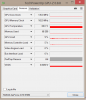
The dual 330W AC adapter can handle spikes up to that amount as long as they don't stay there more than a second or two. If you go above the range of 700-750W and it stays there too long it will trip the internal circuit breakers on the AC adapter and shut them down the same as when you exhaust a single 330W AC adapter.
Unfortunately, NVIDIA is crippling their drivers to the point that power draw is dramatically reduced at the expense of performance and I don't get to see such an awesome display of power consumption with newer drivers. That's really sad. I also find it more difficult to achieve incredible results with newer drivers. The reduction is power draw isn't something I view as being an accomplishment. It really pisses me off. I think we can thank the thin and light trashbook fad for this nonsense.
Using newer drivers than 359.06 there is a remarkable decrease in power draw, decreased overclocking capacity and lower performance. That's very disappointing. I don't care how much power my CPU and GPU(s) draw as long as I can provide what they need to run wild and free. If that means using quad 330W to handle the overclock, so be it. Just don't gimp things to accommodate the needs of trashbook owners that have poorly engineered garbage. Accommodating their engineering defects and performance compromises should not need to be our problem. @Prema should not need to have more than one vBIOS depending on the driver version being used. That we have to deal with nonsense like this with so many workarounds to circumvent this stupidity is troubling.
-
-
Hi Guys,
I have installed the Nvidia 980M (SLI) Graphic Cards in my Alienware M18X R2.
My operating system is Win10 64-bit. The system specs are CPU 3940XM / 32GB Ram 1866MHz and 2x980M SLI.
I get the graphics card not to run properly.
The system has problems with FPS drops and throttling.
I've tested the following vbios versions
- SVL7 and Johnksss 980M MOD
- Prema AW18 GTX980M OC
- Prema GTX980M V2 OC
and the following Nvidia drivers
- 365.10 (MOD)
- 364.72 (MOD)
- 358.91 (MOD)
In all constellations I have problems with FPS drops and throttling.
The Vbios from SVL7 in combination with the Nvidia 365.10 driver doesn't run, the system crashed in Games.
The best graphic score in 3D Mark11 is between 11000 and 17000 points.
I think normally would around 24000 points...
I hope someone can help me , maybe I installed the wrong VBIOS or the wrong Nvidia driver!?
Thanks -
Hi SteffRoe, Weclome to NBR.
Yes your right 24000 points is what it should be getting. Can you just double check what your graphic card temperatures are? (There are several people who have an odd problem were the second gpu fan will not spin unless HWinfo64 is used to set a manual profile) high temps will cause throttling, just want to rule that out first.
The svl7/Johnksss bios is overclocked and undervolted at the same time. I cant run that vbios either with his settings. If you want to try it properly reduce the core clock and/or increase the voltage with Nvidia Inspector. 1127Mhz and 1.05v or 1.62v is stock FYI
I'd stick with svl7 vbios (clocks and voltage modified at startup with Nvidia Inspector) or the Prema V2 vbios, The most reliable driver in terms of performance is j95's modified 353.00 driver with the updated profiles. I'd get that one working properly if you want to play games etc and then muck-around with the newer drivers if you want to.
Hope that helps, Let us know how you go. -
Uhh...pretty sure you would have a meltdown at 1.62V

I'm sure he meant 1.05V or 1.062V -
Hi kenny27,
thanks for your fast answer.
Today I overclocked the voltage (+50mV per card) from the graphic cards and I get 24.258 points graphic score in 3DMark11.
I think this is ok, but I have still frame drops. Maybe it will better with another nvidia driver!?
Is the 353.00 driver for Win10? Can you tell me where I get this driver (download link)?
Thanks -
Testing latest drivers @ win 10 (365.10)
http://www.3dmark.com/3dm/11917800?Prema, kenny27, deadsmiley and 1 other person like this. -
It could be better seeing as you still have the overclock, Sorry the 353.00 mod is for windows 7 and 8.1, J95 has a 352.84 modded for W10, I have no experience with it though so I can only assume it is a good driver.
Head over to TechInferno and find the thread called "[Alienware] Aftermarket Upgrades Driver Support - Modded INF". You will need to either make 5 posts or donate for membership to be able to download it though. -
@ALL_ please try 368.25 PEG mod, just delete the proper folders before installing drivers >> @Prema MOD v2<<
Last edited: May 28, 2016 -
I have never installed one of your driver before. Is there a certain steps to take to install it ?
-
Disable DSE.
Just keep these folders.
368.25 (r368_20-5), 10.18.13.6825 (5-21-2016)
368.22 (r368_20-3), 10.18.13.6822 (5-19-2016) -
Do I have to get this file too ? >>> nv_dispi.inf_v368.25_Win10_PEG_Dedicated.zip
The site won't let me download the zip file.
Last edited: May 28, 2016 -
- Run DDU "Clean & Shutdown (Safe Mode)
- Disable DSE
- Extract driver using 7-Zip
- Display.Driver folder, copy/overwrite nv_dispi.inf
- Extracted driver package -> run setup.exe
- Run DDU "Clean & Shutdown (Safe Mode)
-
Hey guys, so I'm thinking of swapping out the 680M's for a single 980M, it appears the the throttling issue is still present and requires changing to IGFX from cold boot and back each and every time? I'm mobile at the moment, how long can the R2 stay in Sleep mode on battery to circumvent this?
Also, I will need to update the BIOS to A12? I'm currently on A10.
Mulling it over, I have a few games that have poor to non-existent SLI support and I would love to have more VRAM on tap.
Oh, also, I'm on Windows 7, is there anything else I should be concerned about?
If I do end up going this route I would also like to move from the 1600MHz memory I have to 2133MHz memory, I've heard Corsair Vengeance is plug and play in this regard but I also want to be sure that any memory I do choose plays nice with the 980M. Any recommendations?
Any single overclocked 980M benches out there?
Thanks. -
The biggest problem with sleep on battery is the battery part, I'm not sure if its an SLI only issue but if I ever go to battery power I must reboot to get full performance otherwise its a horrible throttling mess. Personally I find it less of a hassle to do the IGFX switch from cool boot, it only take a few seconds
I would highly recommend that you upgrade to @Swick1981 's bios (A11 unlocked), if you don't you will be forced to reinstall windows 8, 8.1 or 10 in full uefi mode.
By upgrading you can keep your current windows installation. Just don't try and boot from your hard drive with an incorrect RAID or AHCI setting, default is RAID (sorry if I'm preaching to the choir)
Here is a benchmark that I ran the other day without to much effort (hopefully that link works) -
Ok so upgrading from A10 to Swick's modified A11 BIOS I would first need to take note of all of my OC settings and then input them in the new BIOS correct?
Also, just to clarify, with Swick's BIOS I would be able to retain the existing installation of Win 7 Pro?
I believe it's in AHCI, is this the correct setting?
So the correct sequence is:
Cold boot, F2, BIOS, change to IGFX somewhere, restart, then F2, and back to PEG again and then restart?
That's a bit longer than a few seconds and would make blue and black screens more annoying than they are but having 680M SLI power on one card with 8GB of VRAM is certainly enticing.
Do you have any single 980M Firestrike benches to share?
1367 MHz boost, I figured 980M was good for 1400-1450MHz even with the reduced voltage, no?
Anything else I should be aware of?
Thanks for all of the assistance. -
Hello guys!
My friend buy for me 970M Clevo card,need little help please!
Machine: M18xR2,win8.1,pure UEFI boot,legacy boot disabled,stock A12 BIOS
First problem: I don't know flash vbios step by step follow rules,but only quit,not flash.
1.I disable 970M
2.reboot
3.Run mnvflash 5.196
4.first ask : press enter or "Q" quit,thats ok.Second ask press enter,and when i press enter program quit...
Whats wrong?
Second problem: I don't have backplate unfortunatelly,anyone know where can i buy?
My fans idle not work.I see GPUz sensor and card too "hot" idle,VDDC just drop 0,825V,this normal value?
Thermal pads and load temps correct,but i don't understand why turn on-turn off random my fans.
Example: First run,fans sit,i run 3D11,when temps hit 70°C GPU fan turn on.
Second run: Fan work ~2500 RPM->run test,temps only 65-66°C
If i play games,monitoring AB,first ~10min GPU fan still sit,when GPU temp hit ~68°C,turn on ~2500RPM,5-10 min later GPU temps stand 66-68°C and suddenly GPU fan kick max RPM,the temp just 55-58°C but fan bellow,and i don't understand why???
I really don't understand system fan controls what works.Attached Files:
-
-
Yes, note your current settings including RAID/AHCI (they will all be set back to the defaults when you flash), it doesn't matter RAID or AHCI, so long as you make sure its the same after flashing the bios.
If your current windows installation is important to you I would remove the hard drives before flashing and install them again once you have saved the correct RAID/AHCI setting. So to clarify: yes your current installation of W7 Pro should still work.
That sequence is correct, to modify the IGFX/PEG you will need to go into the "advanced" tab and then down and into "video configuration". Hitting F10 (save and exit) once you have made changes will make it quicker as well.
Sorry that was miss-leading, what I meant is it take seconds not minutes to make the changes.... could get tiresome though if you got to do it all the time. I hope you don't get blue/black screen often enough for that to be a concern...?
Like I said that benchmark was low effort, it took me two tries to get it, I still needed 1.125volts though. I'm sure I could go a good bit higher with more voltage.
This is my highest single gpu score from firestrike, same sort of thing (not much of an effort), I just don't have time for hardcore benchmarking.... I wish I did.
Only other things I can think of at the moment are standard stuff: make sure you flash Swicks bios before installing the 980m or you'll get 8 beeps, get a copy of Prema's 980M V2 vbios and J95's modded drivers, Uninstall your current nvidia drivers before upgrading and consider supporting Swick1981, Prema and J95... -
1. VBios
i have an m18x r2 with a 970m, i had windows 8.1 pure uefi, and now 10 in pure uefi,
been working flawlessly,
however i am using unlocked A11 bios which lets me choose the igpu or peg mode depending on what i need to use my computer for.
as for the steps on doing the vbios mod,
you need to head over to "techinferno" and download the 970m 6gb vbios, should download the version 2.0
since the version 1 does not suppose newer drivers.
after download the version 2, copy everything from
"AW18_6GB_GTX970M_OC_PM_v2" to "C:/nvflash/"
NOTE; make sure you back up your existing stock vbios first, this can be done via gpuz or nvidia inspector
there should be some instructions in there to,
after you have copied the files from the vbios to nvflash folder,
hold down shift and right click in the folder and click "open command line window here"
use can also do this by opening cmd and just direction it to the folder.
To flash type the following commands
(write the file name to flash)
For the first card: nvflash -i0 -5 -6 ***.ROM
(if you have a second card, other wise ignore this step)
For the second card: nvflash -i1 -5 -6 ***.ROM
(Replace *** with your ROM file name that you want to flash)
Note: a couple of messages will prompt for your agreement to flash. Type "y" and "y" to proceed.
Note: Your firmware image filename must have a *.ROM or *.NVR extension. I use the ROM extension.
After the flash a reboot is REQUIRED for the settings to take effect. No driver changes are needed.
let me know if you need further help, or elaboration,
2. Backplate
as for the back plate, i dont have one either, i just have an X bracket,
i had to remove the backplate, as the card was for clevo, and it didnt fit into the mxm slot all the way with the back plate on, i just removed it and placed the thermal pads directionly on the chips, i have had to problem with temperatures.
3. Temperatures
the temperatures you're describing seem pretty decent, and should you shouldn't experience any throttling at those temps, for me throttling starts at 92c.
4. Voltage
as for the voltage, my card with prema vbios v2.0 runs at 850mv, although i overclock it to much higher value while gaming. so that seems quiet normal too.
cheers,
have fun..
P.S, with a decent overclock you can achieve 980m perfomance
http://s33.postimg.org/pttsv2x8f/980_vs_970_OC3.png![[IMG]](images/storyImages/980_vs_970_OC3.png) Last edited: Jun 5, 2016MUERTE 75 and Rengsey R. H. Jr. like this.
Last edited: Jun 5, 2016MUERTE 75 and Rengsey R. H. Jr. like this. -
Best drivers so far...incl 350.12.
-
Something is wrong. Why is a overclocked 980M SLI with a strongly overclocked 3920XM getting less than a 8970M Crossfire score in 3dmark11??
http://www.3dmark.com/3dm11/11067038
Something is really not right here. -
I have an answer. Dual Power Supply. Not enough power to do the job. Mine does it too. Once I perfect my tiny dual power supply box i should be able to pull 18k+.
-
That's nuts. I can nearly catch that score with a single 980M:
http://www.3dmark.com/3dm11/11315680
That's too power hungry for my taste...ridiculous. -
By the way, for those that are interested, Idk if anyone has done it yet but I was able to mod the copper backplate to work with the m18x. Works great, only need to convert over to the clevo xbracket and then change the screws over on the heatsink to clevo, I kept my screws just in case.
Here is a visual to what you have to do to make this fit in the m18x. Should be same in the AW18
![[IMG]](images/storyImages/a0awHtJ.png)
-
This was mine with basically stock with +100/+100.
http://www.3dmark.com/3dm11/11310940
if I overclock it gets like 13k. If I leave the cpu stock and overclock the gpu I can hit like 17.8kRengsey R. H. Jr. likes this. -
Here is my run on the prema vBIOS, running +180/180 at 1.0620V
http://www.3dmark.com/3dm11/11315708
Papusan and Rengsey R. H. Jr. like this. -
The most I got out on the single 980m GTX is 13601
http://www.3dmark.com/3dm11/11167959 -
Did you have to bump up voltage?
-
Power hungry?
Graphics Score 16 808...ruined by a lousy Physics score http://www.3dmark.com/3dm11/10989723
~210W GPU
Papusan likes this. -
Jeeeeez
what voltage are you running? -
I'll disable a card tonight and show ya what it can do with 330w supply. it should hit 14-15k with 1 card with both the cpu and gpu overclocked pretty good.
Rengsey R. H. Jr. likes this. -
I just installed mine. It came yesterday.
-
What am I missing here, how does this work? replaces the M18x heatsink or in addition to it?
-
So you put in a clevo x-bracket with the clevo copper backplate.
-
I'll be honest this doesn't help idle temps, this helps out top temps. I never break 70c with this and before I would get up to 80c.
-
My idle temperature is around 54 - 56 Celsius on stock cooling.
-
I need a picture of this fully assembled, I'm having a hard time visualizing for some reason.
-
You can use any X-Bracket and the copper back plate will mount to it with no issue.
-
Do you have a picture of it assembled?
-
i didnt take any picture. sorry. when my red base comes it , i will take pictures when i disassemble it.
-
There is nothing wrong there, that was with a single gpu (in windows 8.1, hence the horribly low physics scores). I apologize; gpuz does say SLI enabled but @vulcan78 had asked for single oveclocked 980m benchmarks and that was what I was showing.... I think johnksss is the only person with 8970m crossfire to beat that GPU score score anyway
-
Your screenshot that you posted, in the GPU-Z window, shows SLI enabled (2GPUS), so that's why I was confused
-
NBR glitching out recently...
-
Yeh sorry, I just disabled SLI for 3dmark in the Nvidia 3D settings.
Are you going to play with extra voltage for benchmarking?... sure you could do better if you did
-
Nope, I don't do voltage mods. I get bitten in the ass every time so I just avoid voltage mods and even try to undervolt if possible
-
This has been happening for around 2 weeks now.
Unless you're on a desktop, don't overvolt... -
What makes you say that?
-
VRM concern. The VRM generally have passive heatsink or minimal airflow from the main fans.
-
My understanding is that the screws that come with it only fit clevo backplates.
Aw m18x R2 Dual 980m SLI upgrade!!
Discussion in 'Alienware 18 and M18x' started by Peter, Nov 12, 2014.


![[Nikos]](images/avatars/[Nikos])




![[IMG]](images/storyImages/rI543Gy.png)