 Problems? See this thread at archive.org.
@Raidriar
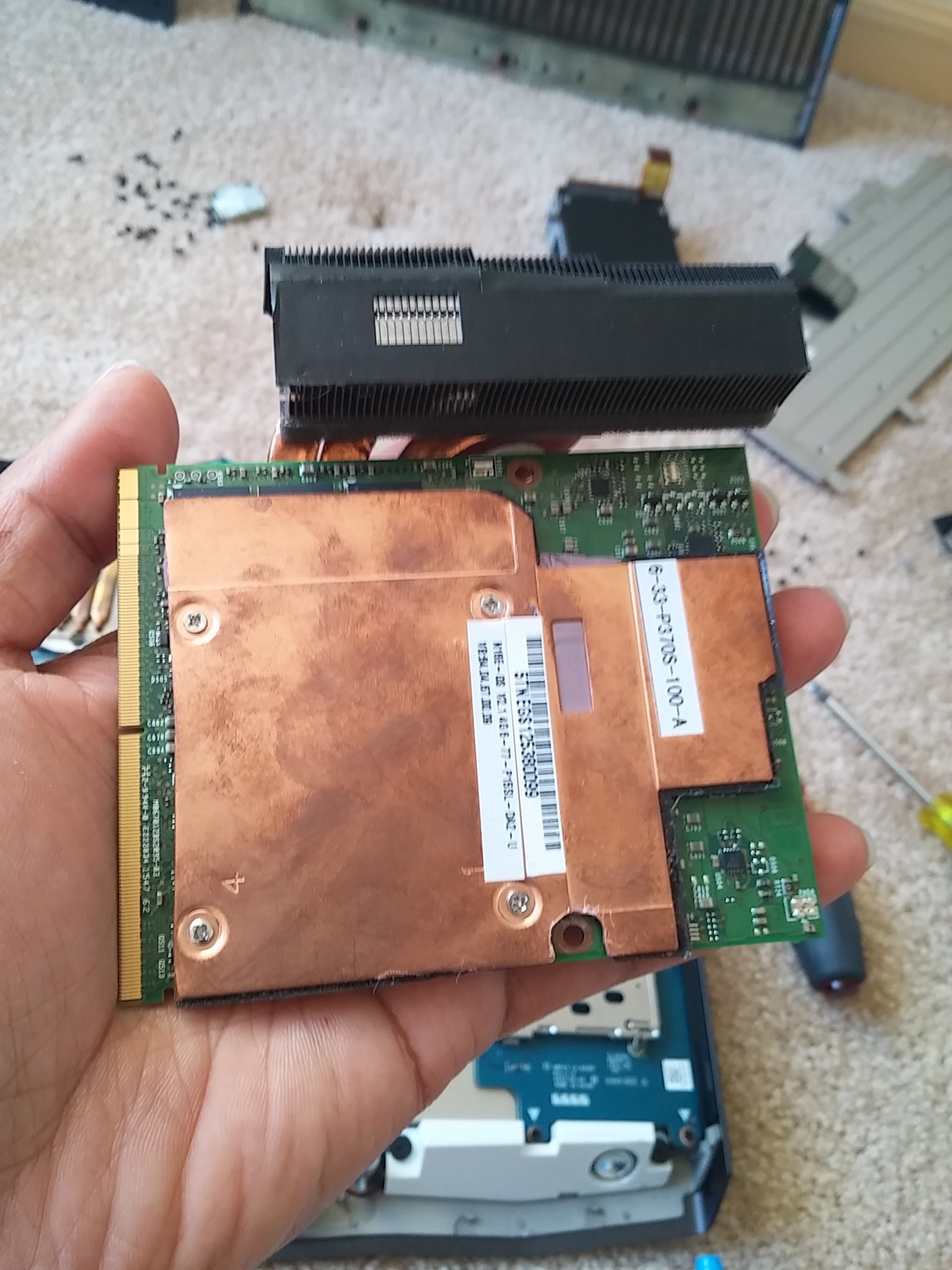
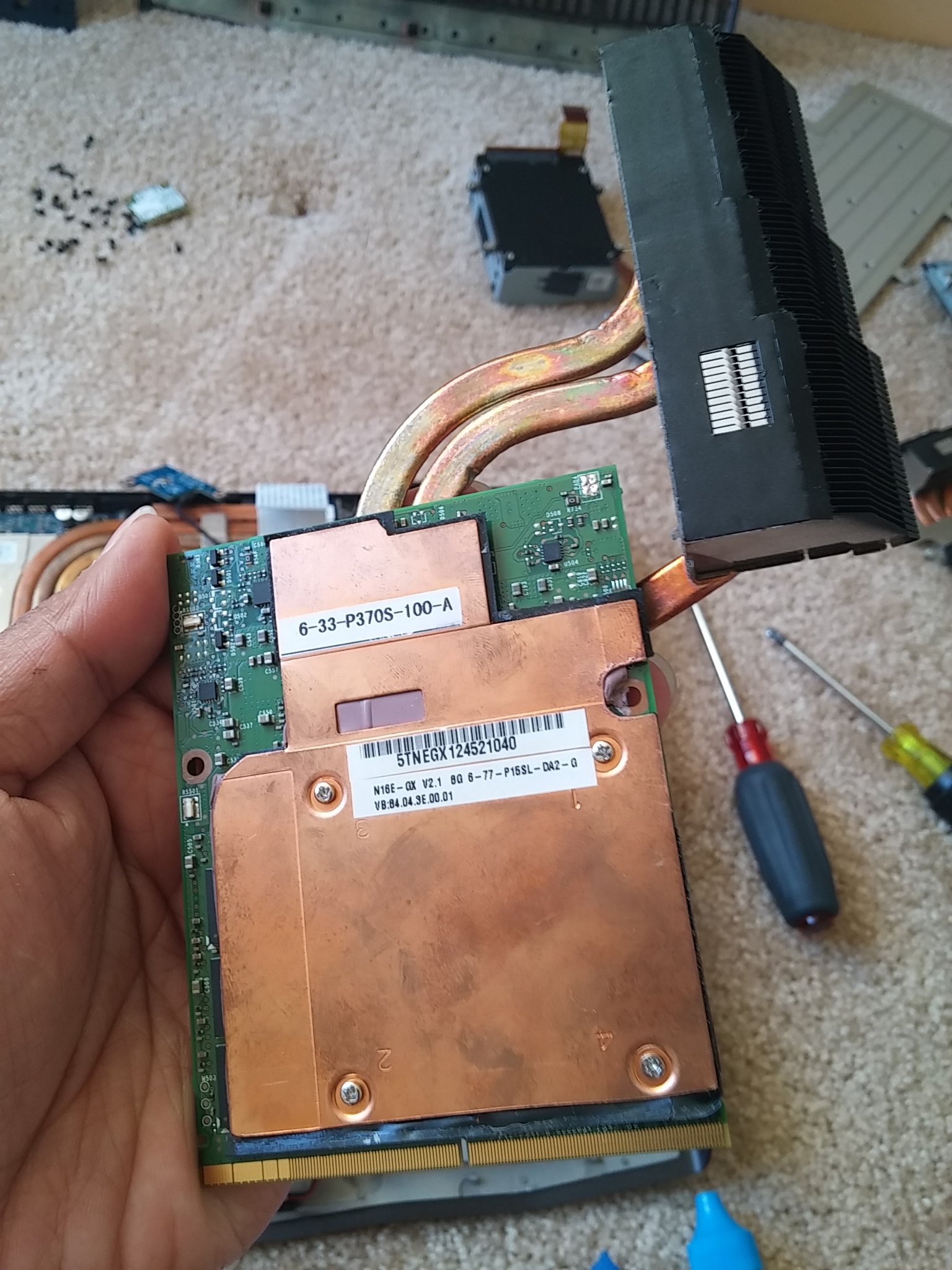
-
-
Holy sh!t
I need those. -
How many do you need ? I got some ..

-
Are they effective in cooling? I could probably use one in the Alienware 18 and another in the M18x R2...maybe for the 780Ms too
-
I have not have a chance to test it yet. You can ask @Codenamefa if he noticed any difference.
I am still waiting for my parts to assemble my m18x -
Honestly I don't have a good answer for them, idle temps it can idle either around 32c and other times it idles at 50c, either way, top end I haven't broke 75C with these on there yet, but I don't know if it is actually the backplate helping or not when I ran these with my alienware dual vram xbraket I never watched the temps really so I can't give a good review on them. I will say tho it is a snug fit, a part of me wonders if the left gpu gets any decent air flow with this added, but either way, I haven't had a problem with them and it has to help at least a little with moving heat around.
Here is after a run on 3dmark11. Can't run throttlestop till i get the dual psu finished. my parts should be here either tomorrow or tuesday.
I use Gelid GC Extreme and Fujipoly 11w/mk thermal pads. And these are the results I have from using them together. Not sure what anyone else is doing but my current temps in the house are 72F. AC is running. As you can tell it was Freaking hot today. It got up to 97F today.
Anyways, enjoy.
This is with Prema vBios http://www.3dmark.com/3dm11/11324650
![[IMG]](images/storyImages/e69yVjT.png)
This is with Johnkss & Slv7 vBios. http://www.3dmark.com/3dm11/11324726
![[IMG]](images/storyImages/myrbHEq.png)
Also here is a 1st place pass for 3dmark11. Johnkss & Slv7 vBios, 3940xm@43x no added volts. Imagine what a dual psu is going to allow. This literally had my psu tapped to the max. http://www.3dmark.com/3dm11/11324739
![[IMG]](images/storyImages/Or9hXTj.png) Last edited: Jun 13, 2016MUERTE 75 likes this.
Last edited: Jun 13, 2016MUERTE 75 likes this. -
You are good with these m18x @Codenamefa
-
Which BIOS are you using?
Did you have any kind of throttling?
Are you able to rise the voltage on GPU?
1.0V = 75ºC is a little bit high, if you rise the voltage to 1.2V I do not think you will be able to run the test (or higher than 1.125V)
Good mod with those backplates
This was my best with unlocked BIOS (not the one which solves the compatibility problem):
http://www.3dmark.com/3dm11/10698016Homer S likes this. -
Out of interest: do you know what power your PSU tripped at (I'm assuming it tripped at least once if you had it maxed out)
And are you running windows 10 in legacy mode?
Nice scores... your one of a lucky few to avoid throttling on the M18x R2 and crack 26K gpu score! -
I'm using the one that fixes the compatibility problem,
Very rarely do I get throttling if I keep tabs on how many watts I'm putting thru.
I can bump the voltage but then my wattage goes up as well. I'm pretty much trapped till I get my 330w put together which I'm watching the mail box as we speak lol.
And I don't know if they are a good mod yet, honestly wondering if it is helping the cards or if it is blocking air flow, I will say this I used to feel heat thru the keyboard when stressing but now I don't feel any heat on the keyboard area.
Also here is my best that I did last night before bed. http://www.3dmark.com/3dm11/11325930 -
Umm looking at the log file, I was pulling from the GPU 1, 136 watts, GPU 2, 127 watts, and the cpu was pulling 79 watts when the log file ended. So 342 watts. Basically the reason everyone is throttling is because their GPU's are hogging all the juice, your cpu really can only be overclocked a very little bit with these gpu's, once you get into the dual power supply, I'm pretty sure we can see 160/150 watt pulls on the gpu's with the cpu doing 110/120 watt on its own without tripping anything.
Also I am running Windows 10 in UEFI actually, for some odd reason I can't get it to install in legacy mode or else I would. I'll figure it out eventually, gotta cut down on my ssd's that have OS's on them loldeadsmiley likes this. -
LoL Nah I just remember all the tweaks @Mr. Fox had shown us over the years and what to watch for. Its the same alien just a different batch of quirks.
-
Hmm that might be the case for you, but I dont think I have ever gone above a total system draw of 325W from with wall! (measured with a power meter) If you include the losses from the PSU the computer is getting even less power and I use an external monitor which saves about 20W, a dual psu would make no difference for me as I cant even max one before I start throttling... thats why I'm interested interesting in your power draw... your doing something that I'm not that lets you draw that extra power!
Make sure your harddrive is converted to MBR otherwise you wont be able to install a legacy version of windows. -
I can give get a couple pix of the Bios and show my settings, its nothing fancy, and the vbios I use are the ones that are available over at tech inferno so idk. By the way are you using the new bios for the R2's that swick modded? that is what I'm using right now. Also to add, I flashed the bios with the cards installed and I think swicks bios has a glitch where added devices don't get treated quite right. Had that happen with the swap from my 2960xm to 3940xm.
Rengsey R. H. Jr. likes this. -
Would be nice for you to share your settings for CPU bios , GPU Bios and OC numbers for GPU ..
-
finally update to 368.25 today after a whole year staying with 352.84
So far so good, no throttle at all (GTAV, witcher 3, 3dmark)
Do I need update my system bios to swick unlocked bios and switch to legacy mode as well? -
AW 18 (R3) vga heatsink compatible maybe without mod has M18xR2?
http://www.ebay.com/itm/NEW-OEM-DEL...796238?hash=item1a0e1af08e:g:rxEAAOSwLqFV8nIV -
Ok that would be appreciated.
I have tried pretty much every vbios that has come out over the last 15 months, I like svl7's because the voltage is nice and low... to bad my cards dont hold 1203Mhz @1v so I got to underclock or overvolt if I use that vbios. Yes I'm also using @Swick1981 modified bios, its one of the best things to have happed to the R2.
This is my best 3DMark11 score... its on stock clocks though
There is no need to update your bios but I would highly recomend it just incase you ever need to reset your bios etc... will save you the hassel of disassembly. Also legacy mode is not needed but its nice because it lets us install windows 7 again!!twin snakes likes this. -
Thats not the correct 980m heat sink.
-
Ugh, forgot to take pictures last night lol, got off work and practically went to bed.
-
Sounds good, so if I want to update the unlocked bios, basically I have to disassemble the GPUs out and reset the bios to legacy, then updating the bios in DOS mode right? because there's no way to update the bios in UEFI mode?
-
You don't have to disassemble the laptop if you don't have a 980m in the in. Just switch to legacy and update the bios.twin snakes likes this.
-
Cant switch to legacy otherwise you'll get 8 beeps? I'd switch to IGFX first, flash the bios then boot with 980M?PEG.... no need to disassemble, that's the beauty of the new bios!!twin snakes likes this.
-
Why not? You know may correct part number for 980M heatsink?
-
Yes. I will post it when i get home.
-
U can use legacy mode without the bios if you switch to the intel graphics first before switching from uefi back to legacy. Then you can flash the new swick bios and use legacy with peg.
-
Question for you guys. I did the upgrade and got everything running, driver 368.22 but getting low scores on 3Dmark11 P14500 and Firestrike 13500. I am using HWinfo64 to control the fans. The Compal EC GPU2 shows the card is running hella hot on idle. BUT the temp on GPU #2 shows normal temps. Which one is the correct sensor to use to control the fans AND Is this happening to anyone else? I am asking because I am afraid I might be thermal throttling. Thank you for your feedback guys!
![[IMG]](images/storyImages/kIMEUgX.png)
-
Disable Compal EC in HWiNFO64 settings and manually max out the fans for benching. Having the Compal EC sensor enable will cause all sorts of problems.
I'd also recommend removing the check mark for the "Average" column. That data is totally meaningless. Just get rid of the column and it will be easier to understand what is really happening in terms of CPU and GPU behavior.Papusan likes this. -
Heya guys, time to post my question. I've tried to ugprade my M18X R2 to a single 980M. It's a Clevo card. Long story short, it boots, but the GPU gives out no video output. I've been able to see that it boots blindly and by launching Teamviewer on it. It's UEFI, PEG, swicks bios etc. From the moment I power it on, no video - nothing. But it boots. I don't think the card is faulty to return.
scarastisis likes this. -
Okay Thank you brother Fox as always... To my rescue! Don't know what I would do with out ya brother. I saw a whole list of sensors to monitor, swapped it from Yes to No Hope that does something positive
-
Your on UEFI? Have you tried Legacy mode? After all, That is what Swicks BIOS is for
Note: I have not tried UEFI mode with Swicks BIOS. But Legacy (you will have to reinstall windows) Works great. And With SLI working. Also are you using Prema's vBIOS v2?
If so and you are not seeing the GFX post first thing when you start then I would lean to the GFX card, Prema's is the only one I have tried that has a Text based POST. Which is useful when diagnosing issues like this
Can you still boot in IGFX mode? If you need I can record the steps to enter and blind change itLast edited: Jul 2, 2016 -
The technician tried everything. I really don't mind legacy as long as it "shines" and pops a letter on the screen that remains blank. But he really tried that too. He, as far as I remember, did flash the Prema vbios on it, blind or through some prompt, through teamviewer as we were unable to get the screen to work. I would ask him to try it again before returning the card, cause I really wanna keep it. But I have yet to see a single letter on the screen from that card. I don't have to install an OS just to see that, right? Just quote me all your settings so that I can ask him if he has done it, or ask him to try it again please. How does it fare in throttling and in SLI? Can you use latest driver at least or is 980M on R2 a lost cause? Also, I believe this is the vbios he flashed: AW18_8GB_GTX980M_OC_PM_v1.1.1. Is yours different?
-
That is the wrong vbios. That one is only for the AW18 (which would technically be Revision 3).not the M18R2 (Revision 2). Use the stock clevo vbios. This tip came directly from Prema and Confirmed by Mr. Fox. As I already had this conversation with him
https://biosmods.wordpress.com/gtx9/
Direct download for the GTX 980m 8GB NON G-SYNC for the M18XR2
And correct you do not need an OS installed the second you turn on your laptop you should see text saying bios by Prema not for saleLast edited: Jul 3, 2016 -
Blind BIOS settings for Swick's A11 Unlocked BIOS on M18X R2
WITH Prema's Vbios (added 1 or 2 secs) it was exactly 20 seconds from touching the power button to when the BIOS Entry point was available.
to be safe... start pressing F2 at 15 seconds and stop at 25 seconds.
BIOS will enter into the Main category. All my instructions are From that point (main) and will end by returning you to the Main Category so that you may do more then One change per boot.
Optional:
Setup Defaults (Optimal Defaults)
F9 - Enter
Save and Exit
F10 - Enter
-----------------------------------------------------------------------------------------------------------------------
#1) You may skip the following (legacy mode) if you choose:
Enter Legacy Mode
Left (2x) - Down (3x) - Enter - Up - Enter - Right (2x)
-----------------------------------------------------------------------------------------------------------------------
#2) Choose only one of the following groups:
a) IGFX Then Save and exit
Right (4x) - Down (4x) - Enter - Down - Enter - Up (4x) - Down - Enter - F10 - Enter
OR
b) PEG Then Save and exit
Right (4x) - Down (4x) - Enter - Down - Enter - Up (4x) - Down (2x) - Enter - F10 - Enter -
Alright I am back to my 680M by now so I am able to use my R2, however tomorrow I guess I'll be back to the tech guy and have him open it up. I really did not need these blind instructions as he can input them beforehand with the 680M, but they might yet come in handy. What worries me is that he already tried those as he is no newb, and he tried it first with the stock Clevo vbios; it shouldn't have made a difference and the display should have lit up with Swick's anyway. For sure though, I'll try to have him try one more time and use this V2 vbios, and we'll use legacy and Win 7 if needed. I might further inquire you for driver versions and such. I hope I can use latest drivers for all benefits. I really hope to get something from this card. And the seller claims it's a working card; I really would not expect him to lie to me over eBay. This thing should lighten up. And if it doesn't, I'll be one mad person for purchasing it.Mr. Fox likes this.
-
You don't need to blind flash. Leave a 680M in the master slot and flash the 980M cards with the correct vBIOS one at a time in the slave slot. It will boot from the 680M and the screen will light up using that GPU. The master GPU slot is the one on the left with the chassis in the same position it would be if you were using the machine. The slave GPU slot is the one next to the eSATA port.
Use a USB keyboard and flash the 980M cards in the slave slot without fully reassembling the machine. Don't fuss with repasting the 980M cards just for flashing. Just don't try using the machine without a GPU heat sink with good paste applied and it won't hurt anything just for vBIOS flashing.shizz likes this. -
I have a question tho. The first link is for a stock clevo vbios. Two things: I believe the card came with a stock clevo vbios and tried it. Second, why would it work with a clevo vbios anyway? Alright, Prema and Mr Fox told you so. Second question: the second link leads to an archive for the non g-sync 980M for M18X R2. Very well, suits me, but the archive requires a... Password?
-
Nvm, found the password
-
There is not an official page that straight up says "HEY download for the M18X R2 CLICK HERE". Just relaying information from the pros The Generic Clevo BIOS is universal for all the cards. The vBios for the other models have specific hardware tweaks to further optimize for different hardware. For example, The vBIOS for the 3rd revision AW18 has some special tweaks that only are for that laptop to deal with thermal issues only that laptop has.
The 2nd link I provided is the same as the first download on the Page from link #1. Just put link 2 up to save you sometime.
So any updates? please tell me it magically came alive! I dread having to get Ebay involved. But I wouldn't worry if you used PayPal or a CC. It will come out alright in the end.
If you do end up needing to get a replacement. PM Woodstackz, and tell him I sent you. He has great deals for forum members and is super helpful, ie. Custom Drivers, Pro Tips, Fast shipping. He is out of Canada, Super cool dude. I bought 2 from him and they are kicking buttLast edited: Jul 4, 2016shizz likes this. -
Just spoke to the tech guy. Turns out, we have only tried the stock clevo vbios, and the v1 and v2 for the AW 18. We never knew a custom clevo vbios is what we needed. WIll try that tomorrow and hope for it. As far as Woodstackz goes, I would love to, but I'm in Europe and any shipping he makes to me will have me ripped off at the customs. Or maybe not so much, as I have connections. I must inquire. I always have thoughts of changing the laptop, which will be prudent considering the new clevos and the 1080M imminent. I wouldn't get my hopes up for this 980M to light up; news in 24h. Thank you!
-
I have had over 10 980m GTX , Clevos and even MSI brand. Any vbios for 8GB 980m from any vendor will flash and will light up. I have tried them all. It can be stock , custom , AW specifics and etc ...it will still shows life. If you get no video , might be the card itself.
I have not had a dead 980m gtx on all 10 of them. -
Let me know if you have any use for the dead card, I certainly do!!
Also, Prema was kind enough to make for me a 1.000V limit vBIOS, instead of the 1.0625V at stock boost clocks. Huge, huge improvement in temperatures. While gaming in a 72 F room, temps spike to around 74C (waiting for fans to kick in) then level off around 65-67F when actually gaming. Idles in upper 30s/lower 40s. -
would you please share it?
-
Sorry, I'm under explicit orders not to share. You'd have to ask him yourself.twin snakes and deadsmiley like this.
-
It didn't work on my AW, however I certainly have not written it off as dead and have thoughts of returning it for full refund. Also, even if you're willing to buy it, I'm in Europe and you're probably in the US, so I don't know about customs.
-
Should ask him to make it available on his site... most R2 users would be interested I think... myself included.
-
I think the concern is since the voltages are difficult to edit, and every card is different, it may cause instability for some users. My 980M is 71.2% ASIC, and even then, it is not a guarantee it will operate at 1.000 for other 71% 980Ms. Regardless, I will ask him to see what he thinks. Will keep you ladies and gents posted.
EDIT: In light of recent events, @Prema is no longer publicly releasing his work. He has asked me again not to share this vBIOS, and I will respect his request. I personally have no idea how to work the Maxwell voltage tables, so I cannot write a new one myself. Sorry guys
If the refund doesn't work, just declare as gift and there is no tax/vat. I've done this a couple times. Especially if you mark the item as low value, (under 35 USD).Last edited: Jul 6, 2016 -
My 980M's are 74% ASIC, is that good enough for that vBIOS file?
-
Just a little eye candy for those who are wanting the most out of there M18x R2 with 980m Sli.
http://www.3dmark.com/3dm11/11409376 - #1 Position.
Using Johnksss and Slv7's vbios with the its clocked +20/+400 and CPU@44x 10 VID. Here is a screen shot of the Intel XTU.
Needless to say I think this is about all it can run with the throttlestop set like this. Turned on of course
Also you can no longer check the multiplier or it causes throttling on the 980 for some reason. And this is how I'm getting the scores. And if I get to 4.5ghz it will draw more than the 330w can handle.Last edited: Jul 13, 2016
Aw m18x R2 Dual 980m SLI upgrade!!
Discussion in 'Alienware 18 and M18x' started by Peter, Nov 12, 2014.


![[Nikos]](images/avatars/[Nikos])


