Problems? See this thread at archive.org.
Morning all. i just traded my xbox one for an Alienware 18 with the following specs: i7-4710hq, 16gb Ram, dual 860m SLI configuration. seeing as i didnt play my xbox one for months now, it seemed like a winning trade. its been a while since i've been in the know about CPUs and GPUs. my last built cpu tower included a 3770k & 780ti. Can anyone chime in on my configuration of this laptop as well as the upgrade-ability and what the current day worth of this laptop is? thanks in advance.
-
Well obviously it's not cutting edge anymore but you should have a good experience with it. Your previous system with the 780ti will out perform the 860m SLI. You should be fine with the 16GB RAM. You can definately upgrade all of it though and 980m SLI still performs nice and is plenty for gaming at 1080P. If you upgrade your GPU's you may want to consider upgrading your CPU as well. Here are some benchmarks for 860m SLI.
http://www.notebookcheck.net/NVIDIA-GeForce-GTX-860M-SLI.118589.0.htmlsmoking2k likes this. -
great thank you so much for the reply. what cpu's would be beneficial to upgrade to? are the 880m worth the upgrade?
-
Do not upgrade to 880m's they have known throttling and heat issues. The r9 m290x's are almost on par to stock 880m's with recent driver updates and are much cheaper. 970m's or 980m's are you best bet though it would cost ALOT still (you'll also need the 100w heat sinks for 980m's). If I was you I'd play some games and judge for yourself If the 860's are good enough for your needs before upgrading. I bought my 4940mx of fleebay for a substantial discount but it needs a good paste to get the most out of it. The 4910mq is also an option but not fully unlocked for overclocking (max OC is 0.2ghz pretty sure). For gaming obviously upgrading the gpu's would make more sense then the cpu. Best upgrade for the laptop would be a decently sized SSD as it Improves the general use of the laptop as a whole. Just my 2 cents
-
Yeah, 880's are a mess. I had an 18 with the 880's and the throttling was out of control. I actually ended up getting them running pretty good but it took about 6 months and alot of trial and error. Not worth it. See how the 860's do for you. An SSD is definitely a good idea. As far as processor, that would depend on what GPU's you end up with, you are fine for now, if you decided to go all out and get the 980m's that's when I think you could consider the CPU upgrade. Throw an SSD in there and see how things go first.
-
anyone happen to know if the 4900mq can replace the 4710mq? they are the same socket, but are they exchangeable?.Papusan likes this.
-
Yes. AW 17 and 18 models with Haswell chipset can also use the more powerful 4930mx
 smoking2k likes this.
 -
Hi guys,
Just a couple of quick questions. These probably were answered a thousand times already, if so, point me in the right direction.
I have a 2012 m18x with the following spec:
Core i7 2760qm 2.4GHz
8Gig RAM
GeForce 580m gtx in SLI
So far its done a great job for me. However, I am wondering if my board would take a better graphics card and CPU. I see that people upgraded to Core i7 2920 for overclocking. Would that fit in?
I already plugged in an SSD.
Also, what is the current consensus on cooling? Cooling pad+HW prog to manually control the fans?
Thank you for answers. -
Guys and Gals,
Just a heads up regarding the beep codes which can be very misleading, if my recent experience is anything to go by. I recently replaced the palmrest on my Alienware 18 only to find that after I'd rebuilt it back up it wouldn't boot, not even to bios, and was giving a two beep code which is supposed to indicate a ram problem. I reseated the two 8gb sticks only to find it made no difference so, I stripped the machine down and during the process noticed that one of the surface mounted components on the motherboard below where the left gpu sits had overheated and scorched and slightly melted the clear plastic cover that covers the area of the motherboard directly below the gpu. Assuming that component had blown and affected the ram l bought a new motherboard, which took quite a while to arrive as the seller had apparently fallen ill and his orders were being dealt with by a friend, only to find that it made no difference and I was still getting the two beeps on startup. I then came to the conclusion that the ram must have been damaged by this component failing and bought two more sticks of ram only to discover they made no difference either. So now I started to really give it some thought and realising that it had all started when I stripped the machine down to replace the palmrest l proceeded to reverse my actions and disconnect those ribbon cables that attach the palmrest to the motherboard and lo and behold it booted up as normal! So knowing it was an issue with either the palmrest components or the connecting cables l worked my way back from the main ribbon cable that attaches the palmrest to the motherboard disconnecting and inspecting the cables for signs of damage etc and then reconnecting and rebooting after each cable. I eventually found that the slim ribbon cable that leads from the touchpad had some of the gold coloured contacts damaged and partly missing from one end, fortunately I had a spare and after replacing it bingo! it booted normally.
So it just goes to show that the beep codes can be produced by something entirely different than what it's supposed to be and not to jump to conclusions and throw money at the problem same as l did. -
Hi guys,
Just a quick question. Is it possible to fit 15mm HDD into our laptops? -
Any other seasoned AW18 owners I could have a chat with? I'm having a few issues on top of major performance problems. Looking to wipe my system and start with a clean slate. Looking for some pointers.
-
Some of you guys might want to jump in on this thread and let your voices be heard: http://forum.notebookreview.com/threads/how-do-you-want-your-next-laptop-to-be-built.808062/
Last edited: Aug 17, 2017Papusan likes this. -
What's going on?
Nice to see you still come to these parts of town.
You know the funny thing is, @Eurocom Support said they're coming out with MXM 3.0b 1070/1080. Now it will be interesting seeing something like an Alienware M18xR2 with 1080/3920XM beating a thin and light 1080 laptop AND still provide 4+ hour battery life thanks to its MUX switch.
-
I would love to see that happening. I hope if they come out with that it will work in the M18xR2 and P570WM. That would be wonderful. LVDS support in the M18xR2 may still be a problem, as well as the P570WM with 60Hz panel (also LVDS). It would likely work OK with the 120Hz eDP setups in the P570WM and the Alienware 17 with 120Hz eDP panels.Papusan likes this.
-
That would be a dream. Will the new boards work in the 2015 Alienware 18 chasis?
Sent from my iPhone using Tapatalk Pro -
That would be a dream. Will the new boards work in the 2015 Alienware 18 chasis?
Sent from my iPhone using Tapatalk Pro -
They exist only as a concept right now. Currently available GPUs do not work and will not fit the chassis or heat sink.Papusan likes this.
-
We'll just have to wait and see. @Eurocom Support are saying they are true mxm 3.0b size and don't require external power. They also say it will only work with eDP panels, but we have 1060 working fine in M18xR2 using Optimus (converts LVDS to eDP).
-
Just overall degradation in performance. Takes a long time to boot, games take longer to load, I feel my FPS has gone down, etc. I always figured that yes, I will eventually have to start lowering settings to achieve good framerates in a lot of games, but not in World of Warcraft. I'm near having to go into low settings overall to keep things running smoothly.
Part of me feels like I got a bit of a performance hit when I went to Windows 10 as well. -
I think clean driver install using DDU might help. If not, reinstall should help.pan0phobik likes this.
-
Reinstall of the OS?
-
Yeah, backup any important files. Do a complete reinstall of the OS (format the drive). Don't use any backup software, just reinstall programs manually.
This will provide the cleanest install. Recently did it to a friends M18xR2, runs like new now.pan0phobik likes this. -
I've tried that and unfortunately the performance is still the same. Boot-up time is atrocious. I used to have a sub-20 second boot-up time on windows 8.1 when I first bought it. Any other ideas?
Something in the background is running randomly for short periods of times that just MURDERS my framerate for around a minute or so straight at a time as well.Last edited: Sep 29, 2017 -
Get some SSD. I currently have 3 256gb ssd running RAID 0 and boots up like 5 - 6 seconds. Will also improve on FPS too when gamingpan0phobik likes this.
-
Indeed a SSD will improve your boot speed considerably. In regards the low FPS, if you are running Windows 10 still we recommend to check with your video card's manufacturer website for drivers there since this model wasn't optimized for Windows 10 drivers in our official website at least.pan0phobik likes this.
-
Are you implying that if I went back to windows 8.1, I'd get some performance back since that's the OS the system was optimized for?
-
What Alienware/Dell software have you installed on your Aw18 ?
-
None at the moment. I installed windows 10 on its own.
-
Windows 7 is your best option. Windows 8 and 10 rob your CPU of extra cycles, so unless you really need DX12, Windows 7 will always be the way to go. It is a more stable and more lightweight OS.pan0phobik and Papusan like this.
-
That’s good. You could try a clean Bloatware free Windows 10 installation created by @Phoenix
Newer drivers Intel's Chipset - Intel MEI Drivers - Recommended AHCI/RAID drivers - Dell support's Win 10 drivers for AW18
And yeah, ssd's can make a difference. See if you can buy a single 240GB ssd for your Windows Os. Windows 7 as @Raidriar posted is a also a good suggestion.
Edit. You could also test out latest Nvidia (mod) drivers posted here in the forum as well.Last edited: Oct 2, 2017pan0phobik likes this. -
Couple new drivers released yesterday for the 18. Nothing major just FYI...
-
Where? On Dell's page I only see the new "bloatware" (as "dell digital delivery", "dell update application" and "dell fundation services") how can we live without them..sarcasm
no new OEM driver at allPapusan likes this. -
Did you expect new “real” drivers for DELLS EOL normal laptops? Only their old ECHO Jokebooks will get some love due support for AGA.
-
Yup, thems the ones. Again, nothing major. Just suprised.
Sent from my Nexus 6 using Tapatalk -
No drivers expected but with all flaws in security about WiFi and Intel ME I looked for it (with no hope)
These software are only related to people that still got warranty on their systems and need to diagnose/support I think never installed -
Not important enough.
They will continue update own useless software. Dell is caught several times with unsafe own software. They are forced to do something. It’s Dell brand named you know. -
Funny you say, still under warranty for another year.
Sent from my Nexus 6 using Tapatalk -
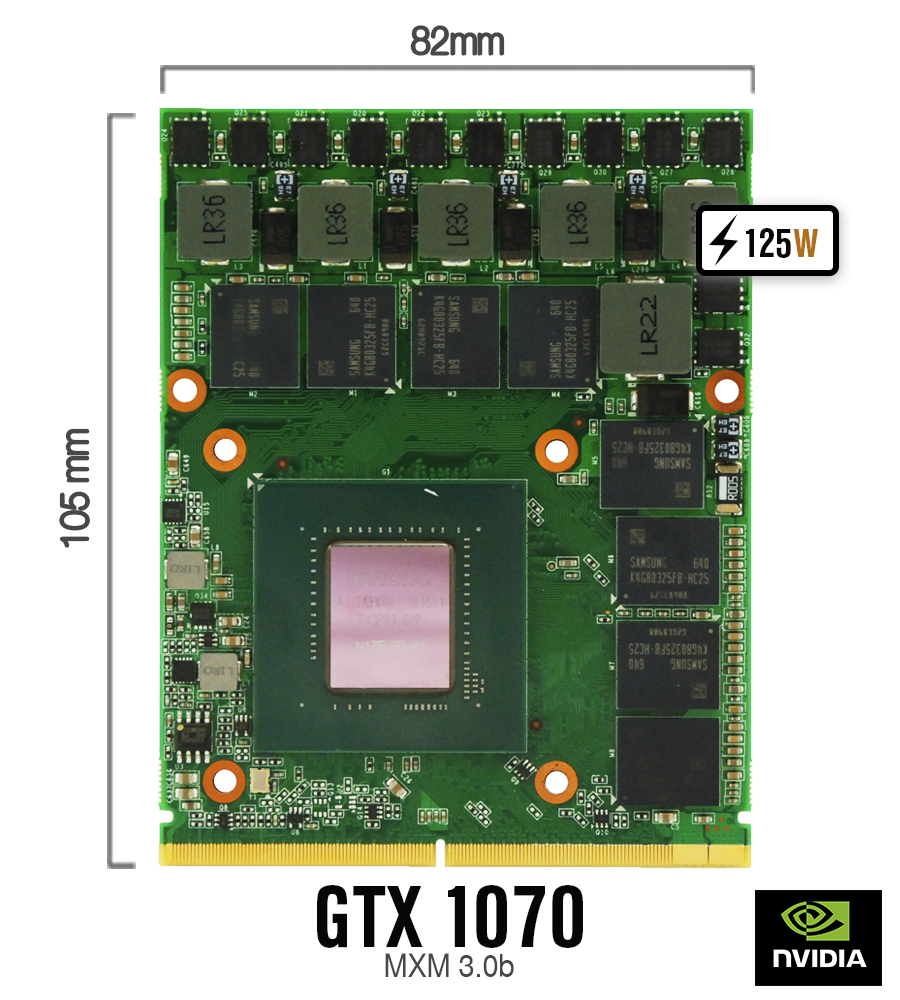
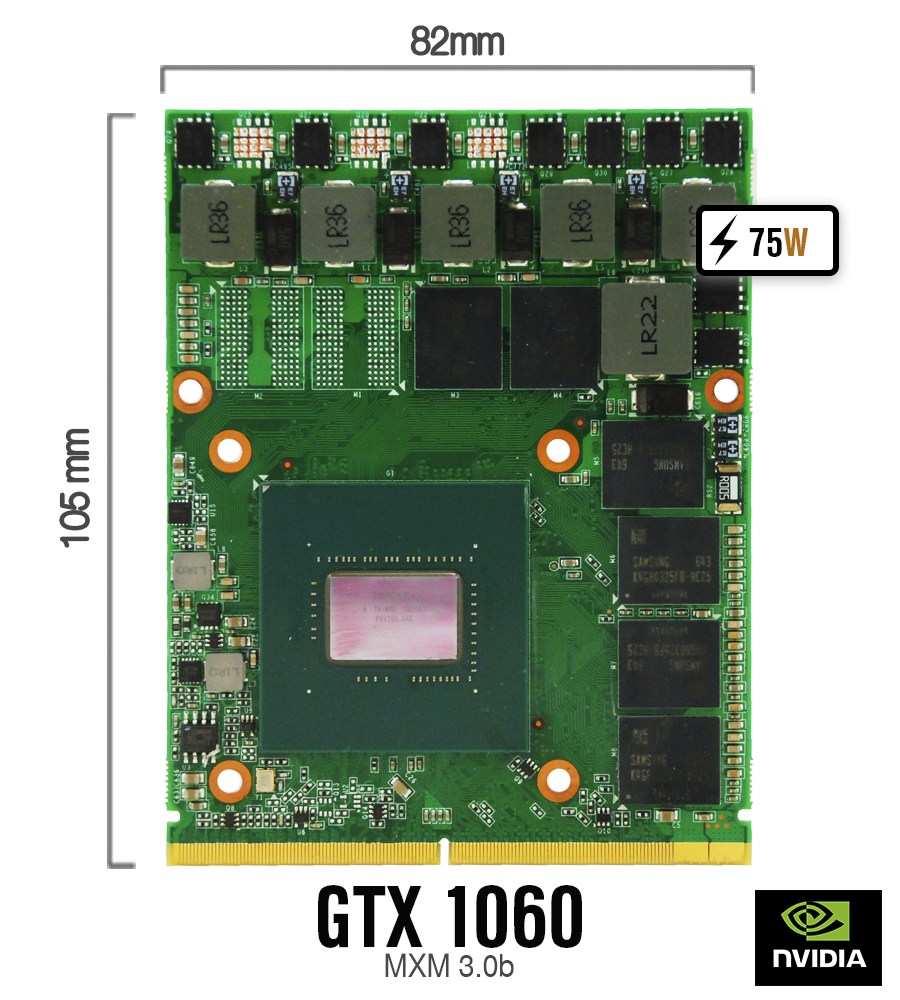
We are planning to test our standard 82x105mm size MXM3 modules in AW 18 and M18 R2 over next few days. So far we have them working in AW 17 and M17 R4. Here are some pics of cards.
Attached Files:
-
-
Keen to hear the results, specifically for the GTX1070 used with the AW18. Some benchmark results would be ideal!
-
I'm currently attempting to get the 1070 to work in the AW18, I picked one up from Woodzstack.
5 beep on install, then 8 beep. Legacy rom support enabled, but it refuses to start with it.
The screen backlight does turn on and flicker for a moment, and it takes a good 20-30 seconds to decide to do the 8 beep, I've done BIOs reset by doing the ram trick I found that Mr. Fox posted in another thread and it doesn't change anything.
Anyone able to verify if an AW18 has no laptop battery installed, then is disconnected from the power brick and power drains that it will do a 5 beep no matter what? I'm not sure if my CMOS battery is dead, and they decided to stick wires and a connector on these, otherwise I would have already replaced it.Last edited: Dec 18, 2017 -
You need an unlocked BIOS and enable SG video mode (if the aw18 unlocked bios has this)
http://forum.notebookreview.com/threads/release-alienware-18-bios-a12-unlocked.802249/aaronne likes this. -
I did that last night, made a copy of my bios and got them unlocked.
Tonight I can install them and try to see if sg mode helps
Installed the unlock A12 bios, swapped to SG mode and it works!
Just got some drivers installed, and ran Fallout 4 for a few minutes to run around on Ultra, 70C max, when exiting out of the game it was commonly around 54C, 60-61FPS the whole time.Last edited: Dec 22, 2017 -
who unlocked your copy of bios ?
I will made a copy of my a12 bios and want to unlock it
thanks in advance
Sent from my Mi Max using Tapatalk -
Coming up on the 60 day mark. Any update for the M18x R2 with the 1070?
Homer -
Is there a link to Eurocom page to buy one 1070 MXM 3.0B? Just want to upgrade my M18X-R2 with one of these .
-
Hi all! I have a Alienware 13 R3 and done pretty much every upgrade there is, the machine is stable and i like the design. Now I got an intersting offer on a AW18 2014 with the dual 780 and 4900MQ, basically the seller only wants 1000 usd. I was thinking about buying this for my son as a project: new cpu and gpu's etc... He will have it in his bedroom so it would be mostly stationary so the size dont bother me. But will it play modern games with good settings if we change out the gpu's? Is this a reasonable prize?
-
I would say it’s not too bad of a price, even with the 780, as long as it’s functioning it should be able to play modern games, you might have to run on high or medium level graphics, but it’s definitely not bad.
-
I would build a m18x r2 with 980M SLI over an Alienware 18 any time. Alienware 18 is simply not as robust as the M18x R2.
-
Hi pal, i still can’t seem to get my Alienware to see the cards. Did a clean install of windows 10, installed the cards but still nothing in bios or device manager. They don’t even come up as unknown devices. I use uefi with secure boot and legacy option rom disabled. Change igpu to peg mode and boot but still nothing. When I try to run the official dell bios for the AW18 980m sli cmd box pops up starts searching and then I get error message ‘ no nvidia display hardware found’. Is there something I’m missing. Seller has said the cards come with factory bios even though they are clevo cards. I installed correctly and am 100% sure I’ve not damaged cards. What could be the problem or what else could I try doing. None of my friends have a clevo or msi I could pop them into to see if they show up and if so install dell bios.
Sent from my iPhone using Tapatalk -
What happen to your AW18?
*OFFICIAL* Alienware 18 Owner's Lounge Thread
Discussion in 'Alienware 18 and M18x' started by Mr. Fox, Jun 12, 2013.