 Problems? See this thread at archive.org.
Thanks, I'll give this a shot after work tonight.
-
-
@Mr. Fox:
We are all just experiencing the bad luck of speed binning.
The better binned chips always go to the desktop side.
The age old rule of thumb in wafer/fab industry is true even to this day. The chips from the center of a wafer are always better than the chips from the outer edges of a wafer. Meaning center chips can clock higher at a certain nominal voltage.
Mine cant get past 800-805 gpu core clocks without crashing either. They are classic signs of speed binned chips.
Some are lucky to have chips that bin really high slip into their mobile parts. -
OK, John. Here is what the results are with CPU at stock BCLK:
i7 2760QM - Stock BCLK - 100MHz
HD 6990M - Stock 715 Core/900 Memory
AMD Catalyst Default Settings
Vantage Jane Nash - Run 20 seconds/stop benchmark
GPU0 Max Temp: 66.0°C
GPU1 Max Temp: 67.0°C
i7 2760QM - Stock BCLK - 100MHz
HD 6990M - OC to 825 Core/1050 Memory
AMD Catalyst Default Settings
Vantage Jane Nash - Run 20 seconds/stop benchmark
GPU0 Max Temp: 77.0°C
GPU1 Max Temp: 77.0°C
I ran a battery of benchmarks and with CPU at factory BCLK (100MHz) I can get a tiny bit more from the 6990's, but the gain in GPU clocks produces inconsistent results and a slightly lower overall score. With high CPU BCLK (106MHz) and less OC on the 6990's I achieved better results. (See yesterday's results quoted above.)
I have posted the results from the barrage of benchmarks this evening below.So, unless you or another of our seasoned veteran overclockers like DR, Scook or Speedy can provide some insight or other suggestions from all of this my conclusion is along the lines of what we already know... "some cards just overclock better than others." If that's the case, perhaps I just need to go back to yesterday's settings, turn my primary focus back toward gaming again and just be happy with this beast.i7 2760QM - Stock BCLK - 100MHz
HD 6990M - OC to 825 Core/1000 Memory
AMD Catalyst Default Settings
Vantage Complete Run #1 - Success P24543 3DMarks
3DMark Score: 24543 3DMarks
Graphics Score: 26179
CPU Score: 20668
Jane Nash: 78.34 FPS
New Calico: 74.97 FPS
AI Test: 2883 operations/s
Physics Test: 26 operations/s
GPU0 Max Temp: 81.0°C
GPU1 Max Temp: 78.0°C
i7 2760QM - Stock BCLK - 100MHz
HD 6990M - OC to 825 Core/1000 Memory
AMD Catalyst Default Settings
Vantage Complete Run #2 - Success P24575 3DMarks
3DMark Score: 24575 3DMarks
Graphics Score: 26093
CPU Score: 20922
Jane Nash: 78.28 FPS
New Calico: 74.52 FPS
AI Test: 2942 operations/s
Physics Test: 26 operations/s
GPU0 Max Temp: 81.0°C
GPU1 Max Temp: 78.0°C
i7 2760QM - Stock BCLK - 100MHz
HD 6990M - OC to 825 Core/1000 Memory
AMD Catalyst Default Settings
HWiNFO64 - Fan Speed 100%
Vantage Run #3: Crash in New Calico
"Display driver amdkmdap stopped responding and has successfully recovered."
GPU0 Max Temp: 72.0°C
GPU1 Max Temp: 71.0°C
i7 2760QM - Stock BCLK - 100MHz
HD 6990M - OC to 825 Core/1050 Memory
AMD Catalyst Default Settings
Vantage Complete Run #1 - Success P24482 3DMarks
3DMark Score: 24482 3DMarks
Graphics Score: 26174
CPU Score: 20505
Jane Nash: 78.39 FPS
New Calico: 74.89 FPS
AI Test: 2833 operations/s
Physics Test: 27 operations/s
GPU0 Max Temp: 81.0°C
GPU1 Max Temp: 78.0°C
i7 2760QM - Stock BCLK - 100MHz
HD 6990M - OC to 825 Core/1050 Memory
AMD Catalyst Default Settings
Vantage Run #2: Crash in New Calico
"Display driver amdkmdap stopped responding and has successfully recovered."
GPU0 Max Temp: 81.0°C
GPU1 Max Temp: 79.0°C
i7 2760QM - Stock BCLK - 100MHz
HD 6990M - OC to 825 Core/1090 Memory
AMD Catalyst Default Settings
Vantage Jane Nash - Full Test; New Calico - Run 2.39 seconds system/freezes
GPU0 Max Temp: 80.0°C
GPU1 Max Temp: 78.0°C
i7 2760QM - Stock BCLK - 100MHz
HD 6990M - OC to 825 Core/1100 Memory
AMD Catalyst Default Settings
Vantage Jane Nash - Full Test; New Calico - Run 2.09 seconds system/freezes
GPU0 Max Temp: 82.0°C
GPU1 Max Temp: 78.0°C
i7 2760QM - Stock BCLK - 100MHz
HD 6990M - OC to 830 Core/1050 Memory
AMD Catalyst Default Settings
Vantage Jane Nash - Run 1.19 seconds/system freezes
GPU0 Max Temp: 81.0°C
GPU1 Max Temp: 78.0°C
i7 2760QM - Stock BCLK - 100MHz
HD 6990M - OC to 835 Core/1050 Memory
AMD Catalyst Default Settings
Vantage Jane Nash - Run 7.69 seconds/system freezes
GPU0 Max Temp: 76.0°C
GPU1 Max Temp: 73.0°C
i7 2760QM - Stock BCLK - 100MHz
HD 6990M - OC to 850 Core/1050 Memory
AMD Catalyst Default Settings
Vantage Jane Nash - Run 3.74 second/system freezes
GPU0 Max Temp: 73.0°C
GPU1 Max Temp: 71.0°C
-----------------------
i7 2760QM - Stock BCLK - 100MHz
HD 6990M - Stock 715 Core/900 Memory
AMD Catalyst Default Settings
3DMark11 - P6955 3DMarks
3DMark Score: P6955
Graphics Score: 7201
Physics Score: 7013
Combined Score: 5488
GraphicsTest1: 30.59 FPS
GraphicsTest2: 34.24 FPS
GraphicsTest3: 42.8 FPS
GraphicsTest4: 23.54 FPS
PhysicsTest: 22.27 FPS
CombinedTest: 25.53 FPS
GPU0 Max Temp: 70°C
GPU1 Max Temp: 74°C
i7 2760QM - Stock BCLK - 100MHz
HD 6990M - OC to 815 Core/1000 Memory
AMD Catalyst Default Settings
3DMark11 - P7660 3DMarks
3DMark Score: P7660
Graphics Score: 8120
Physics Score: 7023
Combined Score: 5949
GraphicsTest1: 34.66 FPS
GraphicsTest2: 38.6 FPS
GraphicsTest3: 48.13 FPS
GraphicsTest4: 26.48 FPS
PhysicsTest: 22.3 FPS
CombinedTest: 27.67 FPS
GPU0 Max Temp: 81°C
GPU1 Max Temp: 78°C
i7 2760QM - Stock BCLK - 100MHz
HD 6990M - OC to 820 Core/1000 Memory
AMD Catalyst Default Settings
3DMark 11 - Graphics Test 1 - Run 3.30 seconds/system freezes
GPU0 Max Temp: 77.0°C
GPU1 Max Temp: 73.0°C
i7 2760QM - Stock BCLK - 100MHz
HD 6990M - OC to 825 Core/1000 Memory
AMD Catalyst Default Settings
3DMark 11 - Graphics Test 4 - Run 18.30 seconds/system freezes
GPU0 Max Temp: 81.0°C
GPU1 Max Temp: 79.0°C -
I picked this up off another thread... seems there are others in the same boat.
-
did you try running cat 11.8 mobile version?
-
That's actually the Catalyst package I started out with. I installed 11.10 Preview trying to overcome the "Display driver amdkmdap stopped responding and has successfully recovered" error when trying to break the 800-815 core clock barrier. The behavior was identical with the 11.10P and 11.8 WHQL Catalyst drivers. However, I did not drop back to 11.8 for the testing I did this evening.
-
when you get back to testing...try one card at a time. see which card clocks higher.
-
Good idea, John. I'll try that this weekend. Gotta do a brake job on my Taurus, then tear apart the old M18x and new M18x to swap some parts (shipped with wrong WiFi and no BD-RE) before returning the old one, and repaste CPU/GPU on the new one. Will re-bench and post after that. Have a good weekend, bro.
-
Hi there. First I would like to say Hello to everybody here. I'm pretty new to Alienware, have this machine for two weeks and I loved it. I don't have much expirience with dual graphics cards but I think my 3D Mark 06 score looks pretty low, only 19286. SM2.0 7024, SM3.0 9994 CPU 5045. I believe I should get around SM2.0 9000 and SM3.0 12000. Does anybody knows whats the problem here? My vantage and 3D 11 looks ok. I'm using 11.8 with CAP4. Thanks in advance. Link http://3dmark.com/3dm06/16067035
-
I know that the 6970s I had were complete turds for overclocking....I would have to agree with what mharidas is saying regarding binning. Just like the 2920xm is worth it for being higher binned then the rest of the SB chips, the 6990s are binned higher than the 6970s and will there fore overclock better 95% of the time
-
The most I can get is 850 core and 1215 memory on my 6970m's. That's the most and stuff like 3dmark 11 is to high but I can use those clocks on Vantage... So am I lucky... Most aren't reaching that? I think a top dog here with 6970m got atleast 880core?... So it does seem binning is the issue and not all will handle over 800 core well.
-
So with that, any chip that will run stable at the OEM intended clocks is "good to go" and not much can be done other than living with what you've got. I'm going to do some more testing and get performance dialed in, but I don't see any way I can make an argument that something is wrong with my cards if they run stable without overheating at 800/1100. I still have a screaming fast M18x that performs better than the vast majority of mobile gaming systems. So maybe I should just stop burning calories on trying to clock higher on GPU and approach the need for speed from the CPU angle, grab a 2920ES from Shirley's and move on.
Got my *correct* parts (16GB DDR3-1600 and N6300 WLAN) from Dell via FedEx and the new Crucial M4 this morning, so I'll be busy with this weekend. Looking forward to the new parts, but not especially excited about dismantling both M18x at the same time. -
Those clocks were pretty much the same max for my old 6970's in my previous system. My max clocks were 850/1200......havent tried these new 6990's out just yet.....
-
@Mr. Fox:
Yes that is correct, when a certain clock is intended for normal operation, the head room you usually end up with wont be by much. Like in my case 680 to 800 jump is already a very good headroom that AMD or the MXM card's ODM never would have bothered to ensure anyway. -
Cool thanks Stevie... Yeah exactly Mr. fox I agree if I want 24/7 gaming xlocks I am looking at about the same range about 800-825 core 1000-1200 vram probably closer to 1175 to keep vram temps down. Yes pick up an es and join us crazy people like John and I... we need more eccentrics like us that aren't faint of heart when it comes to thrashing our chips to their limits. Please join us its so lonely at 5ghz + hehe. BTW Mr.Fox you will see your overall scores on the benchmarks go so much higher when you get that chip.
-
Couldn't agree more 800 is worlds better than 680 Core which is nice they atleast do that
-
so where is the numbers John I am waiting for you cos' I have a replacement coming but I may sell that in the box to get greens"

-
you too buddy! and we'll be here when you get back.
there is no problem..your scores are fine and right about where they should be. so no worries there.
no...you can get more..but would require you to put more into it to find out just how much more.
grab a shirley special and be happy...or spend a little more and grab a qs sample...either way it goes...they are still going to do more than the 2630/2760/2860....this i know for a fact....only test that wont help...3dmark11...haha
and the wait continues....(yes, that would be us waiting on you to find out)
we got a few already..they just need the right situations to present itself...
scook9
xeneize
speedy
even nicholas was doing wonders on a regular bios...
yeah...well...i don't have my machine yet speedy....should be here around the 12th or so. -
Cool! by that time my replacement may arrive and then I can decide , What's up with the numbers on your sig they don't supposed to be red?
-
yeah, i guess your right...but red was never my favorite color. -
lol... you better explain the color or the brand ? because here is a lot of AMD fans
-
yeah, don't want anyone doing "type bye's" on me!..
-
yes mine are in sync. its just luck of the draw man.
-
Yes I think you guys did amazing so far other than those you mentioned John I hope to see many more hardcore benchers Nicholas showed me by his first wprimes I could push my chip harder than I was... I haven't stopped testing its limits since lol. John if you say I can go over 850 then I will work on them like my cpu... I haven't synced them perhaps by not dropping speed to save power will allow higher clocks for me
-
I can't wait to join the 6990 crowd. Not much into the benchmarking aspect but I think the 6990s will give my games like Crysis 2, BF3 and Witcher 2 just the extra push to play consistently above 30. Ironically, after I ordered the GPUS's (for quite a good deal and free installation and 4 year CC) the new drivers are giving me ALMOST constantly above 30 FPS in the harshest scenes of Crysis 2 where I was around 22. Can't wait. I think the extra shaders and naturally higher clocks will make a nice difference; especially as BF matures and the mods start coming.
-
take everything out of the equation..that means cpu over clock and ccc settings to default/amd optimized. only over clock the core of each gpu by it self. since your no where near your a/c unit...you still may not get very far. these are the times when gpus need to be sitting below 50C through a whole run...and the lower the better. this will be the only way you will find out how they fair...everyone for the most part is temp/voltage..and just because someone is a 76C means nothing the higher up you go...your still using more voltage than if the gpu is running at 20C.(maybe not so much more voltage..but the signal to noise ratio is far lower. might be a better way to put it)
-
I see thats how you pulled 880 on a 6970m but you had dice... I know I can get over 850 no doubt with the AC... I will have one for myself within 2 weeks yay.. Guess its good trying all I can on air since when I go to AC I'll know right where I want it lol... cold ha ha
-
gotta love the garbage 1600mhz ram dell uses
![[IMG]](images/storyImages/0EFrn.jpg)
-
![[IMG]](images/storyImages/2022547.png)
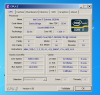
2920XM at 5090.6 MHz 1core 1 thread enabled CPU-Z
![[IMG]](images/storyImages/2023237.png)
2920XM 5083.55 MHz 4cores 8threads enabled CPU-Z
AMD Radeon HD 6970M video card benchmark result - Intel Core i7-2920XM Processor,Alienware M18xR1 score: P6648 3DMarks
3dmark11 10146cpu 46x 100.9bclk 4638mhz 117 long and 117short 128tdc 15flex
(pic attached)
(pic attached)
2920XM at 51x multiplier
(pic attached)
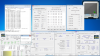
superpi 7.485secs 50x 100bclk 300amp 300watt this was with AC when I did my 1024m wprime
Time is my enemy... when I have more of it there plenty more I've got up my sleeve lolAttached Files:
-
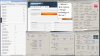
3dmark11_10146cpu_46x_100.9bclk_4638mhz117longand117short_128tdc_15flex.png
- File size:
- 283 KB
- Views:
- 114
-
-
-
-
I ordered mine with their lowest at 1333mhz and the one thing I noticed is it handled better baseclock overclocks over my hyperx 1600... gonna get the 2133 next year...
-
my hyperx 1866 needed 1.55v from 1.5v to do 978Mhz stable! I'll also be getting the 2133mhz ram. i just hope they make 8gb kits and not just 4gb kits. do you know when this ram is coming out? i cant find anything out on it.
-
Not sure when its coming out... 1.55v holy wow that's awesome at 1956mhz.
-
Dropped in my new M4 128GB last night with a fresh Windows 7 install and the latest Intel chipset and RST drivers. Disabled LPM on Port0 and Port1. Seems to be running good. This is my first SSD and I could not wait to see how it felt. Do these numbers look like everything is in order on the SSD home-front to you guys?
Will finish swapping parts (additional RAM, BD-burner, N-6300) tonight, after the brake job is done. Also have a 750GB Momentus 7200 RPM arriving Monday to make up for lost drive space with the SSD. -
okay so you used the LPM options... why did you choose to disable LPM? did it help performance or help stability?
-
Everything was working just fine. Didn't know it was slow because it seemed so fast. I ran CrystalDiskInfo and found the drive was running at 3GB/s instead of SATAIII 6GB/s. I disabled LPM and it started running twice as fast. I had read somewhere, maybe even on this forum, that disabling LPM disables Intel turboboost, but that's apparently not true.
-
Yep. Doing the LPM hack did or does not affect TB for me....dunno what causes the sata 3/6 flip-flop but the LPM fix ensures that the ssd runs at sata 6 speed. You look good to go to me Fox....
-
Yeah I agree it looks good to go to me too. I'll try the lpm on my ssd when i install... BTW maybe you mean intel ppm hack? that one will disable turbo on non-xm chips and better yet instead of PPM hack disable Core States for the same effect and it will also improve speeds.
*************
Not to make a big deal but did anyone notice that I got the 2920XM to boot up in the 51X multiplier I think that is a precedent... i wonder if 52x is the max or 51X -
Thats right RV - its the PPM one that disables boost.
-
Looks good to me Fox. Mine is below for comparison.
-----------------------------------------------------------------------
CrystalDiskMark 3.0.1 (C)2007-2010 hiyohiyo<o></o<img>>
Crystal Dew World :http://crystalmark.info/<o></o<img>>
-----------------------------------------------------------------------<o></o<img>>
* MB/s = 1,000,000 byte/s[SATA/300 = 300,000,000 byte/s]<o></o<img>>
<o></o<img>>
Sequential Read : 520.643 MB/s<o></o<img>>
Sequential Write : 257.193 MB/s<o></o<img>>
Random Read 512KB : 444.267 MB/s<o></o<img>>
Random Write 512KB : 128.638 MB/s<o></o<img>>
Random Read 4KB (QD=1) : 22.474 MB/s [ 5486.9 IOPS]<o></o<img>>
Random Write 4KB (QD=1) : 58.735 MB/s [ 14339.5 IOPS]<o></o<img>>
Random Read 4KB (QD=32) : 205.339 MB/s [ 50131.5 IOPS]<o></o<img>>
Random Write 4KB (QD=32) : 170.623 MB/s [ 41656.1 IOPS]<o></o<img>>
<o></o<img>>
Test : 1000 MB [C: 42.1% (197.5/469.6 GB)] (x5) <all 1Fill="" 0xFF,=""><o></o<img>></all>
Date : 2011/10/02 11:38:48<o></o<img>>
OS : Windows 7 Ultimate Edition SP1 [6.1Build 7601] (x64)<o></o<img>>
-
Thanks, Drifter. It looks like your transfer rates are a little higher, but you're running at SATA II speeds (?). I wonder how high your transfer rates would be at 6.0GB/s? Those are excellent transfer rates.
This was good advice, John. Thanks. Before I tore down my system to swap out parts, I scoped this out and discovered GP0 was causing the AMD driver to crash above 800/1100 and GP1 would actually clock higher. So, while I was swapping RAM modules and transferring my BD-RE drive to the replacement M18x, I also swapped places with the GPU modules, repasted CPU and both GPUs with ICD24. I haven't tested higher clock speeds yet, or if both GPUs will clock at the same speeds now that they have been moved to the opposite PCIe slots. However, I ran 3DMark11 and Vantage back-to-back first thing this morning while my system was still nice and cool. Below are the results with GPU0 @ 830/1100 and GP1 @ 800/1050 and CPU BCLK @ 105. Temps were nice and cool... peaked at 69°C in 3DMark11 run and 74°C in Vantage run @ 99% GPU load on the GPU that hasn't oc'd as well, and slightly cooler on the other GPU.
3DMark11 Score: P7927
Graphics Score: 8297
Physics Score: 7644
Combined Score: 6199
Graphics Test1: 34.59 FPS
Graphics Test2: 39.15 FPS
Graphics Test3: 50.23 FPS
Graphics Test4: 27.39 FPS
Physics Test: 24.27 FPS
Combined Test: 28.84 FPS
3DMark Vantage Score: 24947 3DMarks
Graphics Score: 26104
CPU Score: 22021
Jane Nash: 78.53 FPS
New Calico: 74.32 FPS
AI Test: 3023 operations/s
Physics Test: 29 operations/s
![[IMG]](images/storyImages/3dmark11p79271002116990.png)
![[IMG]](images/storyImages/vantagep249471002116990.png)
-
Same settings as last post... 3DMark06 was 24608 with GPU temps below 70°C. Geekbench test gained a couple of points, too.
With my idle temps back down to 44°C will run Heaven benchmark next.![[IMG]](images/storyImages/3dmark0624608100211.png)
![[IMG]](images/storyImages/geekbench14418100211.png)
-
OK, just ran Heaven... Got 2702 in DX10 and 1728 DX11
In the next test I crank CPU BCLK back up to 106MHz and push GPU0 to 850/1100 and GPU1 to 810/1100 to see what happens in 3DMark11 and Vantage.![[IMG]](images/storyImages/heaven2702dx10100211.png)
![[IMG]](images/storyImages/heaven1728dx11100211.png)
-
CPU BCLK: 106MHz (3.7GHz TB peak)
GPU0 Core: 850 / Memory: 1100
GPU1 Core: 810 / Memory: 1100
Driver: AMD Catalyst 11.9 (8.851.2.0)
3DMark11 Score: P8001
Graphics Score: 8417
Physics Score: 7587
Combined Score: 6210
Graphics Test 1: 35.24 FPS
Graphics Test 2: 39.41 FPS
Graphics Test 3: 50.97 FPS
Graphics Test 4: 27.84 FPS
Physics Test: 24.09 FPS
Combined Test: 28.88 FPS
3DMark Vantage Score: P25238
Graphics Score: 26625
CPU Score: 21826
Jane Nash: 80.02 FPS
New Calico: 75.89 FPS
AI Test: 2988 operations/s
Physics Test: 29 operations/s
GPU temps stayed under control. See screen shots for details.I did attempt to push GPU1 to 815/1100 and the crashing returned exactly as it did when the slower GPU was in slot 0. So, I think this has proven the speed limitation on that card... confirmed what I already knew. At this point I think that I'm done benching on the current hardware. Maybe.![[IMG]](images/storyImages/3dmark11p80011002116990.png)
![[IMG]](images/storyImages/vantagep252381002116990.png)
John, thanks again for the suggestions, buddy. What I learned from this exercise is that both GPUs don't need to run at the same speed to run like a banshee.
mharidias - you may want to test your cards to see if unsynched GPU1 will run faster than GPU0 with stability and good temps. If so, you may want to swap PCIe slots with yours as I did mine. That would be a great excuse to clean out the dust bunnies and re-paste your heatsinks I you haven't done so lately. -
Congrats on breaking 8k in mark'11 fella......way to go.....
-
looking good mr fox! glad to see you made some headway.
-
Thanks, Steve! Feels good, bro.
John, I probably never would have had you not suggested testing the GPU's independently. Thanks for the idea. +1 rep
-
try 11.10 preview, it should boost your score.
-
I was running that up until yesterday and it did. The slightly higher Vantage score in my signature was with 11.10 preview and if you click the links to my scores you can see the driver versions, or go back to here in this thread. There is no display brightness control (as usual) with AMD preview drivers. I think I'm going to hang with 11.9 until 11.10 WHQL is released just so my brightness control will work. I might get another 100 points or so in 3DMark11, but I'm sort of burned out to testing things right now. I might change my mind tomorrow, though.
On another note, I forgot to see how WEI did with my SSD drive:
![[IMG]](images/storyImages/wei767679777779.png)
I think the $169 I paid on the Crucial M4 128GB SATA III SSD from Microcenter was money well spent.
Below is a comparison of data transfer rates between my M4 and Momentus XT Hybrid:
![[IMG]](images/storyImages/m4128vsmxt500.png)
-
wow $69.... amazing price. i would have bought 2! btw is your ram from dell or custom upgrade i.e. kingston?
-
It's Dell RAM. I had 2 Dell 4GB sticks and 2 G.Skill 4GB 1333 sticks in my previous M18x and they provided this one with 16GB (4x4) 1600 RAM.
By the way... typo above. I paid $169, not $69.
*OFFICIAL* Alienware M18x Benchmark Thread
Discussion in 'Alienware 18 and M18x' started by BatBoy, Apr 30, 2011.


![[IMG]](images/storyImages/crystaldiskmark.png)
![[IMG]](images/storyImages/capturehyf.png)
![[IMG]](images/storyImages/capturedvt.png)

![[IMG]](http://imageshack.us/photo/my-images/690/3dmark11p79271002116990.png/)
![[IMG]](http://imageshack.us/photo/my-images/695/vantagep249471002116990.png/)
![[IMG]](http://imageshack.us/photo/my-images/849/3dmark0624608100211.png/)
![[IMG]](http://imageshack.us/photo/my-images/267/geekbench14418100211.png/)
![[IMG]](http://imageshack.us/photo/my-images/829/heaven2702dx10100211.png/)
![[IMG]](http://imageshack.us/photo/my-images/832/heaven1728dx11100211.png/)
![[IMG]](http://imageshack.us/photo/my-images/714/3dmark11p80011002116990.png/)
![[IMG]](http://imageshack.us/photo/my-images/809/vantagep252381002116990.png/)
![[IMG]](http://imageshack.us/photo/my-images/703/wei767679777779.png/)
![[IMG]](http://imageshack.us/photo/my-images/411/m4128vsmxt500.png/)