 Problems? See this thread at archive.org.
For $69, I would have bought all the stock they had and sold 'em on......that cant be right, can it? - 50c'ish per gb???? - surely not......
$180 here at Micro Center
-
-
Just got your typo Fox - at that price buddy, I would have been asking you to ship one over to me ! - shame it wasnt $69 you paid mate....
-
LOL, Stevie... I think I would have also.

On another slightly off-topic note, I posted this on another thread. If anyone is running out of drive space on SSD this works great for getting your games moved over to a secondary HDD. Price and especially storage space held me back from jumping into SSD and this solution works nice.
-
OT reply......
Yeah Fox - I read a while back about that steam-mover app.....havent used it yet as I only have my OS and 3 games on....still got 160gigs free on my ssd....(one of the reasons I went for a larger one really) but once I get my secondary sorted out, I will be looking into using it. No point atm for me as my 320 factory drive provides no great benefit in terms of additional storage.....waiting to get a larger drive like 750gb scorpio black....or maybe, another c300256gb ssd lol... -
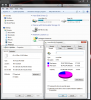
My new Momentus 750GB should be delivered tomorrow. It actually arrived in town here Friday afternoon, but too late to get it. I got a great deal on this drive as well. It was $69.99 with free shipping. The sale price ends tomorrow. I have not installed most of my apps... need to install MS Office Professional, Visio, Project, MapPoint, Adobe CS3 Pro and my non-steam games that need registry entries to operate. As you can see from the attached, there is no way I would be able to function with a 128GB drive. Just the steam games folder alone that I set up with junction points to the D: drive would fill up a 128GB drive. 500GB is not even large enough. I did not copy over my HD movies or music files from my 1TB USB drive.
Attached Files:
-
-
haha my steams 150GB with 1/3 of the games installed : p
-
Well, I have another 60GB folder full of games that are not Steam-based. I am also a cheapskate and generally wait until games hit the $20 mark or less (which is usually about a year). I just cannot bring myself to spend $50+ on the newest games knowing I can get them for 60-75% less in the near future and all of the bugs will generally be sorted by then, so I don't own the some of the latest and greatest... yet. I only recently became a Steam fan and used to avoid buying games from Steam. Now I actually prefer it over owning media-tethered games. The portability is awesome and it is so nice not having to search the web for no-cd executables. I'm really sort of torqued that Crysis 2 is no longer available on Steam.
-
Just ran my M18x with stock clocks. Scored 21490 in 3dMark06. Max temps of 77C GPU and 80C CPU. GPU games at 66C average, I think I've got some decent cards.
Whats are some good clocks to start OCing at for the 6970's? -
Doing Surgery on Friday, 2920es going in. OC and Benches to follow, very excited !
-
800/1100 is GOOD. 850/1150 is doubtful it will be reached. 860+/1150+ is the best it gets.
-
My 6970's (on my last 18x) went to 850/1200 max.....
-
3dmark06 is pointless IMO. Way too CPU bound. 3dmarkVantage and 3dmark11 are better. 800/1000 is good and stable for most to use all day. I would suggest using your games as the benchmark for stability. I know a lot of people here use Furmark but I am not a big fan. Just go slowly up from 800/1000 after you establish that that is good. I found 830+ gets unstable and don't even both going above 1050. At some point it really is a law of diminishing returns as the FPS increase does not equal the headache of RMA/etc for an extra 1 or 2 FPS. I would recommend 800/1000 for games that struggle (only crysis 2 and BF3) and then run everything else stock. Nothing needs OC'ing besides those ATM. Plus, you don't have extreme CPU so benchmarking for points is pretty futile after you establish that your cards are in line with others.
-
Below are the GPU-Z logs for each card showing peak temps on the 3DMark11 run:
![[IMG]](images/storyImages/futuremark6990mcfx10061.png)
Note the difference in core clocks between GPU0 and GPU1. The current GPU1 MXM module had issues from the moment the first game was run. If it is in PCIe slot0 the Catalyst drivers crash frequently (52 instances of "Display driver amdkmdap stopped responding and has successfully recovered" recorded in Event Viewer within 5 days) during gaming at stock clock speeds and there were random BSOD pointing to the amdkmdap driver. Swapping between the PCIe slots and using dissimilar core clocks made my system stable. I had a remarkably similar experience with first M18x and the replacement 6970M modules sent to correct the issue.
3DMark11, Vantage, Heaven DX11 and Heaven DX10 were run consecutively without error or issue, pausing only long enough for screen captures. Will post screen shots shortly...Last edited by a moderator: May 8, 2015 -
3DMark11: AMD Radeon HD 6990M CrossFireX video card benchmark result - Intel Core i7-2760QM Processor,Alienware M18xR1 score: P8075 3DMarks
Vantage: AMD Radeon HD 6990M CrossFireX video card benchmark result - Intel Core i7-2760QM Processor,Alienware M18xR1 score: P25532 3DMarks![[IMG]](images/storyImages/3dmark11p8075100611.png) Heaven Benchmark v2.1 - DX10 - 2426 / Heaven Benchmark v2.1 DX11 - 1777
Heaven Benchmark v2.1 - DX10 - 2426 / Heaven Benchmark v2.1 DX11 - 1777![[IMG]](images/storyImages/vantagep25532100611.png)
![[IMG]](images/storyImages/heavendx102426dx111777.png)
-
![[IMG]](images/storyImages/p53NL.png)
here's my score. I'm concerned it is too low for my system.
I have no idea what kind of scores the 580m sli with the latest vbios is supposed to be getting
(i am on stock clocks). -
That does look a bit low, my guess is throttling kicked in.... I get around 6500 at stock speeds.
-
Well that score looks ok and around the mark what people got with some of the older drivers, maybe you can now go over 6000 given the recent driver updates.
Throttling at work? -
That score looks low to me too....considering my lowly 6990's score 6500 too at stock with no gpu / cpu OC..... throttling on mark 11???....hmmmmm
-
i have always have Nvidia cards (sli) and when i overclock the cards i keep them both at the same clocks. Is crossfire different than sli in this topic?
i see some crossfire 6990s set ups with each GPU having different clocks...
sorry for my noob question, getting my dual 6990s on monday along with a 2960xm processor... im gonna overclock it and i wanna do it right
-
no, it's not different...just as he mentioned...one of his cards is better than the other...
-
yes crossfire can work at different clocks. its not worth the hassle though.
-
The right way to do it is (1) do what works best for your system; and, (2) do things carefully and methodically, watching your temps to avoid damage. Make changes incrementally to get your performance dialed in on the sweet spot that is unique to your beast.
With the last three sets of video cards I have received, it seems that with the AMD 6900 series if you attempt to OC too far your system will simply become unstable with frequent display driver crashes under load, so your chances of overheating under load are not as great. If you are fortunate enough to receive a pair of AMD cards that will OC to insane synchronous speeds without crashing then you would especially need to keep an eye on the temps.
The only reason I have my cards running at different maximum speeds is because one of the cards is a bit lame. If you synchronize the core and memory clock speeds of both cards, you will only be able to run stable at the maximum speed capacity of the weaker card. After identifying the weaker of the two, I moved my stronger card to PCIe slot 0 and put the weaker card in PCIe slot 1. My system is wicked fast without the cards in synch, but it would be faster if they could both run at 850/1100. -
![[IMG]](images/storyImages/b45Py.png)
here's my score after installing the 285.34 beta drivers.
I'm still thinking it's low.
also, my cards idling at 54/54 degrees C. This seems a bit high, and my house has central air conditioning... so its constantly cooled at a pleasant 68F.
Also, my cards exceed 80C while gaming for more than 30 minutes.
I'm thinking the paste job on my cards was done poorly. Thoughts before I call Alienware tech? -
The scores look ok, don't get to crazy about those scores, AMD scores higher in 3DMark 2011 but in actual games your cards will perform equal or better. Your temps during load are indeed a few degrees high. Mine never go over 74/74. I havn't done a paste job either, that will come soon.
-
Actually its worth a lot more in most cases (expect benching, Futuremark seems to like synched worked loads).
Since the two cards are rarely going to be similar. Having a faster primary card is beneficial than having a faster slave card in SLI and crossfire.
Both of them technologies use some form of refined AFR.
I found my primary card already clocks very well 860/1100 but my slave clocks only 810/1000, Its still good because the primary card controls the issues of splices to the slave.
We have seen most slave cards run a little cooler because they are really having to wait on the main card to issue the splices. The main card is having an overhead in this respect. So speeding up the master actually is better for the slave card. -
obv not pushing my cpu properly yet but got some good gpu clocks running tonight at the cottage ...
AMD Radeon HD 6970M video card benchmark result - Genuine Intel(R) CPU 0 @ 2.40GHz,Alienware M18xR1 score: P27197 3DMarks -
28k...moving on up!
and your right..24k is not looking good...you on stock bios right? -
Yea a 02 bios .... not sure what the process is to install the unlocked bios
-
that's easy.
-
Great explanation, bro. I think this may also explain why some cards (like one of mine, and one of yours) cause drivers to crash when OC'd too far. It has nothing to do with processor temps, but it could have everything to do with transistor stability. I believe that the "Display driver amdkmdap stopped responding and has successfully recovered" error may be caused by hysteresis. The driver crashes because it is taking too long for the GPU to resume operation. I have also noticed that changes in CCC performance settings can affect this problem in different ways as some features are turned on/off.
-
Congrats to Shaden on the CPU upgrade! Nice results, too. +1 Rep
I just achieved my best Vantage score yet with my humble 2760QM CPU.
AMD Radeon HD 6990M CFX benchmark result - Intel Core i7-2760QM Processor, Alienware M18xR1 score: P25799 3DMarks
Overall Score: P25799
Graphics Score: 27154
CPU Score: 22439
Jane Nash: 81.52 FPS
New Calico: 77.49 FPS
AI Test: 3094 operations/s
Physics Test: 30 operations/s
![[IMG]](images/storyImages/vantagep25799101011.png)
-
Thanks Foxie lemme post here ... this is my first attempt at a decent run ...
All Multipliers set to 45, 103 bclk, Power draw set to 80, flex 30, short term power limit 99 ...
I don't actually think this is a good setup, this was just me playing around with stuff ... John is going to show me how its really done ...
BUT ...
just shy of 28K over all and 29K gpu... Should break 30k I thinks
AMD Radeon HD 6970M video card benchmark result - Genuine Intel(R) CPU 0 @ 2.40GHz,Alienware M18xR1 score: P27798 3DMarks -
Very nice .... one of my best Vantage runs at 3GHz on my 2630 ....
AMD Radeon HD 6970M video card benchmark result - Intel Core i7-2630QM Processor,Alienware M18xR1 score: P23726 3DMarks
You crushed it by a fair margin ... well done sir
-
it's not...drop that flex to like 0 first.
now you know you can't claim this right...
-
well i guessed that could not be right ... just what vantage reported ... sounded nice
-
lol
but of course!!
when you get 30k vantage..chances are your running 4500 mhz or higher on all 4 cores...
-
ps gottu sleep for the night, tomorrow I shuld be home and be back at my normal setup and should be able to push this thing, and tues and weds
-
right right! get your rest buddy.
-
Can't resist any more.... dammit... here's a tiny step (GPU's - 800/1050, stock CPU)
-
tiny steps are always welcomed!
nice going -
tiny steps led me to huge issues, lol.
Now I can't get the cards work even at stock clocks. For some reason, the secondary gets locked at 150mhz and nothing helps, unless I turn the CF off and then the primary can work normally. I removed Trixx, reinstalled drivers, ran regcleaner and what not, - same thing. Did I kill the secondary/CF cable? Any ideas? -
no..you need to do a driver install from the device manager window..sort of like a gpu update....it sounds like one of the drivers is corrupted.
so you go in device manager and uninstall gpu 2 first(uninstall, then hit scan for new, then you choose the correct driver or have driver, then install this exact same driver for gpu 1)...then re install gpu 2 the same way. then you do gpu 1. reboot computer and check to see if crossfire is back active.
you should have ran a second drive mr nda...
-
Aiki - try re-flashing the vBIOS if John's suggestion does not work for you. The last set of 6970M cards I had in my previous M18x had similar problems. I used RBE to manually set the core, memory and voltage to stock maximum defaults and they started working correctly. Out of curiosity, I re-flashed them later on with an unaltered vBIOS and they began to function properly with speed stepping.
I also had two instances with the same set of cards where one card would end up disabled in Device Manager for unexplained reasons and re-flashing the vBIOS stopped that from recurring. -
in Trixx use the ulps off option in its settings on the latest version and use the synchronize clocks for multi gpu's... its on the far right tab for options but you must restart the system after in my experience.
http://i1237.photobucket.com/albums/ff474/marcwwaters86/718acb35.png
ulps option not shown but is on latest version
https://www.sapphireselectclub.com/ssc/TriXX/TriXX.aspx
version 4.02 -
At this point I'm getting a constant C++ 2010 error when re-installing drivers. Looks like the next step will be a OS reinstall and if that doesn't help, will follow your advice. Thanks!
Yeah, I'm using the latest version, ulps disabled. -
Regarding using Trixx, you could just regedit all the DWORD "enableulps" values to "0" (without quotes). Probably better than using the checkbox within Trixx. There is a few of them so just F3 to move onto the next if you like....
-
for registry surfing...i recommend regcrawler. best damn searching program there is.
but be careful in how you search for infor... -
Mr. Fox you rock! Had to reflash vBIOS on the master (flashing the slave didn't help). had to reinstall the OS anyway, couldn't get rid of the C++ redistributable error
-
wow thats a funky error. never had to reflash a card due to errors
.
-
a reflash huh...wow...
at least your back in the game.
*OFFICIAL* Alienware M18x Benchmark Thread
Discussion in 'Alienware 18 and M18x' started by BatBoy, Apr 30, 2011.



![[IMG]](http://imageshack.us/photo/my-images/638/3dmark11p8075100611.png/)
![[IMG]](http://imageshack.us/photo/my-images/195/vantagep25532100611.png/)
![[IMG]](http://imageshack.us/photo/my-images/84/heavendx102426dx111777.png/)


