 Problems? See this thread at archive.org.
I't worked out pretty good for what we had to work with. And just like any Nvidia GPU it's going to need some compatible drivers to start seeing gains above what we see now. What I didn't like was how much heat it was kicking out and not really coming from the the gpu die. I guess we shall see how that pans out over the next few months.
-
I took it apart and cannot see anything wrong with it. No blown capacitors that I can see. Nothing looks burned. I cannot get to things the way it is made. It's clear from how it is assembled that repair was never contemplated, and almost nothing seems to be very serviceable. What a pain... tons of thermal adhesives and tape binding stuff together and more trouble than it would be worth to fix. It has several layers of sheet aluminum and numerous aluminum plates that I am sure are for heat dissipation. If nothing else it was at least really interesting to see what was inside of the unit.
So, I am just going to build a new box with plug-in connections (versus hard-wired) and take the good AC adapter from the current mod, splice the cable back together with a tiny little project box and just have it on hand as a spare AC adapter. -
Just do the straight solder and shrink wrap each wire then shrink wrap the whole thing.
 Mr. Fox likes this.
 -
Single 780M... NVIDIA GeForce GTX 780M video card benchmark result - Intel Core i7-3920XM Processor Extreme Edition,Alienware M18xR2
HWBOT in second place behind my mentor... :thumbsup:
![[IMG]](images/storyImages/R4za0Lol.jpg)
-
Looking good, Brother TBoneSan. Your CPU and GPU are doing an awesome job... nice to see some serious benching.
Once you get your dual PSU mod built you should be able to do the same thing in SLI. Isn't it amazing how much cooler than CPU runs with Liquid Ultra? Crazy good. -
TBone, great score for a single 780M, you guys got me interested in Coolaboratory Liquid Ultra, I understand that you successfully applied it to CPU and GPU's? What guide did you use? I am a bit worried as from what I gather someone got a small amount on the circuitry surrounding the GPU die and fried that GPU so I want to be as safe as possible if I go this route. Also, where did you get yours and how much would I need for a single application of GPU's and CPU? Thanks.
Mr. Fox likes this. -
My result is valid?
View attachment 109499
View attachment 109500
View attachment 109501
View attachment 109502 -
What does the link on the Furturemark web site tell you about the submissions? It should very clearly indicate if the result is valid or not.
The video driver you are using is Futuremark approved, so unless you are using custom settings for the benchmark runs I suspect they will be listed as valid.
You can use this series of photos from my 4930MX repaste and their captions as a guide... (the last two images are the M18xR2 when I took it apart out of curiosity to see what it looked like after 6 weeks of overclocking). The GPUs don't really need it. I would recommend using IC Diamond on the GPUs. I used Liquid Ultra on my 780M cards, but they have so many surface mounted components immediately next to the die that the chance of getting some on those circuits might make some people very uncomfortable with the idea. The other thing is that my Clevo 780M cards have a black plastic shield around the perimeter of the GPU die that is covering those components (as seen in the last two photos). The Dell 780M cards do not have that plastic shield and those components are exposed with no covering.
<iframe class='imgur-album' width='100%' height="750" frameborder='0' src="http://imgur.com/a/JUQvK/embed"></iframe>Last edited by a moderator: May 6, 2015 -
Thanks Brother. Yeah Liquid Metal sure doesn't disappoint. Nothing comes close. I wouldn't dream of using anything else now
@ Vulcan78
I've only used it on the CPU thus far. As Brother Fox mentioned the GPU's don't really need it and there is an element of risk applying it. However, I think I might do ahead and do it next tear down. -
The reason I am interested in doing the GPU's as well is that using an everyday modest +200 core/+400 memory @ 1.025 V OC I am seeing average sustained temperatures in the low 70's with the occasional jaunt up into the mid-to-high 70's. This is with the fans manually set at 3700 RPM constant. As noted by others elsewhere, certain games, say Crysis 3 all settings maxed (except MSAA) or Skyrim with an ENB, the temps will get up into the high 70's sustained and occasionally the low 80's even with the fans set at 4200 RPM! This is with a relatively cool ambient temperature, say 68-70 F, the laptop elevated and IC Diamond throughout. I play A LOT. I'm playing Planetside 2 at least 8 hours a day. I am concerned with longevity here, I understand that these cards can take temps in the low 80's but I do not want them to see these temps long term. If I can bring the GPU temps down another 3-5 degrees with Coolaboratory Liquid Ultra, and applying it is simply another step in the tear-down process anyway, then I am interested in applying it to the GPU's.
Why is the risk that much greater with the GPU's? Does anyone else here have this stuff on their GPU's and what safety precautions did they take and recommend? -
Have a look at this part of the thread. Unitoyle and HT_Addict have applied it on their GPU.
I'm sure you'd see temps improve by much more than 3-4 degree's if it does even half as good a job as it does on CPU's.
These parts are the parts I'd be worried about though.
-
they are usually not in contact with heatsink anyway. try some very thin pads over it if it worries you so liquid ultra doesn't get on it.
-
I have my 6990m and in hwinfo shader memory like temps are much higher than core, rougly 8~10C. now the cards since 580M and onward including AMD cards don't show temp other than core which sucks. OC GPU to 80C could mean it's memory at close to 90C, just by looking at the design of the heatsink (primary GPU) it made sense, clevo GPU heatsink (P570WM) has an edge over alienwares thats for sure.
maybe with copper shim and thinner thermal pads can reduce memory temp and spread average temp more evenly across entire card itself, which means a higher core temp. -
I'm going through this entire thread now from the beginning, I just ordered a tube of this stuff from amazon, last one apparently, for $16. Will it be enough for CPU and GPU's? Thanks again.
Thanks Brother Unitoyle, can I get a recommendation of which pads to use?TBoneSan likes this. -
Its not the contact, my initial concerns were blow out, but after recently seeing Mr Fox's picture on his last tear down it looks like the Metal doesn't run/move around or get squeezed out after heavy use :thumbsup:
I might heed your advice and try some thin pads around the perimeter if I do it. -
I know a mythical place that you can get psu's and batteries for 18-35 bucks
-
What cooling pads do you guys recommend? I'm also thinking of switching GPU 0 with 1, primary with secondary, as the system is about 2 years old and GPU 0 has been seeing about 5-10 C higher temperatures. Is it as simple as physically switching them or do I need to reset the vbios? Thanks in advance.
-
I just got some 0.5/1.0/1.5/2.0 sheets. Since it wont just be for laptop gpus.
Just switch them and that's it. -
Where from? I'm looking on ebay and there are a million to choose from. I'd like to have this stuff arrive around the time the Coolaboratory stuff does, which I ordered yesterday as I'm very excited to see the results.
-
i just type in thermal pads in ebay and bunch came up. follow sir johnksss for .5 to 2mm thickness range. GPU and bunch of voltage and other controller on the card have different height and you'll need different thickness of padding as wel. I bought my from states so they are a lot more expensive than the ones from china.
-
Thanks again Unitoyle, I'd like to get mine from the states as well.
-
for those that are interested, in storage maximum bandwidth of m18x R2 (better than R1, slower than AW18) below is a picture of me running tri raid. dual raid off intel chipset and single raid set off a half length raid card from bplustech off wifi pcie slot.

first graph is two S301 SLC in raid 0 on two 6GBPS sata
2nd graph is two crucial 128gb msata SSD in raid 0 one on default slot 2nd one on my modded slot
last graph is for two S3700 400gb in raid 0 from a 3rd party board maker runs on wifi PCIE slot
maximum bandwidth for CPU/chipset to handle is apparently 1450 MB/s read, for write I do not know. kinda sux even the PCIE will bottleneck the total bandwidth, so much for the mod. only good thing comes from this is storage.
edit: will try to up the BCLK see if i can oc chipset or pcie somehow..Mr. Fox likes this. -
What's common 3dmark 11 score if 3920 is at 3.7ghz and stock GPUs GTX 675 n Sli .
Sent from my V5 using Tapatalk -
I don't think we have a recent stock run for this
-
I imagine 675M SLI would be only slightly better than 580M SLI as its my understanding they are essentially the same GPU with the 675 having a slightly more aggressive factory vbios.
If I remember correctly, my M18x R1 with a 2960xm and 580M SLI on factory clocks managed 26k GPU in 3DMarkVantage. Not sure what that translates into 3DMark11 wise. Your best bet would be to use google to find an old review of the M18x R1 equipped with an Extreme CPU and 580M SLI for a rough estimation.muhd86 likes this. -
Thanks will look in to it
Sent from my V5 using Tapatalk -
Liquid Ultra Maiden Voyage!
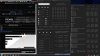
Last best '11 run back in October 2013 for comparison, same CPU clocks albeit on completely cold computer!

A DECREASE OF 15 DEGREES!!!!
Granted, the IC Diamond was about 8 months old at that time, but still the difference is amazing.
Testing conditions:
Room temperature, roughly 68 F.
Fans set to 4200 RPM, system elevated, Coolaboratory Liquid Ultra carefully and sparingly on CPU and GPU's.
Other observations, secondary GPU is considerably warmer at 74 C. Some possibilities, that GPU is inherently hotter running as before repaste it was the primary GPU and ran consistently 5-7 C warmer than secondary during benching. Although I am saying "Maiden Voyage!" this was not actually the very first run, I did perform 3 back to back benches of Vantage as I was seeing significantly lower scores (26k GPU?!) and through a process of elimination was able to isolate the culprit to shadowplay and Geforce Experience. Initially I attempted to resolve the issue by ending all processes associated with GeForce Experience and ShadowPlay in task manager but had to resort to removing GeForce as the ShadowPlay icon was still present during the runs. The bench before removing the program had a GPU score of only 14k. It immediately shot back up to ~16k after removing GeForce, which is still 500 points lower than the previous best and to which I can only conclude that the newer driver is a part of that but am not completely sure.
Any ideas?
The CPU temps are still blowing my mind.TBoneSan likes this. -
Here are the observed temps after 4 hours of playing Planetside 2 with the same OC as in the benches above:

This is a significant reduction in CPU temps. Before the repaste I actually had to reduce the short-duration window from 45 seconds to 35 and was still seeing temps as high as 90 C. Now I have restored short-duration limit to 45 seconds and they are not going past 69 C!
Anyone have any idea why I am seeing slightly lower bench scores with the same OC? How about the fact that secondary GPU is 3-4 C higher than primary? I always saw higher primary temps so I assumed primary is always with a greater load but now I don't know what is going on other than as I stated in last post, that primary is now in secondary position and maybe inherently hotter running. -
secondary GPU core will be hotter on the R1/R2 due to it's heatsink design, while VRAM and other chip on 2ndary card will be cooler than primary. it is normal.
-
@vulcan
I think you may need to change one of the pictures.unityole likes this. -
You mean the duplicate? Thanks for pointing that out. Any idea why secondary GPU is running 3-4 C hotter than primary or the slight reduction in GPU score in benches? I'm thinking GPU 1, which was formerly in the GPU 0 slot, is just inherently hotter running and maybe newer display driver accounts for lower score? Not sure. Awesome CPU temps though, truly mind-blowing. IC Diamond brand new still saw CPU temps in the 80's. 70 C at 4.3 Ghz is mind blowing.
Here, I actually saved a snapshot from a benchmark run and some gaming after that on the first day I applied IC Diamond back on January 17, 2013 (factory BIOS) :
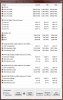
Here's a run about a month or so later at 4.4 Ghz when I first switched to an unlocked BIOS. 104 C!
 johnksss likes this.
 -
Brother Vulcan,
Glad you're enjoying the Liquid Ultra. It's amazing stuff isn't it?!
Sounds like it's hard to determine how it's affected your GPU's. No improvement in your opinion ? What the old primary card like ? alot cooler ? -
Update:
I apologize for the multiple posts, I did a fresh run on a dead cold system to get a baseline for actual temperature difference as nearly all of my runs are done with a cold system in the beginning of the day.
Here are the pre-run temps:

Observed temps throughout the run:

And for comparison purposes, here is a run back in March 2013 with similar settings, i.e. after I switched to an unlocked BIOS and similar GPU clocks.

What must be noted is that with this run the GPU's were at lower voltage, 1.0 V even (+200/+400) and now they are at 1.025 V (+225/+450). In my opinion this is a fair comparison as the IC Diamond was still relatively fresh, being only two months old, and all other settings are relatively equal with the exception of short-duration limit being at 56 seconds whereas now it is at 45 seconds (I reduced the duration some time ago as the temps were getting out of control, likely due to reaching the end of IC Diamond's life-span). Unlike the 104 C CPU temps run I included in the previous post, this run back in March was after I began dialing back Flex VID and consequently the CPU clock-speed as I discovered that I was wringing the snot out of my poor computer for what was only a marginal increase in performance as I noted in a rather lengthy article here:
http://forum.notebookreview.com/ali...elieve-ive-found-optimum-oc-3920-680-sli.html
Comparing the data, what we see is a marked reduction in CPU temps but little to no reduction in GPU temps. The primary GPU then is the secondary GPU now, it hit 64 C then and 67 C now, secondary hit 61 C then and 62 C now. Again, it has to be noted that simply going from 1.0 V to 1.025 V to 1.05 V will bring with it an increase of 3-5 C under adequate load each increase along the way. As I lay out in my post above, this is the reason I don't stray higher than 1.025 V on the GPU's. And as for my earlier concern of the secondary GPU being higher than the primary, it appears I am not the only one seeing this. Nikos, the selfless forbidden TIM pioneer, is seeing a similar phenomenon (the data line before last are the max temps, it took me a while to realize this as I was baffled as to how low his temps were during the benches lol):
http://forum.notebookreview.com/ali...y-liquid-ultra-any-tips-before-i-start-5.html
It has to be remembered that heat = entropy. If youre running high voltage simply for another 200 Mhz you can probably expect to dramatically shorten the lifespan of your TIM. I like and am positively amazed that I am only seeing CPU temps in the 70's at 4.3 Ghz. It is mind-blowing. I'm not going any higher even though I know that the ceiling has been raised with this excellent TIM as I'd like to get this stuff to last at least a year.Mr. Fox likes this. -
Thanks TBone, yes this TIM is mind-blowing. But I agree with everyone else, its probably not worth the risk and hassle for GPU's. See above.
-
Oh yeah and one more observation: my GPU and CPU die were scratched with the CPU having a nice gash down the length of the die from IC Diamond. Just wanted to point that out for those comparing IC Diamond with Liquid Ultra. It does have real diamonds, contrary to what the manufacturer says, they WILL scratch your die. Not using that crap again, Ill take my chances with liquid gallium thank-you.
-
You would also have to take into account the heat sink itself can also scratch the die. More so than not.
Mr. Fox likes this. -
Hmmm I'm a little disappointed it didn't work out amazing for your GPUs too.
I'm still waiting on some thin thermal pads that will go around the die to come in the mail .
Ill be giving it a whirl with you fellas too. -
Yeah it could have, the TIM was thoroughly decayed and pressed out/melted partially off the area between the die and the heat-sink, so maybe some heat-sink to die contact occurred in this area. Supportive of what I stated earlier, that heat = entropy, the TIM on the GPU's, which seldom have seen greater than 75 C, was still in good condition and performing as if new. I believe this is why I haven't seen amazing results on the GPU's.
No there is an improvement, but I think that with the nature of TIM and its ability to convey heat, you begin to see exponential improvements the higher the temperature. For example, if you only see a reduction of say 2 C, say from 65 C to 63 C, that may not translate into 2 C at 90 C, it will be a 4-5 C reduction at that point.
I am sure everyone here has used Crysis 3 as some kind of benchmark, here are the temps after playing for roughly an hour or so. Fans were set to 4200 rpm. If I remember correctly I actually used to see 77 C primary with IC Diamond but am not positive and couldn't find any snapshots to back up this claim.
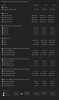
I'm going to do a Metro LL bench for comparison purposes as I do have a record of the temps with IC Diamond.
I and if I am not mistaken Nykos and Mr. Fox do not have thermal pads covering the exposed circuitry surrounding the GPU die, although that would certainly be prudent. If youre careful and apply this TIM sparingly you shouldn't have anything to worry about.
I was forced to replace the TIM on the GPU's as I swapped primary to secondary and in so doing had to separate them from their heat-sinks. If you are not doing that, you might just want to stick with IC Diamond for the time being. IC Diamond was originally applied to the GPU's back on 17 January 2013, over a year ago, and showed no signs of deterioration. Again, extreme heat, that of 90 C, will destroy ANY TIM much faster than say average sustained temps in the 70's.
This is why I am running a moderate OC, with no more than 12 Flex VID and the short-duration limit at 45 seconds. From my experience, beyond this point simply to attain another 200 Mhz clock-speed requires Flex Voltage of 25+. As I stated in the article I refer to above "Optimum OC" through experimentation I found that to run 4.5 Ghz more than 25 Flex VID is required, producing on average 10 C higher temps yet only a marginal increase in performance, say 1k CPU or so in Vantage.
If you go to one of my previous posts above you will find a link to Nyko's initial 3DmarkVantage bench with this TIM and his CPU temps are in the 90's yet his CPU score is nearly identical. I am willing to bet he unknowingly had his Flex VID at 25+.
This is the sweet-spot for those who don't have their system sitting on top of a custom AC cooler or who do not wish to change their TIM every 90 days:
Multipliers in BIOS: 45,45,44,43 Flex VID: 12, Primary Plane: 1300 (if memory serves me), long duration limit: disabled, short-duration limit: 45 seconds. Using ThrottleStop I switch to a much less aggressive profile for everyday tasks such as web-browsing etc:

I do not recommend running 4.5 Ghz 24/7, simply because this TIM allows it as this will surely contribute to premature TIM failure. You don't need 4.5 Ghz hopping about Facebook and Netflix, lets be intelligent. -
Here is that new Metro LL bench for comparison, GPU clocks were +225/+450 @ 1.025 V, fan-speed manually set to 3700 RPM, nearly identical CPU clocks and settings to older run below:

And a bench with the same settings back in May of 2013, when IC Diamond was roughly 4 months old but in what could be considered like-new condition as the deterioration is very low with the lower temps seen by the GPU's. It has to be noted here that this older run had lower GPU clocks and lower voltage, +200/+400 @ 1.0 V, fan-speed manually set to 3700 RPM.

I was very careful to set the newer benchmark to exactly the same settings as the original, which I reproduce here as the image above doesn't show them clearly:
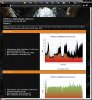
The older run's GPU temps were 61 primary and 57 secondary, the newer temps are 58 primary and 65 secondary. Based on my experience an increase of .025 V will bring with it a roughly 5 C temperature increase on average. If I go from 1.025 V to 1.05 V I usually see temps say of 80 C whereas with the lower voltage I used to see 75 C for example. So there is little to no improvement on what was formerly the primary card that is now in the secondary GPU slot. But the secondary GPU, that is now primary, is basically holding the same temperature as before (58 C vs. 57 C) yet with an increase in GPU clocks, possibly load (via driver improvement) and voltage. So there does appear to be some improvement on one of the GPU's. Now it has to be considered that possibly the application of TIM, although I was very careful, is not perfect or and maybe in conjunction with, the heat-plate not being perfectly on the die, or a small pocket of air or, what I firmly believe is the case, this GPU is inherently hotter running for reasons unknown.
So we do see an improvement here of at least 4 C on the secondary GPU that is now in the primary GPU slot.
Results may vary, if your GPU's are relatively similar in their temperature you could see a reduction of 3-4 C on both of them.
Accounting for the disparity in scores, that would be the result of continual driver improvement on the part of Nvidia from May 2013 until now. -
That's exactly what I did. Looks decent... no ugly bumps or bulges in the cord.

As planned, I did a slight variation of my original mod using AC jack connections that Nospheratu used in his M17x 330W adapter mod, making my AC adapters plug-in instead of hardwired in this variation of the mod.
So, now I have four usable AC adapters, LOL. Too bad that one AC adapter just up and died. At least now if that ever happens again the replacement is plug-and-play... no tools needed.
![[IMG]](images/storyImages/IZVPXnyl.jpg)
![[IMG]](images/storyImages/alBDzvBl.jpg)
-
Brother Fox that's the most awesome piece of kit you've just made yourself there. Seriously, if you ever think about starting up a little side business I'll be your first customer ! Brilliant work buddy
Mr. Fox likes this. -
Thanks, bro. I won't be doing that, but I appreciate the kind words. Glad to be back... was a brutal week. Never even turned on my M18xR2 once since Monday night.
I just did a couple of quick tests and it passes with flying colors... no shut-downs or tripping AC adapters... yay!
![[IMG]](images/storyImages/K1ov4FJl.jpg)
![[IMG]](images/storyImages/4CvK2bil.jpg)
-
It has diamond particles inside. But it's synthetic diamond, not real diamonds. Real stuff is too expensive to put in there, and I think synthetic diamond is actually better heat conductor than natural diamond.
Glad to see Mr. Fox is back from his garage after a week of working on the adapter.
-
-
As for anyone curious as to the durability of and comparison to IC Diamond check out this thread.
Delidded my i7-3770K, loaded temperatures drop by 20°C at 4.7GHz - Page 34 - AnandTech Forums
"Originally Posted by dqniel View Post
It's been about three weeks since I put IC Diamond between the core and the IHS, and load temperatures are still vastly improved over the stock solution. I will update my old post in a moment to show details-
Thermal Cycling/TIM Failure Test
System Info:
3570K Delidded with IC Diamond between the die and IHS
ZT-10D HSF with Arctic Silver Ceramique between the IHS and the HSF
4.5Ghz @ 1.232v (after vdroop)
Delidded and IC Diamond applied 8/29/2012
After one week:
(9/4/2012)
Ambient temp - 25C
3570K max temps after Prime "blend" for 30 minutes - 67C, 76C, 74C, 73C
After three and a half weeks:
(9/22/2012)
Ambient temp - 22C
3570K max temps after Prime "blend" for 30 minutes - 62C, 72C, 71C, 69C
After about five weeks:
(10/1/2012)
Ambient temp - 22C
3570K max temps after Prime "blend" for 30 minutes - 62C, 72C, 70C, 69C
After lapping IHS and HSF base down to the copper and using Coollaboratory Liquid Ultra in all areas of contact:
(10/2/2012)
Ambient temp - 21C
3570K max temps after Prime "blend" for 30 minutes - 52C, 61C, 56C, 59C
After about four months since switching to Coollaboratory Liquid Ultra:
(1/29/2013)
Ambient temp - 21C
3570K max temps after Prime "blend" for 30 minutes - 53C, 63C, 59C, 60C" -
Lol lets Kickstarter 'Fox Enterprises'.
But seriously. A 330w PSU is really insufficient and starting to bother me. Alienware need to take enthusiast requests more seriously. They pretty much shut down the idea of a bigger PSU flat out in the Dell Idea Storm as if it's an unnecessary request.
At least r1/r2's have a way out thanks to Mr Fox and and some inspirational TI pioneers.
Unless Maxwell 880mx/980m is some miracle that uses less than 100-120w each overclocked it's not doing anyone any good by Dell resting on their laurels.
I've been getting restless, but I think now if there's no change in ethos in the next AW update I'll be looking elsewhere for performance.vulcan78 likes this.
*OFFICIAL* Alienware M18xR1/R2/18 Benchmark Thread - Part 3
Discussion in 'Alienware 18 and M18x' started by Mr. Fox, Aug 31, 2013.

![[IMG]](http://i.imgur.com/R4za0Lo.jpg)







![[IMG]](http://i.imgur.com/IZVPXny.jpg)
![[IMG]](http://i.imgur.com/alBDzvB.jpg)
![[IMG]](http://i.imgur.com/K1ov4FJ.jpg)
![[IMG]](http://i.imgur.com/4CvK2bi.jpg)

![[IMG]](http://i.imgur.com/viG7SJ6.jpg)
![[IMG]](http://i.imgur.com/qKUxTIp.jpg)