 Problems? See this thread at archive.org.
OK thanks a lot for the feedback. You are right . I will wait and see whats coming.
-
-
Where can i get this modified drivers stevie?? Cause im gonna upgrade my m18xr1 with a pair of 680ms
-
All you need to do really is make some changes to ANY driver that you download, be it the latest or previous Nvidia drivers from their website. You need to download the driver as normal, let it extract and then cancel out of the installation. Then you navigate to the .inf file and make the relevant changes, save the edited .inf and then run the main installer. There are a few lines of code that need to be edited to allow recognition of the 680m in the R1.
Here is a link to the post showing how I did it: http://forum.notebookreview.com/ali...18x-r1-upgrade-discussion-25.html#post9084730 -
the talk about 18-20 inch and 18 inch being too heavy.. try carrying three m18x around, like what I do. two in orion backpack, one in a suitcase and rest powerbricks/mouses/keyboards goes over a strap bag over my other shoulder. 3 is indeed too heavy, single m18x is nothing.
although I'd prefer 20 inch alienware I must say after owning two 20 inch laptops from HP and Dell, they are a lot heavier than m18x especially with xps m2010. anyway what I wanted to say is, 20 inch will probably not work even with toughest chassis, moving a 20 inch laptop will only break it fast. -
Hey guys I just ordered an m18x r2 and I was wondering if I would have to install any driver and any additional software before I can start gaming if you could tell me when exactly I need to have that would be great
My configuration is
i7-3840
Geforce 680m sli
1tb hdd + 256 ssd
16gd (4x4)
If I could get a reply as soon as possible that would be amazing
Thanks
-
Welcome to NBR, RoshanDeSilva!
Well, to answer your question, you will be able start out as soon as you unbox the machine. You can start enjoying things right away. The first thing I would advise you to do is to make recovery media via the pre-installed AlienRespawn software on your machine. For this you will require (most likely) an 8gb USB Stick or a couple of blank DVD's (not re-writeable ones) and then you can create a factory image which you can stash away incase you ever need to roll back your machine to it's factory condition.
After that, you can start having fun. You may want to update video drivers to Nvidia's own drivers - this is not essential immediately, but something you should consider doing to improve gaming performance over Dell's stock video drivers.
There really nothing else you desperately NEED to do immediately. Sure, there are things you CAN do as you get accustomed to your new machine, such as using modified vBios' for your gpu's etc.....nothing to stop you getting under way though... -
Thanks for the fast reply
thing is im really new to this :/ and I don't really know what or how to do things like modifying the vBios and over clocking :/
-
That's fine - we all started out somewhere!
There is no desperate need for you to concern yourself with vBios or overclocking right away - you don't even have to if you don't want to, you will still be able to enjoy your machine without doing so. Probably the best thing you can do is to have a read of the forum boards and ask questions about anything you don't know the answer to or are unsure of. There are plenty of members here who would be more than happy to assists with any questions you want to ask. -
Last question
what are the nvidia drivers the you were referring to
im mostly going to be playing battlefield 3 and battlefield 4 when it comes out
-
Well, as you have Nvidia GPU's, Nvidia release updated drivers for your cards on a much more frequent basis than Dell do. The benefit in using these drivers as opposed to the Dell drivers that your machine will come pre-installed with is that they offer much more updated support for newer titles and allow more better performance for those titles.
The latest Nvidia Drivers can be downloaded from Nvidia's website - here's a link to them: NVIDIA DRIVERS 320.18WHQL
Probably the easiest method of installation is "over the top" of the current drivers - if you follow the Nvidia suggested instructions, this should work just fine: NVIDIA Driver Help. This basically just means to run the installer that you've downloaded from above. -
Heya guys... About the Heatsink holder.. Can the X spreader for amd fit in the nvidia's heatsink?? Assuming that its not compatible so i have to buy an original nvidia x spreader so does the left nvidia x spreader are of the same shape as the right one?? Thank you
-
Just grabbed 3940XM OEM CPU from Meaker on here, great deal, thanks! Have 3Pipe heatsink for it from earlier (currently using with 2860QM in M18X R1)
so my new M18X R2 eventually will be setup with:
i7 3940XM OEM
2 x 680m SLI OEM
32GB DDR3 1600 RAM
2 x 256GB RAID0 Vertex4 SSD
1 TB Samsung HDD
and will be looking for BD-RE drive too. -
Hey guys.. Can anybody point out to me where is the CMOS battery is located?? Is it under a black round tape with wires that is covering it after opening the back chassis?? If it is so, how do I disconnect the wire that connects to Cmos battery?? Help needed~ I would like it if there is a video showing this process because I'm very cautious towards handling the hardware...
-
The CMOS battery is the black round shaped (coin like) unit. You remove the clip from the MB like any of the other plugs. You can take a plastic prying tool and lift each side of the plug bit by bit until its loose enough to get to. Otherwise de-static yourself and use good old fingernails.
You should have a guide in you AW instructions booklet that came with your machine. Otherwise you can view it as a PDF from the Dell website. You can also click the link from Mr Fox's signature (just look for one of his posts) and find another guide their. -
AMD 7970m Support Plate - 3PVGK
Nvidia 660m/675m/680m Support Plate - 3MHHT
It's the same for both sides (primary and secondary GPU).
Here's a step by step guide with some pics
How to remove the CMOS battery in the Alienware M18x R2 -
Thanks guys.. By the way Luis the link that you gave me, I can't seem to load the pictures. Is it me or is everyone having the same problem?
-
Not loading for me either but these are the two important pictures
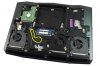
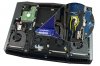
Edit: Article above fixed, pics work again -
ohh INTERNET LAG... sorry
-
Hi, I was wondering if anyone had a suggestion for a USB 3.0 hub. I have a 4 port belkin that just isnt going to cut it anymore, I just got the keyboard and now I have no space. THANKS!
-
Hey guys. I've got a poll going on over here: http://forum.notebookreview.com/ali...mea-dell-support-full-details-included-2.html - if any of you want to stop by my thread and take a few moments to read through my recent nightmare experience, please feel free to do so. Also, please cast you votes without any prejudice.
Thanks fella's. -
First post here, I've lurked on these forums since 2011 but I finally decided to pick up an m18x r2. I've been reading endlessly trying to make up my mind on an MSI with 780m or wait out the announcement for the r3 which is literally just 7 hours away now. I knew I wanted the fastest Laptop I could get but it came down to SLI 680Ms or a single 780M system which won't be seeing any upgrades for awhile. I gave Dell Outlet a chat when I saw they were running a 30% off coupon hoping they had any m18x's in stock and luckily I ended up with this one for $3230.
AlienFX Color, Quasar Blue
Genuine Windows 7 Ultimate 64-Bit Operating System DVD
Dell Outlet Alienware M18x R2 Laptop
Processor: Intel Core 3rd Generation i7-3940XM Processor (Extreme 3.0GHz,"Upgradable to Intel vPro technology)
32.0GB, DDR3-1600MHz SDRAM, 4 DIMMS
512 GB Solid State Drive
512 GB Solid State Drive
512GB 2.5 inch (SATA3) Mobility Solid State Drive
Slot-Loading Dual Layer DVD Burner (DVD+-RW, CD-RW)
Dual 2GB GDDR5 NVIDIA GeForce GTX 680M - SLI Enabled
Intel Centrino Wireless 2230, 2x2 bgn + Bluetooth
18.4 inch (467.36 mm) WLED WideFHD (1080p) display (1920 X 1080)
Genuine Windows 7 Ultimate
Nebula Red Anodized Aluminum
2.1MP HD Integrated Webcam with Mic
12 Cell Battery
English keyboard
Arrives in 4 days and I haven't been this excited in awhile, I only wish it could play Blu-ray but definitely can get that later on. Anything I should do right after I get it besides bench? Gonna have to find a bigger backpack too.. -
^^^ Awww man no way you will be sorry, you will be as happy as AW owner can get
Personally I prefer R2 over new R3 from the ascetics and cosmetics point of view and since there is I believe just too little performance upgrade ratio to sacrifice huge premium. You got a steal of a deal man, enjoy! -
I agree, killer deal and great machine. You wont be sorry.
-
Thanks! It's gonna be a long 4 days, the new aesthetic on the r3 was a put off for me as well and after seeing that and the lack of HDMI in I lost a bunch of my excitement for it and went for the r2. I'm moving up from an HP Dv6 with a 6770m so this will be quite a big change!
-
Where did you see the specs on no HDMI in? From the pictures that I saw its in same spot as the previous models.
-
I read that a couple of times around here over the last week, I shouldn't always believe everything I read until an official announcement but I'll find out if it's wrong in 90 minutes I guess. =x
-
4 days isn't so long to wait for that little demon. You're going to love it.
You might not love the backpack selection, I admittedly was not thrilled with the lack of options.
I'd recommend taking a look at the clean install guide and how to make a new alienware respawn image once you've made changes to the system. -
I actually don't like the look of the R3 it looks toned down compared to the r2. also does anyone know if its aluminum chassis still?
http://www.engadget.com/gallery/alienware-laptop-large/5915651/
power plug on the side!!! that would suck as the power lead is soooo thick -
@ Dan
On the live stream they were saying it's made of 60% Metal in total, with chassis being aluminium.
I agree, I dislike the charger port on the side. I can see alot of people accidently breaking them in the near future. -
thats maybe just me but further I look at the R3, more I like the R2
-
Agreed. I really like the design of the R2; it seems to have more character.
-
So after canceling my order over a month ago due to delays, I placed an order on one of the new m18's with a i7-4900MQ and SLI 780's. Arrival date is 7/22, so it's going to be a long, dreadful wait.
-
Sweet! Congratulations, bro. Be sure to post photos and your personal review in the new http://forum.notebookreview.com/ali...ficial-alienware-18-owners-lounge-thread.html when it arrives.
-
Question about the Tactx keys. I've had this rig for about 6 months now and have been on 8 enterprise for a good while; all drivers/functions/etc are good.
In my attempts to be lazy I'm working on making locking the machine a one button affair, I've created a shortcut that locks my computer (create shortcut & rundll32 user32.dll,LockWorkStation) if I run it by double-clicking. When I attempt to use the keys on the far left to bind it to, I get no response. Tried a few of it's defaults such as web, calculator, etc and none of them appear to be working, though I can go through all the three sets by hitting the top X button.
Anyone else having issues with the bindings not doing what they're assigned? -
I don't have any issues with the TactX keys working perfectly. Are you assigning a keystroke combo, macro or shortcut? I find macros are buggy and generally use keystroke combos or a shortcut. (Even a shortcut to a shortcut should work fine.) I have all 5 keys in all three profiles assigned.
-
Question about the standard 32GB 4 x 8GB DDR3 Ram that comes from DELL in M18X R2, what voltage are these DIM's and what CL ?
Thanks -
Well guys It's here! I'll get to testing everything out soon as I can get through all the downloads but bad news...Screen is busted, looks like someone punched it in the middle, already called Alienware about it so hopefully resolved soon =\ Love the look and it is really not as heavy as I was expecting!
-
That's nuts... I think you're not the only one that got one with a broken screen recently. I am wondering if there is a disgruntled employee doing this or what. Is this a new unit from China or a Dell Outlet model?
-
Dell Outlet model, everything else seems fine though but I'll be hunting for issues for the next couple of days till the Tech gets here.
-
oh man, thats just pain, wonder if that was done by someone on purpose at dispatch team... hope not but if its the case, that crackhead must be hunted down fired and put trough court for his actions (only if that was the case ofc)
-
I'm so sorry to hear that, man. I can only imagine the pang of pain when you saw that screen busted. I hope they'll get it right asap.
And yes, if he's not the first one experiencing such issue I believe we're actually dealing with a very frustrated employee here.
Aside from that, I'm glad you're liking its looks and feel. I hope you'll get it up and running asap ;-) -
I did feel pain as I opened it up the first time and saw the damage, even let out an 'Noooo...really?' Installing 3dmark11 now to check out the stock performance, I'll be plugging into my Monitor till this screen is changed out for now =x
-
Well, how on earth it was sent out like that is a real mystery. Certainly, there was an opportunity for it to be seen and addressed. The fact that nobody took ownership of that is a good enough reason to identify the last few people that did (or had every opportunity to) see it and cut them loose to pursue other career options. That kind of employee incompetence and lack of accountability is not excusable by any stretch of the imagination. Dell and its customers deserve better employee performance that that.
-
That's definitely inexcusable. Dell need to pick up the slack on their QC.
-
That, or replace employees that are not doing their jobs correctly. You can have all the right processes in place for QC and still have employees that do not execute on the plan. Unfortunately, it is too easy for losers to keep their jobs in huge corporations of any kind... that's not a unique problem. You would think that in tough economic times that lackluster performance would be a rarity, but it doesn't seem to be.
-
Hooked up to a monitor for now so thankfully not having to stare at it. Running 3dmark11 on 320.18 with 4.1Ghz and 135 on core (can't go past that on tuner) I'm routinely pulling in ~10600. I noticed that my score goes down to ~10500 when I put an OC on the memory, gonna spend today trying some games and bench again later. I figured my scores would be a little higher but last round of benches the XM got up to 89C so I don't actually want to get hotter than that.
-
In order to go past the 135 offset on the GPU core, you will need a modded vBIOS. This limitation is common to all Kepler mobile GPUs. It's NVIDIA's intent to limit that, unfortunately.
Regardless of what you set, the memory will operate at its programmed SPD value. In other words, if you have DDR3-1600 setting the memory speed in the BIOS or XTU to 1866 won't do anything. The memory will still run at 1600MHz. Most memory modules lack XMP profiles, so performance enhancing options are limited when it comes to memory. You would need to mod the memory firmware and change the SPD using Thaiphoon Burner to get anywhere with that.
The thermal junction and shutdown temperature for the Ivy Bridge XM CPU is 105°C. At 89°C you are nowhere close to tapping out that CPU. You won't get very far with overclocking if you don't want to go above 89°C. There is no real danger in this. If it gets too hot it will slow itself down or turn off before any damage occurs. -
By OCing the memory I meant on the 680M =X As for the GPUs they stay in the 60s last time I checked, I'll push the CPU higher and see what I can get. Any suggestion on what vBIOS I should flash to? Been reading through the threads trying to find the best for my setup and was gonna just pick one later tonight.
-
Oh, sorry. I obviously thought you meant system memory, LOL.
It depends on how high you want to overclock. Using the stock voltage " OC Edition" is a great place to start, and it works perfect for gaming. That gets rid of GPU boost, stops the dynamic/idiotic clocking behavior and eliminates the 135 core offset limit. If you want to get crazy with overclocking, you will need to use the vBIOS with the highest voltage. The best thread to use for this discussion would be the http://forum.notebookreview.com/ali...alienware-m18x-benchmark-thread-part-2-a.html instead of the Owner's Lounge. If you look at the screen shots in my benchmark results, you'll see what kind of CPU and GPU overclock values I am using. -
just checked the prices of dell website m18x r2 base version going for 1699 wow with 680m sli its 2799 base version ....any body know where to get coupons and deals? if can knock 400 usd more wouls really like to have one...
*OFFICIAL* M18x R1/R2 Owner's Lounge Thread
Discussion in 'Alienware 18 and M18x' started by katalin_2003, May 1, 2012.


