 Problems? See this thread at archive.org.
I'll try out the stock voltage "OC Edition" in a couple of hours, thank you! I'll move my questions for the thread you linked.
--As for picking up an R2 at a discounted price, you have to watch https://twitter.com/DellOutlet for coupons and then use the chat service/phone to have the Outlet check their inventory. I was able to pick up my system for 30% off from the Father's Day coupon which has expired but they appear every 2-3 weeks from what I can tell. I had a good experience outside of the screen damage which they are going to fix Tuesday.
-
That's $300 cheaper than normal, right?
-
Seems they are out or Nebula/Mars Red now, I am getting Black for my replacement, BUT because of that I now get upgraded ram from 6>>16gb and 1TB HDD from 500GB!!
Oh, forgot that since there are no more 7970's they are putting in dual 680's instead !!
All because of multiple repairs.
So I need a few more posts if I want to sell anything in the NBR marketplace.
The brand new M18XR2 will be 3740QM, 1TB HDD, 16 GB ram, Dual 680's - SLI, Killer wireless 1103, BT 4.0, W8. It is supposed to be done in about 2 weeks. I may sell it unopened. But to do it here need a few more posts. -
man i really want to rant and rave in this community soon, ordered my soon-to-be-best-friend m18r2 !57! days ago and still waiting, really hoping this week actually happens. I've had my kingston hyperX 16gb, my hard drives, crucial vengence m60 mouse and mouse pad, razer kraken heaphones, two 23" asus 2ms leds, sitting on my desk in my studio for 2 months now, i need something to plug them all into lol... help me DELL

-
I feel your pain. I'm on day 54 of a R2 order and I'm sitting here staring at my SSDs and memory waiting to be installed. I've considered ordering a new M18 and waiting to see which one gets here first. Dell has offered me a giftcard once the system ships, so you might be able to receive something for the delay if you threaten to cancel.
-
Anyone thinking of upgrading to the new ac-capable wireless cards by Broadcom being offered on the new AW laptops? I got a list of upgrades in mind for my M18x R2, was thinking of getting an Asus RT-AC66U coupled with one of the new wireless cards
-
Well it seems a mystery event has occurred in my home resulting in some damage to the right front grill on my m18x r2. The center "spar" is broken and the LED grill is pushed back.
That being said, does anyone know the part number? Is it a GG3F9 Bottom Chassis Case Black, that seems like overkill. I was wondering if there was just a grill part.
Thanks in advance. -
If you are referring to the M18x R1/R2, the two front grilles in front of the speakers are an integral part of the palmrest. The LED components are also integrated with the palmrest. It all comes as an assembly with the touchpad.
You can order it directly from Dell/Alienware or buy it here: Dell Alienware M18x Palmrest Touchpad Assembly - H1KWK - Grade A | Parts-People.com
![[IMG]](images/storyImages/ppc-dell-parts-image.png)
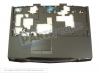
-
Thank you. Is this part identical to the M18X R2 part number F9F90? Parts-People have the H1KWK M18X part in stock but not the F9F90.
-
Yes, they are totally interchangeable. Dell just changed part numbers to go with the new model. Many of the part numbers change when a revision is released even if the parts are identical. I have one of each palmrest and there is no visible difference between them.
-
Heya guys. Got a question regarding upgrading the processor on my m18x.. Before plugging in the new processor should I uninstall anything first?? If so what do I need to do?? And what do i have to do once I installed the new processor? Thank you
-
Installation itself is pretty much all that is required. Windows will recognise new hardware upon booting. You may wanna run WEI to adjust your performance rating. Other than that, nothing special needs doing.
-
So the Tech replaced my screen yesterday and now the glass damage is gone but I feel there is still something wrong. There are pretty visible vertical lines throughout the whole screen, it actually makes the colors seems off. Its less visible the more you back away from the screen but get about 20inches away and you can see the vertical lines over all the surfaces, it almost feels like the resolution is very low but I know it's at 1080p, is there something I can do to test this? I would have noticed this on the busted screen which was a LOT clearer besides for the damaged areas. Anyone happen to know a fix? It just look pretty poor. Thanks =\
-
contact DELL and ask them to replace it for you, it clearly has some visual defect. I wouldnt take this is good enough, also just read on the thread in my SIG, and get it done quick if youre entitled to!
BR -
I just don't know if I'm going crazy but the colors seem off which never 'hit' me before playing on the screen. And if I look at the mouse I can see 3 vertical lines, 1 pixel in width stretching up over it, its almost like looking through a screen door. Is this on any m18x that I'm just noticing now? Or should it be a lot clearer? I'm on the phone now and I feel they think I'm crazy.
*Edit* Looks like they're sending a tech with a new motherboard / LCD panel, and following that a replacement system if it continues to malfunction. The colors are just fine going to an external. It's really apparent when I bring up a white screen like Google's site, everything looks off and not vibrant/correct at all =\ -
youre not going crazy
something defo wrong with your screen. I have had 3 brand new M18X R2's , neither had any of your described "things" going on, including one with vertical line of four (4) dead pixel, the image quality is nice and clean in all of those, at the moment using M18X R1, still fine and clear good colours and crisp image no washout or streakout lines cant see even with my eye up close to the LCD
no way thats normal, get them to do the proper JOB
-
Yeap, they're coming Wednesday or Thursday to hopefully finally have me happy, my thought process was 'I would have noticed this before' and then I called them. I hope the next tech they send is a bit better, he initially walked away before testing if it worked and I had just a full on green screen so I had to get him to redo it, I'm also hoping my whole experience is a fluke, the back and forth is already starting to frustrate me. (Fixing it right the first time would just be less work instead of rushing and having to do it .. three times now)
-
^^ haha give them a run around for what they do, it sure cost them more to pay their employee hourly rate then the screen itself costs, if they only would accept the parts only service they would make the entire comunity so so much happier in EMEA/EUROPE
-
All fixed! Finally! I've got some cosmetic scratches now because of the wonderful Tech flipping the laptop over carelessly but I've pretty much stopped caring. It is a night and day difference from what I had and finally can get to just playing with it rather than dealing with support. Pulling in P11047 in 3dmark11 with no vBIOS mods, I am a happy camper.
-
^^ great stuff man, the way to go, now youve got to enjoy your new gear
------------------------
So im now running M18X R2 with 3940xm, and I would ask those who are experts in OCing CPU here from BIOS. I wish to make things snappier a little and give my CPU run @ ~4.4-4.5GHz daily, and would this be possible without setting the table on fire?
I've tried factory level3 OC and temps dont go past 80c on wprime so I think Im good but multi's suck on factory settings, so I wonder whats the deal, can some of yous just share your experience with me?
Thanks -
Ultra, have a looks through the benchmarking thread. Mr Fox and others have posted up their settings for all kinds of clocks. 4.4Ghz is kind of on the limit for daily. Lately in summer I've been running my multipliers at 46,44,43,42 with flex at 5. You might also want to unlock your BIOS too with a Svl7 bios flash (from TI)
-
thanks for the tip, I will tomorrow, cheers!
PS: wonder if I can get it to 4.4 with factory BIOS? -
You should have really nice "daily driver" results with 43x4, 8 flex vid, 99/56/99 for turbo power and time limit settings. There is a good chance you can run that stable without an unlocked BIOS. If you are not using the system in a hot environment (70°F or less is best) your temps should be fine.
Be sure to leave non-turbo flex support disabled. If that is enabled, that causes problems attempting switching back to discrete graphics from integrated... system will start beeping at POST and you'll have to clear the CMOS or blind flash to make the system bootable. -
btw heres the trick. higher flex = higher temp but with higher multiplier u need higher flex. so keep flex as low as possible but you dont wanna increase BCLK too much too.
I have my flex at 0, multiplier at 43x, and increase BCLK and oc to 4.5ghz. if i change to 44x or 45x, flex at 0 is unstable and will crash. -
I get ya, so the flex represents the voltage, and BCLK is the base clock of the CPU BUS before the multiplier, correct?
-
The problem is that if you overclock GPUs as well a too low flex will make the system or video driver crash while gaming. For instance, with a +250 core and +300 memory, or higher GPU oc (slv7 vbios 1.050v) in order to play games with a 4.3ghz or higher OC I need to increase flex to 25. I keep things cool with fans with hwinfo profile and with the U3. No way I can keep a flex at 8 or lower. I started from 5 up to where I'm now, which is the point where it stopped crashing. Maybe I'll have to play more with combo Flex/Prime.
-
Also I'm pretty sure increasing the BCLK requires additional flex too.
-
well it finally came today, long wait, but so worth it. looking forward to figuring out all the good stuff im going to do with this machine
whats good?!? haha. one question though, in all people's unboxing videos there were two boxes, one with the computer and the other with random stuff...all i got was the laptop/power brick/tiny pamphlet...and well thats it. dont you even get a manual these days? i remember videos where people were getting some leather bound users manual and stuff.
-
Congrats on your purchase Rusty Unfortunately Dell decided to stop giving us the premium treatment to cut down a bit on costs, so no more leather-bound manuals, caps, sleeves etc... As long as we get the top of the best, I don't really care about that though
As for what to do - try setting up a home disco with AlienFX on Windows Media Player for starters, move on to playing Far Cry 3 at everything set on maximum (I personally prefer graphics on that game than Crysis 3) and, last but not least... sit back and admire the beast! -
well, the double-box and leather stitched owners manual, alienware cap's were only supplied only with the M18X R1
M18X R2 packagings had some price-cut budget-orientated packaging so all you get is cloth pouch for your m18x, little black box with safety certs, info leaflets and DVD media/OS reinstall disc, charger and laptop in corner wrapped foam support. pretty much weak packaging so when getting it better see no damage on the middle of the box, like holes or dints etc -
that shouldnt be a problem. in BIOS flex reflects to CPU voltage in XTU, is for CPU only. flex can go up to 99 in Bios but it can actually go to 255 if you set it to max in XTU. believe it or not, at 4.9ghz depending on the mobo or cpu combination it might use more than 255 to keep it stable, and I had to go through three M18x R2 to get one able to go 4.9ghz and even near 5.0. other two at 4.8ghz max.
I was able to run XTU stress test without crashing at 43x multipler with BCLK to 4.5ghz for 30 minutes, just that temperature is the real problem, not stability. however giving less Flex value doesn't mean I dont give amps at all.
43x flex at 0
44x flex at 7
45x flex at 12
46x flex at 30
47x flex at least 70+
48x my computer crashes half the time even at flex 255, probably cpu limit
to get to 4.9ghz I set it to 47x and change BCLK and up it slowly to OC towards 4.9ghz and set flex to max via XTU. temperature easily goes over 85C and throttles hard so theres no point going over 4.5ghz imo -
Just tried your advised setup and it seems it works well. also idles with good temperatures too, fluctuating between 50-60c most close to 50's most of the time
Please have a look at some benchmarks and temperatures breakdown and see if it performs well or there's still something I need to do ? Thanks!

Ok im gonna try to set flex @ 0 now and will repeat the benchmarks, will see how it copes with it and with the temps
UPDATE:
Ok so here it is on same settings just now FLEX @ 0 (no extra voltages)
Score may have been identical just because this time I have terminated antivirus and all other background services/programs I do see little increase in performance during benchmarks, but temperature is more less the same at the peak. Idle temps with FLEX @ 0 fluctuate between 43 and 50. that 0.03V (@ FLEX 8) really did increase temperatures tho

Im gonna try to keep the current settings @ FLEX 0 and will try launch and run XTU stress test on CPU to see if its reliably stable.
I dont know how much of an impact this has because I am runing iGPU now during the tests, wonder if it will be same stable with 680m SLI switched back on (I havent OC'ed them yet nor have plans running them OC'ed yet) -
Hi every one,
Hope if someone can clears thing to me, since i am totally lost.
I just received my new m18x r2, which has 64 msata, and 1 tb hdd.
I bought also 240 ssd, with an extra sshd 1 tb. I want someone with my appreciate to help me with the new configuration and questions.
1- should i install windows 8 with the provided cd to the ssd?
2- where can i find the CD/KEY?
3- when i install the windows, to the ssd, what will be the use of the 64 gb msata?
4- can i install the windows to the msata before adding the new ssd?
I'm really very confused here, and i hope if someone can guide me with that configuration and installation.
Thank you very much -
Firstly, you want to create recovery media using AlienRespawn that is pre-loaded on your machine. You will need either 2 DVD's (not rewriteable) or an 8gb USB flash drive. Once you have made that, stash it away somewhere safe incase you ever want to revert back to factory image.
Once you have done that, you can safely move onto the SSD install. To answer your questions:
1. Yes, you will have to update a few drivers after you have done so. Reference this thread: http://forum.notebookreview.com/ali...er-install-order-guide-alienware-systems.html
2. There isn't one - well, there is, but it is embedded in the bios/board, so no key required.
3. Up to you, but I would advise leaving it to cache accelerate your 1tb drive.
4. See point 3. In my opinion, you would be better off using the mSata as acceleration, not OS boot drive. Your SSD would be better off being your boot drive for the OS.
Hope that helps. -
Thank you very much for your fully answers, i really appreciate it.
I just finished doing the Recovery Media USB, but i also noticed a Recovery option also, should i do it.
Thanks -
My pleasure to help out.
As long as you have successfully created the recovery media, I would not attempt to recover anything at this stage, as basically, there is no issue to recover from. -
@ultraGSM. if your cpu and mobo can handle flex 0 then do that, but just because it passes XTU it may not pass some other intensive area. I obvoiusly donno just how rough XTU is on CPU but it might crash later on due to hardware aging slowly. anyway if flex 0 not working and bluescreen/ crash for you, set it to 5 or 10 then run again till you get a stable one.
I could get mine to 4.6ghz but under XTU it throttles down to 4.45 ish, and if i do it at 4.5ghz it'll just stay there, and a tiny bit lower. this is around 10-15 mins XTU time, and I use a cooling pad.
f disable CPU throttling in bios and use throttlestop and disable BD PROCHOT it should disable cpu throttle all together, but no recommanded cause computer will just overheat and shutdown. -
Might I suggest using Throttlestop 5.10beta.
You now have the option to set and change flex settings on individual profiles. It's perfect.
You can keep your flex-less profile and have your flex OC without restarting. -
Thanks for your reply, unityole. I was able to OC up to 4.8 without crashing playing with Flex and Prime. However, I'm not chasing numbers, but just trying to find a stable-temps-under-control environment I can use for most demanding games with a 4.4Ghz OC as well as +260~ cores +300~ memory overclock on the GPUs. I know that with certain games increasing both CPU and GPUs clocks give a way smoother experience in highly textured, busy, and crowded scenes. I have yet to find a sweet spot that allows me to do that, even after endless attempts. I still wonder if you're able to use a 24/7 4.3/4.4Ghz overlock (gaming hard) along with a decent GPU overclock, while keeping a relatively low Flex, with good temps and stability.
-
no problem man. when comes to GPU OC, im no expert, actually on that topic I prefer not to OC GPUs myself and like to keep it at stock. imo I dont like to go over 75C if possible with exception on CPU, heatsink and fan just not strong enough.
-
If I leave the CPU at 4.0/4.1 I can push my GPUs up to +300 core clocks and +400 memory and I see an appreciable gain in certain games (those busy scenes that with lower clocks would otherwise give some stutter or noticeable fps drops) and temps fluctuate between 65 and 70C. I'm aware that the 330W adapter is not enough to provide the so much needed juice for increased voltages; fact that in the end induces crashes, freezes, etc. Now I'm experimenting with keeping GPU OC "stuck" at +250 +300 and CPU at 4.4ghz. I ran Metro LL benchmark and in the last busiest scene I've seen CPU temp ranging between 75 and 81C top and FPS average at 70 (max 250+). Now I have to run a real gaming test to see if the whole thing will still hold or crashes (it often times happens with Crysis 3, unless I increase Flex substantially).
EDIT:
So, I gave it a try with Flex 15. +250 and +300 GPU, CPU at 4.4Ghz. CPU temp was optimal, but then the Crysis 3 froze (sigh). I tried increasing to 18 and although it lasted longer it eventually crashed again. Increased to 20. Now it seems stable, but obviously temps are higher 75 to 85 with several spikes reaching 87/88. The good news is that I can play the game all maxed out, anisotropic at 16x and AA 2x with no lag or stutter. Yet, I'm not sure those temps could be considered optimal. (I have hwinfo fan profile, elevate the back of the laptop, and use coolingpad). With other games CPU temps stay between 75 and 80C. -
Hi,
I finish every thing as you mentioned, and every thing working excellent.
But i have one more questions please,
1- After finishing windows 8 installation on my new ssd, i notice that the other OS which is on the stock hhd+msata, still there, and its on default, so when i restart the system i will go to that OS, and if i want to go to the new one which is on SSD, i should press over F12, and chose it from the booting option. How can i make the ssd as default OS?
2- Should i delete/format the old OS which it's on the hdd while i am in the OS which is on SSD?
3- Any problmes if i keep both OS's on both hard drive's?
4- If i delete/format the OS from HDD, automatically will take advantage from the 64 msata, or i should configure something?
Thank you very much -
Personally, I'd just get rid of the OS that is on the HDD's (1tb Raid 0, right?) as there is zero point in having the same OS on two different drives for the average user. If you format the HDD, you can use the mSata to 'cache/acclerate' the slower drives using Intel Rapid Storage Technology Software installed on your machine. Simply open up RST, and choose which drive to accelerate. See this guide on mSata caching:
How to Enable Caching on mSata SSD for Alienware Laptops? | Dell US
You can skip to the "After Windows Reinstall" step. -
Hello All - I'm not sure if this is the place to post my question … I was just wondering if my soon-to-be-delivered (hopefully) M18x R2 will be something that I can use and enjoy right out of the box or if I'm going to have to make a bunch of hardware and software upgrades and tweaks like you all do? My knowledge of computer hardware modifications is terrible - The only thing I've ever done is upgrade RAM.
You all are intimidating the heck out of me!!
I joined the forum a few days ago to gain more insight into these beasts. I'm so pumped to get this thing. I've watched about 15 "unboxing" videos!
I'm buying this laptop mostly for 3D modeling (Maya), video editing (Premier, After Effects), and Graphic design (PS, Illustrator). I got married 10 years ago and stopped gaming. Well I'm ready to get back into gaming again (yes. I'm still married). It seems like the M18x can handle just about anything I plan on throwing at it in terms of work and play without any modifications - At least I hope so?
Anyway I have a carrying case. Bioshock Infinite. Crysis 3. And Far Cry 3 - Blood Dragon. But no laptop! I'm supposed to get it in two days but from what I've read in these forums I'm not holding my breath ... -
^^ congrats on your new beast, yea you should be able to enjoy it out of the box. the higher spec - less you wanna tinker with hardware software of it. Post up your specs, but Im pretty sure it will all be fine as long as youre not getting GTX 660m with it?
-
Here are my specs:
Alienware M18x R2: Space Black
3rd Generation Intel Core i7-3820QM (8MB Cache, up to 3.7GHz w/ Turbo Boost 2.0)
32GB DDR3 (i know it's a lot but I'm using this machine for video editing, modeling, animation, rendering, etc …
Dual 2GB GDDR5 NVIDIA GeForce GTX 680M SLI
512GB Solid State Drive SATA 6Gb/s
Blu-ray Combo (BR-ROM, DVD+-RW, CD-RW)
Intel 2230 Wireless-N -
its one hella machine, just enjoy it
-
I wish I had it NOW! I have been super-slow at work for the past two weeks. I could have had a blast with this thing during my down time. I just know that as soon as it shows up I'm going to be swamped and it'll collect dust. Always happens. I'm so bored I watched an entire 10+ hour Bioshock Infinite play-through at work. I'm still going to play the game but my impatience is really starting to get the best of me.
This forum is great.
I've been reading threads like crazy.
You all have been super helpful.
Guess I'll go look for more unboxing videos. ~Ugh ... -
great specification. although few things you should notice first. your CPU tells me you're getting either refurbished machine, or from Dell outlet, did you pay for a brand new machine?. 3820QM came out with first batch of CPU line up with 3920XM and few others, the latter should be 3840QM and 3940XM etc.. which came out maybe half a year later.
anyway if there are no issues with computer then you are good to go! 3820QM turbo to 3.7GHz on single core, but with few tweaks in bios you can make it overclock to 4.0ghz on all four cores and still run fine. -
Hello guys.. Had just successfully installed a pair of 680ms into my m18xr1.. N intalled 314.22 driver with modded inf... So when i tried to play games the clock stayed veryyyy lowwww.. N sli is disabled.. It seems like it is running on battery mode.. But idid change to high performance to see any difference but no luck.. Still stays at low clocks.. Moreover at the nvidia control ppanel there doesn't seem like any settings for me to switch on sli.. So ineed feedback from the veterans here on what problems i'm facing.. Thanks.. Oh yeah at the bios menu there is a computer race (or was it computerace??)settings tat is switched off, should I switch it on?? Or leave it?
*OFFICIAL* M18x R1/R2 Owner's Lounge Thread
Discussion in 'Alienware 18 and M18x' started by katalin_2003, May 1, 2012.


