 Problems? See this thread at archive.org.
okay, first little things that annoy me
the trackpad is so HUGE the knuckle of my thumb often sits on it's upper left corner while I'm resting my left hand on the keyboard when mousing around. this stops the mouse from moving, I wish the hardware options were richer. this touchpad is ELAN, not synaptics, and there are no options such as momentum or disabled zones :/
secondly, the volume controls are bound to the fn key- this means that unless you're a basketball player, you're gonna need two hands to adjust the volume. Is there a way to bind volume control to two buttons on the numpad, which I barely ever use?
-
heh, well, I was expecting it to be matte but this panel is as bright as my ipad 2 at MAX brightness, which is a LOT. colors will need some adjusting though.
-
is the machine good, I have read on official rog forum that many users experience lines on the monitor?? Did somebody experience this?
-
nope. I did just try a bit of borderlands 2 and with everything at the absolute maximum I was getting 60-70 fps, with a max GPU temp of 66°C. this laptop's cooling is good.
-
Asus is using some customized version of the GPU? Why won't standard nvidia driver work?
-
How's the fan noise so far? Idle vs. load?
-
it's not completely silent on idle, but rather a barely noticeable whoosh, which increases while gaming but never enough to be audible over the game's audio if you use the speakers. my standards might be different compared to others, but this is leaps and bounds quieter than my envy 15
-
Asus is using their custom MXM designs, cause of the thermal and geometric constraints of the chassis.
-
New video review is online on youtube now:
Last edited by a moderator: May 12, 2015 -
Sweet review mate! I just went to my local store to do a preview of this system, will post it soon. By the way, i ended up placing an order for one unit (JX model) in the process as i couldn't resist this smexy baby
As for the screen i didn't noticed any artifacts whatsoever while playing trailers in the demo unit, maybe it isn't that obvious? I should've seen the comment about the screen artifacts before going down to the retailer. Hope it's just BB models that are suffering from this issue. As for the unreachable ventilation, i'm thinking of getting those dust filters and sticking them on top of the holes where air will enter to prevent dust from getting into the system. Getting my unit latest by tuesday..
Last edited by a moderator: May 12, 2015
-
Screen seems to have problems, from what I've gathered. Some people say it doesn't affect all models. Some say all Best Buy models. Some say the Splendid utility is to blame. When removed, it caused another problem. Then Asus releases some kind of color enhance patch, whatever that is. One can suspect there is a quality problem with their screens, and they are trying to cover things up as good as possible with software patches. Wouldn't want to try my luck on this. Perhaps the 120 Hz screen is better?
-
Could be the best buy models use a cheaper screen then. It happened before on the other G7x Bestbuy models.... Wouldn't be surprised if it uses a lower quality screen to save $$$. Its not just the 8 GB ram that's making it cheaper then.
-
Yes, the 3D is better. But more expensive as well.
-
I read somewhere that Nvidia have to make changes to the reference drivers to support the Asus, which could be a few revisions from now
This has always been a concern as I had the Radeon version of the G75 a few years ago and it took heaps of pressure and a bios update that was originally leaked, to support AMD's Catalysts -
Kind of newbie question, I purchased the G750JX -RB71 from GenTechPC and asked them to replace the HDD with a SSD in the first slot. I already had a 840Pro around so the 2nd hard drive slot will be empty. what do I need to do to install the SSD when I get the laptop?
Is it as simple as putting it in the slot or do i need any special case to mount the SSD? For Windows 8, What do i need to do for it to recognize the SSD ? -
Just the HDD bracket but you already should have that, it's pretty much install and your all set
-
There is a bracket there included by Asus for the second drive (your 840 pro) And the box includes 4 screws for that drive in a wee bag. Windows 8 will recognize it as an SSD. Allowing you to optimize he SSD. Defrag disabled.
-
I am positive that cooling on this thing is overkill for 765m.
View attachment GPU-Z Sensor Log.txt
Look at my gpu-z temp log. Granted, GPU wasn't pushed 100% but I was playing X³: Albion Prelude. It was the same game I played on MSI Haswell GE60 that pushed its GPU to 80 degrees.
Log 2 is when I was playing age of Conan (MMO). It maxes at about 70 degrees with GPU pushed toward 95%. I do not OC on laptops, but it certainly has plenty of room for that.
View attachment GPU-Z Sensor Log 2.txt -
Seems like a perfect excuse to play to me
-
Are you receiving this, Cloudfre? Read it ten times in a row. You might get it. Or not......
-
yeah, I tried playing Devil May Cry on the couch on ultra with everything maxed AND 3D enabled..I was getting about 50 fps and the laptop was sitting on my legs without getting uncomfortably hot. maximum gpu temp was 68C
-
Am eagerly waiting for g750jh.am getting jx model for 1500$ in microcenter.dnt understand what 2do.i have also read about the screen issue in rog forum.plz give me a better advice as am new in usa
-
My preview while i was at the local retailer, my apologies for the pretty bad video quality
Didn't spot any screen issues on it while i was playing a few videos with dark scenes and even playing left 4 dead Edit*: Forgot to say, sadly Left 4 Dead didn't make it pass the loading screen in the demo unit i tested, but at the game's main menu there is a pretty dark scene going on at the background which i didn't noticed any lines. Maybe the lines only appear in game? Or the models in my region does not suffer this issue at all i'm just guessing
Last edited by a moderator: May 12, 2015 -
With the 770M using the smaller GK106 GPU it is a lot easier to cool than the old cut down GK104 GPUs
-
one thing I don't understand is how the 750m SLI setup of the lenovo y500 achieves higher FPS in several games at ultra settings than the 770m does, despite achieving lower benchmark scores. Is it a driver issue or is that sli configuration really that competitive? not that I'm bitter about it, I would have bought an y500 but lenovo did their absolute darndest to avoid giving me any info on how to buy one in my country, so I ended up deciding they simply didn't deserve my money.
-
Another solid review posted online. This time its the 770M version. The version I would have got.
Asus G750JX-DB71 Review | Digital Trends Reviews
All around great review. Only downsides were its big and heavy (We know that) And ugly!? Ugly, no way. Not in my books. Not all of us are into flashing leds and all that jazz like the AWs... -
Ugly? Nah, the palmrest is downright an art. It's a beauty. Other aesthetics are okay. I don't think I can go back to plastic palmrest after G750.
-
Right: the lack of LEDs is the only thing to dislike, not these:

I agree that the palmrest is nice though. -
Hi folks, anyone got some news regarding JH model? I got no update since weeks for that one. Yes i know it should come somewhere by august, but i wonder no further details are spread in advance...
-
No way, lack of flashing coloured LEDs is a good thing. If people want that they get an AW.... Not everyone is a 14 yr gamer after flashing lights and stuff on there notebook. That stuff is not professional at all. -
That was sarcasm. I meant that the vents (also the lid, hinge design, and screen bezel) are what I dislike about the ASUS, not the lack of LEDs.
-
Just got my G750JX, but before i even had a chance to boot it up for the first time, i notice strange metallic noise while carrying it. It sounds like some screws rolling around in the chassis. Any of you guys experience this problem? Is it normal? I'm gonna sent this laptop back for a replacement tomorrow hope the retailer allows it
-
It's "normal" for Asus. I had problems with both G55 and G75 in the past. But most of them are decent enough.
-
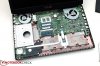
If they removed the freaking dvd drive imagine the possibilities! Takes up way too much space!
Possibilities I see : very large fans, possibly dual GTX780m, more copper heatsinks/fins, all ram slots accessible, MXM gpu, upgrade-able cpu, more solid chassis, integrate Leap Motion, ADD 5.1 SPEAKER SYSTEM!
What ideas can you guys come up with?
-
There is enough space for my Sig Sauer.
-
You should get it checked out. No laptop should make "strange metallic noise" while carrying
-
Komplett.se - ASUS G750JH 17.3" Full HD
this websitesays will be avaible 8 august and will be pain in back with 6.60 kg g750jx got 4.8 kg
G750jh -
Lol 6.6 Kilo. That would be really really heavy..
-
Sounds like Asus have stuffed a lot of copper inside the machine
-
Putting anything where the optical drive is would have a significant impact on weight and cost though.
-
G750JH
At the bottom it says:
Width 41 cm
Depth 31.8 cm
Height 5 cm
Weight 5 kg (about what I would guess)
But they also got the power supply spec wrong, so who knows. -
I asked in the official ROG forum for the G750jh release date. The answer from one Asus administrator was:
"i think it is not open sale in Global, the early is NA at end of Aug., other is over Aug. "
I hope he is wrong :-( -
This unit is DTR (Desktop replacement) and you are complaining about its weight?
-
I am not complaining, just pointing out that it is not 6.6kg but actually
5kg.
-
Hi ive got a g750jx with a Gtx765 gpu with the i7 4700 hq cpu arriving soon, I'm guessing this is the lower specced gpu, having said that will I be able to play most games at high to max settings give or take the really power hungry ones and if need be could I upgrade the gpu if I wanted? Thanks
-
the 765m can handle almost all 2012 games on ultra except sleeping dogs, metro, crysis 3 and far cry 3 which will need several tweaks to get the best playability.
the gpu is not upgradeable.. -
Thank you just what I needed to know
-
JX comes only with 770m, no?
-
Yes, JW = 765M, JX = 770M, JH = 780M.
-
Too bad the JH is still non-existant / a mystery
Asus G750 Officially Announced
Discussion in 'ASUS Gaming Notebook Forum' started by Hellzhavoc, May 16, 2013.


