 Problems? See this thread at archive.org.
Has anyone tried installing the new generic graphics driver https://downloadcenter.intel.com/Detail_Desc.aspx?agr=Y&DwnldID=22605
on the ux31a? Asus doesn't seem to have this driver yet on their website.
-
Thats for HD4000 - you need HD3000
Better update via here
Intel® Driver Update Utility
this one is the latest: 15.28.15.64.3062 -
can anyone tell me why I cant access my BIOS with the UX31A by pressing F2 at the asus logo? it just boots right into windows 8 no matter how many attempts
-
Actually, I spilled some coffee on my UX31E French keyboard, and I was forced to replace it (I speak about the keyboard: I replaced the coffee as well, but I will not bother you with that story) Quite an adventure! I ordered a UX31A French Keyboard in China for 28 $, and got in 3 days time in Brussels. I succeeded in replacing the keyboard without any problem (but had to find a philips 000 screwdriver to handle the really very small screws of the keyboard. All works well, and I gained a lot of admiration for the workers who assemble the UX31.
My keyboard works perfectly, and the connectors of both keyboards are the same. That is the good news.
The main difference between the two keyboards is that the UX31A keyboard is black and carries a light symbol on the "A" Key (The "Q" key on the french AZERTY keyboard) and a backlit symbol on the F3 and F4 keys.
The bad news is that the backlit function does not work. I suspect this is because it is dépendent from the ambient light sensor of the UX31A, and there is no such sensor on the UX31E. Or maybe it is due to the different bios (not compatible between UX31E and UX31A).
So, even if this UX31A keyboard works perfectly, you cannot get a backlit keyboard on your UX31E by simply changing the keyboard. -
I got 1.5 years out of my UX31e-DH72 and then about a week ago the drive suddenly stopped working. It is recognized in the bios if I go directly to bios via F2 at power on but if I try to load windows it sits for about 1 minute, flashes a quick blue screen, then boots back into the bios interface. When that happens, the SanDisk is not recognized on the boot page at all.
Any chance of data recovery? Is there any worth to the rest of the laptop? It's in excellent condition but I refuse to buy a "special" drive at over $350 just to see it fail again. Thank you in advance for your input.
I have already placed an order for a 15" Samsung Series 9 i7 with win 7 pro mainly because I can buy a standard mSATA drive for it.
Charlie

-
Hi everyone,
I would like to reinstall windows 7 on my UX31 with a bootable usb key, but it doesn't work. The computer boots on the key, then i have the windows option (chosing language), then I click on install, and here I get an error message saying that I need to insert a driver CD/DVD. I saw on the internet I am not the only one experiencing this problem but I didn't find any answer. Anyone knows where does it come from ?
Btw, I also have a UX32VD, and this same usb key works perfectly, I clic on install, and then I just have to choose the drive on which I want to install windows (with the options to format it, create partitions, etc.).
In advance, many thanks for your help ! -
here are the results of my new 256 sandisk:
CrystalDiskMark 3.0.2 x64 (C) 2007-2013 hiyohiyo
* MB/s = 1,000,000 byte/s [SATA/300 = 300,000,000 byte/s]
Sequential Read : 481.366 MB/s
Sequential Write : 236.325 MB/s
Random Read 512KB : 296.208 MB/s
Random Write 512KB : 386.500 MB/s
Random Read 4KB (QD=1) : 24.887 MB/s [ 6075.9 IOPS]
Random Write 4KB (QD=1) : 55.941 MB/s [ 13657.6 IOPS]
Random Read 4KB (QD=32) : 212.286 MB/s [ 51827.6 IOPS]
Random Write 4KB (QD=32) : 69.041 MB/s [ 16855.7 IOPS]
-
I think I posted on the wrong forum, so sorry but this is a duplicate post. If someone respond me here I will delete the other one.
I have an Asus Ux31e since 2 years ago. I experienced some problems at the very beginning but it was running fine in the last year and a half. Yesterday keyboard and trackpad stop responding (meanwhile the screen seems to work as normal) so I tried a hard reset (it was the only thing I can do) and I recall this happened at least 3 or 4 times before. After that the machine stop booting up. I get a message saying there is not bootable disk. I booted from an MS-DOS pendrive and run TestDisk utility, eventhought the disk (SandDisk U100 128GB) is detected I'm not able to find the partitions to recover. What I need is to know the geometry of the disc, headers, sectors, cylinders and bytes per sector. I tried 65,535, 16, 63 (CHS) with no luck. I think the disk was partitioned in two, one with some recover and the other for main storage. I had W7 64 bits and the system was never repartitioned or formated again (it was working like it come from the factory in China). Any help? Please! I'm desperated! -
Anyone has experienced same issues as me with bluetooth on this otherwise excellent laptop?
I've been updating all possible drivers related to bluetooth but still can't get a JBL Flip II external speaker working properly. I'm able to pair the laptop with the speakers; also I am able to set the Flip II as the default speaker. This makes the speaker play the sounds for 3 seconds and then it always mutes until I set the internal speakers as default. If I set the Flip II as default, it plays the sounds for another 3 seconds and mutes back.
The Flip II works perfectly with any other device, including Android and BB phones.
Any hint?
My laptop is the UX31A i7-3517U with Windows 7 Home Premium. -
Hi All
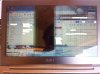
My sons machine(Zenbook UX31E) has black stripes over the screen. It started some time ago with one small stripe(a few pixels) on the left-hand side of the screen. This stripe has increased to approx 1cm and very lately it is quite large, and even in the middle of the screen as seen on the image. The machine is slightly over a year old. We have contacted ASUS and they suggested to send it in though gave no indication of costs or even if they may replace the screen for free? They mentioned to my son something along the lines that it is outside warranty.
Has anyone here come across this problem? We would appreciate any suggestions.
Thanks and happy NY
My apology, wrong sub-forum.
Can I link to this from the right forum? -
Greetings!
Unfortunately I can't give you any info on your ssd issue, but I had similar problems with touchpad. I had to reset ultrabook to factory settings multiple times because touchpad stopped working, but the effect lasted for few days - then there was another reset. I sent it for RMA at dealer center, they found out there's a problem with motherboard, so they just replaced it for a new one. No more troubles with it for a another year or so. -
Hello,
I've been the happy user of the UX31-DH52 for over a year now. Just recently, I tried to use the mini-VGA port to no avail. The mini-HDMI port works like a charm, but the mini-VGA seems faulty or I just don't know how to use the settings.
I have an external receiver hooked up to the laptop using the HDMI port to listen to music. It works fine both cloning or extending the screen to the receiver.
I'm trying to hook up the laptop to an external monitor using the mini-VGA port and the provided mini-VGA to VGA adapter. I have tried a couple of VGA cables to be sure the cables were not the issue.
Thing is, whenever I try to extend or clone the laptop to the monitor, the monitor says "no signal" for the VGA input. In the laptop display settings, I can see the external monitor, and the laptop does get the right name of the monitor so it seems to properly detect it. Sometimes, and it seems random to me, the monitor does work and I can see my laptop desktop in the monitor. Sometimes it works for hours, sometimes for a few seconds.
Could it be the miniVGA adapater? I don't think so, but you never know.
If I hook up the monitor with the mini-HDMI cable, it does work. I think the monitor is fine.
Maybe I'm doing something wrong in the laptop display settings, I really have no idea. I do have the latest drivers.
Any help at all will be appreciated.
Thanks!
Asus UX31 Ultrabook
Discussion in 'Asus' started by pear-i, May 31, 2011.


