 Problems? See this thread at archive.org.
compared to pc's 2.66 sucks.
-
Hey Everyone! I am hoping to be the brand new owner of a Studio XPS! I just spent an hour on the phone with a dell CSR and this is what I came out with:
Studio XPS 16
Intel® Core™ 2 Duo P8700 (3MB cache/2.53GHz/1066Mhz FSB)
Genuine Windows Vista® Home Premium Edition SP1, 64-bit
Obsidian Black with Leather Accent
4GB Dual Channel DDR3 SDRAM at 1067MHz (2 Dimms)
Edge-to-Edge FullHD Widescreen 16.0 inch RGBLED LCD (1920x1080) W/2.0MP
ATI Mobility RADEON® HD 3670 - 512MB
Windows Vista™ Premium
500GB SATA Hard Drive (5.4k rpm)
Adobe® Acrobat® Reader 9, Multiple Languages
BluRay Disc Combo (DVD/CD read/write + BD read) Slot Load Drive
High Definition Audio 2.0
Intel® 5300 WLAN Wireless-N (3x3) Mini Card
Microsoft® Works 9
McAfee SecurityCenter with anti-virus, anti-spyware & firewall - 36 Months
6-cell Battery
1 Year Return to Depot Service and Technical Support
Intel® Centrino™ 2
I also got a ACME Made Leather Sleeve for the XPS, an Additional 9-Cell Battery and a V220 Logitech Wireless mouse.
Laptop subtotal: $1,605
Accessory subtotal: $ 176.96
Shipping and Handling: $0.00
Total: $2,014.76 CAD (Including Tax, which was $230)
I was also wondering if you guys think it's worth it to get a 256gb SSD instead of the 500gb SATA drive. Do you think I could get a good deal on it? and is it really worth the extra money?
Also how good is this system with gaming? Would the SSD make a difference in gaming? Specifically in handling Crysis?
Thank you all for your help! -
I just got the xps 1640 today and I'm very distracted by the loud system fan. it is audible all the time even when the computer is idle. I haven't done anything intensive on my computer either. the fan starts as soon as windows loads and never stops. I know this laptop has heat issues but I checked the core temp and it is only between 38-45degrees C. I know the fan can get louder under load, this is what I would describe as idle but still, it seems way too loud. It was raining earlier and I could hear the fan over the sound of raindrops hitting my roof.
Has anyone had the same experience? Or more importantly does anyone have a way to reduce the speed of the fan slighty? Speedfan doesn't seem to support my motherboard so I can't do it there.
System:
P8600 2.4ghz
4gb ram
320GB (7,200rpm) WD HD
Thanks to anyone who replies.
JM -
I have the 500gb to me memory was worth more then speed and also i didnt want to spend an extra 200 dollars in order to get a faster boot up ect.. Gameing hmmm its awesome! the grahpic card could be better but i can play call of duty at 1024 x726 resolution without any lag. you can play at full resolution but it just become slower ect. Also when you get this computer update the Bios i just did to mine and it seems cooler then before... Crysis i have no idea just look on youtube they have several videos.
Must say the price is decent for you i got mine for 1500 and had a 2.66 proccessor with rgbled screen.. but i didn't get the blueray which i didn't need. -
If you're going to be playing games that make heavy use of a video card like Crysis, then you should cancel your order and put in for a new one using the ATi 4670 option for $100 more. -
AT LAST! Got the email today that my 1640 has shipped! WOOHOO!! It should be here Friday or Monday. Can't wait!
-
Hey guys, anyone with the 4670?? Please, some numbers and comments about the performance, please!

-
See the last part of this thread: http://forum.notebookreview.com/showthread.php?t=393493 -
can some one give me a little help with setting up an administrator account on my 1640. ( me being the Admin, and having two other users with their own logg in but no access to my personal files) Any help is appreciated.
-
Go to Control Panel>User Accounts
-
Hi I'm new to this site and was thinking to introduce myself here. I ordered the sxps 16 on 7/3 with the 2.9 ghz processor, the rgbled screen, 4670 gpu, blue ray drive, 500 gb 7200 rpm hdd, 4 gbs of ram, and the 3 yr. warranty. How long do these normally take to get here I havent rly been able to get a good idea from all the posts on this forum, and mine still says its processing when I call. Also I got this whole rig for 1820 after shipping and tax. Is that a good deal. And finally to the high heating problem, has anyone found any ways to bring down the heat of the system?
-
You are looking at 14 days before it ships and the 500 Gig drive is on back order
-
The problem with yours is going to be the HDD. From what I've been seeing the 500/7200 is on backorder and it's delaying people with them. I haven't ordered my new one with the 4670 yet, but my best friend did yesterday. I told him to call them back and cancel the order and either get the SSD or the 320/7200.
As for heating some are worse than others. Mine wasn't bad at all but you can prop up the rear of the laptop about an inch to increase air flow or just get a notebook cooler. The Zalman NC-2000 seems to be the cooler of choice for most. -
Hmmm... Ok. Thanks for the help and quick replies. Ive been researching coolers and Ive basically seen that even if they work they only change core temps by 1 or 2 degrees C. I dont rly care about the heat for me, I can take it
but if it will damage the computer in the long term. And should my computer really still be in processing 6 days after I bought it? Thank you for any help you can give me.
-
I normally don't care about systems that run warmer/hotter than normal. I thought the same way as you that I could handle/deal with the heat.
Let me know how it is and if you still don't care after about a weeks worth of use
Just pm me....
Are you using the phone status or online? If it's the phone it doesn't change from "being processed" until it ships. If online, then you need to contact Dell asap. -
I have ordered several PC's from Dell and I don't think they have ever been in processing more than 2 or 3 business days. Not sure why your's has not moved to Production. You may want to call and speak to a rep. -
Mine has been in Pre-Production for the last 36 hours! Does anybody know what that means?
-
Means that a part or 2 is back ordered . You will have your laptop in 14+ days
-
Is that true!?
-
It seems they just did the 4670 update in Mexico, but it costs 483.45 dlls!! are they nuts?? I hate how they inflate prices in foreign countries, it just makes them unaffordable! ¬¬
-
Why would I make it up ?And yes it is true .
-
sounds not a bad deal, where did u find it?
-
That's so annoying. When I called Dell they said they anticipate delivery by the 27th. Hope that date holds up.
-
Just wanted to ask,Is there any registration required to get win 7 soon as it launches?
Does dell give webcam,pdvd & facial recognizer software dvd with the lap?
Coz dvd i got with this lap are,OS,Driver,Works..
Am I missing few DVD`s here? -
Hey, posted something about fan noise a few pages back:
http://forum.notebookreview.com/showthread.php?t=345445&page=546
I am wondering if my xps 16 is defective. Can you guys let me know if your system fan runs all the time, even when idle? when it does run during idle operation is it loud enough to hear in the other side of a large and quiet room? mine is.
I can't reduce the fan speed, not even with speedfan. Any advice?
Have you guys done a clean re-install of the operating system, has that helped with system noise?
Thanks
Original Post:
--------------------------------------------------------
I just got the xps 1640 today and I'm very distracted by the loud system fan. it is audible all the time even when the computer is idle. I haven't done anything intensive on my computer either. the fan starts as soon as windows loads and never stops. I know this laptop has heat issues but I checked the core temp and it is only between 38-45degrees C. I know the fan can get louder under load, this is what I would describe as idle but still, it seems way too loud. It was raining earlier and I could hear the fan over the sound of raindrops hitting my roof.
Has anyone had the same experience? Or more importantly does anyone have a way to reduce the speed of the fan slighty? Speedfan doesn't seem to support my motherboard so I can't do it there.
System:
P8600 2.4ghz
4gb ram
320GB (7,200rpm) WD HD
Thanks to anyone who replies.
JM -
Hey, can someone tell me how to check my order's status via phone? I remember hearing that's the only way to find out what part of production it's in...
-
BTW just an update- My SXPS 16 order just went into production and the estimated delivery date changed from 6/27 to 6/22!
-
For those of you with ATi 3670 systems that want a 4670, you MAY be able to upgrade your motherboard though I don't know what the cost would be. I just pulled up the service tag information on my shipped 4670 SXPS 16 and here is the parts list (pay attention the part in bold):
Someone may want to call Dell Spare Parts and see how much they are selling the mainboard for. Give them that part number. -
Hey I posted a while ago about supposed cpu fan noise. I have now determined that the noise is actually coming from my hard drive. I have the WD 320GB 7200rpm drive (WD3200bjkt). Does anyone out there have noise problems with their hard drives? mine is an annoying constant spinning noise.
Can anyone recommend a software that will work on wd drives to make it quieter? -
my fan has like a whine to it but when it speeds up i just hear like a normal fan.
The harddrive i don't hear anything, since its a faster one it could b scratching the disc who knows. call the dell service station and get the xps number since its supposed to be better support and find out what is wrong. or google is your friend -
1)Call 800-283-2210 = this is the DPA phone number so don't get worried
2)Follow prompt #3
3)Now, select business/epp selection #2
4)Track order option #1
5)Then do it again - track order option #1
**Credit goes to Sleey0 for finding this ** Thanks Sleey0! Hope this helps.
-
Ordered my refurbished 1640 yesterday morning and it arrived today by 9:30--one great thing about a refurb.
2.53Ghz, 320GB 7200, Blu-ray ROM, RGB LED, Bluetooth
With the 4 year warranty (not complete care) it came to $1459 (after 15% off coupon)
So far, so good. Yes its warm, but frankly I would think anything with these chips in it would be. Yes the screen covers some of the vent, but there is still space there, so I'm not sure how much that matters.
As far as the RGB screen goes...damn. Absolutely gorgeous. Yes there is some red push, but will be able to tone that down easily enough. Next to my old Acer 8200, which had a crappy screen from the get go, this is simply stunning. I saw the other screen in Best Buy, and while it is nice, if you can afford this one, go for it. For instance, the flag icons underneath this reply window just jump off the page. Incredible. When you read reviews that say it's the nicest screen they've ever seen on a laptop, you can see why. Ok, I'll stop now... -
Sigh... my order finally was updated to pre-fabrication and it said it is not going to ship until 7/24... That means it will have taken 21 days to make my computer and ship it. Also I got my computer through the epp and got the 420$ discount they had there. My parents also got me another discount when they talked to a service rep. (they are buying it for me and didn't trust my decision,
)
-
Thanks! I'm in the Build stage- according to Dell "Several Chinamen are scurrying about, picking ripe processors off the processor trees and taking fresh RAM out of the oven, cobbling them together and skillfully hitting them with a big monkey wrench to form your new laptop! Soon your notebook will pass through the Gates Of the Netherworld in the Testing phase before going on to the Mystical Forest of Endless Boxes. Thank you for choosing Dell!"
-
Just checked my status. It is in the boxing stage. Looks like the 500G 7200 drives came in early. Two days ago my rep said the drives would not be in until the 13th. So, looks like good news for folks whose orders were held up do to this drive.
Next stage is shipping. Dell upgraded my shipping to next day so there's a slight chance I could receive it tomorrow.
Thanks to Bubbamel and Sleepy0 for the status info. -
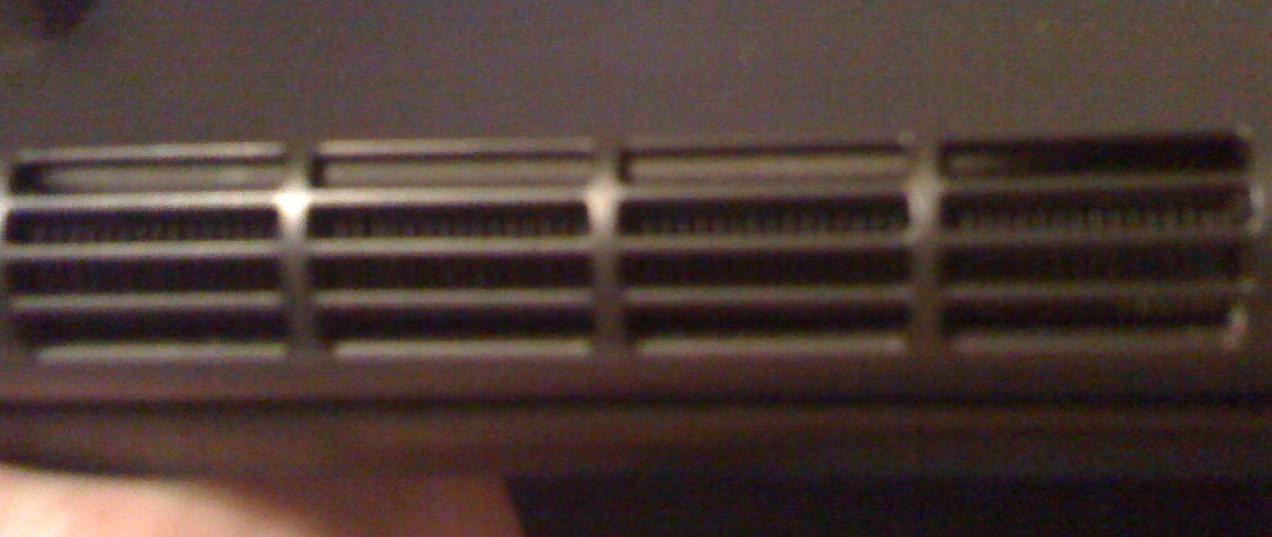
I just noticed this recently..... But there is a wire, or what appears to be a wire is ... blocking? the first row of vents. Seeing as when i play games i would imagine i would need as much vent as possible to expell the hot air. ( not to mention is does get pretty warm seeing how pro i am and all =P). I was just wondering if anyone else has the same issue. Its the first gen studio xps 16, just incase you don't know which topic you're in
ThanksAttached Files:
-
-
is it hard to change the cpu? i want to buy and add a T9600
-
i thought the cpu was soldered into the motherboard?
-
No, the CPU is socketed. The GPU is soldered.
-
It's not hard if you know what you are doing. Access to the CPU is easy, since the whole bottom of the notebook comes off in one piece.
Unscrew the heat pipe and carefully remove it. Clean off the thermal compound on the copper heatsink (I use contact cleaner, but you can use what you want). Remove the old CPU from the socket by turning the lock screw to release it. Insert the new CPU, and turn the lock screw to secure it.
Apply a dot of thermal compound (Arctic Silver 5) and repositon the heat pipe assy and secure with the screws in the numbered order on the heatpipe.
It should be fairly easy. Also, you might want to get a P9600 instead of a T9600 as they are a lower wattage CPU and would run cooler (but it has the same speed and cache as the T9600). -
Whenever I use my HDMI out the webcam turns on and can't be shut off even after I am done using and disconnect the HDMI cable? If you open webcam central it is on the IM settings and tells you to close the streaming device before you can switch to capture mode? The only thing that bothers me about it is that while I am hooked up HDMI until I reboot the webcam is on and active with the light on. Anyone else notice this? Any suggestions?
-
P9600 is 2.66ghz which isnt a big enough gain to waste £150 on so i wanna get a T9600 or T9800.
-
I paid with my bank card and notice that dell took the money out immidiately the same day i ordered... just back to day (3days later) and they put the money back?! I didnt get any notice that my order was cancled and when i check online it says production stage.
any thoughts? -
What you are seeing is a hold and not a charge and is normal
-
It was on hold for 2-3 days then the money was dumped back to my account as if never purchased.
also... Is it possible to buy a tv tuner for this laptop? maybe an external one if there's such a thing.
I would also like to buy the mini remote control for this laptop..can someone point me to the right spot? -
They will not charge you until the computer ships and you can buy an external USB HD tuner and remote for it .
-
I need some help here, the computer gets really hot at the bottom close to the mouse trackpad. I got a fan working underneath the cpu and gpu fan. I am looking for a notebook cooler. I have heard of Zalman NC2000 or the Antec with the one large fan in the middle any other suggestions? Also i would perfer to have the cooler also provide air to the Cpu area and Gpu fan since it gets a lot of heat also. Thanks
What would be nice is to have an air conditioned notebook cooler. I tried my notebook on a air conditioner vent, my temps went from 68C to 48C in a couple of minutes i was surprised but i also wasn't gaming at that point. -
Question for those of you that have switched to Windows 7: Have you had problems with the keyboard backlight constantly staying lit? Furthermore, I installed the bluetooth driver but I'm not quite sure how to access it? Lastly, is there a Windows 7 release of the IDT audio application?
-
Install quickset and control point and your problem will be fixed
-
wow on dell 1640: 25 man eoe.
![[IMG]](images/storyImages/wow2009071000113704.th.png)
![[IMG]](images/storyImages/wow2009071000095954.th.png)
===> The Official Studio XPS 1640 Owner's Thread<===
Discussion in 'Dell XPS and Studio XPS' started by Cin', Jan 23, 2009.




![[IMG]](http://img34.imageshack.us/my.php?image=wow2009071000113704.png)
![[IMG]](http://img49.imageshack.us/my.php?image=wow2009071000095954.png)