Problems? See this thread at archive.org.

 I just Don't recommend you keep putting off the "Windows Updates" as like I said, it's for your own Security & Benefit.
No, I and I would believe that many experienced users/members have Windows 10 Pro , Windows 10 Pro for Workstations or Windows 10 Enterprise.
STOP listening to all the naysayers and go with the Majority whom have in fact updated and are doing just fine.
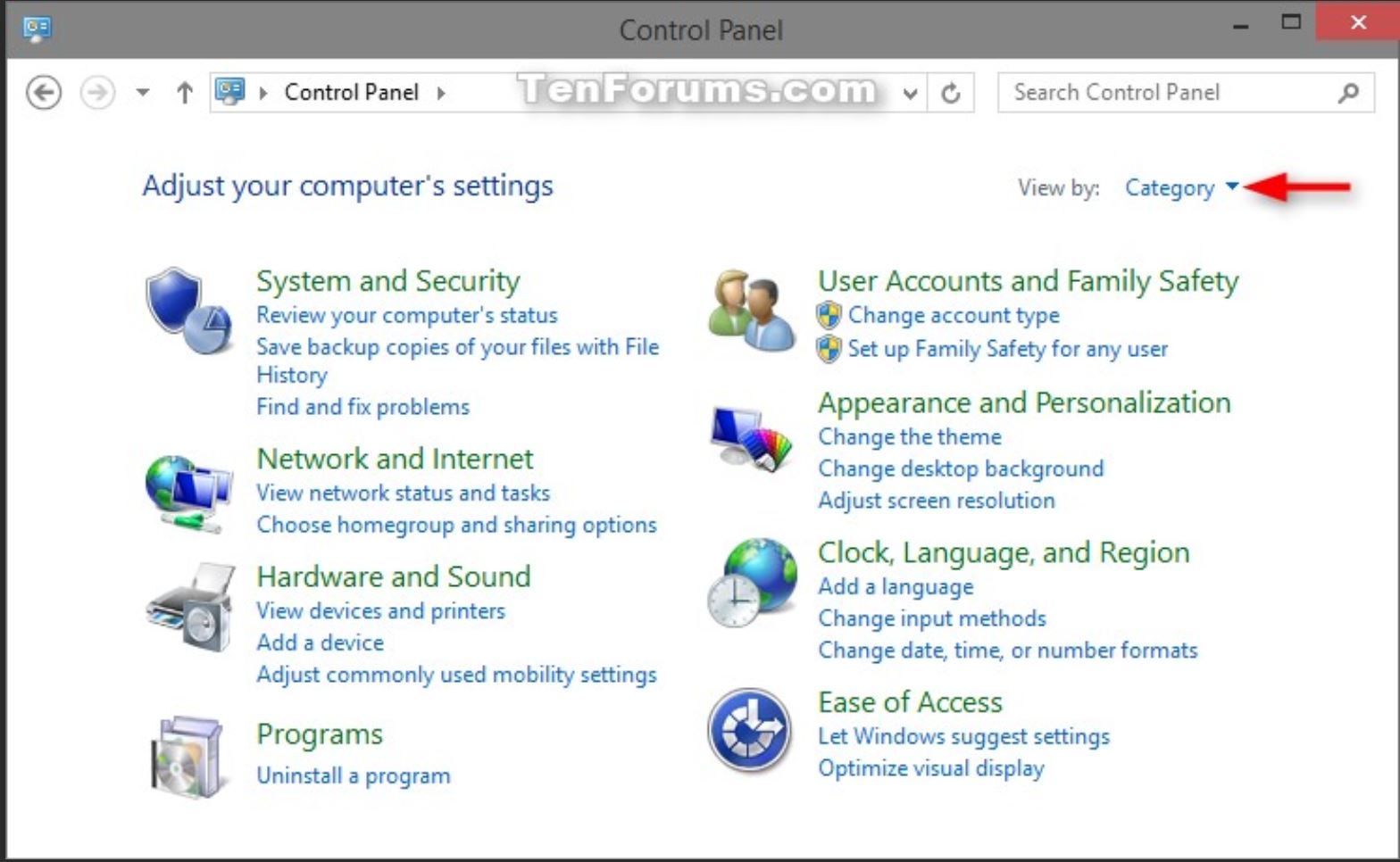
Below I have provided a link that explains how to access the Control Panel in a few different ways along with some illustration pictures of where it is.
Finally, if this is your first time accessing the Control Panel it will default in View by: to Category view so change it in the Drop-down to either Small or Large icons so you can find it and other applications you may need easier.
https://www.hongkiat.com/blog/access-windows-10-control-panel/
-
Attached Files:
Last edited: Aug 15, 2019 -
-
Hey man thanks for all that information. Im curious when did you receive the message for this update and how look did the update took?
I will do it pretty soon then. Thanks. -
You are very welcome.
I cannot truthfully say when the update notice came and frankly, it's truly irrelevant, just grab yourself a bite to eat/a break and when you return you will be all updated and more importantly Protected and Remember, Microsoft has to answer to endless customers/users with their pushed Updates. -
Hi there. One last question. Does one need to manually update their drivers and everything before this update?
I never manually updated any updates ever manually. I never done any bios update ever. Had this laptop for close to 3 years. Reason not touching bios is because i heard you can brick it.
But few times when i turn on or off laptop, i gotten message of windows updating and then showing the percentages etc and then it updates itself. So whenever i see it updating when i click shut down my laptop, i let it update, then it turns off.
Will any of this be an issue when i update it to 1903? I have last year's 1803 windows update which i did last year. Update had zero problems. But does this mean i can just go the update my usual way?
Someone in another thread says you need to update drivers and everything first. I assume my drivers and everything are already updated? Such as those times my laptop when turning off get message updating etc?
Okay i updated to window 10 1903. Seems to been good. It took over an hour or so for the whole process. I also did windows update for few other things like windows accumulator for windows 10 1903.
I'm going to be upgrading my xps 15 9550 soon with parts and going to buy some soon. Want to get the bigger battery... either 84whr or 97whr.. prefer bigger of course. I have the 56whr battery.
1. I know i will have to remove my 2.5 inch 250gb ssd and the 32gb m.2 ssd in order to put in the bigger battery. How many people here have done this themselves? Obviously buying the parts is easy as you just buy it off amazon with the m.2 ssd and 16gb ram. But can most people here do themselves? I never attempted this and always go to repair shop for them to even change my laptop battery and ram and ssd since i don't want to risk damaging my laptop. But is this process simple with removing the 2.5 inch 250gb ssd? I heard there is ribbons and some things tied to it? Or because im not tech savy and don't want to risk damage laptop, just go to repair shop for this?
2. So if i were to upgrade battery, ram and get a 500gb/1tb m.2 ssd, what is the first thing you remove from the laptop? I assume battery first? Then remove the 2.5 inch ssd? Then the 32gb m.2 battery? Then finally remove the 8gb ram? Then put in the 84whr or 97whr battery. Then install the new m.2 ssd. Then finally install the ram?
3. Do you agree i should get a 1tb ssd for future proof as oppose to 500gb? Because years ago i bought 250gb ssd because that was more than i ever though i would need. Now im running out of space etc.
4. I know there is 84wh and 97wh batteries. I heard lots of conflicting information on this. So both 84wh and 97wh batteries work for the xps 15 9550? I seen people in forums post that the 84wh works but 97wh does not and VICE VERSA. So these 84wh and 97wh are meant for the 9550? I heard some ppl bought the 97whr battery that was meant for the 9560 but it works for their 9550? The other thing is i check ebay and i see lot of the batteries say compatible with xps 15 9550 but then they say i7 processor. I have an i5-6300hq processor. Is there a chance a battery would not be compatible with my xps 15 9550 because its i5 as oppose to i7?
5. If anyone has link to people on amazon or ebay where they bought a 84wh or 97wh battery and using it for their xps 15 9550, can you post the sellers? Or from sellers on amazon or any other site? Dell does not sell it right? I do not see Dell selling these batteries for xps 15 9550 on their site. How in the world is that even possible? How do they not have batteries?
I notice that on ebay, there are lots of sellers from ebay on these batteries. But one strange thing i notice was this. Some of the sellers seem to be located in California or Texas. However, they seem to have registered in China. But it does say shipping is quick so item is located in the US. So should one be weary of these batteries? What about batteries that are sold from China or Hong Kong when you check listings on ebay? As long as their feedback is very good, no issue with that?
6. I am using my laptop already for close to 3 years. Would you say it would be good for at least that with the upgrades im doing? Even if i dont do these upgrades, is it foolish to believe this laptop would last a long time as long as it works? I know most laptops usually last for 2-3 years. I don't want to buy a new laptop. The processor is still good right? I5-6300hq and its quad core.
7. I use windows 10 pro and like it because of bitlocker. The thing was it did not come preinstalled with it. I went to repair shop years ago to have them put in my ssd and they installed windows 10 for me. They told me they upgraded to windows 10 pro for me. At the time i didn't think much about it such as well windows 10 home or pro... i didn't care. Until i used it and then using bitlocker and like it so i want windows 10 pro. What i would prefer is if i could copy my entire ssd now.. into the new m.2 ssd when i get that. I read that is called cloning. Has anyone here done this and is process very hard?
What i would like would be... have laptop opened... take out 56wh battery and 2.5 inch ssd and 32gb m.2 ssd, put in 84wh or 97wh battery. Put in 500gb or 1tb m.2 ssd. Then replace 8gb ram with 16gb. Then the moment i turn on laptop, it would look exactly like how it does now for me. Then when i click on my computer and c drive, it would show instead of 30gb free of 232gb, it would show like 760gb free of 970gb for example.
Can i do this? Do you recommend cloning? Or just start brand new? Someone mentioned that i should do a macrium backup on external hard drive. But if i do this, i would still have to install windows 10 pro again right? Then i would do the image copy of it so it would look exactly like how it does now?
Thanks.Last edited by a moderator: Aug 15, 2019 -
Can someone confirm here that when i buy a m.2 ssd, that it can be m2 NVMe? Or does it has to be m2 SATA? Does the samsung 970evo nvme pcie m.2 2280 ssd compatible?
-
NVMe is compatible.
-
Thanks.
Can someone tell me if what im going to do which is buy all those parts going to be fine?
I want to make sure when i buy a m.2 ssd that is 500gb or 1tb and the 84whr or 97wh battery that this is all compatible.
Has anyone here bought a replacement battery for their xps 15 9550 recently and can tell me where you bought the battery? I checked amazon and some sellers sell the 84wh one for like under 65 dollars only. I saw some 97wh that is over 100 dollars but can others confirm the 97wh battery works with the xps 15 9550?
Also, so dell still does not sell replacement batteries for the xps 15 9550?
How is that even possible then?Last edited by a moderator: Aug 22, 2019 -
https://www.dell.com/support/home/u...p&oscode=wb64a&productcode=xps-15-9550-laptop
Dell XPS 15 9550 System BIOS
This package contains the Dell system BIOS update. BIOS is a firmware that is embedded on a small memory chip on the system board. It controls the keyboard, monitor, disk drives, and other devices.
Fixes & Enhancements
Fixes:
- Fixed the issue where the system stops responding when an incorrectly formatted password is entered at the BIOS Security Manager (BIOS pre-boot password) prompt.
Enhancements:
- Enhanced Windows SMM Security Mitigation Table (WSMT) for Windows 10 Creators Update.
- Added TPM PPI Bypass for Clear Command support.
- Added BIOS Password Feature: Master Password Lockout.
Version
Version 1.9.0, 1.9.0
Category
BIOS
Release date
23 Aug 2019
Last Updated
23 Aug 2019
Importance
Urgent -
This is strange, I have already the Same BIOS Version, with a Date November 23rd 2018 in my Personal Bios Archive. Even if that Version is Not Listed in their History of old versions.
Version 1.11.2 came out Aug. 12th 2019 and now Version 1.9.0 ? Do I missed something in Dell‘s Bios Version numbering ?
Last edited: Aug 23, 2019 -
1.9.0 is in fact the same version that was released last year. Who knows why Dell does this, but they are known to change the release date of older versions from time to time. (I googled one of the checksum values, and saw that Google indexed the page in October 2018. This means nothing changed with the download since the checksum didn't change.) If you check the checksum of the file you have, it'll likely be the same as the one posted on the download page.
-
I definitely agree yet I still re-flashed anyway as I was getting strange things happening to my unit since going to 1.11.2 and so far since the unit is once again running great.
DELL also strangely has this so-called new version BIOS listed as 1.9.0, 1.9.0 so who knows. -
My XPS 15 died earlier this week. It does not power up anymore.
When I press the power bottom it lights up, keyboard lights up, but no Dell logo shows up. After 75 sec. the notebook switches off.
When I try to start with the “Fn” key pressed (to call up the ePSA test), the fans turn on but no message shows up, the device powers off.
When I start with the “d” key pressed, the color test starts (red, green, blue and white) and the device powers down after a few test circles.
Trying to start the BIOS recovery (ESC + Ctrl key pressed and plug in the AC adapter to the laptop) powers the laptop on, but the screen remains dark and the battery led bling 3 x white and 3 x orange (no recovery BIOS found).
I also tried this method http://forum.notebookreview.com/thr...-rom-hdr-extract-reflash-black-screen.810845/ ,without any success.
Dell Germany says the mainboard needs to be replaced. Since my notebook is three years old and out of warranty it would not make sense to me because dell is charging more than € 1.000,-- for a motherboard.
Any hints from the community?
Thanks,
Changpressing likes this. -
Did you follow the information in the last post?
"Download the desired bios update executable from dell. should be XPS9***.exe or something.
Rename it BIOS_IMG.rcv
format a usb drive as FAT (not fat32 though that may work)
place the .rcv file in the drive, plug the drive into the left port of the laptop."
And then attempt to recover the bios? -
What is your units configuration as I have seen motherboards on eBay at all different prices depending on the configuration?
Did you do a BIOS update recently as the newest version released has given some owners either a bricked machine or problems?
Shooting Darts here:
Have you tried removing both batteries (CMOS & internal) and reinstalling them?
Try removing the memory modules and then try booting up and see if the motherboard throws an error message back of no found memory.Last edited: Aug 24, 2019 -
Has anyone here bought a dell xps 15 9550 replacement battery within say the last 2 years? I bought one about 1.5 years ago on ebay from a reputable seller and i have been using it for 1.5 years but battery seems to wear a bit. This was the 56wh battery though. I want to get the 84wh or 97wh. Can others confirm here both of these batteries work or its only the 84wh?
When i turn on my laptop, it seems its only 90% charged even though my laptop is plugged in 100% almost always. So right now it shows 100% charged. But say i turn off laptop. Then later next day turn it on, it would show like 90% charging regardless if i have it plugged in before i turn my laptop on or just it on while not plugged in then wait few minutes before plugging it in.
I went to the dell forum site and lot of ppl seem to mention dell does not sell replacement batteries for the xps series? So that means they don't sell replacement batteries for the 9550, 9560? Even the 9570? If so, that makes zero sense because a laptop battery last usually between 1 to 2 years right? So dell expects that once the battery is no good say you get only 10 minute battery, you get a new dell computer or something? If so that is ridiculous. My xps 15 9550 is fine except i want to get a bigger battery and also need to get a big m.2 ssd now in place of the 2.5 inch samsung ssd i have.
Can someone post link of sellers of the xps 15 9550 battery for 84wh or 97wh that are legit as in good batteries? I checked amazon and some have good reviews but many reviews were batteries does not work or only short time before it doesn't work. So none of these replacement batteries for the xps 15 9550 are genuine? I read on dell forum someone said no replacement batteries for xps are genuine unless bought directly from dell. Is that true or false? The one i got a while back the 56wh one seemed pretty legit to me.
I seen lot of these batteries on ebay as well and the ppl that sell it at higher price like 100 dollars or more... those are probably legit if they have great to perfect feedback? I saw some sellers that sell the xps 15 9550 84wh battery for like 70 dollars... so that you should stay away?
The other thing is lot of sellers on ebay or amazon seem to be from China. Well they seem to be registered in China but their location is in California or New York. So those come from China then right? But has anyone bought a battery from a seller from China and it works fine? A concern of mine would be that battery could potentially damage the laptop? Is there much risk for that?
Of course i rather buy the legit official battery replacement but dells does not seem to sell it? -
Yes, I tried this without sucess.
It is a 9550 core i7 processor.
Yes, I have updated to BIOS version 1.11.2 about 10 days ago because I had the issue with the disappearing TPM module in the BIOS (I claimed this problem a year ago and Dell Germany did not know anything regarding this problem)
Since I do not have the necessary tools at the moment to remove the mainboard, I could not disconnect the cmos battery.
As far as I have researched the internet, the BIOS chip (UT 2) and the Intel management chip (UH 8) might be defect and need to be replaced.
Currently I am enjoying a holiday on Bali and return to Thailand end of September. I contacted a repair center in Bangkok and hope that they are able to help me. If not, I would buy the new acer swift 5, so I could use my SSD drive from the Dell XPS.
Thanks for your kind help folks!SDeP58 likes this. -
Anytime.
Below is the Best price I found on a used motherboard with the i7 configuration on ebay, yet I would definitely before you do ANYTHING get your hands on a T5 Torx and Philips screwdrivers and remove the Ram and see if you get an error message in regards to such, as this will definitely give you a great indication if the motherboard is recognizing anything.
All the Best.
https://www.ebay.com/itm/OEM-DELL-X...OQAAOSwZbRdVEe6:sc:USPSFirstClass!32162!US!-1Chang_loo likes this. -
Thank you SDeP58,
I will follow your recommendation and check my mainboard without RAM modules before I buy a used mainboard for > $ 400,--. This can properly be done when I am back homw.SDeP58 likes this. -
I recently contacted Dell to ask them what the HAY are they doing sending the 9550 owners an Urgent Driver update email containing the earlier BIOS version 1.9.0 with an in fact current release date and I was told after a so-called hold & investigation that it was definitely a mistake, they will fix the error ASAP and they thanked me for alerting them of such.
Well, even though we all make Misteaks...I mean Mistakes I still told them that they well know that randomly flashing the BIOS definitely comes with some risks and that they should now do the right thing and make good of all the 9550 owners that Heeded to their "Urgent Driver update" email and re-flashed their BIOS back from the current 1.11.2 and now have encountered unit failures and other issues and my expected response was, Complete Silence.
At any rate, I don't feel anyone that unfortunately encountered an issue with this new released 1.11.2 BIOS update, who is out of the service period with no extended warranty, has anything to lose by contacting them and referencing the aforementioned as this is something that they are now definitely aware of and hopefully they will do the right thing and honor a rightful repair.
Best of Luck, -
Frankly speaking, my XPS 15 was running well for a few days after the update to BIOS version 1.11.2. I do not have any hints that flashing this BIOS version bricked my device.
SDeP58 likes this. -
Unfortunately, it has been Dell's practice to do the same thing, not only with the BIOS, but also with other drivers.
When I see a supposedly new driver on Dell's site, I've gotten into the habit of checking the file in which I keep all driver downloads to see if, regardless of a new date, it is a driver that I've already installed.SDeP58 likes this. -
Can anyone answer this? I read in dell forums that people talk about replacement batteries for the 9550 and it seem dell does not sell them anymore? The same with the 9560 and 9570?
How is that even possible then? Thats like imagine you bought an iphone 7 and when the 8 comes out etc, you need replacement battery for your iphone and they say we don't make iphone batteries anymore for iphone 7. -
I don't think I've ever been able to buy a replacement battery for my 9550 from dell. I bought one from eBay years ago.
Sent from my ONEPLUS A6013 using Tapatalk -
Drew1,
You might at times possibly feel that no one in this great venue is responding to your question(s) yet you must truthfully realize that your same questions cannot be answered over & over & over again and if you do some due diligence throughout the forums here I'm pretty certain that you will not only find your answers yet you will in fact see that this claim is greatly justified.
Finally, Dell cannot sell what they no longer make or have manufactured and a basic search will show you this. They ran into a BIG issue with a lot of the internal batteries swelling up through the touch-pad and they honored a replacement only until a certain date, if you in fact had a battery with the problem serial number(s) they provided. If your unit is out of warranty and you insist on getting a replacement battery through Dell, which many people in this scenario go the eBay and outside sources route, they can only supply you with a re-manufactured one, which they use under extended warranty repairs. Yes you and many others don't like this yet "It Is What It Is."Chang_loo likes this. -
http://forum.notebookreview.com/threads/xps-15-9560-battery-replacement-quirk.828403/
My 9550 came with the 84Whr battery and I upgraded to a 97Whr around 12 months ago. I'm in Australia and I went through Dell Support. Dell required a Service Tag of the model of XPS battery I was wanting, as this is the only way they can obtain a part number on their ordering system (you cannot just give them a part number and ask them to order it for you). I gave them my friends 9560 Service Tag and they had no issues ordering me a 97Whr battery with a full 12 month Dell warranty.
Prior to this I ordered a "Genuine OEM" 97Whr battery on eBay and it was full of issues. After doing research I discovered that a very large majority, if not all "OEM" batteries sold on eBay/Amazon etc are in fact knockoffs, even though they look identical to genuine with the Dell logo and stickers. Saying this, the only way to get a genuine replacement battery that has passed QC is directly through Dell.
Read here: http://forum.notebookreview.com/threads/xps-15-9560-battery-replacement-quirk.828403/ -
Well that means they are expecting us to get a new computer every year or 2 years since a laptop battery doesn't last for more than 2 years at the absolute max?
Yes i know about that internal battery issue swelling. I did not have this issue with my 56wh battery. I called dell years ago about this when i needed a replacement battery because my battery worn out and wanted to buy one online and asked if i was eligible, gave them serial number and they said it wasn't eligible... i had no battery swelling at all though so called to see if i could get replacement for free. I asked them i wanted to buy a replacement battery, they told me either they didn't have any or it was refurbished... obviously im not getting a refurbished battery.
Well do many ppl here still use the 9550, 9560 and 9570 then? But more so the 9550 and 9560 since these are at least 2-3 years old now? So basically they keep buying replacement batteries every 1.5 to 2 years on ebay then if they want to continue using their 9550 or 9560? I do not want to get a new laptop as i like my xps 15 9550, but i would want to upgrade my battery from 56wh to 97wh and upgrade my 2.5 inch ssd to a bigger m.2 ssd and also the ram. So if you plan to use the 9550 or 9560 for many more years, getting the fake battery on ebay is pretty much the only way? The battery i got as replacement was bought through ebay and seller had good feedback, battery been working okay but as usual its wearing out a bit.
What do you plan to do once your 97wh battery wears out and you need to get a new one? You have to get one on ebay right since dell does not sell it anymore?
What kind of issues did the geniune oem 97whr battery on ebay had?
Well if can't get the real thing from dell, isn't the fake batteries on ebay the only option on ebay though?Last edited by a moderator: Aug 31, 2019 -
A few months ago, I bought a 97 w battery for my XPS 15 9560 from a 3rd party seller on Walmart.com
https://www.walmart.com/ip/New-Genu...510-11-4V-97Wh-Battery-GPM03-0GPM03/228395044
It was advertised as a genuine Dell battery, and the seller has excellent feedback. I believe that the battery is, in fact, a genuine Dell battery, but, if it isn't, the BIOS recognizes it as a genuine Dell battery, and there have been no issues whatever with it. It certainly wasn't cheap, but it was one of the few on-line sources for which I felt confident that I would be getting a battery that was actually a Dell battery. -
I will contact Dell Australia and see what they have to say about this
I'm sorry to say but that is a knockoff battery. They are either batteries that have failed QC or don't have original internal components. They usually have lower than designed capacities. For example, a 97Whr battery should show as 97,000mWh as a minimum. I've have a knockoff showing 80,000mWh; my genuine shows 97,003mWh. I've also had a knockoff show 98,000mWh but after a few weeks of usage the Full Charge Capacity dropped down to under 80,000mWh which is a wear level of nearly 20%. For reference, my genuine 97Whr has a Designed Capacity of 97,003mWh and after 12 months has a Full Charge Capacity of 92,545mWh which is a wear level of <5%.
Download and Install CPUID to view battery capacities and wear levels and report back pressing likes this.
 -
Mine is showing showing a wear level of 5% (after about 4 months of use).
I suppose I'm okay with that as long as I'm not getting error messages saying that it is not a genuine Dell battery or that the battery is not charging, but, if I really wanted a a true genuine Dell battery, are there any sources where they are available? NewEgg sells what they say are genuine Dell batteries, but their price for them is almost $200. Are those likely also not to really be genuine Dell batteries? -
For both you & Drew1,
The following US eBay seller is basically swearing their batteries are 100% Genuine and they're giving the customer a full 1 year warranty to back it.
https://www.ebay.com/itm/OEM-84Wh-1...nAAAOSwRJpdNmpn:sc:USPSFirstClass!32162!US!-1 -
Erhm? Says Based in China and feedback includes a few claims of fakes. Mind mailing a battery back to China may be an issue...
-
eBay will stand behind such claims as the sellers listing & item Description specifically reads "Type: 100% product! NOT replacement , not generic, not look-alike, not a cloning"
Honestly with reviews, they can be generated by competitors or disgruntled customers that just never gives the sellers a fair chance to make it right and for whatever it's worth, if I was in the market for a genuine replacement battery for my 9550 I wouldn't hesitate one bit to buy one from this seller and their promised/documented 1 year warranty.
Plus it's a USA Seller backing this battery so you wouldn't be mailing it to China for any warranty issue.
Come On Now, here's a power seller with a 99% positive feedback do you honestly want better?
IMHO - Anyone who truly needs one and doesn't give this seller a chance is just wasting their's & others time, picking at straws and probably will never buy one no matter who's selling it.Last edited: Sep 2, 2019 -
Nothing personal The price $53.99 seems to good for a genuine. I just clicked on Seller information, and it says "Based in China, lol-electronic has been an eBay member since May 06, 2015". Then clicked on the negative and neutral feedback, and there are a few complaints mentioning fake, counterfeit, knock-off. Mind fakes are often difficult to spot because the most effort goes into replicating the labels. 99% Positive feedback is quite good though, but one should check how many laptop batteries are included.
-
What's the design capacity?
Knockoff.
Same goes for iPhone batteries. You can find a huge marketplace for "OEM" and "Original" iPhone batteries online but all of them are knockoffs that haven't passed QC. The only way to get a genuine and QC passed iPhone battery is directly from Apple. Apple don't sell their genuine batteries to 3rd-party resellers, and neither does Dell. -
The designed capacity is 97003 mWh
So, if Dell is not inclined to sell replacement batteries for its own computers to the owners of those computers and if they don't sell genuine Dell batteries to 3rd part sellers, unless I'm missing something, that would seem to indicate that the only choice we have when we need to replace our batteries is to buy a knock-off battery and hope it works okay. Is that correct?Last edited: Sep 3, 2019 -
None taken.
I never used nor use the battery in my 9550 as my unit is strictly a desktop replacement and I was merely trying to help all the owners that need one.
The seller being based in China would definitely constitute a reported claim to eBay as the seller is specifically documenting that the item in coming from Farmingdale, NY and that they're a US seller.
I wonder if newegg is full of garbage with their documented claim as well?
https://www.newegg.com/p/16J-001J-00902Last edited: Sep 3, 2019 -
When I bought a replacement battery for my XPS 15 9560 a few months ago, I also checked NewEgg. I see that they have 2 different GPM03 batteries for the XPS 15 9560. One of them is priced at $172.99 and its warranty information says "1 year limited warranty". The price of the other is $199.71, and the warranty information for it is a link to Dell's website. That second one sounds like it would be more likely to be an actual Dell battery, but, from the posts here, I'm not confident that it is.
-
Has anybody tried on this Intel video driver, seems new?
https://www.dell.com/support/home/u...9&oscode=wt64a&productcode=xps-15-9550-laptop
Fixes & Enhancements
- Driver update to address the Intel security advisory INTEL-SA-00189.
Version 26.20.100.6951, A13
Release date 04 Sep 2019 Last Updated 04 Sep 2019 -
Hi guys ... I was looking to upgrade my XPS 9550's 1TB SSD to something that's 2TB or more ...
Any recommendations on what works and performs well with the XPS 9550 ? -
Samsung SSD 970 EVO Plus should work: https://www.samsung.com/semiconductor/minisite/ssd/product/consumer/970evoplus/
-
So some people here all seem to mention the battery replacements bought from 3rd party whether walmart, ebay new egg are fake etc. Like someone else ask, if dell doesn't sell the battery what option do we have?
Now the big question i have is this... do using these fake batteries risk damaging your laptop and cause harm? I mean it showing a message that says not geniune battery or battery not detected isn't that bad etc. But can it break your laptop or destroy it? The 56wh replacement battery i bought around 1.5 years ago seems to work fine except it has worn out quite a bit.
On amazon, i saw lot of reviews of sellers of the 9550 and 9560 batteries saying they did that battery test and it showed like 91000 capacity as oppose to 97000. But that isn't a big issue right? I mean what option do we have then since you can't get it from dell?
Also want to ask another question.
https://www.dell.com/en-us/work/shop/accessories/apd/451-bbkv
I bought one of these for my laptop a while back and use it as backup power for my laptop. I want to get another one of these and notice that on sites like ebay, people sell them either new, open box or used and the price is much less than on dell.
Last time when i bought it off dell site, there was a sale. I should have bought 2 but i didn't.
There is no risk of a dell powerbank like this infecting a laptop with malware/virus or keylogger right since you can only plug it into the laptop via power cord? There are however usb ports though if say you want to charge a phone or other things like that. But that is possible for someone to put malware/keylogger/virus on it?
I heard that if you use a powerbank that has a usb-c cable like the one below, then all bets are off right as if someone sold a used or tampered powerbank like the one below, you can get your computer with virus/malware... is that correct?
https://www.dell.com/en-us/work/shop/accessories/apd/451-bcev
So would you recommend to not worry about these things, just pay more and get it new? I always buy electronics pretty much new. But i dont want to risk buying something that could possibly be tampered which is why i pretty much always buy from sites like amazon or dell when it comes to electronics. I assume for the first powerbank, if you only use it to connect to your laptop, then its 100% safe? But if you use the usb ports, well its not if someone who sold it or someone who had it before and sold it could do something with the usb ports? I read in an article you should never borrow a usb cable from others because its possible that person could be giving you a cable with malware etc.
But would someone installing malware into something like this be tough or easy? Would the costs be worth it? How much money would it cost to tamper something like this and how long would it take for them to do that? For example, if its being sold to someone with very important things on their computer, well i could see someone like a hacker doing everything to put malware on it.Last edited by a moderator: Sep 9, 2019 -
I have the TB16 dock with 180W AC adapter. The Dell website indicates 240W needed to use this dock with an xps 15 9550. However, with my 180W I see 130W Thunderbolt charging (maximum possible rate) and all seems well. Any reason for me to get a 240W AC adapter? Dock updated to latest firmware and newest drivers loaded.
Sent from my SM-G975U1 using Tapatalk -
The 180W adapter should be sufficient if you are only using the dock to power the XPS 9550. You essentially have at least 50W left over, which is more than enough for the USB ports on the dock. The 240W adapter would be more for those that want to power an external monitor with the thunderbolt port (using a single cable for power and data).Last edited: Sep 11, 2019
-
Hey guys, I just did a battery report check. Earlier i was using it without it connected to ac adapter while having it connected to my 2 external monitors and after about 30 minutes or so, it showed i only had like 35 minute remaining or 50 percent. But then within a few minutes, it automatically shut off. I then clicked power to turn it back on and it did like it went to sleep and it showed 7% battery only and take 2 hour to fully charge.
Also everytime i turn on my laptop and say its not plugged into ac when i turn it on... everything i plug it into ac, it always shows like 18 minute to fully charge or 88 or 92% charging. That means i need a new battery right? I had this battery replacement bought from ebay close to 1.5 years ago.
I remember about 1.5 year ago, my original laptop battery was so bad... the laptop turned off within 10 minutes when not charged to outlet. So that sounds about right for a laptop battery replacement right? Thus anywhere from 1 - 2 years? Remember i have it on all day plugged in from morning till night basically everyday.
Installed batteries
Information about each currently installed battery
BATTERY 1
NAME DELL 62MJV
MANUFACTURER LGC-LGC4.86
SERIAL NUMBER 42074
CHEMISTRY LION
DESIGN CAPACITY 55,997 mWh
FULL CHARGE CAPACITY 17,818 mWh
CYCLE COUNT -
Does this mean my battery is like 1/3rd drained? Do you need me to copy the recent usage and usage history and battery capacity history etc?
Okay so i looked at my ebay history. I bought a 56wh battery replacement about 1.5 years and paid close to 100 dollars for it. The reason was b/c seller had perfect feedback and said the battery are official battery while other sellers were selling it for 70 dollars and less. So are you saying this battery was no way authentic dell? I recalled i paid a lot for it on ebay compared to other ebay sellers. This guy had 100 percent feedback and still does.
I just took a look at ebay again for 84wh and 97wh batteries. I saw a few sellers where their feedback are like 99.5% and up and they sell batteries. I see they sold like 50 plus already. So would it be safe to say that is a good buy then?
Also what i notice was the 84wh battery cost like 70 dollars... but the 97wh battery cost like 100 dollars or more. In terms of price, is it better value wise and price wise to get the 84wh as oppose to the 97wh since its about 30 dollars less and the 97wh is like 15% last longer only?Last edited by a moderator: Sep 11, 2019 -
Just in case someone of you has already a WIFI 6 Router and therefore need a wifi Card Upgrade.
The Intel Wi-Fi 6 AX200 works pretty well on the 9550
![[IMG]](images/storyImages/69e0d44c49b6324b7b0c360e66e9b74f.jpg)
-
Can someone here give me their thoughts on this? I will be buying a new laptop battery soon as i think it i don't, it will soon have zero charge right? -
At 1000+ posts we move from student to teacher. And develop pretty good working knowledge of the XPS and the search functions here.
-
I wish i could say that. But i'm still not that tech savy from all the years here.
I also never ever opened a laptop inside myself and had to go to computer shop and pay to do this.pressing likes this. -
Also i have no tools as well. Do you need multiple screwdrivers to open this laptop up? Because i will have to buy all these things as well if i want to do this. But im assuming its going to cost at least 50 dollars if i go to repair shop to have ram replaced, battery replace and the 2.5 inch ssd removed and replace the m.2 ssd with another bigger m.2 so that would cost at least 150 dollars. But im concerned since i never did something like this and don't want to risk doing damage to my laptop.
-
It‘s a trade off between spending Money at Computer store for a Professional replacement and the risk of doing it the wrong way (or Lack of Skills). You will find a lot of well documented YouTube Tutorials for replacing anything on a XPS 15, if you like to see and learn.
You'll need a small Phillips screwdriver and a T5 Torx driver as well. Not expensive at all and a Must have anyway.
The decision is up to you
Dell XPS 15 (Skylake) 9550 Owner's Lounge
Discussion in 'Dell XPS and Studio XPS' started by T2050, Oct 30, 2015.