 Problems? See this thread at archive.org.
I was thinking of using the XPS allways overclocked to have fans at 100%, and even also buy a cooler.
With this, temperatures are really good, so what is the CPU frecuency and GPUs frecuency you think are good to play games sometimes (like Crysis)?
I had seen in this forum the X9000 at 3,8!! and I am very surprised, i allways have mine at 2,8 Ghz
-
-
Well I get a really good boost in Crysis with running the GPU´s at 640/1600/950.
-
CPU overclocked @ 3.8 GHz and indeed GPU @ 640/1600/950 is a real nice setting for running benchmarks (see my sig), but also for smooth gameplay.
Some X9000 owners can even reach 4.0 GHz stable! -
Where is the auction as I would like to see what happens
Cheers -
There were green lines and dots, due to a misfitted cable connecting my external monitor, I figured it out later on when fiddling back there
-
Hey guys, you all know my XPS had gpus replaced a while ago along with another motherboard, speakers, bluetooth card and the DVD drive.
So far it's doing great, I've finished (again) TimeShift, Crysis and Crysis Warnead and no issues. I've been so busy with college that I didn't followed this forum for a while so maybe I missed some things.
So, I understand that there is a possiblity of overlocking non-extreme cpus too? With ThrottleStop I can only get one more multiplier so an advantage of 200MHz. That's it?
Newer GPUs (maybe one of them I just got) are not that prone to failure than previously made?
And my last question, what drivers are you guys using? And what OS? Thanks. -
With the Dual IDA trick you can just run both cores in turbo mode. Only the Extreme CPU's have an unlocked multiplier.
-
So that turbo mode you're talking about is 2.7GHz/core for a T9300?
-
Yes. You can only increase 200MHz.
In my D830 my T9500 is running @ 2.8GHz.
Intel designed this feature to let one core run in turbo mode, when needed, while the other core is idle.
With TrottleStop you can let both cores run in turbo mode at the same time.
This is a simple explanation from what I understand about this. unclewebb can explain this a lot better. -
My X9000 is running at 4GGH with no issues. However anything above will crash very quickly
-
What VID voltage settings did You use to run @ 4.0GHz?
Did you also stress test it with Prime95? -
thought i'd mention i have a K650M for sale in the marketplace...
-
Hello hello,
I'm back from holliday, had a great time
now it's working time again ...
-
Welcome back Psyloid.
My holiday will start this coming saturday.
I take a laptop with me so I can stay in touch.
I never leave home without it.
-
It's better to go without Laptop, you enjoy it more
-
Dropping in to say hello... Hope all is well with you old timers. Believe it or not, there are times I miss 'The Beast'. I was checking out Craigslist the other day and saw one. Was very tempted to pick it up.
-
BatBoy, was guessing ya missed it, Lol.... if give in to temptation get one with x9000 so can have fun deciding what Ghz to run on with ThrottleStop
best can do so far 3dmk06 @ 4.0Ghz ,1.4250v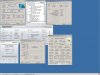
-
I can approve to that!
BTW, awesome score you got hikkoo.
Are you not afraid with 656/1640/1010 clocks? You've got a perfect GPU card, so be careful with it.
I think I need to find another X9000. I'm too much limited by this one.
A new K650M GPU would also help a lot.
-
Nah, I would feel like a sailor without a ship.
Besides, I'll have some quiet moments in the evening for sitting behind my laptop. Much better than sitting with the wife watching the sunset drinking some wine.
-
Not much then!
-
Know the feeling. I always take mine away with me (laptop that is not the wife ) and my internet dongle
-
Sold it yesterday for 31 including shipping. Not much but it's better than nothing.
-
nahhh... not afraid actually there a bit low to my liking, dont think there perfect lol..no such thing when it comes to PC's
but consider J951N rare as hell so better be carful an ration benchies to 2 a week
-
hikkoo I have pushed my GPU´s to Core 700, however that user that pushed them to 790 on the Core those could never be stable. Even at an overvoltage of 0.1 volts the GPU´s is not too stable with a core of 700, shaders 1700 and Mem 1000.
-
I think otherwise, but i'll do more with my wife than drinking wine and watching sunsets
-
Guess it`s time for a new fan cleanup, my system got dusty again.
Happy happy joy joy
-
did you overvolt or are those clocks on standard voltages?
yours I mean, not the 700/1700 ones
-
just spoke to Martin, the author of HWiNFO32, he told me he's working on displaying NVIDIA card voltages.. might interest you guys...
-
I did overvolt eleron.
-
Hey guys about to purchase a m1730 on ebay $1050aus
specs are
2.8GHz Core 2 Extreme X7900
4Gb Ram
8700 SLI Graphics Cards
400gb HDD 2x 200gb
it has 6months prem warranty left with 24/7 tech support. i can also extend warranty 1 year for $350. i know the graphics cards are not the best compared to the 8800gtx but it has a extreme processor and warranty.
If i extend the warranty and the unit does die at some point whats the chance of having it replaced with a Alienware m17x in australia? -
chance is good. have you been HERE some where replaced with m17x even a dell tech came on interesting what he says
Magnus im guessing if you had fans switched on full blast max continous speed like me Bios @ 3.2 or 3.4 might handle(thing is noise is out of this world, cant get that high noise on 2.8ghz, im certian on 2.8 fans behave similar to yours. when gaming dont notice @ 3.2 unless ya play with no volume lol...that would be crazy )
just never know could handle 700 core just figuring the right amount of voltage needs for to happen without overdoing it the key.
thats cool as... been searching for somthing to test gpu volts to compare with nibitor ,no success. tried rivatuner too intensive gives me list 4 different volts.... mfractal hope its going to measure both gpu's individual idle volt an load volts would be aweeeesome!
-
The new Beta has been released a hour ago. Currently it's in experimental stage and needs to be tested, expecting feedback...
-
Just wanted to warn you about the X7900 CPU. As you can see, I have this exact CPU. The problem with it is that it runs hotter than X9000. Also requires more power than X7900. I had problems keeping it stable @ 3.4Ghz since day one. Now after over 2 years it is basically impossible to keep it stable @ 3.4Ghz. What happens is the temperature is going up to 84 C, and CPU starts to throttle.
Don't get me wrong, it works just fine, and is as stable as it gets @ 2,8 - 3,2GHz. However, if you were expecting to OC it to clocks higher than that, better look for X9000. -
Wow. Ok.
What are the ambient temps there, and what are your system temps? I mean, you already have the CPU Oced, and the GPU is Overvolted and heavily OCed...
Also, in the eventuality of a failure, you have to reflash the gpu to their original voltages, right ?
Non OCed, my GPUs hit 80C, not more, cause I cleaned the fans, but man, it`s over 30C here... -
hikoo, yes if I could run the fans on full blast I would definitely run my GPU´s to Core 700, Shaders 1750 and Memory 1000 MHz
Actually I even managed to run the Shaders to 1800 MHz
Eleron now I don´t have my GPU´s overvolted anymore. That overclock 640/1600/950 is on the standard voltage Runs no hotter than I had the overclock to 625/1550/950
-
Thanks for your replies. i have just purchased it and also bidding on some 8800gtx cards. Can waiting until i recieve it
it has had it MB, GRX & Ram replace already so hopefully if something goes wrong i can get it replaced one day hehe.
-
Magnus, thanks for info
latest hwinfo32beta can read me gpu voltages .085v an 1v for xp32
but didnt work on Vista64.....yet. -
No hotter, as in max 85C?
After the fan cleanup, my max nonOCed is 80C.
Don`t really feel the need for more, I rarely game nowadays.
Once SC2 comes out though, things will change
-
To overclock X9000 with ThrottleStop, 2 questions:
1- Do you oveclock processor in BIOS to 3,2 and then in windows by ThorttleStop? or just in windows?
In case, you just overclock it in windows, do you change fan behaviour in any way to keep processor cold?
2- What is the maximum woltage recomended? Can you tell me what voltage are you using and at what speed? -
3.2 or 3.4GHz, it's entirely your choice; the fans run at rull RPMs when the X9000 is OC'ed to 3.2 - 3.4GHz. Setting to stock 2.8 and 3.0GHz the fans will run at normal RPM speed.
Recommended to run between 3.2 or 3.4GHz for maximum cooling efficiency due to the fans at full RPM.
And no, you cannot change the fan behavior; its BIOS controlled.
Voltage wise, between the range of 1.0625v, 2.8GHz minimum to 1.450v recommended. Not recommended to run at 4.0GHz, 1.5v max. 3.8GHz, 1.450v. 3.4Ghz, 1.2625v stable. Entirely processor dependent; not all X9000s are the same. -
Hey guys recently my system was working perfectly fine, then i upgraded it to windows 7 ultimate x64, reloaded most of the drivers from the dell site for vista x64, grabbed latest nvidia drivers from the nvidia site now my phyx card nor my sli is being detected. I've tryed everything and i'm very frustrated. The cards already have the latest bios and the program will not let me reflash them. Has this issue been heard of, any assistance? Its only showing an 8700m gt with 256mb of memory and that obviously isn't correct. Downgraded back to windows vista, problem still here, no more warranty
-
instal the video driver twice, had the issue a few times, and then SLI was detected
-
thanks for the suggestion, will give it a shot when i get home...should i just grab the driver from the dell site or go back to the nvidia site? You running 258? I see a lot of people have had this issue from my research. Found this thread http://forum.notebookreview.com/del...-no-sli-option-after-rebuild.html#post4188748 will try that as well, i didnt even install media direct.
-
Is Alien Swarm laggy for you guys @ suggested settings?? Or is my M1730 crapping out?
Some maps are fine, most maps are laggy as hell. -
Hi guy just purchased a m1730. I have a Western digital 750gb 2.5" 5200rpm drive and the m1730 currently has 2x 200gb 7200rpm drive in Raid 0. I was thinking of purchasing another Western digital 750gb 2.5" 5200rpm and running it in raid 0. question is will performance suffer from running 5200rpm drives in raid 0 over the original 200gb 7200 rpm drives?
-
Go for an SSD if you ask me
But if money is an issue, i'd say that the 7200 are the better performers. -
do you think i would be better getting a SSD drive for OS (ubuntu & win 7 64bit) and putting in 750gb for storage without using RAID of course
-
SSDs for the OS are a smart choice, and a big hdd for storage...
@ jamserver2004 for the time being I`m using a 186.x driver, have had locking issues with older games that I play so I reverted to them from 197.x
Give those a try, if it doesn`t work... -
Hello guys.
I have tried overclock in processor and in grapic cards, and run Crysis Benchmark Tool.
In short: overclocking graphics gave good performance, overclocking processor from 2,8 to 3,6 was totatlly useless, did not get even a FPS on average. Have you tried it? Have you got any improvement of overcloking processor?
I got at 1920x1080, all high direct x10, at bechmarking gpu: 31 FPS on average at stock, and 34 with graphic cards at 600, 925, 1500. And 18 / 21 all Very High.
With processor at 2,8 or 3,6 results where about the same.
Any comments? Someone can try? I saw one of you getting 27 on average at VH, with great overclock and 2 9800GTX... It is amazing.
A last question: is it posible to put multiplier below 10? The software we have to sut mulplier higher than 14, does not alllow to put it under 10, does it? It could be fine to undervolt and reduce noise and temperatures.
Dell XPS M1730 Owner's Lounge, *Part 3*
Discussion in 'Dell XPS and Studio XPS' started by BatBoy, Oct 6, 2009.


