 Problems? See this thread at archive.org.
eleron yes 17k
Actually you guys are right I thought mine was stable at 4GHz, however I had to increase the voltage. Damn the temps fluctuates on this CPU compared to my T7700.
-
Well, the CPU, as long as its under 85C should be ok, although at 80C+ I`d start to worry...
3.6 sounds like a sweet spot, 50% more speed than what I have now... -
@ Taveston
In options you'll find the alarm on the bottom left, check the box and choose the DTS trigger and the secondary profile to go to when the trigger condition is met. -
sorry missed this, so you installed OS then Graphics Driver........., always best to do chipset before Graphics Driver
did you see in Psyloids signature a link to installing Win7 for Beast
2 Psyloid so ya using intel chipset driver infinst911 autol v9.1.1.1025 for win7, XP an Vista. Thanks
-
hikkoo, sorry for being out of topic, but you have the most intriguing avatar I've ever seen. Did you make it on your own?
-
Nah eleron my CPU has the sweet spot at 3.8GHz and 1.35v stable
-
Nice CPU you've got there Magnus.
I'm not that lucky. I need 1.475V to run at 3.8GHz stable. -
Wow, you guys get big differences in 3dmark scores... and big differences in voltages, for the same speed.
weird... -
Hi folks
new here but have been reading this stuff for quite some time now. I was hoping to never have to post anything here but my time hase come. I recently have been plagued by a start up problem with my 1730. When i start the machine i get a short hdd light and then the num lock lights up. Nothing appears on the screen. I have started while pressing the Fn key and get a 331 beep code. I have also held the D key and the color cycle seems fine. This is the only (and probably last) Dell i have owned so i know very little about troubleshooting this beast. I have tried to use the Dell resources to troubleshoot but i guess i dont have to say how well that went. Any help or suggestions regarding the next prudent step to take would be greatly appreciated.
in case it matters..i have the 8700 dual card
-
Is there any advantage in removing the PhyX card? I understnad that it's pretty useless these days?
-
Hey mate - are all those drivers necessary when you install Win 7? Most of the appear to be automatically installed by Windows (WiFi, soundcard, even chipset although I did update this, Intel matrix, touchapd etc.)?
-
Yea, kind of. I`ve removed mine a long time ago.
-
i threw mine in the bin! i did buy mine for $4 on ebay about 7 months ago thinking i may need it but i didn't read about it properly. its useless
-
in the bin lol wonder what else can throw away kinda like a sinking ship.
anodize welcome to the Lounge
me awesome relative custom made it, made when first joined NBR...Idea from DDT5 coolest avatar.
Dont think question off topic because avatar acts as a reminder to enable sli. Evertime install graphics driver in Beast always sets to sli disabled...
somtimes forget to enable , lol then wonder why low 3D benchy score
welcome to the lounge nika
Can ya get to Bios??
Could try > Disconnect AC Plug off Beast > Pull out Battery > Press power button on Beast for 30 secs > reconnect Ac plug (try with no battery) > Turn on tapping F2 .....if not ...try again tapping F12 > anything Different???? then try with battery installed with AC disconnected. -
But what's the advantage of removing it
There sill appears to be some benefit:
2 SLI'd Cards + PhysX Card? - Overclockers Forums -
I've actually had slowdowns in some games due to the card, and some hardware interrupt issues, which disappeared after removing the card.
-
Do you have a bigger resolution of your avatar available? Do want!
-
Hey all my graphics card died as suspected lol this makes 2x graphics 1x motherboard 1x LCD 2x Ram 1xBluray Burner. Its all been replaced apart from the case lol
The dell rep said my card would be replaced tuesday next week hmmm lets see!
They didn't offer a system replacement but i didn't say anything about it -
welcome to the lounge nika
Can ya get to Bios??
Could try > Disconnect AC Plug off Beast > Pull out Battery > Press power button on Beast for 30 secs > reconnect Ac plug (try with no battery) > Turn on tapping F2 .....if not ...try again tapping F12 > anything Different???? then try with battery installed with AC disconnected.[/QUOTE]
Thanks for the reply
No I can not get to the bios. I tried what you suggested and nothing changed except while pressing the f2 key, each press made the system beep. The f12 key had no effect.
I am pretty sure that i have lost the gfx card but prior to this problem, i had no warnings such as artifacts or lines on the screen. Normal 1 day and not the next. -
hey nika turn machine off and hold 'D' & power this tests LCD (should see a colour cycle). even with dead graphics cards i saw colour on screen.
with dead cards your machine should still boot to windows with black screen. -
I did the "d" test and the color cycle was ok. I agree that the machine should still boot to windows with bad cards and that is why i have turned to you guys for help. I would hate to invest the money in a new gfx card without being sure its the cause. The only things that happen during power up is a few seconds of hdd light and the num lock light lights and stays lit
-
when boot > the power light(above hdd light) should come on continously, so this not happening? maybe power brick chip fault + battery low with beast no recognizing batt condition....can test either if okay?
have ya tried media direct button(home pic)
if me pull out harddrives then press media direct button > get Dell Media direct window, also after about 12 seconds get 2 beeps + window saying no hard disk found
last could bake cards...if fails probably Mobo
im guessing ya dont have warranty...
@ anodize ile PM -
Ok, looks like my replacement 8800 GTX card is starting to fail. Got a BSOD this morning referring to a GPU related problem. Also got a couple of freezes during the day, with screen flickering once just before it would happen. And now that I have turned off the laptop there is a slight smell of something burning coming out of the laptop. Most noticeable at the area of the bottom of the screen (where the cards are). So....it's been 2 and a half weeks since I got those replaced. These replacement 8800 GTXs really do suck.
Should I contact Dell now and ask for a replacement even though the cards are not completely dead yet, or should I wait till the end? What do you guys think? Will dell give me any crap if I call them now? -
My mistake
the power light does light and stay lit. The media direct gets the same results. I was hoping to be able to be sure of the bad component before buying anything. Is there any way of knowing if its a MB failure or gxf board failure? -
It looks like they have stock of the 8700gt sli's. Just logged into dells support history and status and they have ordered my cards. Funny thing though they have ordered 2x RW331 i think the dell rep thought they were two separate cards.
-
i may be in the market in case you find a way to get the second one. LOL
-
Darn, I forgot, what was the name of that program that allows for a higher CPU speed? I used a restore and I forgot the name, I need to do it all over again..
Or the thread name, I know there was one... -
eleron911 throttlestop HERE extreme or HERE core 2 duo
(to check Mobo properly need to know how to test electronic components with test equipment)
it could be both
in your case difficult because cant get to Bios F2, F12 or even a screen error message or run a diagnostic.
was External screen connected to Beast when last working?
what else have tested?
see if can change behaviour > could test remove both ram sticks then boot....me beast with no ram when boot goes crazy...next to lit num lock the cap an scroll lock keep flashing for about 40 seconds then beast automatically shuts down.
when on does CD/DVD tray open?
if have a USB floppy drive, formatted with program to see if can boot to it. Beast's Bios will always find floppy first...me have floppy an does work
so ya tried to create error to get screen like this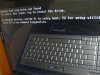 (me pulled out caddy with both Hdrives to do it).. Main Aim to get key options to try. screen error message comes from A10 Bios. dont think dead cards would stop Bios messages to appear? ...........wonder maybe it is the screen....strip check all plug connections inside
2 DDT5 ring em fast an get it over an done with...if they give crap keep telling them about burning smell ..... would be fuming if burn smell came out of me beast
-
Cool. Now, anybody with a T8300, or similar 2.4 Ghz Core 2, could you tell me the voltage you use?
I also run RMClock for lower voltage, at 1V atm, so before going higher with the CPU, I need a good, steady voltage for it. -
Hello guys, I was hoping someone had a better advice than posted some time ago. After one driver reinstall, I've now ended up with the system configuration reporting just one 8800m card instead of two. To clarify, I wasn't playing any game and everything was perfect before the said install. Now whatever driver I install, only one card gets detected. Any ideas at all?
THANKS! -
My guess is one of the GPU died. Call up Dell if you have warranty.
-
Thanks for that. Unfortunately, the warranty period is over. Still, why would it die during the driver reinstall. By the way, the old advice I was referring was to install MediaDirect, which requires reformatting the disk. I wonder if there is any truth in it.
-
Dell will not help me even though I still have XPS support on pointing me to a bluetooth driver for my win7 64bit. They told me if it had Vista on it then it would be possible.
-
How much memory the system BIOS shows for the GPUs? 1024 or 512MB?
-
I would get that occasionally. Install the driver twice, and see if that helps.
Also, as TimeWriter suggested, check the VRam in BIOS.
I know one of my cards is toast, should see about that tomorrow... the service company has been delaying me for a while now. I`m utterly pissed. -
No external display before this problem. I hooked one up after but got same results. I took out ram and got the same flashing num lk and cap lk lights you describe. Took out HD but still no bios message.
What does strip check all plug connections inside mean?
Oh cd tray does work after power up. I dont have usb floppy but i did try vista start up cd but had no effect. Seems like dead bios chip of some power problem??? -
So tell them you have vista.
-
Update on graphics replacement it is now day 3 and no graphics card. Should i call them?
Dell Website
09/24/2010 xxxxxxxxx ddddddd XPS M1730 Video Card PART SCHEDULED (FROM DLP)
So maybe they don't have stock -
Hi guys
........... I'm a new user to NR.com ....joined just coz i ordered DELL Studio XPS 1647 2 days back.....config is 15.6" Edge to Edge Full High Definition display, i5-460m TB upto 2.8Ghz, 1gb ATI 565v, 4GB DDR3 RAM ..........
-
demand a replacement (m17x) , they have a contract with you for next buisness day support
-
Grrrr they just fixed computer and sent a Single 8700GT card and didn't get to tell the dell service rep as he took off to fast (he probably new!! lol) Should i ring dell and demand a replacement??
-
Absolutely, asap
-
Time for unsolved issues if it's available in your country.
-
Just phoned them and the guy i spoke to was fantastic. They originally said they would upgrade the part to a 8800gtx sli and i said i had read they had high failure rates and then he said they will upgrade to a 9800gtx sli card and gave me a case number. I was extremely nice to him and did ask if i could get a replacement laptop but he said unless it was completely broken they could not replace (not the complete truth lol) anyway i will wait for the 9800gtx and see how that goes.. when they fail i will expect a replacment!!
-
wish i was still in warranty, i just had to order a couple of 8700's
-
i extended mine for 2 extra years not going to be caught. How much was it to buy your cards? you should be able to phone dell and add warranty.
-
350 shipped, can you believe that? lol and really? Would definitely be something i'd consider
-
even if its abit of money its worth it as you will probably be upgraded to a m17x one day
wow $350 AU or US$ ? i have got a spare 8700gt sli i got off ebay just in case.
-
US, that's a good idea to keep a spare...i'm gonna call those guys and see what i can work out
-
yeah spare is great as it helped me while these one's were replaced. I brought them faulty off ebay for $45 and baked them lol they seem to be ok atm after reading this forum i new i would need them one day lol
Dell XPS M1730 Owner's Lounge, *Part 3*
Discussion in 'Dell XPS and Studio XPS' started by BatBoy, Oct 6, 2009.


