Problems? See this thread at archive.org.
I'm afraid not mate, both GPUs are soldered on the same PCB. But try this thing: boot up the machine by pressing the Dell Media Direct button (is a little button next to the power-on). It should boot your default OS if you don't have DMD installed anymore. It worked for me with one GPU fully functional when one of my GPUs died.
-
-
my waranty is good for 2 more years, i said it earlier

hence my reluctance to open it up..
I did the transfer of ownership thing already.
should I just call dell and let them sort it out? -
Eric - sorry, I must have missed that, but I now see that in your very last comment right before "Cheers". I must be blind.
Since you're in good shape with the warranty and owner registration, definitely call Dell Support and let them work it out for you.
While you are waiting for that to happen, TimeWriter's advice about using the Media Direct button may keep your machine in service. That same trick worked for me every time my nvidia SLi modules died. Only one video module is visible to Windows when you boot using the Media Direct button, and you will boot directly into Windows if the Media Direct software has been uninstalled. (The same trick also worked when I had a failing hard drive and Windows could not find the ntldr file.) -
cool, thanks for that, laptop is more usable now.
-
cheers, well it seems fine now...
the time it rebooted before was the first it happend.
I will get onto the dell line and tell them about it.
dont want to open it up
would having i8k on your system invalidate the warranty? i also have a different o/s as when it was bought, but i dont think it would make a difference?
thanks
update here: i opened this up and cleaned out the fans, and put on some compound i had lying around a decade or more... the temps have dropped way down, idling around 35+ degrees compared to almost 80.
I am getting glitching on COD Black ops, but other games such a res evil 5 and bioshock 2 work ok...
any idea why black ops is glitching?
the driver is 265.90
thanks for the advice -
If anyone is having problems with their video cards, only one gpu working, sli does not work, can't get video driver to work, windows will not boot, no video, distorted video please see my repair auction on ebay. Just search for "m1730 video card repair".
If your card gets temps above 85c I would recommend using a copper shim mod, just search for "m1730 copper shim".
Dell has a big issue with overheating gpu's because of the thermal glue or thermal pads they use in the factory. I get cards in for repair that the glue had not even make correct contact with the gpu. -
Eric: youre using quadros 265.90? Then be sure black ops is updated to last patch.
Also, the problem is low gpu usage in sli. Crank up the AA to 8x and keep all the detail options to max. Disable vsync, set prefer maximal performance in nvidia control panel,under 3d options tab, option "power management".
Also test out the leaked 266.44 available @ laptopvideo2go,remove tye quadros with add remove program, then run driver sweeper.
It must be a really clean install.
Those drivers are good, similar to newer ones avialable in the next few days.
My performance with cod is avg 45fps in multi with max around 125fps, low fps 35. Dont forget that this game is poorly optimized and even peoples with monster desktop machines are strugglin' to get it working. -
Guys out of the blue i did a crysis benchmark for a probable buyer for my xps.
The result is that now im not really sure to sell the beast because....
Well, look at my benchmark result:
---------------------------------------------
03/01/2011 21:49:28 - Vista 64
Beginning Run #1 on Map-island, Demo-benchmark_gpu
DX10 1920x1080, AA=2x, Vsync=Disabled, 64 bit test, FullScreen
Demo Loops=1, Time Of Day= 9
Global Game Quality: High
==============================================================
TimeDemo Play Started , (Total Frames: 2000, Recorded Time: 111.86s)
!TimeDemo Run 0 Finished.
Play Time: 70.30s, Average FPS: 28.45
Min FPS: 19.63 at frame 1043, Max FPS: 42.06 at frame 984
Average Tri/Sec: -16932462, Tri/Frame: -595139
Recorded/Played Tris ratio: -1.54
TimeDemo Play Ended, (1 Runs Performed)
==============================================================
Completed All Tests
<><><><><><><><><><><><><>>--SUMMARY--<<><><><><><><><><><><><><>
03/01/2011 21:49:28 - Vista 64
Run #1- DX10 1920x1080 AA=2x, 64 bit test, Quality: High ~~ Last Average FPS: 28.45
XPS M1730
Cpu: Intel Core 2 Duo Extreme X9000 2.8ghz @ 3,8Ghz
Ram: 4096MB
OS: Windows 7 x64 Home Premium
GPU: 9800m GTX x2 (SLI Enabled) @ 600/1500/900
Total VRAM: 2048MB
Driver Ver.: ForceWare 266.44
--------------------------------------
I DIDNT USED ANY TWEAKS! So this is Vanilla Crysis with the benchmark 1.5. Crysis has been updated to 1.2.1 version, running x64.
Setting is HIGH! I didnt tested Very High because probably it would overkill the beast...but...hell....28 fps of average, 43 of max fps?! There were spots with 50 Fps!
ISNT THAT AWESOME! -
Advice needed re: UK warranty claim please!
I called Dell support on 18th December and got them to agree to change my graphics card, screen and left speaker (dodgy LED), following problems with 8700GT dual graphics (nuff said). I need to get the beast fixed before going back to work in Brazil in a week's time, so the pressure's on, but they haven't visited due to parts not available in UK.
With this 'international next day my-place' warranty, what's a reasonable time to wait for parts to appear? I know it's been Christmas / New year, snow, etc, but if I'm paying for next-day service, is it my problem if they don't have the parts?
So, I asked about a replacement machine of 'equal performance', and their offer is this (verbatim):
"You paid £3414 ex vat price for the unit you have. It was purchased 3 years ago so considering the age of the unit there will be 55% depreceiation charged. So effective price of your unit is £1536.30. Remaining warranty on you unit will be attached to the new unit."
I extended my warranty for 2 years recently so it goes until November 2012.
Now, it's pretty obvious that 'equal performance' means an M17X and going through the website 'build/customise' process a replacement equivalent (but basic) M17X will cost about £2200, if it's to include a WUXGA screen and other stuff which exceeds the 'basic' price, so I'd have to pay an extra £664. Doesn't seem right to me, but their view is that my beast is 3 years old and I have to accept the depreciation. Right now I'm asking them to consider upping the offer to £2200 which will get me the basic M17X. I'm not hopeful....!
Any comments about this scenario will be welcome.
If indeed I go for an M17X (paying extra or not), I'd value your view about what is 'equivalent' in processor and graphics terms to my existing beast which is:
CORE 2 DUO T7500 2.20GHZ, 4GB 667MHZ DUAL CHANNEL DDR2 SDRAM, DUAL 256MB GEFORCE GO 8700M GT, WUXGA (1920x1200) screen, 200GB HDD, 8X DVD+/-RW DRIVE, Bluetooth.
The M17X basic processor is Core i5 520M (2.4Ghz, 3Mb cache) and the graphics is a single ATi 5870. Are these equivalent to what I have? The only 'dual' graphics option is Ati crossfire dual 1Gb HD5870, at £327 extra. Can this be defended as 'equivalent' to the 8700GT because it's dual?
If I can make a reasoned case for 'equivalency' (=performance) to get them to agree to a base offer price, then I can decide if I want to add to this to get a 'better' specification.
Ultimately, all this depends on whether they can build and deliver the thing in a week (!), as I'll be off to Brazil on 12th.
Otherwise, if the parts for the beast do arrive this week, we'll have the service call and hope it all works after that......
Cheers, Andy -
Could you please explain what did you mean by that it can only use 6GB for allocation and of the fly data access?
As I got the memory upgrade at the end, I bought the g.skill modules 2x4GB from ebay for 150 with the same speed and timing as the default samsung modules that was in from dell and everything is working perfect. Bios and windows detects 8GB as they should but all the memory is being used in my programs normally.. I even disabled virtual memory to see that all the physical memory being used. Currently I run here 3ds max, zbrush, photoshop, and final fantasy XI and task manager says I still have about 300MB free physical memory... so everything looks ok, cant find anything wrong with it hmm
btw I did bought 2x ssd disks before memory upgrade and was just deciding if I should go for cpu or memory as the next step and since I really can benefit from more memory (not for gaming, but doing 2d/3d graphics and stuff) more than the cpu that is about the same speed as the one that I have (x7900) I went for the memory upgrade.... still thinking about the x9000 and overclock it to 3.8-4.0GHz would give me a little more boost since x7900 cant run stable for very long in 3.6-3.8 no matter how good I cool it it always crashes after half an hour or so when you start using the cpu heh.. but unfortunataly there arent any good offers on ebay at the moment.. so will have to wait a little. -
Mate what i was referring to is the technical limit reference stated from intel itself, not something i had made up
Santa Rosa mobile chipset supports up to 8gb installed, originally it was 6gb as stated in the technical sheet, as a limiting factor of the chipset itself.
The latter dell bioses however extended the support to 8gb, thats a thing i didnt took into account.
Glad you sorted out your choiche anyway...and as for the x9000, well, my best advice is to get an OEM to reach 4ghz (but keep in mind that is only for benching, forget it for "normal use"). Otherwise check ShirleyCPU over Ebay. I got my ES x9000 (q174) from her for 250.
Its the really same cpu as OEM, althought it cant reach 4ghz (without crashing after a few minutes). But its perfectly stable @ 3,8ghz, as i use it in daily.
BTW i did another benchmark run with crysis, this time with newer 266.35 nvidia driver just released.
I did a whopping 34fps at HIGH with 2xAA. Man im so proud of this gaming monster! -
Andy, I will answer in bold red font to the best of my ability... I hope you find this helpful.
-
Yes, Mr Fox, your reply is very helpful - thanks!
The way Dell are spinning it is that they are doing me a favour to offer a price for a replacement machine, not that they are in a corner (yet) regarding my service call. They say the warranty clearly states 'Next Day service IF parts are available' (or words to that effect), so they feel within their rights to keep me waiting until the parts eventually surface. If I have returned to work in Brazil before that happens, it seems to be my problem even though Dell have told me in a previous service call that I am entitled to next-day repair service there too (but I know Brazil, and their capabilities!)
Dell also say that my XPS M1730 is obsolete, 3 years old and if exchanged won't be re-sold by them, so their offer should be considered favourably. No doubt they would recover the parts and use them for repairs but they didn't admit to this...I mean, if my machine is so much of a liability, why did they sell me 2 more years warranty in November 2010?
I'm waiting for a call today to find out more; either whether the parts are coming or if they can up-the-offer for an equivalent new machine.
Thanks again, Andy -
The m1730 is obsolete and extending the warranty 2 years was a good move I think. I think their offer to pay a depreciated value sucks.
I would log into the web site with your registered ID and read up on the warranty to see if there is a provision that allows them to do that. If there is not, get a supervisor on the line and ask them to show you where the warranty says they can do that. If the supervisor cannot show you that verbiage, ask why they are offering to do less than their contract says they will. I believe a warranty should be treated as an insurance policy, which is a contract of adhesion. It cannot be re-negotiated for different terms that are more favorable to the obligated party when a claim is presented. I am not an attorney and cannot give legal advice, so this is my opinion and needs to be verified in your venue by someone that is an attorney. But, these should be good talking points when you get a supervisor's ear if you get any push-back. -
It was 12 for me.
-
kingpin, thanks for the help
laptop seems sorted, temps now seem to be topping out at 50 degrees, compared to 80..
does the constant humming of fans every now and again be a feature of these??!
as for the poster going to brazil, well i got my laptop second hand and transferred the ownership AND upped the warranty for 2 years, so how can the M1730 be obsolete, would they warrant a machine that was technically extinct..!?
granted this is a newer machine but still.... -
The fan on and off cycle is a feature of the A11 bios. When temp reaches 50c, it enables a low level fan, to drop the temperatures. Rinse and repeat.
Nothing to worry about, the system will stay cooler - however if you had an extreme cpu installed, you would be able to have full fans always on due to bios overclock.
Anyway as for the warranty, i think that dell in this way is sure to retrieve the machines when they are about to die. Plus, is hard to drop the warranty on a laptop, every manufacturer does so even on really older ones.
The system may be obsolete, yes, but a system that keeps crysis @1200p with HIGH and 2xAA with blistering 34,6 fps is all but dead.
Not to mention 50fps in mafia 2 benchmark, and i can keep going on. The fact is that a fully loaded xps m1730 doesnt cost so much compared to newer laptops, and still it kicks them in the balls
-
And of course, problems started again.
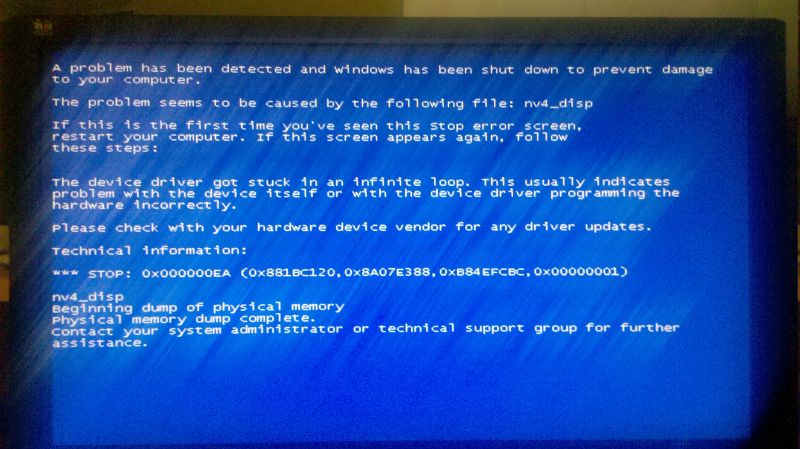
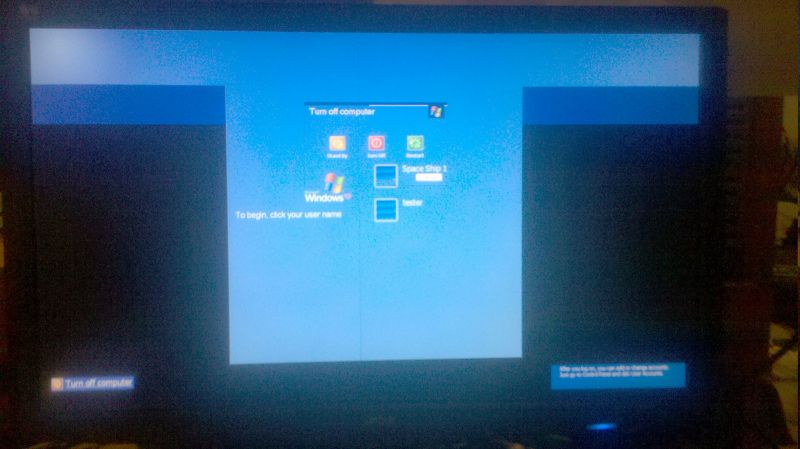
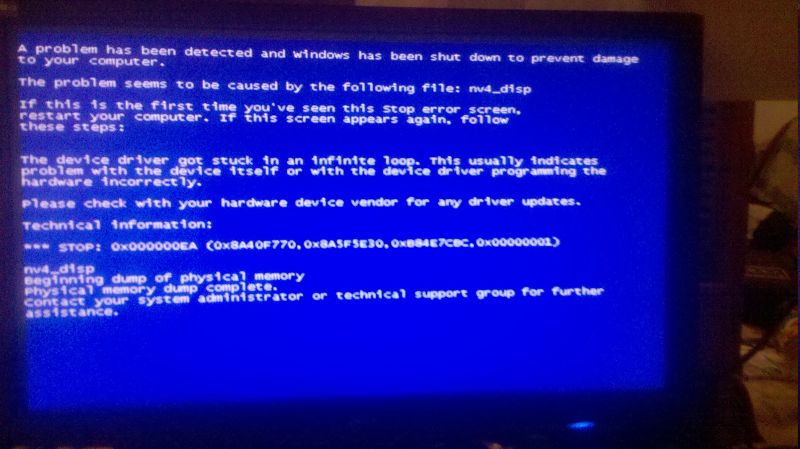
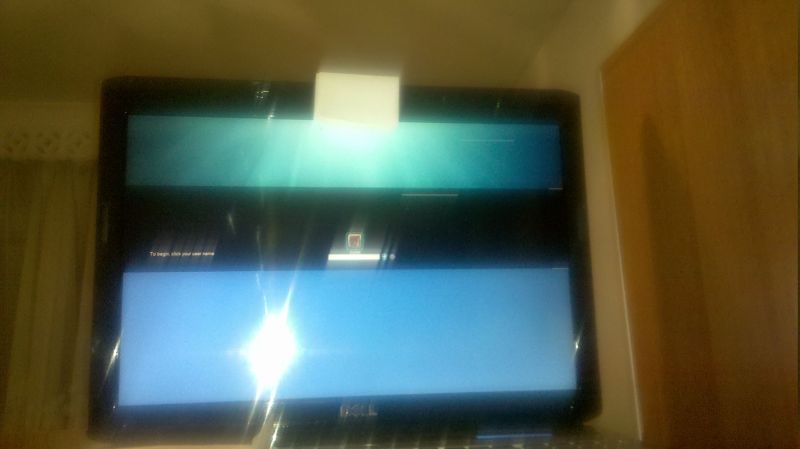
Horizontal white lines, messed up images, lockdowns, bootups into messed up screens, BSODs and so on...
Seems to me that I've either got a bad batch of the 9800M GTXs or my mainboard is actually the cuplrit..
I will insist that they change both, I'm sick of this over my head.
Tried both 26x. drivers, 180.42, some 17x. ones...they all do the same thing.
Tried in both Vista and XP. Same thing. So i know it's hardware related...
Could it be the RAM?Attached Files:
-
-
Im pretty sure its related to the gpu, not the ram. The dll giving the bsod is the main dll that manages the driver over the os.
So since you get messed up image as well, its pretty clear that the problem is the gpus.
Which sux, mate. -
yea, just finished a RAM test, for the heck of it.
I'm actually wanting the mainboard to be the culprit...but I hardly think so.
I can't believe I used it for less that 5 days, since I was in a vacation, and it started again...
I so hate this right now. Really lost my temper... -
I can only imagine how you feel mate, that sux.
-
well, after fiddling with the RAM, re-seating the hdds and running a memtest... it works again
I just want it to work till Monday, when I`ll take it back to the depot... -
Hey all.
Just came across this new intel chipset driver.
Want to note that I have not tested it yet. -
Prolly an update to support sandy bridge cpus.
-
So, I goofed up something, and apparently the messed up images were due to a driver mismatch, paired with a 'xp to 7' theme for windows, in that shell32 and some other dlls kept giving BSODs.
Reinstalled windows, and now everything seems fine. Fingers crossed. -
Nevermind, started acting up again.
First thing Monday morning I`m putting it in the depo, with gasoline and matches. -
Sorry to hear that mate. Let's hope they do it right this time.
-
Either they do it right or I`m insisting on a new system.
I mean, first they give me the wrong GPU, then they change my config on the web, then I have to wait ridiculous amounts of time for them to fix the issue, and now this...
Or customer protection... -
Why not insist now? Haven't you been through enough torment already? This ownership experience is not what anyone should expect after having paid a lot of money for what was intended to be the flagship product. With a few exceptions, the experience of owning an m1730 has seemed to be a real nightmare for .Dell .customers, myself included.
-
I know. I`m pushing for a replacement, and a warranty extension. I`ve had enough for the past 3 months and so. Paid a ton of money for what was the best at that time from Dell, and now I have to deal with this... over and over.
-
eleron they might give you an Alienware now instead, hope so at least for you.
-
If there is no XPS 1730 anymore, probably.
Either way, I`ve had it with these issues. I bought a gaming laptop and now I have a brick. -
Yeah that´s too bad eleron, I hope it gets sorted out for you.
By the way my desktop in signature just stopped working today, probably PSU or motherboard fault. So I thought of upgrading it to an Core I5 Quad 2.8GHz and Corsair XMS3 1600MHz DDR3 Ram, Asus motherboard and a PSU of 600 Watt. This would cost me as much as buying a single 9800m GTX GPU upgrade for my XPS M1730, even cheaper actually.
So the desktop will now be an:
Core I5 Quad 2.8GHz, of course I will overclock it after a while
Corsair XMS3 1600MHz 4GB DDR3 Ram
Corsair 600 Watt PSU.
I wonder if I can run both my GTX 260 factory overclocked and my 8800GTX as a physics card. If the PSU can handle that at 600 Watt?
All in all I have always had a desktop and a notebook. I do most my work on the desktop though 3D rendering, Photoshop and such. Most gaming on the XPS M1730
-
A11 bios update, would that update do anything for my failed GPU?
-
I swear to god, the more Dell's techs work on your system, more trouble comes out of it. It's just not the same after the system goes through a repair.
I hope you get a replacement system out of it for the troubles you been going through. That's just not what you paid for. -
Not likely.
-
Yo mag,
With sandy bridge already available (in italy at least) your best upgrade would be a core i5-2500k with mobo and 8gb of ram, it will cost around 400euro.
As for the psu,nope 600w will not cut it. Get a good psu,enermax - antec - corsair sli certified at least with 750w. If you plan to oc the cpu as well you may need 800w.
-
does someone know what bios chipset model the 8800M GTI SLI has? i messed up the bios and the laptop won't start,i need to get the bios chip to a service and rewrite it.
also can anyone give me the original bios files for 8800M GTX SLI please? -
@Kingpinzero yes I changed to a 750Watt PSU instead and the Core I5 2500K is the one I ordered, that one has the unlocked multiplier.
I settled for 4GB of Ram for now, though it was dirt cheap so I will buy another 4GB later on. -
Yea, it would keep it failed
Sorry mate, I still have mine dead, so I know how you feel... -
Guys quick question,im about to reformat the beast...what should i do? Keep 7, install Xp or dual boot?
Coz alot of games seems to run better off xp than 7... -
Dual boot for sure, I would go Win 7 and XP.
-
Theres a thing that its driving me crazy.
Basicaly im trying to contact dell, but i cant because their built in scan tool that finds my ID and service tag reports the system as OptiPlex GX, and i lol everytime.
I cant go over this "wall" because it keeps telling me that my system hasnt been bought in europe...BUT HELL! ITS NOT AN OPTIPLEX!
what is wrong with them?! my xps seems that never existed in first place, i dont have any sticker below the unit and also the bios reports the correct serial id BUT still they see it as an OptiPlex GX.
Im desperate, how i can contact them? Via phone? Does anyone ever experienced an issue like this, its nonsense...how can a machine have an ID of another machine (even in bios it reports the same ID, but still, they see it as an OptiPlex...DOUBLE W-TF).
Im clueless.... -
That sounds strange indeed kingpin.
-
Kingpin, I've had problems with Dell's system tag asset in the past. I've had it come up with wrong system info or no system at all. The only way around this is to call up on the phone.
This comes with its own inherent problems with language barriers and scripted support where you're most likely going over everything you've already done or are simply told to reinstall your operating system as a remedy to your problems.
Good luck on your Dell hell ride. -
So I took the beast back to the mother-ship.
Here starts part 3 of my ordeal. Let's see how long it takes them to do something this time. -
@Kingpinzero
The motherboard I was going to buy for the desktop was on backorder. So I went with an MSI motherboard now SLI ready, for this I stepped up to an 800Watt PSU. So now I am definitely SLI ready. I might buy if I find a very cheap GTX 260 and SLI two desktop GTX 260 until I buy a newer GPU
-
Ah! Great Mag
MSI and Gigabyte are still my best favourite mobo makers, no doubt about them. Asus were awesome back in time when LGA775 launched, im still using a P5Q PRO TURBO that keeps my E8500 @ 4,25ghz on air.
So ive installed only XP SP3 for today and....OMG. ITS INSANE THE PERFORMANCE BOOST I GOT.
W-TF IS WRONG WITH SEVEN! Check it out:
The score has been made with latest betas 266.35 which like all latest drivers are known to have dropped quite a bit the score in 3dMark06.
![[IMG]](images/storyImages/immagineiip.jpg)
BUT STILL im able to break 16k mark...i wonder what kind of score i get if i use older 197.15-45? Or even 185.85 dox? I BET 17,000pts!
But the most exciting news is the performance in games...check this dirt 2 benchmark:
benchmark
average min_fps="45.978584" av_fps="56.504135" min_fps_ms="21.749256" av_fps_ms="17.697821"
AVG 56.5. I dont have words...is so smooooooth!
AVG fps raised in HAWX2 as well, now is 86fps with 8xMsaa. Tested out 8xCsaa and Max raised to 185fps.
But im the most happy because Black Ops performance increased quite a bit....1200p, 4xAA, no Vsync, Maxed out...AVG 75FPS.
Im going to dual boot with Seven just for emulators....but still, THE BEAST ROX! -
Yeah that´s why I run with Win XP SP3 for gaming
Yes you should be able to break 17000, I know another guy that broke 18k with 3D Mark 06 and 9800m GTX SLI and the X9000 @ 4.2Ghz I think or was it 4Ghz. I broke 17k with my X9000 @ 4 Ghz. With 3.8Ghz I have 16668 in 3D Mark 06.
When I get my new desktop computer this week, all new except the GPU that is a GTX 260 192 Shader Processors.
I will benchmark it and compare against the M1730 I still think the M1730 stands it´s ground
-
Yeah and youre using 197.45 right? What i was pointing out is that im scoring THAT HIGH with latest drivers, the worst 260.xx branch it seems.
That means, doing a few maths, that im able to go well above 17k...without even ocing it to 4ghz (besides my ES doesnt go that higher).
Dell XPS M1730 Owner's Lounge, *Part 3*
Discussion in 'Dell XPS and Studio XPS' started by BatBoy, Oct 6, 2009.