Problems? See this thread at archive.org.
I use 197.15
Yes with 9800m GTX SLI you should be able to hit 17k easily.
-
Hey guys...
I just wanted to ask.. i have a xps 1730 with windows 7 home premium 64 bit and i'm having problems with my 8800m gtx drivers.. I have updated to the latest 260.99 drivers and everytime i reboot.. my windows won't boot up.. then when i turn off and turn on the laptop again.. it does the windows start up repair and does a system restore before i installed the drivers.. so when i got back in windows.. the 8800m gtx is showed as standard vga adapter then theres a exclamation point on the "3d video controller and pci device" .. i can't seem to update those two drivers... any drivers i try to update the video card.. my windows seem wont go into windows.. only way to go into windows is when im using "standard vga adapter"
I'm not sure if the latest drivers for the graphics and physx are causing the problem ...i'm not even sure if its a hardware problem...
i called dell xps support and the guy said that xps1730 support team is only trained on windows vista and not windows 7...and windows 7 might be the one causing the problems.. i told him that i was running windows 7 ever since it came out.. it started to have problems just a few days ago...
Is it possible for drivers not to install properly if my actual video cards are malfunctioning?
HELP! i can use my xps for normal use but i wont be able to play any games with the standard vga adapter.... -
From what you have described, it sounds like your 8800's are dead to me, bud. I am not optimistic that you're going to have any luck tinkering with drivers and such.
If your machine is under warranty, have them replace the video module or give you an Alienware laptop. If you are no longer under warranty, look into filing a claim at The NVIDIA GPU Litigation - Home Page. Hurry, as the time to file a claim against NVIDIA for selling a defective product is limited. Read all the instructions and have your proof of purchase handy. More info on this forum can be found here. -
Thanks for the reply! thats what im thinking too.. even the nvidia drivers can't detect the video card on my xps
I still have warranty until July 2011.. How would i tell them to replace the video card? I'm running windows 7 and the tech support for xps only is trained on VISTA! Tech support also said that the xps 1730 is meant to be used for vista...i even told the techsupport that i was using windows 7 ever since it first came out and i didnt have any problems with it so there isnt suppose to be a problem with the software/windows.. problems started like 1-2days ago...so would i be able to tell them to send a technician to replace my video card?
Getting a new alienware sounds a good idea! but is that even possible? that would be awesome if i can get a new alienware
i will give them a call tom and see what happens.. any tips on how to make them send a technician to replace the video card module or even get a new alienware would be awesome! -
My two cents; if both cards are displayed in windows it doesnt mean necessarily that are failing, but it can be related to a driver installation that's screwed up.
It happened to me once mate. What i did is to leave the VGA and the 3d adapter as standard, boot into Safe Mode and run Driver Sweeper from there.
Select Nvidia display, chipset and physix and clean it away. After you did this, get the latest betas 266.35 and install them using "customize" and then "clean installation" check box.
At that point after a reboot it should work fine. If you're using a software overclock or any autorun programs that may interfere just unistall them.
If you notice that this procedure gives good resuts but still isnt completely stable, think about format the HDD and resintall the OS.
A dead card will not show under win peripherals, thats the main point.
@Mag: the more i use xp the more i think that its amazing how well it performs. The whole point - imho - is to dual boot as you said just for DX10 games or for those "non xp compatible" games like Just Cause 2. Win 7 is still more light than Vista and thats awesome. But for DX9 games theres no point to use 7 as XP have a better driver structure and also all my gpu usage problems are GONE.
NFHP can boost in sli framerates from 45 to 61, i was forced to mess with the profile in 7 to get the same results but stressing the card.
Thank you for your thoughts
-
So Dell approved the GPU and motherboard replacement. No AW for me yet
At least I hope they`ll move fast this time.. -
Thats always a good thing.
Hope they put the latest mobo revision and a newer k650.
If that happens again the mostly ull get a replacement. -
So I just installed the refurbished warranty video card that Dell sent me... except when I put the system back together, it won't boot. Literally, nothing happens when I press the power button, there's the briefest flash of light, then nothing. I'm trying to boot it off battery atm. The battery is fully charged.
Any ideas? Did I forget to plug something in at some point? Did I somehow fry the motherboard or something crazy? -
Nevermind, it was something with this god damned keyboard again. I swear, I HATE this thing.
-
Let me see if that method will help! i already did it a couple times and it seemed to didnt work... also i already reinstalled a fresh windows 7 ...
Also, when i was trying to upgrade the video card.. the drivers would say " can't detect compatible hardware" ... so even the drivers of nvidia can't detect both of my 8800m gtx... Nvidia drivers not detecting the video card during installation.. does it mean my video card is already dead? My xps was running fine til 2days ago... i didnt have any problems before...so im really thinking its a hardware problem....everytime i try windows update to look for new drivers online.. windows can't even find any drivers online for my video card and physx....
UPDATE: tried the method and i was able to install the 8800m Gtx on the "3d video controller".. the standard vga adapter updated to 8800m gtx but windows won't boot.. then when i try to update it.. it reverts back to standard vga adapter.. Is there any way to enable SLI ? I'm thinking that my main vid card might be dead already.. i've been running NON SLI ever since so maybe thats why the other card was able to install the drivers while the main wasn't... so basically my display adapter shows " 8800m gtx and standard vga adapter" .. only way for me to boot to windows if its standard vga adapter.. if i use the have disk method and install it.. standard vga adapter will become 8800m gtx but wont boot into windows...
UPDATE 2: called dell xps support and they would only be able to assist me if im using windows vista! since im using windows 7.. they would forward me to the software department which is a fee based department... i just told them just send me a vista recovery cd cause i dont want to be paying the software support department... Damn warranty of dell! you have to stick with the OS that came with the system to be able to use the warranty!! Hopefully.. when i get vista installed.. it will be a hardware problem and i would be able to get a replacement! what would be the replacement that i would be getting? since i think that the 8800m GTX are already phased out? any ideas? -
I don't particularly care which it is, as long as it works. Its all I want at this point...
-
@Kingpinzero
Glad to hear that. Just got my new desktop computer, they put in the wrong CPU, however it was an Core I7 2600k instead of the Core I5 2500k.
I can´t complain
-
Anyone any info about this being available over here in Europe
as I have a m1730 T9300 2.5Ghz 8800M GTX 512Mb x2 SLI
no problems yet, I say yet
Filing a Claim
From this page you can begin the process of filing a claim in this settlement. The claims filing process is different for each computer manufacturer, so it is important that you provide accurate information that will help us evaluate your claim properly and respond to you quickly. We are working hard to evaluate all claims quickly, but the process may take some time so please be patient. If you are unsure whether your notebook computer model is eligible for a remedy provided by this settlement, you can find more information here.
If you would like to file a claim, please use the menus below to select (1) the manufacturer of your computer containing the NVIDIA chip and (2) the type of claim you would like to make. You can choose to file a Reimbursement Claim or a Replacement Claim or both types of claims. Unfortunately, we can only process one claim at a time. If you would like to file both types of claims for the same computer, or file claims for more than one computer, please return to this page once you have completed your first claim to begin the process again for each type of claim or for each computer.
https://roscomps3.securesites.net/www.nvidiasettlement.com/claimform.php -
In terms of dealing with Dell and their OS policy your best option is to either use the HD the system ships with as a swap emergency drive with the OS your system shipped with or a swappable secondary HD with that OS.
This HD should not be used in your system regularly, you should only swap it out with the OS HD for troubleshooting/obtaining warranty services.
This accomplishes two things.
1. You can swap the HD's and see if it's potentially software/driver/OS related
2. You can troubleshoot with Dell and have no problems with your warranty
It's well worth the effort to do this as you avoid can avoid the BS with reinstalls as a method of troubleshooting or forcing you to use a particular OS when that is completely unnecessary and largely irrelevent to any issues you are having.
GL with Dell HELL enjoy your ride.
Surgeon General's warning: purchasing and owning Dell computers may be hazardous to your health
-
Sweet Magnus, sounds like a nice system. How much did it cost? How does it compare to your Beast?
I need to set up another system so I can sell the xps m1730. Not sure whether I should just build a desktop or look at laptops. My xps m1730 used primarily in a "docked" state on a notebook cooler with an external monitor and all the lights/panels disabled. -
Mag ive just benched dirt 2 with quadros 265.90 and ive uploaded a video to youtube.
You have to see the result...a soon as i get the video online ill post a link!
And btw...KILLER RIG! the "K" version is like an Xtreme version, it has an unlocked mutiplier. Using throttlestop you can bring the baby up to 4ghz without even messing with bios
-
There you go guys, video is up.
width='480' height="385"><param name="movie" value="http://www.youtube.com/v/l01Nx3O_X_w?fs=1&hl=it_IT"></param><param name="allowFullScreen" value="true"></param><param name="allowscriptaccess" value="always"></param><embed src="http://www.youtube.com/v/l01Nx3O_X_w?fs=1&hl=it_IT" type="application/x-shockwave-flash" allowscriptaccess="always" allowfullscreen="true" width='480' height="385"></embed></object>Last edited by a moderator: May 6, 2015 -
Yeah I haven´t started to overclock it yet though, but it runs very cool, only 30 celsius idle
It costed med exactly 9940 swedish kronor. Only thing I will upgrade later this year is the GPU.
I will give it a go at benchmarks, first run without any tweaks to Win 7 in 3D Mark 06 I hit 18887 points with the desktop at stock speeds for both CPU and GPU. I will try vantage today and see where I land.
I haven´t had time yet to test so much games on it, since I need to install them again
I will probably dual boot with Win XP and should be able to hit 20k without any problems.
I got the nice EFI bios on the motherboard,very easy to overclock no need for throttlestop now
-
Well, all right - a small request. Are there any users of the forum on the M1730 8800GTX without a damaged graphics card? . How long do you have your machine? How many hours a day uses them? Thanks for the answer - if there are any
Let's start from me - the specification of the signature, bought in April 2008, used mainly to play around 30 hours per week. Problems in some games on any nVidia drivers in SLI mode. No issues, and the benefits of SLI on Dell's drivers. -
18k? well thats a good score, mine is 18,5k with my e8500 @ 4,25 and the GTX260 slightly oced.
Be sure to use newer drivers with desktop cards, as the same rule as our xps doesnt apply with our GTX260. Best drivers for gaming/score is without doubts quadros 265.90. Get a modded inf
HAVE YOU SEEN MY VIDEO MAN! You didnt said anything lol
Yo, ill try to reply:
- before switching to 9800m GTX i was using my 8800m GTX (later converted to 9800m GT) for about 4 months. Highly oced (640/1600/950). Ive used it for more than 4 hours a day exclusively for heavy gaming. My machine is a refurbished and i own it since 8 months now.
- DO NOT USE DELL DRIVERS. Dot. The build is OLD, the performance is CRAP, and those may be the reason of gpu overheating. Get the 265.90 quadros with a modded inf and strike away. Check my dirt2 video above under win xp, the beast can keep a 60fps framerate maxed out.
-
Yeah awesome benchmark of Dirt 2
I will see if those quadro drivers works for my desktop GTX 260 and see any increase
Edit:
I installed those quadro drivers on my desktop and hit 19058 now in 3D Mark 06 and over 12000 points in Vantage with PhysX disabled. -
Hey guys, I have a question for you. My one of m8700's died, I have only parts warranty, 3 months left and no contact with dell in my country. So is there any way to get a new system or will they just replace cards?
thanks. -
This is the same thing I do. Also I dont have to worry about Dell messing up my windows 7 install. I just install my hard drive with windows vista and let them play with it all they want.
-
Are you running this on win 7 ultimate x64? When I try to run this it reports 'this version is not compatible...'.
-
No, the class action settlement is only applicable to United States citizens.
-
See! I told you same performance applies to the xps under win xp, the boost you get in games is crazy.
Just played a bit of Darksiders yesterday,maxed out with a tweaked sli profile for sli 4xAA and it hovers from 50-75 fps
Also Lost Planet 2 scores 54,6 fps in test A with no AA and 36,2 in test B maxed out.
Mafia II hits 53 with no AA, while 36 with AA.
With stock physix on medium and no AA it does 31 fps.
Other benchmarks i did is the crappy f1 2010 with 1.01 patch, it does 34fps avg with ultra settings and 8xMsaa obviously with 1200p res. -
whassup with those quadro drivers? should i install them on my m1730?
do i get performance boost from them?
thanks
I will also put my SSD in the m1730, am curious how it will perform in the beast -
Try them out,they do really fine!
But if youre running win xp for dx9 gaming like us i advice latest verde betas, 266.35. Performance is even better with these, on the fly sli switching (no reboot) and higher fps.
I did a dirt 2 run with those betas and nailed 60fps avg and 50fps min; with mafia 2 53,5fps; with Gta iv eflc maxed out i did a 30fps!
No luck on windows 7, these drivers doesnt work well with the newer os and older cards. Tbh its like this since a while; theres a modest 10fps drop under win 7 with same benchmarks,drivers and settings. -
i'm on Win7 x64, so where do i get those? laptopvideo2go?
-
Betas from nvidia site (geforce.com, remember to search for betas) or laptopvideo2go.
-
hmmz BIOS A11 is annoying the crap out of me, is there a place where i can download A10?
-
Yeah, go to the A11 download page on support.dell.com and then look for the "other versions" link. I'm about to roll back myself because I just can't take the constant fan throttling any more. I'm more worried about my fans dying than my GPUs at this point!
-
I've got A10 BIOS on my hard drive. If you won't be able to find A10 on the Dell's website, just give me a shout.
-
A quick google search gave me this for BIOS A10:
Drivers and Downloads
I've also reverted mine to A10. It just doesn't seem at all pleasant in the library... *FAN ROARS* *people's heads look around as if to say,
hey what the heck is that sound?*
-
Successfully reverted last night by running the A10 installer in Vista. Fans seem to run continuously at a very low volume, and GPUs "idle" in Ubuntu at around 67C instead of 59C. I'm happy.
-
Well it seems like I'm not the only noise maniac over here.
Even with A10 BIOS, the beast still pulls out 34 dB of noise when idle, so this is already enough to be heard in a very quiet room. -
Thing is, once it stabilizes, it stays on med speed and the temps are well within range.
As long as it worked, my max GPU temps were 68C in Crysis... so A11 is a bliss after like half hour of operation. -
Hi eleron! It sounds like life is good again for you and your m1730. If that is true, we're all very happy for you. How is the 9800M GTX SLi module working out? Any noticeable performance increase?
Notwithstanding the potential irritation of increased fan noise for people that have a low tolerance for that, it seems like a comparatively small sacrifice if the alternative is a fried GPU, and a shortened lifespan. One person posted a concern about a shortened fan life, which probably also has some merit. But, I think the fans would most likely last longer than an overheating GPU would. -
Double Post...
-
Hi guys, I am new to the site.
I have a M1730 with a power adapter issue. It states intermittently when I plug in the AC adapter that it is not recognized and to please use a Genuine dell 230W power adapter.
I did some research, and figured the motherboard and/or the power adapter itself would need to be replaced. I contacted dell, and they stated that they would replace both the motherboard and power adapter (because it is difficult to isolate which one is the actual problem) and that it would all be done under warranty, along with a full system diagnostic checkup.
I sent the machine to Dell, and then several days later received the following email stating:
I later contact the technical service representative and he states its going to be $500 + tax to replace the motherboard, and if I don't pay for the service to be done, my remaining warranty is null and void.
I have had the computer for less than a year, and have the 2 year extended warranty.
I am looking for some advice as to what I can do? I already went up the chain at dell and asked to speak to department managers etc. and the best they could do is give me a $50 credit towards the repair, so I would have to pay $450 + tax.
Can anyone help? -
If I were in your shoes, here is the rationale and process I would use in approaching this in a very calm and polite manner with a manager that has the professional intelligence and authority to make things right for you. They need to prove the damage was caused by an accident or abuse if they are denying your warranty claim on the basis the damage was caused by an accident, and they may have a difficult time doing that. I would send an email to the Unresolved Issues Department right away, while you are trying to work with the folks at the depot and trying reach a manager willing to do the right thing for you as a valued customer. (If you find that manager and you get help without a lot of hassle, remember to send a nice note of acknowledgement to Dell for the superior service and mention the manager's name so credit is given.)
If they choose to continue being unreasonable and you have to build a case that it is not accidental damage, then here is one approach: The way the AC adapter connection is designed on the m1730 is inherently faulty and the port on the motherboard will suffer "damage" (fail naturally) through normal use. With such a beefy and inflexible power cord sticking straight out the back, perpendicular to the chassis, it is not a matter of if but when it will fail due to fatigue. Had the manufacturer designed it correctly, the plug would be at a 90 degree angle to place the connector flush or parallel with the back plane of the chassis to help prevent fatigue and stress to the power port during ordinary use over time. Ask them to explain and show you how the damage was caused by an accident and not a direct result of premature failure and fatigue due to poor engineering.
The Alienware M17x also has the same faulty design. There is just way too much leverage and it would take little lateral pressure to destroy the power port.
If this logical and civil approach does not convince them of their erroneous conclusion, then I really don't know what else to tell you from a technical perspective. As a last ditch effort, you might point out the fact that they are treating other customers more fairly than you. Had you purchased the on-site (in-home) warranty Dell's overzealous depot staff never would have seen it because they would have swiftly dispatched the parts and a technician to your residence or business address instead. Dell replaced my motherboard and AC adapter at my residence three times in less than 2 years. You will find similar accounts of that scenario posted on this forum by other members. Dell never once tried using the lame excuse with me that they are using with you. Once you send a computer to the depot, you're pretty much at their mercy to call it however they feel like calling it.
One word of advice, and this is just my personal opinion... don't pay $500 to fix it, because it's not worth much more than this and it's just going to happen again unless you handle the machine with an extraordinary degree of caution. You could make that much money or more selling off the individual components. Depending on what SLI module you have, it could sell for almost as much money all by itself. (You did not mention which NVIDIA graphics system you have, but the 9800 series modules are worth more than the 8XXX cards that are notorious for failure.) The HD LCD is worth a fair chunk of change (especially if it is an RGB unit) and if you have a Blu-Ray drive, it is also in demand. The chassis is probably easily sellable, as some of the replacement parts are no longer serviced. You might even double that amount of money parting it out in separate pieces on eBay. Telling Dell you plan to sell off pieces of the machine on eBay may get their attention, but that's a long shot. I remember reading a post on this forum that Dell does not want that to happen, but I could not find that thread again. The story was that Dell is trying to recover all of the used m1730's they can to use for warrant repairs as "refurbished", but I don't know if anyone can actually verify this to be true.
Good luck to you, and please let us know how this turns out.
Anyone else have any suggestions for this comrade? -
Haha, wish that were the case, dude, but it failed again.
It's back at the depot since last week, waiting for them to replace both my motherboard and my GPUs.
I'm all up for the A11 BIOS, but apart from that, things aren't really that good with the beast. For the time being, at least.
Fans are cheap anyway, that would be the least of the concerns. And yes, they do last longer than any common part. Except for the RAM maybe
-
IT JUST DIED !!!!!!!!!! I was working on it and suddenly the screen started flashing, then it dies
It does not boot anymore, the power light goes on, hdd light flashes for a second, then nothing, just a blue power led ....
Lucky I have warranty left, but I am afraid i'm gonna have to go thru Dell Hell to get it all resolved ... Already had experience with that with my M1710 ...
strangely this happenes after a few days of using BIOS A11 .... -
omg, this must be the "dell crash month".
Two days ago I was specting BSOD any time trying to boot W7 x64. Reinstalled and one of the graphics card could not be installed, and nothing to do with drivers. I'm afraid it is dead. I'm under warranty for two years more...
I unistalled physics card, that won't void warranty right?
Thank you. -
just put it back in, I also changed memory, wifi card, hdd's and blu ray drive, but i kept original parts, and now i make the machine back original for servicing ... can only call in tomorrow, hope they have stock for repair, guess its video cards or mobo or both with my machine. M17xR2 replacement is acceptable as well .. will see
-
Got the beast back, planning on a long gaming session tonight
If I do get any other issue with it, replacement without delay. -
good luck with it mate !!!
NB: I've been playing with my desktop now, which i have neglected for the past years ....
and I must say that i'm (still) amazed about how this baby flies compared to the M1730. even gamingwise I see no need to upgrade, it plays anything I throw at it pretty much maxed out (have to ditch AA on newer titles, but still ...) -
It's definitely worth a try in this case, but I should mentioned that I tried contacting that department myself during my last repair and it turned out to be the worst part of my warranty repair experience: http://forum.notebookreview.com/del...uality-defective-lcd-panel-4.html#post6361728
-
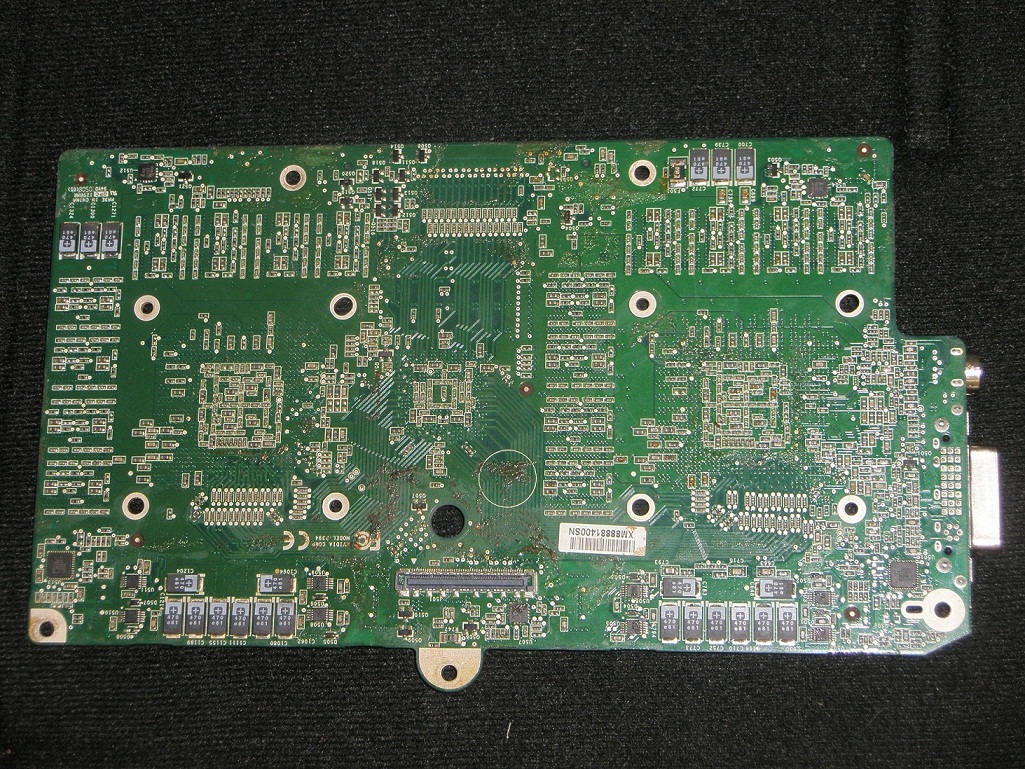
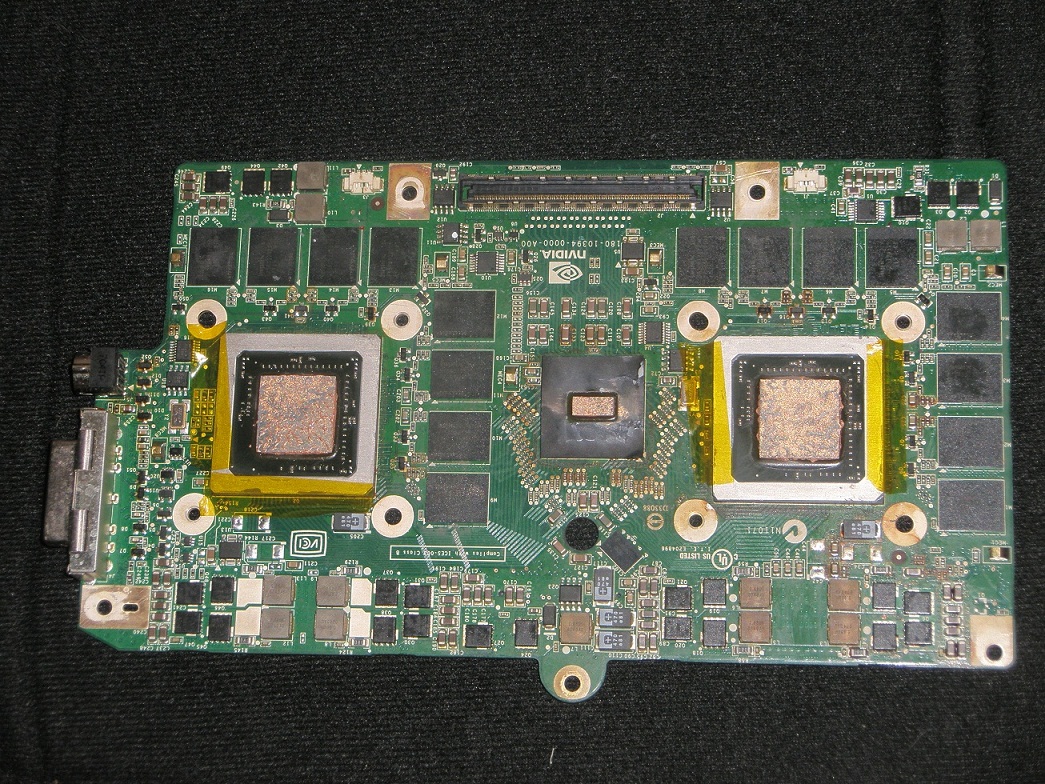
can anyone identify the BIOS chip/chips in the pics? it's a 8800M GTX SLI . i need to get the bios to a service to rewrite it but first i must identify the model so they can tell me if they have the equipment for the model.
or better,does anyone know the bios chip model ?Attached Files:
-
-
@eleron911
Good to hear the beast is up and running again.
Dell XPS M1730 Owner's Lounge, *Part 3*
Discussion in 'Dell XPS and Studio XPS' started by BatBoy, Oct 6, 2009.