Problems? See this thread at archive.org.
Yeah same here Kingpinzero, the day started off good with regular work and everything. Then when I get home from my day job the notebook breaks in the evening. First the "bad" news about the Sandybridge motherboards and now this. Oh by the way I usually build my own computers however this time I let a computer shop do it. So in march when Intel released updated Sandybridge motherboards they will change it on the warranty
Warranty is good to have
-
Im building my own too, got the p67 chipset. Not all the mobos are effected tho, since today isnt the best lucky day, im willing to bet that ill get a defect one.
Im pissed about my hdd, but i guess youre more than me for the xps
-
Yes seems it´s a little chance you get affected. Besides the SATA 6gb/s isn´t affected, only the 3gb/s
Yeah I am not so pissed anymore since it sorted out quite quickly with Dell anyway. However I was hoping for 9800m GTX SLI but seems like they had the 8800m GTX in stock. Well a 9800m GT would be good too, but seems like I will be getting the 8800m GTX. -
So Magnus,
got any advice on settings for Throttlestop? t9300 processor. -
Yes you have to unlock Dual IDA Throttlestop. Speedstep must be enabled in bios though. Then just raise the multiple to max and you got 200Mhz increase in clocks for the CPU. Also download Prime 95 and undervolt that CPU, then just stress test with Prime 95 until you got a stable voltage and the computer reboot or Prime 95 gives an error.
Also be sure to check the Clock Modulation for both Chipset and Clock and that they are set to 100% -
@magnus
Is undervolting neccisary or just recommended? -
Just recommended for lower temps.
-
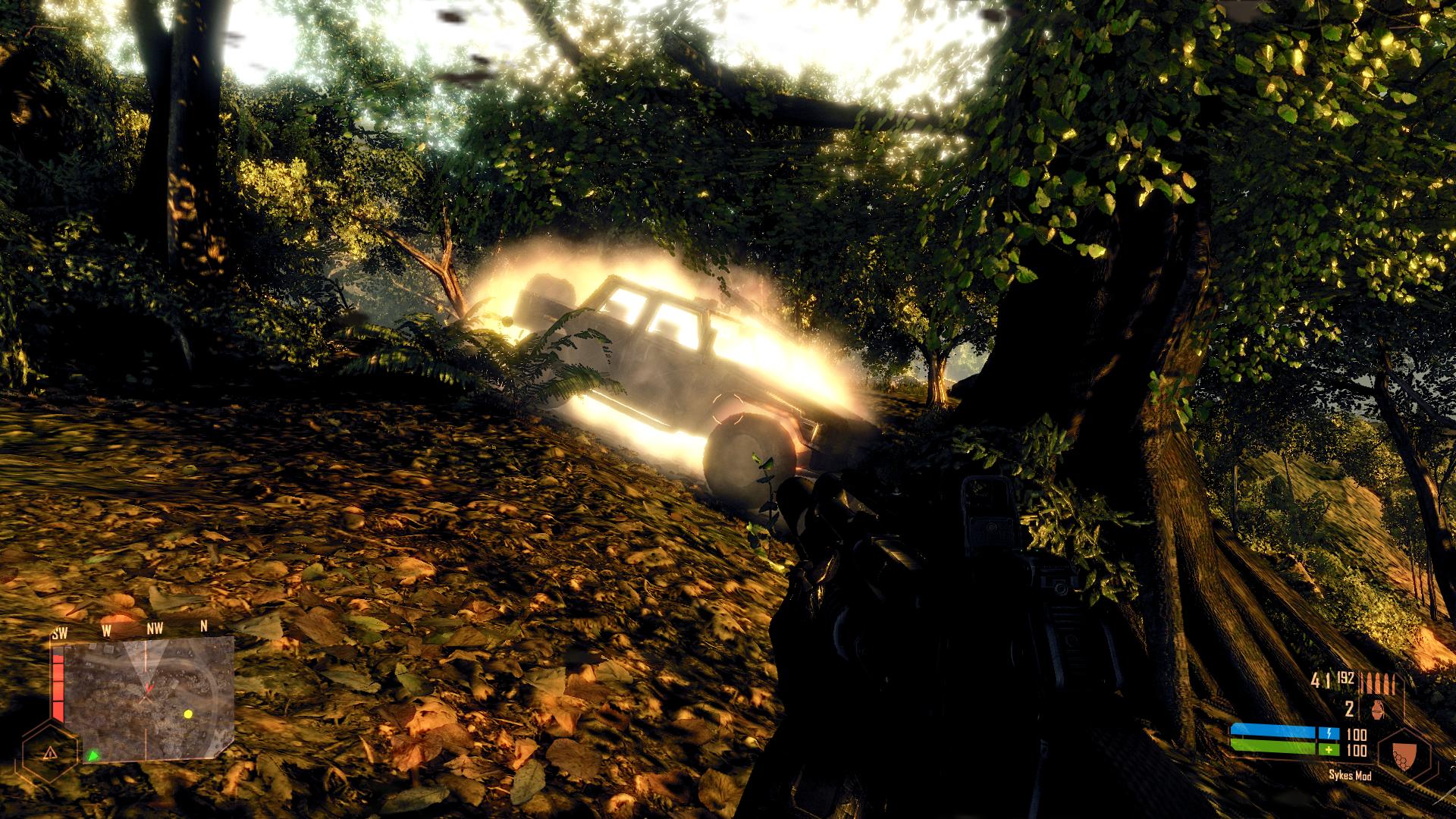
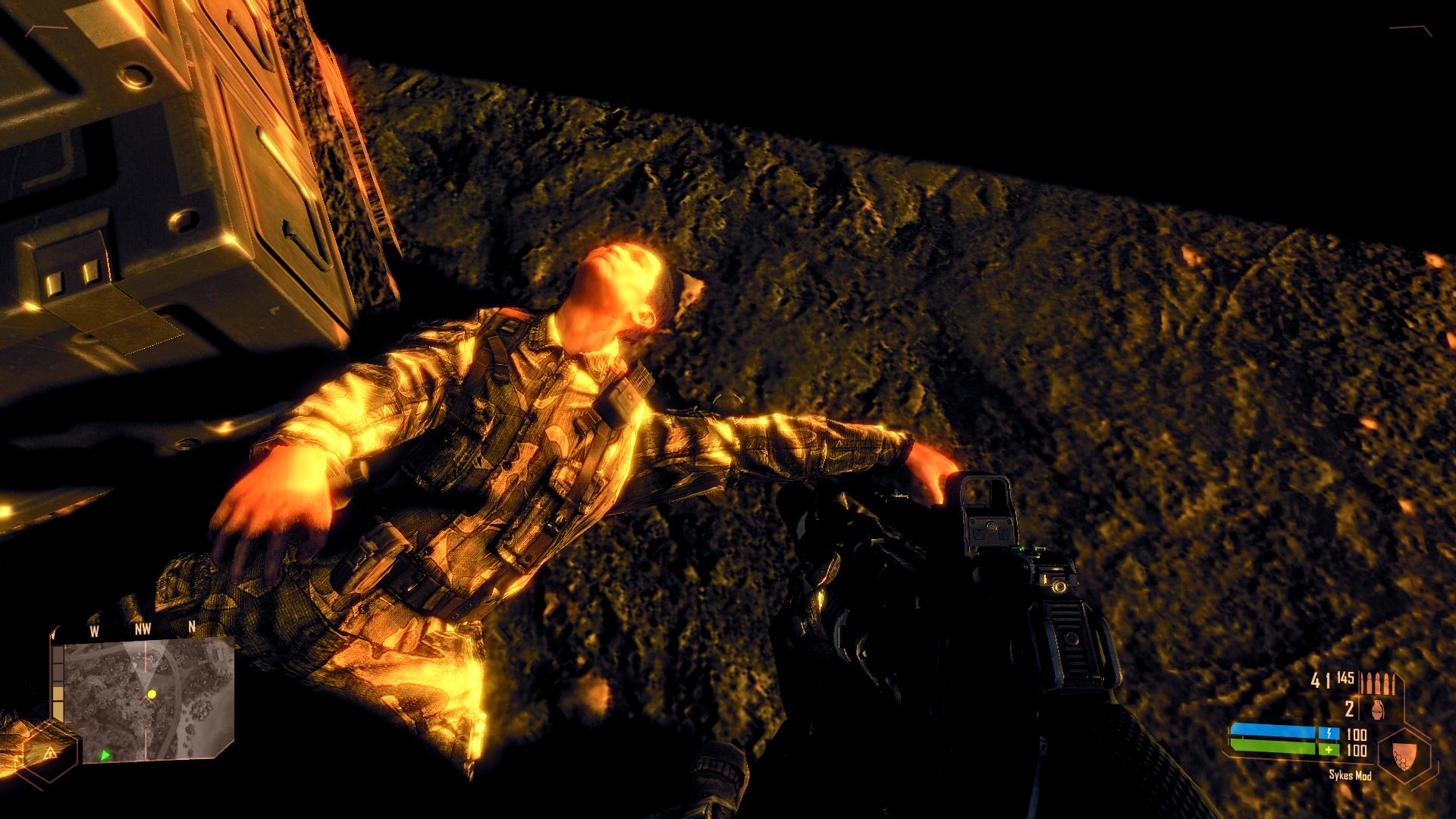
Magnus, this is how Crysis Warhead looks with the tweaks you made for the original Crysis... doesn't look ok to me
Everything is either too dark or too shiny
Attached Files:
-
-
No that is right with the original it is too dark, I made a custom config for Warhead though, that is on my XPS M1730 now. But you can probably search the XPS forum for it.
-
Not right now, I`m dead tired. Just tried to see the how the 600/1550/900 OC works on it...
Some improvements in Crysis are visible...
-
Nice nice, yes it should be 112 SP´s vs 98 SP´s
-
Hovering around 3Dmark06 @ 9500 w t9300 Stock, and 8800m GTX SLI @ 600/1550/900 through ntune. Does this seem normal? I also think its strange that I have to OC each card separately while in SLI..
Hmm
edit: Something is def 'up'. Just turned off SLI and got the same score 9428 with one card only. I run the latest nVidia drivers (whql) from nvidia.com and SLI does nothing?
edit: Ok, disabled and enabled SLI and now 10700 but still low for T9300 and 8800 GTX SLI.. ugh..
Edit: Ok.. ha ha, now tested with the ancient Dell drivers for Vista x64 and now SLI works. 11300 3dmark06 so Im stepping slowly up in versions. -
Just sent my system to depot as my ssd had to be replaced and got them to replace it with a pm810 256gb.
I got a call today from "The Dell Asset Recovery Team" asking for my old hard drive...not knowing that it was still in my system.. I told them depot had it...
Well, I powered on my system tonight for the first time since the repair...
They swapped out my 9800gtx with a 8700 gt
They also left my old pm800 ssd in my system along with the new pm810[with TRIM support]
Now I have to have them send out a on-site technician to replace it with the correct parts and to retrieve the old ssd. -
Apparently, Riva Tuner reports different speeds on the clocks and memory, so EVGA for OCing it is...
Also, the OC made NFS HP smooth completely. Sweet.
Now all I have to do is OC the CPU... -
Throttlestop with dualida is bliss
@danlar: dont bother with drivers, get quadros 265.90 with a modded inf and youre sorted. Theyre over laptopvideo2go.
Best driver so far! -
for god sake drop Ntune as fast as you can. Althought its an official nvidia tool, it leads to instability and incorrect chipset voltage hence it causes more damage than anything else.
The fact that your OC isnt linked its no good.
Get evga precision and oc one card, the other will link accordingly. Most important thing is that Precision doesnt mess with chipset voltage.
Ntune is garbage since the dawn of times and on desktops it gave a crapload of problem. Never ever use it, trust me. -
I hope they fix it as it should meant to be, 98k GTX and the proper SSD. If not beat the hell out of them, im sick of dell incompetent technicians.
Why in this world peoples get awesome jobs when they dont understand a thing of what they do? -
LOL! Let me know when you find an answer to that one, because I've too often wondered the exact same thing. +1 Rep for the excellent use of rhetorical sarcasm in a manner we can all appreciate.
The difference between stupidity and genius is that genius has its limits. - Albert Einstein -
MSI Afterburner works really good too. That is what I use.
-
Uhm, anybody have a T8300 and uses both Throttlestop and RMClock?
I'm too lazy to try different values again for undervolting + Throttlestop... -
hahahahaha hell yeah i see too much unexperienced so-called technicians around,peoples who doesnt even know why an x86 os uses only 3gb of their freshly installed 4gb.
- Little Tale -
There was this genius tech that was making assistance on a friend pc by his house, i was there too, and he was bugged that XP was using only 3,5gb instead of the newly installed 4gb.
He changed 10 PAIRS OF RAM STICKS and i was like ROTFL/LMFAO in the room corner, god, im still lol'ing if i think about it.
But the most curious thing about this guy is that he was paid around 1600 euros ($1900) as salary!
These guys keeps on living, making money, when you're far more experienced than them....but no one hires you. That said, world is crap. -
eleron no need for RM Clock, undervolt directly in Throttlestop instead.
-
By the way I saw now on the Dell website that there is an XM888 on it´s way.
Hmm did Nvidia make any update to the 8800m GTX GPU´s since I had the GPU from 2008 that has been rock solid until now.
So I hope I don´t get an 8800m GTX GPU from the "bad" batch of Nvidia notebook GPU´s. -
Oh, ok then.
I guess I`ll have to start step by step...hate the ordeal but gotta OC
-
@danlar: dont bother with drivers, get quadros 265.90 with a modded inf and youre sorted. Theyre over laptopvideo2go.
Best driver so far![/QUOTE]
@magnus
I feel like a tool asking since I should know but how do I install Quadros 254.90 and the modded inf? I have them both downloaded and basically just wondering where to put the .inf after driver install. Or do I just right click and install? -
The modded inf is on the laptopvideo2go forum.
Edit, sorry Danlar didn´t read through your question correct. The modded inf you replace with the inf file in the directory where you unpack the driver. -
Ah ok, thx for the info. Was a little to lazy, just read the same over at laptopvideo2go. So I unpack the driver, find the inf file in the dir I unpacked it and replace it with the modded inf then install the driver package. Correct?
-
@magnus
You are the man! Driver w modded inf worked like a charm. Now I only need to drop in my 64GB SSD and my brand new 8GB of ram
New 3dMark06 score 11k @ stock (processor and graphics) and stable.
Edit: Now trying 600/1500/900 OC w MSI Afterburner. I think around 11k is pretty decent w t9300, seems your Super-overclocked X9000 is bumping your 3Dmark06 scores quite a lot. I think the combination of Pure processing speed and the increase in bandwidth for the graphics is the main reason your 3Dmark is so 'awe inspiring'. Ah well, maybe I'll OC the processor as well
Also: Why is my Ram showing as DDR2 @ 400MHZ? shouldnt it be 667? Is this due to my current RAM being DDR2 800? I am throwing in 2 x 4GB DDR2 667 I guess that might solve the speed issue?
@magnus
Also how do you disable PhysX? -
The RAM shows like that because DDR stands for double data rate (everything is fine). You can turn off PhysX in the Nvidia Control Panel which you can get to by right clicking the desktop.
-
Thats the problem. The nVidia control panel only shows what unit (GPU1, GPU2 or CPU) to use for PhysX no turn off option.
-
Dan,be sure youre using 265.90 quadros not 254!
Also as the physx card, disable it under peripherals management (right click on computer->manage->components).
Anyway with newer drivers the card cannot be used at all so dont bother, you can leave it as it is.
Ive took out mine because it generates heat and its not usable these days.
So did my advice to install 265.90 was good? The driver is a crazy performer, under xp it does miracles.
@mag: xm888 is the 8800m gtx sku,it should be the latest revision. When it arrives check if below or around the fans the part no. says rev.01. That would be the latest revision like mine. Those can convert to 9800m gt no problem.
Btw my new rig shipped, ive just assembled it yesterday, still in the middle of testing.
The SB bug affects sata 3gb ports, my p8p67 have 1 pair of 3gb managed by the cougar point chipset and 2 pair of 6gb satas, one managed from the marvell ahci chipset and one from the cougar point.
The trick is to use two marvell 6gb as they are backward compatible.
Then i use one of the p67 chipset for my bluray drive.
Anyway just raised the multi and i get 3,9 otb with
1,2v.
Passed 15 cycles of ibt with max temp of 55c on one core, also ive bought an arctic cooling freezer 13 / aerocool vx9 case.
Ill post 3dmark benchmarks soon if youre interested! -
But thats strange mate.
The m1730 uses 667mhz ddr2 ram only (333x2) even i you put the 800mhz one they should downclock to that speed,its a chipset limitation.
If hes talking about cpuz memory readings then its normal as it doesnt read the actual speed. The bios thought should highlight the correct speed.
Just go to corsair website and run the builtin scan tool, it should report the correct speed. -
I was able to break 13k (or 12k i dont remember) by dualida'ing the cpu @ 2,7ghz while undervolting it (using throttlestop).
Keep your cards @ 640/1550/950, they are fine at such clocks and bench again..youll see the difference
About the whole undervolting, even if youre lazy lol, download CpuGenie64 and install it.
It have a built in stress tool that tests each multi and voltage for 3 minutes.
Start with the highest multiplier with the default voltage and stress test it for 3 minutes. If it passess, bring down the voltage a couple of notches the test it again.
It takes 10 mins to find the best value, easy peasy
-
@Magnus72
Okaaaay scores are in:
![[IMG]](images/storyImages/catturaau.jpg)
Under windows 7. Do you think that under xp my score will raise? Also, is your 26k benched under xp or under 7?
What you think of my new toy?
Dirt 2 DX11 8xMsaa Ultra also went from 73.1 to 76.8 lol
NOTE: cpu-z cpu reading is wrong, the model is a standard 2500 not the unlocked 2500k. I just raised the multi 4 steps, left the turbo on 4 cores / 4,2ghz. Voltage is 1,2
-
Great score, yes the 26k score is under XP
Ha ha ha I am really happy, just got my XPS M1730 and guess what the XM888 that was supposed to be 8800m GTX is the 9800m GT GPU´s instead. However my A09 bios didn´t recognize the 9800m GT and I have no battery. However I force flashed my motherboard bios in dos to A11 and now my XPS M1730 recognizes them as yes you heard it 9800m GT
-
Great man!
Thats strange thought..because my old 8800m gtx had a sticker with xm888 code on it: then i should assume that it was a 9800m gt reflashed as 8800m gt BEFORE i flashed it to 9800m gt?
Or your card, lets say, is a genuine 8800m gtx flashed as 9800m gt?
Is confusing lol.
Let the mistery begin... -
I've compared a stock 9800M GT desktop version with my SLI 9800M GTX in NFS HP 2010.
Now, he has an i5 CPU, I have a C2D 2.4 Ghz.
Is NFS HP CPU dependant? Cause man, it lookd and ran smoother on his single card...
Or it doesn't use SLI properly?
Also, when I try to start nHancer, it shows the logo, but it doesn`t start. Strange voodoo stuff here
-
Nfshp is really cpu dependant and the i5 is a great leap forward.
About nhancer i told you silly it doesnt work with 26x.xx, use nvidia inspector.
Open mag profiles with notepad, the sli bits keys can be used in inspector as well.
A correct nfshp under xp with sli should give you about 50fps mate.
Even with our x9000@3,8 it doesnt go over it. Rarely at 60 in single car races. -
Damn the technician uninstalled my 197.15 drivers in Win XP. Now when I try to reinstall them I get this damn error, Nvidia Control panel failed to install all the time.
-
Run driver sweeper mag, prolly there are some leftovers.
-
Yes I have done so several times, still same problem. However I got my older favourite drivers to install XtremeG 180.84. I will test these now with newer games and benchmarks and see where I land. Then try to sort out that driver problem later on.
-
I double installed the driver, 197.15 now, and I have it
That was FAST, Mag
-
Yeah really fast from Dell
-
Yay, now you can use nhancer and mag profiles. The only game i had problems with this driver is HAWX2 under windows 7. Dunno why but it runs like crap.
Otherwise is a good performer, on par with quadros, maybe a little faster.
I choosed to stay on the newer quadros instead of these for the sli profiles and drivers optimizations. -
Yea, quadros didn`t give me the option of an external monitor, 197.15 did. Also, for now, NFS HP seems smoother.
-
Well the main reason is that they are hacked desktop drivers. Beside that everything is fine. I dont use external monitor as i have a desktop, plus my monitor is 1080p, so the xps panel still with higher res.
-
I can't recall, did anybody upload an nhancer file for NFS?
Found something, and it ain't good. -
Nope.
Ive uploaded an nvidia inspector profile for it thought, a few pages back.
Just use the same sli bits, force SLI AA 2x (4x), OGL Gamma line enabled. Be sure that Sli AA is ON. -
Yea, weird thing about 197.15... HWmonitor doesn't detect the GPU temps ...
Where exactly is that OGL gama line thing?
And there seems to be no SLI AA ? just AFR, SFR, AFR-SFR, Auto, Single, 3 and 4way AFR... -
Those are render methods
I never used nhancer much so i dont remember how to Sli AA, Magnus can help here.
Nvidia inspector have a particular option for it thought.
As for rendering methods, Afr2 is still the best.
For gpu temps use either gpu-z or throttlestop.
Or you can use evga precision. Remember that you have a g15 lcd.
Just configure evga to show your needed details in lcd/osd, and youre sorted.
No need of hwmonitor.
Dell XPS M1730 Owner's Lounge, *Part 3*
Discussion in 'Dell XPS and Studio XPS' started by BatBoy, Oct 6, 2009.