 Problems? See this thread at archive.org.
I mean make for example League of Legends use DX9. Or Skyrim... They support it 100% but i can't make them run dx9
So... Did any one try to control the PowerMizer?
-
@capitankasar
i remove the bios battery password bios found abios
Pleasee Helpp -
@Giullio S.
have you tested a new charger yet? i certainly wont try any time soon as the laptop retail at about 2800 when i bough and the charger itself 200 above -
@fai2523
Unfortunately, my friend's charger was a desktop one, about 700W or something way more than we were expecting... I guess we'll have to wait until someone give us feedback about the ac dc power charger possibility -
First u need to be sure Directx 9 is installed running the web installer or the full package(the one i posted before)
dx9 web installer: Download DirectX End-User Runtime Web Installer from Official Microsoft Download Center
Check this also:
LOL - Shader 2.0 Direct X Error fix - YouTube
To set it to run using directx 9 there must be a setting which i believe is inside the game, but this most likely can be changed in the config file too.
If u can't fix with the information abova plz post your full config file as shown in the youtube video.
Not sure if i understood what u mean, but if the question is if removing the bios battery will reset the bios password? As far as I know it will not reset it by removing the bios battery.capitankasar likes this. -
already check cfg file. No Dx9 there... So i dunno how to...
Actually I've just remembered how I was playong Deus EX. It was terribly hard and laggy to play on DX11... but you could switch on DX9. And it was perfect, -
Easier way is to go to Dell's repair center. And us them for 150w adapter, and check it right there... it will take not more than 5-15 minutes.capitankasar likes this.
-
Did u find anything like dx11 or dx10, OpenGL?
How hard? Like less than 10 FPS even using reduced quality. Are u sure that ur NVIDIA is starting, also a good thing could be to access nvidia control panel and reset to default, or reinstall NVIDIA drives and the intel graphics driver.
Regarding the power supply , does it overheat? Like very hot?
Enviado de meu GT-I9300 usando Tapatalk -
I found out a new thing with our 2nd gen i7 laptops is the PCH "Platform Controller Hub". It appears to control quite a few functions.
I learned about it from the most recent release of AIDA64 which has a PCH temperature sensor probe which notifies me via Windows gadgets on the desktop.
I'm seeing PCH temps in a very high range and could be a central source for most if not all instability cases you guy's may be having. My ASUS K53SV-XR1 is sitting at 780Mhz core clock with a crazy high 1.1200v. The CPU is overheating a lot and must be clocked to 98,99% while gaming, however the gpu/ system is totally stable and the gpu is hitting around 65 degrees celsius. To reduce cpu and gpu temps we need to use a 110% perfect re-paste because it's a microscope fine line between 100% core contact or 60-90%. This is on a re-paste you may of thought to be "fine". At the moment my cpu has seen 92 celsius on core #1 on a high load encoding of video at 3Ghz in turbo boost. So I need to repaste, but the real issue is contact pressure.
Now to discuss contact pressure, the tigher the chip core is to the heatsink, will result in a better contact and more heat transfer. Which means more pressure means cooler. So what we need to do is create a brace bar for the cpu and gpu. Basically a custom cut brace bar which stretches on top of the heatsink heat pipe and would be designed to allow for each existing thread peg/screw to apply more LB FT of pressure PSI to the core. If designed correctly we can see significant temperature reduction on the cpu and gpu.
Now about that PCH, the temps are very high. Seeing in the 70 Celsius range at idle and in the 110 Celsius under load. So we need to do something about this temperature and use a heatsink to cool it down. So whatever is on there remove it, then use the 100% pure copper vga ram heatsink which are highly thermally conductive to cool it down to 60 Celsius under heavy load.
GOOD LUCK GUYS! capitankasar likes this.
 -
That could be the case for some people.
I linda gave up about gaming, cause sometimes i can play just fine, other times it will keep crashing the game or the drive only(and restart the driver).
One thing i've noticed (an example of weird, lol) is that having the default BIOS (which doesn't have the option fast strings) and using the moded version(any with almost the same results) with fast strings disabled will generate some system lag, enabling it and the lag stops.
Among these tests and happening with any BIOS version either default dell BIOS, moded or moded with advanced menus will generate some random sound stuttering, system lag(sometimes the whole system seems to freeze for some secs).
This issue chances from one BIOS to another going from something impossible to handle to some rare freezers and stuts.
And believe me, i have ran every single RAM test, video RAM test, benchmark apps and stress test, my temperatures will never pass the 90°c, even under full system stress test.
Regarding lowering NVIDIA proc clock, at my point of view it doesn't reduce fhe errors, but reduce the atual amount of data processed and also makes the driver to recovery after any error a lot faster than it would like 5~10s less if clock it to around 600.
One question: How do we enable the BIOS event log? Enabling it near the viewer ínside the BIOS doesn't seem to work at all, i've never seen any log to show up in there btw.
Almost forgot to say, it never crashed during stress tests.
When i was using the older driver which didn't have the self recovery almost everytime it was going to crash it started as major lags followed by two scenarios:
1°the CPU or the GPU or both(not sure) would keep running at 100% with black screen or just frozen +weird noise, resulting in overheat and the only option was to hold power button.
2° the system started lagging i do ctrl+alt+del and force close, the game sometimes closes completely, but sometimes it seems that it only closes a piece of it, cause i could go back to work, but the game would never get out of the processes list not freeing the memory user and i think it wasn't freeing the NVIDIA also.
I have this error since maybe two years and i'm almost sure that this aint a video error, seems more something related to audio or another resource causing lags in the system by not responding when requested.
Tried to use latency monitor and others but i didn't get anything to lead me in a resolution.
Enviado de meu GT-I9300 usando Tapatalk -
You have either too little voltage or 2 much heat, it's one of the two regardless of bios. Switch back to 100% stock bios no need for event log we know whats up.
Install AIDA64 Extreme 4.00.2700 to monitor PCH temps go in and enable vista sidebar support and add the aid64 gadget on your desktop. PCH temps are very high on the L502X because they have no heatsink on the PCH chip core. Voltage regulators over heat too when overclocked.
Manually mod your fan to 100% by removing the yellow wire on the l502x or do it in windows like they explained in previous posts via "SpeedFan".
Use EVGA Precision while in game for osd and link up aida64 external applications to display cpu temp, and pch temp while in game over the EVGA OSD. Take screenshots of all the AIDA64 sensors in the sensor page and post the screenshots here.
Then we can have an idea of what's going on. Not only that but while your under load in game or whatever feel the power supply and tell us if it's scorching hot or whatever....
Good Luck
-
no reset it removing the bios battery -
@ Captainkasar
Hello
I want to flash the EC chip on the Mother board in order to clear the bios passwords (Modding explained here)
(I can't get support from Dell because this is a second hand laptop I bought and the laptop came from Japan)
Some one successfully removed the password by reprogramming the chip but I don't find a programmer in my local market. Can I use the programmer from your first post to flash this chip also? is it safe?
This chip must be flashed :
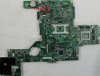
Is it the same chip that you flash for OC?
(I also have the clean ROM)
Thank you so much for your all hard workcapitankasar likes this. -
@Kpax7
hey
the chip you are pointing on that picture is the 4 mb one, the one I used to unlock descriptor, and mod the ME region to enable OC on mine
I can tell you that the L502X have two main flash winbond chips
first one is the W25x40vsig wich is 512 kbit size
![[IMG]](images/storyImages/dsc00742aa.jpg)
I suspect this chip contains the EC region and that it save some configurations and minor stuff, since, I didnt focused on this flash chip since it didnt had the information I wanted to focus at, and also it was in a dificult place to desolder it or install a socket, as you can see it is really close to a bigger chip with really tiny legs, and with a normal soldering iron, it can create troubles if I accidentally touch those small legs/pins, so I dont have backup/dump from this chip or a way to access it.
the other chip is a W25Q32BV
wich is 4 mbit size
![[IMG]](images/storyImages/W25Q32BV-pinout.jpg)
![[IMG]](images/storyImages/bioschip.jpg)
wich store the descriptor, bios, ME, and maybe other stuff, this is the one I modded.
it is basically the one you are pointing on that picture.
however the EC one is probably the one from 512 kb, wich I didnt accesed yet, I'm almost sure the programmer pointed on this topic will be able to access it, but I have no backup of it -
Told ya that nothing on DX is there.
Like 05-15 FPS on dx11. 35-65 dx9. and huge overheat and crash on dx11. -
@ Captainkasar
That's Great info, Happy to hear that. So the bios passwords are stored on the 4Mb chip. I'm gonna build that programmer soon , it's easy to build and use!
Both Roms for the EC chip (512KB) and the Main chip (4MB) are available at Badcap forums by Gruiji...
Tell me if you needed tham and the download links were unavailable.
I have a big question in mind. When we flash the your Bios Mods using the Phoenix winflash utility, does it flash the same (4MB) chip ? Or it only modifies some parts of it? Because flashing it using Phoenix winflash didn't clear the bios password.
Thank you so much for your friendly support...ahmedshiko likes this. -
@Kpax7
are you talking about those ones?
Badcaps Forums - View Single Post - dell inspiron L502X NO POWER
I already downloaded them
I checked the 4 mbit one and I noticed that dump is from an old A04 version.
however I need to confirm the computrace setting status on it.
it would be nice to get a dump with computrace option untouched, so it let to enable or disable it instead having it greyed out.
about your question, the bios mod update only flash parts of it, thats why I needed to access phisically the chip to unlock the descriptor settings and access to some protected areas, like the ME region settings.
so yeah, you can flash those dumps, or well, at least the 4 mb one
anyway you must allways backup your chip first, because you will need it in case something goes wrong or at least to read your serial number.
thats it, you will need to modify the a04 dump with your serial number, and maybe other info.
I also suggest to unlock the descriptor settings using the hex values from the first post
-
@chris89
I can't get the gadget 'cause i'm on windows8, so i'm doing it manually.
I have no games anymore, cause none was working but i will try to download one tonight to test it.
So far i checked and didn't find anything that could be a huuuuge problem, the temperatures are a bit high even in idle right now as my ambient temperature is high too around 30º C
Do u know what should be the VID correct value?
Mine shows always floating from 830mV up to 1,211mV
Is there anyway to check the voltage that comes from the power source?(i mean while i'm using the computer), outside the computer my 130w power supply gives me 19.05 or 19.5V, don't remember the exact value.
I will check the speedfan and all temps while playing and report back.
maybe i can finally fix this
Is the PCH the actual sound controller?
Intel Cougar Point PCH - High Definition Audio Controller [B3]
i found this on hwinfo64 btw
Things are starting to make sense to me, Most of the times when i had errors the only thing that keep running as usual was audio, i could never disable it completely to test.
Field Value
Sensor Properties
Sensor Type Dell ACPI (ACPI)
Temperatures
Motherboard 51 °C (124 °F)
CPU 52 °C (126 °F)
CPU Package 63 °C (145 °F)
CPU IA Cores 63 °C (145 °F)
CPU GT Cores 63 °C (145 °F)
CPU #1 / Core #1 62 °C (144 °F)
CPU #1 / Core #2 58 °C (136 °F)
CPU #1 / Core #3 56 °C (133 °F)
CPU #1 / Core #4 59 °C (138 °F)
PCH Diode 60 °C (140 °F)
Temperature #1 52 °C (126 °F)
ST9750420AS 43 °C (109 °F)
SAMSUNG HM500JI 38 °C (100 °F)
Cooling Fans
CPU 2782 RPM
Voltage Values
CPU Core 0.841 V
Battery 12.817 V
Power Values
CPU Package 5.59 W <<< Are these ok? I have no clue.
CPU IA Cores 1.63 W
CPU GT Cores 0.28 W
CPU Uncore 3.68 W
Battery Charge Rate AC Line
Update:
No game to run yet, but i did a long run(about 20 min) of the system stability test in aida64 and got this at the end, btw to force a system overheat i used ThrottleStop for some time by forcing turbo boost to stay active, (IF U DO IT TOO, MAKE SURE TO NOT KEEP IT RUNNING FOR A LONG TIME) as it can get very high temps in a very short time.
PCH never went over 73º C which doesn't mean that it isn't the guilty one.
Need to test in game, something may be using it more than the stability test.
Field Value
Sensor Properties
Sensor Type Dell ACPI (ACPI)
Temperatures
Motherboard 61 °C (142 °F)
CPU 68 °C (154 °F)
CPU Package 87 °C (189 °F)
CPU IA Cores 87 °C (189 °F)
CPU GT Cores 86 °C (187 °F)
CPU #1 / Core #1 86 °C (187 °F)
CPU #1 / Core #2 87 °C (189 °F)
CPU #1 / Core #3 82 °C (180 °F)
CPU #1 / Core #4 81 °C (178 °F)
Chipset 53 °C (127 °F)
PCH Diode 71 °C (160 °F)
iGPU 87 °C (189 °F)
Temperature #1 68 °C (154 °F)
ST9750420AS 51 °C (124 °F)
SAMSUNG HM500JI 42 °C (108 °F)<<< external device
Cooling Fans
CPU 4556 RPM
Voltage Values
CPU Core 0.931 V
Battery 10.760 V
GPU Core 0.850 V
Power Values
CPU Package 19.60 W
CPU IA Cores 14.25 W
CPU GT Cores 0.33 W
CPU Uncore 5.02 W
Battery Charge Rate -69.16 W
Is there anyway to set the fan on bios? as far as i can see the fan seems not to be triggered by temperature at all, my system is still around 70ºC and the fan is almost turned off, aff
I really don't want to keep it running at full speed.
-
I've opened my dell XPS L502X and repasted it, but I've done a ty job and used a crappy paste because I didn't had the knowledge that I have now, so the temps went up... I will repaste it in a few days with Artic Silver 5, Is there any problem using this paste? It's a Metal-based Thermal Interface Material ( 80-way Thermal Interface Material Performance Test | Thermal Interface Material,Thermal Paste,Heatsink Compound,80-Way Thermal Interface Material Best Thermal Paste Heatsink Compound Cooling Performance Comparison Benchmark Tests) And since this is a notebook I don't know if there is any difference.
Also, Is there any tutorial or tip of repasting the dell xps L502x? I've found one link but all images are gone =/
Even with the repasting, despite the temps going up, the freezing issue didn't changed in any way. I've tested with default settings 672Mhz, and it froze, with 600Mhz, my core clock before the repasting, it didn't freeze even with the temps going up. This justify my theory of non-heat related issue... Now we only have to find the very cause of it... I'm starting to think that's maybe it's bad programming or some other thing, I still have to try the 150W charger.. -
@ CaptainKasar
I bought some tools and Resistors today, I'm gonna do the flashing tomorrow, I hope I won't lose my bios coz it's too hard to find another one here
If I flash it with the A04 then I can flash your Mods again to A12 , right?
A mysterious thing is that in my Dell account under my laptop drivers the latest release is A10, I wonder how you found A12 update!
Another question is that what's the improvement to update the Intel MEI ?
And also the strange thing is that Intel has recently removed all drivers relating to this laptop from their download center!!!
Including : Intel MEI drivers, Intel Mobile Express chipset drivers (Intel 6 series mobile ), etc ...
I'm amazed
Another disappointing point is that I tried most of your Graphic card mods on bios and none of them worked for me, still freezes on games. even underclocking the GPU doesn't help. The temp goes to 68 and then freezzzzzzz. I even applied Arctic silver 5 on that!!!
@ Giullio S.
Here's the guid to Repaste:
http://www.arcticsilver.com/pdf/appmeth/int/ss/intel_app_method_surface_spread_v1.1.pdf
From my experience, Arctic Silver 5 is perfect for CPU and lowers the temp by 7-8 degrees but on the GPU not good.
My GPU before repasting was 43 degree at idle and now is 55 degree :O
No matter what you do the paste I tried a lot. I've heard that Deepcool Z9 is better for GPU... -
@Giullio S.
same here, the repaste links I used to be linked to the first post, seems to be gone or with dead images, try looking for soe youtuve videos, the repaste part is easy when the system is already take appart, it is basically remove the old paste and clean the parts, then apply the new paste
@Kpax7
I found the A12 bios since some people linked to file from dell's FTP site .)
yeah, you should be able to update to a12 from a04 and also update ME firmware without problems.
however, I insist you to backup the entire 4 mb chip from your system and save it properly with some backups, since it hold unique hardware keys for your system like serial tag and maybe other stuff.
then, you will need to hex edit the a04 dump and do at least following
* replace the serial tag with yours
* unlock the descriptor
relating crashes, try using the 83/85 v5 bios, and underclock also gpu memory until it stop crashes.
if that also dont work, ther may be phisical damage on your gpu -
A12 and A06 versions are available from official Dells l502x site: Drivers & Downloads | Dell US (in BIOS section).
capitankasar likes this. -
@ CaptainKasar
Should I underclock the "GPU memory"???? I thought I should underclock the "GPU Clock" not the memory!
How should I replace the serial, where to hex edit?
And also using the 83/85 mod doesn't work, because it's too low for the GPU to work, and when I run a 3D game system turns off immediately!
thanks man
(I'm currently soldering the circuit for the bios, will be tearing the laptop apart in some minutes haha) -
@Kpax7
first of all make a backup of your chip using your homemade hardware programmer and ensure it works properly by making several backups of the chip and comparing then to ensure they are identical, two or three dumps should be ok, you can also compare them with HxD hex editor , open the files to compare and press ctrl + K.
if you are going to flash that A04 chip backup to flash on yours, you will need to search for this text string 94FPZP1 , wich is the service tag of that dump.
and then , replace it with your laptop service tag. (you can found your service tag under the laptop on a sticker if you cant access your bios to note it)
I found a 4 coincidences on that dump, so you will need to replace all of them.
to unlock the descriptor and allow software access to your phisicall chip, look for this at the dump (hex values)
00 00 0B 0A 00 00 0D 0C 18 01 08
(it is located at the first part of the file)
then change it to
00 00 FF FF 00 00 FF FF 18 01 08
this will enable read and write operations to the locked sections from the chip using software.
oh, can you take pics of your homemade programmer and the entire process of your little hardware adventure?
I am really happy someone else than me is finally going to do the bios chip trick
-
Thank you so much for putting your time and effort
If you didn't give the dump service tag I wouldn't have found it myself
My programmer is a little messy haha
But that's ok , I'll put my pictures if it didn't fry my bios :laugh:
P.S. > Didn't you find any more EC tricks ? Just like the Fan mod? That was very nice to change the Fan speed to max ! Thanks for that.
Don't you know any more values other that 40 (Auto) and 02 (Max)? I've seen tutorials for other motherboards. They're quite different though! They usually have three fields for Fan, one for the (Manual/Auto) one for (Min/Max) and one for specified value (Usually 1 to 8). -
@Kpax7
pleased to help
I also like someone is putting effort of hardware modding his machine, that is allways exciting ^_^
dont worry about your programmer, you can see my programers v1 and v2 at the first post, none of them looks really proffesional, but they do its job ^^
as for the moment I didnt found any other EC tricks, however, that shouldnt be difficult, basically is to check the EC while you are doing other stuff like increase brightress, sound, or any other stuff and check what changes on RWE, anyone can try those tests by hiself
mmm, relating to the fan control, I just investigated a little, so I cant confirm there arent more stuff, I based those values on what timewalker said for other laptops and I found the values for the L502X -
Okay then.
In case you still haven't figured this out yourself, I can show you how to make the fan speed *stick* at certain RPM.
You may need this in case you are doings some light office work and you don't want your fan to constantly go on and off all the time like it happens by default.
First wait for the fan to kick in... and watch EC data:
![[IMG]](images/storyImages/67NmP.png)
The number marked in green is your 8 bit FLVL register, which shows fan level state:
0 = 0 RPM or OFF
1 = ~ 2700-3700 RPM
2 = ~ 4200 RPM
3 = > 4500 RPM
The numbers marked in red are two 8 bit registers FANH and FANL which make up a 16 bit concatenation that shows current fan speed in HEX form. In the example above the current RPM of the fan was 3809 RPM, which is the lowest setting that is being set by Dell's SMI protocol from EC on my Vostro).
Numbers marked in blue are your DTS (digital thermal sensor) readings, register 0x5A is CPU die temperature and 0x5B is PCH die temperature. These are the ones you will need to monitor somehow when locking the fan up at one single speed.
So.. the fan has kicked in, what do you do?
1. Set FLVL (green) register to 0, making the bios think that temperature has already decreased and fan needs to be turned off. Typically when temps are really high FLVL will have a value of 2 and you can't really set 0 at this point as it will be immediately overridden by SMI protocol, so wait till it drops to 1.
2. As you set fan level to 0 watch fan speed registers drop values gradually. The value of FANL will change rapidly while FANH will slowly go down to 0x0A and then fan will turn off completely. So be quick on your decision about what kind of fan audibility you want.
3. When you just about satisfied with fan speed (you can monitor it wit AIDA64 or something for easier reading) you set TCTL (tachometer control) bit to 0. This locks the fan in manual mode. The TCTL bit is part of register 0x60 that has default value of 0x40 which mean that TCTL bit is set. You need to clear it in order to lock the fan at certain speed. FLVL register will change to 0xFF indicating that auto mode is no longer active.
So when you are done it should look like this:
![[IMG]](images/storyImages/67NQY.png)
To revert everything back just restore TCTL bit and the auto mode will take over.yegg55 and capitankasar like this. -
@ timewalker
What a complicated setting
Couldn't have figured it out on my own!!!
Thanks, good to know it.
But I couldn't also figur wifi switch and brightness hotkeys in EC.
@ Captainkasar
I hate "Made in china " hate hate hate....
In the moment I was removing the bios one of the Motherboard leads was removed with the bios so the MB is F***ed
Not that I'm armature , it was so delicate and removed with no pressure or high temperature !!
Anyway I proceded to flash the bios but realized that the programmer detects my bios as EON EN25F32 !! !! It's not winbond
only My EC chip is winbond 25x80B

I watched closely and read the chip info and saw that the chip reads: "EON EN32"
Then opened the Readme file and saw that it's supported by the programmer ...
Then tried to back it up when the backup process finished i opened it with hex editor and it was all FF
The backup file is totally empty :'(
What should I do now? -
@timewalker
as allways great info, rep added, you rocks!
@kpax
well, you may be able to save the board by soldering on the trace where it got broken.
my advice is remove the chip pins one per one, with a small knife slowly by applying heat with the soldering iron and lifting the legs with the knife, very carefully because the pins are so fragile and also if you apply so much heat, the chip will be damaged.
something is wrong with the programmer then, it shouldnt detect your main chip as that.
you should get some kind of replies like this
![[IMG]](images/storyImages/dsc0075fu.jpg)
I took those pictures while modding my bios some time ago.
however, definitly your backup shoulnt be FF
check your programmer connections and that the chip is on the correct way.
also try on different computer with different LPT port or check the LPT port configs in the desktop bios -
If only someone had skill to automate this kind of process into a windows application.
Technically it's not even necessary to use EC monitoring (as in reading/writing to it) nor accessing Dell's SMI which both create huge amounts of lag.
In OS X I can have custom SSDT ACPI table with a set of methods that are being polled with certain interval and this allows me to code any kind of fan behavior that I desire, not in Windows, unfortunately. AIDA64 accesses DELL ACPI in the same manner, it just reads value from EC memory accessing ACPI and displays them conveniently.capitankasar likes this. -
That sucks! I guess it's the pin 4 pad that came loose? It happened to me too, but I was lucky that it didn't break. When you use a magnifier or microscope, you will notice that immediately to the left of the pad, there is a via (small pinhole that actually connects the pad to a different layer of the board). When you carefully scrape the solder mask (the green paint) off this via, you should be able to solder a thin wire to it to restore the connection with the chip.
That shouldn't be a problem. Motherboard manufacturers often use different sources for their parts. I looked at the datasheet and the EON chip is fully pin-compatible to the Winbond. Only difference is that the Winbond supports dual and quad mode, which theoretically makes it 2 or 4 times faster, if only these modes where used by the motherboard...
From the fact that you where able to make a screenshot from the flashing process, I guess that you're using the flasher in some kind of Windows environment. Although I got it working under XP, it's preferrable (for stability) to use DOS, like CapitanKasar says.
- Download Hiren's boot CD from Hiren's BootCD Fan & Discussion Platform
- Follow the instructions on that site to create a bootable USB stick with the contents from the boot cd.
- Put CapitanKasar's flash pack in a directory on that stick (I called it spipgm)
- Boot the stick on the system you're using to flash
- Select DOS from the main menu (not mini XP!!!!)
- Select "Next" from the first DOS menu page
- Select "DOS" from the second menu page
- Wait until everyting has loaded, this shouldn't take more than 10 seconds.
- Type C: <enter>, this will change to the USB stick.
- Type cd spipgm (or whatever you called the directory) to change to the directory with the flashing programs.
Now follow CapitanKasar's instructions to do what's needed.capitankasar likes this. -
BTW. Thanks to CapitanKasar's help, tools and information from the first post, I was able to unbrick my XPS! Thanks a lot!
capitankasar likes this. -
@squirrel61
thanks for your comments
glad it worked for you ^^
well spipgm did not work great for me , at least to write, I was able to read stuff, but it did not wrote a single bit, thats why I used flashrom app to write the modified backups. -
I used pure DOS to read the EON chip!then went to xp to take pictures.results were the same for dos and windows cmd!yeah i wanted to do the scrap trick myself just waiting for the bios to be flashed...
-
@Kpax7
before flash anything, ensure you can do a propper dump, it definitly shouldnt be all FF FF FF .....
you should be able to see stuff inside the dump, like the descriptor hex part mentionated in the first post, and some plain text like bios, dell, and some bios strings.
it is really weird it identify your chip as EON chip instead winbond chip, also inside the bios, there are mentions to the winbond chips acording what timewalker said.
however he didnt said anything about EON chips, not sure if there are something wrong with your setup, maybe the LPT port configuration or programmer itself.
it even works for me on a older laptop with LPT port
![[IMG]](images/storyImages/dsc0076rt.jpg)
![[IMG]](images/storyImages/programer.png)
![[IMG]](images/storyImages/dsc0075jz.jpg)
![[IMG]](images/storyImages/dsc0077nx.jpg)
![[IMG]](images/storyImages/dsc0078gk.jpg)
I use aditional chips to flash several tests and swap them if needed, also carrying extra chips with working backups is usefull if for some reason I screw the bios and I have not the flasher or another computer with LPT port arround ^^ -
Today I flashed my Bios successfully. Unlike your bioses it was an EON EN25F32 (4Mb) bios. The info on the chip is very small , pale and brief.
In such a way that I couldn't even take a photo of the chip info! There are 3 lines on the chip. Only the first and middle line can be read as:
EON
F32
After making the programmer I realized that SPIPGM detects the chip as "Amtel - Unknown Chip" ...
I added a 47uf capacitor to the programmer and tested again! Again nothing!

Accidentally when I was tuning the chip leads when my finger was on the Negative wire of the programmer I saw that my chip gets detected !
I Thought that maybe the capacitor is too much, so I searched for the original Rayer_spi programmer and found that it needs a 1uf capacitor and 150 ohm resistors! Based on the Captainkasar's instructions I bought 1 ohm capacitors and didn't have them so I used the same resistors with a 1uf capacitor.
Testing again showed me that the programmer needs a Earth wire!!
Attached a wire from the negative pole to my computers case and the chip got detected on both the flashrom and spipgm!! Hooray!
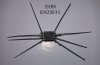
I also realized that the SPIPGM version that CaptainKasar used can't read from my chip, so I used flashrom to read the chip, here's the command:
Code:Flashrom.exe -V -p rayer_spi -c EN25F32 -r Backup.rom -o Log.txt
Results:
Then I wrote the clean A04 bios file successfully to the chip. After the successful write it said: Verification Failed .Code:flashrom v0.9.6.1-r1612 on MS-DOS 8 (i686) flashrom was built with libpci 3.1.5, GCC 4.4.4, little endian Command line (9 args): c:/mod1/flashrom.exe -V -p rayer_spi -c EN25F32 -r EN25F32.rom -o read.log Calibrating delay loop... OS timer resolution is 50000 usecs, 2760M loops per second, 10 myus = 0 us, 100 myus = 0 us, 1000 myus = 0 us, 10000 myus = 0 us, 200000 myus = 220000 us, OK. Initializing rayer_spi programmer Using address 0x378 as I/O base for parallel port access. Using RayeR SPIPGM pinout. The following protocols are supported: SPI. Probing for Eon EN25F32, 4096 kB: probe_spi_rdid_generic: id1 0x1c, id2 0x3116 Chip status register is 00 Found Eon flash chip "EN25F32" (4096 kB, SPI) on rayer_spi. === This flash part has status UNTESTED for operations: PROBE READ ERASE WRITE The test status of this chip may have been updated in the latest development version of flashrom. If you are running the latest development version, please email a report to [email protected] if any of the above operations work correctly for you with this flash part. Please include the flashrom output with the additional -V option for all operations you tested (-V, -Vr, -VE, -Vw), and mention which mainboard or programmer you tested. Please mention your board in the subject line. Thanks for your help! Reading flash... done.
And my face was like this :
I was worried and I went and downloaded the latest SPIPGM from the author site and saw that it can read the bios
I read the bios to file and compared it with Hxd to the original bios file and it was all correct !!
So the flashrom was mistaken on the verification process but it did a very good job on writing and reading the bios.
Results:Code:Flashrom.exe -V -p rayer_spi -c EN25F32 -w Bios.rom -o Log2.txt
And here is my things:Code:flashrom v0.9.6.1-r1612 on MS-DOS 8 (i686) flashrom was built with libpci 3.1.5, GCC 4.4.4, little endian Command line (9 args): c:/mod1/flashrom.exe -V -p rayer_spi -c EN25F32 -w Bios.bin -o logwrite.txt Calibrating delay loop... OS timer resolution is 50000 usecs, 2760M loops per second, 10 myus = 0 us, 100 myus = 0 us, 1000 myus = 0 us, 10000 myus = 0 us, 200000 myus = 220000 us, OK. Initializing rayer_spi programmer Using address 0x378 as I/O base for parallel port access. Using RayeR SPIPGM pinout. The following protocols are supported: SPI. Probing for Eon EN25F32, 4096 kB: probe_spi_rdid_generic: id1 0x1c, id2 0x3116 Chip status register is 00 Found Eon flash chip "EN25F32" (4096 kB, SPI) on rayer_spi. === This flash part has status UNTESTED for operations: PROBE READ ERASE WRITE The test status of this chip may have been updated in the latest development version of flashrom. If you are running the latest development version, please email a report to [email protected] if any of the above operations work correctly for you with this flash part. Please include the flashrom output with the additional -V option for all operations you tested (-V, -Vr, -VE, -Vw), and mention which mainboard or programmer you tested. Please mention your board in the subject line. Thanks for your help! Reading old flash chip contents... done. Erasing and writing flash chip... Trying erase function 0... 0x000000-0x000fff:EW, ..... Blah blah blah Erase/write done. Verifying flash... VERIFY FAILED at 0x00008134! Expected=0xed, Read=0xef, failed byte count from 0x00000000-0x003fffff: 0xbe54 Your flash chip is in an unknown state. Get help on IRC at chat.freenode.net (channel #flashrom) or mail [email protected] with the subject "FAILED: <your board name>"!
My Programmer:
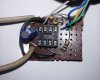
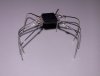
My Spiderman and spiderling :laugh::

My laptop open and testing:
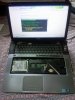
The proof to clean pass bios, OC hacks and updates:
![[IMG]](images/storyImages/cleared.jpg)
![[IMG]](images/storyImages/Success.jpg)
I bought Arctic silver 5 and repasted my CPU and GPU the temps are fantastic, the CPU power now better!
![[IMG]](images/storyImages/after.png)
P.S > The Graphics mod still doesn't work!
2 problems :
I flashed the Advanced mod with 0.83/0.90 voltage but when I open a 3d software the voltage still goes to 0.98 and system crashes on 99% load with 50 degree temp !!
I gave up graphics mod it's crap :'(
@Captainkasar, you didn't answer me last time!
Do I need to underclock the GPU memory or the GPU itself?
Credits:
Thanks God for making such wonderful things
All credits goes to CaptainKasar for his continued support and help
Many thanks to Squrrel61 for his valuable info and guiding me to the right direction
Thanks to the author of Flashrom
Thanks to the author of SPIPGM , Martin rehekcapitankasar likes this. -
hi Kpax7
i forget passwordbios please upload my programmer -
@ ahmedshiko
Please remove your previous comment , you shouldn't have quoted that long post
The programmer is completely explained by CaptainKasar in the first post.
http://forum.notebookreview.com/del...modded-bioses-download-gpu-voltages-more.html
Also read here :
DELL XPS L502X Core I7 Master Bios Password - Badcaps Forums -
@Kpax7
awesome!
so as I can see this is the first password lock removal for this machine
at least using non pay methods
thank you for all the explanation
oh, as I can see my spipgm from my package is outdated, I will need to update my package to support newer chips and also indicate that there are newer chips thant the winbond ones on the l502x machines.
oh, I noticed you was testing the ME patch in one of your pictures, did you sucesfully unlocked overclocking on your machine?
relating your crashes, underclock both, core and memory until it stop crashing, then raise them until you realize wich was the one crashing, also you will be able to have the highest posible stable clocks
however, since this password removal hack seems to work, I can see this being used by the bad guys
Kpax7 likes this. -
Here's some update on the process:
1. The original circuit of the programmer is as follows:

2. The latest version of the software can be downloaded from here:
http://rayer.g6.cz/programm/spipgm.zip
* Supports both Winbond and EON chips
* The Flashrom software included in the first post works for both EON and Winbond chips.
3. Here's the Intel ME firmware version 7.0.4.1197 if you ever wanted to downgrade to this original version! Download from here.
The numbers mean :
Major version 7
Minor version 0
Hotfix version 4
Build version 1197
Each bios rom consists of these parts: Bios, Descriptor, PDR, GbE, ME
Here is the software to Cook your own flash rom file from the parts, Download from here.
4. Here's the tool to check your ME version , MEInfo for ME7
Good luck everybodyAttached Files:
capitankasar likes this. -
-
huge thanks for all the info
I also updated the flash tools with the spipgm version you posted
-
Here's my rig:
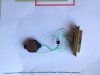
I already disassembled it, because I needed the chip for my computer. But I've put it together again, using a spare bios chip, to be able to take a picture. After 10+ solderings/desolderings, the wires are becoming a bit ragged but it's still working. Since I've got more wires in my home than ZIF sockets, this was the fastest solution for me.
Btw. I've been taking a look at Rayers page about the SPI programmer. Indeed, as Kpax7 mentions, he advised to use 150 ohms resistors and a 1 mF capacitor (which, according to my understanding, means 1 milliFarad, or 1000 uF. This seems far more reasonable to me than 1 uF. But in his current version, he is using 220 ohms resistors, a 100 uF capacitor and a 3.3V voltage regulator. Anyway, the 100 ohms resistors and no capacitor solution worked for me. -
not bad
I like it, the design looks very clean and also the tiny wires should make the job easier
well, I didnt had sockets arround, but I ordered them, they are a must have when you are going to reprogram them more than once
oh, also same for me 100 ohm resistor and no resistor worked for me, and with the socket, the programmer is usually one of my travel items , like the recovery cdrom ^^
edit:
@all
overclocking patch has been tested by Squirrel61 with nice results
so all the people here with an unlocked descriptor, feel free to give it a try
-
hey everyone long time since I've been on. Look like there been plenty of work being done. If you remember back to around a year ago I did the heatpipe mod and it;s still going strong. I have my laptop nearly always connected to an external monitor to dual screen and I'm still playing games at around 700mhz over clock on the 525m (peak around 80 degrees doing this while gaming).
I got this laptop like 3 years ago now and I still love it. Cost around £400 the from the dell outlet and I was looking at laptops available now ( yes they are thinner) but the processors are now more power efficient with little increase in processing power. The l502x is a solid laptop (a shame the discontinued it) and having bought and returned the new xps 15 which is nice and thin but has problems with throttling due to overheating.
Basically yes my l502x is getting a bit old for games like battlefield 4 but I'm playing other games like Rome 2 fine. For other tasks like internet, AutoCAD and work it still easily copes with ( even beats our old uni desktop pc in AutoCAD). I'll probably just buy a console for proper gaming but selling my this laptop doesn't make sense even 3 years later. Is it me or does the advance in laptop power seem to have stagnated looking at dell now I'm probably paying the same amount for a laptop with similar specs to the l502x ( yes it's thinner and had better battery life but that's not a major plus for me) plus they are probably more likely to overheat due to the ultrabook design so useless for decent gaming.
What do you think? -
Here's screenshots from my overclocking:
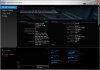
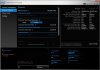
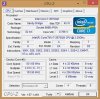
I did everything as described in the first post: unlock descriptor, update Intel ME, patch Intel ME, bcdedit command and install XTU. After that, I had to enter the BIOS setup and save the settings (nothing visibly changed) to get it working. As you can see, some settings that normally are unavailable or even invisible are unlocked now.
To me, the Turbo Boost power settings seem to have more potential than the clock adjustment, since the latter only brings you 4-5% advantage before becoming instable, where the Turbo boost gives you around 50% improvement. But when you change the Turbo Boost power, it seems like a good idea to repaste the processor and graphics chip and improve the airflow in your computer, since the system definitely will become hotter!capitankasar likes this. -
Hey capitankasar, may you give me information about the Intel ME Firmware.
I have been reading the first post again and notice the section about the Intel ME Firmware, I never updated mine, is any advantage on doing it? I noticed that on the first post you mentioned that by doing it the ability to overclock my be lost, is that true for both updates listed there? Thanks in advance.
Hi jjjjj_55555, you mentioned the heatpipe mod, what mod is it? Thanks. -
@CaptainKasar
in the first post you said :
Please correct that, because I uploaded the stock ME firmware in my last post for you
Also I should say that the ME firmware that SwooshyCueb provided could not be loaded into the chip and crashed my windows.
I made a Dos bootable flash and tried to flash it via Dos although it flashed successfully but it corrupted my ME and it showed 0.0.0.0 in the bios.
I returned to windows and flashed it with your Moded ME and it went fine ^_^ thanks. So 7.1.60.1193 didn't work for me ....
I also overclocked my CPU to the highest possible value by playing with the values a lot and found the ideal situation for myself,
I got fantastic results by doing the following:
1. Applying Arctic Silver 5 to my CPU, which reduced CPU temps from 92/85 (underload/idle) to 65/55 (underload/idle) and that was incredible. And when I put my system fan at max speed the temps at idle stay at 40 centigrade and when under full load go to 60 max
2. The best Clock which gave me maximum performance was 105.3498 I went higher to more than 106 but any value further than 105.3498 would severely lower memory performance and computer performance but I didn't face any system instability.
The highest temperature during the tests was 82. I used Geekbench 2.4 and Geekbench 3 as they test different workloads on CPU.
And with all above improvements I got around 2000 more score in Geekbench site (From 6600 to 8600 perhaps I removed my previous scores unfortunately)
(Any change in Turbo boost settings reduced the performance so I reverted to defaults)
(From 6600 to 8600 perhaps I removed my previous scores unfortunately)
(Any change in Turbo boost settings reduced the performance so I reverted to defaults)

Geekbench 2.4 Results during the tuning and the highest score in final tuning (8600):

Geekbench 3 Results during the tuning and the highest score in final tuning (8614):

Huge thanks to CaptainKasar
My idle Temperature with auto fan is 50-55 degrees.
You guys also try Geekbench and post your results , I wanna see them , specially Squirrel61 because he has the other CPU, mine is 2630QM.
Thankscapitankasar likes this. -
@jjjjj_55555
same here, using external monitor + external mouse and keyboard (desktop like) and 700 mhz core on my 525m using 0.85v/0.85v
this laptop is awesome, tiny , cute and powerfull, specially with the truly potential unlocked using all the info from this topic
however yeah, it is getting old
well, for the games I play, it is OK
my next laptop may be an alienware, asus or msi laptop, I want one with already performance base, then I can try enchance its performance with mods
@Squirrel61
awesome
welcome to the little L502X BCLK overclocking group/gang
just a little people was able to OC it while most of them were just to OC the nvidia GPU
yeah, BCLK OC is minimal, however it also OC other componentes like intel hd 3000 graphics, ram memory and other system parts, thats why it is so unstable, but also every mhz you increase supose general improvement
my i3 doesnt have turbo, so I cant test other functions and I am stuck with the BCLK OC ^^
arrrgg, I definitly need to get a I5 or I7 proccesor to try this stuff
@thenriques45
the intel ME is part of the firmware like the BIOS is, relating what I said, my intel ME overclocking patch has been made from the 7.1.52.1176 update, so I am not sure if the overclocking patch will work with any other ME update.
@Kpax7
well, I tested what you gave to me, and it isnt a ME update, it isnt compatible with the app I used to update the ME firmware on machines with locked descriptor.
your file seems more likely a dump of your ME region using a unlocked descriptor.
so for that reason it cant be used as a update like the ones I have at the first post.
the software you used is the fptw or fptw64, while the one I used to update the ME firmware without accesing the protected zones used by features like OC unlocking is the FWUpdLcl.exe
oh, about that SwooshyCueb update (7.1.60.1193)
I didnt flashed it on my machine due the OC patch and I was unsure it was compatible, for that reason I said it was untested.
wow, nice OC you have there
I had to reduce my bclk to 104.48 since it was unstable on higher ones, I wish I could use yours
as I can see my patch get the performance even higher on systems with better proccesors, specially on the ones with turboboost ability
lets hope more people proceed to unlock their descriptor after those awesome feedbacks
-
Hello Capt. Kasar,
First I'd like to thank you dearly for all your efforts. This modded bios are absolutely great.
I'd like to give my review too. I'm currently using this version:
It works like a charm! On Windows, my GPU temperatures in game dropped from the upper 90s to the lower 80s. On some lighter games as league of legends, they barely reach 75. Great improvement, overally. I found no issues issues or artifacts at all using stock clocks.
On OS X it behaves greatly and indeed fixed my lid sleep. The audio breaks every time the computer sleeps, but I can easily remount the kexts using terminal and it fix the problem.
-
Lastly I'd like to ask whether you modified the fan behavior on this bios. I think that the fan is kicking in more often (all the time actually), in keeps in this low yet audible speed even in absolute idle. Why do you think this is happening?
Well, once more thank you! -
@Kai Dowin
thanks; I added you to the first post
oh, as I can see, you are playing league of legends, try using this trick for fps improvement.
http://forum.notebookreview.com/del...5-r2-l502x-owners-lounge-402.html#post9009579
as for the fan, you can try using the trick mentionated on the first.
L502X modded bioses download (GPU voltages and more!)
Discussion in 'Dell XPS and Studio XPS' started by capitankasar, Dec 30, 2011.


