 Problems? See this thread at archive.org.
Super! I'm getting a fixed 60 fps (due VSync) on a maxed out but shadows LoL.
-
About the fan management, I'll try it and I bet it will do the trick. The only problem is that I spend 90% of the time using OS X
I'm currently researching how to manage the fan on OS X to make it quieter in idle, but had no success so far.
-
Guys I spent the last night reading about water cooling system for notebooks. Bottom line, it's possible but kinda trick. There are a lot of DIY systems and systems adapted from a desktop version. Nothing made specifically for notebooks, which is obvious. I wonder how hard would it be adapt one system to our notebook...
-
I think u can mod the fan in speedfan enable dell fan support in options and i should work.
gpu voltage on 540m max is 1.00v and by stock just 0.980v in 3d at 672Mhz. With a mod to the vga bios voltage table editor in 'hxd' hex editing app you can push to 1.120v max because anything beyond 1.12v would not display in the P15 voltage box for 3d. It's all up to what the P15 box will allow and on the GT540m 1.120v is max voltage. Temps are still low and stability is very high plus the gpu is higher watts now maybe in the 50 watt range from 35 watts and its very fast and powerful now at 780Mhz Core Clock. Is anyone else able to achieve 780Mhz 100% stable? If so lets see screenshots...
PCH controls some north bridge functions cpu to memory communication, all southbridge functions, and storage etc. So it goes up when the cpu or gpu are under load, listening to music and transferring data.
My PCH at idle 798mhz cpu clock is about 65 Celsius and at 3.1Ghz it's hitting 89 Celsius but then again core #1 is at 89 Celsius as well.
So it's not likely possible to keep these chips below 80 Celsius while in turbo boost because my cpu hits 51 watts in turbo boost and 25 watts at it's base clock of 2.2Ghz.
-------------------------------------------------------------------------------------------------------------------------------------------------------
Eurocom has a Xenon Server 17.3" laptop and for just 5 grand you get a 3.4Ghz Xenon 12 core with 24 threads in total!
some day some day.... I hate waiting on cpu transcoding for video since the gpu in cuda looks terrible at low bit rates. The CPU does a way better job and the video is nice looking and clear no artifacts like with cuda.
Anyway it takes 45 minutes to transcode 45 minutes of video, so if I used the Xenon 12 core 24 thread cpu I might get it done 3-5 Times faster because it's a 115 watt cpu....
-----------------------------------------------------------------------------------------------------------------------------
Anyway good luck guys
-
I've run a few quick tests on my system with Geekbench Trial (which means it's locked to 32-bit tests). My system is an L502x with i7-2670QM processor and GT525m, CapitanKasar's advanced A12 bios with 0.83/0.83 and OSX sleep fix and 8GB of 1333MHz memory.
With stock settings, I get scores of 2452/9297 points (single/quad core).
Increasing the Turbo Boost power only brings marginal advantage, but I guess it will pay on longer lasting sessions, like a gaming sessions. Turning up the TB power will theoretically allow the processor to run longer at it highest boost frequency, before being throttled down, but on a 3-minute test like the Geekbench, this doesn't show. I could notice during the tests, by watching the XTU and Turbo Boost Monitor displays, that the max. boost frequency was slightly higher with increased max. power settings and it lasted a bit longer. But due to the nature of Geekbench continuously switching from single core to quad core and back (clearly visible in the XTU display), this didn't pay out much.
With the BCLK increased to 105.5670 MHz, my scores improve to 2561/9721 points (single/quad core), which is in line with the expectations (4-5%).
One result of the tests is that I'm now sure that I have to look at my cooling, because when I ran Geekbench two times in succession with the increased BCLK, first my fan went crazy and before the end of the 2nd test, my system shut itself down because of overtemping
Kpax7, since you seem to have your cooling system capable of handling high temperatures, could you try to run a benchmark that puts a constant high load on the processor for some minutes and then compare the results from stock settings and increased TB max. power settings? I have to work on my cooling first, or my computer will shutdown halfway such a test.capitankasar likes this. -
I just found this: SO8 SOP8 To DIP8 EZ Programmer Adapter Socket Converter Module For Wide 150 Mile -- BuyinCoins.com
Could be very useful when programming multiple flash chips! But I'm afraid it is less useful on the motherboard, because of its size. -
the ones I used are smaller and very confortable to use on both programer and motherboard sides, program the bios is as simple as swap the chips.
soldering is needed just for install, but then everything become easy
-
Yes I agree, but these are easier to get (at least for me) and much cheaper.
I also found clips on eBay, normally used to do in-circuit testing. Like this one: pomona 8 pin soic test clip. part number 5250. IC test clip | eBay
They are very expensive, but sometimes they can be found cheap. And I wonder if it's possible to do in-circuit flashing of the chip ie. without desoldering and resoldering. Maybe if I can acquire one of these clips really cheap, I'll give it a go. But I'm pretty sure that it will be necessary to use a power supply instead of the battery, because you not only have to power the flash chip, but also part of the computers circuitry.
Btw. the SOP8 to DIL8 converter is very convienient when you have a Willem programmer or EZ Programmer. And I happen still to have a Willem programmer, but haven't used it in years and it seems to have problems with 64-bits Windows versions. -
I tried something similar and I didnt had luck, the wires have to be very short to make it working properly, also yeah, with the chip soldered in, the power go spread over the main motherboard and it didnt even detected the chip, so phisically removing the chip was the only solution wich worked for me, my sockets were a little expensive, but I can say, it was worth of it ^^
-
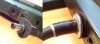 Best solution i've found on the net. How did you solve this?
Also, i think i've broke my chrager.. After i installed win8.1pro battery is not charging, and bios isn't seeing the cable. But everything is ok when it is just inserted,capitankasar likes this. -
I didn't solve this. When the cable pulls out, I'm glad that it pulled out and that my laptop didn't fall on the floor just because someone tripped over the cable
It's the sole reason Apple uses magnetic power wires on their Macbooks.
I've repaired many Dell power supplies in the past and usually it's not the charger that breaks, but the cable. In the few cases where a charger dies, it's usually caused by a continued short-circuit because of a broken cable. But your power plug definitely seems broken. In your case, I would cut the cable 1-2 cm. outside the plug and attach a new plug. Or, if you haven't one, remove all the plastic from the old plug and reuse that one. You won't have the nice light anymore, but hey, the light doesn't charge your laptop but a working cable does. -
This is NOT mine plug. Just Found this one on the net. And made the same thing actually, and there were some times when someone tripped over. But this thing is NOT that sticky. Just won't loose you plug as easy as without it.
BTW I installed 83/83 a12 bios for 540m, Had some troubles. NVinspector showed me that i have 1V not 0.83V. And the fan was working like hell. Also crashed any game ASAP. The temp was over 94c, i know it is cold in Russia? but not that cold./. Dunno was happened but i'm back on my favourite 83/85.
One more thing. The last Intel ME is 7.1.80.1214, will you be posting the update? And even Dell updated ME to 7.1.21.1134,A01 (wonder what took them so long). -
I will if I find the proper update, I found some 7.1.80.1214 updates, but it was a 5mb firmware update bin file, L502X needs 1.5 mb update bin file, so if someone find it, let me to know, thanks
-
Ok, so this is not your plug but it is still possible that your plug is damaged. First thing I do when I have a broken power supply is check the mains cable. I once spent 2 hours on the power supply and secondary cable and plugs only to find that the mains cable actually had a wire break, which didn't show at the very moment I first checked it with a multimeter. So since that time, I try the mains cable on another device and another mains cable on the power supply to make sure that the mains cable isn't at fault.
What I usually do then is crack open the power supply and desolder the secondary cable. I then check the secondary cable for breaks and short-circuits between all 3 wires (actually with Dell, it's 1 wire and 2 shields). Furthermore, I connect the power supply to mains and measure the output directly on the circuit board, secondary cable still unattached. At that moment, 9 out of 10 times, it's been proven that there's something wrong with the cable. The most common problem is that the insulation between the two shield layers cracks at places where the cable bends a lot and then both shield layers touch each other. Since one is power + and the other power -, the short-circuit protection of the power supply switches it off. As said, sometimes the protection doesn't work as it should and the continued short-circuit kills the power supply.
Something else, I've been using the 83/83 A12 bios for 525m for some months to full satisfaction (apart from some problems caused by the advanced settings, mainly being UEFI mode unlocked). Maybe you should just give it a new try, something could have gone wrong when you flashed it.capitankasar likes this. -
I just found out my OSX Mountain Lion works perfect with the sleep fix on the bios ^_^
That was awesome to see my OSX sleep
Captain you ROCK <3
capitankasar likes this. -
@Kpax7
thank you ^_^
I saw some people on bios-mod.com forum discovered that trick and also were appling it to some laptops, so I decided to include it on my L502X bios mods
-
Are you using a dedicated guide to install Mountain Lion on your XPS or did you get it working yourself? And can you use both IGP and nVidia graphics on ML?
I used to create, or at least try to, hackintoshes on all my previous systems, but for some reason never tried it on the XPS. But if I do, I can finally get rid of my Eee PC aka Macbook Mini, which is still running SL.
-
Hey Squirrel
Yeah there's much info on installing OSx on this laptop on insanelymac and other forums , google can help.
But for this purpose I used iAtkos ML2 , download that and install.
In the installation process remember to customize what to install and what not to install.
As far as I know apple has not integrated Optimus technology to it's products so the nVidia is not functional, only the HD3000 works.
I finished "The walking dead season 2 Episode1" today on the OSx today, that was awesome ^_^ -
OK thanks. I'm thinking about mounting a spare harddisk (to avoid all risks of killing my W7 or W8.1 installs) to try OSX. But first I have to disassemble my XPS and do something about the cooling. Although I don't have problems yet, the system isn't using Turbo Boost anymore unless I turn of the temp limits in the bios settings.
Kpax7 likes this. -
For Cooling issues use a nice Thermal paste like "AS5" or Z9
and remove the air filter
also you can use the EC fan trick
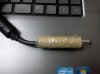
and about the plug I should say that I had to do a surgery on my plug to get it back to work. the data wire was cut.
So it said : "Plugged in but not charging"
 capitankasar likes this.
 -
iAtkos ML2 is fine, but ML3U is better
With Clover in UEFI it was really easy to configure. And Mavericks works nearly perfectly on it (ran with DSDT and FakeSMC only)
Apple has it's own Optimus technology. Differently created on hardware way. And that's why possible is only use of Intel Graphics. -
So that means you used the App Store version of Mavericks, myHack and Multibeast and all you had to do is check DSDT and FakeSMC? That's almost vanilla, so I guess you can just install all official Apple updates as long as you rerun Multibeast before rebooting. That's really nice, I'm gonna try it this weekend. First on a spare harddisk and if it works to satisfaction, I'll find a way to integrate it in my multiboot.
-
Hello again, I've recently repasted my Dell XPS L502X with Arctic Silver 5. Before that I had repasted it with a lower cost thermal paste, and it was with a lot of paste, so I've decided to redo the job with arctic silver 5. To my surprise, my CPU temps went down, and now they are stable, but my VGA temps went up a lot, they are hitting 95ºC and before they were at 80ºC, both unusual temperatures. I've posted this videos at youtube so you guys can see how much paste I've used and how it was before...
Dell XPS L502X Thermal Paste Implastec, Before. - YouTube
Dell XPS L502X Thermal Paste Arctic Silver 5, After - YouTube
Any help? -
The first time, you used WAY to much paste (but you already knew that). The second time looks better. But I usually spread the paste evenly over the chips die before mounting the cooler, instead of putting a dot in the middle and trusting on it to spread under the pressure of the cooler. The best is to use a card (like an old creditcard) to scrape all excess paste off the die. After all, the cooling paste is meant to fill the gaps in the material, not to form an insulation layer between die and cooler.
Giullio S. likes this. -
@Squirrel61 nope, to just RUN Mavericks (yes, version from AppStore) I needed only DSDT and FakeSMC - without Multibeast. And yes, I can install updates without any problem (week ago updated to 10.9.1).
It's not fully working in that mode. So I'm using kexts:
Voodoo PS2 Controller
and HDA kext. I need to reinstall this one after update. Without - no sound is detected.
I'm not sure if I'm using lan card kext (just don't remember).
These 2 kexts and DSDT, SSDT are available here:
Link
Oh! And of course USB3 kext! USB2/eSATA is working well (even BluRay connected by eSATA) but USB3 only after installing kext like this
And with that configuration, both sleep and SpeedStep are working well. Not sure about hibernation - didn't tested.Giullio S. likes this. -
Hi guys.
So, I just got the heatsinks that I ordered trough Deal Extreme and install then over my voltage regulators.
I made two videos, the first one shows how I applied the heatsinks to the vregs and the repaste process.
The second one is my impressions of the hack after some tests.
Hope you guys find it useful.capitankasar, Squirrel61 and Giullio S. like this. -
thanks for the effort on those videos thenriques45, linked your videos to the the first post at the heatsinks section
thenriques45 likes this. -
Hey capitankasar, my pleasure. It's not much but I do hope that it migth help somenone.
Thanks for the link.capitankasar likes this. -
Guys, I notice that on the Giullio S video about the thermal paste he show a chip that is located close to the CPU (just to the left side of the black wlan mark on the mainboard). I noticed that he put termal paste there but on my notebook that chip has no termal paste nor it is connected to any heatsink in order to have heat transfered by the termal paste. What is that and does it should have paste on it?
-
can i have a question? how much space was left between heatsinks and casing? after you reasembled your notebook are they actualy in contact/touching casing? because heatsing you used (basicaly i didnd find any other) after while, maybe a year, tend to get loose and peel (i read that in reviews, pepole used those heatsings on gpus in pc and they simply fell off, in notebook it could do some serois damage )... but if they are sqeezed between casing and motherboard they could stay there forever.
-
Immael, it isn't squeezed between the casing and motherboard. There is a chance of then get loose but if they do, there is nothing below it but the case itself, no board, no wires, no microchip. I see that it might be a risk for someone who travel with the notebook or use it in many places but, on my case, I use it as a desktop, connected to a external monitor and keyboard an mouse.
The hack fits me but I see that it may no be fitted to everyone. -
Actually there was something there that looked like thermal paste, so I've repasted it without knowledge, I dont really recomend that, do it only at you CPU and GPU.
thenriques45 likes this. -
So im about to buy the 150watt charger and in a few days i will test and see if it works. Ill be using the recommended bios then i will revert to the stock a12 bios to see which one it would work on. Ill be trying stock clocks and hopefully if this works ill try to overclock and will show which ones i tried to do. Ill be testing it on games like LoL, Planetside 2, Dead Space 3(which crashes ALOT), NFS world, Resident Evil 6, and an old game HomeFront! Does anyone think this might not work because apparently some ppl have said that the computer might just be lacking power thus the crashes or the chargers are either worn out. If it does work, i wouldnt understand why a mother board replacement sometimes work for a little but it would finally make sense to why undervolting and/or underclocking helps stabilize its performance. FEED BACK PLS!!!
Giullio S. likes this. -
Ill also be buying an alienware 150w charger that is similar to the Dell L502x charger just 20w more.
-
So I was at a Dell forums and talked to one of the their representatives, he said this below, im translating: I've followed this problem since it's beggining in this very forum, the most common thing was the usual working when it was running only on batteries, We've tested voltage, groundin, charging and in some cases it was verified some problems with the processing of the GPU, related to voltage/amperage issues. In every case I asked for a motherboard replacement, in some just some parts but, the problem was only solved when there was a complete motherboard replacement.
I also told him it was a major issue that affected a lot of users and he said it was only in a minority of cases and that there wasn't any sort of record of saying that the Dell XPS series, this one in special, had some kind of major issue.
"Acompanhei este problema logo que ele começou a ocorrer aqui mesmo pelo fórum, validando que ocorria este problema, e a principal característica era que quando o uso era somente na bateria, não havia falha alguma.
Testamos teorias de voltagem, aterramento, carregadores, e realmente em alguns casos foi identificado um problema com o processamento da placa de vídeo, que tem relação com a voltagem/amperagem de funcionamento.
Em todos os casos onde isto foi constatado e a máquina estava em garantia, providenciamos o reparo do equipamento e a troca da placa-mãe do equipamento. Em um caso cheguei solicitar o envio de outras peças para identificar se havia relação, porém somente com a troca da placa-mãe juntamente com a placa de vídeo dedicada foi solucionado o problema."
He also said not in this comment that I should consider using a lower voltage font, a stabilizer, I'm not sure about those ideas but i might try my old stabilizer, I'll give some feedback once I've done it. -
Hi there people! xD
So, it seems like that even the unlocked versions of the bios don't have the possibility to change the ram memory voltages...Does anyone know how do I do that?
Thanks xD -
Thanks for your explanation. But for some reason, I can't get things working. I'm running into the same problems as about two years ago, when I was trying to install SL or Lion as a Hackintosh on my XPS.
To summarize:
- When I prepare a USB stick, I have to partition it as MBR type. When I choose GPT, the stick doesn't boot at all, no matter what I write on it.
- When I restore iAtkos ML2 to the stick, I get an "operating system not found" message at boot time. When I boot the same stick on my other computer, a Dell Latitude D830, it just boots fine (but it freezes probably because of system incompatibilities, haven't checked this out).
- When I restore iAtkos ML3U to the stick, I just get a flashing cursor in the top left corner on an otherwise black screen.
- UEFI enabled or disabled in the advanced settings (I'm using CapitanKasar's modded bios with unlocked advanced settings and Sleepfix) doesn't make any difference in any of these cases.
- When I use myHack to transfer the App Store version of Mavericks (or another downloaded version as well), the setup boots and shows the Apple logo screen fine. But as soon as it enters the installation program, my screen is totally distorted. Like when you try to operate a FHD panel on a cable that doesn't support it (similar to the pictures in this thread). Maybe this is caused by my FHD screen, but booting the installer in safe graphics mode doesn't help (I read somewhere that Apple removed the VESA graphics mode in Mavericks, maybe that's the reason?). That reminds me, I haven't tried the myHacked Mavericks installer on an external screen, maybe I should do this.
- In all cases, I removed my SSD and ODD caddy and just installed a single empty HDD in the palmrest. And I tried two different USB sticks and a USB harddisk, all of which are bootable on the XPS when using something else like a Windows installer or Linux live disc.
- I've done all USB stick creation both on a "real" Hackintosh (My netbook with 10.6.7 installed) and a virtual ML machine on my L502x.
What I like to ask you is:
- Which BIOS version are you using on your Hackintoshed L502x?
- Are there any special BIOS setup settings you made to make it work? Like UEFI enabled/disabled, HPET, C-states etc?
- Did you make any special preparations to the USB stick (I assume you used a USB stick for OSX installation)?
Most interesting to me are the BIOS version and settings, because all I could Google on OSX on the XPS was about post-install problems, all guides assume the stick you create with their directions is just booting to the installer. So I guess as soon as I get the stick booting to the installation program, all other problems are solvable somehow. -
With all due respect to those who like hackintosh 'distros', but I found iAtkos (and other all-included 'distros') to be bollocks. Go vanilla and you will be better.I'm a bit busy with work lately, but I will post a simple guide of how I got Mavericks (it works for ML too) working on my L502X.
If something fail, send me a PM and I will gladly help you as soon as I can.
Before you start, I warn you that the nVidia card, the external video ports (HDMI, miniDP) and the WiFi module won't work on OS X. The WiFi can be easily dealt with by buying a DW1510 on e-bay for US$9.
-
I wrote this steps real quick and something may be lacking. I hope it works for you.
My OS X 10.9.1 is fully working on my L502X. It feels quite snappy and I can even light game on it. My battery (9 cell) gives me nearly 6 hours of WiFi light browsing, which is pretty decent.
-
Please note that if you're not willing to use MBR on your OS X installation, you can skip the MBR patch related steps. But make sure you format the destination disk to use GUID file system, otherwise the Installer will give you an error.
If your screen gets pink and fuzzy during the install, install anyway (it will be tricky to find where the buttons are, but you can do it), log into OS X and put the DSDT I gave you on the Extra folder. It will solve the problem. -
Thanks a lot for your guide and the files. I completely agree with you on iAtkos, I prefer vanilla too. iAtkos is not very update-proof, although the newer versions seem to do better. But usually it's easier to get iAtkos working and since the myHacked Mavericks installer stick didn't boot anyway, I was reasoning that if I could install any iAtkos working, I could use that as a base for moving to vanilla Mavericks. After all, my netbook still runs 10.6.7, which is not the best starting point. But now I'm using a virtual ML machine for the Mac related stuff, which works pretty well (except that it doesn't like large file transfers to NTFS USB devices).
Your last remark seems to hit target for my problems with the myHacked Mavericks stick. But for me, it's impossible to finish the installation, because I can view only half of the screen (it is enlarged to double width). Isn't it possible to add the DSDT to the installer stick? (I'll have to try that)
I know about the non-working nVidia chip (for me the Intel HD is good enough anyway) and the wifi card (I have one that is guaranteed to work on OSX). But isn't one of the video ports (I think HDMI) also connected to the Intel chip? I think that still should work, unless the Intel HD also needs special drivers for that. -
I installed it in UEFI mode. Clover as bootloader. It's all I changed in BIOS.
AFAIK it's possible to run MiniDP in L502x - it's connected to Intel VGA.
I restored Mavericks DMG to USB HFS+ partition and installed Clover on EFI partition. Added FakeSMC and VoodooPS2. That's all.
And USB was in GPT style.
But if you want to install in Legacy mode, Kai Dowin gave better instruction
You're so lucky that you live in USA... In my country this card is 3-5 times more expensive.
Had you ever problem like when turning off pc it stays powered with fan spinning 100%? My system is properly going down, but stays on black screen in that state time to time...
Edit. And about problem with half screen visible: in bootloader config you need to enable DualLink. -
Agalin is spot on. You can do it by changing the bootloader config. You if you need, I think there's one prebuilt on the pack I sent you.
-
About the half width thing, it can be done. I did it when installing ML months ago. You just have to move the cursor outside the window and try to catch the button. It's tricky, but it can be done.
But, If you manage do make your installer work correctly this wouldn't be needed. Good luck.
-
Concerning using UEFI, I avoid it because Windows gets buggy when installed using UEFI on our machine. But if you can live with it, Clover is such a great bootloader. It might be worth.
-
About the DP port, I didn't know that it can be used. Thank you, Agalin! Really! This can change my computer entirely. You can use it natively or any additional kexts are needed?
-
@Agalin
I used to have those problems on ML. Actually my computer was quite loud on ML, its fan never turned off. On Mavericks the problem vanished entirely. In fact, it's quieter than on Windows now. -
I hadn't said that fan was spinning in system. Only after shutdown... When system is closed properly... And Mavericks is working very well. SpeedStep is great thing
And Windows in UEFI doesn't have so much bugs... Only one REAL bug is not only Windows, but all notebook wide, even on BIOS screen - disable wifi button will ALWAYS craash system. But not working QuickSet can be easly replaced with Autohotkey or something similar.
About DP... I'm not sure, never used it (nor have cable nor capable device) just read about it. Actually found this quotation (in topic about installing SL/L/ML)
And to install OSX you don't even need to use mouse Last time, when had half screen visible, used only keyboard.
Davephl likes this. -
I finally switched on FN button in win8.1, so FN+F3 also works. It was stupidly easy. Rebooted in safe mode. Turned on DriverPack Solution, and it automatically installed everything i needed. Hope this will help someone.
-
Could you be more specific? As in, what are the steps you took to make it work.. And was it UEFI mode that is being discussed?
Sent from my GT-I9070 using Tapatalk -
FN+F3 works when Dell version of Synaptics Driver is installed.
In UEFI FN+F2 is problematic. -
Legacy. But it worked well on uefi too.
Dload DriverPack Solution 13 FULL R399 ( Domain Default page)
Reboot in Safe mode
Open DriverPack Solution, and it will suggest new drivers.
Install drivers.
Reboot.
I've installed it too, didn't work.
I think this is my last responce coz I'm buying new laptop, just don't know which to choose MSI gt70 or ASUS g750jx. My xps15 is good, but it had problems through all its life, mainly its gpu.
-
Hi,
A while back, i used one of your modded bios. And it did the trick in regard to a few issues i had. But if i ever had to switch back to the dell bios versions, is it possible to do that? -
Yes. You can use bat file FLASH_the_original_bios.bat from modded bios installation folder and normally flash stock version.
capitankasar likes this. -
Thanks, i should have checked the folder first.
-
Hey guys, my system is locked by a BIOS password which means I cannot enter the bios at all. But I have been able to flash bios through Windows.
Could anyone please DISABLE Hyperthreading for this bios for me (I mean in the flash file since I can't enter the bios and I'll flash it using the utiilty. My system has been hanging in a couple of programs that I run (which do not utilize HT at all so it would be really helpful for me)
L502X_A12_525m_83_85_Unlocked_Menus_v4.rar
(it's the .83/.85 with advanced bios for 525M)
Thanks!
(I mean to make the default option for HT to be disabled instead of enabled)
L502X modded bioses download (GPU voltages and more!)
Discussion in 'Dell XPS and Studio XPS' started by capitankasar, Dec 30, 2011.


