 Problems? See this thread at archive.org.
alright i will try it. thanks for the fast answer
-
-
UPDATE:
i downloaded and installed the recommended 0.83v/0.85v bios (everything went fine) and after starting my computer nvidiainspector shows 0.85v but it switches to 0.95v sometimes. while gaming though it stays at 0.95v.. and i dont know why. and i think its still the reason cause the color-screens still appear :/ -
For those interested in fan control - here are solutions for both Windows and OSX. OSX solution currently can't switch between profiles, but is more stable in terms of sustaining the fan at a steady speed. Windows app on the other hand is capable of switching between profiles and you can define your own too (stock profiles are coded with Vostro 3450 temps and fan speeds in mind), but it sometimes looses the lock as ec port driver reads (and sometimes writes) garbage info in ec memory space.
Windows app will colorize the fan speed bar based on the active fan control mode used. If EC controls the fan the bar will turn green, if fan is locked at a steady speed the bar will be shown white. If profile is passive and fan is locked in off state the tooltip of tray icon will report that.
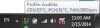

Project page (see the readme) and binaries: https://github.com/Dolnor/Dell-SCT-IT8518E-Fan-Control
For OSX you have the option to either use an equivalent of Windows "Audible" profile or "Passive" profile. Each profile comes as separate ACPI table that you have to alter the speed and trip temp in order to match your needs. Included binaries will provide monitoring of Dell sensors as well as the status of fan control mode. If ec has control over fan the fan control will be shown as Auto, if fan is locked at steady speed - Steady.

The status bar icon will show the fan control mode too:

Edit the dsl file (read comments on what is what) and compile using your favorite tool..
Project page (see readme, again!) and needed binaries: https://github.com/Dolnor/Vostro-3450-Fan-Override -
@captainpanic
what are you using to check voltages?
try using HWmonitor
@timewalker75a
nice job!
I will update the first topic with your tool
-
And for people who only want a lightweight temperature and battery monitoring tool and don't want to have heavy AIDA open at all times - here's an alternative.
Minimizing the app throws it into tray icon, hovering over which you can get DTS temperature readings from CPU, PCH, GPU(if any) as well as fan speed.
![[IMG]](images/storyImages/6Yflr.png)
P.S. Don't keep both apps open at the same time, reading from EC port is crappy .. the apps will interfere.
Download: IT8518E-Status-Toolcapitankasar likes this. -
@timewalker75a Do you know if the fan control tool works with Win 8.1? Both the tool and the TVicPort installer say that its not compatible.
Edit: Never mind. Was downloading it wrong off github. -
Fan behavior profile switching for OSX now too! * won't work on XPS 15z though.
Audible - will wait till fan speed drops to 3000 and temp drops to 52 and will lock the fan at rpm level close to 3k.
Passive - will wait till temp drops below 52C and will shut off the fan until temp reached 64C.
Temp here is average cpu proximity temperature from 16 iterations. If you want to change this behavior - edit ACPI table.
Audible will work only on AC, while Passive will work on battery too .. quitting the app will restore automatic control.
![[IMG]](images/storyImages/6ZJeA.png)
Download: https://www.dropbox.com/s/gqqqmdj8qm2kb3i/working-fan-control-and-monitor.zip -
ok i tried HW monitor; still the same problem.
lately i got the error message "the NVIDIA Windows Kernel Mode Driver, Version 334.67 is not working anymore and got re-established".
i tried using an older driver and the latest. nothing seem to work. i dont know, but could the power supply/power supply unit (dont know whats the correct one) be the problem?
i am open for any new ideas :/,thanks in advance -
Hola amigo, vi que hablas español y tengo el mismo problema. Tengo un XPS L502X con una GT 540M. En algunos juegos se congela y necesito forzar el apagado, en otros simplemente se congela y tengo que cerrar el juego. Veo que hay muchas paginas y casi todo está en ingles, además de que empezó el foro hace más de un año. Quisiera saber cómo es el proceso para solucionar ese problema y si hay algún paso nuevo o algo por el estilo. Gracias. Saludos desde Colombia.
-
Hi, I saw you speak Spanish and have the same problem. I have a XPS L502X with GT 540M. In some games it freezes and I need to force shutdown, others just freezes and I have to close the game. I see there are many pages and almost everything is in English, plus the forum began more than a year. I wonder what is the process to solve this problem and if there is a new step or something like that. Thank you. Greetings from Colombia.
-
@gio789
hey
well , since you have the 540m and the crashes problem like many other uses have, try this bios
http://l502x.lag.re/L502X_A12_540m_83_85_Unlocked_Menus_v5.rar
all the instructions are already on the first post, just extract the files to anywhere, and run the Flash_modded_bios.bat file, type Y, press enter, and follow the proccess.
this should fix or at least improve your crashing issue, else you will need to underclock the GPU. -
Hi there,
I run a dell l502x with a gt540m video card, almost 3 years old now. Been having issues with the game freezing for a while but temprorarily solved it by underclocking with msi afterburner. however now the problem shows up again when gaming after a few hours and I would like to try undervolting the gpu using the recommended moded bios. I still run the factory default (A01) though and was wondering if I should update to the A09 before trying the modded bios or whether i dont need to. Also how risky is it? in terms of losing my saved data. Thanks -
Hello in_humanity, welcome to the forum.
Undervolt your GPU is a good option. I beleave that there is no great risk, altough flash a new bios can go wrong if your computer shutdown during the process. But, as long as it have battery power and is pluged to the wall outlet, I don't think that you will find any problem. I did flash many bios during the two years that I have my l502x and never had any trouble.
Since your model is the same as mina, I'll recomend this version of the bios http://l502x.lag.re/L502X_A12_540m_83_85_Unlocked_Menus_v5.rar. Its the one I use and that is usually more stable for our system.
Also, since you are reporting a degrading performance over time of your PC, I think it sugest that you need to repaste the CPU and GPU. You can look to my post's to find one where I show on a video how a repaste my CPU and GPU. Also, on youtube you can find a very compreensive video showing how to desassemble and reassembla the l502x.
Good luck and, any other question, don't be shy. People here tend to be very nice ;-)capitankasar likes this. -
Could you explain how to disable cores in the bios? I can disable hyperthreading in the bios, but I see no possibility to disable cores. Do I need to install one of capitankasar's modded biosses to do this?
TIA -
ty for the input thenriques45, I have another question:
I dont trust the cd drive on my laptop (too many times has it failed to work) so if i download the backup bios file as stated on the first page and put it on an empty usb stick instead, will I still be able to recover my bios in the event of a bricked flash? Sorry I am bad with this technical stuffs but really want to fix my machine (too poor to get a new one XD) Thanks guys -
Just put bios.cap file to FAT32 formated USB and put it in eSata port. It will load BIOS from this location properly.
-
Hey Captain, timewalker, and all people of the thread.. :hi2:
I just wanted to drop in and see whats up.. The modded bios(s) that I have been running has worked Gr8!!
The only issues I have had was with defective hardware... My touchpad, keyboard, motherboard, cooler and fans( the
fan wore itself out.. lol.. completely stopped working), and case has been replaced several months back.. I worked
with several issues without calling dell and just dealt with them.. Just before my warranty ran out, i called dell and
sent the laptop in for repairs.. wiped everything and flashed the original dell bios back.. they kept it for a month..
but I received pretty much a new/refurbed unit back..
Loaded modded bios back on.. and the laptop has been running great since...
Laptop Configuration:
Modded bios: A12 .83v/.93v gt540 advance menus / EFI+gpt / rEFInd bootloader / Dualboot Win7Pro/Mint15..
I was going to install OSX ML but didn't to deal with none working internal wifi card..
Overall - for a laptop.. this thing still works good for my daily tasks.. I have been working with Android lately.. I compile several times a day..
And I can not complain about performance.. lol... when the cores on these i7 gets to running - they really hold their own pretty good..
I did see where timewalker posted about the fan app.. I am going to look at it in a few and see what it is like.. -
@capitankasar One crazy issue here, haha. I downclocked my GPU to 1480/750/900 (Bios version: 0.85/0.85) and tried to run some CPU stress tests with Intel Extreme Utility. I ran the test for ~4 minutes and everytime I got a message from Nvidia driver saying that the driver crashed. Temperatures are ok, nothing above 80ºC. Can you help me, please? ): I don't know what's happening.
P.S. Turbo Boost is off. -
Hi,
I'm using modded bios for dell xps 15 l502x. I have to underclock all the way to 450mhz to play league of legends. WoW crashed even on 450mhz clock with 650 memory. What is my options? I recently installed new hdd it was easy to get half the dell open, i havent checked heatsink for dust but tbh when laptop crashes like in WoW its not even that hot. I saw a bit of dust inside around where my hdd usually is, might try taking disk out and spraying air into the case from the inside.
Thanks
David -
@Phonemes
there is an option over the HT option
active proccesor cores (that one should make the trick )
however, this option is only avalible on modded bioses.
@guessyet
glad to know you liked it
let us to know if you have success with timewalker apps ^^
@Mate175
wich GPU you have?
also, if you are running cpu stress tests, it doesnt make sense it crashes with the nvidia gpu wich shouldnt be used at all for that, make sure the intel extreme utility isnt set to use nvidia gpu at the nvidia panel, then ensure there are no apps using nvidia gpu on the gpu activity icon
also, since you are using intel XTU, are you doing some kind of BCLK overclocking?
@shibbyiu
what gpu model and modded bios version and voltage settings are you using?
@all
thanks to Brabbelbla, it seems new unlocked settings are comming out
this include raid support (untested yet)
I can see a v6 version comming soon
the new version will include at least custom splash screen and more options ^^
![[IMG]](images/storyImages/2TRAzhd.jpg)
I also may relase a test versions for the L702X since that laptop may take more advantage of raidagalin likes this. -
How it's possible to make RAID5 on L502x? Are there enough connectors?
-
maybe using the optical drive caddy, like I do
however I have some important data and configurations in both disks, so I cant test that by myself, I will relase the v6 version in some time, if someone want to try, he will be welcome.
I will also relase a new modded version for the L702X wich had two native hdd connections or 3 if also they do the optical drive trick , esata also may be an option, but since it is an external option, I dont think it will be a nice idea.
oh, here are more options unlocked wich will be avalible on the next mod
battery charge mode, I dont know why it was on xpress by default.
however, setting this option to standard, may fix some GPU power crashes maybe?
next version also will allow set service tag
![[IMG]](images/storyImages/nBrTUvs.jpg)
![[IMG]](images/storyImages/IELVzCW.jpg)
![[IMG]](images/storyImages/LhCDqEA.jpg)
agalin likes this. -
I know we have 3 connectors in L502x - normal, caddy and eSATA. So how can we use RAID10 which NEEDS 4 disks? Connecting 2 disks to eSATA? Is it even possible?
Standard charge mode maybe would improve battery live (not time on one charging, but how quickly this time decreases) -
nope, you are right.
the l502x isnt designed for raid ^^
thats why I was asking that would be a little more usefull for L702X users.
more updates.
I unlocked the AMT menu, however, while entering on it, it get a black screen, and then it seems to boot the normal system after a while, not sure if missing modules or hardware is the cause of that.
the other update is way more interesting.
I unlocked the computrace setting, this means, it does not matter if you already set it before, It will not be grey anymore and you can enable or disable when you want.
however, to keep this setting optimal, is recomended to use a bios setup password to prevent unwanted changes of this setting if someone got unautorized access to your laptop.
![[IMG]](images/storyImages/UfME4Ji.jpg)
![[IMG]](images/storyImages/9z2rQdU.jpg) timewalker75a and agalin like this.
timewalker75a and agalin like this. -
So, according to IFR suppress thingy:
So enabled by default values should be 09 0E 5F 00 00 00 01 00 00 00 00 00 00 00?Code:0x314B6 Setting: UEFI Boot, Variable: 0x3 {05 A6 89 00 8A 00 31 00 02 00 03 00 00 10 00 01 00 00 00 00 00 00 00 00 00 00 00 00 00 00 00 00 00 00 00 00 00 00} 0x314DC Default: 8 Bit, Value: 0x0 {5B 0D 00 00 00 00 00 00 00 00 00 00 00} 0x314E9 Default: 8 Bit, Value: 0x0 {5B 0D 01 00 00 00 00 00 00 00 00 00 00} 0x314F6 Option: Disabled, Value: 0x0 {09 0E 5E 00 00 00 00 00 00 00 00 00 00 00} 0x31504 Option: Enabled, Value: 0x1 {09 0E 5F 00 00 00 01 00 00 00 00 00 00 00} -
And thus the discussion splits
Looking at for instance High Resolution Graphics, which is enabled by default, you should change:
5B 0D 00 00 00 (00) 00 00 00 00 00 00 00 to 5B 0D 00 00 00 (01) 00 00 00 00 00 00 00, and
5B 0D 01 00 00 (00) 00 00 00 00 00 00 00 to 5B 0D 01 00 00 (01) 00 00 00 00 00 00 00capitankasar likes this. -
I think Timewalker was looking for a way to enable uefi mode by default, this should make trick
-
It just decodes the formset based on known opcodes, the form doesn't store any values, the values are stored elsewhere (nvram setup variable?)
Actual binary file:Code:Setting: UEFI Boot, Variable: 0x3 {05 A6 89 00 8A 00 3A 00 02 00 03 00 00 10 00 01 00 00 00 00 00 00 00 00 00 00 00 00 00 00 00 00 00 00 00 00 00 00} Default: 8 Bit, Value: 0x0 {5B 0D 00 00 00 00 00 00 00 00 00 00 00} Default: 8 Bit, Value: 0x0 {5B 0D 01 00 00 00 00 00 00 00 00 00 00} Option: Disabled, Value: 0x0 {09 0E 5E 00 00 00 00 00 00 00 00 00 00 00} Option: Enabled, Value: 0x1 {09 0E 5F 00 00 00 01 00 00 00 00 00 00 00} End of Options {29 02}
Code:05 A6 8B 00 8C 00 3B 00 02 00 02 00 00 10 00 01 00 00 00 00 00 00 00 00 00 00 00 00 00 00 00 00 00 00 00 00 00 00 5B 0D 00 00 00 01 00 00 00 00 00 00 00 5B 0D 01 00 00 01 00 00 00 00 00 00 00 09 0E 5E 00 00 00 00 00 00 00 00 00 00 00 09 0E 5F 00 00 00 01 00 00 00 00 00 00 00 29 02
-
I wonder though if thermal configuration can be not only shown, but actually made to work .. because this fan behavior is driving me insane. At least I was able to come up with some form of fan control for it, but I'd prefer an option to define the threshold in BIOS over anything. By the way, no luck with setting UEFI option as enabled by default.. because it seems like bios defaults are bing restored from nvram variable as soon as you boot the capsule in crisis mode.
What I'm trying to achieve is to get rid of CD/DVD for recovery, instead I'd like to use PFlash cause it's more safe, fast and SILENT .. but UEFI mode needs to be enabled for that.. no dice. -
Hi, I think my laptop might be completely boned now. LoL crashed on 450mhz underclock, and then on 430underclock. played 9 games today but just now it decided enough is enough. Not sure modded bios, lowest recommended one for my laptop though. feeling pretty sad.
using MSI the maximum temperature was like 58 and the clock speed was reset so I know the card crashed. -
My system is running very hot when gaming. I have t tried to limit CPU maximum to 70% in power setting , but i dont think its throttling enough. Damn those hot i7 cpu`s
. Because of them , GPU is getting hot , again thanks to retarded common heat pipe line
Of late i have been getting "nvidia driver stopped working and recovered..." something error. Searching for solution i found it could be for various reason , one including not enough power being supplied. I dont know whether its due to the modded bios i use or simply GPU getting too hot. Also is someone having issues like when you connect all three USB ports , some port gets disabled with error like - not enough power or something ?
Anyone can help me with following ?
1.) I want to throttle my CPU and see if i can bring down it temp so that its not increasing the temps of GPU , I was planning to use this software , and i have detailed here : http://forum.notebookreview.com/har...31329-throttlestop-guide-194.html#post9590572
2.) Anyway other way to reduce GPU temps ? I am already running a very under-clocked GPU.
3.) Could USB power failure could be the result of moded bios ? or even GPU crashes because it cant draw enough power ?
I know this is dying laptop and one which is running its 3rd year . I just want to prolong its life by some more months , before i can ditch this SH^t (dell overall) and move to something better . -
@Naveen_Reloaded
while gamming, even my crappy i3, ran hot when a game or an app use all its power.
and by default, the system automaticall "underclock" the CPU to reduce the temps, this produce HUGE fps drops in games, making some games wich ran smooth at normal conditions run almost unplayable now.
I was playing TF2 while I noticed this.
my solution was quite simple.
force the system fan to maximum speed while gamming, and after gamming, set it back to auto.
to this, I simply set 02 (full speed) instead the 40 (auto mode)
here
![[IMG]](images/storyImages/bamo.jpg)
that did the trick for me.
you can find more details at the first post
you can also download timewalker app, I personally preffer to do this manually.
I use all my three usb ports, and also have a internal usb mod, wich gives me a fourth usb port and also a second internal hdd with a optical hdd caddy.
have no power issues, however I have a i3 instead an i7, and yeah a i7 with two extra phisical cores suck more power than a crappy i3 ^^
edit: if you want to lower temps, you should try some hardware mods if you didnt yet : dust filter removal, repaste, and clean the dust from the heatsinks.
you can also disable HT in bios to decrease CPU temps, however disable HT will affect tempsNaveen_Reloaded likes this. -
This is i think due to TDRdelay function and the causes are long list , one also which includes not enough power supply to GPU , i am have the same issue. Will be trying to go back to default bios or same volt bios from capitankasar
-
@capitankasar I have second hdd too and never had any power problems with USB (i7+540m). So it's probably specific for this one only.
-
@capitankasar
I have no idea how i missed your post.
Will try to mod the fan to run at maximum.
I have already followed your other ways to cool this laptop , ie removing the filters etc.
AS for USB loosing power , as someone said , it could be mine alone. If others dont find fault with your bios , may be it should be isolated issue. A broken USB port may be
Went for your 83/92v bios , idle temps were high and ingame , i started to rapidly loose my FPS. IT went down to 15 or 12 or so in dota. Back again to 83/85 , looks stable.
Wish i had other ways to cool this ty i7 CPU
-
@Naveen_Reloaded
my recomended values are 83/85 for 540m and 85/85 for 525m
most people have best result with those.
did force full fan speed helped to decrease your temps?
full fan speed can be a little loud anyway, but still worth of it while gamming
-
The modded bios helps a lot... But to further decrease the heat you should consider reapplying the thermal paste. I did so as soon as my warranty ran out, and everything is a good 3-5C lower on load, and about 5-10C when idle
-
Yeah , since i had this "driver crashed " i thought the problem was insuffiecient power to GPU , but now back to 83/85 , its wonderful , couple with always "on" fan.
I see 3c decrease in temps and the max is not touching 99 , as it used to . staying under 96 which is good.
I have repasted twice. May be this is the maximum we can get out of this laptop.. One more weird thing i noticed is bumping up graphics in dota increases FPS , which is really weird.
I used that Rw tool , but it is not permanent , everytime after restart i need to change those values.. -
@capitankasar
I'm getting very tired of this laptop. I'm to the point of wanting to get rid of it because it's so annoying. I have already done 4 wipe and reloads of WIN 8.1 Pro 64-Bit and still have the same issue with this junky laptop. I am using all updated drivers from the chipset vendors. I'm using the latest A12 Bios from Dell and still have the issue of when I open the lid the screen stays black and I have to power down via the power button. I'm not a gamer all I use the computer for is surfing the internet it's a L502X with the I5 and GeForce GT 525M and Intel 3000 using Optimus. The system is for sure not going to sleep because I have sleep disabled as well as hibernation. It sometimes will not do it, but most of the time it does. when it does this the fan is spinning and I notice that the caps lock light does not even come on when pressed, so it looks like its locked right up. I Have to shut it down and corrupt my OS eventually.
After a fresh install it works perfectly for a week or 2 then it goes back to doing it again. I have tested all hardware with the CD and onboard diag as well as memtest, PC-Check, WDdiag exc and everything passes including the Graphics mem. The system runs cool, I have always used a compressor to clean it and take it apart for cleaning once every few months so I know its not heat or dust related. Like I said i'm not a gamer and I don't care for performance all I want is stability. Any ideas what the issue is? will your moded bios help for stability over the stock one? I don't want to over clock or tinker with anything, I just want a stable system. If you think your bios will help or any other bios which version of it do you recommend for stability?
Thank you in advance -
Hey there, I've been reading the thread and I've been having the crashing problems with the same laptop (I've had it for close to 2 years now). So, I did what you've suggested and flashed my bios to the recommended GT 540m A11 Bios (I didn't want to tinker with the advanced bios just yet). It's confirmed for successful flashing (voltage running at 0.85 V). However I still suffer from the same crashing at default shader clock, and I still crash after underclocking it by a 100-150 mhz and I am guessing I may have to underclock more to reach to a none crashing level, which is the original problem I have. I have not considered repasting my CPU and GPU yet. Any ideas regarding why the crashing still persists even after flashing to the custom bios?
Thanks in advance! -
@sfernandes
that seems more likely a driver or config issue, did you checked the power plan?
in windows 7, there was an option somewhere to make the system "do nothing" when you close the lid.
not sure about windows 8,however ot works fine on win 7
@max114
repaste allways help, try underclocking the gpu memory too, try also the 83/85 a12 bios for the 540m -
-
@capitankasar
I've just flashed to A12 and did some tests. I still have similar crashing and the situation still feels the same (needing the same amount of downclocking for no crashes, which is a lot)! But I will go ahead with repasting just to be sure. Thank you for your help!
On another note, I've heard about my laptop's charger that might be the culprit behind this issue. My laptop is pretty old by now and it might be the fact that my charger has deteriorated somewhat and is not able to provide the voltage needed for my laptop's GPU's full performance (my laptop worked perfectly fine during the first 5-6 months). What do you think of this? Could it be a possibility and easily fixed with a brand new charger? -
@max114 do you have these problems on battery power?
-
Can you guys help out a noob to the modded BIOS community?
I'm having a problem with my Dell XPS 15 L502X (with the 540M) where the CPU fan randomly spins up to about 75% speed and then spins back down to 25% a few seconds later. It does this over and over again, and it's driving me nuts! I also have problems playing games that use the NVidia graphics for more than 15 minutes, but I'm more worried/annoyed with the CPU fan issue now.
I installed the A12 BIOS mod, but I'm not sure which BIOS settings to change to force the CPU fan to stay at a steady speed. Do you guys have any advice?
And yeah, I know that I should probably replace the thermal paste. I can't do it right now, though, because I broke my left arm! I promise I'll give that I try once it heals up in 4 to 6 weeks, though
Update: I noticed that I forgot to mention that I'm running Windows 7 x64. -
Sorry for the extremely late reply, I did another test on battery power and it seems that I still get the same problem, with the crashing and what-not. I think this may be pointing to overheating? I'm not quite sure exactly but perhaps a fresh application of thermal paste should do the trick.
-
Hello again, after a long time I back again with my laptop dell xps 15 problem... I have geforce 540 m , one time i updated my bios with you guide, it helped my, now I start playing games adter a long time , and all game crashed with buzzing sound, what i should to do, update my bios again to the newest version? If yes to which one?
-
@max114 So it's probably not power supply related. Some people had this problem only when using external power.
-
if you have a L502X with a 540m gpu, this is your best BIOS choice for now:
this is the most up to date version for now
http://l502x.lag.re/L502X_A12_540m_83_85_Unlocked_Menus_v5.rar
about if you are getting crashes.
it could be related a newer driver update wich cause troubles, however I think more about your laptop suffered GPU degradation.
me, like many others had to reduce their maximum overclocks after a while since they became unstable after some time.
this may happen to you even at stock clocks, so you will have to download MSI afterburner software from first post and try underclocking a little by little until it stop crashing.
if reducing the Core speed dont help, try also reducing the memory
before I was able to play at 700 + mhz on my gt525m
now it can handle only up to 655 in most games :/ -
@capitankasar what about v6? I read in some part of internet that Intel Rapid Storage can increase it's speed in RAID mode even when no RAID is physically created. So I want to test it. Of course, it can be alternative name for AHCI mode (used in some BIOSes...) but still want to try.
L502X modded bioses download (GPU voltages and more!)
Discussion in 'Dell XPS and Studio XPS' started by capitankasar, Dec 30, 2011.


