 Problems? See this thread at archive.org.
AGP (Acelerated Graphics Port)
it was the main graphics port on desktop machines before the pci-express slot appeared.
the bus speed is slower than pci-express speed.
but it managed to work fine when it was there ^^
now it is almost obsolete, I highly doubt about any new moderboard will include an agp slot on it.
most modern motherboards have integrated graphics, pci-espress slot, or both (integrated graphics + pci-e)
yeah, 700 mhz should be great , specially for a laptop GPU, happy gamming
-
-
just finished gaming a couple hours. i never went above 51C at 700mhz. i want to push it more but im fully content at where it is at and how incredibly stable this laptop is -
lol, I get 51C only when the system is idle ^^
but it get on 70C while gamming, and even using a modded bios with reduced voltage and some hardware mods ^^
it looks like your laptop cooling system is more efficient than mine :3 -

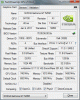
Is that ok? BIOS A10 -
I got no problems with gaming no Bugs or crash btw
just worried about heat so am asking
thanks =) -
You can probably overclock more, but indeed you will want to watch your temps. You could lower the overclock on your memory and up the clock of the core. Overclocking the memory increases the temp without adding alot of fps in games, overclocking the core further should increase performance more than overclocking the memory.
Offcourse you could also do some hardware mods to lower the overall temp on your machine (repaste, remove meshing, laptopcooler). -
hi i have a dell 17r n7110 core 17 2670qm 6gb gt525m 1gb. is it safe to oc this laptop? i have oc'd it to 720/1440/900 and its max temp is 73c. im afraid to burn the card. does the n7110 have a good cooling system?
-
I have a Nvidia Gforce 525m on a Dell N5110 (15R).
I have it OCd to 825/1650/950 at stable performance, with temperature around 65-75 Degrees Celsius.
I haven't changed the voltages yet so I think its running at 0.95v.
If I go over these settings in OC I get weird texture flashes and distortion in games.
Anyway I can crank these higher without having these texture problems?
And whats the best PowerPlan for gaming on the laptop? -
Mine at 740/1480/975, temp 80- 90
-
i can run at 780/1560/970 without any problem. im using msi afterburner, the shader is locked at 780, those who can get it over 800 uses nvidia oc tools.
i once tried 1000 for the memory but the screen blackout after 10 minutes of game play. i havent tried 971-999 yet -
What kind of temps do you guys get with Furmark?
I get the following ("Burn in Benchmark 1080P" stress test for 15 minuts):
GT550m speed (740):
Burn in score: 555
Avg 5 Fps
Temps:
max 77 C Avg 74 C
Core clock 780 Mhz:
Burn in score: 578 points
Avg 6 Fps
Temps:
max 77 C avg 75
Core clock 780 Mhz (+OCCT CPU test in background):
Burn in score: 577 points
Avg6 Fps
Temps:
max 77 C avg 76 -
@LaurensBER
nice OC you have there ^^
is it stable in games too?
on mine, anything higher than 705 crash in some games
-
I hope so, I haven't had time to run any games for a long period of time yet but given that it's stable with Furmark and OCCT CPU test running I sure hope so
-
well, in that case be carefull, because I was able to run mine on high clock speeds without crashing with OCCT, but on games it crashed, so for some reason the only way I found to test the OC on this laptop was test it on my favorite games.
if the game hangs with a buzzing sound , then the OC isnt stable at all and you need to lower it some more.
on desktop machines it was easier, with OCCT, if errors found, then you lower it on the fly and you run another test.
that was more acurate and faster than have to reboot the whole machine after each crash, idk why OCCT doesnt detect crashes for this laptop. -
I think it's because the XPS 15 has only one cooler for both the GPU and CPU, if we run either a CPU or GPU burn-in test we generate half of the maximum heat. To properly test if an OC is stable I think we should run CPU Burn-in at max heat generation (disable error checking) and Furmark (15 min burn-in at max resolution) at the same time. The combined (thermal) load should be a lot higher than any game we could throw at it, a lot of other laptops already crash if you run Furmark at the default settings
If the laptop can handle that for 15 minuts withouth a rise in temp we should be safe with any game.
Benchmarking your 0.83/0.83 bios (@780 Mhz) right now btw! If this runs fine I'll be very happy
It would be cool to see what kind of temps other forum users get, it'll tell us a lot about what your XPS 15's are capable of!
Edit:
CPU Burn-In (max heat generation) + Furmark (15 minuts burn-in @ 1080P) @ 780 Mhz = 86 C
CPU Burn-In (max heat generation) + Furmark (15 minuts burn-in @ 1080P) @ 625 Mhz = 79 C
Considering that a stock XPS 15 with a GT540M can hit 93 C I have to say that this is impressive but I think I'll stick with 740 Mhz just to be sure. -
Guys I have got my Dell Inspirion i7 with Gt 525m , I am able to easily play any game I throw at it on High settings as my GPU has no problem , I have over clocked it to 815/999/1630, even though I think I can tweak it more but at this stage the laptop gets really Hot , GPU temp goes upto 95 max , the program that is way better then MSI for over clocking is Nvidia Inspector (its a bit technical though but way better). I started over clocking from 710, then 730 then 740 then I heard someone had clocked it to 780 so I tried that as well and it worked with no issues , so I thought why not to clock more , the max I did was 820 with no issues except the heating cuz i got nothing to cool my laptop with , right now im using 810/999/1620
Performance test score with these clocks
SCORE
P5777 3DMarks
GRAPHICS SCORE
4782
CPU SCORE
15380
-
Overclock: 0.85V // 770//1540//930 Stable Max Overclock-
- Temperature in The Games ~75-82C
Dell Inspiron N5110////Core i7 2670QM////8GB Ram..
It's good? -
@kerim777
yeah, if that doesnt crash, that is very good OC for a 525m ^^
mine doesnt go higher than 705 mhz without crashing ^^ -
@capitankasar
Yes, thank you, but there is one problem I have for the sake Atitool downloaded and checked for artifacts it does not show the yellow spots only if the core is 700, if I begin to add such bet 720, i have yellow spots, but all other software don't show problems, and games go to 770 fine, maybe that would be a program for Ati was wrong? -
mmm, it could be, however not all games can handle it properly, dx9 games usually crash more often than dx10 games, lot of people reported that ^^
but well, if games doesnt crash at 770, its good ^^
I have the oposite situation.
software doesnt detect artifacts, but my games crash if I go higher than 700.
kinda weird, but I have no chance
-
Thank you very much for the information
-
noticed no stability in some games with the 770/970 but such Crysis 3 and Max Payne 3 go without problems, so that all the games have been correctly done so 740/1080, now playing for hours, no problem ..
Gameplay Videos\ GT 525M Final Overclock - YouTube
Crysis 3 Gameplay GT 525M Overclocked / Full HD - YouTube -
Max Stable: 743/1485/1080 | 0.83/0.83 | With new drivers and without crashing in all games ...
-
740/1080/1485 - TressFX ON\OFF\Gameplay
Tomb Raider 2013 TressFX ON\OFF 525M Overclocked\Full HD - YouTube
Tomb Raider 2013 Gameplay GT 525M Overclocked -
i got mine steady at 780/1560/1080... msi afterburn doesnt let me go highger on the core and shader, if i try to overclock the mempry any higher it messes up something in the drivers, ive had to reinstall the drivers like 4 times
-
The latest driver 331.65 seems to have reduced my max overclocking frequency yet again , now to 685/1800/900
Sent from my MT11i using Tapatalk -
Anyone tried battlefield 4
Sent from my MT11i using Tapatalk
Overclocking the GT 525M card.:-)
Discussion in 'Dell XPS and Studio XPS' started by smsmasters, Aug 7, 2011.


