Problems? See this thread at archive.org.
@alvester
yeah, it let you to move the bars individually doing what you said, however when you apply the changes it reject to set it unless you also move the another bar resulting in the same result.
@NIGHTMARE
max stable overclock is different for all people, even we both have a gt525m GPU, every chip manage overclock diferent, some of them allow higher OC without crashing while some others just crash with minimal OC
I managed to get 705 mhz core stable, memory speed untouched, ocing memory result into more unstable OC and higher temps.
-
-
Oh..I didn't know that..never tried it..will check it out...BTW I use EVGA Precision...
-
ok, let us to know

-
I tried it..you were right..if we increase or lower shader clock, the core clock also changes accordingly but not vice versa i.e. core clock won't change until the shader clock is changed. So, core clock depends on shader clock.
-
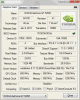
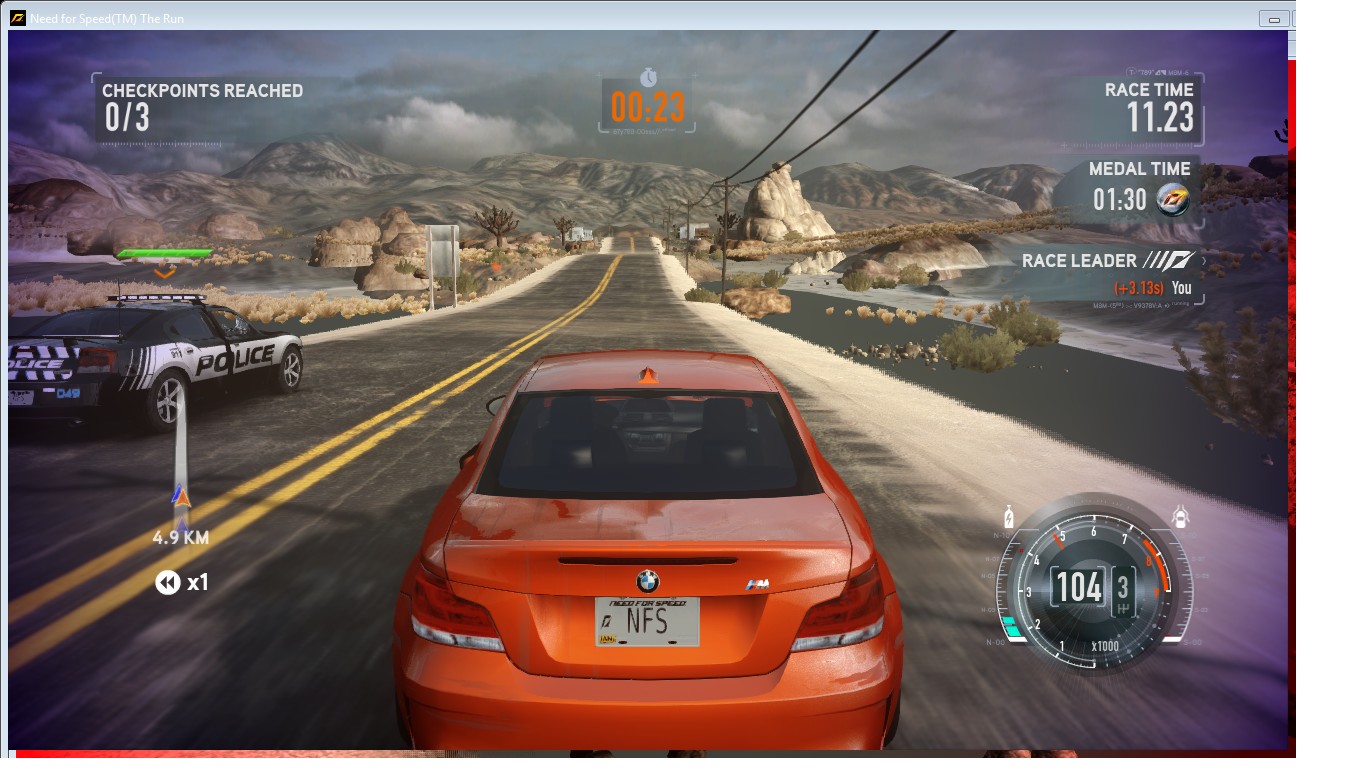
hey guys i am unable to get the physx sign in gpuz as shown in pic,also i am gettin transparent texture in nfs the run and bf3 when i set texture to high setting,texture is fine when i set to medium.This issue is with 525m old driver 268.30 only,when i install the 301.42 driver the physx sign comes back in gpuz and the texture is fine at high settings in the run and bf3.
I am stickin to old driver coz it gives more fps than 301.42 driver and the 3dmark06 score of old driver is 8019 while that of new one is 6000 something.so its clear the old driver is better but the physx is not enabled in it i think.Does ur 268.30 driver shows the physx sign in gpuz???Attached Files:
-
-
try with the 296.10 version, it is the last pre 300 xx driver.
you can get it from nvidia site. -
ok,shud i dwnld the verde version or non verde version of this driver as given here,coz the 301.42 driver was verde too. Download NVIDIA GeForce 296.10 WHQL Graphics Driver - Softpedia
-
Thnx problem solved,i tried 296.10 verde driver n got 8300 in 3dmark06,also nfs the run got stable at high settings,physx sign also back.Best driver i think for 525m.
-
So, I was checking, and my MSI Afterburner doesn't show that shader slider at all. Just the core slider. Should I just assume that as I'm changing that the shader clock is changing too? I mean, that sounds like what's happening. I just don't know what it's changing to.
-
glad to know you are happy with 296.10 drivers ^_^
well, I can move both core and shader slider, but if I move one of them, changes are applied on both sliders, so if you can access to the core slider I think it is fine ^^
you can also OC the memory, but in my case I preffer to focus at the core, since it usually give you more FPS at the games. -
Yeah, I hear overclocking the memory has less of an effect and can easily affect stability, so I've left it alone.
Is any one up on the 304.79 drivers? I'm using 296.10. The newest ones are supposed to have performance boosts, like, across the board. -
I am...can't really tell the difference though.
-
Run a benchmark like 3dmark06 or 11 with this 304 driver.
-
Ran a benchmark with 3DMark06....got 3DMarks score: 8502 at 1280x1024 resolution.
PS: GT 525M was overclocked to GT 550M clocks.
NVIDIA Drivers version 304.79 beta.
Modded BIOS 0.83v/0.83v A11 (courtesy: capitankasar) -
No need of overclockin n usin modded bios to lower voltage to get a score of 8500, i used 296.10 verde driver n got 8300 in 3dmark06 @stock clock n 9700 at 940/1060 clocks.
-
I didn't overclock and undervolt to get high scores. I keep playing/shuffling with the clocks. I just mentioned the clocks that were used at the time of benchmarking.
-
I mean to say that 304 driver is inferior to 296.10 driver.
-
I have a request to all of the Dell XPS L502X owners out there. If you're reading this, I want you guys to post your CPUID Hardware Monitor Screenshots at normal usage (atleast half an hour), if possible mention the kind of task you were performing on the laptop. You can also post your gaming temperatures screens but do mention the game name. Awaiting screenshots. Thanks.
-
first post!
I'm running this graphics card with a Samsung rc512 laptop.
I have no idea where to begin on how to overclock, can someone give me a quick how to. i'm trying to get higher performance with this nvidia card.
thanks to who reply!
edit: i figured out how to clock. too easy. what speeds are we running stably?
Trying to get best fps rendering for cs1.6 and eventually with the new cs:go -
@shanook
if you wanna make it simple.
start downloading msi afterburner
http://download1.msi.com/files/downloads/uti_exe/vga/MSIAfterburnerSetup210.zip
and then do 50 mhz increments to the core.
for example, if you got 600 mhz core by default, go to 650, 700, 750 until it crash while playing games, then reduce 10 mhz until it stop crashing in games.
for example lets supose it crashed at 800 mhz.
then reduce it to 790, if it crash again, go to 780, if it crash again go to 770.....
lets supose it stop crashing at 760, then that is your stable OC ^^
you can reduce 5 more mhz to make sure it is safe even it doesnt crash.
edit: tweaking voltage also help OC and keep temperatures cool, but specially in laptops that involve BIOS modding, try search your laptop model and check if someone modded it.
you can skip the voltage part since it can be a little confusing, specially at the begining ^^ -
thank you, i just did some more research on these forums and found that for my laptop, they underpowered this graphics card and i was running it at 475mhz. I'm going to try and raise it up to "STOCK" specifications and see how much of a difference that makes as it is.
and then from there i'll definitely want to be more greedy and try to push it a little more.
- i see fan speed option on the misi burner, should i touch that at all or get a program that does to cool it down?
Edit: after gaming at "stock" settings, im greatly impressed. temperatures only went up about 8-10C and everything was constant and perfect. i wish they never nerfed it to begin with
EDIT: ok... wellll i wanted to go higher. but the MAX it will let me run it at is 620 core clock and i can't run anything higher than that, even if i manually put it in.
also, my shader clock is a notch away from being maxed.
is everyone else's like this? and is that why people downgrade their versions? -
mmm, that is weird, according to this page
NVIDIA GeForce GT 525M - Notebookcheck.net Tech
gt525m stock clocks are 600 mhz.
but yours was on 475 mhz, and only let you OC up to 620 while the max value on MSI afterburner for me is 780 mhz (max msi OCeable value , not the max stable oc for me, wich is 705 mhz)
it sounds like it is another older card renamed into gt525m, idk.
well try to run the card at 620 mhz and let us to know if it crash, mine and almost every other gt525m card can run 620 mhz perfect since it is only 20 higher from stick speed.
if the OC still stable at the max setting of MSI afterburner, you can try using "evga precision" instead msi afterburner.
it let you push higher, however it isnt usefull at all for me since my stable OC is far from the max clock msi let you set.
and I personally preffer msi afterburner..
here you can see the highest gt525m overclock I saw
Dell XPS 15 L502X GT 525M Resident Evil 5 (2) Benchmark Overclocked - YouTube
(anyway not sure if someone OCed it to 860 mhz at this forum) -
v v v
Photo Album - Imgur
^^^
that is a link to show you the afterburner with the graphics card on there, and also the graphics card from the nvidia to show that it truly is what it is.
also, the 51C is a screen shot from me right after closing counter strike. it only goes up about 10C from when it is in a non gaming state.
so i think where it is now, it is running perfectly fine at 600, so i think it will more than likely handle 620. i was hoping to push it into the 700's though because i definitely noticed a difference from 475 to 600. and another 100 mhz would probably make another difference.
i'll look into the program that you told me to look into. maybe if i do some more research as to why its limiting me on afterburner i can boost it up some more. -
I noticed msi afterburner doesnt report your driver version, and your nvidia control panel show you are using a old driver (266.10).
latest driver is 304.79 (Beta)
some users noticed FPS decreasing at the 3xx versions
so you can also try the 296.10 also.
that could be a cause, but not sure, anyway updating the graphic drivers usually improve things ^^ -
it usually does which is why i always check for driver updates, it said it last checked for updates yesterday and there weren't any. interesting.
where do i go to manually upgrade the graphics card?
edit: Found it.
Drivers | GeForce
Link for others whose computers lie to you
Edit2: updating the drivers failed. what am i doing wrong? should i uninstall old driver and what not first? -
Perform a clean installation. There's an option for it.
-
yes, it failed with the advanced>>clean installation option.
=/ -
try unistalling manually previus drivers, and then reboot.
anyway, the changed clocks and stuff are very suspicius.
edit: try everest/aida software, and go to hardware devices to try locate the device name.
edit2: you can also try installing the driver on windows safe mode. -
do you think samsung would have nerfed everything on their own using their own specs for this laptop to keep it energy efficient? and in the process they never sent out updates for the drivers? -
Now that's weird. At what point the installation fails?
-
right after i click NEXT it says everything fails.
i'll post a screen shot in 2 seconds.
I just spoke to samsung, and they told me to update my BIOS.
so i think ill update my BIOS and then manually do the drivers
EDIT: http://i.imgur.com/rhYBw.jpg
Link to picture of the steps -
^So it didn't even uninstall the old drivers. Try what capitankasar said. Manually remove the old drivers.
-
Check if ur gpu is 525m or not in device manager-display adapter or in tech power gpuz software.
-
when i go to uninstall my nvidia 525m it says i also have the intel graphics card installed. so this laptop is running 2 graphics cards? if i Uninstall the nvidia. and try to reinstall the new drivers it says it doesn't recognize it. so i went and uninstalled the intel one also. that turned into a mess. i reinstalled the intel one. i'm going to restart my computer then try installing the updated drivers again. and then if all else fails. ill be content with the 620 cap mhz...which is stock to you guys. lol
-
It is not recognizing driver coz u hav deleted chipset driver too alongwith display driver.Do a system restore to a day earlier time to get the drivers registry right.
-
i'll try downloading the tech power gpuz software since ive seen a couple screen shots with people using that.
also: Update 2:00 EST. i'm finally running the 296.1
imgur: the simple image sharer.
Afterburner's max is still 620 for this card. =(
soooo all that work for an updated driver and bios so far. lol. well worth it.
lets see what that other program can do
EDIT: ok. here is what happens on techpower![[IMG]](images/storyImages/be.png)
do we notice it's reading the completely wrong graphics card that i dont want to clock o.o
ANOTHER EDIT: proof that i have 2 graphic cards.
![[IMG]](images/storyImages/LkBnd.jpg)
how do i switch it to read the nvidia one.
Edit: that was a stupid question. i figured it out. this program is obviously still new...
here is what the nvidia says
![[IMG]](images/storyImages/b66.png)
-
samsung is responsible for this messed up clock rate,
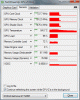
here's what my gpu looks.Attached Files:
-
-
intel + nvidia card is the optimus tecknology
at most cases the intel graphics are allways there, and in some gpu demanding apps, nvidia gpu act like a extra card, and the intel graphics just show the frames being rendered by the nvidia gpu.
the only way the computer uses only the nvidia card could be the hdmi connector wich is directly hardware wired to the nvidia card.
also if 620 mhz is stable and msi dont let you go higher, try evga precision wich let you push higher I think.
edit
I noticed your gpu video bios is different
![[IMG]](images/storyImages/gpuzql.png)
mine is 70.08.53.00.04 and yours is 70.08.46.00.f7
that also could be a cause -
yeah i totally forgot about the evga which i downloaded a couple minutes ago (still need to install)
Also i can select which programs i want to run specifically on the nvidia - like gaming - i can chose specific games to run off of the nvidia as oppose to the intel.
the computing options at the bottom, we have different things checked. everything else looks the same... despite the different clock speeds and the 2 digits at the end for BIOS, which must be also a samsung factory thing
EDIT: the EVGA has a very laggy interface, but its letting me definitely go above the 620. so ill give this a try
how do i adjust the shader clock on EVGA? -
yeah, thats is right, well, the pixel filrate also seems lower on yours.
the computing are definitly different, I heard some people got CUDA and some of those options working with newer drivers, anyway the lowered clocks looks like a nerfed version of a gt525m.
try bios updating + driver updating (remove older manually and try on safe mode if required) and try evga precision to OC higher.
edit: I barelly used the evga precission software, however shader clock and core clock are linked I think, so if you set higher values to the core clock, the will be also applied at the shader clock.
try looking for changes using gpuz to monitorize the clocks ^^ -
DON'T use EVGA Precision X. Download EVGA Precision v2.1.2 instead.
-
you've been a great help, i was just running 740 with evga - and the shader clock did go up with it (checked by gpuz)
i think ill go back to after burner and run the 620 since EVGA was super laggy and very unresponsive.
also, 740 was heating up the laptop way too quickly. so im back in cool down mode before i go poking at things again.
i just find it weird that my afterburner only maxes out at 620 -
just saw this. lol. i'll go find the v2 instead. because this one apparently sucks.
also. anyone want to give me a quick lecture on the power supply settings? is that to be messed with or no? -
lol, same thing happened with msi afterburner, newer betas were interface laggy, almost unresponsive.
thats why I stick with msi afterburner 2.10, smooth and working fine. even it let you OC less than EVGA , in my case it is a hardware limitation and not a software limitation, because the card is unstable before reaching the 780 mhz limit of msi afterburner for my gpu , so I dont care about the msi software mhz limit ^^
I heard evga precision may let you tweak the voltages, but not sure.
anyway I preffer using the bios method to change the voltage, the setting is permanent and doesnt need software to change it, I just use software to switch between clocks -
^EVGA Precision X is completely re-written program from the scratch and isn't optimized for mobile GPUs.
Saw this vid yesterday. Check it out: Keep Dell XPS Cool while Gaming: Safe and Easy - YouTube
Its for XPS L502x but it'll guide you a bit on optimizing the power settings for gaming and at the same time keeping your laptop temps down. -
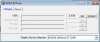
Apparently it does but only above 0.975 V for our card i.e. above stock voltage not below. So its of no use.
-
yeah the evga 2 is way better and you can tell that the new one sucks. lol
but i think im going to stick to a 700 mhz core clock and 915 memory clock.
i'm not even going to bother touching the voltages.
this was definitely an adventure. and its been fun. but now im hooked on clocking things o.o
what else is clockable (yes a bit off topic) -
Don't forget to select 'Apply at Windows startup' in EVGA Precision, so that it automatically overclocks to your desired clocks everytime you log on.
-
@shanook
700 mhz is nice, specially comming from just 475 mhz ^^
you definitly will notice a improvement on games, even you may think you got a GPU upgreade
well, memory overclock is ok, but it generate more heat and make core clock a bit unstable, so in my case I leaved it untouched.
well, nothing else is Oceable at your gpu I think, specially since shader clock is linked to core speed.
I remember the old days I oced a agp card flashing a modded bios with custom memory timmings and custom clocks for core and memory, I also hardware modded it putting more voltage, to core and memory, that was inded my best OC job it was a ati hd 3850 512mb, but it ran very smooth, specially after the OC, it even made the system CPU the bottleneck for games hehe -
what is the AGP?
also, the 700 mhz is a huge upgrade from the 475 and it is definitely stable at this. thanks for all the help!!! =D
Overclocking the GT 525M card.:-)
Discussion in 'Dell XPS and Studio XPS' started by smsmasters, Aug 7, 2011.