Problems? See this thread at archive.org.
Guys help me out..
I ordered new S-XPS 1645..but sales rep say that they won't provide 130W power cord..
what am i supposed to do actually now?
-
Contact Bill. He will get one out to you.
-
Use the drivers from synaptics.
 They enable features such as two finger scroll and other gesture contorls. Dell drivers are bs.
-
The 130W PA-4E adpater the sent me had the SAME power cord as the original PA-3E 90W unit. I would be very surprised if Dell shipped any system with an adapter but no power cord. Perhaps they were referring to the fact the system will ship with a 90w adapter and cord per the original system specs, and not the 130w adapter and cord. If it is the 90w unit you receive call Dell back and ask for the 130W adapter under replacement program Dell have initiated on the 1645 systems with BIOS A07.
-
Thanks..I'll let you know what happens in a few days time..
-
..well
I ordered an xps1645 in Oct
a) was delayed then cancelled (oct. fiasco - wifi issue)
b) took two months to recieve
c) dead pixels and wonky base within one month
d) dec. argued with techs
e) jan. had tech out to fix base (was actually clamp on SSD drive causing issues, pressing down on base
f) sent replacement
g) took 5 weeks, hard crashes (ssd), base still wonky even on new one (right side is unbalanced when screen open
h) march now - threatened to go to the media with log of all problems
i) corporate office called - approved refund, no questions asked
my posts are in this thread somewhere with my problems. There is a review for you - haven't bought this model, think twice. Not everyone has problems but way too many do.
Any advice guys? I was looking at the Sony F series but no RGBLED? Dell still has the best specs but can't trust workmanship.
Really need recommendations on an alternative - need RBGLED 1080p and Blue-Ray burning
Thanks -
Thanks a lot mate, they work so much better. Even lets me change the scrolling region which I have done. Also seems to have helped with the click-and-drag as well as scrolling with the pointer on the right side of a window, before it would spaz out and became very annoying.
Only thing about this is I no longer have a middle-click button which used to open a new tab in firefox which was great and got a lot of use. Is there any way to add this or enable the middle click?
And would someone care to explain the whole 130v/90v fiasco? I got my 1645 2 days ago and didn't know about this beforehand and it seems I have a 90v power adapter. Thanks in advance -
I got my xps1645 with an 90W psu. but my problem was just the opposite. my programs would run fast with the supply on and slow with the dc battey. when the dell reps, replaced my adapter with 130W along with a new mobo with bios updated to A07, i still have performance problems. now all my games are lagging. need help. dell ppl, says its a software gltch.... Need help regarding this.
-
Did you check the ATI Powerplay settings? by default they are set to "maximize battery" life while on battery and this basically just downclocks ur GPU so you will notice much worse performance.
-
Was there such a feature in dell drivers. well, i don't use the middle-click button. but their are lot of setting you could use and configure by goin to mouse in control panel and then device settings tab and there is a button "settings". This opens the synaptic control panel for the touch pad.
About the adapter, you could go through the throttling thread. and You can also get 130w, just call dell and tell 'em even after updating to A07 i am experiencing throttle. If they ask throttling like what ? make up something like lag in games and system hangs for a while when using cpu extensive programms.
-
just curious im coming from an xps 13 with a ccfl screen. does the LED screen look any noticeably better?
-
hell yeah, its way brighter and significantly better on your eyes imo.
-
wow - from looking around, can't find a config even on Dell now with a blu-ray burner and RGBLED
So it seems Dell has the best config available (in fact I have a better config seeing that dell isn't offering a burner any more) and I have nothing to replace it with!
Stuck any ideas -
I finally performed a reformat...
PS CS4 is 100% funtional now. Used the 10.2 from strags. alt+ctrl+shift+s is now working. The problem was that Launchy was set to use those same hotkeys by default.
Thanks for the help! -
And for what purpose did you install a 32-bit OS on a quad core i7 laptop???? You do knw that your ram max will be capped at 2.75GB and the speed is also slower right????
What wireless card are you having????? The INTEL 5300 or the dell one???? If it is the INTEL one i think you can get the drivers from the INTEL site itself...
Awaiting your reply on the 32-bit OS!!
-
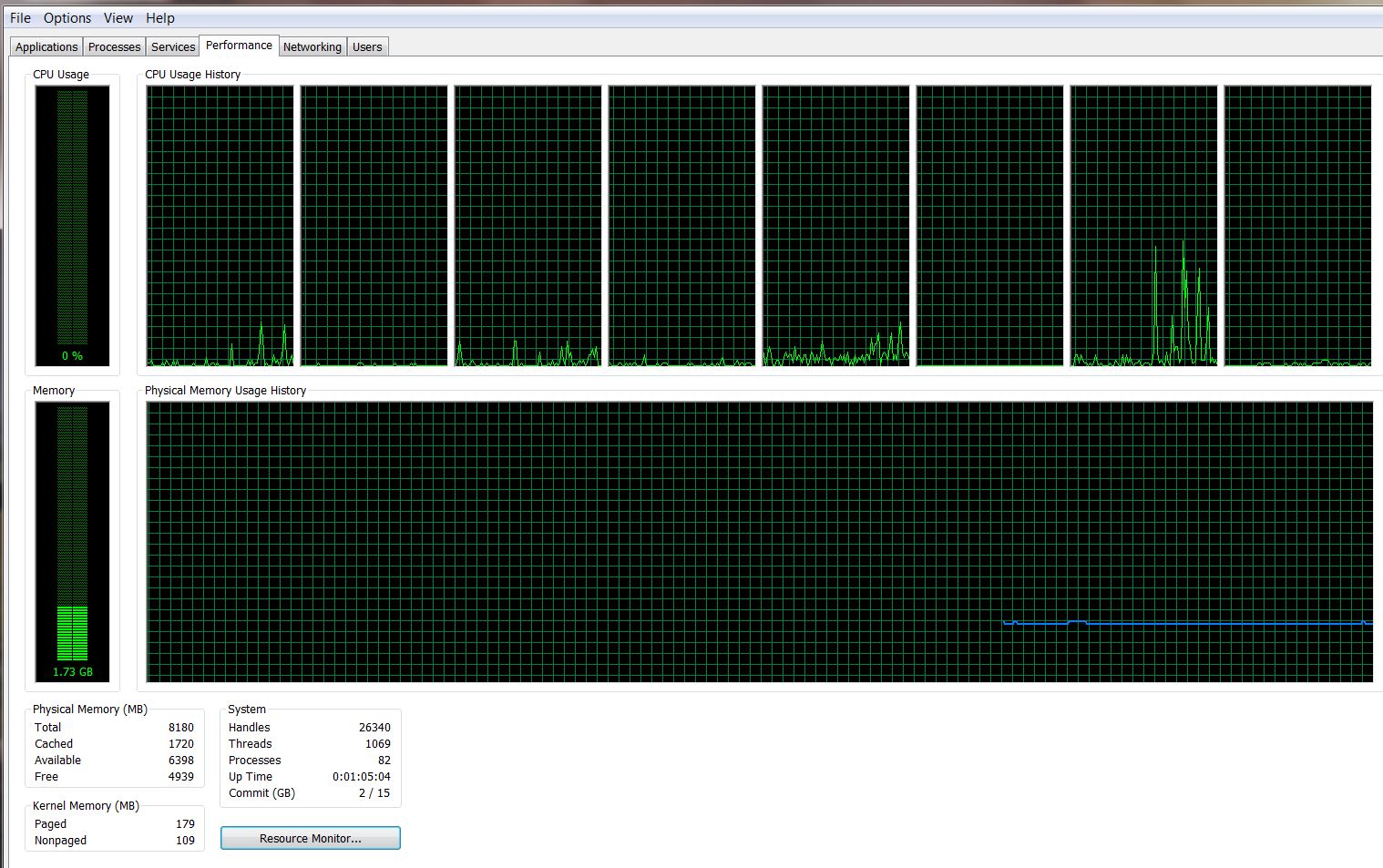
Have someone noticed this. My laptop is eating memory like hell. See this:
![[IMG]](images/storyImages/1268485116-clip-17kb.png)
While in the processes list:
![[IMG]](images/storyImages/1268485948-clip-28kb.png)
How can I determine what is taking so much memory. I rum win7 64bit Ultimate
Thanks
Nikolay -
Hell yeah..... Mine too..... When on stand by it uses 1.5GB..... The best part is when i play CRYSIS...... It uses 3.85GB of RAM.... now that is bad.......
-
How does Dell handle HDD replacements? Do they send it by mail, or technician comes to replace HDD? And how about transfer of data? Are they willing to send it by mail if I insisted?
About that memory usage: what aLcH3m!sT describe seems perfectly normal since windows 7 preload a lot of frequently used stuff into memory to speed up loading...while what nikolay.t has shown is kinda exceptional...does the memory load persist after reboot? -
Hi, If you go to the task manager and then go to the performance tab, then click on resource monitor, this can give you additional info about what processes are using how much. although it is not complete either as there is still a fair bit of memory missing.
Just after starting up my computer has about 1 GB in use already and when playing games it gets up to around 3 GB, I see this as a good thing though because the processor can access things faster from RAM than from the HDD so the more memory that is in use the faster it should perform... as long as the right things are loaded in the RAM.
Sort of related; the svchost that uses the most RAM is connected to superfetch. this is a service that analyzes you RAM usage and pre-loads files to the RAM based on what it predicts you are going to need soon. These files could be the 'missing' RAM. superfetch can slow your comp down at first but overtime it should increase performance as it becomes more accurate a loading the correct files.
hope that helps you a little bit -
I have never used Readyboost before but what the heck give it a try. I plugged in a SanDisk 16 GB Extreme Cruzer High Speed Flash Drive (25 GB/s read, 18 GB/s write and rated as Readyboost capable). I will leave the high speed flash drive plugged in and see if I notice any performance difference (don't know how to measure so it will be a subjective feel - guess it can't hurt). Thanks for the info / idea.
Attached Files:
-
-
hey anybody can tell me if an external flash drive can be used as ram?? if yes wat shud be the configurations(read write speed or others)/which one do you ppl suggest and how to do it..
-
No, usb/firewire/eSATA are all WAAAYY to slow, if you are lacking ram (i.e. <512mb) you can use readyboost with a flash drive and that should help a little, but it is nowhere near as effective as getting more ram.
-
Is it acceptable to have about 30-40 fps in a game like bad company 2 on medium settings ? or can i have som graphicalproblems ?
-
Are new XPS 1645 order models fixed from production?? In other words, are the Bios and 130 power adapters being sent with new XPS orders?? It seems strange that Dell wouldn't already be addressing the throttle issue now in production models. I see that RGB screens are not available with the i7 now. Is this Dells fix?
-
Dell representatives have stated elsewhere in this forum and on the Dell Community Group that production would cut over to the 130W PSU sometime in March. The BIOS should also be upated at production, but this is not a major issue, and one that can be fixed easily by yourself by downloading the BIOS update from the Dell Support site.
-
Thank you. I just ordered a XPS 1645 yesterday (March 13th). We will see how it comes from the factory. Delivery date is at or before April 4th. Worked a deal for $1339.00 with free shipping
Build info:
1 224-6716 Studio XPS 16 Notebook
1 317-2361 Intel Core i7 720QM 1.6GHz (2.8 GHz Turbo Mode, 6MB Cache)
1 317-2364 4GB, DDR3, 1333MHz 2 Dimm
1 320-8339 15.6 inch Wide Screen 16:9 1080p Full HD WLED LCD, W/2.0 MP, XPS 1645
1 421-1010 Dell Webcam Central v1.4
1 421-0188 Facial Recognition
1 320-8350 ATI Mobility RADEON HD 4670 1GB
1 330-5460 DELL RESOURCE DVD,BACK-UP,XPS 1645
1 341-8989 500GB 7200RPM Free Fall SensorSeagate Hard Drive
1 320-8354 Arctic White High Gloss Finish with Leather XPS 1645
1 421-1737 Genuine Windows 7 Home Premium, 64bit, English
1 421-0323 Windows Live Search,Multiple User Interface
1 420-6576 DELL WELCOME,Software Dimension/Inspiron
1 420-9100 Dell Dock Consumer
1 420-6436 PC-Restore, Dim/Insp
1 421-0187 Dell Support Center Software 64 Bit 2.0
1 420-7938 Dell Connect 2.1
1 421-0092 DELL-DOWNLOAD-FLAG
1 330-6222 Windows 7 Label
1 420-9352 Dell, Software, Wild Tangent Inc Games
1 420-9691 DataSafe Local BackUp 2.0 Basic
1 421-2086 eBay Webslice
1 430-3605 Integrated 10/100 Network Card
1 410-1883 ADOBE READER 9.0 MULTI- LANGUAGE
1 313-7056 BluRay Combo Drive
1 421-1361 MOD,SW,RXO,EZCD,10.3,DE,FI
1 421-1583 Cyberlink Power DVD 8.3 Blu-Ray Disk Playback
1 421-2000 Soundblaster X-Fi Hi Def Audio Software Enabled
1 430-0737 Intel WiFi Link 5300 802.11AGN Half Mini Card
1 410-2090 McAfee Sapphire MUI, 15-Month
1 312-0950 9-cell Battery
1 412-1397 No Productivity Software requested
1 950-3337 1 Year Limited Warranty
1 905-5637 Dell Limited Hardware Warranty Plus At-Home Service, Initial Year
1 906-5380 Banctec In-Home Service after Remote Diagnosis , Initial Year
1 950-9797 No Warranty, Year 2 and 3
1 412-0360 Soft Contracts - Banctec
1 960-8710 Warranty Support,Initial Year
1 467-7771 Thanks for choosing Dell!
1 991-1179 LoJack Theft Recovery Service,XPS - 1 Year DHS
1 420-8655 LoJack Theft Recovery Softwarefor Laptops, 1 Year
1 988-7707 2GB DATASAFE ONLINE 1.1 FOR SDO/DIM/INS/XPS
1 420-9518 DATASAFE ONLINE 1.1 2GB
1 988-0099 To activate your online backupaccount, go to Start, Programs, DataSafe Online
1 330-0171 S and P Drop-in-Box Marcom forDHS Notebooks
1 430-0700 Dell Wireless 370 Bluetooth Module (2.1+EDR)
1 464-7492 Special Offer - $50 off (included in price)
![[IMG]](images/storyImages/laptop-studio-xps-16-design2b.jpg)
-
@TheMystro what adapter are you getting ?. IMO you should have waited for the GPU refresh.
-
I have no idea what adapter I am getting? I did get a killer deal. What is the GPU refresh?
-
GPU refresh would be 56XX or 57XX series gpu replacing the 4670 in this product. Though there's no official word on this, but i think its going to happen soon.
-
I was sniffing around for any updates to the 1645 but I could not confirm any dates. I worked some deals and bought the above XPS for $1339.00. Good deal?????? From what I have read it is. What do you think? I had the LED 1080P screen in a studio 15 and was very happy with the look. The Studio 15 crapped out in the first week so my options were get a system exchange or send it back and order a new system. Worked a deal with Dell for the XPS.
-
Well, guys. I've been reading quite a bit on this thread, and tomorrow am going to buy this machine, with the basic Indian specs:
http://configure.ap.dell.com/dellstore/config.aspx?oc=s541020in8&c=in&l=en&s=dhs&cs=indhs1
It basically just doesnt have the RGB and SSD
Now, I just wanted to make sure from you guys im not making a mistake ...
so, I am worried about
Crashing/freezing (of any sort): No way can this happen, I need a laptop that doesnt crash.
Heating: apparently the heating has been fixed, but still, I operate the laptop for over 6 hours sometimes ! but nothing heavy, maximum a video (youtube) opened along with say Itunes and Word and Chrome. MAXIMUM. Also, as some people claim, will my screen become yellow because of the heating ? (!!)
Battery life: I need 3 hours. Atleast.
Power adapter/throttling : they are offering me only the 90W adapter - a serious issue ?
and importantly ....
Looks: is it awesome when it comes to looks ... because ill admit it ... one of the stronger reasons im buying it is because it looks cool, awesome different ... it has a brand name and i use the PC alot, so a laptop is something that defines me.
ALSO ALSO ALSO
I would like to know the difference between the DELL N WIRELESS CARD and the INTEL 5300 wireless card.
(my wireless uses: a printer, wireless internet) -
I am where you are Goodwood8. I need a reliable system. I ordered yesterday.
I think the Intel 5300 is suppose to be better on power?? -
Yeah I saw your post. MAN YOU GOT AN AWESOME DEAL. 1400$ !! Its so much cheaper to buy in the US :'( it costs 1800$ approx here. yeah, blows ! and i think its the same specs as yours ... mine has 3 yr accidental, not sure if yours does ... and whats the talk about a refresh in the GPU ? if its expected soon mite as well w8 ... i dont know bout others, but i want to be sure im spending 1800$ on something great thats going to last me 3 years minimum ... its quite a lot for a laptop, alteast here. there are just viao laptops here that exceed that price.
-
I am not a hardcore gamer. I do more video editing and graphics work so a updated graphics card probably wont benefit me over the 4670. I do need a bluray and a 1080p screen.
I speced the studio line to death and the XPS just gives me more as well as superior design/build.
-
On dell india it still shows 90W adapter as shipping default.
About Crashing/freezing i haven't had a single but the cause was flash player which isn't optimized for 64x IE. Using beta version of flash player this issue is solved.
Intel 5300 adapter Max. WLAN Speed is 450Mbits and for dell 1520 it's only 300Mbits. Except for that they are both "802.11a/g/n " card.
Throttling, due to power limitation is solved if u get a 130w. But still there is thermal threshold for gpu in the new bios. It down clocks to 400mhz if temp exceeds 80 c.
Battery life is 2.5 hrs in power saver mode. and it does heat up while gaming, every laptop does. But under normal usage it runs cool. The color bleeding issue is for RBG led only.
Its a nice looking notebook, with good performance but there's a small problem, i.e. big design flaw.
edit:
for detail on the design flaws ref these threads
http://forum.notebookreview.com/showthread.php?t=460540
http://forum.notebookreview.com/showthread.php?t=446193 -
2.5 hours ONLY ? even in power saver ?? Dell says 9 Cell have a battery life of 3hours and 40 odd minutes. Jeeeez 2.5 is lesss.
-
It might last 3hrs + if left ideal. But if are surfing or watching a movie or something 2.5 to 2.7 is max.
-
Ok guys and gals, I was just wandering around Dell's Drivers and Downloads site and I noticed that a new Bios was out!!!
It's Bios
A08 for the 1645, and it seemed like it was released yesterday (03/13/2010).
Now, in regular Dell fashion, there is not too much detailed info. as to what it changed but under "Fixes and Enhancements" it says "Fix external speaker no sound after run audio test of delldiag under DOS". However they might have changed other stuff as well . I'm a little skeptical about testing it out (in case they reversed something from A07), but I'll try it anyway and see if maybe...just maybe they altered it and made it a bit better than A07 (in the areas of the GPU and CPU). I can't test watt draw or anything (to see if it was upped), as I don't have the equipment, but I can maybe test if the thermal limit was secretly upped from the 84C. Let's see now... (I posted this in another thread too)
-
Maybe they hadnt finished uploading it ??
Also, E.D.U. - you own the dell right ? I just want to know if you would suggest this laptop to anyone else, despite all of its apparent drawbacks. I need to know this.
PS: the ordering process is going on ... I just want to know if im doing the right thing ... I can still cancel it I think ... ALSO, all the dell rep gave me was a free 15 month MCafee antivirus with which i get a bluetooth headset free - good enough ? I tried to squeeze more out of him, but he wouldnt budge. -
i def will rec it to all!! its awesoe laptop!!
-
Any word on the new A08??
-
Thanks All, i have ordered the laptop ! The rep told me it should arrive in a week, and im assuming thats working days ... so hopefully in a week or so ill get it !!
-
BTW, people, what are the transfer speeds you get, without firewire, from PC to External ? My CURRENT (HP) laptop gives me like 6.5MB/s. Im curious to know what the Dell gives.
-
I canceled my XPS order. I am going to wait and see if Dell works out the BS issues before I buy. I dont have the patience to work with Dell support. The overall design is flawed. No amount of BIOS change is going to solve the heat issue. Facts are facts. Think of it as, running a V8 motor with little to no radiator. Heat is the enemy and unless you break out the craftsman drill and add your own ventilation and aux fan, this design, however nice, is going to sabotage the entire system.
-
Are you serious ??
Dam. What BS issues are you talking about though ? -
Maybe Even I should wait for the GPU refresh ...
-
The throttle issue and heat issue are not really solved yet. Owners that report freezing or crashing are way too common with a premium laptop. It seems owners patiently wait for the next BIOS to solve design problems on the XPS16 that never should have been there in the first place. I have gone through the Dell nightmare zone of tech support. Too much stress and headaches to knowingly buy a potential problem. Speed means nothing for me if the over all stability of a computer isnt there. I have yet to see any signs that the 1645 is a stable laptop right out of the box. The poll "would you buy the 1645 again" was the deciding factor for me. I believe the poll results are over 50% would not buy it again. I could put up with a crappy tech support if I thought I wouldnt have to ever use them. I love the look and features of the XPS but I dont think its quite there yet for the general public.
-
While I certainly would not recommend this system after this entire clusterf#ck, I'd like say that I have had no issues with stability. I have had absolutely no issues that weren't resolved by the A07 BIOS, so I think that it really depends upon your usage of the machine. If I was a gamer, I'd be livid about the machine's current state, but as it stands, I only use the machine for CPU intensive tasks.
Of course, keep in mind that most forums like this one are filled with support issues and complaints. People generally happy with their systems tend not to haunt this place.. and honestly I'm only aware of some of the flaws with the system in theory because of my continued reading here. -
Do you think I am not getting a accurate view of the 1645? Issues like going into standby mode and not coming out or constantly having to reboot would drive me nuts. To be totally honest, reading through the forum on the 1645 scares the sh!t out of me. To have to go through what some of these poor owners are going through with Dell is inexcusable.
-
I haven't experienced any issues with stand by / hibernation nor have I had any issues with reboots. But again, I really cannot in good faith recommend this system to anyone.
While I'm overall very pleased with my 1645, I'd recommend that you look elsewhere for a quad-core or consider getting a 1647. Just because I've been lucky with my system doesn't undo all of the damage to my trust that Dell has committed with this entire process (see: two months to receive my system, CPU throttling, GPU throttling, poor chassis design, etc).
**The Official Studio XPS 1645 Intel Core i7 "Owners Lounge"
Discussion in 'Dell XPS and Studio XPS' started by Cin', Nov 9, 2009.