 Problems? See this thread at archive.org.
The ASUS G73JH-A1 is a monster. Its a AWESOME machine.
Key Features
* Powered by Intel® Core™ i7-720Q Mobile Quad processor for high-end gaming performance (upgradeable to the i7-920XM)
* 17.3" Full HD (1920x1080) LED backlit Widescreen LCD
* Blistering fast ASUS Dedicated Graphics Engine (DGE) powered by ATI Mobility Radeon™ HD 5870 w/1GB GDDR5 video memory
* 8GB DDR3/1066 system memory for smooth computing with Windows 7 Home Premium (64-bit) installed
* 1TB (2x500GB) 7,200RPM hard drives for fast, convenient storage and access of all your documents and entertainment
* Built-in 802.11 b/g/n & Bluetooth wireless connectivity for total wireless gaming freedom
* Integrated 2.0 megapixel webcam for connecting with family, friends, and foes
* Encompassing surround sound with four Altec Lansing speakers with Dolby Home Theatre Certification and Dolby Space Expander
* Gaming keyboard with numeric keypad for intuitive input and lightning-fast reflexes
* Free ROG gaming backpack and ROG gaming mouse (by Razer)
http://www.powernotebooks.com/ASUS-G73JH-A1-gaming-laptops-notebooks-sys-3114.html
![[IMG]](images/storyImages/asus-g73_4.jpg)
-
The last couple of days I have noticed some black dots or dust in my RGB-LED Display (My SXPS 1645 is about 3 weeks old). So I gave Dell a call yesterday. They wanted some pictures of the Screen, showing the dust particles. I E-Mailed them and got a callback about two hours later. This morning a Dell-Tech was here to replace the screen. Very professional. Took only about 20 minutes.
I am happy again. Excellent and quick service from Dell.
btw. Dell germany... -
Hi, I'm a new owner of the XPS 1645. I recieved my machine about a week ago. I ordered it with the i7-820 processor, 8 gigs of ram and a 500 gig hard drive. Since I got the machine, I've unfortunatly been running into a series of problems. I'm planning on calling dell tech support tonight, but I was hoping that someone here can direct me to the correct forums to fix these problems on my own.
-To start, since I got the machine, I have had a number of lock up which required hard resets. These lock ups normally include the entire system becoming completely unresponsive, including the mouse and ctrl+alt+del.
-My next big issue happens usually while I'm on the internet. I normally run on the latest version of Mozilla. When I try and run a flash application on full screen, my computer starts to go haywire. The problem I encountered while trying to use the Farmville application on Facebook. After loading the application and putting it into full screen mode, my monitor suddenly goes black. The only thing on the screen is the mouse, which although responsive, starts to lag. Eventually my normal screen comes back on, but only briefly before it goes black again. It does this constantly until I do a hard reset of the system.
- My last major concern actually happened after I tried to fix the previous problem on my own. I thought the problem I was having was video card related, so I went to the ATI website and downloaded the latest drivers and software for the graphics card. After I did this, the drivers installed correctly, but now I can't load the Catalyst Control Center on my machine. I tried deleting my new installations and reinstalling the driver package from Dell, but I am still unable to use the Catalyst Control Center to control my video card.
If anybody could answer my questions or point me to the correct forums, I would greatly appreciate it. -
Why do you want to fix it on your own, if the solution is just a call away ?
-
Try the ENVY 15. Its a very slick looking laptop. It has a powerful GPU (directx 11).
-
Is it all that great? A used has posted a bad review about it here.
Ohh and may I ask, why do you have three laptops ?
-
Anyone from INDIA know where i can purchase the ZALMAN 2000 NOTEBOOK COOLER????? Dying to know.....
-
Haha.... Initially the throttling problem.... And now the GPU throttling and the SCREEN OVERHEATING issue..... I put in a lot of money to get this and when i get it.... It has these kinda problems..... My previous laptop (COMPAQ... i knw ) had no issues like this one... But then again... It had no dedicated graphics!!
Even before buying this laptop the only concern i had was the heat....
If this issue is FIXED..... I will be the most happy customer of Dell...... Overheating is one thing that is not acceptable!!!! -
Never.... I mean NEVER call tech support if you are having any software related issue... They will install this and that and make the laptop GOOD for nothing!!!
Call them only if you are having any issue related to HARDWARE......
Any software related issue : GOOGLE it.... You ll get tons of solutions!!!
Or BING it.... (has a much more catchy effect).. lol... -
Well I honestly thought overheating was tackled, with the new BIOS and all, I know people with the laptop who dont have much of a big deal with the overheating. Maybe you play alot of graphic intense games ?
And with the screen overheating, whats the deal ? I mean its simple ... if it 'turns yellow' (magically) you just need to give dell a ring, and the next day they will replace your screen. and the GPU throttling, i dont know :/ what do you play that you manage to throttle a 1gb dedicated GPU ? -
The throttling GPU happens because the GPU is reaching the thermal limit of 84C, which is pretty easy to do with this machine. So, it's the thermal load on the card that is causing it to throttle.
As for the screen turning yellow, or discoloration. Yeah, it's pretty easy to call Dell. Not so easy to rearrange my schedule, and I most certainly don't want a Dell tech laboring through my place of employment. -
So i take it your unhappy with your dell too ?
-
First of all.... Initially there was no overheating in the laptop.... The laptop was actually running at a decent temp.... It was the charger that was overheating as it was not able to supply the necessary power needed for the machine. Machine needed 110W min and they give us a charger with a max throughput of 90W.... And also the THROTTLEGATE issue was mainly because of the BIOS restricting power intake to the laptop.... The issue is buried deep within the thread....
If you are in INDIA (tropical heat fest) where the temperature hits a max of 45C during the SUMMER which is coming pretty soon you will know what i mean by overheating in actual terms.... All those people sitting next to the artic circle are facing the GPU throttling issue (mainly due to the overheating)... Think about us here??? It is just a matter of 15-30 mins of laptop running and voila..... It hits the mark!!
-
Anyone from INDIA know where i can purchase the ZALMAN 2000 NOTEBOOK COOLER????? Dying to know.....
Please reply guys.... Really wanna get one soon..........
Thanks in advance.....
-
I have this system since December and to be honest with you I am highly SATISFIED coz no system in india can over rule this laptop!
-
Ya thats what I do, I am a software engineer myself and I have worked for Dell US tech support in the past. I am great at hardware and software troubleshooting. I just call them for getting the replacement parts .
-
Hey Bipul,
You know where i can purchase the ZALMAN 2000 NOTEBOOK COOLER????? Dying to know.....
Really wanna get one soon..........
Thanks in advance..... -
Let's just say I love the power, and features but the heat issue is pause for concern.
Now that I've changed the Thermal Paste, this machine does everything that I ask of it.
Do I regret selling my MacBook Pro for this one? No.
Unhappy? Not Anymopre. -
You opened your system and changed the paste ?. Nice.
.
-
No Choice.
GC-Extreme.
I swear by the stuff.
Really easy to do.
This link will take you through it.
http://forum.notebookreview.com/showthread.php?t=462021 -
Thanks a lot for the link... Although i know it was already there in this thread.... But searching through all the 300+ pages is a time-wasting task!!
I think it will be better if that link is posted in the main page.... -
I hope this is the right place to put my question
I am going to order sxps16(i7) this week. I want to ask that has dell started shipping with 130w adapter as default or will I have to go through some pain and get 90w one replaced? And what else must I know before ordering the system. -
yes, Dell has started shipping the 1645 with the 130W AC adaptor - at least they have in Australia. Was customising on the website yesterday it was included with the order. Finally!
-
I finally got confirmation Friday that in Canada Dell.ca is now shipping with 130watt adaptors by default. Let's see if it holds true when my shipment arrives (ordered March 10th, ETA April 19th, terrible wait!)
-
Just a note of interest, Dell New Zealand have removed 1645 from their site, only 1640 and 1647 now
-
Ohh! In India, even the 1647 has not come out ... I bought the 1645. Hows yours working ?
-
Hi, i'm new here, just bought Dell XPS 1645 on saturday, and found out that it throttles too much when i play games!
I have been reading some tips you guys give here..so far, what i understand is that I would need to:
1. Upgrade my Bios driver to the latest one, A08 if im not mistaken (right now mine is A01 =.=)
2. Replace the 90W adapter to 130W one
Now my question is, by doing these 2, will it make the throttle disappear? and would be cool down like a normal laptop when playing games?
Oh and one more thing..is it dangerous to upgrade bios by yourself? i heard if it fails, the warranty's gone =(
thanks! -
hi everyone, anyone know about de number part of the: Intel CoreTM i7-820QM for the xps 1645.
thanks -
Welcome to the forum !
Theres a simple solution to this, call the Dell Techs and ask them how to upgrade your BIOS. Make sure they tell you ONLY how to upgrade your BIOS and nothing else, dont let them install crazy software etc on your laptop. Dont tell them your having a problem with anything. and also ask them for the 130W adapter.
Note, the 130W adapter is useless without BIOS A7 or higher.
This will help with the heat and the throttling Till then, just use it on battery when gaming, I guess.
Hope it helped. -
OR alternatively, ask one of the techies on this forum
-
As of last Wednesday, the US was still shipping the 90w. The sales called tech to check.
-
ok, cool, thanks so much for the info!
but i'm wondering if dell themselves have release the 130W adapter yet or not?
or can we just randomly get an unknown 130W adapter, as long as its 130W?
i love my xps 16, i dont want little things like this turning me to hate it =( -
You just got to demand for one. tell them:
Can you help me update my BIOS ?
Can you send me a 130W adapter, my current 90W adapter is causing throttling.
They should give it to you, although im guessing they will take the 90W back.
IF the guy says no for the 130W, ask to speak to someone senior, or create some noise. -
what? they would just replace the 90W adapter like that? i really dont have to add another money for it?
i dont think that's gonna work for me, i bought mine from dell indonesia =( they are too cheap to just replace an adapter for free, they would charge me i think..
are u also using xps 16? which one? and did u fix the throttle?
thx =D -
endlessz.
This question has already been answered.
Please see this thread from Dell.
http://en.community.dell.com/forums/t/19320784.aspx -
yup like he said. read that. and it doesnt matter where your from, cause chances are that when you call Dell, you will be talking to someone from my country, India
No i dont own one YET. mine's coming on the 24th
-
I haven't found the answer yet
-
Above is exactly what I did (six weeks ago) and Dell shipped me the 130w adapter next day air (no cost to me). They also provided a shipping lable and I had to ship the 90w back or be charged for it. I'm really glad I got the 130w adapter.
-
Mine has been working fantasticly, using the 130watt adapter and A07/A08 BIOS ive had no problems. I've put arctic silver 5 in and use a laptop cooler, overclocking i can play bad company 2 at 1080p with mostly high settings at 40-50fps, graphics card doesnt go above 80C.
In fact the thing that most anoys me bout my system is the crooked core i7 sticker on my palm rest, i the maybe whoever put it on there had a bung eye
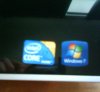
-
Then go buy a new one on ebay for 5 bucks and then put another on there. What do you think of the WLED? How bright is it? Man i feel like getting this machine in many ways now, so damn cheap in the outlet lol. Also how much did you overclock your GPU?
-
Yea, I guess a laptop cooler is needed for games :'( and what do you mean by you've out artic silver 5 in ?
Ohh and lastly, sorry for being a noob but what exactly is overclocking ? I get the idea it increase speed... but isnt it illegal ?
-
EBAY, i live in New Zealand dude. WLED can go super bright, i usually only go up to about half full. Gpu from stock Core 675 Memory 800 overclocked to Core 780 Memory 930
-
sorry for being a noob..but i was wondering, upgrading the bios to A07/A08 doesn't effect or had to do with the internal hardisk right? i mean none of the files or data will be corrupted?
my core i7 sticker is also same as yours, and i have seen others' like that too, yea i agree, whoever puts it is blind or drunk @_@ lol -
Hard drive will be fine, however motherboard could become next to useless to you if something goes wrong(it wont), just make sure its plugged in when updating BIOS
-
should i buy the 130W adapter and plug it in with that when updating bios to A08?
or is it fine if i use the 90W adapter first, then after it successfully updated the bios, start using 130W..? -
You can update to A07/A08 BIOS and it will run on 90watt adapter, but will only draw 90watts...
You dont need to buy the 130watt adapter, contact dell support here and use technical support, chat to them tell them ur system is laggy when playing games and ur 90watt adapter is extremely hot, they should send one out, what country are you in? -
I'm from Indonesia..I doubt it they will send me one..
I don't even think the dell store in here sells the 130w Adapter.. -
Im not sure what kind of country Indonesia is, but im pretty sure they arn't going to shoot you dead if you just call Dell and ask. No, seriously, just call and ask. Whats the harm ? It'll save you a lot of time and posts on this forum. Everyone is going to tell you the same thing, you know
-
Two things....
My laptop also has the crooked i7 sticker.... I think it is a touch of DELL to say that performance of this laptop with the i7 is crooked!!
Also... What is the solution you use to clean the existing thermal paste... Forgot the name...
Awaiting your replies.....
**The Official Studio XPS 1645 Intel Core i7 "Owners Lounge"
Discussion in 'Dell XPS and Studio XPS' started by Cin', Nov 9, 2009.


