 Problems? See this thread at archive.org.
Internal HDD is SATA 3.
MSata is not a SATA connection though I think. It's like a PCIe type connection, I don't really remember because I didn't take it out.
But the Hard drive is definitely SATA 3.
Optical drive is probably only SATA 2 as C0derbear says, they really can't take advantage of the sata 3 connection. It's still alright if you're going to replace the optical drive with a hard drive for unimportant storage
-
Thinking of buying one of these pretty cheap on the outlet right and I am wondering what the main difference between the 2 WiFi cards are. They have 2 different ones listed, Intel Centrino Advanced-N 6235 and Bluetooth 3.0 and Dell Wireless 1901 802.11a/b/g/n, Bluetooth v4.0. What I am really wondering is if the people with the Wireless problems have one of these specific cards or is a problem with he laptop in general.
-
The mSATA uses SATA III View attachment 93490
Also if i put my HDD in the optical bay what are the chances of it over heating because I can't imagine it's par with the primary bay. -
Well after a good month of dealing with Dell's horrendous tech support their finally sending out a replacement, managed to get an upgrade out of them as well, ha!.
Anyways the tech said that that the laptop i'm getting is part of a new batch which is dedicated to fixing the wireless problem, blah blah blah..... I've heard it all before.
However the spec sheet says is comes with the Killer N 1202 which seems to improve the wireless somewhat according to you guys.
I guess we'll just have to wait and see. -
I am curious to see if yours will work as they said. I got "new" (Windows 8) one and I can say it is worse than the other one (windows 7). The touchpad is not working, installed/uninstalled the driver, reverted to bios A12, scrolling is not working, the touchpad was very loose, I had to replace it with the old one, including the palm rest. The LCd, the "pooling effect", all LCDs I ve had so far, on XPS 15 L521x range suffers, even this one when I close/open the lid It can be noticed on the left side and right side of it.
Wireless with Killer N 1202, yes, it is an improvement. -
Johnny, it is the machine, not the WiFi card.
Sent from my Nexus 7 using Tapatalk HD -
+1. Totally agree. If read my earlier posts you'll see I had the Killer-N card fitted last week and it hasn't made any real difference. There's a fundamental design flaw with possibly how the antennae are routed on this machine making them very susceptible to picking up unwanted noise/interference. Dell claim they have a fix which entails swapping out the hinge mechanism so we can hazard a guess as to whether the antennae are now housed in the hinge rather than the display itself.
I'll be able to let you know next week if this has indeed made a difference. -
The killer n has made a little difference for me but not a whole lot. I'm still not getting the download speeds that other older computer are getting. The older computers are even using worse card but their bodies are made of plastic.
So the wifi is definitely a hardware issue.
So is the screen touching the keyboard and mouse. Even when my lid is closed, I have my mouse jumping all over the place and random keys being pressed. -
xnap30: You're not the first person to report that problem with screen touching keys & pad. Frankly I was a little surprised that so many people use the machine CLOSED UP. Not my own use pattern, but I should have figured it out since I have co-workers that use their company supplied machines that way. It would make sense to me if the machine were regularly used out of office, but they aren't, so it makes no sense to me at all (in my co-workers case).
I'd wonder if that's bad for airflow on some notebooks - assuredly this one too - as many use the keyboard as a major air-ingress point. -
Yeah I know. The problem was reported back a while ago. Someone added extra bumpers to fix the problem. I also have a problem where when I wake up my computer from sleep, the crtl button is stuck and I basically can't type in my password or if I do manage to get past my password, everything I press would be crtl + key.
I use my computer closed up when I connect it to my TV and stream a movie. I close the screen so it's not bright and distracting. I also like it closed when I have an external monitors plugged in. I don't do it often but when I do, it just works better for me when the computer is closed when using external monitors and TVs.
Hmm I'm not sure if this computer uses the keyboard slots to vent air as much because I think it's built like a lenovo and a mac where the chiclet keyboard is hard coded to a board along with the led lights. And the keys aren't removable from the front so there shouldn't be a lot of air flow coming out through the keys because it's be hindered through the back. -
The Control being "stuck" sounds like Windows Stickey-keys being activated. You can turn off support for that under Accessability somewhere under Control Panel.
-
Nope tried that first time it happened. Sticky keys were never activated.
Sometimes when I press a random combination of keys, the control becomes unstuck but I never know what I press because it seems to change everytime or I just press everything. -
750 GB included hard drive. Does anyone know if there is something specific i have to do to completely get rid of all the hidden partitions on the included drive? I put a 750 hybrid and my main drive and i keep trying to use acronis to clone to the 750 it came with as a backup and i keep getting errors? anyone have experience or info on this?
thanks -
You should be able to use Disk Manager GUI or disk part (disk?) From the Command Line to delete the existing partitions.
May be helpful to share what actual errors are being reported though.
Be real careful to not delete then partitions on the wrong drive.
Sent from my Nexus 7 using Tapatalk HD -
Well regarding the possibility of redesigned hinge I just spoke to UK tech support and its true. They have a new hinge with wifi antennas in it as well as a new designed palm rest. They are coming tomorrow to change then and hopefully after that I shall have improved wifi. Anyone in the UK i suggest getting on the phone and sorting out this fix.
-
Let's see if this is is indeed a fix first.
I've also an engineer out on Friday to replace the hinge, I'd be interested to know how you get on with yours. -
Marshall - fellow UK sufferer here. Thanks for the great news Can you post an update after the visit with results please?
It would also be great of you can note part or assembly numbers from the packaging so we've got some hard data to check against. -
No probs. I will let everyone know tomorrow how things turn out. I will note down all the relevant part numbers before the tech fits them.
-
ok thanks. i will try again in a few days and note the errors. thanks
Sent from my SAMSUNG-SGH-I747 using Tapatalk 2 -
ok thanks. i will try again in a few days and note the errors. thanks
Sent from my SAMSUNG-SGH-I747 using Tapatalk 2 -
I just purchased two of these and they came from the dells outlet today - one was new and one was cert refurbished -
I of course am having wifi issues - the new one had win 7 and just has limited range (updating all drivers atm i see there are new ones as of yesterday) - the second one has win 8 and couldnt even connect so did a bios update, graphics card etc - something went wrong and then it wouldnt start (would show the tiles and then if i click desktop it would flash the battery icon and log me off) so in the process of re installing windows on it.... this is the fastest I have every resorted to that...
there are 500 some pages on this forum - just curious if someone could provide me a quick update as to what progress has been made - and advice as to what I should do since I still have the opportunity to return these at no cost -
I love the laptops besides what appears to be this wifi issue - -
morth346:
short version - there is a UNCONFIRMED possibility that Dell has a redesigned lid/hinge/antenna assembly "out there" that addresses the WiFi performance issue. There are one or two people waiting on replacements, we'll see how it goes. By and large there have been a number of software updates that have changed things one way or the other, but not consistently. So far the anecdotal evidence leans towards the Bigfoot Killer-N 1202 WLAN card working the best in the machine, of the supported hardware, but it's still range affected.
good luck with your reinstall. that's nuts, I wonder if by the bios update some parameter simply got flipped into an incompatible state with the installed OS (such as the AHCI vs Intel Rapid Start setting). No way at this point to know, though. -
Thanks for this info!
I will also wait until I hear how this hinge ordeal is going before I decide to call dell support or return these
I am not 100% happy with the way the touchpad works, I can't seem to find the right setting between palm rejection and being able to leave a finger on one of the buttons while scrolling around - does the new touchpad design help with this? Or is it for something different?
I think I am seeing what is going on with my laptops my new win 7 one has the centrino card in it, my refurb win 8 one has the dell 1901 in it. From what I understand swapping to the 1901 was their first remedy but it doesn't add much improvement so they went on to the killer wifi which seems to be helping? Is this something I should request if they do come out and do the hinge?
As a side note I have a netgear WNDR3700 - and also have a Sony All in One computer with a qualcomm atheros 9285 wifi module. With this router the dell 1901 (also an atheros) and the 9285 cannot properly communicate to it and say they are connected to internet (can ping sites) but never can load them. But when I took the laptops home and connected to my linksys router - both the centrino and 1901 were able to connect and function just at 10mbps opposed to my ipad/android phone at 20mbps -
Hi there,
I've had time this morning to make some testing with other antennas. I've got mixed results.
First, the following image shows the antennas tweak. Antennas come from an old Dell Precision. I've soldered the cable cores to the copper plate, directly. I'm far from being an antenna expert, maybe it was the good thing to do, maybe not. I put the cable to get out from the body though the Ethernet plug.

Then I tested in different configurations, at my desk (1.5m from the router) and at my couch (5m). In the testing table, when you see "inverted", it's just the XPS has been turned in the opposite side to make the antennas more "visible" by the router.
"High" means the antennas were attached to the screen module, "low" they were just on the desk beside the lowest body part.
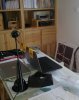
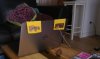
When you look at the desk image, you see the router, it is below the printer. I compiled the results in the following spreadsheet:
https://docs.google.com/spreadsheet/ccc?key=0ApyQQzJUIeP2dEtpZ2tWcmsyREY1VUVDaXhCa1ZZa3c&usp=sharing
The test was to download the ubuntu 12.10 64 ISO, 763 MB, from the nas which is integrated into the router. Downloaded twice, and use the average time to computer the rates.
As you can see, there is a small improvement, but so small that it is not interesting to heavily tweak the XPS body. Once again, my antennas may be done wrong, I'll try to get "true" antennas for further testing.
And for c0derbear, the cable don't pass in the vent, they are too much thick. -
Only thing I can think of is that maybe the copper plate isn't the right size/shape to be a good wifi receive antenna ... but I don't really know a lot about that EM/RF stuff. ;^(
-
just curious, can you buy another set of antenna and connect to the wireless card on top of the already existing ones?
so you have 4 connections altogether? then maybe remove the HDD, and in that space, place the new antennas set..
sorry for the naivety of the question! -
No, I had to unplugged the original ones to connect my "home mades". Only 2 connectors on the wifi card.
-
So I'm confused...
3:47:30 PM Hitesh_231092
Thank you, Greg, I am consulting my supervisor in regard to resolve this issue.
3:47:35 PM Greg
thank you
3:51:25 PM Hitesh_231092
I apologize but there is no known issue with the hardware of the system, Still If you want then we can replace the wireless card of the system, but location of the antenna can not be changed.
3:51:53 PM Greg
why are other people having the hinges replaced? there are MANY reports of this online
3:55:35 PM Hitesh_231092
I have consulted my supervisor and but we have not received any such updated, Greg, We can replace the card with any other card available, or I can transfer the chat to my supervisor.
3:56:08 PM Greg
would you switch it with the killer version or another 1901 version?
3:57:10 PM Hitesh_231092
Let me fetch up the available and compatible cards.
3:59:25 PM Hitesh_231092
Okay, We have a killer card available for the system, which is Killer N1202, will that do?
how are you getting the hinge change? - do they have a 'TSB' i can refer to or some way for me to convey that it needs fixed?
I have them coming out to put the killer in them - not sure if it will help much but figured it was a start -
Just checking my voicemail this evening and there was a message from Dell, left around 17:45, telling me that my visit tomorrow to replace the hinge mechanism has been cancelled due to the parts having been delayed. I wonder how Marshall1975 got on today with his engineer visit.
Out of interest these are the parts identified on my service call:
Part Number Quantity Ordered Description
19X94 1 ASSEMBLY, TEC, GRL, SPNG, PALMREST, L521X
3GK4T 1 MYLAR..., MOTHERBOARD, L521X
GMXNR 1 GASKET, METAL, LVDS, L521X.
I've no idea which is the hinge part, and what's with the Motherboard replacement part! -
How did you get them to say they will replace it in the first place? I am getting we have no clue what you are talking about here in the US
-
It would be funny if it didn't involve our money
-
true that.
-
After the Killer N card replacement having little effect I was resigned to the fact that nothing much more could be done and Dell were in the process of sending out a complimentary wifi dongle when they rang out of the blue at the end of last week with this hinge fix. I guess our service guys are a bit more clued up than the ones you guys have, either that or they are simply giving this "fix" a trial run first before releasing to the wider customer base.
-
Right I have had the hinge and the palm rest replaced now. Initial tests next to the router are showing 8 MB/s (68mbps) on 5GHZ throughput and 6 MB/s (50mbps) throughput on the 2.4GHZ. Now what seems to have improved is this throughput rate stays the same wherever I go in the house which it did not do before. I even went about 30ft into the garden and the throughput rate still stayed pretty much the same.
-
That sounds like good news to me. Can you tell me if those parts I posted earlier are the same parts you had installed and did you ask for a replacement palmrest or did they just do it as part of overall service call?
-
Yes they replaced the palmrest also as part of the service call. I never asked for that part but it seems its in conjunction with the hinge. I have to confess I did not get the part numbers as I was at work when he came and my wife was here. The speeds I achieved seem the norm for wireless N. In an ideal environment you should be achieving 50 - 90mbps so my speeds seem perfectly acceptable.
-
So, basically speaking, excluding the bottom plate they replaced all the expensive parts of the casing.
-
They certainly did. A fair few quids worth of parts.
-
Dell has a new driver up for the Intel N 6235. Has anybody tried that yet? Does it help at all?
-
So this supposed fix with the hinge....
Do you think that this "fix" has been implemented already with the laptops in the factory? Cause I'm still waiting on my replacement and it would be nice if this new hinge is already installed and i won't have to call up tech support again to get them to come and replace it. The guy on the phone did say there was new hardware in the latest batch of the laptops but i just thought that it was the Killer card, could it possibly be the hinge? -
A little hard to say, given how poorly informed the average CS rep is. However, the Killer card has been included as standard in new laptops for a while now, so he might have been the new hinge hardware (Has anyone confirmed that they're actually new parts? Are they visually different, different part numbers, etc.?). Unfortunately, even if the new parts are on all new factory models, you're not guaranteed to get the newest revision as a replacement.
-
I can confirm the new parts, some reps do not know about these parts (hinge assembly,etc) because it is a 2013 new wifi improvement development. I may be out of warranty but everyone is allowed access to a fix so yay
the parts are on their way and a tech will call me on Monday to come replace everything
ive had the killer card since December and can confirm its close range improvements to 100% but for further than 15feet there is a significant drop. I will be sure to note down the part numbers and do a pre/after test!
-
:hi2: Good morning everyone! :hi2:
I have just ordered my new XPS 15, L521x, and I've choosen the beastly version equipped with the 512 SSD and the Killer Wi-fi. I was amazed by the super offer Dell is doing in these days on the italian market: 10% off on the grand total + 30% off on the 3 years enhanced support = 1800€ VAT included.
Before buying, I have extensively read this biblical thread which obviously pushed me to be super-cautious.
So now, since I own an XPS M1530 still in premium warranty, I had the chance to speak with an Italian technician from Dell: he told me on the phone that he had under his eyes the new design for the wireless antenna and it's positioning within the case of the XPS 15. If I remember correctly he said they decided to move it back from the hinge. But don't take this as an official statement, this guy was talking super faster and was not always crystal clear. Anyway, the point is that he assured me that:
a) they were perfectly conscious of the wi-fi issue but that it concerned the 0.1% of XPS 15's
b) the redesign was made and...
c) that it has been already implemented in the new batch of XPS 15 which is being shipped in these and the previous weeks.
Of course, this is what HE said. Anyway I'm likely to receive the notebook in 3 weeks (hopefully sooner) and I will be able to tell you more as soon as I will have the chance to put my hands on it and do some testing.
In my buying process I have also talked with some Sales Rep. which stated that, due to this wireless issue, the XPS 15 had been removed from Italian the market for 3-4 weeks in the past. Personally I have no proof of this, but maybe there are some italian customers like me out there who could eventually confirm this.
Now, question for you: I'm really curious to know what is the brand of the 512 GB SSD mounted is the XPS15 and what are its performances. Anybody knows something? I googled a bit but nothing so far.
Best,
Alberto -
Hi Marshall I've just seen that the wifi problem seems to have been solved on your side and that you are in the UK. How did you make Customer Service offer you such replacement? Also, what is the original Wifi card included in your build?
Cheers. -
ciao Alberto,
can you give the link you used to purchase the Dell on the italian website please? I'm also based in Italy.
Thanks -
Ciao RochB,
the link is this.
as you will see on the page the price is cut by a 10% because of a limited offer they're doing on a lot of products. If I'm not wrong the offer lasts until tomorrow.
Plus, when you configure the system you'll see that you'll have a discount also on the enhanced support in case you need it. When I bought mine last week the discount was on the 3-years support, now I think it's on the 2 years support (-25%).
Last advice: if you think it's a good deal you can order, get the price freezed for 10 days, and pay later. I did it: you put all the info and you say you'll do a bank transfer in the next days, just in case you want to think about it longer, but keep the same price.
Good luck
Alberto -
also, I though the 3612 could go up to 3.1 . ive never seen It go higher than 2.7
-
3.1 is for single core max boost. 2.8 is max quad core boost.
Yes, there is another number for dual core boost, but I forget it right now.
Sent from my Nexus 7 using Tapatalk HD -
Hi Guys,
I've had my laptop for a couple of months now and have discovered an odd problem.
My wi-fi performance seems pretty good until I start gaming or playing some heavy flash based stuff.
The wi-fi performance then falls off a cliff with loads of packet loss to local sources - which were pinging below 5ms when not under load.
This seems to be a heat related issue rather than a wifi fault?
Anyone else been having the same issue?
Jason -
I just got a notification about a nvidia gforce driver update should I install it or only use the updates recommend on the dell support website. Here is the update from nvidia : Drivers | GeForce
Also, is the new fix for the wfii legit(hinge replacement) ? I currently have the original 6235 network card should I ask for the killer N card in addition to the hinge and touch-pad being replaced? Thanks in advance for the help guys...
XPS 15 (L521X) Owner's Lounge
Discussion in 'Dell XPS and Studio XPS' started by Muddy, Jun 28, 2012.


