 Problems? See this thread at archive.org.
You have 30 days to return the machine to Dell for a full refund.
Try it out for a test drive and you may want to keep it for good :thumbsup:
-
-
@PatrickVogell: You've selected 3 machines which all have issues with the wifi connection, like sports?

Personally, I would consider to buy the XPS13 Developer Edition. Far more lightweight than our XPS15, and the XPS13 screen is IPS which means it is without any discussion far better than the TN of the XPS15. If you think of doing some photography work, that's a point to take into account IMHO.
I use the XPS15 with Ubuntu Gnome 13.04 on a daily basis on my XPS, and it works great. -
You mean Ubuntu 12.10 or 13.04?
-
Hey guys, I've had the XPS 15 since the summer of 2012. I've never really had issues with it since I already knew most of them. But I haven't updated my drivers at all. I believe I'm on A06 or lower.
Anyone with an updated BIOS say it's worth the update? Before (like waaaaaaaaaaaaaaay before) people said hell no, so I'm sorta scared to update my machine. -
Still on A04 bios.
The bios is the only thing I don't update. I've updated all the other drivers though
Don't think it's worth it to go past A06 but I think A04 is the best one. Though the newer bios have UEFI support -
I have the Blu-ray drive, Matsh.ta UJ167 (I've replaced 'i' with '.' in the name due to auto-moderation!). I want to make it region-free and use Slysoft AnyDVD HD, but it is an RPC2 drive so needs a region-free firmware update. Does anybody know where I can get a firmware update for this drive? I've tried all the usual websites.
-
13" screen for photography work? Highly unlikely imo.
-
Ok. So this computer has the hardware to run Crysis 3 with medium specs. However, the cooling system can't keep up and causes throttling after several minutes of gameplay. What a shame.
EDIT: Even with the fans on full speed and the laptop elevated, the processor will not cool below 70c. Unbelievable. -
Unfortunately, even with the laptop up and fan cranked to max RPM, the cooling design in the XPS leaves a lot to be desired.
I'm no thermal engineer but it seems to me that they could have avoided a lot of the heat issues by having two heat sink pipes, one for CPU and one for GPU (Separate from each other, not touching) AND they should have built the screen so that the exhaust port is blowing the air up in front of the screen rather than trying to squeeze it out from under the hinge.
MBPs do this (early and latest ultra books) and they have no cooling issues at all.
Just seems to me, every time i look at the gap the vent has between the screen hinge and the surface the laptop sits on, there just isnt enough effective room, and having the screen angle affect the aperture of the exhaust port is a bit of a mistake too =/ -
Really? Have you spoken to these people?
https://www.google.com.au/webhp?sourceid=chrome-instant&ion=1&ie=UTF-8#hl=en&sclient=psy-ab&q=mac+book+pro+throttling+-retina&oq=mac+book+pro+throttling+-retina&gs_l=hp.3...1477144.1557979.0.1558197.30.26.0.0.0.1.380.6442.2-15j8.23.0...0.0...1c.1.12.psy-ab.en_Oo8R6EkI&pbx=1&bav=on.2,or.r_cp.r_qf.&bvm=bv.46471029,d.aGc&fp=11dbd45089c0124&ion=1&biw=1920&bih=1085 -
4th display now. Machine seven months old. This is ridiculous. (after grey pixels/dead pixels). Screen quality was really great on the first one. All the replacements since have been greenish. The second one had bad lining, the third dead pixels right on install. Even this one has two grey spots already, but no lining. In three months it will die again. I bet. AUO - this is intolerable.
-
I had read about the Throttling issues and looked at numerous Reviews, YouTube Videos etc. but still went ahead and ordered it because I figured I would give it a chance. I have had it for 3 days and I am now sending it back. I love the build quality but if it doesn't do what I need then it isn't worth the hassle even though, I am just the tiniest but reluctant.
I have owned the previous Generation of Alienware Laptops and that's where I am headed. -
You don't need two heatsinks, it just needs a bigger heatsink and fan. The CPU and GPU in this laptop don't even put out that much heat.
-
I need your help for mine I just got xps l521 core i7 with 12 GB ram and 750GB HDD plus 32GB mSATA. I bought intel SSD 520 series and I want to upgrade it. I am having confusion in bios setting what is UEFI boot and legacy and to use the SSD what settings I should keep? do I have to remove mSATA or can keep it their. BIOS version is A13.
Please reply in details as I am quite confused about it. Thanx. -
I believe ChrisG1 was referring to the heat pipes being so close together that they touch Quix, not the unit requiring 2 heatsinks.
I'm pretty sure it doesn't even need a bigger fan or heatsink, it just needs a better way to draw in cool air. Removing the base and/or the DVD/BlueRay drive makes a big difference. -
I've discovered a new issue on my XPS (rev 2). 2 days ago, I've found some black traces behind the Gorilla. Of course, I checked few times that the screen is clean. These traces are like small strokes made with a black pencil on a paper. Once found, this is the only thing I see, especially with white applications.
So I called a Dell rep, he told me that the screen would be replaced that it will embed the new hinges, to fix the Wifi as well as a new Intel Wifi adapter supposed to have been redesigned by Intel (here I've some doubts.
So more news in a day or 2 two, the time to make some testing. -
Is there someone who has recently upgraded his bios to the A13 without any issue?
-
So I've just completed some pretty extensive testing based on SterileBacteria's recommendations here: http://forum.notebookreview.com/dell-xps-studio-xps/673630-xps-15-l521x-owners-lounge-539.html#post9106924
Originally I tried the straight out "turbo boost" settings he used, although this keeps the laptop at constant boost mode (GPU clock at 709mhz). I ran the settings with Crysis 3 and after a few minutes of gameplay my GPU temp was getting up around 84 degrees and looked like it was going to keep going, so I put a stop to that pretty quickly!
Next I dropped the GPU clock speed to the regular 645mhz that it's meant to be able to be clocked at, it definitely lasted a lot longer, but still went up over 81 degrees, not something I'd like to do often.
I kept playing with it until I had a stable 79/80 degrees at a clock speed of 580mhz, this was with max textures in Crysis and a resolution of 1920x1200, though I did have other graphics settings toned down.
I tried Bioshock Infinite next and was able to go to a clock speed of 590mhz with textures and object detail set to Ultra and other settings set to low and medium (AA and AF set to low). Again I was able to achieve a very nice constant playable speed.
The only other option I had set was the "99%" trick for the CPU in the power options. I'm very pleased with these results as it means I can now play Crysis 3 on this machine at a nice constant framerate without killing their machines early!
I'm sure others that have completed some of the thermal modifications such as replacing the thermal compound, upgrading the fan, and removing the DVD/Blueray drive would see even better results than this.
(Yes I realise that 580, 591 mhz is still under the advertised default clock speed for the GPU, however I'm not complaining at all!)
I'm using the latest A13 bios. -
I've been on A13 since it came out (my machine is almost a year old) with no issues, but I live dangerously.
Running Win 8 on 120Gb mSATA SSD, the HDD is only for data, FYI. -
@ Seawright, yes that what I mean.
Picked up my nice new set of torque heads today, so I'm having a play with it at the mo.
There are 2 copper pipes connected to heat sinks and thermal paste at one end (one each for GPU and CPU) and they run together round to the metal 'radiator' grill, cool air blows over the grill, cools the pipes, in a convection like manner.
But the two pipes touch. So ultimately, all the heat builds up unevenly, right in front of one of the intakes. So the fan pulls air over the hot pipes, then blows it back over the grill?! Surprisingly enough, not overly effective. Also, I reckon having what constitutes as a 60C+ lump of copper as a heat sink/ transfer mechanism is a silly idea.
Even after heating all that metal up, it'll take plenty of time to cool again, just because the pipes are touching, there isn't any gap for air to be pulled over and around it. In my mind, less surface area means a less effective cooling.
Only my thoughts on it. I'm going to try and fix the Battery status LED and remove the DVD at the same time, then run some stress tests and see if it changes anything.
IMHO, this is still a great laptop. Even with the heat quirks, its not unusable. Its very quick, but just can't handle graphics intensive gaming. Which isnt what i bought it for, but was advertised as a part of being a fast, multimedia laptop.
And when I'm doing anything else, its great. Just fire up Minecraft for instance with Far render, it all gets warm XD -
Hi people.
The Dell tech came this morning to change the whole screen and again, the wifi adapter.
The Dell rep told me "this is a new hardware revision of the Intel 6235", but the revision is A01, like the previous one The screen module is supposed to embed the new antennas and hinges...I've some doubts.
After replacement, we (the tech guy and me) noticed the new screen also has some small black strokes behind the Gorilla glass and the Wifi performance is even worse than previous. So, IMHO, there is NO new hinge design.
It was nice to see the tech calling Dell and saying: "The PC is 4m from the router and downloading a simple file from the nas takes 5 more times than an old 2006 Macbook Pro". So I've asked to be called by Dell to change the PC for a new one from an another serie. -
Guys, there is problem in Intel Rapid Storage application and service in my pc. Application give error and cannot be opened, service does not start. Is there any way to fix it, who can advice?
-
Hi,
Just to illustrate what are the "strokes" behind the Gorilla glass I mentioned in my previous message, here is a picture.

-
Isn't that just the infamous "grid" issue with the l521x display?
-
I see the grid-lines in the photo, but what he has circle is something different. I have one of those "strokes" on my screen, but I thought that it was due to dead pixels. I don't really know what it is, but I can confirm that I have the same problem. However, mine are not as prevalent as his.
-
I don't think, but I've never faced the so famous grid issue. The grid we see on the image is just the result of the shoot from a camera, and it was extremely difficult to take a photo I could use to show the problem. This is really like if someone drawn something with a pencil behind the glass. On the new glass, this is less pronounced, but there are still some.
-
Your right, I mistook the pixels for the grid lines in your pic. You can see the grid lines on https://twitter.com/mccoycmw/status/279002419596238848/photo/1 , even though it is a crappy photo. The grid lines look like a thin wire mesh across the entire screen on my laptop.
However, after having the L521x for 6 months now, I don't notice the lines anymore unless I look closely on a white screen. -
Can anyone confirm that with the systems that shipped with the SSD, that there is a empty mSATA port? Someone had mentioned in this thread that the motherboards may vary between the hdd+mSATA systems versus the SSD systems.
-
I just had my screen replaced because of those same "strokes". At first I thought it was dead pixels as I seemed to be getting more and more, but I don't think they are.
I'm pretty picky about things I buy, and I didn't notice them when I first bought mine, but I certainly hope they were there because the alternative is that they start to show up after a few months of use... -
I'm pretty sure you're right. I've been using this XPS for few months and didn't notice this issue until recently....wait and see.
-
Hey all. Finally got the screwdrivers out, and fixed the LED battery indicator light as per photos.
Also removed the DVD, in the name of some lower temperatures. I'll let you know how it all works out..
@mccoycmw, my system is the SSD/HDD hybrid, so I have the on-motherboard SATA plug, can't say whether or not an XPS with the SSD as main would still have this. However, it would be very easy to buy a hybrid like mine, and upgrade the HDD to an SSD. (Something I plan on doing in the future).
I'd eventually get the OS onto the smaller SSD, not sure of the value of having an SSD cache a larger SSD...
Proof that it all goes
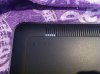
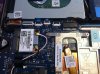
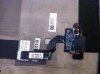
-
I use ThrottleStop 5.0 and limiting the cpu to 15x with temp around 83-84 degrees Celsius. I have Crysis 3 on 1440x900 with texture: high graphics: low, averaging 45-50 fps while the 640m clocks between 708Mhz-680Mhz. So my question to you is how many FPS are you kicking out?
-
Hey guys, I am considering the XPS 15 because I love the look of it and the build quality is great from what I've read.
However, I have read about the throttling and temperature problems, and am not sure if I want to deal with these. Are these still problems?
Would you recommend buying one?
Thanks! -
@AMRadioactivee
Sure you've had a read and seen the potential issues you can have with these things, but I'd still say buy one if you are happy its what you want.
NOT A GAMING MACHINE! Sorry, but for games, or at least graphics intensive ones, the cooling system isn't good enough. The gear will happily run most games at decent settings, but the heat causes throttling in some extreme cases, and the fan/ vent design just isn't up for it.
If you want to video edit, photo edit, internet browse, video conference, watch movies or play some lighter games, then the XPS will be great.
The killerN wireless card is probably standard on all models by now, indeed I haven't had connection issues with mine. As it stands, I personally think the build quality is exceptional, its solid and doesn't have flex issues. Its nice and fast, boots quickly and resumes as fast as you can open the lid.
For me, the HD screen is a huge seller, as the XPS, gear and screen included, is about the best value for money.
As previously written, problems do exist with the cooling, and I've had everything from fan to thermal paste upgraded, but as a result, it does run cooler.
As far as a multimedia laptop, its great. The touch pad is nice and smooth, I've never had palm rejection issues, and the keyboard is solid and easy to type on. The metal build means no flexing or creaking, and as an owner of several plastic built laptops, this is something that I've noticed the difference in.
Its your money dude, make sure its going to do what you want. If you aren't a hardcore gamer, this will do you more than fine
-
@Aseawright and @romu - after cleaning my screen I can confirm that I have several more "strokes" now than when I received the system 6 months ago.
@ChrisG1 - My system came with the 512 SSD from Dell, so I won't know until I get a Torx 5.
@Radioactivee - IMHO keep looking for another system. There are still too many problems with wifi, cooling, and the screen. I paid (actually my Dad did) $2300 + 3 year warranty for a fast and cool looking computer with a lot of problems. Maybe when they come out with the next version with Haswell it will have fewer issues. -
I bought mine for just under $1k from Dell Outlet and I think for the price, it's an excellent value. The machined aluminum is very nice and I like the overall design.
The wireless issue is fixable for the most part with the Killer-N card or even the Dell wireless 1902 card that some (or most) ship with. I bought the Killer-N card on eBay to save the hassle of dealing with Dell tech support.
I also fixed the thermal issue by replacing the thermal compound and removing the Bluray drive. I never use CD/DVD so its a non-issue to me. Removal of the Bluray drive allows for more space for air intake so the fan can more easily pull in air. It definitely improved thermals by 10C or more while gaming.
For the amount of money I paid and the amount of effort I spent fixing the issues, it's still well worth it to me considering the fairly good specs and design. -
Ive been on the killer n beta drivers/software for a few weeks now, and yay, I no longer have any limited connection drops. the beta drivers have fixed that. wifi has also gotten a bit better but what really did the fix was the replacement lcd hinge fix dell did. fixed my grids,pixel, and wifi range
put heat is still an issue. I sooo want to get an ssd but they have a limited life span so not worth it :S
-
The discussion with Dell evolves. I've called by a rep, they want photos of the new screen to see the "strokes" and want to take control of my computer to analyze the wifi issue.
-
If you go back through the hundreds of pages in this thread, dell had actually had a rep come on this forum to ask people for computers suffering the wifi problem so they could 'capture' them and diagnose it back in their labs. Nothing came out of those efforts.
-
Deleted by some problem.
-
@ChrisG1
Would you mind to tell me which Thermal Compound and Fan you used for upgrade ?
Actually I want to upgrade by myself too. can u show some of your process for my reference ?
Since I am electronics idiot.
Thanks dude:thumbsup: -
I used the Notcua NT-H1 thermal compound because its easy to apply and doesn't need time to cure. I just applied a rice grain amount and put the heatsink on and pushed it to spread it out. I tested it once and removed the heatsink to check even coverage and it was fine.
-
I guess France is a bit late in this area. The previous rep told me the wifi card has a new revision which was wrong indeed. I think taking control and seeing by themselves the state of the wifi is the last step for them to accept to exchance this computer with a totally different model, which I requested some days ago.
-
I'm not an expert either bud, but ill do my best
Seeing as I'm under the Dell warranty, I've been hounding that relentlessly, which is annoying the rep in charge of my case XD
However, if you want to upgrade the Fan, you have to be careful the model is exactly right, because space is tight. To my knowledge, only 2 fans exist that Dell use in these XPS's. The first being a Forcecon one, and the second being Adda. I had a Forcecon, which had a crap blade design, moved virtually no air, very quiet though.
The new one the Dell tech replaced (Easy enough to do, its like 3 screws and a little 3 pin plug XD ) is an Adda fan. It has wider blades, and a steeper pitch (moved more air) and was good for about 5C drop in temp, and a little nosier.
The thermal paste was another Dell tech job, although the guy was a contractor and assured me the new stuff was superior. (Didn't give a brand name however). Others on this forum advocate Arctic Silver 5 as being head of the game, I think it replaces silicon with something better/ has better heat conductivity.
Again, the process is easy enough, pull the heat sink off the processor, wipe off existing paste, and apply an X shape of paste to the top of the processor, maybe 1-2 mm high. (comes in a little syringe, so its easy enough). Dont over apply, and slather the surfaces though, that ends up being counterproductive.
Also, I've been doing some stress testing, and having no DVD drive is incredible for temps. The extra space behind the right hand intake means about 15C drop when maxing the CPU/ GPU. When doing internet browsing/ listening to music/ doc processing, the temps rarely get about 45C.
If I had to say why I stick with this, even after taking the DVD drive out, is because A) I work in the cloud, so a DVD drive is rarely ever of any use to me, if it was I'd be trading this in. B) The main gear inside is fine. Seriously, no problems with RAM, motherboard, HDD, SSD, GPU, CPU, HD screen or the Killer wireless. Its the cooling which was a bother for me, and that's due to a design flaw.
I guess, I don't mind investing time in computers, because it interests me, and swapping bits in and out is just par for the course. Having said that, for those whom technology does not float their boat, this would be a problem. But I love little projects, and unless anything really major comes up with it, I'll keep with it
Next on the list; HDD-SSD swap, more RAM and GRUB bootloader so I can rock Mac OS
Anyone able to offer an opinion on the (I think unlikely) benefits of having a 32GB SSD act as a cache for a 500GB SSD? -
There would not be any benefits to a ssd cashe for the larger ssd. The read/write speeds for the larger ssd would be faster anyway. - The proper care and feeding of SSD storage | PCWorld
Also, according to the follow link, SSD caching requires a traditional hard drive.
How it Works: Intel SSD Caching - Puget Custom Computers
As a matter of fact, since I have the 512 SSD that is so incredibly fast, I have disabled Windows prefetch/cache - Disable Prefetch, SuperFetch, And Windows Write-Cache Buffer Flushing : Can You Get More Space Or Speed From Your SSD?
On a side note, I have asked Dell to send out a tech to replace the fan, thermal compound, screen and replace the Dell 1901 with the Killer 1202. Thanks for providing the brand name for the fans Chris.
-
SSD cashing requires a HDD to work - How it Works: Intel SSD Caching - Puget Custom Computers
Besides, usually the larger SSD will be faster than a smaller one - The proper care and feeding of SSD storage | PCWorld
Also, I disabled prefetching because my 512 SSD is so fast - Disable Prefetch, SuperFetch, And Windows Write-Cache Buffer Flushing : Can You Get More Space Or Speed From Your SSD?
Thanks Chris for the information about the Adda fan. I have asked for Dell to send a tech out to replace my screen, thermal compound, fan and swap the Dell 1901 for the Killer. If the replace the screen, does that include the hinge assembly or is that separate? -
opinion: No use as a CACHE, however 32 Gb of space may be great to additional storage.
It's still Gb of space, after all, on a 6 Gbps link. -
I don't agree. After playing with nvidia inspector and ThrottleStop 5 I've been able to get decent enough settings to run Crysis 3. I'm actually a little disappointed though because I've been playing through Batman Arkham Asylum and clocked Bioshock Infinite before figuring it out. Needless to say these games both run a hell of a lot better now.
I also haven't done anything to the system hardware wise yet (besides having my screen replaced). I think better thermal paste, the Adda (?) fan, and removing the DVD Rom would boost my performance even more.
Off the shelf solution? No. Am I happy with this laptop? Hell yes. Would I pay full price for it though? I doubt it. -
I used my 32gb msata along with my 512gb ssd.
The 32gb msata acts as the place for my temp files as well as some virtual RAM.
But I recently removed the optical drive and put in a 750gb hard drive so I might use that as the storage for temp files.
Is there a way to find the make of the fan without opening it again? One of my screws was already stripped and I had to replace it with a different one So I have one Phillips 1 head and the rest are torx 5..
-
I had my screen replaced for piece of mind XD Yes the metal hinge goes with it, and there are 2 metal brackets on the inside that hold it onto the frame as I recall. The tech took the antenna wires off the card, the screen cable off the board, undid the mounting screws and took the whole thing away.
Thanks for the SSD info, I haven't really read into them yet.
As for the SSD now, I think I'll take the suggestion, and just use the extra 32GB of space XD Maybe a backup onboard drive for essential documents or something...
I agree with you on the happiness with the laptop, and I definitely wouldn't pay full price, but mine does overheat when playing one or two types of games =/ It runs Halo fine, and I don't have a copy of Crysis 3 (yet XD)
But I would have to stand by my original comment, I don't think its a gaming machine, or at least, a particularly good one XD Just my humble opinion
Gotta be careful with the torx, the metal is pretty soft =/ I just nip them up, but not too tight, because the 2 screws under the service hatch do most of the holding on anyway.
I can't say I know of a way to find out which it is, perhaps you could try looking through the BIOS at boot up for devices? The fool proof manner is, unfortunately, to open it up and have a look at the actual fan.
As an aside, last time I had mine open, I think I saw that the heatsink bore a FN logo, Forcecon perhaps? I'm guessing Dell got them to build the whole cooling system...
XPS 15 (L521X) Owner's Lounge
Discussion in 'Dell XPS and Studio XPS' started by Muddy, Jun 28, 2012.


