 Problems? See this thread at archive.org.
I met a problem recently. Sometimes my L521x automatically switches off. Next time when I boot up Windows complains it was not clearly shutdown. At first I didn't know what happened, until today I discovered how it happens.
When the laptop is on, if I gentally tap the bottom of the laptop near the power button / AC socket with hand, it loses power.
This happens both with or without AC power. Withour AC power (so only battery is used), it powers down immediately. With AC power, it's less easy to reproduce the problem. I ned to tap several times to make it happen. And when it happens, instead of immediate power down, it gives me a screen with random colors (like a TV screen without signal).
Does anyone know which part of the laptop has problem? Is it an internal power connection problem or what?
-
If your machine is under warranty I'd call dell. There has to be some kind of small circuit board or other kind of connection there where the switch and the power jack are, something must be loose and shorting or loose and disconnecting.
If not I'd consider taking it apart and trying to find the loose/bad bit and dealing with it. On the up-side Dell's manual online shows basically how to completely disassemble the machine.
Blecch.
Good luck. -
trying to decide on a new router : its between the netgear r7000 and the asus ac68u. I would consider the Linksys ea6900 but Ive had the wrt610n,ea 4200,ea6500 and they've all ben complete crap.
-
coderbear, my friend bought a laptop. nothing advanced, but his rig boots up in 3.5 secs :S I don't get it. he has a normal hdd, I have an msata. same goes for my neighbours all in one hp. her's boots up in 1.8 secs. his laptop has windows 8 64bit, 8 gigs of ram, amd a8 4500m apu,radeon hd 7640G, st750lm022 hn-m750mbb HDD... HOW?
-
X seconds from cold-boot?
Hell, my BIOS doesn't POST that fast.
If it's X seconds from end of BIOS that's different, that's Windows.
Only way you'll know is to do Serious Profiling Work. Using Windows ADK.
Boot Performance (Full Boot)
a nice example of WPR usage
Analyzing a Slow Boot with Windows Performance Recorder & Analyzer
FWIW, thought about doing this for my machine (and I may one day when I'm bored) but since I rarely reboot my machine it's not worth it.
I only less than rarely even bother hibernating the machine.
Coming out of 'sleep' is pretty quick - like by the time I'm done opening the lid up the login screen is waiting on me, and that's 99% of my behavior. About 0.5% of the time I actually hibernate it, so that's basically BIOS POST + Sleep wakeup, again pretty quick.
IF I spent the time reworking my machine to be a pure EFI boot without any legacy rom support the BIOS loading may go faster, but it's just not worth the time to me.mux1 likes this. -
Hi, all! Can anyone say if the XPS family has BIOS hardware whitelisting in place?
Many thanks and have a great day! -
Ive ran wpr multiple times, but I cant make heads or tales of the results. everything on my system starts at 3.6 seconds. except bios initialization duration is 4.5 seconds. -
I dont know if anyone has faced this problem, but my touchpad is not working. It hangs and then works sometimes and stops scrolling or even clicking..
-
I'm going to be off-net this weekend, visiting relatives in NH, maybe I'll get bored and give WPR a peek on my machine just for the "experience".
Seems to me though that the BIOS boot time is the killer. Check that timing with your friends' machines that boot so fast. -
enjoy!
well the laptop boots up and speeds through post. then gets to the Dell logo and the spinning dots last 4 seconds then is speeds to the desktop.. so whatever is going on at the dell logo is the issue.. -
Myeah, so after a few days of testing, with or without the board connected, switching it on after a few hours of not using it or after one day of not using it, i still have the problem. Called the Dell Tech support department and after everything passed on the Diagnostic screen at startup, they told me to reinstall windows, maybe some files are corrupted. If it is so, why would the operating system will boot only some times and not at all? Doesn't seems legit.
After checking the Dell forums, another guy had the same problem. Conclusion: the motherboard needed to be replaced.
Any suggestions?
Thanks! -
Hello, I was reading some page before that someone changhed the WLAN card with a new one, and the Intle 7260 seems to be the best choice.
Am I right? The Wi-Fi does improve?
Mine works just fine, with the card I had when it bought, but I normally use the computer close to the router.
Thanks! -
A little after a year, my battery wear is already at 11% and I've only used it for college work. Nothing intense

As for cold boot, my system with a 512 Samsung 830 SSD boots in around 10-11 seconds:
4 seconds Dell Logo,
1 second blank screen,
4 second Windows Logo
1 second blank screen
Windows Lock Screen
1 second blank screen -
Don't do a reinstall if you don't have to. Dell tech support is the worse at trouble shooting. Your best bet is replacement under warranty. They will send a refurbished motherboard, insist on new motherboard.
Last time I got a coffee spill on my computer and it was under accidental warranty, they sent me a POS refurb motherboard that looked like it went through a lot worse than my coffee spilled board. I ended up not replacing my original mobo because it still ran fine and was in better condition than the replacement -
soo, I wanted to test real world transfer speeds with my adata xpgs sx300 256 msata... I move a folder (1.22 gigs) from my downloads folder located on the 750gig HDD to my desktop located on my Msata.. Ive got to say.. im sooooooo happy I bought this msata, not only does it boot in 4.4s but its also super amazing..check the picture, windows literally doesn't have time to calculate before the file transfers!
-preview.png)
-
I finally got around to replacing the Killer-N with the Intel 7260.HMWG (802.11AC) card. My initial impressions are that it definitely does hold a stronger signal compared to the Killer-N given sufficient distance (or walls) from the wifi router. I don't have any numbers but if you were going to replace the Dell Wifi card with something else, the Intel 7260.HMWG is a good choice. I got mine for $34 on eBay from an international seller. This is actually cheaper than what I paid for the Killer-N card.
Note to any Ubuntu users, you will need to compile some kernel backports to get it to work in 13.04 or lower. I believe it works out of the box in Ubuntu 13.10 (alpha/in development) -
hello warmly,
is it possible to someone buy and send me Intel 7260 802.11AC WiFi card to Poland?
i search everything in poland and cant find this card in polish shop.
i need 2 cards
-
A note to all you other XPS 15 l251x owners, here a document of my experience with the laptop and dell customer support in the UK.
I received my laptop in January 2013, everything was great except for the wifi issues pretty much everyone here has experienced along with bluetooth and wifi on causing wifi to not work at all!.
I wont go into too much detail about this; needless to say it was replaced after 2 attempts with the killer-n 1202 which i had to request and worked a bunch better (still about 1/2 the speed i get on my imac). That was in the first 2 months of having the laptop.
Then recently (6 months later) my hard drive had started making loud clicking noises (i went for the 1TB HD with 32GB msata option) and when I watch movies on-line there's a consistent stuttering that happens of the video and audio (the kind that only usually happens when there is a high load on a machine except the only application i had open was chrome and the mandatory dell bloatware in the system tray). My best guess was that there must be a Hard Drive issue.
I contacted @DellCares on twitter and they arranged pick up (i have the collect and return warranty) in a few days. They then said it would take 7-10 days - not working days, just days. I agreed as I do use it for work and was okay with this as I'd rather have the hard drive replaced before all my data goes with it.
14 days later the laptop was returned - the service sheet said that the keyboard & track pad assembly and the main-board were replaced as they were faulty. Great! however I still get a stuttering and the hard drive still clicks. Additionally the date of the service work was the day before the machine arrived back to me. This meant that they had kept it there till the last minute before bothering to look at it.
I then waited for Dell to contact me as they do after a repair, who suggested I use the machine and report back to him, he would call me the following day.
At this point I was still loath to have to load all my data back on as I would have to do the work that the engineers should have done. So I went about updating drivers and while i was updating my nvidia drivers I was greeted with a lovely error message regarding memory addresses that were not writeable. I watched a movie - stuttering still there, hard drive clicking loudly as it had done and that pretty much did it for me. I spent the next 2 days with calls back and forth arguing with them - I made it very clear that I would not accept that the machine as fixed and that I don't understand how much of fixing parts here and parts there would ever make the situation better. I told them of the amount of work I've hard to turn away and have lost during their possesion of my machine and eventually convinced the Technical Support Manager (Leon, a very argumentative and defensive indian chap) to replace the entire unit. They've asked to collect the unit tomorrow the 15th of Oct 2013 and will let me know today / tomorrow when I can expect the replacement.
Their customer satisfaction is amongst the worst I have ever experienced, bar HP!
I still have to wait for my new machine. Which, fingers crossed wont have any issues. With just under 3 months on my warranty and with this many issues, I regret my decision to get a Dell. I should have gotten a mac!
I'll let you all know how this unfolds.
And for those looking to buy dell, don't.
UPDATE 14/10/2013 2:29pm BST: Shortly after I sent the previous post, I received an email from The Dell OrderWatch Service. My new laptop is in Pre-Production and is estimated to arrive with me on 30/10/2013 - thats a whole 2 weeks without a machine. -
I am sorry to hear that you are having so much trouble with your XPS 15. I just purchased the XPS 15 from Dell for around $1300 (Normally $2300) so I was very pleased with the deal I got. 512 gig Full SSD, Nvidia 640M 2 Gigs of VRam, 16gigs of RAM, and an I7 Intel processor. For the money I was happy.....as far as the service I hope it won't have any major issues. However, if it does I will work with Dell best I can to resolve them. Just needed something on sale that could help out with school and I have had an XPS 15 (Older version) in the past was was very happy with it. At any rate this will beat carrying around my Alienware M17XR2 to class LOL! Sorry again to hear about your issues....
Truckin -
I'm glad to hear you got better specs than mine for less. Mine is the i7 3632, 2GB Nvidia GT 640M 1TB , 8GB RAM and killer-n. Knowing what I do now I would not have spent the 1400GBP for the machine (almost $2500 at todays exchange rates) and would have rather bought myself a mac. I thought I'd give windows a try after almost 7 years of using osx - however I found windows to restrict my workflow hugely. The constant use of the pointer infuriates me - I'm a keyboard monkey.
You only use the machine for class? Surely thats a little overkill? Would you not have been served better with a smaller machine? but hey if you can afford it great! -
TruckinGTI, you should buy an Intel 7260 card to replace the WLAN card with as soon as you get it and you know that the rest of the hardware is fine. In my very limited experiences it works rather significantly better than the Killer-N, and if you're going to be using the machine on WLANs you have no control over (e.g. school) then you'll want the best WLAN card you can get.
I'm using the base drivers directly from Intel, plus the Lenovo Bluetooth driver that, I think, Elvis7 posted a link to a couple pages back. -
Man that's a great price. However the XPS isn't as great for gaming as an Alienware. Have you tried? You'll run into thermal issues.
-
Well this machine at the price that is being released at dell.com..is very tempting..but only for the US site..1299...full configuration. 1999 in my country's Dell site...s...
-
daniel.z - have you found someone to help you out?
Can you just use Amazon US?
Amazon.com: Intel Network 7260.HMWG WiFi Wireless-AC 7260 H/T Dual Band 2x2 AC+Bluetooth HMC: Computers & Accessories
I picked mine up from the above link (from Spicy Bomb) and it's been fine.
Disclaimer: I have NO CLUE what shipping to you will add. -
c0derbear: i can use Amazon, but i dont know if amazon send me this card to Poland?
-
Contact the seller and ask, their link on Amazon probably has contact info.
-
I just picked one of these up from Dell Outlet and found mine has the WiFi issue. Dell supposed to come out on Friday to replace the display assembly and wireless card with a Intel 6235 wireless card but from what I've read on this forum these fixes have not worked for most people and in many cases the Intel 6235 has worked worst than the Killer Wireless 1202. So, I'm probably going to try to get Dell to come out and install the Intel 7260, which I know they stock because they have it listed as coming in the XPS 12 model. What I want to know tho is how much of an improvement is the Intel 7260 speed and signal strength wise. I also want to know if I was to get a Intel 7260 card myself because I cant get dell to give me one. Were can I find the Windows 7 driver for the WiFi and Bluetooth part of the card? I also read about some people's XPS 15's overheating when running games. Will my XPS 15 overheat if I run Star Wars The Old Republic, Sims 3, or Star Trek Online?
-
macknewm: you can get the 7260 via Amazon or Ebay, I posted an Amazon link yesterday which I had used successfully.
For more comments on the 7260 performance check my post over here.
You can use the current drivers straight from Intel for the WiFi. They don't include Bluetooth 4 support though (at least the Windows 8 package). Elvis7 posted a link to drivers for that from the Lenovo site earlier in this thread that work. I have them under Windows 8 but they may also support Windows 7.
I have no clue about the heat issue with the games you've quoted, you may want to search this thread for references to those titles. -
Just found these on Dell's Support Website
Intel 7260 Bluetooth Application for Windows 7 64-Bit (Does this include the Bluetooth driver?):
Driver Details | Dell US
Intel 7260 WiDi Utility for Windows 7 64-Bit:
Driver Details | Dell US
Intel 7260 WiFi Driver for Windows 7 64-Bit:
Driver Details | Dell US
Intel Dual Band Wireless 7260 driver for Windows 8:
http://www.dell.com/support/drivers/us/en/19/DriverDetails/Product/xps-12-9q33?driverId=XV8HX&osCode=W864&fileId=3289560365&languageCode=en&categoryId=NI
Intel Dual Band Wireless-AC 7260 Bluetooth for Windows 8:
http://www.dell.com/support/drivers/us/en/19/DriverDetails/Product/xps-12-9q33?driverId=667W2&osCode=W864&fileId=3289560083&languageCode=en&categoryId=NI -
Anybody tried to upgrade to Windows 8.1 yet? It's not working for me (gets through everything, and then ends with just a black screen...)
EDIT: SOLVED. SEE POST TWO BELOW. -
I have the same issue and I dont know why...
I'll try a clean instalation of windows 8 and try again to upgrade -
Update: Got it to work. The NVIDIA driver you have may not be 8.1 compatible. I updated BIOS to A14 and loaded the NVIDIA driver found here: NVIDIA DRIVERS GeForce 327.23 Driver WHQL
Worked just fine after that.HamStar50 likes this. -
I just ordered the most expensive XPS 15 (2012 model) on the Dell site for cheap (the limited sale).
I am wondering if the following issues have been solved:
- unwanted CPU and GPU throttling while gaming;
- Weak or no wireless connection availability.
-
Regarding the CPU and GPU throttling, I just got my XPS 15 too and have been checking it out with the games Sims 3 and Star Trek Online, which have seemed to run for me with out any lag on max settings that would indicate CPU or GPU throttling. That said make sure you have the newest BIOS update from Dell (Which is A14 last I checked), Nvidia drivers downloaded from Drivers | GeForce (Not Dell's website since those are out of date), and Intel graphics card drivers from https://downloadcenter.intel.com/default.aspx (Again Dell's drivers are out of date for this too). Regarding the wireless issues, don't bother talking to dell about it they just give you the run around but from what I've been told getting an Intel 7260 AC wireless card and installing it, solves the issue quite well. I justed ordered my Intel 7260 AC, so will see how that works for me. Don't forget if you do get the Intel 7260, do not tell Dell you are replacing the stock wireless card, as doing so would allow them to void your warranty. That said if you do not want to buy and install another wireless card and have the Killer Wireless 1202 N, updating the drivers from the manufactures website, improved my signal strength and speed when not right by the router to about 2 MBPS Down. I would also recommend upgrading the Touch Pad driver because mine came from the factory with an out of date driver and worked much better once I upgraded it.
-
That relieves my heart a little bit.
It came to my attention that not everyone is having WiFi issues, so I have some hopes that mine hopefully won't have any issues regarding that as well. If not, I'll just go ahead and just install a new WiFi card on it.
Thanks for the heads up on the outdated drivers on the Dell site. I think installing the proper up to date drivers will make the XPS 15 really work at it's best, performance wise.
I just ordered my XPS today, and it's already In Production. I wonder how long it usually takes before they ship it out. -
nope.
for more details, read back a few pages. -
Mine is not overheating when playing Sims 3 and Star Trek Online.
-
It will with bf3. For a really fast way to test use gpuz prime95 and furmark.
Youll see throttling after 5-6 minutes
Sent from my HTC One X using Tapatalk -
I'm only interesting in being able to play League of Legends on high / max settings.
-
Hi,
I was wondering what the model of the 512GB SSD that comes with this computer. I've gathered that it's some kinds of samsung but I don't know which model it is.
Also what kind of battery life do you guys see today? How is the caacity after a year?
Thank You -
I'm wondering if by chance the WiFi antenna from the new Inspiron 15 7000 or new XPS 15 (9530) could be swapped into the L521x to improve the WiFi performance. I've taken the hinge cover off my L521x screen to access the WiFi antenna, and it's easy to replace. If the new antennas in the haswell laptops have some new design which avoids the issues which plagued the L521x the swap could be worthwhile. Both the Inspiron 15 7000 and new XPS 15 use plenty of aluminum in their construction, so perhaps it's a new antenna that keeps them from having poor WiFi performance. There is a larger gap between the barrel hinge and aluminum case on the new laptops that could be contributing to better performance, but even a minor tweak to the antenna might be enough to help the L521x a little. Does anyone have access to order parts from Dell that aren't easily available? I know with the L521x the entire screen assembly is one part, so you can't get the antenna separately except for sources like eBay. I'm guessing if that's the case for the new haswell laptops, the antenna will be hard to get for a while.
-
^ In reference to my post above:
Per the Inspiron 7537 service manual ( here), the display is not considered a single assembly. Directions are included for removing the display from the bezel, so the parts should be available individually. The XPS 15 9530 is like the L521x, where the display is considered a single assembly. I'm holding out hope to order a 7537 wifi antenna and install it on my L521x. Now if I could just find a new barrel hinge cover for it. I broke one of the plastic tabs removing it before and it's a little loose now.
-
rflynn88: could you post pics of what the hinge, etc., and cover look like disassembled?
-
Stupidly I didn't take many good pictures of it while I had it apart.
There isn't much under the cover other than the WiFi antenna bar itself. Here is what the antenna bar looks like:
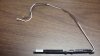
The plastic prongs on the left side of the bar in the picture slip over a round tab on the LCD bezel under the cover, then a screw secures it on the right side. This is just a stock picture of the Rev 1.0 antenna. Mine is Rev 2.0 (L521x build date August 2013), but looks identical except for the label and date on it.
The plastic cover itself is secured by a bunch of little plastic tabs that break very easily and aren't designed for the cover to be removed. Otherwise there isn't much else under the cover.
Here are the pictures I have:
Rev 2.0 of the WiFi antenna bar dated 11/1/2012
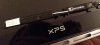
In this picture you can see the round tab that the plastic prongs on the WiFi antenna bar slip over
Sorry for the poor quality photos and the crap all over my screen
-
thank you.
-
Just an FYI.
The 8.1 update (executed via the app store) to Windows 8 went without a hitch for my machine, running "Pro+Media Center"
Semi-Notable things:
- I made sure all my drivers were current before starting (this was especially important for the NVidia driver apparently)
- After installation was complete there was a new BlueTooth support driver that was necessary for my Intel 7260, available directly from Intel
- After finishing upgrade I was able to revert to a local account for logon easily enough - I don't want to login to Microsoft all the time, I don't use any of their services other than app store, and not much of that - but I didn't see a way to do that on initial setup just after the upgrade was complete
- All my settings and tweaks were maintained (wlan connections, desktop setup, having 'documents' and 'pictures' on the HDD instead of the OS SSD drive)
- Tweak Exception: It appears the PUBLIC folders have reverted to the OS drive, which I had moved to the HDD. Not an immediate problem but will need to clean it up.
- The default display font seems subtly different, not clear whether it's better or worse, than 8.0. I have and probably won't change it.
- No, I have not done any wlan or thermal testing post-install other than to know that it works on the wlan at home
My machine
- L521X, 1st gen, i7 3612QM, 16 Gb RAM, 120Gb mSATA SSD for OS/Apps, 750Gb HDD for data, Intel 7260 HMWG WLAN card -
After the 8.1 update on my machine, the only thing I am having an issue with is that I cannot change my screen brightness. I have tried both the hotkeys and the metro settings and the brightness won't change. I haven't been able to find a fix to this yet.
McCoy
-
Well, the screen dimming is definitely working on mine, but I haven't tried all the QuickSet functions - which what you are talking about is part of.
It's very possible that Dell needs to push out an update to QuickSet to make it happier with 8.1.
addendum: verified last night that all QuickSet functions work as expected on 8.1, for me. -
Same here, I can not adjust the brightness after 8.1 update.
-
Well my machine is almost identical to c0derbear's about 3 posts up, (except my Killer card is working perfectly), and I am having no issues with dimming the screen, backlit keys, etc... they all work fine.
OT... c0derbear... remind me how you reverted to a local account please?
also... in order to do the upgrade from Win8 to 8.1... in Device Manager, I uninstalled and deleted the drivers (having previously downloaded and stored the latest drivers for) both graphics cards. DID NOT REBOOT, but started the upgrade, and it went swimmingly. Once completed and at the first opportunity, I added the drivers that I had earlier saved.
XPS 15 (L521X) Owner's Lounge
Discussion in 'Dell XPS and Studio XPS' started by Muddy, Jun 28, 2012.


