 Problems? See this thread at archive.org.
Screen is fine as was my last one.
Wireless is still jacked with the 1901 card. I've been tasting speeds against my nas and comparing with my Hp laptop. Sitting net to the Linksys on wireless N 5ghz I can pull 15-19MB/sec but 30 ft away line of site I'm down to 4MB/s with 2 bars. 2.4ghz at 30ft I can pull 2MB/s and 1ft away about 9MB/s. The wireless signal like the last laptop seems to go up to 5 bars once in a while then back down to 2. Very inconsistant.
The touchpad is sunken in on the bottom right like the button is stuck down but still seems to work ok.
This one seems to get a little warmer on my left leg while on my lap.
I guess I'll be sending this one back too :/
My first Dell expereicne has not been good :/ Although the return process is painless
If there are any other tests anyone wants me to do just let me know.
-
if you have the time and or patience then contact the BBB and file an issue, no paying customer should be treated like an idiot for being flexible and hopeful. I don't know what will happen but I have heard stories of Dell changing their tune on a dime as soon as some one says they have or might contact the BBB.
-
wow, is this the second version that comes with windows 8? or am I confused?
-
ya thats it. tested the windows 8 image it shipped with and my win7 install on an ssd with the same wireless results. -
OK one more test. Pulled apart an old hp laptop and left the ant wires connected to the hp screen. Plugged the wires into my xps wireless card and ran a few tests.
Sitting 30 ft away with HP antennas pulling from my nas i get 12-14 MB/s
With the xps antennas and the xps screen exatly where the hp screen was I'm pulling 5-6 MB/s from the nas.
More proof that these antennas blow.
Now the guy with 3 L521x(s) Can you do a test with one xps using the antennas of another xps? I'm curious if there some grounding issues or if this aluminum case is actually blocking the signals. Metal bocking a wireless signal?? hmmm -
Any chance you can plug the wireless cables from one xps into the card of another? Just curious if there's done grounding issues. I doubt but its an easy test and you're probably one of the few with more than one of these.
-
Does anyone have an image of what the l521x antennas look like behind the LCD?
-
I'm thinking the same thing. The signal issues are probably caused by the all metal lid.
Solution:
Take those spare Wi-Fi antenna wires from the HP and route them around inside the base of the laptop. Use them instead of the wires in the lid.
People have been doing that for years. They would route an extra wire in the base when they wanted to add a wireless card that required 3 antennas.
If anyone wants to try this, but you don't have the extra antenna wires, I'm sure I have an extra set that I can send you for free. You can also find them for a few dollars on eBay. They're universal, so any antenna wires from any laptop will work.
Sent from my MB886 using Tapatalk 2 -
I don't think that's the solution. Pretty sure our problems are more than just antenna issues. I bought a set of antenna wires and actually had them stuck to the outside of the display for testing and still got the same abysmal speeds on a 2.4Ghz network. I tried them in the base as well in case being stuck to the aluminum casing was causing an issue. Heck, I even tried sticking them to an empty plastic bottle sitting next to the laptop.
-
Hey guys
I am trying to upgrade my XPS15 to windows 8. However, when it comes to the part it asks you where to install (I want to do a clean stall),
It doesn't detect the harddrive?
Any idea why?
I didn't change the HDD it is the one the came with the XPS... -
Very tempted to get the 521x, does anyone know how wide spread the wifi issue is ?
I would have thought if it was over half the machines, then dell would do a recall.
I want a laptop that is very well made, I have a 17r, and I just dont like the size and all the plastic, and want something like the quality of my old macbook pro, but in windows, and no I do not want to bootcamp.
Any help would be great, was thinking of the 14 Ultrabook, but lack of 1080p and dvd burner might be a deal breaker.
Thanks guys and gals. -
In spite of everything, I too am still considering this dog due to the lack of valid alternatives. Given that I'm willing to overcome the inexcusable wifi issues with either 5 Ghz or ethernet, and the most intensive task I'm going to be using it for is HD movie watching, is it worth a punt?
On a separate note, anyone know why there's such a limited choice of options for this thing on the Dell UK site now? Only i5 and no choice of drives/memory. -
It's not just the wires though. There's some fiat metal pieces that they're attached to. Once I removed them the signal went down to nothing.
-
Some people think that interference from USB 3.0 ports might be a contributing factor here (on 2.4Ghz only):
USB 30* Radio Frequency Interference on 24 GHz Devices -
Strange. What wires did you get? In my last post I noted that there were flat metal pieces That the wires were connected to which then connected to the lcd ring. Without these there was no signal. I even twisted the ends together since they were shorted on these plates. I have an old toshiba I'm going to test the ant on too.
-
I cant understand why the WIFI is like this, there does not seem to be a mass issue with the 14 ultrabook and that has the same card and also the same material and same corning glass, seems very strange. So on the fence to try my luck.
-
As far as I know, the XPS14 has exactly the same wifi troubles.
-
Really, I cant understand out of all the reviews, not one company mentioned this wifi issue out of both the units, I would have thought one of them would have got a dodgy unit.
-
EWWWW Just done a search on the 14 and there are issues as well, I really cant understand why dell have done nothing, I so wanted a all steel laptop like a macbook, but cannot find one apart from dell which has the same quality. for the price.
And I have been told if I buy from the outlet and I need to return it they will charge me return postage, which I argued, but they advised its not a faulty laptop and I am basicly taking my chances as I knew about the wifi before buying which is very very poor service.
They advised they have NOT tested the wifi on the outlet and would NOT gaurantee the issue was present or not.. -
The flat metal pieces are the actual antenna, the wires just connect them to the card.
"whups" -
Ya unrealized that after I ripped out the wires :/ it was late
I have another old laptop ill test the antennas from too.
I also ordered a tyco aftermarket ant on eBay that ill slap behind the LCD to compare to the stock antenna and hopefully rule out any aluminum interference. I'm doubtful -
Now do a search in the aluminum MacBook. There's a lot of wireless posts on that one too :/
-
Alright guys. When my XPS 15 arrives later today I'll run another set of antennas through the base. I'll make a comparison of some sort.
Sent from my Nexus 7 using Tapatalk 2 -
One thing our one great dell rep had shared before his departure was that clearly the wifi problem was multi-faceted.
The case is not the only problem.
Some of my personal research leads me to believe that there are other contributing factors....
- other component grounding
- wire routing too close to other noise sources
- other noise sources (USB, GPU, CPU, et. al. )
- computational resource management (e.g. driver maturity for the whole "stack")
- memory/bus resource management / contention (os/driver "stack")
The "driver stack" I refer to is the combination of CPU/core logic support, intel GPU, intel power mgt, intel wireless - wifi & BT, nvidia GPU, and bios.
Sent from my brain using neurons fueled by glucose -
Why when you connect wifi card directly to spare display out of chassis any wifi issue disappear?
All this with old driver, old bios etc.
Inviato dal mio GT-I9100 con Tapatalk 2 -
He's stating that each laptop may have a different problem. For mine right now it's antenna related.
-
Really, I never knew macbook had a problem, I had mine for a year with no issues, and did not notice anything on my searches.
Maybe I will give the outlet a go as it seems hit an miss, and if there is a problem I will just demand them to fix, or send me another one. I dont see why I should have to pay for postage back, just because its the outlet. -
you guys should all go to the Dell Facebook page and post your Wifi and support problems there!
http://www.facebook.com/DellHomeUS?ref=ts&fref=ts
Lets make this as public as we can!
I just posted there myself! -
This looks incredibly plausible. It would explain why people have been getting decent 5 GHz signal, but crappy 2.4 GHz signal. Also could explain why have had good results connecting antennaes outside the case, where they might be sufficiently far from the (potentially unshielded) USB 3.0 ports.
-
I was thinking about submitting these problems as a tip to tech sites like Engadget.com, where they could hopefully make a post about it. It seems that a few dissapointed forum-goers is not enough to get Dell to fix anything, but perhaps if more of the public was dissuaded from buying their product, they might get off their butts.
Because let's be honest. After this much time, they either never put any real effort into solving the problem, or they know what the true root problem is, but decided they didn't want to spend the money to fix it. -
Why on others laptops with usb 3.0 and same intel wifi card 6235 no one has this kind of problem?
Inviato dal mio GT-I9100 con Tapatalk 2 -
Maybe because USB 3.0 interference is mitigated correctly in other laptop designs but not in the XPS. The sole existence of USB 3.0 is not enough to create this problem, it's a combination of factors that create it (as people already indicated in previous posts).
-
It's proved that the only thing has solved the problem is to use a spare display out of chassis, so no one combination of many factors, no drivers involved, no bios involved, no interference with others components.
It's simply a chassis problem and obviously Dell will not change it until Haswell release.
Inviato dal mio GT-I9100 con Tapatalk 2 -
you two, you are right, I just left a complaint on the fan page of DELL( Screenshot by Lightshot), and I've been in touch with Gadgets y tecnología: últimas tecnologías en electrónica de consumo - XATAKA, one of the most followed computing blogs here in Spain, to bring them to methane, would be nice each of us from different countries we did the same in our different countries, so I guarantee that DELL will offer a solution.
regards -
Has anyone else with an L521X had problems with their machine overheating and beeping at them frequently and had a dell tech come out and swap parts? If so, did it do any good? They keep telling me they want to swap out the motherboard, heatsinks, thermal pads, and fans. They wouldn't send me a replacement unit and I just hate the thought of my brand new laptop being torn apart
-
The USB ports are right by the wireless card. My external ant couldn't help but run right by the USB ports if not clisrrwith no problems.
-
I have, it didn't fix anything sadly... still overheats..they replaced MB, fan, heatsink and TP.. At this point they have actually stopped communicating with me, it's been weeks and several unanswered emails since, used unresolved issues option too, dell forum too, contacted former dell tech agent I was working with too... and now nothing. Really it's unbelievable. I hope you have a better experience... so sad because this laptop could be great... compounding failed customer service with a horrid laptop is just.... worthless.
I have concluded that I am probably an idiot for thinking this would resolve it's self through time, effort and patience. -
in fact, I can't even connect with dell tech chat anymore, it's been a week of trying, different browsers etc and I still can't tech chat...through dell.
-
Well I've had my L521x for a few days now and for the money I think in most respects the laptop is pretty sweet. I have not found issues with the wireless or throttling for my usage pattern, and I've put both to the test to my satisfaction. I'm happy with the general design, aesthetics etc. (although I dislike the keyboard backlight bleed). I even managed to get Win 8 installed and configured to run nicely, albeit with a very different setup to the original Windows 7 configuration. There was a frustrating period when I was crying out for Dell's Windows 8 drivers, but that irritation is behind me now.
However, the screen is just killing me. The grid lines are doing my head in and I don't see how I can continue to use this laptop and be happy - especially for my photographic editing needs. I do not want an external monitor. I've already contacted Dell regarding a full refund. I don't want to return it, because I don't see where else I could go to get specs like these, not least the industry standard 128GBmSATA and 1TB drives and 16GB RAM, at any price, but at the price I paid for this Outlet model (under £1,000 delivered) it's even harder to see where I could come close to this hardware spec elsewhere. But the screen....... a disaster.
But if I return it what is my way forward? I want a lot of screen resolution. Even 1920x1080 is a step down from the 1920x1200 I am used to and I really don't like it. Of course there is the Macbook Pro Retina, but we're talking an extra £1,000 for essentially the better screen. I have no interest in Apple, Mac or OS X, but I do want a fantastic built in screen. So, can anyone suggest alternatives within the £1,000 to £2,000 price range which will have a truly awesome display and not compromise on performance in other departments, without getting a weighty bloater like a Precision model? The most obvious alternative I am aware of is the Asus U500, with IPS display, but is there anything else around or coming up? I keep tabs on several laptop websites for news, but if there is anything else it's not falling within my radar. I have no brand preference other than sticking with a big name and quality products, and being in the UK I don't want a boutique import from elsewhere in the world. I would appreciate any pointers. -
wow.. this is insane 5 minutes after I posted that... now all of a sudden I can get through chat, after a week of trying ....
-
Quick video I made on throttling.
width='480' height="360"><param name="movie" value="http://www.youtube.com/v/qTci1dsafdI?version=3&hl=en_US"></param><param name="allowFullScreen" value="true"></param><param name="allowscriptaccess" value="always"></param><embed src="http://www.youtube.com/v/qTci1dsafdI?version=3&hl=en_US" type="application/x-shockwave-flash" width='480' height="360" allowscriptaccess="always" allowfullscreen="true"></embed></object>Last edited by a moderator: May 6, 2015 -
Tdodd: I don't have anything to offer for the machine hunt (other than maybe hold out and see what the 'haswell' generation brings).
But would you mind sharing your Win8 install details? BIOS or UEFI, etc.
Sent from my brain using neurons fueled by glucose -
Quick video I made on throttling.
Delete.
EDIT: I have to re-upload it, give me a few minutes. -
It took me a while to work my way to a solution, but finally I ended up with UEFI and AHCI and Win 8 installed into a 70GB partition on my 128GB SSD. That was my C: drive. I wiped the Win 7 OS partition on the HDD, leaving the factory recovery partition intact. That gave me a huge D: drive for data - photos, videos, music, documents. On the remaining 48GB of the SSD I created another partition which I intended to use as a fast access area for my Lightroom catalogue, cache and preview files. That became my L: drive (for L for Lightroom).
This is one enormous appeal of my L521x over anything from Apple. The screen may not compete, but the combination of storage space and storage speed I have is mind boggling - for the price.
Now all this was fine and dandy and worked speedily and well. However, upon my decision to return the laptop I wanted to restore the laptop to factory spec and wipe all my personal data. This proved monstrously difficult because I had not made a factory restore backup and the recovery partition, while still intact, did not show up with any combination of BIOS/UEFI settings and F keys when booting. There was nothing I could do to perform the factory reset. In the end I had to install Win 8 onto the original Win 7 partition, hunt down and install the Dell Datasafe Local software (not a quick task to find), and then from the Datasafe software I was able to burn a set of four recovery DVDs from which I could boot the machine and perform the factory restore. I then needed to delete all the partitions on the SSD and convert the disk back to MBR before recreating the Dell Rapidstart partition. Then it was a total free space wipe to secure my own data on both disks.
While I'm scribbling all this, I found the original disk config to be extremely odd. Although Dell Rapid Storage Technology was installed it was not configured to permit caching of the HDD onto the SSD. Setting up this feature wipes the SSD entirely, which is fine if you do it up front, but it also fries the Rapid Start partition, which you will need to recreate using diskpart.exe if you want that feature. It's quite a pig's ear by Dell.
If I was to do it all over again, and if I end up keeping the laptop then I will, I think I would set things up just as I had them before. However, there is another option to install Win 8 onto the HDD and then use Intel Rapid Storage to create a big fat SSD cache for the HDD. I can't say which would offer the best performance overall. Either way you end up with a fair chunk of SDD with no specific use and you have to work out how best to use it to your advantage. If you only have a 32GB SSD then that's snug for the OS, so I think in that situation it would be OS on the HDD and Rapid Storage and Rapid Start partitions set up on the SSD. But I'm far from expert in all this. These technologies are all new to me.
p.s. I'm on BIOS A11. -
IIRC, the intel Rapid Storage can only use 64 Gb of space, so with a 128gb mSATA you're left with a bunch of space to twiddle around.
I'm debating trying win8, and since I want to compare it native w/o the intel wedges to increase perf and undermine hibernation, I am thinking of using the 32gb msata in mine for swap file and hibernation file (16 Gb each to match my ram config), only.
If I can remember/figure out how to move them off C: that is.
If I had 64 Gb msata i'd do the above plus caching, probably.
until someone comes out with a tiered storage driver ala the mac Fusion stuff.
{shrug} -
Correct. Plus Rapid Start takes another 8GB. There are certainly ways to make good use of the remainder, although it might need a little creative thinking. But it's just as bad if you stick the OS on the SSD too. What are you going to do with a 128GB OS partition if, as I do, you want to religiously separate your precious data from the OS and programs? You're still going to get 64GB (give or take) of SSD that you have to find a good use for. Maybe you can use it to cache the HDD, but I don't think that Rapid Storage is a solution you can use in that scenario. Maybe it is?
-
Throttling video is up. In full 1080P HD on YouTube.
<iframe width='1280' height="720" src="http://www.youtube-nocookie.com/embed/R1W91zQjCu4" frameborder='0' allowfullscreen></iframe>Last edited by a moderator: May 6, 2015 -
So has anyone tested the throttling with a more powerful charger?
-
I know that some (probably most) notebooks will draw from the battery as well if the power supply isn't supplying enough power. I wouldn't guess that there's a power issue, but I guess it's always good to test.
-
Did some more testing with an antenna out of an old toshiba. Attached you'll see a pic of how I placed them. Also attached are 5 speed tests to a folder on my nas using a program called lan speed test. I tested 802.11N on both 2.4 and 5ghz networks for both antennas.
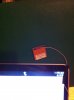

Forgot to say that this is all line of sight at 30ft with a Linksys E3000
Also, as you'll see in the results, these are all average speeds using 10 packets of 1MB. The maximum speeds are a little higher.
XPS 15 (L521X) Owner's Lounge
Discussion in 'Dell XPS and Studio XPS' started by Muddy, Jun 28, 2012.


![[-Mac-]](images/avatars/[-Mac-])


