 Problems? See this thread at archive.org.
i did.. it says activate the bluetooth using the wireless switch.. i do but nothing
-
also for some reason.. notepad keeps popping up any idea?
-
Now thats wierd.does it happens randomly or just after some event.
did u do a clean install of win7 after getting the laptop?
which antivirus do u use ?
try a scan using bitdefender... -
check in bios settings whether the switch enables all(WWAN,WLAN and bluetooth) or not.
-
it happens randomly since the day i got my laptop from dell.. n no i did not install windows 7.. as far as bluetooth.. i contacted dell.. we tried everything.. n came to a conclusion that they will have to reseat the bluetooth adapter.. but anyhow.. i told them to go ahead n replace my computer since I will not be able to send in my computer to get it fixed because I need my computer for work everyday n it will take 15 days for them to return it.. so i guess I will just get the replacement n ask them to update everything before I get it
-
I have a problem in swapping out the keybord from my Studio...
The real problem is to remove the "Center Control Cover", i followed this guide:
Documentation.
I removed the screw, but the Center Control Cover seems to be still secured to the notebook.
Have you got any ideas on how to remove it?? -
It's set by default as a multi-touch shortcut: pressing the touchpad with three fingers (with space between the fingertips) will open notepad. I think it's pretty handy, but you can probably disable it in the touchpad software (or change it to open something else).
-
15 days? I thought by default (warranty coverage) Dell engineer will come to your house & do it there. Maybe "NBD (Next Business Day on-site)" is not in your contract.
-
After 5 months of problems with my Studio 1557 Core i7-720QM, Dell has agreed to send me out a replacement Studio 1558. I requested the Core i7-620M processor and they agreed.
I had constant BSOD, blue screen crashes anywhere from once every two weeks up to 8 times a day. I also experienced WiFi connection problems and the youtube full screen crashes.
I had the screen replaced twice and the motherboard, fan and heatsink replaced and my problems persisted. Finally after requesting a refund, they called me to offer me a replacement.
A couple of things to note, when they were ordering the replacement they tried to send me out a Dell wireless adapter in the replacement when I had an Intel 5300 in my origional laptop. So I had to convince them to give me the Intel 6300 with 3 aerials in the replacement. The same went for Windows 7, they were going to put Home Basic on the replacement when I origionally had Professional. They were pretty good about it though.
So if you get offered a replacement, just make sure you get the same components or better as your origional machine.
Can't wait for mine to arrive. -
Man I've been have the same problems as you, the only difference is that I brought the 1557 like a few days after it came out, so I've had mines for about 7 or 8 months. Anywho, just got off the phone with Dell and they're going to send me a replacement 1557. I've already had the 1557 replaced and the motherboard replaced, So i told them that after i get this 1557 and have the same problems I dont want any type of replacement, just my money back, lol. Its crazy that every time i call about these problem, they try to get me to pay for software help lol, w.t.f? But hopefully they see the 1557 for what it is, a p.o.s.
-
yea I usually go for the tech people to come n get it done.. but the last guy did a bbad job. n casing was not put back properly.. so they recommended to sent it to the depot
-
haha.. I have been wondering since December how I've been doing that. I knew it had to do with too many fingers on my touchpad but couldn't quite figure out how I did it. I love using notepad so its just one less thing to fuss about.
-
All of u who use dells touchpad driver i advise u to get the synaptics one.its much more fun and also u can use synaptics scrybe application which is much much better than dells touch zone.though i haven't used touch zone but i haven't heard any great words too.
The synaptics driver allows u to assign many shortcuts without even installing scrybe.
link:
Drivers | Synaptics -
hey i am playing splinter cell game.. its not smooth at all.. any idea whats wrong.. does it has to with the video driver.. let me knoe thanks
Update: I got it to work, just update my ATI video driiver -
hai all.. i played assasin's creed 2 with full settings with no problems.. and the notebook was cool also.. (hmm while playing gta4 it used to burn like hell though)
-
New A06 BIOS is out
Drivers and Downloads
Whos the brave one
-
Hmmmmmmm after reading this thread and hearing of past issues I'm feeling lucky. Downloading now.
-
Flashed without incident, yet to check on any improvements
-
Yeah,I flashed mine yesterday without a problem.
So far everything is fine. -
me too... no probs...
what does it actually do ?? -
its done without any probs.
-
Overheating in this laptop is a serious problem, constant reboots until temperature lowers. Only the best coolpad can help it and it has to be Thermaltake CS23. I'm using Targus Chill Mat but in the summer it's almost not enough.
The HD overheats easily don't know why, I noticed by removin the cover (to help it get cooler). -
I've had problems with my power chord. Stops charging all the time until I pull it out of the socket and put it in again.
My USB ports are acting up also, when I put something in one USB port my mouse stops working, and a message "an usb device can't be recognized" comes up all the time even though I don't have anything but the mouse plugged in.
I got a new chord, but that didn't help so now they are replacing my motherboard.
My question is
Should I back up all the files before the technician comes just in case, and is there anything else I should thinkf of?
I'm SO UTTERLY impressed by DELL's service, I know I paid for it, but wouldn't have dreamed it would be this good. No stupid questions or anything, just BAAM we will come and fix it. -
You should, just in case if they decided to bring in your laptop for further repair.
Yeah, just like sending it to a spa.
-
I have had nothing but good fortune since I installed BIOS A05. It greatly reduced the heating issue in my GPU when idling so I am hesitant to go to A06 since it ain't broke anymore...
Furthermore, I have not had the OS freeze up like it use to straight out the box ever since I did a clean install a few months ago. I am hesitant to do anything to it since I love my laptop, again. LOL
The next thing I do will be the shim mod. I just need to get around to ordering the shims and the thermal paste. I would love to see overall temps drop more... -
Until you get a tech at your house that doesnt know their butt from a hole in the ground about laptops.
Dont replace thermal paste,leave screws out,put in screws crooked and/or strip them out,forget to connect plugs back.
The one that came to my brothers house flipped his laptop over onto its top without anything under it like a towel or something to keep dirt and dust from scratching his nice new piano black laptop that cost over a $1000.
When I seen him do that I was like this guy dont have clue what he's doin!!
You really have to watch them while their working on your stuff!! -
Just to share my experience. I had the overheating issue and my computer will power off by itself. Based on my observation, I guess the computer will power off if the temperature exceeds 95 degrees Celsius for a period of time.
I called Dell and the technician came to my place the next day. He said overheating in 1557 and some XPS models is very common. He then changed a new motherboard and a new heat sink. Now, the fan kicks in earlier and somehow it doesn't overheat anymore. I even ran 8 instances of torture test in prime95 and the temperature is around 90 degrees.
For anyone with the same issue as me, call Dell! -
I have a question about the overheating thing, what do you guys do to create it? I've never had any problems with heat, just with the fan that reaches 3800 RPM easily and is quite loud.
I don't play games so maybe thats why, I tried to "torture" it last night just to check the temps before they replace my motherboard today.
I did some "massive" rendering in Google Sketchup for about 30 minutes (I know this doesn't stress the GPU) and I reached:
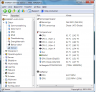
Right now, after 30 minutes of uptime the CPU fan sits at 2800RPM and the laptop feels pretty quiet. But it very easily goes up to 3800 RPM and then the sound like tipples and it's too loud for me to be really happy.
Maybe I should undervolt or something if it is possible. -
Firmware A06 crashed during installation for me. luckily i was able to recover the firmware following instructions on page 121/122.
-
Look in the event viewer, if you got error regarding Embedded Controller (EC), probably you have faulty motherboard. I suspect it was the cause for BIOS flash problem.
-
Google Sketchup does stress GPU when doing rendering. Your fan does too fast with normal usage though. No doubt undervolt can lower the CPU temperature. I'm going to try it when I have free time. Once we got a proper voltages, we can modify our BIOS to make it permanent (not for the fainthearted).
-
Error 13: "The embedded controller (EC) did not respond within the specified timeout period. This may indicate that there is an error in the EC hardware or firmware or that the BIOS is accessing the EC incorrectly. You should check with your computer manufacturer for an upgraded BIOS. In some situations, this error may cause the computer to function incorrectly."
How do i check to confirm if its faulty controller? -
A technician just replaced my motherboard due to the usb/powerchord issue. He noticed my new motherboard had some newer components than the older one.
The difference I can see now is the bios was A04 installed, so I have to install A06.
Right now the fan goes from 0->2700->0->2700 instead of being 2700 constantly, but I think that is more of a A04 vs A05 difference. -
Simple! You should not get this kind of error....ever. I have checked other computers, this error more to hardware than software level. My old motherboard also produced the same error message. Email this error message to Dell support. You should get motherboard replacement.
-
Welcome to the club!
-
For my case, I was printing several hundreds photos to PDF while doing my usual things. Out of a sudden, the computer powered off by itself. Repeated the same steps a few times and it happened over and over again.
To test if your computer overheats, download prime95 and do a torture test consisting of 8 instances. -
google sketchup does uses gpu also (while modelling) but while rendering the image (with additional plugins like vray or podium etc) it uses cpu more than the gpu.
rizzobox's uploaded image shows cpu temp of 61 degrees is very low for a severe rendering task.(in fact i also tried a rendering in vray on sketchup for 5 mins and only raised the cpu temp to 60 degrees, note: the cpu usage was 100% constantly utilising all the threads.and i am very happy the way it doe these kind of jobs very faast.)
my verdict is tht rendering is not -
Ran the "torture test" and all cores bar #3 topped at 70 core 3 topped at 73. -
well I did cheat a bit my 1557 has been modded using copper shim method as per instructions in this thread: http://forum.notebookreview.com/del...-1557-copper-shim-dimensions-thickness-4.html
-
helo all ,
bad luck here.... pls help.
my system is getting stuck with a static kind of sound. it happens once in a while.
i dont know whats causing it.
i am attaching the windows reliability monitor screen shot , in that almost half of the critical events are by improper shut downs (that is with the power button pressed whn my system gets stuck.)
the usual programs which i use includes
avast anti virus
IDM
UTORRENT
GOOGLE CHROME
i dont know whether it is due to the programs
the drivers all are up to date
bios a06
gfx card - 10.5 catalyst
audio idt from dell site
installed new adobe player 10.1 also
usually the system never got stuck while playing games or doing 3d modeling, rendering or doing photoshop etc.
pls help
thank youAttached Files:
-
-
What audio driver are you using?
-
I hope I can find help and support on this forum.
I bought a Dell Studio 1557 with 1080p screen and it arrived late November / early December, and have recently starting using it in ernest. We are hoping it will last us a good few years.
We seem to have two problems:
1) The machine stops working even though it is still on. Seemingly after a certain amount of minutes of inactivity on the laptop seems to not respond to the mouse.
2) We have noticed the machine can get very hot. Too hot in fact to use comfortably. I have resorted to switching of the machine off even when I need to use it, in order to allow the machine to cool down.
Does anyone think the 1st issue is a Windows 7 64bit software problem or hardware (both provided by Dell)?
Is there a solution to the second issue? It is starting to be a problem now we use the machine on a regular basis and for longer stretches of of time.
All help is appreciated -
iam using IDT driver from dell website version 6.10.0.6267, A18 release date 1st april 2010
when ever it gets stuck, the cpu usage will be min. i not understanding it.
it happend once again and the programs which i was running include IDM which was downloading a flash video(was downloading very fast with the help of IDM multi threading) and i remember playin the same flash video and another one (not full screen) on mozilla .
pls help
thank u -
yes this laptop is one of the "hottest"
have you updated your bios and other drivers??
(just curios .which version bios u r using) -
Do you think there is anything Dell can do about the hotness. I find the situation frustrating at times.
I have updated all of the drivers where there is a new one available. My bios was out of date - there was a new one available. I am not sure which one I had before but I was given it by Dell before because of a problem we were having with iphone? -
Report to Dell if the temperature is too high. I did the same thing & the motherboard & heatsink got replaced. Motherboard replaced because I got beeps sound without any error messages. It also produced a lot of error regarding ACPI, especially embedded controller (EC) error. I don't know how you defined "overheat" but I think it is normal for i7 720QM CPU operate in temperature range between 50 to 60 plus celsius during normal usage.
When your computer stops working frequently, especially in idle state, you should report it to dell. -
Hi, As per my earlier post, I checked Dells online drivers site and had to install quite a few driver updates and a new Bios update and a hard drive update.
I also follwed advice from Dells website to carry out a set of tests using the Dell Support Centre software in Windows and also the diagnostic tests you can only access before Windows boot. Both tests showed no problems (the second, carried out before OS boot took absolutely ages!)
After doing a search on the forum thread here I found Everest Ultimate Edition. Downloaded and installed. This is the result from the Computer/sensor section. I've opened up Internet Explorer so the machine is doing something: bbc.co.uk/football website, watching one of the clips and CPU usage around 5%:
Temporatures:
CPU 71*C (160 *F)
CPU#1/Core#1 82*C (180 *F)
CPU#1/Core#2 81*C (176 *F)
CPU#1/Core#3 81*C (176 *F)
CPU~1/Core#4 81*C (176 *F)
Aux 76*C (169 *F)
DIMM 70*C (158 *F)
GPU Diode (DispIO) 78*C (172 *F)
GPU Diode (MemIO) 78*C (172 *F)
Seagate ST9500420AS 50*C (122 *F)
Cooling Fans:
CPU 4236 RPM
GPU 75 RPM (30%)
Has anyone else got software to test temps when the machie isn't taxed? It would be interesting to compare it to others to see if it is just my machine or temporatures common for other users of the 1557. -
Something is very wrong those temps are very high, GPU in particular considering light use. As Kizwan said previously you need to contact dell ASAP. I assume your machine is under warrantee. I was going to suggest a fan problem but I see that it is running flat out at 4236 rpm trying to cool things down. Regarding the normal temps. When using Everest with the cpu usage at 0-3% CPU should be around 45-55 max and GPU around 50 54 give or take a degree or two. Fan speed approx 2700 rpm
Your temps are what you would normally expect when highly stressed. -
Up and running for about 45 minutes, surfing the web and doing some other work.
Code:Fält Värde Sensoregenskaper Sensortyp Dell SMI (ISA B2h) GPU sensortyp Diode (ATI-Diode) Temperaturer CPU [B]47 °C[/B] (117 °F) CPU 1 / Kärn 1 [B]52 °C [/B] (126 °F) CPU 1 / Kärn 2 [B]53 °C[/B] (127 °F) CPU 1 / Kärn 3 [B]52 °C[/B] (126 °F) CPU 1 / Kärn 4 [B]52 °C[/B] (126 °F) Aux [B]49 °C[/B] (120 °F) DIMM [B]47 °C[/B] (117 °F) GPU Diode (DispIO) [B]50 °C[/B] (122 °F) GPU Diode (MemIO) [B]52 °C [/B] (126 °F) Seagate ST9500420AS [ TRIAL VERSION ] Kylfläktar CPU 2782 RPM GPU 700 RPM (30%)
Dell Studio 1557
Discussion in 'Dell' started by huntersvk, Sep 25, 2009.


)
