 Problems? See this thread at archive.org.
very nice lactancy
![[IMG]](images/storyImages/itNnmZ7.jpg)
-
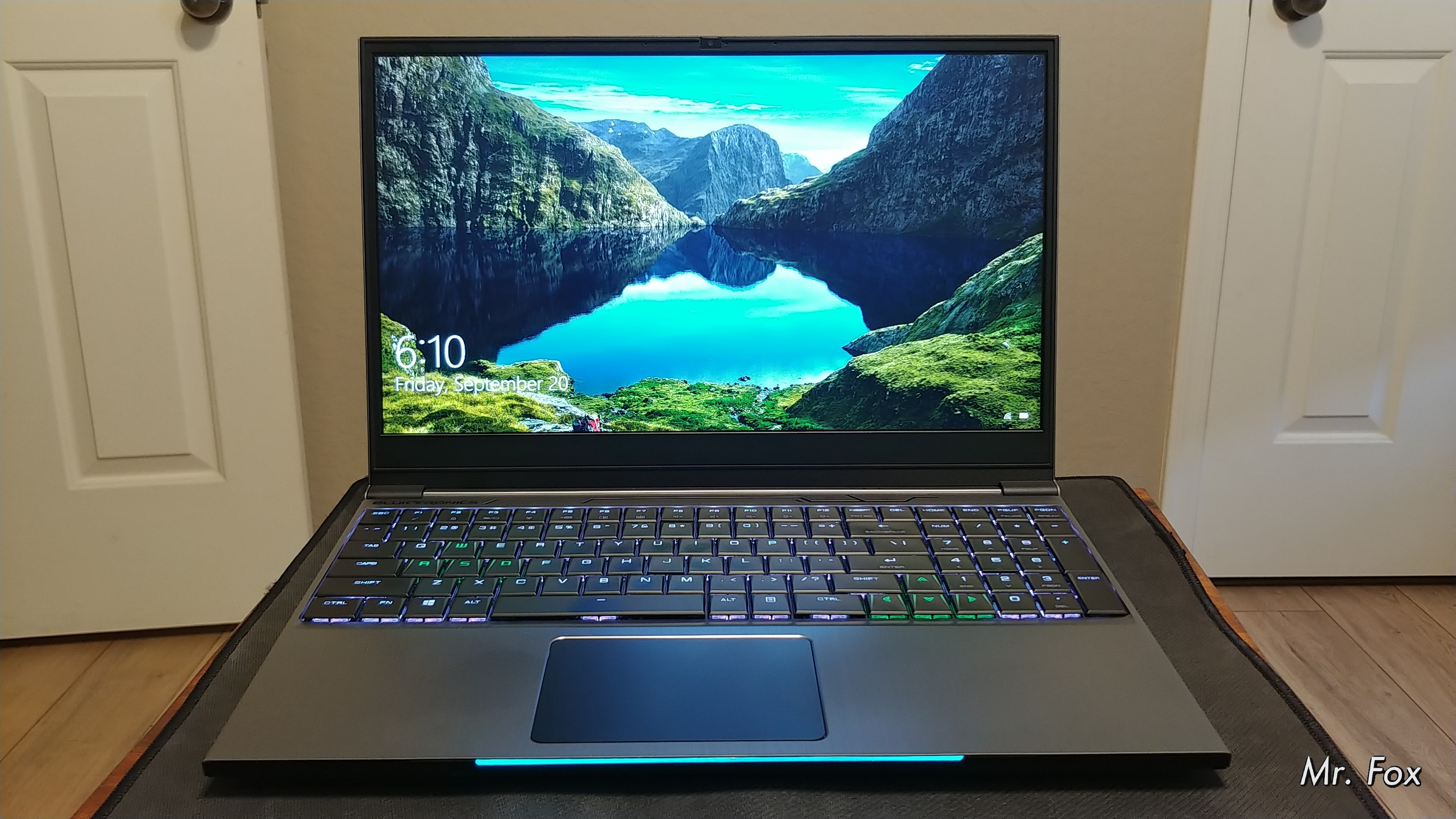
I will probably see how it does with Phobya Nanogrease extreme. I can put liquid metal on it with a dam to keep it contained for travel if I need to. I'd rather not have to mess with it if it doesn't get too crazy hot. Yes, this is a pretty solid unit. Eluktroboost is kind of a not talked about tweak (hardware) because the Green Goblin doesn't support it and wouldn't approve of it. I set a -125mV undervolt in the BIOS as soon as I got it. The BIOS default is -50mV. It runs pretty warm, but expected considering the form factor. Not nearly as hot as the other turdbooks from what it seems though. The Alienware and Dell turdbooks seem to run much hotter.
Wow, that's just... wow. Nice job. DDR4-4500 CL18. Cray cray. Brother @Jaybee is going to have a bad case of envy about that. I'm not ashamed to admit I do, too. jaybee83, Rage Set, Robbo99999 and 2 others like this.
 -
This is with Phobya Nanogrease Extreme and max fans. No thermal throttling, so that's good. Tightened up the memory timings and increased BIOS power limits. I will see if the stock memory can handle a higher frequency than 2666. Maybe try programming GSKILL 3000 XMP profiles with Thaiphoon Burner and see if it will still boot.
https://hwbot.org/submission/4244524_
@B0BAttached Files:
Last edited: Sep 21, 2019 -
-
@Papusan - see any Dell/Alienware gamerboy turdbooks maxing out at 84°C in wPrime 1024m?
jaybee83, Rage Set, Robbo99999 and 3 others like this. -
Look how slow the second place 9750H laptop is running... really horrible.
32m: https://hwbot.org/submission/4244546_
1024m: https://hwbot.org/submission/4244547_ -
OK @Papusan after killing some worthless W10 service bloat, the 32m test is more appropriate. Also bumped the cheap stock memory to 2800.
https://hwbot.org/submission/4244621_
![[IMG]](images/storyImages/image_id_2236136.jpeg) jaybee83, Rage Set, Robbo99999 and 2 others like this.
jaybee83, Rage Set, Robbo99999 and 2 others like this. -
Thats better.
Be happy you don't have Dell's Area-51m firmware. You would be stuck with 2400MHz jaybee83, Rage Set, makina69 and 1 other person like this.
 -
Cool, 29% faster than my desktop 6700K, can't be too bad! Was it PremaMod powered straight from the factory?
Is the hardware Eluktroboost function some kind of switchable shunt power type mod?Mr. Fox likes this. -
It's not bad considering what it is, and compared to the truly poorly executed alternatives that cost significantly more and run hotter.
No on the firmware, Brother @Prema got me sorted. There is minimal in terms of settings in the stock BIOS. Probably a little more than most with similar specs, but that is not saying much considering most laptop OEMs are Nazis when it comes to BIOS options. You can set a CPU undervolt and configure UEFI or Legacy BIOS and boot options, but that's the extent of it. It was working nicely with ThrottleStop, but there was no access to memory settings in the BIOS. There is a thread at WIN-RAID dedicated to BIOS mods on this Tongfang model as well. OverPowered TONGFANG CyberPower Machrevo MACHENIKE - Unlocked BIOS Guide W/ Files
With menus unlocked you have to be careful not to set the wrong video mode (same as the good old days with unlocked Alienware M18xR1/R2 BIOS). Because this is an Optimus/Hybrid graphics system with no mux option you cannot disable switchable graphics or you'll end up with no display output and will have to blindly navigate the BIOS to change it back. (Clearing CMOS does not reset that option, just as it did not on Alienware.) That thread linked above tells how to change the settings with no video output to see where you are going... also found it posted here.Papusan, Rage Set, Robbo99999 and 2 others like this. -
I just imagined you unboxing it, turning it on...and when you went to go touch the keyboard, your hands erupting in flames with the theme to The Omen or Exorcist wailing in the background.
I've long found and accepted BGA has a place in the portable world. Like you, I would never drop the level of coin I would drop for a high end desktop CPU based model, but there is a bang:buck price point where it has value and merit.
Plus you have a new toy to tweak, poke and prod to see how much performance you can extract.
-
I don't think I will ever get to the point that I can say I can like it, forgive it or fully accept it. My personal preference would be that it would have no place in the world of computing. But, I've been around long enough to know when stupidity is going to win and the writing is on the wall. BGA feces is just another example of the decline in human intelligence that will be a curse that endures for eternity. Made by idiots, for idiots. Since I needed a computer, I went with the best bang for the buck. It's actually more of a pop than a bang, but that's not how cliché expressions work, LOL. Paying big bucks for EOL systems that are going to be challenging to secure parts for is no different, at least in terms of end result, than buying disposable rubbish.Raiderman and electrosoft like this.
-
Put Uncore/SA voltage to an offset to something positive. I had +40mV when I had my BGA book with Samsung 2666Mhz Cl19 and I ran it at 3000Mhz CL15 with +40mV to the Uncore. This was with an MSI GS75 before I decided I couldn't live with Optimus, at least in it's config. I don't understand why in 2019 we can't have slim and light with G-Sync or at least the ability to use a MUX to disable iGPU. iGPU just introduces too many negatives IMO.
-
-
-
-
The problem I have that these frequencies have high voltages SA and VCCIO .... 1,400v and 1,370 are not very high?
Mr. Fox likes this. -

https://www.3dmark.com/fs/20492097
https://www.3dmark.com/spy/8601385
You missed this. Have a seat
Last edited: Sep 24, 2019ssj92, Rage Set, Robbo99999 and 1 other person like this. -
-
Yup, the stock RAM runs 3000 with no problem.
Last edited: Sep 24, 2019Rage Set, makina69, Robbo99999 and 5 others like this. -
-
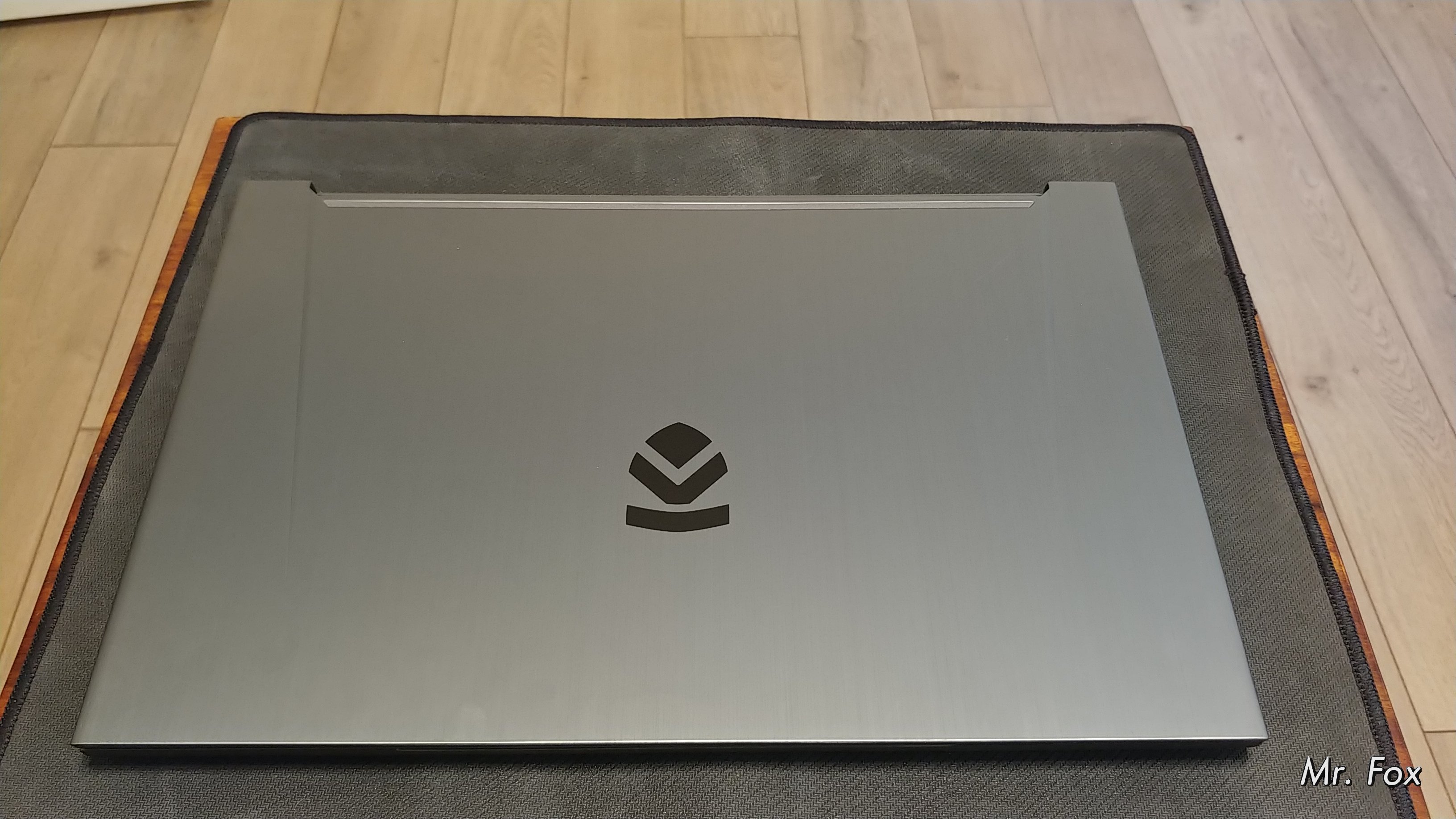
damn fox! that turdbook actually looks pretty sleek! (at least from the outside, hiding its rotten BGA innards haha
)
Robbo99999, Johnksss and Mr. Fox like this. -
I like it more than I expected to. Which is a whole lot nicer than the opposite, LOL. I think it was a good buy and now I see first-hand why @B0B has so enthusiastically supported it.
Got it. Talk to you later today, bro.Last edited: Sep 24, 2019 -
Nice looking scores there! New toy?
Okay, that is just totally wrong!
Well, to be honest..... I knew you would at some point, buy into it. It's inevitable. Not by choice, but buy lack there of (Socketed systems). Sure, we lose the upgrade path, but some of these machines can surely hold their own when it comes to gaming and working, (Not all mind you) so not all is lost.
electrosoft, Rage Set, Convel and 2 others like this. -
What's with the laptop Prema, what kind of project have you got going on there? What laptop is it? I can see you're topping the scores for the components, so I'm sure you've worked some of your magic on it, but what's the background story to it all?
-
Definitely due to lack of good options. And, price. No point in blowing a huge wad of cash for sockets and slots when they keep changing things around to interfere with notebook upgrades. When almost everything sucks in the price range that you're willing to indulge, and you cannot buy what you want at a price that you can live with, (or they don't even make anything you actually want,) that's when you identify what sucks the least and spend as little as humanly possible to acquire no more than what it takes to just get the job done.Papusan and GrandesBollas like this.
-
-
-
Pretty much so. I been so focused on car stuff that my overclocking stuff has taken a back seat at the moment. It's still all 100 percent functional, but just lack of time. Even the P870 is sitting in a new spot as my Car computer is taking up it's current location. And that computer is a E6510....But it is socketed though. Still running a 940xm i got from Marco quite a few years back.
-
in this first e lowered timmings
![[IMG]](images/storyImages/VRt8mjt.jpg)
--------------------------------------------------------------------
![[IMG]](images/storyImages/6aSSVzo.jpg) Last edited: Sep 25, 2019JoeT44, Rage Set, Papusan and 1 other person like this.
Last edited: Sep 25, 2019JoeT44, Rage Set, Papusan and 1 other person like this. -
That doesn't really answer my questions does it, you don't have to answer, but you quoted my post with your post above? If you can't reveal the details of 'the project' then that's fine, just say so.Mr. Fox likes this.
-
-
Project-e, the “e” stands for enigma.
jaybee83, Papusan and Robbo99999 like this.
-
-
Safe to say he can't say anything about it by the looks of it.
-
-
Just follow the timeline. First post was from Mar 23, 2019. We are now 27 Sept 2019. It took exactly 1.5 year + 1 week from I signed the contract. Today is an good day for old Poopy
https://www.speedtest.net/result/8625061585
![[IMG]](images/storyImages/8625061585.png) Ashtrix, Robbo99999, Cass-Olé and 1 other person like this.
Ashtrix, Robbo99999, Cass-Olé and 1 other person like this. -
i never realized u live near trondheim!
congratz on getting monster internet speeds! ull notice quickly that at 500+ Mbps the bottleneck will become your router and wifi adapter in the receiving end (laptop/phone/tablet/etc)
Sent from my Xiaomi Mi Max 2 (Oxygen) using Tapatalkhmscott, Robbo99999 and Papusan like this. -
-
Wo, crazy fast and look at that ping! I got 10ms and 39Mbps download, 9.7Mbps upload - that's ok for me.
-
I played around with my CPU overclock a couple of days ago - trying to find out if there were any advantages to BCLK overclocking vs Multiplier Overclocking. At the moment I'm using a rock solid stable and relatively low voltage 4.6Ghz on my 6700K, and I've turned that overclock from a multiplier overclock to a BCLK + Multiplier overclock: so 44 multiplier and 10% BCLK overclock to equal 4.6Ghz. As a side bonus it raises my DRAM by 20Mhz!
I heard that there are small advantages of BCLK overclocking all else being equal due to the FCLK clock becoming overclocked at the same time - which supposedly increases the speed of the interface between GPU and the rest of the system, which could help like 1% or less in games, every gain right?! No, but anyone got any thoughts on BCLK / FCLK overclocking in terms of benefits?
I've tested in 3DMark, slight increase in CPU and GPU score in Timespy (less than 1%) over a few runs. BF1 plays just as well as before. Cinebench R20 less than 1% increase, CB15 is a bit worse though. Firestrike CPU score seems quite a bit lower though, but that might be due to Futuremark or Windows Update maybe. Yeah, so just trying to find out if there's any benefit to BCLK/FCLK overclocking in comparison to multiplier overclocking (all other things being equal).
EDIT: Doing some more testing now with a 40% BCLK overclock (140Mhz BCLK), so I've taken CPU multiplier down to 33 so that it still equals my 4.6Ghz overclock. So, that's a massive leap over the 10% BCLK/FCLK overclock I was using before - now this would be the interesting one to test for increased GPU performance! I'll update soon....Last edited: Sep 27, 2019Mr. Fox likes this. -
Not sure about this results. But probably better than I should expect
https://www.speedtest.net/result/8630903034
![[IMG]](images/storyImages/8630903034.png)
https://www.speedtest.net/result/8630951302
![[IMG]](images/storyImages/8630951302.png)
https://www.speedtest.net/result/8633297202
![[IMG]](images/storyImages/8633297202.png) Last edited: Sep 29, 2019Ashtrix, jaybee83, Robbo99999 and 3 others like this.
Last edited: Sep 29, 2019Ashtrix, jaybee83, Robbo99999 and 3 others like this. -
-
More is better, but above 200 is not really needed for me. Remember I was used to old fashion copper line with 4.2 / 0.39Mbps as max speed on good days. This amazing speed was shared between my whole family. So yeah, huge difference vs. what I had before
Also the download speed is nice. Tested it a couple of times on @Ultra Male's Win 1909 ISO.
-
Very good. Here is my gigabit internet. Notice the low upload speed. Usually doesn't matter, but it's nice to have when it does.
Ashtrix, JoeT44, Papusan and 1 other person like this. -
And, here's this...
![[IMG]](images/storyImages/RwXs7Gu.jpg) Last edited: Sep 29, 2019Papusan, Rage Set, Robbo99999 and 1 other person like this.
Last edited: Sep 29, 2019Papusan, Rage Set, Robbo99999 and 1 other person like this. -
Hi Mr.Fox.
This is not related to this thread but since I have no rights to PM yet I have to ask you here.
I have installed modified drivers 436.15 on my GTX 880M using J95 drivers.
The drivers installed successful but I cannot get the game to use 3D clocks.
Even if I test it with GPU Z (render test) I still cannot get the 3D clocks to fully activate.
Could you help me please?
Thank you and sorry for posting like this.Mr. Fox likes this.
*Official* NBR Desktop Overclocker's Lounge [laptop owners welcome, too]
Discussion in 'Desktop Hardware' started by Mr. Fox, Nov 5, 2017.



![[IMG]](images/storyImages/f2S9V6v.jpg)

![[IMG]](images/storyImages/wcwJzgK.jpg)


![[IMG]](images/storyImages/2237694.jpg)

![[IMG]](images/storyImages/oN9Mi2o.png)
