 Problems? See this thread at archive.org.
https://www.3dmark.com/3dm/29053079?
My best run so far. Will keep pushing.
377W pulled on the GPU alone during that run according to HwInfo64. Yikes. Max GPU core temp 55C.
-
What utilities are you all using to OC the RTX cards?
I have a Zotac RTX 2080 Amp, which has an 1830MHz boost clock from the factory. Initially I was using Zotac's FireStorm software, but that is constantly freezing up my machine and crashing the display driver. I got rid of it for the beta version of EVGA Precision X1. With the built-in Nvidia Scanner, I can get it to 1,896MHz boost clock, which doesn't seem great. Manually I got it up to 1,975MHz core, which survives 3DMark FireStrike Ultra but won't withstand a game. I'd like to do better than that ...
CharlesALLurGroceries, toughasnails, Dannemand and 5 others like this. -
-
Are you using the max temp and power slider? I assume you are, but just checking of course. I'm not sure what the max power draw is on that BIOS, but I recommend trying out a few different vBIOS to see what works best for you. My Asus Dual OC card can flash any vBIOS out there right now. They all working better than the stock Asus which limits the power limits comparatively so they can sell their Strix card and make it look amazing. Gotta justify that cost somehow. Just like Pascal, Turing cards all pretty much perform the same, with some FE and cheaper cards actually being better silicon. It's all a lottery. My 2080 Ti seems to like 2070-2100mhz max even with silly power limit vBIOS. This could easily be my lack of water cooling on VRMs and memory, but I doubt I'll gain more than 50mhz if I go that route. Seems an expensive route to gain so little. Right now I'm happy with my hybird setup I made with Kraken G12, H55, and a $7 60mm fan from Microcenter. Temps are really good and more importantly I am stable on my clocks.Robbo99999, Mr. Fox and Papusan like this.
-
Common issue for lockups and crashes with EVGA precision X1. Grab MSI Afterburner. One of the guys (Tim) from hardware unboxed/tech spot said it was more stable and the auto overclock on it does work with Nvidia tuner API, or you can do it manually. I think I got the beta directly from MSI's webpage.
Sent from my SM-G900P using Tapatalk
https://www.techpowerup.com/download/nvidia-nvflash/
http://download.msi.com/uti_exe/vga/MSIAfterburnerSetup_4.6.0.zip
I think that is the most recent beta version. Can't remember if Nvidia profile inspector was updated or not yet.
Hope that helps.
Edit 2: also, good results have been seen with a power shunt mod, either using liquid metal to short the shunts or soldering on a new shunt on top of the old ones. Gamers nexus showed how to check for which power shunt controls which connector, buildzoid, whether with GN or on his page, did a video talking about the effects of a shunt mod, Roman (der8auer) also talked about a shunt mod on one of his videos.Last edited: Oct 4, 2018KY_BULLET, Charles P. Jefferies and bennyg like this. -
I actually borrowed a desktop for the time being, I decided to wait for the Core i7-9700K to come out and will see what that's like. The desktop is an MSI Z270 Gaming M5 motherboard, Core i7-7700K on a Thermaltake liquid cooler, 16GB of Corsair RAM. Works for now.
Yes - I maxed out the slider, it goes to 111 on the power and to 88 deg C on the temp.
The performance you're getting is quite impressive indeed. I was surprised to read you were keeping that Asus card, but if it's good silicon and you can replace the crappy cooler it came with, why not.
I got the MSI Afterburner 4.6 Beta 9, which supposedly adds Nvidia Scanner support. However I haven't found a way to engage the scanner in the software ...do you know if I need to do a command line to get that to work? Attached is what the software looks like on my machine.
CharlesALLurGroceries, Convel, ajc9988 and 2 others like this. -
Here you go bud.
Although, when using the curve you need to have the gpus set to independent or NVLink disabled.
Not sure about the scanner, since that was the first time i clicked it.
You hit CTRL+F on the graph to get to the VF Curve editor screen
-
You see the little button beside the core clock that looks like wifi? Click on that. That opens up what Johnkss has there. Then click on OC scanner.
Edit: Sorry it took so long to reply, was at the doctor's office getting shots and it would not post my messages. -
Perfect, that's what I needed. I did not see that little icon.
I ran the scanner and did better, now I got a 1,937MHz boost clock after setting the power, voltage, and temp sliders up to maximum. That's over 100MHz on an already-overclocked card, so not too bad for pressing a button. I did some GPU-Z logging while playing Shadow of the Tomb Raider, the boost clock consistently maintained 2,040-2,050MHz.
My 3DM FireStrike Ultra graphics score went from 6,482 to 6,784, or +4.65 percent.
CharlesRobbo99999, Papusan and ajc9988 like this. -
I do not see that scanner tool in the same version of MSI Afterburner. Is that something that is only for the new RTX GPUs? If not, how do you enable that feature?
-
-
H55 that was sitting around for over 2 years has either failed or is having some sort of issue. Was making a grinding noise and temps were skyrocketing. I suspected it wasn't working as well as it should have seeing as it had a previous 3 years of use before replacement with my H100i V2. I am back on the stock Asus Dual OC cooler, and with some 0.5mm 14wK thermal pads on parts of the VRM which previously had nothing! Literally this part of the GPU is blocked off meaning it was getting zero airflow at all as well. I am seeing more stable and higher clocks. 2055-2070Mhz on this air cooler under load isn't too shabby. I will most likely replace the cooler though and go back to the hybrid setup.
https://imgur.com/a/PgxfhO4Convel and Robbo99999 like this. -
RTX 2080 TI really isnt that limited by power limit. I am using the gigabyte card with OC bios.
Fairly impressive actually....
Software support on OC isnt the greatest right now................Last edited: Oct 6, 2018 -
First run no bios flashing with 411.70
Asus RTX 2080 TI
https://www.3dmark.com/spy/4614074
Second run with 411.63
http://www.3dmark.com/spy/4614396Last edited: Oct 6, 2018 -
Same conditions, only different driver. Aka lower boost with newest driver?
-
Looks like it.
-
Nice what RTX 2080 Ti is that? The Asus Dual or Strix?
-
It's the Asus Dual.
Running second in scores right under K|ngP|n for the time being(On the bot). Just picked this up today.TBoneSan, Convel, Robbo99999 and 2 others like this. -
I suppose that's one of the drawbacks with closed loop liquid cooling, they seem to be more prone to failure than air cooling. So you're back on the air cooler, and you padded your VRM's. Padding is only effective if it's in contact with a heatsink - given that the VRM's did not come with pads before it makes me think that they were not intended to be in contact with the heatsink. Did you put pads on them without any contact to some form of metal heatsink? Pads with just convective air cooling flowing around them is less effective than naked parts exposed to convective air flow, those pads would need to be in contact with a metal heatsink to be effective.
411.63 are the best drivers for my Pascal card too. They give about 100 points more in Graphics Score in Firestrike than any other driver I've ever tested (also tested the latest one 416.16 and was not as good). -
As Laptop Owners are welcomed here.. I guess I will post my best thing or results that happened on the history of a poor budget laptop (or on my life
 )
)
OC'ed RAM Speed [Due to BCLK OC] & Tweaked First and Secondary and Tertiary Sub Timings
Yeah I know things still need to be improved but what you see above did so many significant positive results on gaming & in general usage it was sooo much worse than that so.. anyway the results above are not final
OC'ed GPU nVidia GTX 950M GDDR5 4GB [Maximum I could do with it.. I'm done with it]
CPU OC [Through BCLK OC] Going over 102.7Mhz and I get black screen but still trying to go higher
+ Reaching maximum single core speed thanks to BCLK OC
and enjoying the best sync free of issues
If there is more you want to know about my laptop.. just simply look to my signature. -
Yes I made sure of this. The design of the heatsink is that it has a spot there for the other parts to touch an exposed copper inset. However there is always going to be tiny air gaps so I used those high end 0.5mm pads to ensure proper contact. I also replaced thermal pads that were present with higher end 1.0mm pads as the stock were also 1.0mm. It isn’t that there weren’t spots or they couldn’t be padded it’s that they either forgot or it’s a cost cutting measure.
Either way with the pads and better thermal paste I am seeing great results from the air cooler now.Robbo99999 and Convel like this. -
Are you seeing less voltage now that the VRMs are cooled?
-
Ha, that's pretty shoddy of them! It definitely sounds like there's supposed to be pads on the VRM's if there's a little copper part of the heatsink that looks like it's been designed to contact those areas. Good that you've got it padded up now.
-
Yes and I finally decided to send it back lol. I ultimately decided I hated the cooler, and the cheaper appearance of the card for the $$$. The silicon was a great chip actually, but the cooler shouldn't need me to fix it's issues and then have to worry about warranty support down the road for making their ****ty cooler run better.
I ordered a Gigabyte Gaming OC last week when one came in stock on Amazon and got it yesterday afternoon. I was amazed it came so quickly shipped direct from Amazon. The card is great. Runs cool, looks great, no coil whine, etc. VRAM clocked up to +1000Mhz and with the newer OC vBIOS and +100Mhz it ran around 2085-2070Mhz under load. I had very limited time to test the card but it seemed a decent sample. I can probably get sustained loads in 2100Mhz range with water but meh I'm happy. I just want something I don't have to fix and can keep my warranty should I need it on this expensive card.
Same vbios and stock settings on card vs card I gained around 300pts in super position as well so this card is doing better somehow.Convel, Robbo99999, Papusan and 1 other person like this. -
That's good! I'm already looking forward to the next generation of cards, but in the interim I'll settle for learning about the ray tracing capabilities of these cards as ray tracing games start trickling in with BF5, Metro...this is a thing, ray tracing won't disappear I'm quite sure.
-
A few runs with the Asus RTX 2080 TI Dual
![[IMG]](images/storyImages/lT5pSki.png)
![[IMG]](images/storyImages/pQ3ufuk.png)
![[IMG]](images/storyImages/HuB8u2R.png) Last edited: Oct 12, 2018Papusan, custom90gt, Convel and 2 others like this.
Last edited: Oct 12, 2018Papusan, custom90gt, Convel and 2 others like this. -
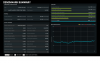
Hi, just share a successful story here: Managed to get my Dell 7577 laptop working with 3100MHz CL17 1T @1.2V RAM OC. I tried one HyperX Impact 2933 16GB stick and tuned it from there. Briefly tested during my lunch break so no real stress test yet, but i will soon update this post.
Update pic:
 Last edited: Oct 12, 2018
 -
Here are some nice memory timings and 3DMark 11 Physics results.
I think I am going to have to upgrade my PSU for any benching with the GPU overclocked. I cannot complete any benchmarks with the GPU without a hard lockup and I think the CPU is using up all of the 1000W and starving the GPU. If I do not overclock the CPU beyond about 4.8GHz with stock voltage and power limits the GPU benchmarks are not locking up. Does that sound like it might be the issue to you Brother @Johnksss? If I have the UPS connected and run CPU only benchmarks, that is pushing around 1100W now and tripping the UPS and making it beep. So, time to suck it up and rape my wallet again. Looking at a EVGA Supernova P2 1600 PSU as a possibility. Might try using one PSU for the CPU and the other for the GPU as well. Maybe use my current 1000W PSU for the GPU only and the 1600W PSU to feed the CPU.
28685 Physics score - cache/mesh @ 34
4000 CL14
@Papusan @D2 Ultima @jaybee83 @Robbo99999 @Ultra MaleLast edited: Oct 12, 2018Convel, Robbo99999, jaybee83 and 2 others like this. -
That's quite an accomplishment on that laptop. It might even be a world record for your chipset and CPU. Congrats.
-
Nice latency and Physics score
I would drop the UPS first, before going to buy a new Power supply.
Also, is 1503 stable for you? When I used it it was cool and all till you hard crash, then it sucked because you start wasting hours to get your system back to normal.Last edited: Oct 12, 2018 -
Thanks.
I haven't been using the UPS. I stopped doing so thinking that was the problem a few weeks ago, but it's the same with or without it. In fact, I think it might actually be a little worse without it. Not sure if the battery was somehow contributing a little more power or what. If it is not the PSU being exhausted, then maybe my GPU is crapping out. But, I don't think so because there are no artifacts or black screen issues, and it doesn't happen unless I push the CPU overclock really hard. This is why nobody is seeing me posting any GPU benching.
I have not tried adding power to the PCIe slot using the molex port, but with one GPU I doubt I should need to do that.
Side note: Before I had the water chiller I could not overclock the CPU this far due to high temps causing thermal throttling and lowering scores, but once I took care of that issue and I am able to push the CPU so much harder is when this situation began. Even running the GPU with no core or memory offsets and default voltage it locks up with the CPU at 5.0GHz or higher, but runs like a top and perfectly stable with CPU-only benching.Johnksss likes this. -
I was going by what you said about using the UPS and 1100W.
If not, then you will need a bigger psu or a second psu. The UPS was more than likely throttling your power along with temps. The closer you stay to 50C and lower, the more power the cpu will start to pull.
Now you have unconstrained power from the wall, but if you run to many things off same line your benching on...That will start to cause problems as well.
And pretty much you wont be using 1100W using both cpu and gpu unless your doing something like furmark and prime at the same time. CPU test 1 3dmark11 may get you close to that.
I would start there and monitor your power draw.Mr. Fox likes this. -
Thanks for the tips.
Yes, the CPU does draw more power now that it is colder, and the GPU is usually around 35-38°C under load. It very seldom reaches 40-45°C. But, the GPU also pulls an abnormally high amount of power due to the mod I did to it. I was coming close to 900W (sometimes as much as 700W from the GPU alone) while benching when I still had the 8700K and Maximus mobo.
When I rearranged the office, I made sure the only thing on that power circuit is my desktop. Not even the monitor is on that circuit, so I think we should be OK on that part.Last edited: Oct 12, 2018Convel likes this. -
No problem.
900W in what bench and on what test? -
3DMark 11 tests 1 and 4, and Fire Strike combined test were in the 700W range. Also about 650-675W in Sky Diver combined test.
Maybe just for kicks I will try connecting the molex auxillary PCIe power on the mobo to see if that changes anything. Worst that can happen is that it makes no difference. The other thing that is different now is having 4 NMVe SSDs on DIMM.2 slots. Maybe that is sapping some power from the PCIe slots and affecting the GPU power delivery. I am not an expert or a guru on PSU design, (kind of ignorant to be honest,) but maybe that is too much load on the same power rail or something like that, rather than my limit of ~1000W.Last edited: Oct 12, 2018Arrrrbol likes this. -
How it works if you run max Cpu overclock aka same max before you got the chiller?Arrrrbol, Robbo99999 and Mr. Fox like this.
-
When I checked a few days ago it was fine. I will test again tomorrow. Before the chiller I was thermally limited to between 47x and 49x depending on how cool it was in my office and what benchmark I was running.
-
-
I just ran 3dmark11 and hit about 860W and it was only using every other core at around 33% [email protected] Ghz
And cinebench alone was pulling 1125W
Running 8K optimized Superposition would probably be more beneficial in how much the gpu draws on it's own. CPU usage is virtually none. That is pulling like 680W's on average for my 2080 TI.
So you could set your clocks to stock and run both of those test at the same time and it should give you an idea of when your psu will cut out. -
Ha, it's turning into an expensive hobby, but not as expensive as some of course! In one of your later posts you say you might be concerned about your GPU crapping out being the cause of the problem, well in a similar vein to what Papusan is suggesting below you could run your CPU at stock and then overclock your GPU to it's previous max stable & then test your GPU for stability - if GPU is stable then I guess your GPU is not the problem, not crapping out. And then it would come down to PSU issue like you suspected.
-
Reset the BIOS to optimal defaults and changed nothing, so CPU stock (3.4GHz) and memory stock (2133) and no GPU overclock and now the lock-ups running GPU benchmarks are gone. I'll try changing only the core ratio with all cores in sync and see at what point the system starts freezing with the GPU under load, but I am pretty sure it's the PSU is running out of juice. I may start with the UPS connected so I can see if when it starts locking up seems to correspond with the 1000W limit.
Also, I just won this auction on eBay. So, I got a $429 PSU for less than half price shipped. "With all original accessories and packaging! In perfect condition!" I mistakenly bid on another one (1600W G2), so I hope I lose that auction, LOL. If not, I'll have a spare one or one to sell.
@Johnksss
Last edited: Oct 13, 2018Johnksss, Arrrrbol, Cass-Olé and 1 other person like this. -
I used TurboV Core to sync all cores to 45x without changing anything else in the BIOS or in the TurboV Core app (everything else stock BIOS defaults) and the UPS meter is showing 558W in Cinebench. At idle (CPU cores at 1.2GHz) it is using 180W. 47x is 639W in Cinebench.
Last edited: Oct 13, 2018 -
47x32, 30 cache/mesh, BIOS defaults for everything, memory manually set to 4000 (no XMP) @1.360V and "auto" timings, GPU stock, 3DMark 11 Test #1 is using 628W with a peak of 675W. Test completes without any lockup.
-
So, I think my GPU is fine and the PSU is the issue. Same 47x CPU, 30X cache and 4000 memory settings as above, but with GPU clocked at 2200 Core / 12,000 memory, 1.200V and test completes without lockup. Since we know the CPU breaks 1kW at 50x, I'm pretty sure the PSU capacity is being exhausted. (It may also be a weak PSU and not have much tolerance for exceeding its maximum rating, or maybe something in the PSU is getting too hot being pushed to its limit.)
UPS meter is showing:
Test #1: 801W
Test #2: 768W
Test #3: 711W
Test #4: 701W
Test #5: 568W (Physics)
Test #6: 675W (Combined)
The GPU power mod causes the GPU power to register at about 50% of the actual power used, so doubling the value shown in HWiNFO64, adding for the CPU and other stuff does work out pretty darn close to that 801W seen in Test #1.@Papusan @Robbo99999 @Johnksss
Last edited: Oct 13, 2018Johnksss, Arrrrbol and Robbo99999 like this. -
-
Yup, PSU shows 1101W @ 50x32, 1.400V and "auto" power limits... and beeps like crazy, LOL.
No chilled water (so CPU getting toasty) Test #1 showing 921W with same GPU OC. I suspect with the chiller and the CPU running super cold it's pulling over 1000W in Test #1.
Last edited: Oct 13, 2018Johnksss, Arrrrbol, Papusan and 1 other person like this. -
Well you've got your 1600W PSU coming soon, so looks like that will fix the issue!
Ha, that was a good one, the start of the video was hilarious! I never used to watch YouTube videos related to tech sites, but over last 6 months or so I watch quite a bit of the Gamers Nexus stuff, mostly their case reviews, that's where videos are really useful, as well as 'opinionated' stuff like their coverage on the Principled Technologies 9900K debacle. -
Test 1 is using only half of your cpu at roughly 35% give or take a spike here and there.
So 339W + 350W+ for cpu and the rest from system resources will also give around 801 watts. Speculations of course.Mr. Fox likes this. -
OK, this finally happened automatically... but I have no points for it...
 yet??
yet??
http://hwbot.org/submission/3958963_
![[IMG]](images/storyImages/image_id_2078387.jpeg)
http://hwbot.org/submission/3958961_
![[IMG]](images/storyImages/image_id_2078386.jpeg)
*Official* NBR Desktop Overclocker's Lounge [laptop owners welcome, too]
Discussion in 'Desktop Hardware' started by Mr. Fox, Nov 5, 2017.


