 Problems? See this thread at archive.org.
Are you saying that the platform has issues due to being early in the cycle? LOL. J/k. But kind of funny considering the attacks on AMD launches on those bases.(edit: except for the mainstream 300 series boards, which those were in bad shape)
But I do hear ya. In fact, some noted that the BIOS they used wasn't the release BIOS which was supposed to fix some of the problems they saw. As for voltages, I don't know. Looking at the 1.3V+ seen at Caseking and SL, along with those voltages seen by all except for a couple reviewers when OCing (and that many reviewers just punched in voltages they knew would work instead of trying to tune it more, which does take time) suggest that there may be a large variance on voltages, potentially, although it may be BIOSes as some supposedly worked to update them after seeing numbers from reviews.
-
-
@ajc9988
As requested? I think this is what you wanted to see. Near 30 minutes of abuse.
https://imgur.com/a/6IUuSbw
I think if I was going to throw an WHEA error or BSOD of death I would have done it by now. Time to shave down the voltage and continue the abuse.Robbo99999, Papusan, jaybee83 and 1 other person like this. -
Nice render time for an 8-core! I think that was just under double the time of the 7960X, which is a mighty fine time. Also, notice how hard that render pushes the system. That is why I like it, tbh. Also looking good on temps with those voltages. Looking forward to see where you wind up on that.
-
I finished my build inside NZXT H400i.
Took about 12 hours of work all in all.
Notes:
Corsair SF600 PSU doesn't have cables long enough for this, needed extension cables
Extension cables came with CPU cable broken, took a lot to fix
The case is beautiful, but the preinstalled cables are super noisy, unusable, changed them with SPL120 from Corsair
In this case, you may want to install just one 120 type radiator. longer radiators would pull hot air into the GPU
Temps in it are balls, but I have two EK Vardar Furious fans with my Corsair H55 cooler
RGB strips are cool
Overall, I am pleased with the results
Will be doing some benchmarky soon -
Cool, have you got some pics you can show us of different parts of your build, maybe with pics showing what you mean on some of the stuff you're talking about there? EK Varder Furious, that does sound 'furious' - is your build small & loud, or is it just the name of the fan making it SOUND so?!
-
-
No sh*t! And it's supposed to be a rare problem according to NVidia, it certainly doesn't sound like it - I mean what's the chance of the one of the first maybe two people (you & JohnKSSS) who've bought 2080ti here on notebookforums would have one fail if that was the case! (or JohnKSSS had 2080, not sure, but still, it's hardly likely to be a rare problem!)KY_BULLET, Mr. Fox, Georgel and 1 other person like this.
-
JohnKSSS failed too? My card works with a -50mhz memory.Robbo99999 likes this.
-
Nooo, my grammar was a bit confusing in my previous post. I meant that only two people have bought the card here on notebookreview and already we see one failure from the small population of 2 cards - this is highly improbable unless there is a high percentage failure rate on these cards. That's supported by the video that Saturnotako linked in the post above - one review website had something like x4 of x9 RTX cards fail (or was it x3)! The statistics/probabilities here show that the failure rate is likely to be VERY high.
-
I have photos, just a few minutes

As for EK Vardar Furious, this is the second fastest strongest best fan in the world, just a few mm behind Enermax's fastest, but that one is much much noisier at idle, as it doesn't spin down as much as EK Vardar Furious does in idle...
Build is iTX with a large iTX case, but still iTX
Last edited: Oct 31, 2018 -
Gigabyte Gaming OC RTX 2080 Ti = dying. Crashing in games, freezing or locking up at stock memory. Sometimes I can luckily ctrl alt dlt and close the program or sign out.
EVGA RTX 2080 Ti XC Ultra will be here tomorrow to replace this card and the Gigabyte will go back to Amazon for a refund. If this card is a dud as well I might just take a step back, use my laptop and wait for the issues to be resolved. I have heard great things about EVGA warranty but I'm hoping I won't have to use it. -
That's a very good looking system! So those EK Varder fans are nearly the fastest in the world, is it noisy then? I'm thinking the front panel on that case restricts air flow a fair bit to your CPU radiator, did you try testing with and without front panel to see? You've got CPU radiator as intake right, I suppose the downside to that is all the air coming into the case, and especially for the GPU, is 'hot' air that has already been used once for the cooling of the CPU? Or is there intake fans in the bottom floor of the case (can't see)? I'm thinking you might have been better off with air cooling your CPU in that case, at least from point of view of GPU thermals, which is probably a 'thing' considering you have the blower version of the GTX 1080ti (unless you have intake fans in the bottom floor of that case?.....or if you put the CPU radiator on back panel or roof & used it as an exhaust).Last edited: Nov 1, 2018Georgel likes this.
-
EK Vardar is the second fastest fan
Noisy AF at max speed
The panel doesn't seem to affect everything much
the hot air gets into the CPU / Mobo mini-chamber above, the GPU intake is below, where there is that Noctua fan which pulls in cold air
The GPU itself cuts the main chamber in two so you don't get hot air in its intake
As for mounting th CPU cooler above, it wasn't aesthetically as pleasing...Robbo99999 likes this. -
Ah, yes, I see what you mean about the air path now. The CPU radiator is x1 120mm fan that's situated above the level of the GPU card, and then you've got your Noctua intake case fan in the front panel below the CPU radiator - and it's that fan that feeds the GPU the cold air. There might be a way you could separate the hot exhaust air of the CPU radiator even more from the intake of the GPU - by placing some kind of a baffle above the Noctua intake fan (& below the CPU radiator fan) that spans the distance across to the GPU, that way for sure the two air streams stay absolutely separate (I did something similar to my setup, basically to ensure all cold air from front intake fan goes to below the GPU). But yes, your setup seems thermally better than my previous comments in my last post, I hadn't realised you had a case intake fan installed below your CPU radiator (which is what feeds your GPU).Mr. Fox likes this.
-
EVGA Ultra XC RTX 2080 Ti installed and working great without issue.
hmscott, jaybee83, Mr. Fox and 1 other person like this. -
Yes
That would be a great idea, but it doesn't really do it well for me because IU like the current aesthetics, and there is more space in the lateral of the GPU than it is in the back, so making a solution to separate it would require a bit more work than it seems now
Mr. Fox and Robbo99999 like this. -
-
http://hwbot.org/submission/3972163_ | https://www.3dmark.com/sd/5298175
![[IMG]](images/storyImages/6HULjJd.jpg)
http://hwbot.org/submission/3972164_ | https://www.3dmark.com/3dm11/12989868
![[IMG]](images/storyImages/gza7Y9Z.jpg)
http://hwbot.org/submission/3972166_ | https://www.3dmark.com/3dm11/12989876
![[IMG]](images/storyImages/3CdzUvc.jpg)
http://hwbot.org/submission/3972130_ | https://www.3dmark.com/fs/16911596
![[IMG]](images/storyImages/gRHh9aB.png)
http://hwbot.org/submission/3972125_ | https://www.3dmark.com/fs/16911528
![[IMG]](images/storyImages/CBum0fO.png)
http://hwbot.org/submission/3972120_ | https://www.3dmark.com/fs/16911415
![[IMG]](images/storyImages/qAWOkXP.png) Talon, Arrrrbol, Robbo99999 and 2 others like this.
Talon, Arrrrbol, Robbo99999 and 2 others like this. -
My dead card was a Gigabyte Gaming OC RTX 2080 Ti. Memory or memory controller is suspected failure as it would work if I underclocked the memory.
I got an EVGA XC Ultra 2080 Ti delivered this morning direct from EVGA. I saw they had them in stock and I opted to overnight it. So far so good and this card is far better it seems in terms of silicon quality. Will likely never go Gigabyte ever again.
This Ultra card is letting me add +190Mhz to the core. At +200Mhz it crashes Heaven benchmark.Last edited: Nov 1, 2018Arrrrbol, Robbo99999 and Mr. Fox like this. -
Those benchmarks above are with the chiller only (no radiators) and the GPU temps were 7°C at idle with a max load temp of 21°C.
Arrrrbol, jaybee83, Papusan and 1 other person like this. -
I'm sure of that. The 2080 Ti is a beast. I bet you could push a +200-225 core offset with temps like that as well. What is your max stable actual core and memory clocks in MHz at the moment?Arrrrbol and Robbo99999 like this.
-
https://www.3dmark.com/3dm/29952505?
GPU peaked at 56C with 100% fans of course lol. If I put this thing under water, had more power headroom and voltage tweaking that could be fun.
+140Mhz Core and +900Mhz memory for that run. Firestrike seems to have pushed my core clock offset down a bit. Timespy Extreme passed earlier with +160Mhz.Arrrrbol, Robbo99999 and Papusan like this. -
Nice run. What are the actual core and memory clock speeds? The offset is relative and varies by GPU. If you have HWiNFO64 that would show the actual clock speeds.Arrrrbol likes this.
-
https://www.3dmark.com/3dm/29952625?
2070-2085Mhz under load.Arrrrbol, Robbo99999, Papusan and 1 other person like this. -
Looks good. Nice graphics score.
I find 3DMark SystemInfo often gets the GPU clocks off a little.
https://www.3dmark.com/compare/fs/16914999/fs/16911415Arrrrbol and Robbo99999 like this. -
https://www.3dmark.com/3dm/29953296? We getting there 9900K at 5.3Ghz.
-
Very much like Pascal then in terms of max clocks achievable.
-
17% difference there in graphics score between the two, not much, but you do have chilled water on yours along with power mods! (So you're probably about 200Mhz above a normal overclock on GTX 1080ti.)
-
Another update to this attempt, well hello HWBOT world records....
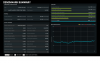
Reached 47GB/s in benchmark, so thats 94% bandwidth utilization out of theoretical number for 3100MHz (49.6GB/s).Arrrrbol, 6.|THE|1|BOSS|.9, Papusan and 3 others like this. -
try and oc your cpu to the max if possible. also close down any and all applications / programs and stop as many background services as possible. that way ull be able to eke out more ram bandwidth for the benchmark
Sent from my Xiaomi Mi Max 2 (Oxygen) using Tapatalk -
Looking really good. One of the reasons Fire Strike is among my least favorite benchmarks is because it all but ignores everything but the GPU. It's great for GPU testing since that is the focus, and the 2080 Ti really stands out. (It's the perfect benchmark for turdbooks with strong GPUs and crappy CPUs.)
But, look at the massive difference in Physics and the significant difference in combined score, yet the overall scores are almost equal. The Physics test is making up the difference, but look at how little impact the CPU has on the overall score in the grand scheme of things.
https://www.3dmark.com/compare/fs/16915319/fs/16911415
I'd be interested in seeing how the Sky Diver benchmark looks. It puts a lot more weight on CPU performance than Fire Strike.
When you going to set up Windows 7 so we can get a more accurate picture of 9900K capabilities? Running Windows 10 is like having barbed wire wrapped around your CPU's nut sack, LOL.Arrrrbol likes this. -
In fairness though, if 3DMark is supposed to be a gaming benchmark & indicative of gaming capability, then a really really strong CPU in terms of high core count is not optimal for gaming so it's probably quite fair that the CPU doesn't contribute much towards the final score, although perhaps they should make some kind of logarithmic relationship between CPU score & it's effect on the overall score, so that above a certain threshold score that would be necessary for good gaming the CPU performance increases would show less of an effect on overall score, and below that threshold CPU performance differences would have a greater effect on the overall score.Last edited: Nov 2, 2018Mr. Fox likes this.
-
I don't totally disagree, and it's very useful as a GPU benchmark. It's deceptive and somewhat worthless as an overall system performance test unless you totally ignore the overall score. Where I take issue with it is how it marginalizes the CPU performance. The CPU scores and GPU scores are both valid and scale correctly, it's just the overall score that is kind of bogus. Overall should actually mean "overall" (literally). If it was their intention in going that route, to marginalize CPU performance, then why not just eliminate the physics and combined tests and have only a graphics score? Marginalizing the impact of CPU performance in the overall score makes it particularly useful as a marketing tool to sell trashbooks that seem better than they actually are. A lot of people never look at the breakout, but they oooh and aaah that the overall score is so fluffy. Then they wonder why that cute little turdbook they bought is such a sucky, CPU-throttling, boiling hot piece of trash.
Sky Diver is actually far more useful as an overall system performance test. Time Spy is also more useful than Fire Strike in measuring overall system performance.
Edit: This is what I am referring to. The math is right for individual tests, but the overall score sticks out like a sore thumb. When you look at individual test results, how does a CPU delivering such a tremendous increase in performance and a GPU with about half the amount of performance increase, (although still substantial,) yield less than a 3% difference in "overall" performance? In layman's terminology the overall difference is not accurate. The 2080 Ti opens a can of whoop-ass on 1080 Ti and the 9900K takes a blood bath at the hands of the 7960X... but, the "overall" difference is 2.6% in the comparison. No wonder consumers are confused, LOL.
Last edited: Nov 2, 2018Arrrrbol, Papusan and Robbo99999 like this. -
Yep, I pay no attention to the overall score in any 3DMark, to me the Graphics Score is useful for comparing GPUs & GPU overclock performance, and the Physics Score is useful to know absolute performance of the CPU - I personally have no interest in how they combine them, because I see it of little use. When people and review sites focus on the overall score rather than breaking it down into Graphics Score & Physics Score I find it such an oversight, because the overall score doesn't show/explain much. Guru3D are guilty of that, although over the last year of so they are at least showing Timespy Graphics Score graphs now (on request from user base) to allow for comparisons of all GPUs they test.
-
Have you tried playing with the sub-timings? Like tREF & tRFC? as those two are most significant after CL & tRCD they mostly affect on read memory speed & latency & slightly overall RAM performance
The higher value of the tREF the better while the lower value of the tRFC the better & vice versa don't get surprised when your
tREF goes over 20k and still being stable
mine is already on 30k & close to get it to 40k
you might even go to 60k ~ 65k without seeing any kind of stability issues
BUT!!... before playing with those.. you must know that you gotta back up your windows! as it will corrupt your Windows OS files without you noticing or without even giving you any errors! and you must test your RAM for stability for many hours at least more than 3~5 hours
So.. if you want some adventures & to have some fun... get your windows backed up and then start finding the sweet spot between those two sub-timings which is tREF & tRFC and I promise you that it is completely worth the time spending to find the sweet spot
You will feel the difference on general usage & specially on gaming that depends or bias to high RAM usage
Also... always keep your uncore speed or core cache speed locked at maximum!
-
Inspired by the post above this one I'm in the process of adding a new tweak to my RAM overclock, thanks Boss! tREFI 65535 currently in testing with HCI Memtest, currently at 200% pass rate (a seperate instance of the program open for each thread - so 8 in my case). tREFI 65535 is the maximum you can set it to, and is the best performing value you can set for that variable. I've read around the subject of tREFI, and it seems that it is quite heavily influenced by RAM operating temperature as well as motherboard quality. My RAM is at 39 degC now while I'm hammering it with HCIMemtest, so that's probably one reason why 65535 is stable on it; however, when I game the temperatures of the RAM go up by 5-10 degC due to the the hot air from the GPU passing over the RAM modules. I think the max rated temperature for RAM is around 85 degC, can't find much info on it, so tREFI is probably set as standard for 85 degC - someone did find some datasheet somewhere showing that 95degC was allowable if tREFI was halved, so that helps prove that tREFI is RAM temperature dependant (EDIT: found here: https://linustechtips.com/main/topic/773966-comprehensive-memory-overclocking-guide/).
I'll run some benchmarks once I've reached 400% stability on HCIMemtest to see if there is any difference in CPU/RAM performance. I'll edit this post with the results - it may take some time!
EDIT: Even though it was 400% stable on HCI Memtest, I got a LiveKernelEvent crash during on the loading of one of the scenes during my multiple 3DMark testing runs. It seems like it's hard to test for stability for tREFI, I'm gonna abandon my testing now and return to my previous setting, especially as I wasn't seeing any performance increases during that initial testing (Aida memory benchmark & Physics score in 3DMark). I may try to tweak a lower setting for tREFI in the future, but I'm not gonna waste any more time on it today.
EDIT #2: Had some more musings to try testing a less severe tREFI, but did some more research first. Apparently, it's very difficult to test stability when it comes to tREFI. Because tREFI is the amount of time that goes by before the RAM is refreshed, if you test RAM stability with something like P95 or HCI Memtest you're constantly writing to RAM, which negates the need for the RAM to refresh itself - so basically you see tREFI instability during periods of idle & not when the RAM is being stressed. This means that testing for stability is very hit or miss, and probably instability would only be detected after many days/weeks of usage when your OS suddenly becomes unusable due to corruption. I'm thinking it's not worth messing with tREFI, unless someone has some ideas/ways of getting around this problem?Last edited: Nov 3, 2018Arrrrbol, 6.|THE|1|BOSS|.9 and Mr. Fox like this. -
Thanks, I will play with it once my windows reinstallation is complete. Bad luck as my Windows corrupted last night when I tried to push 3200MHz yesterday, one BSOD and everything gone. I think my notebook motherboard were bad and cant handle that much clock. Or my RAM chip binned so tightly by Kingston no headroom left for playing.
After this maybe I will pickup the more expensive Corsair kit, 3000Mhz and CL16 at 1.2V, bleeding edge!!!Arrrrbol and 6.|THE|1|BOSS|.9 like this. -
http://hwbot.org/submission/3973492_
![[IMG]](images/storyImages/CVrQvZL.jpg)
http://hwbot.org/submission/3973488_
![[IMG]](images/storyImages/Ss9dMdL.jpg)
http://hwbot.org/submission/3973490_ | https://www.3dmark.com/3dm11/12992235
![[IMG]](images/storyImages/dqCp3vm.jpg)
http://hwbot.org/submission/3973489_ | https://www.3dmark.com/3dm11/12992232
![[IMG]](images/storyImages/CRDXl3B.jpg)
http://hwbot.org/submission/3973507_ | https://www.3dmark.com/fs/16929134
![[IMG]](images/storyImages/pH9D0uF.jpg)
@KY_BULLET @Arrrrbol @jaybee83Last edited: Nov 3, 2018Arrrrbol, Papusan and 6.|THE|1|BOSS|.9 like this. -
I run with my tREFI maxed out at all times, regardless of what my other timings are set to. The maximum usable value is equal to your RAM capacity. In my case, that is 32GB (32767). What this does is allow the full capacity of your RAM to be utilized before it is flushed and reloaded. I learned this on a JayzTwoCents video, and he learned it from the dude on GamersNexus. Unless you have 64GB of RAM, perhaps setting it for more RAM than you have caused the glitches. My Maximus board allowed me to set it to 65535 even though I only had 32GB, but my Rampage board only allows me to set the value to the capacity of the RAM.
Last edited: Nov 3, 2018Arrrrbol, Papusan, 6.|THE|1|BOSS|.9 and 1 other person like this. -
The benchmarks I just posted above are with the memory timings shown in the MemTweakIt screen shot above.
Arrrrbol, Papusan and 6.|THE|1|BOSS|.9 like this. -
Oh right, no sh*t, the value is essentially the MB equivalent of the GB of RAM you have! I have 16GB of RAM, and currently my BIOS sets it to something like 12xxx, so I should set it to 16383 to equate to my 16GB of RAM. That's not much of an increase in tREFI for me, 12xxx to 16383, so that's probably gonna be stable. OK, I'll go and increase it to 16383, I've got a Macrium Reflect image taken from 2 days ago, so I'll revert to that if I see any instability.Arrrrbol, Papusan, 6.|THE|1|BOSS|.9 and 1 other person like this.
-
It is totally true one of the including factors is to see how stable it is after 1~2 weeks of use and the temperature influence is not that great unless you are playing at the edge of stability
also one of the tests to see if your tREFI is stable is to never turn off your computer for over a week
if it lags or more like microstuttering at the end of the week then you must lower your tREFI value but if it is not... keep increasing!
I mean.. I'm already doing it while using my laptop [see my signature] which is more restrictive air flow to my ram modules than a desktop PC & I don't see any kind of stability issues due to temperature variations and I'm sure laptops memory controller quality is worse than PCs in general
Well I have RAM of 16GB and I'm already over 30k of tREFI which is nearly doubled to my RAM capacity it works really amazing to me without any kind of issues and it is been 2 month with this current settings
If anyone would like to play safe.. we put tREFI value depending to the RAM capacity as you said but for those who wants squeezing every drop of performance...
Here is my advice... if you have 8GB RAM.. then then double the value of tREFI which will be 16k tREFI and if you have 16GB then it will be 32k tREFI and so on
I came to this conclusion after doing it on two of my old laptops before doing to my main laptop which is on my signature
Edit:-
Also I would like to add that another thing that if you want to go higher tREFI value then tRFC is limiting your tREFI value to go higher so.. you try to increase the tRFC a little bit to get more stable RAM
It is all about finding a sweet spot between those two sub-timing... tREFI & tRFC..
In my case having a 16GB RAM [With mixed brands 8 GB Samsung + 8 GB Kingston ValueRAM] I'm already on tREFI 32000 (Default was 8936) and tRFC 320 (Default was 375) for 2 months right now
Last edited: Nov 3, 2018 -
What you're saying there about tREFI values is a bit different to what Mr Fox was saying about them, in as much as you say you have seen performance advantage of increase tREFI above the value of the amount of RAM you have, whereas Mr Fox was saying that usable tREFI is only up to the value of your RAM capacity (and any setting over that is not having any additional influence). There's a bit of a discrepancy there between what you've both said, so it sounds like we've not reached the truth yet?
I previously already tweaked my RAM for absolutely optimum tRFC, it's just inside the limit of stability, so maybe that's why I saw that LiveKernelEvent app crash when setting a higher tREFI of 65535, or maybe it was like Mr Fox suggested that I might be seeing a 'bug' with my motherboard based on setting tREFI above my RAM amount. I've put it to 16383 though in line with what Mr Fox was saying about RAM amount, and I've transferred all sensitive data files to my laptop, which is where I will do my work on them while I'm trying out this new tREFI setting (I really don't do much sensitive work on my PC so it's not a hard ship to use my laptop for those few minutes rather than my desktop).6.|THE|1|BOSS|.9 likes this. -
Yes I know what @Mr. Fox said and I totally got it to what he is saying and I totally agree with it
but what I have seen infront of me by doubling the tREFI value depending to the RAM capacity showed the maximum benefit
Maybe there's different effects between Laptops & Desktops? For me going tREFI over the RAM Capacity have shown me increased reading memory speed & decreased latency & slightly increased the writing memory speed
My two old laptops shows the same or similar results when puting tREFI value over the RAM capacity by doubling it and going over the double RAM capacity (after doubling tREFI value) showed weird issues & glitches & micro stutterring.
I have tried to put tREFI to 65535 directly on my main laptop and my laptop couldn't boot or post at all so... I revived it by using the SPI Programer so.. tried to put 50k and it nuked my OS.. so I restored my OS through my backups and tried 40k and everything went well but it began micro stuttering after a long use [4~5 days without turning off my laptop] so... I tried 30k and it is been working great so.. I tried fine tuning and put 32k and still going good so far for 2 months now my next step will be 35k in the near future when I have free time
Oh bruh if you see what I have got on default ram timing settings... it was really really bad results
I have deeply searched about it long enough that I'm confident that I reached tweaking & playing with my RAM 3rd sub-timings and the uncommon ones
tREFI is really vague regarding the positive effect.. I have seen reports the it only improved latency while another report improved the reading memory speed only and another report improved everything from reading speed & writing speed & decreased latency... so it is really random
So my conclusions is made to what I experienced through my two old laptops plus my main laptop
Double the tREFI value depending to RAM capacity as I mentioned earlier or just play it safe and just put it the same as your RAM capacity without too much worrying about testing, etc...
Last edited: Nov 3, 2018Arrrrbol, Papusan, Robbo99999 and 1 other person like this. -
I am only repeating what I heard. I am a trial and error dufus that does whatever works whether I can explain it or not, LOL. What makes me believe what I heard is the fact that what is arguably the world's best overclocking enthusiast main board, with the most advanced memory overclocking support, won't allow me to set a value greater than my memory capacity.
That said, setting tREFI at 65535 on my Clevo laptops, Tornado F5, and the Maximus X Hero motherboard I had before never caused me any issues I am aware of. Although, my memory overclock experience was never as stable as it is now. I did not hear this about tREFI until recently, so I never had any opportunity to test and compare the difference. It just makes sense (if it is accurate) that my Rampage board won't let me set a value higher than my RAM capacity. It is also possibly different with quad versus dual channel, but probably not.Last edited: Nov 3, 2018Arrrrbol, Robbo99999 and 6.|THE|1|BOSS|.9 like this. -
Have you got a link to that JayzTwoCents info where he was talking about tREFI? I tried finding it via Google, but got nothing. I just wanted to read/listen to what he said to see if there was any more info given on it.6.|THE|1|BOSS|.9 likes this.
-
btw if u want to test for ram stability, there is nothing better than "tm5" in windows as a quick test to determine general stability (takes about 10-30 min depending on ram amount and speed). that takes care of roughly 95-99% of instabilities. for 100% rockstable settings i highly recommend an overnight run (8+ hours) of memtest86 in a DOS environment booted from a usb stick. if memtest doesnt find any errors after an overnight run u can basically consider your settings 100% stable
ram tuning takes a looot of time and patience!
Sent from my Xiaomi Mi Max 2 (Oxygen) using Tapatalk -
Thanks for that info, I already know about Memtest86+ though, and I've overclocked my RAM before too, but I'm just tweaking the tREFI value today, and I found out that you can't test tREFI stability in the same way as the other variables - tREFI instability generally mostly happens during idle time. I wrote this in a post a few posts back now.6.|THE|1|BOSS|.9, Arrrrbol and Mr. Fox like this.
*Official* NBR Desktop Overclocker's Lounge [laptop owners welcome, too]
Discussion in 'Desktop Hardware' started by Mr. Fox, Nov 5, 2017.


