Problems? See this thread at archive.org.
If you're thinking about building a DIY ViDock, you may like to buy mine:
http://www.ebay.co.uk/itm/140627694732?ssPageName=STRK:MESELX:IT&_trksid=p3984.m1555.l2649
[ http://www.ebay.co.uk/itm/140627694732?ssPageName=STRK:MESELX:IT&_trksid=p3984.m1555.l2649 ]
It works perfectly, I just don't use it anymore.
-
-
OK - you have 10de:1201 (GTX560Ti) on port2 (0:1c.1). Now 'grub4dos mbr' freezes the machine. Does 'grub4dos win7' work? If it partially works, or starts a recovery partition, then just need to 'edit %DRV%:\config\menu.win', and a specific partition that contains Win7 for it to boot, 'copyr menu.win'. After which then you just need to type the following to set G1 link speed on port2 and chainload to Win7:
If that works, then add those exact same lines to your \config\startup.bat to allow the "Setup 1.x (automated startup via startup.bat)" bootitem to do everything for you.Code:call vidinit -d 10de:1201 setpci -s 0:1c.1 d9.b=40:40 70.w=1:3 50.w=10:10 setpci -s 0:1c.1 50.w=0:10 call grub4dos win7
-
I will check the Bios tonight if there is something. It is possible that my card was unstable due to the lot of drivers installed, I guess. I tried like 4 versions and I don't think I could uninstall all components before install the new one. Somehow I was only able to uninstall driver itself, but nothing else (like 3DVision etc.)
Right now I have the original Nvidia notebook driver on, as it was on the Fujitsu install disk what I used. Should I uninstall it before install the desktop one?
DLast edited by a moderator: Feb 6, 2015 -
According to Kenglish above, there is no need for modifing the inf anymore... So I should just install the latest desktop driver, right?Last edited by a moderator: Feb 6, 2015
-
Installing more than one driver can cause stability issue. You should install only one. This means you'll need to uninstall the original mobile driver.
Actually what Khenglish meant was if you're using desktop driver, you don't need modified INF. If you're using mobile driver, you still need modified INF because the INF only contain PCI ID for mobile graphic card.
In your case, dGPU also Nvidia. So, you'll need to add the dGPU PCI ID in INF file.
Alternative solution
For dGPU, install the mobile driver in Device Manager. While for eGPU, install the driver as usual using desktop driver package (.EXE). -
I tested a recent desktop NVidia driver (285.27) finding it did engage the x1.Opt pci-e compression but the accelerated internal LCD mode didn't work. Since I require both functions I simply installed the modded Verde driver instead. In your case, you also have a GT525M so the modded Verde driver makes more sense given it provides both dGPU and eGPU functionality.
-
What's the difference?
-
Thanks Nando4! I will use the modded verde 275.33 then. Actually that was the last driver it worked properly with. After I changed to the latest one from Nvidia.com, everything just messed up....
-
Latest driver provide performance improvement on several games including BF3. Too bad you can't use newer driver.
If someone can test desktop driver on SB notebook to confirm whether the optimus is activated on internal LCD or not, it would be great. -
I already printed Nautis's discription on how to mod a driver, so perhaps I will try to mod the latest one (285.68), but I'm not sure if I can do it...

-
It's very easy, you can do it too. Just need to add GTX560Ti PCI ID (DEV & VEN ID) in the INF file. Then install the driver.
-
Well, I just read it through and I'm not sure if I'll be able to do it...
Anyway, I installed setup 1.x again and something is wrong. When I start up and switch off dGPU as usual and chainload Win7 it says "missing operating system", and I need to reboot again. So right now I cannot boot without the dGPU. When I installed setup 1.x it said "I'm not an Admin user", so perhaps it was not installed properly, but since I'm the only user, I'm also an Admin user, so I don't know what happened...Attached Files:
-
-
Hi
I have a SONY Vaio VPCF13L4E with 6GB RAM and Intel Core i7-740QM, 2500 MHz. The builtin Nvidia GT 425M is a bit weak to play demanding games so I am planing to get some sort of eGPU System to work.
My Vaio supports PCIe 2.0 1x which I heard doubles the bandwith. Do I need to wait for the new PCIe to ExCard Adapter with 2.0 support to get to use the extra bandwith. How does Nvidias Compression Technology "Optimus" help in reducing the amount of data?
What exactly do I need apart from the PCIe to ExCard Adapter, the ATX Switch, PowerSupply and a decent GFX-Card?
What ist the best card that will work in the given environment. Will a GTX580 work or will I loose some percentage of performance?
Thank you!
-
Did you disabled User Account Control (UAC)?
Your notebook can't do Optimus setup because it doesn't have Intel HD Graphics. The only way to get good performance is by doing eGPU x2 or x4 link setup if your notebook support them. You'll experience reduced performance with eGPU x1 link setup though. eGPU x2 link required combination of either these PCIe ports [port#1 & #2 ] OR [port#3 & #4 ] OR [port#5 & #6 ]. eGPU x4 link required PCIe port#1 & #2 & #3 & #4. Intel 5 series chipset support PCIe 2.0 with 2.5Gb/s speed/bandwidth in each direction (5Gb/s concurrent). Current eGPU kit already support this. Only Sandy Bridge (Intel 6 Series) chipsets support PCIe 2.0 with 5Gb/s speed/bandwidth in each direction (10Gb/s concurrent) (the kit still under development to support 5Gb/s).
Since your notebook can't do Optimus, at least eGPU x2 link setup is recommended IF your notebook support it (depend on the PCIe ports arrangement as explained earlier). For x2 link setup, you will need to use two PCIe ports; either [ExpressCard + mPCIe ] OR [mPCIe + mPCIe ]. So, will need either ExpressCard + PM3N (mPCIe) OR PM3N + PM3N.
Any ATI or Nvidia desktop GPU will do. You can see some Nvidia eGPU x2 link setup in the first post. It can give you an idea what kind of performance you'll get. -
hey Nando..
well i started the egpu setup program again and selected DOS menu... then entered 'grub4dos win7' and it does go back to boot menu where i can select windows 7 or egpu setup program... so i am guessing that 'grub4dos win7' works... like you said then i again went in to DOS egpu setup and entered 'edit %DRV%:\config\menu.win'.. and a screen with menus comes up with code in it(check the screenshot)..from here i don know what to do.. you said 'copyr menu.win'... where should i enter this and when should i enter this..?
-
Sure, nothing changed...
-
You only need to do the menu.win things if 'grub4dos win7' partially work. Since 'grub4dos win7' works for you, you can skipped the menu.win parts. You just need to "After which then you just need to type the following to set G1 link speed on port2 and chainload to Win7:"
Code:call vidinit -d 10de:1201 setpci -s 0:1c.1 d9.b=40:40 70.w=1:3 50.w=10:10 setpci -s 0:1c.1 50.w=0:10 call grub4dos win7
How did you managed to install it first time? Did you also get the same error before ("David is not an Admin user.")? Did you tried 'chainload mbr' instead? -
SB (Intel 6 Series chipset) support PCIe 2.0 with 5Gb/s bandwidth in each direction, 10Gb/s concurrent.
ExpressCard 2.0 does available on laptops.
It means, when you want to use with notebook, just need to connect the eGPU to notebook. When want to use it with desktop, just need to connect the eGPU to desktop, via HP4A PCIe card. -
I did the same thing then exactly. I had no error at all, as I remember.
I tried only chainload mbr... -
Isn't it possible to modify the setup 1.x so it doesn't check the admin group?
I have no idea what I can do with it.
Last time I had the original windows on with the already existing user, but since then I reinstalled my own windows and made a new user. And it doesn't work with it... -
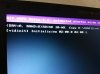
ok i opened startup.bat and deleted everything and inputed the code given above...then i restart the laptop, plugged in mini-hdmi to express card, booted in to egpu setup, and then tried to run option that says automated startup using startup.bat, which i did and then it freezes again at the next screen when it says intializing (pls have a look at the screenshot)...where am i going wrong???
-
Please change your \config\startup.bat to contain the info below. Here we have echo messages so will know if the vidinit or the setpci lines are the ones causing the system to lock up.
Code:set eGPU=10de:1201 call speedup lbacache call vidwait 60 %eGPU% echo Initializing NVidia video card (%eGPU%). . . call vidinit -d %eGPU% echo Setting G1 link speed on port2 . . . setpci -s 0:1c.1 d9.b=40:40 70.w=1:3 50.w=10:10 setpci -s 0:1c.1 50.w=0:10 call grub4dos win7
-
Ok, I've seen enough of these kind of posts in this thread I'm going to chime in. I'm sorry but a simple expansion card does not prove the feasibility of anything.
The reason these DIY docks all work is because they are fundamentally simple physical adapters that route the electric signals. As long as you stay within whatever tolerances of a spec, you can implement it any way you like. (see: oldschool ethernet over barbed wire)
They do not change the logic of the pci-express links at all. No special drivers are required, the OS just talks "pci" to any adapters it can see.
(don't pay attention to the stupid bios/firmware issues, they are not hardware limitations)
USB3 is a completely different and much less capable interface than pci-express. -
ok no luck again nando...
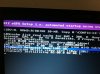
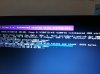
i inputed the same above code into setup.bat....rebooted...plugged in mini hdmi cable to express card...entered the egpu setup program ..selected the first option 'automated startup using startup.bat' ... and then it displays new info on the screen but it freezes again at the same point like before during initializing 02:00.0 02:00.1. (have a look at the screenshots)
i hope you can find some new info in it..
-
Remove the 'call vidinit -d 10de:1201' line from your \config\startup.bat and try again.
EDIT: If you still have freezing then boot to DOS and type those lines one at a time (except the vidinit one) and to identify which work and which don't. This is a unique problem with the R830/R840. -
Hey Nando..
it worked ... but only on to internal Laptop screen
...
ok so i removied the 'call vidinit -d 10de:1201' line from startup.bat... shut down the computer.. restarted laptop...plugged in mini hdmi to express card slot..entered into egpu setup.. selected 'automated startup using startup.bat' and then it initiated and went back to screen where i can select windows 7 and egpu setup.. booted into windows...but the display is on to internal monitor only, external monitor is not detected or something..external monitor is not shown in nvidia control panel also.. so i ran the 3dmark06 benchmark and got a score of 10680... these scores are bad when compared to others on your main page..then ran heaven with default settings on 1280x800 and got a score of 686... it seems as if the performance is hindered due to output of 560ti on to laptop screen...is optimus enabled now?? im sure scores will be greatly improved if i can get the display to work on to my external monitor only... i am not getting any BSOD anymore like before though... -
Dear Nando4!
Could you please help me with my issue? When I try to install eGPU setup 1.x it says I'm not Admin user (certainly I'm), so it doesn't install correctly. I mean I can use the setup 1.x menu, switch off the dGPU, but then I cannot chainload windows. It says "missing operating system".
What should I do? -
Just want to confirm with you; does "Administrator" show up under your login name in User Accounts (Control Panel)?
'chainload win7' then? Your windows didn't use UEFI boot, did you? -
Yes, I checked everywhere, I'm an admin user.
I don't even know what uefi is, so I guess not. -
Probably the script have problem with non-English character. In the picture the 'checkadmin.vbs' script does throw an error/warning.
The "missing operating system" error is not related to the non-admin issue. It just simply unable to find the partition where the operating system is installed to. If operating system is installed at first partition (excluding System Reserved partition), you shouldn't get this problem. -
(first let me apologize for not following up with the T400s inquiries)
Now I have a T420 and I wonder, is this something that affects Linux as well or it's a Windows-only problem? -
OK, I got it fixed. I done a registry cleaning and I could chainload win7 now. Finally.
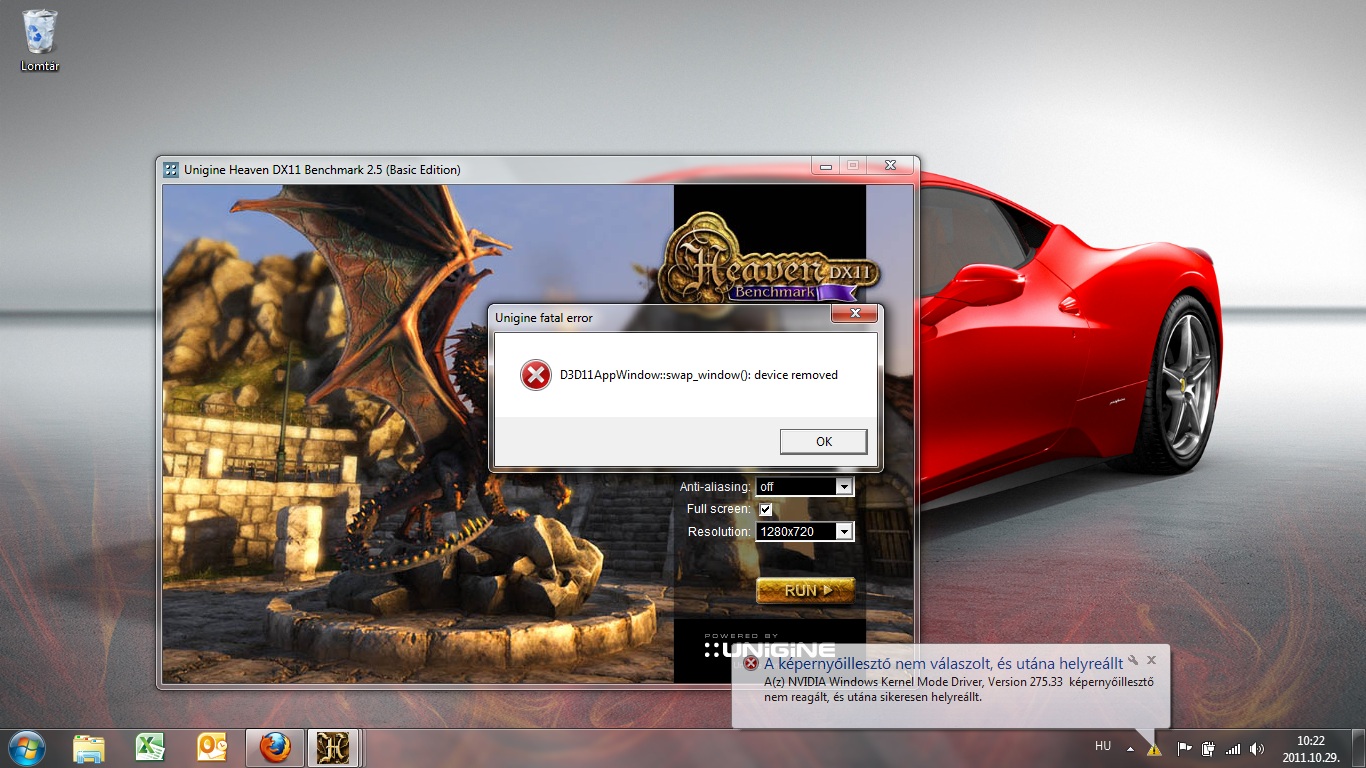
Anyway, I installed modded driver already and run Heaven. Same error again. After 15 sec, it drops me back to the internal LCD with this error (attached).
Should I try to force G1? I also attached the information about port4Attached Files:
-
-
Ok, I done G1 on P4 in setup 1.x menu, same error...
What now?
Frankly speaking, I don't know why it wasn't an issue before. I could run Heaven without any problem when it was G2 as well... -
<strike>Try set ExpressCard (P4) to G1. Do the same benchmark & see whether you get the same error or not. And</strike> post the HWiNFO32 screenshot after set to G1. Possible source of the problem are <strike>it trying to run in 5Gb/s or</strike> the mini-HDMI cable is faulty. I doubt it's the later because it can run without any problem when downclock.
I got to go. I will be back a couple of hours later. Good luck. -
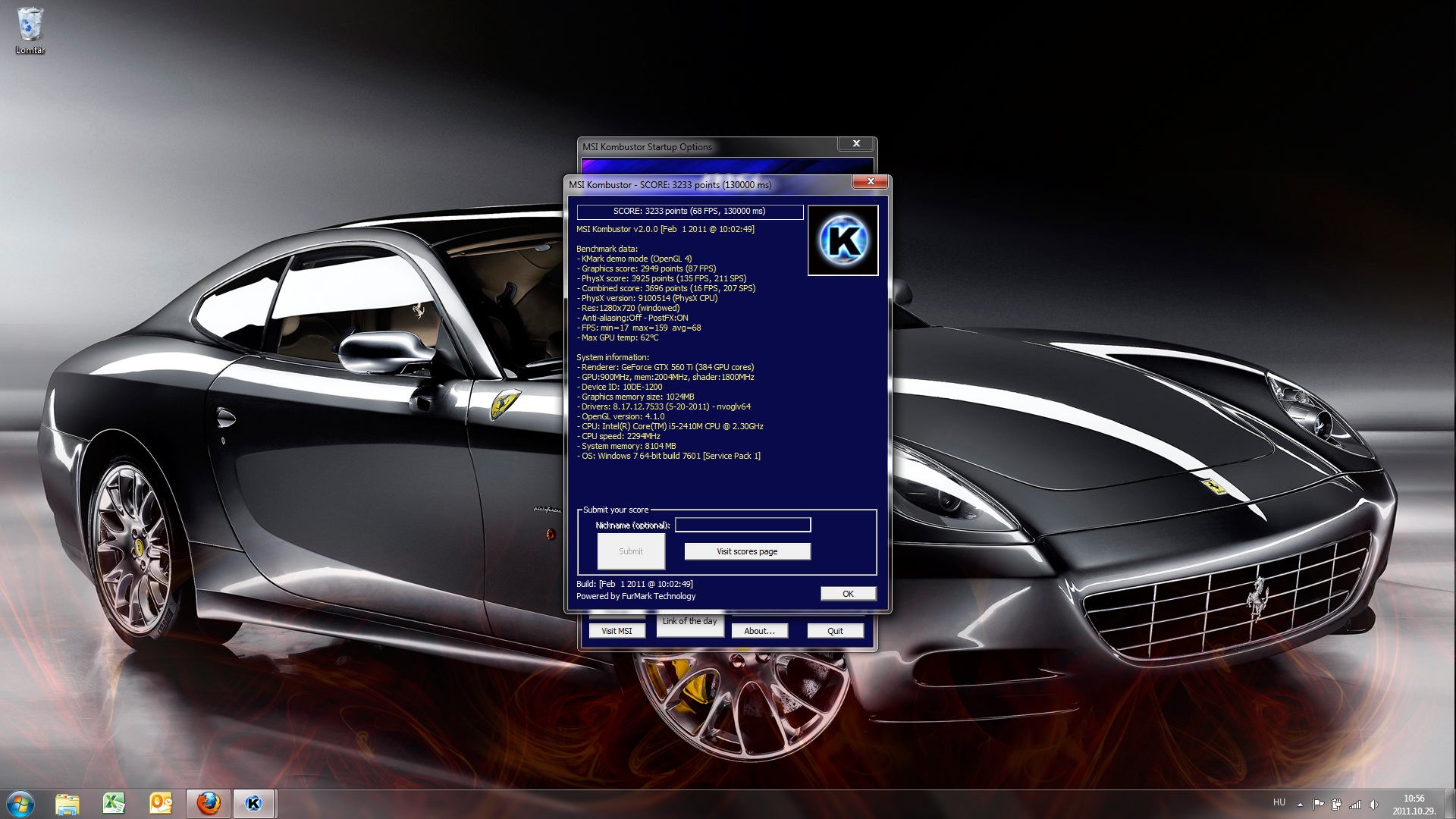
@Fardavid - didn't you underclock your card to get it to run error free previously? You might want to fire up MSI Kombustor and do load testing to a identify your stable gpu/memory clock and voltage.
-
I just downclocked it to 848 Mhz and no error. But obviously it shouldn1t be the solution as it worked properly before. Even with overclocked to 960 Mhz.
-
Here is the benhmark of the kombustor. no error, even with 900Mhz... how come I have it with Heaven?
Attached Files:
-
-
Selling my DIY ViDock here:
eBay - The UK's Online Marketplace
Details:
ATI Radeon HD4870 512MB Mac Pro GPU
DIY ViDock
Coolermaster GX550
Quicksilver G4 Case
It works perfectly, I just don't use it anymore.
-
peww... i just sat and read the full thread(well almost
) .. and i really interested in knowing few things to understand ..
Is it really worth the trouble? the reason i came to this thread was while searching for a way of running multiple monitors( at-least 3 at a time for multitasking,1 laptop and 2 1920x1080 monitors) and not particularly for games.
i am looking for a new laptop , i would have gone the with a consumer laptop(budget oriented) if not for this thread. i understand there is a need for a express card to work the eGPU and the USB3.0 tech is a long way out..
I also see many USB to monitor converters , how different is this(eGPu) from the usb converters ? what is the benefits of the eGPu from the USB to DVI converters?
I am not new to computers but i am new to the whole eGPU concept..
If a express card is really needed then i am kind of in fix since i have very limited choice- either Vostro 3450 or the E420(i did open another thread for the same _link_).. since only these two come in my budget with a EC and i will be carrying it around so using the mPCIe options is out of the question. -
Yes optimus is now working or else you would have gotten less than 6k in 3dmark06. You also would not be able to drive the internal monitor in fullscreen mode without optimus. Odd that your monitor is not detected. Did you go to the display properties via right click desktop->screen resolution, then click "detect"?
-
USB devices are very convenient, however they have extremely low bandwidth. As a result, refresh-rates are very slow & therefore are only useful for fairly static content.
If you just like to have an extra display to review e-mails or IM, then USB may be enough. If you intend to use the additional displays as you do your primary, then go for a full DIY ViDock. -
Hey Khenglish...
it works now !!!!
i unplugged the whole setup and plugged everything back in..guess i dint plug the hdmi cable properly into the graphics card.. will post the benchmark results soon..
thanks Khenglish -
Hi there!
I've got a HP 4525s notebook and an external HD 4830 external video card. I've connected my DIY eGPU to my HP notebook through the express card slot, but I couldn't get it to work properly, I get error 12 after installing the Catalyst driver. The eGPU works fine with my Lenovo Ideapad S9, but not with my HP. What's the problem? (If that matters, my HP has a triple core AMD Phenom P820 processor, 8GB Ram and a dedicated mobility HD 5470) Maybe the dedicated HD 5470 causes the problem? I'm really confused about this... -
Congratulations Looking forward to your results. R840 implementation means an R830 implementation would be just as easy.
Use Setup 1.x to do 32-bit PCI compaction on the eGPU, then chainload to Win7. -
Hey guys.. I have spent the last two days building a box to fit all the stuff in..I have played BF3 on high settings and ultra and can play both with a few minor adjustments to the shadow effect and AA. Not ultra high frame rates but playable..Getting like 30+ and in the low 20's sometimes but haven't noticed any bad lag..This is the way I have to do it..I turn the PC on (leaving the egpu on) I unplug the hdmi cable and plug it back in. The pc finds it and then I have to disable the igpu in device manager and All is good.O by the way.When I start the pc with everything on,I get an error 43 in DM about the GTX560.
Is there another way to do this so that I don't have to go through all those steps?? -
With the cold weather this weekend I took advantage on the fact that us eGPU users can stick our graphics card wherever we want. I put mine in the window to suck in the 0C air. I'll probably do this once per month as it gets colder.
960/4300
Vantage: 14072
955/4300
DMC4s4: 117.49
3dm11: 3810
Heaven: 1146
RE5: 143.5
955mhz was completely stable. 960 was not, but was needed to make 14k in vantage. I didn't run 3dm06 because it runs better on older drivers and is CPU limited anyway. -
Toshiba R840 DIY egpu Implementation
First of all i wanna thank Nando and all the members here in the thread who helped and guided me(noob) to make my egpu project successful.
SETUP:
Laptop : Toshiba Tecra R840 with express card slot ($600)
CPU : i3-2310M
RAM : 3gb DDR3
Internal GPU : IntelHD3000
OS : Windows 7 64bit
External GPU : GIGABYTE OC GTX 560 Ti 1GB GDDR5 ($250)
Interface : PE4L EC2C ($55)
Power Supply : Corsair CX430 ($40)
External Monitor : Asus VH242H ($130)
![[IMG]](images/storyImages/dsc02096fs.jpg)
![[IMG]](images/storyImages/dsc02098x.jpg)
![[IMG]](images/storyImages/img0490dp.jpg)
How to Proceed:
The following(noob) guide should work with Toshiba R830 & R840
1. Turn off the laptop.
2. Then assemble GTX 560 Ti into PE4L and make sure power and all the cables are connected to external monitor and one end of mini hdmi is connected to PE4L and leave the other end free which is to be plugged into express card.
3. Plug the express card into its slot and make sure mini hdmi is NOT plugged into the express card.
4. Now turn on the laptop, press F8 to get a boot menu, Now turn on the power supply to egpu and make sure green lights are lit on PE4L and then connect the mini hdmi (the free end) to the express card.
5. Now select to boot windows normally from the given boot menu.
6. The GTX 560 Ti will be detected and driver installation will follow automatically. Then download & install the newest modded driver from modded drivers section found on the front page. Do not restart, select restart later.
7. Now download & install the egpu software from setup 1.x section from front page. it will be automatically extracted to c:\egpu ... Go to the directory and open and run the following 2 files in the order :
i). c:\eGPU\setup-disk-image
ii). c:\eGPU\eGPU-Setup-mount
then a virtual V drive will be created.
Go to the V drive and run the following file : v:\devcon\mkdevcon
8. Ok here comes the MOST IMPORTANT PART. Go into V drive and then into CONFIG and then open the Startup.bat with notepad and erase everything in the Startup.bat and enter the following code and save:
set eGPU=10de:1201
call speedup lbacache
call vidwait 60 %eGPU%
echo Initializing NVidia video card (%eGPU%). . .
echo Setting G1 link speed on port2 . . .
setpci -s 0:1c.1 d9.b=40:40 70.w=1:3 50.w=10:10
setpci -s 0:1c.1 50.w=0:10
call grub4dos win7
9. Ok now everything is set. Turn off the laptop. unplug mini hdmi cable from the express card slot but make sure express card is still in its slot.
10. Now switch on the laptop and when the system boots it presents you with two options : windows 7 or egpu setup. At this time, plug back in the mini hdmi in to the express card with egpu turned on. Then, Select egpu setup on the screen, next a menu with 4 options is shown, select the first option which is 'automated startup using startup.bat'. Then egpu will be initialized and next you will be again prompted to select windows 7 or egpu setup. This time select Windows 7. And thats it, you are done. Optimus is enabled and you can check by going into Nvidia Control Panel. If both the laptop screen and external monitor is enabled, then disable laptop screen in the Nvidia Control Panel. Optimal performance can be achieved on external monitor than on internal Laptop LCD. Thats it. DONE !!! Begin Your Benchmarks and post them up.
11. If for some reason the egpu setup doesn't work from the 'automated startup using startup.bat', then mostly its cos either your gpu id has to be changed in the code or your G1 link is on a different port (its the first line in the code that has to be changed mostly). At this point consult Nando
To get most performance out of egpu :
i) disable HD Audio in Device Manager (disable 4 HD audio devices found in Sounds section)
ii) also make sure your laptop power profile is on 'High Performance'
Benchmakrs:
The following scores seem a little low, especially 3dmark06, maybe due to the i3 processor in cpu tests but 3dmark11 and Heaven seem about par with other similar implementations.
3dmark06 : 12796
3dmakr11 : 4337
3dmakr Vantage : 14629
Heaven : 1245
RE5 : 104
![[IMG]](images/storyImages/windowprienceindex.jpg)
![[IMG]](images/storyImages/heavenscore.jpg)
![[IMG]](images/storyImages/3dmarkscorex.jpg)
![[IMG]](images/storyImages/3dmark11score.jpg)
![[IMG]](images/storyImages/3dmarkvantagescore.jpg)
![[IMG]](images/storyImages/re5score.jpg) Last edited by a moderator: May 8, 2015
Last edited by a moderator: May 8, 2015 -
I'm hoping for hand getting my eGPU setup going.
I'm running a lenovo T420 with Bios v. 1.15, a GTX 560 card and ViDock 4 plus. I have followed as best I can the steps other T420/X220 users have taken as posted here. Unfortunately, I can't even get off the ground as windows and the 1.x setup utility don't recognize any nvidia device.
Any suggestions? -
Have you purchased a $25 license as per the Setup 1.x page since you are using it on non-HIT hardware?
Villagetronic is a commercial product whose tech support is obtained at ViDock | Facebook .
You may be interested to note that another Lenovo X220 and T420 owner could not establish a pci-e 2.0 link as noted here. I know one user was so disappointed with the service and misleading advertising (expresscard 2.0) that he managed to get a refund only via his credit card's insurance since Villagetronic's 10days grace period expired. Buyer beware - these guys want your money and don't want to give it back!! -
A new WHQL Driver(285.62) was released a few days ago. If you need a modded nvam.inf you can have nvam.inf (it based on nandos previous driver)
It worked for my GTX 460 (1st gen.) but maybe not for all others.
@nando
If it works, could you add it to the optimus driver page ( http://forum.notebookreview.com/6542661-post1222.html )
DIY eGPU experiences
Discussion in 'e-GPU (External Graphics) Discussion' started by master blaster, Sep 18, 2009.