 Problems? See this thread at archive.org.
You should use driver with modified INF file. One driver for both Nvidia GPUs. This is explained in Common FAQ#10.
Which driver did you use? Look like Optimus is not engaged. You should use driver with modified INF file.
-
I installed driver version 285.27... Should I try other drivers??
-
You should use driver with modified INF file. One driver for both Nvidia GPUs. This is explained in Common FAQ#10.
I did read that and thought it did not pertain to me since I was not getting any error code. I will try that and see what happens.
it says here that I can just use the newest driver.
" Download the latest drivers from the NVidia website or from this post by nando4 " -
Dont know if I install the .inf before or after driver install? I tried before and will not install..Do I manually put it somewhere?
-
The performance problem is that optimus will not engage with 2 Nvidia GPUs. You need to disable your 550m so that optimus will run. You can disable it with nando's setup program.
As for the laptop fan speed, your cooler may have poor contact with the CPU die. Run speedfan or HWmonitor or Throttlestop or whatever you prefer to check CPU temps. -
The thing is my dedicated gpu is intel hd 3000.. I don know where i went wrong...is it something to do with the driver 285.27 driver I installed??
My CPU temps are fine.. I even use a laptop cooler.. The temps are in norm but the laptop fan keeps spinning at maximum speed ..
Edit: there is no inf file besides 285.27 link and I thought inf was integrated into that driver.. -
Hey Kizwan...I got it all to work using the drivers with modified .inf mentioned..I ran some tests and it looks like my GTX 280m is faster than the External GTX 560..Unless I am doing something wrong..I can't do x2 so I am stuck with x1. That sucks too.I got 2 slots open and 3 if I take out the wifi but they are not together.My express is #1 ,#2 is dedicated ,#3 is wifi ,#4 is dedicated ,#5 is open and, #6 is open but Doesn't show up if I install my wifi card in it. Weird and sucks...I was hoping it would be a little faster..I guess if there is nothing I can do ,then I will build a desktop system...
-
Ah ok I looked up that you're using a Toshiba R840 and not the XPS 702 system.
OK I think I know what the problem is. I see that you rebooted after you installed the driver. The problem with this is that on POST, Dell BIOS often disables the iGPU if it detects an eGPU, and Optimus cannot function without the HD3000 iGPU. Toshiba BIOS may be the same way. So whenever you restart, you have to make sure that the 560's mHDMI cable is not plugged in, or the 560 is off. I have this problem too, so I plug in my 460 after the BIOS loading bar begins, which is late enough to avoid disabling the HD3000. Afterwards I have to set the port to pci-e 1.1 spec in nando's startup program, or else the driver will try to force the 2.0 5.0gt/s speed which causes a crash. I cannot do the sleep/resume method since this sets the port back to 2.0 spec if a driver is installed, causing a BSOD. -
@Hollywoodbad,
With x1 link, GTX560 won't be able to perform faster due to limited bandwidth. Too bad your notebook unable to do x2 link instead. If not, you will get better performance with Nvidia eGPU on DX10 & DX11 games as shown here.
@anilpalepu,
For 285.27, the modified INF already in the package. Does Nvidia eGPU is listed in Nvidia control panel?
![[IMG]](images/storyImages/NvidiaGlobalSettings.jpg)
Try boot into Setup 1.x, then connect & turn on eGPU, then chainload windows.
EDIT: Please do like Khenglish ^^ suggested.Last edited by a moderator: Feb 6, 2015 -
Ok, I checked it last night. If I plug in the eGPU and then start the laptop, black screen only, not even the BIOS starts.
I tried that I start the laptop, start setup 1.x, plug in the eGPU then turn off dGPU - Chainload Win7 and it worked 4 times out of 5, so I guess that's the best way.
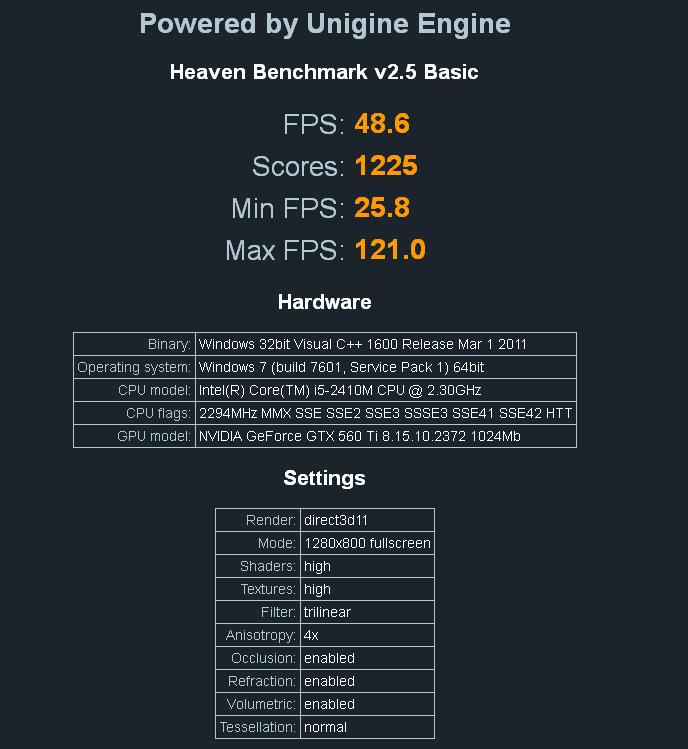
I installed the latest Nvidia drivers, 285.67 (not modified) and it starts correctly, but somehow I only can run Heaven benchmark if I downclock the card from 900Mhz to like 850 Mhz. The same as it did when I had the old PSU. Now I have what you suggested (Corsair 430 80+), so it should be enough. Also BF3 can run with 850 Mhz only. Before I could overclock even to 965 Mhz, no problem. Do you think it is because of the new driver? By the way, I had better Heaven score with new driver and slower clock speed, see attached.Attached Files:
-
-
Did you set the link speed to G1 in Setup 1.x?
-
The specs i think is atleast outdated by few months.. since now they are selling i5-2430.. not sure if that make any diff expect in the clock speed which is not much..
the only think that makes me think again about my selection(E420) is it does not have USB 3.0 and if the PLXtech concept come into production, i am not sure using a express card to usb 3.0 conversion will work for it.. -
No, I didn't touch that, should I?
-
Try that. It could be trying to run in G2 speed which causing eGPU unstable.
-
Ok, I will. So the PSU cannot be an issue, right?
-
Hey Khenglish!!
Tried to start egpu the way u asked me to, but when I load egpu setup 1.X from laptop boot, i get 4 options to choose from..
1.One for automated startup using startup.bat
2.menu based
3.dos prompt
4.chain load your OS from MBR
Which ever option I choose, it freezes in the next screen that comes ..wen I choose menu based, the screen freezes or something but the cursor is still blinking ..it says "starting DIY eGPU Setup 1.0f : menu-based . . ."
That's it ..I can't go ahead.. Cursor is still blinking but no activity at all.. I have to hold down power button to shut the laptop down.. I get blank screen wen I try booting laptop with eGPU turned on and plugged into express card slot..windows boots up cos I can hear the log in sound and also notice hard drive activity but blank screen on the laptop..
I know I'm making a mistake somewhere but jus not able to find out where..
I installed eGPU Setup 1.0f on c drive.. Went thru steps.. It auto mounted on to v virtual drive and then restarted but somehow I'm not able to move forward in the setup..
Thanks. -
Hey Kizwan...
Tried doing wat Khenglish asked me to but I ran into trouble trying to run the setup.. I somehow can't go forward in the 1.0f setup..I have been trying to figure out since last six hrs and I still can't figure out where am I going wrong.. Will try doing it all over in da morning.. I'm dead tired..
Will try posting some pics tomo so that you guys can have a clear look at it..
I was so excited wen I got the PE4L today hoping it would be a smooth walkthrough but I'm screwing up somewhere..hope I get it right in da morning..
Thanks.Last edited by a moderator: Feb 6, 2015 -
Try to plug in the eGPU only when the menu based setup 1.x is already started. At least it help to me...
-
I can confirm that I had previously tested 'analyze' and 'compact' binaries finding they would freeze when run on a R840/R830. These binaries are started when booting Setup 1.x. The R830/R840 being the only systems I found that freezes when they run.
I'd suggest power on your DIY eGPU, disconnect the mHDMI cable, power on your R840 and hit F8 to halt Win7 boot. Then attach the mHDMI cable to the EC2C and hit ENTER to boot Win7. I can tell when the GTX460 has been successfully attached this way (is on the pci-e bus) as the fan noise becomes slightly muted. -
I tried BF3 by the way. First ultra settings. The subway prologue was very smooth, but when the first chapter started it was like 2-3 FPS. I set back to high details and then it was very smooth again. I didn't check it with fraps, but more than playable.
-
It is unlikely PSU is the issue.
-
I hardly call it a dream since it's limited to 20Gbit/s. A dream would be like an external pci-e 2.0 16x interface. 32Gbit/s ftw.
But yeah several manufacturers announced those combos. Problem is with applecrap that could lawsuit them as usual. -
Hi all,
I am looking to purchase a new laptop soon and external graphics card capabilities are very important to me.
I have lurked a lot and read a lot of Nando's posts (thanks btw), and I have reached several conclusions. I would appreciate it if someone could tell me whether the following are correct:
I currently can get the effective bandwidth of a pcie 1.0 x4 connection if I get a sandy bridge notebook with an mpcie slot ( = pcie 2.0 x1 bandwidth = pcie 1.0 x2 bandwidth), and then connect a Fermi card and benefit from that bidirectional goodness.
If I go this route, I will have to use an mpcie connector because standard expresscard 2.0 slots are not available on laptops. So, I will have to get an external usb wifi stick and will have to open up my laptop to some degree to connect and disconnect the egpu to the mpcie connector.
Currently, no USB 3.0 solution that offers pcie 2.0 x1 bandwidth (which then could be doubled with a fermi card) is available, but some are under development.
Very soon, thunderbolt solutions will be available, but they will be absurdly expensive >$400. (However, are the products I'm thinking of, like those from MLogic or Magma, high-end professional solutions? Is there a chance that something simpler that just provides an expansion slot for a single pci-e card will be cheaper?)
And finally, dyi thunderbolt solutions are in the works but there have been troubles with the cabling.
So, assuming my priority is bandwidth, my best bet at the moment is the expresscard 2.0 + fermi option. Sometime soon, a USB 3.0 + fermi solution will be available that will offer the same bandwidth but will not require me to open up my laptop to get to the mpcie connector.
Meanwhile, thunderbolt solutions are distant and/or expensive, and thunderbolt ports are really rare. And apart from Thunderbolt, there is nothing on the horizon (within 3 months or so) that will beat the bandwidth of expresscard 2.0/usb 3.0 + fermi.
Please let me know if my thoughts accurately describe the state of egpus.
Thanks in advance.
EDIT: Also, what is this I see about "PE4H allows desktop video card to be hosted externally and shared b/w notebook and desktop (@x4 2.0 speed via P4HA)." -
Hey Kizwan... Now I see the option in manage 3d setting..to select internal (intel gpu) or the nvidia(egpu)..I followed the way Nando asked me to boot..so does this mean optimus is enabled??Last edited by a moderator: Feb 6, 2015
-
Tried it..but still it would freeze wen I try to load the menu based setup..
-
Hey Nando..
I booted up exactly the way u asked me to and now the laptop fan is back to its normal speed and the system boots up on to laptop screen..I'm using the verde 285.27 driver..when I check the device manager , now there are two gpus in the diplay adapters (intel HD & GTX 560Ti).. it dint show two adapters before...when I open nvidia control panel, in manage 3d , I see high performance nvidia processor and integrated graphics.. Does this mean optimus is enabled? But how come external monitor is blank? How come I can't access the egpu 1.0f menu based setup.. It's always getting stuck there wen I try to access it during laptop boot.. -
How do I know which port I have to set to G1? As I plug the eGPU only after setup 1.x started, it doesn't show it. P1 is for intel, there is P4 empty and P6 for something else. I tried it with P4, Windows starts, but even more unstable.
Shall I rather try to reinstall the old drivers? -
Optimus should work now. You can activate GPU activity icon if you want. You can monitor Nvidia GPU activity with it.
![[IMG]](images/storyImages/NvidiaOptimusGPUActivity.jpg) Last edited by a moderator: Feb 6, 2015
Last edited by a moderator: Feb 6, 2015 -
Did you tried setting the external monitor to be primary/main display in Control Panel? Your notebook can't use Setup 1.x.
You're using ExpressCard slot right? I don't think the problem lies in the driver though. -
Ya I see all that and I activated the egpu icon..but its plain blank white for me..no activity...unlike yours in the picture...but the thing is wen I go into multiple display settings, my external monitor is not detected.. Only internal LCD is seen...
And now the system is frequently crashing giving a blue screen of death...
i have been gettin the nvlddmkm.sys BSOD errorLast edited by a moderator: Feb 6, 2015 -
Can anyone answer me ?
-
pci 2.0 support is scheduled for mid November. There has been no progress with thunderbolt.
-
Is an error code listed with the 560 in the device manager?
-
The nvidia egpu icon in the taskbar doesnt show any activity..
I get frequent BSOD with nvlddmkm.sys error...
im posting some screenshots hoping anyone can find something that im missing...
whenever i run gpu-z, the laptop shuts down with BSOD nvlddmkm.sys error..
cant access the egpu setup when laptop boots...it will jus freeze there once i enter the setup...cant go forward... have to shut down the laptop..
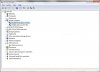
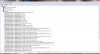
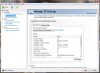
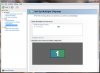
-
I known this is notebookreview but this thing proves something.
![[IMG]](images/storyImages/RU1144A_P1.jpg)
http://www.highpoint-tech.com/USA_new/series_RocketU1144A-Series.htm
this card has four ASMedia USB 3.0 host controllers. it proves that is possible to combine several usb 3.0 ports into a pci-e slot.
so in theory it would be easy to built a device that would combine several mini pci-e to usb3.0 ports into a pci-e x16 slot -
OK BF3 is now unplayable again; I don't know if I was fooling myself before thinking it was better, but now it is most certainly NOT a playable experience. On both large and small maps I get significant input lag and rarely get FPS above 30 when I am near any other players.
I would NOT consider the eGPU a solution to play BF3 online if that is what someone is intending to do. -
Yeah, I'm using EC. Well, it was working correctly untill I installed the latest drive 285.68. When I got home today, I tried again, and it froze again even with downclocked clock. I tried G1 force on P4 (P1 is for Intel, P6 is for RealTek, and P4 is the only empty one), but got even worse. I started to install-reinstall drivers again and again and it got worse, so I ended up a clean Win7 install. Just finished it...
Now, I only have Nvidia 265.77 notebook driver and setup 1.x, nothing else (regarding eGPU). Shall I try to install the latest notebook driver again (285.68) and then the latest desktop driver (285.68), or only the desktop? -
Your problems may be due to the card trying to run the pci-e 2.0 spec. Since you can't use Nando's setup program, you'll have to set the port to gen1 while in windows. To do this you need to install BAR-EDIT. Open BAR-EDIT and select Bus 0 Device 28. The function you select depends on what port # your 560 is connected to. ex. port 1 corresponds to function 0, and port 5 to function 4. Once you have selected the function, change bit 0 to 1, and bit 1 to 0 in the leftmost box in row 070.
For more info see here and search "5.0 gt/s".
UPDATE: I tried the above and it had no effect. Apparently nando sets something else to force the 1.1 spec so you'll have to get a response from him. -
oh ok...thanks Khenglish.. im stuck... this sucks... its strange how i jus cant go forward from main screen in the nando's egpu setup during boot up... i tried every possible way such as plugging in egpu at vairous intervals but still it jus freezes ...i have no clue where im going wrong.. if i try using gpu-z i get BSOD... is it something to do with memory??? i only use 3gb in the laptop to avoid TOLUD issues ..
-
So, the EC slot is at PCIe port#4 (P4)? Regarding the driver, just install the latest desktop driver.
Can you check something for me please. Please check using HWiNFO32 for the ExpressCard maximum link speed. ExpressCard on all SB notebooks is ExpressCard 2.0 (PCIe 2.0 5Gt/s), right? -
Ok so here is a snap where the egpu setup process freezes...cant get past this screen.. the cursor keeps on blinking...
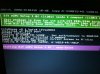
and also the BSOD that i keep on getting on my laptop screen when i try to open some graphic intensive app...
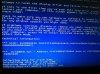
i am using the verde 285.27 driver.. maybe i should change the driver.. i will try the 275.33 driver and give a shot again... -
Can you confirm:
(i) the "Setup 1.x (DOS prompt)" menuitem boots to DOS without any problem on your system. Then typing 'grub4dos mbr' chainloads OK back to the Windows bootloader menu or straight to Windows.
(ii) if "Setup 1.x (DOS prompt)" boots OK, then hotplug your eGPU, run 'lspci -tv -n'. A NVidia card will be shown under the 0:1c.* tree as "10de:xxxx". Unplug/replug the mHDMI cable until you can see it.
From this I need you to identify the xxxx number shown against your video card and the port (0:1c.*) it's hanging on. If it's easier, hit ALT+DEL after you run 'lspci -tv -n', then take a screenshot. After doing that, boot to windows navigate to the image/USB to \diag and post the screenshot.
Once I have those details I can provide info on how to set your expresscard slot port to G1 speed in case it's causing the problem as it has for some. Yours is the first R840 implementation so we definitely want to get it going. -
Hey Nando...
bad news again..
(i)..i booted into DOS prompt as u suggested and then when i type in grub4dos mbr , the next screen that comes up it freezes there which says Starting cmain() ...please have a look at the pics...
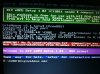
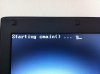
-
Hmm.. The Toshiba it not DOS friendly. Anyway.. can you still run the 'lspci' commands as outlined in my last post so we can identify the port the eGPU is attached to and the pci-ID of your NVidia card? We can switch to G1 speed from within Windows by using Baredit or r-w everything.
-
I don't know if the P4 is the EC, I don't know how to check it. But I tried to force G1 on P4 once, no success.
I downloaded this software, where can I check the EC max link speed? As far as I know all EC on SB laptops are EC 2.0. -
Is that you want to check?
Attached Files:
-
-
ok here are the screenshots with lspci commands... im sorry but i couldn't make out what you were asking from it..don wanna report some wrong numbers.. please have a look..thanks
-
You can check the ExpressCard PCIe port # using AIDA64. Like this (see picture below), look at the PCIe port # where the eGPU is connected to (in Motherboard \ Chipset \South Bridge). That is how to know the EC PCIe port #.
![[IMG]](images/storyImages/DellStudio1557eGPUHD5870AIDA64.jpg)
This is example how to check EC max link speed (select the eGPU):-
![[IMG]](images/storyImages/DellStudio1557eGPUHD5870HWiNFO32.jpg) Last edited by a moderator: Feb 6, 2015
Last edited by a moderator: Feb 6, 2015 -
Hi Nando4! (Sorry, kizwan, of course!)
I'm not home, I cannot plug in the eGPU, only can reach my laptop via logmein.com.
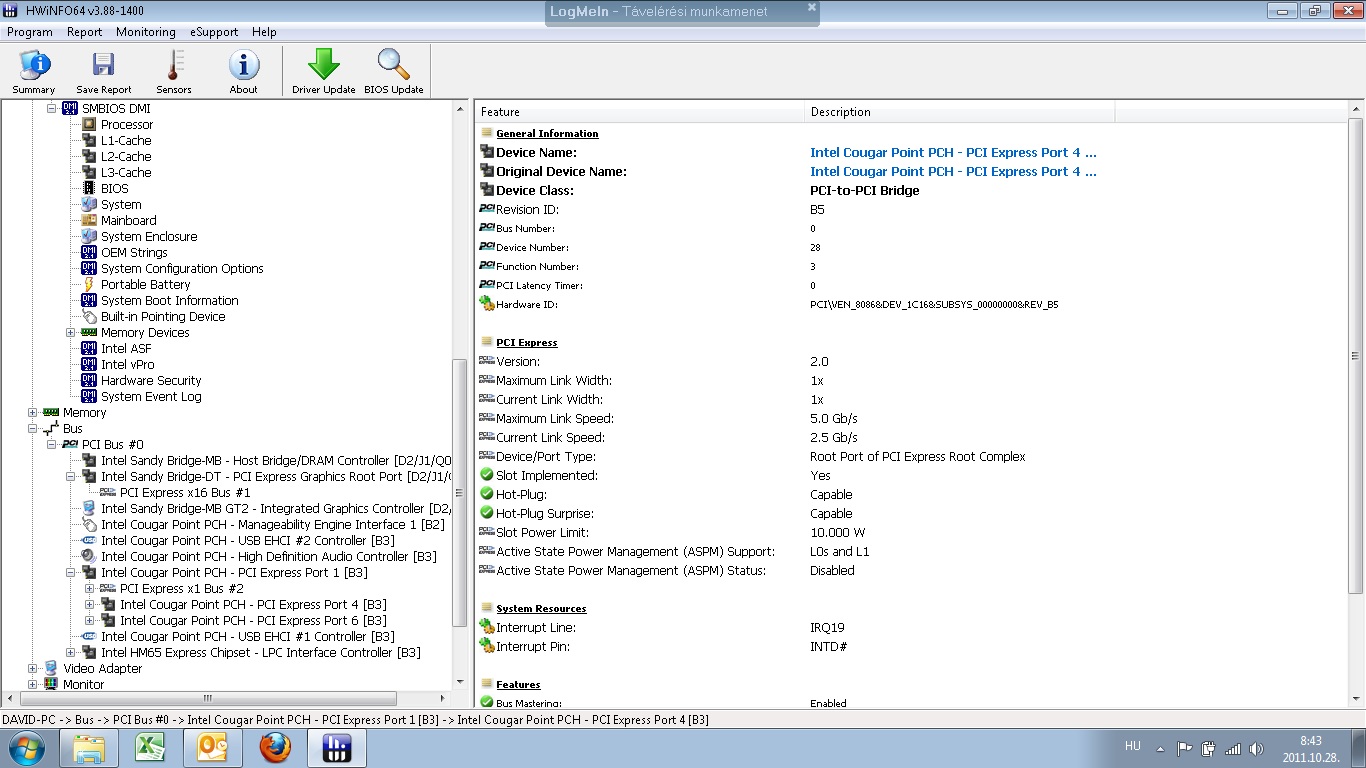
I made a screenshoot, please check. It seems like the only port I don't have anything is P4 (although it says "in use"), so I checked the speed of P4 as well...Attached Files:
Last edited by a moderator: Feb 6, 2015 -
-
OK, that is what I'm looking for.
![[IMG]](images/storyImages/72057d1319789202-diy-egpu-experiences-n-vtelen.jpg)
According to the HWiNFO32, it is ExpressCard 2.0 (PCIe 2.0 5Gb/s). Do BIOS have menu for setting ExpressCard to work on Generation 1/Generation 2? It's weird, setting to G1 make eGPU unstable on your notebook. It completely opposite than everyone usually got.
I guess you're going to install desktop driver tonight right? Use one driver for both dGPU & eGPU. To accomplished this you'll need to add dGPU PCI ID in nvam.inf file.Last edited by a moderator: Feb 6, 2015
DIY eGPU experiences
Discussion in 'e-GPU (External Graphics) Discussion' started by master blaster, Sep 18, 2009.


![[IMG]](http://i1236.photobucket.com/albums/ff457/Kizwan_Chronos/NvidiaGlobalSettings.jpg)




![[IMG]](http://forum.notebookreview.com/attachments/gaming-software-graphics-cards/72057d1319789202-diy-egpu-experiences-n-vtelen.jpg)