 Problems? See this thread at archive.org.
Here is a crappy video I just made of my X220+eGPU on battlefield 3 :
Lenovo X220 + eGPU + Battlefield 3 - YouTube
-
-
Please ignore my previous post. No need to delete any partition. I got time to simulate the partition layout & I got the same error (missing operating system). You just need to set in Setup 1.x:-
Chainloader \ mode [win7]
After that, go back to main menu & choose "chainload win7".
The reason of the problem are because you're using older version of Setup 1.x & your HDD partition layout; primary - logical - primary. -
Hey thanks for your help...
I just realized that I deleted the old version of the Setup 1.x and am now trying to use the newest one. I changed the chainload to w7 mode but when it chainloads now, it's fine for a while then I get a blue screen... -
With the latest version, you should be able to use "chainload mbr". When do you get BSOD? While windows loading or after?
-
when i use chainload mbr with the latest version I still get the Os missing error. I get BSOD while chainloading in w7 mode and it happens while loading windows.
-
If you boot Setup 1.x- (menu-based), then select Chainload win7, do you get a BSOD? I would anticipate not. Rather, are you BSODing after you do PCI compaction? If so, test 32-bit PCI compaction first only on the eGPU. If not successful try the IGP+eGPU. Avoid doing PCI compaction on all devices.
-
k will do as soon as I get home.
-
The 32-Bit compaction isn´t successfull, it hangs always at the same point.
-
Hangs when? According to your previous post you got "This device can not find enough free resources (Code 12)" error. 32-bit PCI compaction should fixed the Error 12. If compaction causing notebook hangs, make sure you follow all three steps ("How do I install this software?" in Setup 1.x page) when installing Setup 1.x. The important part is " v:\devcon\mkdevcon". If not, PC can hangs while doing compaction.
If you still using older version of Setup 1.x, it is recommended to update to latest version. Older version might have bug in compaction routine. -
I will try it again tomorrow, but it still says:"Not a Admin". 1 question: How can I deinstall the old version?
I can´t say it exactly, but when I start the compaction after the second press of Enter. Sadly, the old version won´t start now, it always ends in "Grub" now.
One more question: The installation guide says:":: Create devcon.txt file." What should I write in this .txt file, and where should I save it? -
Hi!
I have an Aspire 5920G with CPU [email protected] and 8Gb RAM.
I ordered PE4H v2.4 2x bandwidth. Please advise me which videocard is best for this?
And what size of video-memory is optimal? -
Just try to proceed with the installation. Should be alright if it says successful. To uninstall the old version, just double click " uninstall-disk-image.bat" in C:\eGPU folder. If the .bat file does not exist, you can removed it manually by following this procedure. Then delete the C:\eGPU folder.
Just need to do all three steps under " How do I install this software?" in Setup 1.x page. Just double-click the .bat file:-
Code:c:\eGPU\setup-disk-image.bat c:\eGPU\eGPU-Setup-mount.bat v:\devcon\mkdevcon.bat
-
Thre removal of the old version was successfull.

Ok, now, after many attempts, the "setup-disk-image.bat" says:
"SCR and DEST are the same-skip copying
copying grldr and menu.lst to C:\ (done)
Zugriff verweigert
Zugriff verweigert
error occurred- Please copy files manually.
1. Defragging C:\eGPU\eGPU-Setup-10f.img manually (done with this program: Defraggler)
2.[XP ntrdr] no C:\boot.ini detected. (unimportant for me)
3.[Vista/W7 bootmgr]-bcedit not detected. (How can I make bcedit? And where it needs to be?)
Done. Press any key to exit ... "
Oh, and I mounted eGPU-Setup-10f successfull as V:.
Edit: Ok, the doubleclick on mkdevcon.bat was successfull too. My last problem is bcedit. Thank you for your help! Your welcome!
-
I had ordered a GTX 460 which came today, so I got around the code 12 issue by uninstalling the drivers for the GTS 250M and the 9800 GTX through device manager. I then hooked up GTX 460 and rebooted the machine. When windows booted up it automatically installed the drivers for both GPUs. The code 12 issue was gone - Thank God! Anyway, I was able to update my drivers to the Verde R285 (285.62) notebook drivers from nvidia's website. All seems to be fine but when I start Modern Warfare 3 I see a lot of horizontal screen flicker. Is there anyway to fix this?
-
Hi, I'm thinking about setting up my own eGPU as my current PC is getting a bit old to play newer games, but I'm not sure how much performance gain I'd see. I've currently got a Sony Vaio SR with an ATI 4570 and a Core 2 Duo p8700 at 2.53GHz, and I'm hoping to get a GTX560. Would that be enough to run something like The Witcher 2 at medium settings?
-
Hey guys, i'm really interested in creating my own eGPU but can someone recommend me the best set up? Here are my specs:
Dell Inspiron 17r
Intel core i5 2410m
4 gigs ram
1gb nvidia geforce gt 525m
Intel 5 series chipset
I want to be able to play battlefield 3 on high settings. Thanks so much. -
How can I create bcdedit manualy?
Edit: Ok, problem solved. -
Hi,
The kit you ordered consist of PE4H board, EC2C ExpressCard card & PM3N mPCIe card. Aspire 5920G have an ExpressCard slot & two mPCIe ports which one is occupied by wireless card. x2 setup only possible with either of these combination of PCIe ports:-
- PCIe port#1 & #2
OR
- PCIe port#3 & #4
OR
- PCIe port#5 & #6
So, you need to find out the PCIe port number of ExpressCard slot & mPCIe ports.
According to Aspire 5920/5920G schematic, the PCIe port number of the two mPCIe ports are PCIe port#2 & PCIe port#4. If ExpressCard slot is PCIe port#1 OR port#3, you can do x2 link setup.
![[IMG]](images/storyImages/ZD1CHAPALA.png)
You can use a software called EasyBCD to edit/add bcd entry. This is the detail you need to know (especially the " path"):-
Code:device partition=C: path \eGPU\grldr.mbr description DIY eGPU Setup 1.0f
I never experience this. Did you tried other games? You can test your GTX460 on a desktop computer & see if you can replicate the problem.
Dell Inspiron 17R (N7110) doesn't have ExpressCard slot & mPCIe port(s) is not easily accessible. It will a bit difficult to use eGPU on this notebook.Last edited by a moderator: Feb 6, 2015 -
Ok, now the newer version works, but it hangs too. Always at the same time when the setup says:
When I press Enter it hangs. I run the 32-Bit Compaction with this settings:Code:--More--<STDIN>(85)-- command:[email protected] equiv of [*compact pciend 100000000 devcon.txt ignore 8086:0116 makebatch R:\config\pci.bat*] Copy R:\config\pci.bat(ram dsk)-> A:\config\pci.bat(drv)... command=call pci.bat Performing PCI write (compact@Sat Nov 12 8:59:01 2011) Press [Enter] to return to menu...
Ignore:GPU 1 or 2 (No matter whether 1 or 2, when I choose "Ignore:None" then the Programm always says:"No solution found", but when I ignore 1 or 2 the programm always hangs) -
Thank you!
I think I can use the PCIe port #1 & #2, that's what I see in everest:
![[IMG]](images/storyImages/everestx.jpg)
But what kind of videcard is better for me to buy? Should I use a gtx 560 or may be better to use the Radeon? -
I can't help you on that. You can run "Save diags" in Setup 1.x & post it here. Nando4 can take a look for you. Everything you need to know how to get the dump file after running "Safe diags" are available in Setup 1.x page.
Other solutions
- Can your notebook boot with eGPU already connected to notebook? If you can, BIOS might be able to allocate resources for your eGPU & this will solved Error 12 you got.
- Did you use D.N.A. drivers? It also can solved Error 12 in certain conditions.
-
Look like you can do x2 link. The ExpressCard slot is most probably PCIe port #1 & the other empty mPCIe port is PCIe port#2. I don't have any recommendation for you. Any ATiAMD & Nvidia graphic card will do. Look like you're leaning toward Nvidia graphic card. Either GTX460 or GTX560Ti are suitable for you. If you want to get GTX560 (without Ti), I think better you get GTX460.
-
Ok. What about 2Gb of video memory? It would be better to x2-link or it does not matter?
Now I choose between GTX560 2Gb and GTX560 Ti 1Gb (same price) -
AFAIK, the video memory doesn't play major role in performance. Better get GTX560Ti.
-
No, it can´t.
No, I used the original Driver, but I will try this out, thank you.
I will do this, thank you again. -
After installation of the newest D.N.A. driver my system don´t says:"Code 12", but it says this now:
In English:
-
Uninstall the D.N.A. driver then reboot. Before windows loading, press F8 to bring up windows boot menu. Choose "Disable Driver Signature Enforcement". Then install D.N.A. driver again.
-
It still says "Code 52", even after the Re-Installation. I will remove the DNA driver an install the original driver. Then I will post the Save diags here.
-
Ok, Windows is crashed after I make the Save diags. It wont boot up. I am writting this from Ubuntu.
-
Windows is okay now after I deleted the eGPU files from Linux.
-
You got me thinking... I tried another monitor and the flicker was gone. So I changed the connect from VGA to DVI on the original monitor and the flicker was gone. Thank God!
Now to my next issue... I tried a round of MW3 and the FPS didn't seem to be the best. It was playble but you could tell that it was below 30 frames. Is there a way to boost the frames by using a tool like MSI Afterberner or is this due to the performance hit you take when using Expresscard? I'm not sure what throughput my Expresscard port is (2.5 or 5 gb); I have an Acer 8940G. Also, I just wanted to say thanks for your help. I really appreciate it!
-
You're running only on x1 link. So, you'll experience stuttering & lagging while playing games, especially when many effects. The only way to boost performance is by doing x2 link setup but only with either of these combinations:-
- PCIe port#1 & #2
OR
- PCIe port#3 & #4
OR
- PCIe port#5 & #6
What is the PCIe port number of the ExpressCard slot? You can check this using AIDA64, go to Motherboard \ Chipset \ "South Bridge". -
The port is Port #4. So is there any instructions on how to do the boost that you are suggesting?
PCI Express Controller
PCI-E 2.0 x1 port #1 In Use @ x1 (Intel WiFi Link 5100 AGN)
PCI-E 2.0 x1 port #2 Empty
PCI-E 2.0 x1 port #4 In Use @ x1 (nVIDIA GF104 - High Definition Audio Controller, Zotac GeForce GTX 460 Video Adapter)
PCI-E 2.0 x1 port #6 In Use @ x1 (Broadcom NetLink BCM5784M PCI-E Gigabit Ethernet Controller)
PCI-E 2.0 x1 port #8 In Use @ x1 -
To do x2 link setup, you need to connect another PCIe port to PE4H. Since ExpressCard is PCIe port#4, you need to connect another link from PE4H to PCIe port#3. Unfortunately, PCIe port#3 is not available. You can use PCIe port#1 & #2 to do x2 link IF PCIe port#2 is physically available (in a form of mPCIe port). Can you check how many mPCIe ports available on your notebook?
You can go to my eGPU experience post to see performance comparison between x1 & x2 link. -
Port #2 shows 'Empty' but where do I go to see how many are available? Also, I'm not sure what you mean by 'you need to connect another PCIe port to PE4H'.
-
If you flip your notebook, you can see removable cover. In the cover you can find WIFI/RAM/HDD. If you open the cover, you can check yourself how many mPCIe port(s) available. AIDA64 can report how many PCIe ports available but it doesn't mean they are physically available (in a form of mPCIe ports). If you go to my eGPU experience post, you'll understand what 'you need to connect another PCIe port to PE4H' means.
-
I took a picture of what I have. I'm not sure if that white port is a mPCIe port or not.
![[IMG]](images/storyImages/imag0204h.jpg)
-
According to Review Acer Aspire 8940G Notebook - Notebookcheck.net Reviews , there are two mPCIe ports where WIFI card is connected to one of them. We know WIFI card is at PCIe port#1. So, the mPCIe port where WIFI card is connected to is PCIe port#1. You just need to confirm the other one mPCIe port is PCIe port#2. To do this, move the WIFI card to the other mPCIe port, boot into windows & check in AIDA64 the PCIe port number for the WIFI card. If the WIFI card is now appeared at PCIe port#2, you can do x2 link with both mPCIe ports (PCIe port#1 & #2). This also means you can't use WIFI when using eGPU. You also need to get two PM3N cards to do x2 link.
In my eGPU experience post, under " eGPU ATI HD5870 @x2 link Setup" you can see these pictures show the connection needed for x2 link setup:-
![[IMG]](images/storyImages/DellStudio15572xPM3NonPCIeports12.jpg)
![[IMG]](images/storyImages/eGPUATIHD5870x2.jpg)
In the picture above, you can see two mHDMI cables connected PE4H to two mPCIe ports on the notebook (located underneath). This is what I meant by 'you need to connect another PCIe port to PE4H'. (Sorry for my poor choice of words.)
EDIT: This picture show two mPCIe ports where WIFI card is connected to one of them (black). The white one also mPCIe port.
Last edited by a moderator: Feb 6, 2015 -
OK, I'm already a couple hundred dollars into this; come to far to turn arround. lol I'll have to order two mPCIe cards.
Thanks again for your help. -
Can i have some advice on doing it anyway?
-
Did you checked & confirmed the other mPCIe port (white) is PCIe port#2?
Most probably the mPCIe port(s) is located under the keyboard. Find out how to removed the keyboard. The Dell Inspiron 17R (N7110) have Intel HD 3000 iGPU. So you only need one mPCIe port to do x1.Opt setup with Nvidia Fermi desktop graphic card. Opt=Optimus provide PCIe data compression which boost performance over PCIe x1 link. -
i have the intel hd 3000 and a nvidia geforce 525m with optimus. does that change anything?
-
"The PE4H(support PCIe 2.0) with housing is developing now and will be available in middle of November. In addition, the EC2C(support PCIe 2.0) is also developing and will be available in begin of November. I think you can buy PE4H-EC2C(support PCIe 2.0) in middle of November if the production is smooth. "
Can't wait to see these babies working. I wonder how boosted pci-e 1x 2.0 performances will be over pci-e 1x 1.0 in real life !!! Should bring smooth gaming on the internal screen !!!! -
As long as your notebook have Intel HD 3000, you can do x1.Opt setup with Nvidia Fermi desktop graphic card. BTW, I found Dell Inspiron 17R (N7110) motherboard:-
![[IMG]](images/storyImages/DellInspiron17RN7110.jpg)
See the "ethernet" & "VGA" ports in the above picture. Then compare with the picture of the rear of your notebook (source: Notebookcheck.net):-
![[IMG]](images/storyImages/8807dd5637.jpg)
When you compare the "ethernet" & "VGA" ports orientation, this show the two mPCIe ports (WLAN & WIMAX) are facing upside. Probably accessible after you removed the keyboard from it place.
EDIT: Please post screenshot of Device Manager (set View to " Resources by connection" & expand the Memory tree).Last edited by a moderator: Feb 6, 2015 -
Here you go:
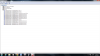
-
![[IMG]](images/storyImages/72584d1321124246-diy-egpu-experiences-memory.png)
Thanks. First PCI bus with 8 digits memory address is 0xBFA00000 which means TOLUD is 3GB. TOLUD will not be a problem anyway because you can & need to disabled nvidia geforce 525m dGPU (using Setup 1.x) to allow eGPU later.
Did you check whether you can access the mPCIe port under the keyboard?Last edited by a moderator: Feb 6, 2015 -
Here are pictures of what i found under the keyboard. i don't know which one the mPCIe slot is.
EDIT: Right click and "open image in new tab" to see the pictures. -
The pictures doesn't show any mPCIe port. The mPCIe ports should be on the right.
-
my cd rom drive is the only thing on the right... -
Look like you need to disassemble your notebook to access the mPCIe port. So, it will be difficult to use eGPU with this notebook.
Anyway, if you want to know, the two mPCIe ports are located at right side, above DVD drive & near the USB 3.0 ports (on the right), as shown here. To access the mPCIe ports you might need to removed the Palm-Rest Assembly.
DIY eGPU experiences
Discussion in 'e-GPU (External Graphics) Discussion' started by master blaster, Sep 18, 2009.


![[IMG]](http://notebookschematic.com/wp-content/uploads/2010/06/ZD1CHAPALA.png)
![[IMG]](http://i1236.photobucket.com/albums/ff457/Kizwan_Chronos/DellStudio15572xPM3NonPCIeports12.jpg)
![[IMG]](http://i1236.photobucket.com/albums/ff457/Kizwan_Chronos/eGPUATIHD5870x2.jpg)

![[IMG]](http://i1236.photobucket.com/albums/ff457/Kizwan_Chronos/Dell%20Inspiron%2017R%20N7110/DellInspiron17RN7110.jpg)
![[IMG]](http://forum.notebookreview.com/attachments/gaming-software-graphics-cards/72584d1321124246-diy-egpu-experiences-memory.png)