 Problems? See this thread at archive.org.
Hi useafo,
I have three (+1) questions for you.
- Can your notebook boot with eGPU already connected?
- Have you try this?
- Power on notebook.
- Boot into windows.
- Put notebook to sleep.
- Connect eGPU.
- Resume notebook from sleep.
Does eGPU detected when you do like the above?- What is the specification of your PSU 600W? Especially max current on the +12V.
-
To answer all of the quesions:
1-No.
2-Yes I have tried it all the above, but none of them work.
3-Intex 600W AC Input 230V, Output Max: 12V/28A -
Please try this then:-
- Power on eGPU but do not connect to notebook yet.
- Power on notebook.
- Before windows loading, press F8 to bring up windows boot menu.
- Connect eGPU (the EC2C card) to notebook.
- Resume to boot into windows.
-
Set C: PCIe port #1 (black mPCIe port)
(Laptop Locks up) This happens... I have to power off the notebook/eGPU sometimes serveral times before it will recognize eGPU and/or not lock up.
Set D: PCIe port #2 (white mPCIe port)
(eGPU was detected first try.)
I did the above and now when I do chainload win7 I get this:Code:[B][COLOR="Red"]#[/COLOR]chainloader /bootmgr #OR chainload bootmgr off a specific partition, eg:hd0,1 chainloader (hd0,1)/bootmgr[/B]
GRUB4DOS 0.40.52B 2011-07-10, Mem: 613k/3057M/1024M, END: 351031
[Minimal Bash like line editing is supported. Fro the First Word, TAB lists possible command completions. Anywhere else TAB lists the possible completions of a device/filename.]
I'm note sure what I'm supposed to do here... -
OK. Now we established that PE4H port x1 must connect to PCIe port #2 (white mPCIe port).
You need to solved the Chainload issue. Do you know your HDD partition configuration? Do you know which partition contain windows? -
I have just the C: drive listed in Windows Explorer. Not sure what else to look for.
Also, if I change PCIe port #2 to PE4H Port x1 then I get this below where Port 1 is showing x2 with GTX 460 but Port 2 is showing x1 in use. When it's 1 to 1 and 2 to 2 then it shows x2 on port 1 and port two shows empty.
PCIe port #1 to PE4H Port x1
PCI Express Controller
PCI-E 2.0 x2 port #1 In Use @ x2 (nVIDIA GF104 - High Definition Audio Controller, Zotac GeForce GTX 460 Video Adapter)
PCI-E 2.0 x1 port #2 Empty
PCI-E 2.0 x1 port #4 Empty
PCI-E 2.0 x1 port #6 In Use @ x1 (Broadcom NetLink BCM5784M PCI-E Gigabit Ethernet Controller)
PCI-E 2.0 x1 port #8 In Use @ x1
PCIe port #2 to PE4H Port x1
PCI Express Controller
PCI-E 2.0 x2 port #1 In Use @ x2 (nVIDIA GF104 - High Definition Audio Controller, Zotac GeForce GTX 460 Video Adapter)
PCI-E 2.0 x1 port #2 In Use @ x1
PCI-E 2.0 x1 port #4 Empty
PCI-E 2.0 x1 port #6 In Use @ x1 (Broadcom NetLink BCM5784M PCI-E Gigabit Ethernet Controller)
PCI-E 2.0 x1 port #8 In Use @ x1 -
Just a small OT: I have now in pole position the Samsung Series 4 notebook, I'm only worried to be the first in testing the eGPU :-\ none here has tried before the DIY eGPU with this config?
-
Please read this to understand what I'm trying to say: Disk partitioning - Wikipedia, the free encyclopedia
Port #2 should disabled after setting x2. Port #2 is not disabled because you reboot instead of Chainload & boot into windows. Not important whether Port #2 is empty or "in use". I'd prefer 1 to 2 & 2 to 1 because it can detect eGPU without any problem. BTW, you said when on x2, eGPU got Error 12. What happen if you only do x1 link using PCIe port #1 or port #2? Does it get Error 12 too? -
Use 'chainload mbr' instead. Hit F1 to get context-sensitive help in Setup 1.x.
Yes, you'd be the first to implement a DIY eGPU on a Samsing Series-4. Likely others have choosen a lighter 12.5" Lenovo X220 or heavier HP 2560P over it. Can see the introduction in the thin-and-light link in my sig for details of how to check TOLUD prior to purchase to have confidence in being able to do a successful implementation. -
I tried to do this, but nothing happens. I am not giving up until I say so, any other suggestions may be helpful.
Edit: It worked for the first time, but the problem occured again, maybe it is mini-hdmi cable fault? -
Yes, either way, x1 or x2 I get the Error 12.
Here is a snapshot of my Partitions.
![[IMG]](images/storyImages/partitioni.jpg)
This did the trick! My screen doesn't go black when connected to PE4H port #1 after choosing Chainload mbr and it looks like port 2 has been disabled too! See my AID64 below. I still have the Error 12 but at least I'm making progress. Thank God!
PCI Express Controller
PCI-E 2.0 x2 port #1 In Use @ x2 (nVIDIA GF104 - High Definition Audio Controller, Zotac GeForce GTX 460 Video Adapter)
PCI-E 2.0 x1 port #4 Empty
PCI-E 2.0 x1 port #6 In Use @ x1 (Broadcom NetLink BCM5784M PCI-E Gigabit Ethernet Controller)
PCI-E 2.0 x1 port #8 In Use @ x1
Now I just need to figure out this Error 12! -
Wow! That did the trick! My screen doesn't go black when connected to PE4H port #1 after choosing Chainload mbr and it looks like port 2 has been disabled too! See my AID64 below. I still have the Error 12 but at least I'm making progress. Thank God!
PCI Express Controller
PCI-E 2.0 x2 port #1 In Use @ x2 (nVIDIA GF104 - High Definition Audio Controller, Zotac GeForce GTX 460 Video Adapter)
PCI-E 2.0 x1 port #4 Empty
PCI-E 2.0 x1 port #6 In Use @ x1 (Broadcom NetLink BCM5784M PCI-E Gigabit Ethernet Controller)
PCI-E 2.0 x1 port #8 In Use @ x1
Thanks a lot for the tip nando4! -
Can anyone please tell me asap if an egpu will work on a Samsung rc512? I can't find anything on it...
-
What doesn't work? Can you be more specific? eGPU not detected? eGPU detected but not working (what error code?)?
Wait a sec. I thought you said it "black screen" right after connecting the eGPU (PE4H port #1 <--> PCIe port #1), not after Chainload. So, I can assume when you said your notebook doesn't display anything ("black screen") on the screen if eGPU already connected is because "Chainload win7" simply unable to find windows partition. I think your notebook can boot with eGPU already connected now. -
Samsung RC512 has a GT525M w/Optimus so same details as per the W520 query here applies. Since the RC512 has no expresscard slot it would be a mPCIe-based DIY eGPU implementation so ensure the wifi mPCIe slot is accessible via the underside covers.
-
It can work. <strike>However, look like it doesn't have Intel HD 3000 iGPU which is needed for x1.Opt setup.</strike> This notebook have Nvidia Optimus setup (Samsung website didn't mention about it though), so you can do x1.Opt. It doesn't have ExpressCard slot. You can do x1.Opt with mPCIe port if they are easily accessible. <strike>x1 will not deliver good performance though. You'll experiencing stuttering & lagging when playing games.</strike> When PCIe 2.0/Gen2 compliant kit available, you'll get better performance because PCIe will run at native speed which is 5Gb/s instead of 2.5Gb/s now. <strike>If you have access to the computer, please post screenshot of Device Manager (set View to " Resources by connection" & expand the Memory tree).</strike>
-
anyway i can find out without buying laptop first?
-
You can get the information you need from anyone who already own this notebook: http://forum.notebookreview.com/samsung/550003-samsung-rc512.html
-
no one is going to open up their laptop to check for me so i guess i'm out of luck.
-
Yes, that is what I said and thats still true... I took your advice and I'm doing PE4H port #1 <--> PCIe port #2. I'm just saying that now it doesn't get the black screen when I do Chainload mbr. (Remeber by the time I've done the chainload, I've already had to disconnect the PE4H port #1 cable during the system boot so I can load the Setup 1.x sortware.) Even after the chainload mbr, it still gets the black screen if I do a simple reboot and I don't remove the cable from PE4H port #1. I still have to disconnect the PE4H port #1 cable if I reboot.
Also, I still have the Error 12. So I'm essentially still not able to use the GTX 460 yet. It's frustrating... -
Bargain Lenovo X200 ultraportables for Aussies
There are some fine two-gens older 12.1" Lenovo X200 systems on graysonline. It makes an excellent DIY eGPU candidate:
Lenovo X200: >$169 + 15%. Probably a P8400-2.26 or P8600-2.4. Pickup Melb.
These have 16:10 LCDs and are lighter/narrower than the most recent X220. Schematics are available online and I believe both could be overclocked to ~3Ghz with a 266->333 PLL pinmod. Kind of wished I had got to play with one of these machine earlier. The X200's competitor, a HP 2530P's also occasionally appears on grays with overclocking and DIY eGPU implementation already documented. -
- In Setup 1.x, what is the "largest_free" reported (at top-right corner)? (I bet 64MB, am I right?)
- Please try 32-bit PCI compaction again.
- If after 32-bit PCI compaction, eGPU still get Error 12, please try 32bitA PCI compaction.
- If after 32bitA PCI compaction, eGPU still get Error 12, please run "Save diags" in Setup 1.x. Detail on how to get the diagnostics dump is explain in Setup 1.x page ("5. How do I access my diagnostic dump or screenshots?"). Post the diagnostic dump here.
Possible Alternative Solution
I remember you able to get GTX460 running successfully connected to ExpressCard slot. The method you use is by booting your notebook with eGPU already connected. Please try this method, it might help you solved the Error 12.
- Connect both PM3N cards to both mPCIe ports but do not connect these cards to PE4H yet.
- Connect PE4H port x1 to EC2C (ExpressCard) & plugin EC2C to ExpressCard slot.
- Power on eGPU.
- Power on notebook.
- Boot into Setup 1.x.
- Unplugged EC2C.
- Press F5.
- Set x2 at PCIe port #1.
- Connect PE4H port x1 to PCIe port #2 & PE4H port x2 to PCIe port #1.
- Press F5. Make sure eGPU is detected.
- (added - confirmed by wreelsw here) Run 32-bit PCI compaction
- Chainload mbr.
Yeah, probably miniHDMI cable is faulty. Have you try connecting eGPU while in Setup 1.x? If you haven't, try that. -
Come and think of it, I have installed DIY vidock setup, and every time I want to access to the setup, I get back to the main boot menu and cannot access to the DIY eGPU or vidock setup. Any suggestions?
-
Come and think of it, I have installed DIY vidock setup, and every time I want to access to the setup, I get back to the main boot menu and cannot access to the DIY eGPU or vidock setup. Any suggestions
Sorry for the double post
-
When installing Setup 1.x, did you follow the 3 steps procedure to install Setup 1.x as described in Setup 1.x page?
-
Yes it is 64MB Here is my diag snapshot.
![[IMG]](images/storyImages/scn003.png)
Also, 32bit and 32bitA both get not resolution for PCI Compaction.
The Possible Alternative Solution rendered the same result - Error 12. -
If your notebook boot with eGPU connected to EC2C, "largest_free" should be 256MB. Please confirm this.
-
Before I saw you last message I just booted with the Experss card connected and the Error 12 went away. Now the think I noticed was Port #1 installed on PCI bus 1, which is the same PCI bus as my dedicated video card. Port #4 installed the card on 'PCI bus 5, device 0, function 0'. So I'm guessing the PCI bus 1 is where the conflict is coming from. If that's the case, is there a way to change the PCI bus address for port 1? I will check the Express Card connection 'Largest_Free' in a moment and report back.
-
Did you follow the "Possible Alternative Solution" carefully? Basically boot with eGPU connected to EC2C but do not boot into windows yet, boot into Setup 1.x. Then disconnect EC2C & connect both cables to PM3N cards. Step no. 11 is when you chainload windows. Please follow the steps properly.
<strike>Dedicated ATI graphic card on my notebook also at PCIe port #1.</strike> They are not electrically connected to the same lane. Dedicated graphic card (dGPU) is connected to North Bridge PCIe 2.0 5Gb/s port <strike>#1</strike>, while eGPU is connected to South Bridge PCIe port #1.
One more thing, when you boot with eGPU already connected to EC2C (the only connection that you successfully boot the computer with eGPU), TOLUD is lowered automatically & this will allow eGPU to work. If you connect eGPU after BIOS initialization, meaning in Setup 1.x or in windows, you'll get Error 12 because there is only 64MB free PCI space. This is special feature on our notebooks. -
I did exactly what you said again and it showed 128MB for the 'Largest_Free' but I still got the Error 12 when the driver isntalled.
![[IMG]](images/storyImages/scn011.png)
-
OK. At least some progress. Do the "Alternative Solution" again but right before "Chainload", try 32-bit PCI compaction.
-
You sir, are a genius! The PCI compaction works when there is 128MB 'Largest_Free'. I did that and now the Error 12 is gone... Thank God! I ran a 3dmark 06 test with the GTX 460 and got a 8774 3Dmarks 06. Not sure if that's a normal score for a GTX 460 768MB card.
Now, I still have the black screen on cold boot/reboot. I tried to reboot the machine and got the black screen. Since I couldn't see anything I had to power off the laptop and let it boot up without the Port #1 cable connected. Once I did that, my x2 configuration was gone and the GTX 460 was not even recognized in AID64. So I had to do the whole 'Alternative Solution' procedures (including the 32bit PCI Compaction) again to get the card recognized again. So, is there a way to automatically invoke the Alternative Solution's chainload mbr configuration during a bootup/reboot? I don't know what the chainload mbr does so I'm not sure why there is no black screen when you do a chainload mbr from the Setup 1.x software, but if I do a cold boot or reboot I get the black screen.
Thanks again for your help. I would have quit days ago if you weren't willing to help me through all of these problems. Much appreciated! God bless... -
Yes I did, but it did not show the setup menu, did I do something wrong?
And do I need to disable iGPU from the laptop? -
-
In stock-clocked form a GTX460/GTX560/GTX560Ti is rated at 160/150/170W TDP (max). So a 203W xbox360 PSU (12V/16.5A=198W) has plenty of juice to run these. Example: techpowerup measured a GTX460 using 155W peak here. Overclocked cards need to be evaluated individually then undervolted/underclocked to fit within the 198W power budget for reliable operation.
-
I think, that score look correct to me. GTX460 768MB is the slowest GTX460 (non-SE) card. If you have GTX460 1GB (involved overclocking), you should get >10k with 3dMark06 as shown here. If you run Resident Evil 5 variable benchmark, you'll see improvement from x1 to x2.
Unfortunately, in your case you'll need to redo the "Alternative Solution" procedure every time you boot (including reboot) your computer since it involved swapping the cables from EC2C to PM3N. When eGPU is connected to ExpressCard, BIOS able to initialized & provided resources to eGPU by lowering TOLUD (even though default TOLUD already low). You can confirm this by checking in Device Manage, set View to " Resources by connection" & expand the Memory tree. Look for first "PCI bus" with 8 digits memory address. You'll see the memory address is now changed (decreased) if you compare it when eGPU is not connected. This is why it is essential to boot notebook with eGPU already connected because if not there is only 64MB free PCI space (confirmed by your experience with EC2C setup before). Unfortunately, unlike my notebook, your notebook BIOS failed to do the job when eGPU is connected to mPCIe port. This is why you need to do the "Alternative Solution".
You have i7 quad core processor, right? Technically it doesn't have TOLUD register. If I'm not mistaken, TOLM register is use to define PCI space. Just FYI.
Please run this command in CMD.exe & then post the screenshot of the output here:-
Code:bcdedit /v
-
There you go:
Attached Files:
-
-
I see there are two Setup 1.x installed. You should install only one. Please removed both Setup 1.x by following this procedure. Run "bcdedit /v" again to make sure there are no more Setup 1.x listed. Delete "C:\eGPU" & "C:\DIYViDock" folders. Then install Setup 1.x again.
-
The site you linked provides several wattage graphs that represent the total system power consumption as shown in the yellow headers of the respective graphs. I am successfully running a GTX460 and a 560Ti each OC with a 203W XBOX360 PSU from the Zephyr series for over half a year. I have modded these PSUs to run silent and passively cooled. A Kill-a-Watt meter shows 170-190W (460 and 560) peak power drain from the wall while Furmarking. This proves the "real" wattage numbers shown here: Leistungsaufnahme: 80 Grafikkarten von AMD und NVIDIA im Vergleich - Leistungsaufnahme Grafikkarte: Furmark (Seite 5) - HT4U.net
^ This is a good reference for comparing GPU power consumption numbers.
No stability issues at all. These PSUs have overheat and short circuit protection. With my passive cooling mod, they do not exceed 65°C under full load, the outside of the case is cooler than my laptop PSU. They deliver all voltages required for an eGPU and are switchable easily. They are portable. They are just awesome. -
Wow this is really bad news. I guess I'll have to use this setup sparingly since this is a true pain to do. Most of the time it takes 2 - 5 tries since it normally locks up, gets a black screen or just doesnt detect the eGPU when I put the PCIe cable into PE4H port #1. Bad news indeed.
Again, thanks for all your help. -
I don't know why it locked up when you connect PE4H port x1 or why your notebook unable to boot if eGPU is connected to mPCIe port. If the problem is ACPI table, I might be able to fixed it. The problem definitely BIOS related. This will involved trying BIOS mod. I don't think you're willing to take the risk though.
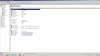
I want to check something. Please install HWiNFO32 & take screenshot of PCI express root port #1, like this (with eGPU connected & working without any error):-
![[IMG]](images/storyImages/PCIeRootPort1.jpg) Last edited by a moderator: Feb 6, 2015
Last edited by a moderator: Feb 6, 2015 -
By setup 1.x, you mean:
1- run as admin setup-disk-image.bat
2- run as admin eGPU-setup-mount.bat
3- run as admin MKDEVCON.BAT
I did everything above, but it doesn't work. -
The first thing the troubleshooting process will ask is "what doesn't work?", "what errors did you see?". I encourage you to elaborate on your statements so can get a timely fix.
-
Been searching all morning and still can't find what I am looking for lol. When is the release date for a thunderbolt to pcie adapter so that we may make our own egpu?
Thanks in advance. -
Hi all! I finally managed to get my 4530s (I was heading for the 4330s but the price and lack of USB 3.0 make me choose the 4530s. (damn ofcourse the one I got didn't have. I am solving this as we speak.)
Well since my plan for cf 5850 went bad (ati supports cf for x4 and above on every chipset. I have been looking for 2-3 months with no result for a patch.)
So I turned to nvidia sli which is supposed to support (with sli patch) even x1-x1 speeds. I connected the two cards (460GTX EVGA FPB 1GB) one on the EC and the other on the internal wifi slot and a one an PE4L and the other on PE4H (pain on the *ss since the setup 1.x antiwhitelist methods don't work) compaction runs fine with 16 mb more free! Computer boots up alright with screens attached to both cards. I disconnect the screens from the 2nd card. Although sli bridge is connected no sli in nvidia drivers. Acceptable. Installation of Slipatch didn't change anything. I read something about P55, H65 and H67 dont support sli. Last thing to check is the new tool hypersli.
Every advice is welcome -
Don't XBOX PSUs already run silently with passive cooling, or are you referring to modding the power cable? Have you posted about your mods? Will you give me a link (the search function on this site is useless)?
-
To clear my statements, the DIY Vidock setup menu doesn't show up. Every time I select the diy vidock setting, it gets me back to the main menu of boot manager.
The bottom line: I can't figure out how to make it work. -
At least the 203W XBOX360 PSUs have a small radial fan (perhaps 40mm) which gives your setup a permanent, IMO quite loud whirr. Dislike. That's why that crappy fan got dismissed from my units in the first place. I took some of these industrial heatsinks, cut to fit the case and screwed them to the metal frames with the regulators. MX-2 thermal grease replaced all these worthless sheets. Attention, the two metal frames in the PSU must not be connected to each other.
Power cable was modded also (original xbox proprietary connector cut off and replaced by proper industrial crimp tyco connector).
Not posted yet. Currently much work at my side.
DIY eGPU experiences
Discussion in 'e-GPU (External Graphics) Discussion' started by master blaster, Sep 18, 2009.



![[IMG]](http://i1236.photobucket.com/albums/ff457/Kizwan_Chronos/PCIeRootPort1.jpg)
![[IMG]](images/storyImages/port1b.jpg)

