 Problems? See this thread at archive.org.
You need to find out what is in ports 1 and 4. One of them is likely your wireless card, the other I do not know.
x2e is for ATI cards and older Nvidia cards (260 included). For some reason these cards have their port set to x4 instead of x2 to get full x2 performance. Fermi cards will use the full performance without setting x4.
-
Can't I just stick one connector to either port 2 or 3, and stick the other one into the Expresscard/54 slot on the side of my laptop?
-
The expresscard slot is one of those ports. You must pair either ports 1 and 2 or 3 and 4 together for x2.
-
Oh, right. That didn't even cross my mind lol. Hmm, when I order the PE4H will it come with two connectors, or will I have to find my own connectors to get the x2 working?
Sorry about the excessive questions. This concept seems too got to be true so I'm making sure I can utilize it effectively to justify the cost.
I'm quite excited to get this started, wonder how long the shipping will take to eastern Canada.
-
I'd suggest weight up the cost vs a complete system upgrade to a Sandy Bridge system. Eg: A Dell E6520 has a 1080P LCD option and can do a x1.2Opt link via a simpler single-cable expresscard slot arrangement. It will outperform any x2/x4 link on your GT627 and give better battery life. They can be had for quite low $$ at the Dell Outlet and can be upgraded to a i7-quad if need more power as Khenglish has shown.
-
My research says that it's 1000 bucks...ouch. My budget is 400 bucks or so, thus I'm doing this roundabout way to achieve better graphics rather than building myself a capable desktop.
GTX 560Ti - $230
PE4H - $110
If I x2 link a GTX 560Ti to my laptop, and OC my laptop dual core processor to 2.9ghz, what sort of performance am I looking at?
My current 9800m GS is pulling 20's for Crysis on all high at 1920x1080. If that number rises to about 40 FPS or so, then I'll definitely go with this. -
The PE4H comes with a expresscard or mPCI-E connector, whichever you choose. For x2 you will also have to order an additional connector, and get an extra mHDMI cable.
I played crysis on my old x2 system. It ran extremely well. I usually ran a 20% OC, including the PCI-E. Benchmarks run better on optimus, particularly 3dm06, but x2 seems to hold its ground in games. You'll only get 10-11k in 3dm06, but 3dm06 is an oddball, with x2 providing acceptable performance in pretty much everything else. x2 beats x1 opt in 3dm01, and 3dm03, so it's a mixed bag. -
Managed to get my setup working. Huge thanks to all the kizwan and nando4 for all these weeks.
I have no idea how I got the setup working, I redid the whole hardware setup and windows and it just started working. Loose contact somewhere?
Here's the working setup for future reference purposes
Platform Description
1. OS - Microsoft Windows 7 Ultimate x64 SP1
2. System Description
Lenovo W520
Core i7 2720QM
QM67 Chipset
8GB (unknown configuration) RAM
Intel HD3000
Nvidia Quadro 1000M Optimus 2GB DDR3
ExpressCard 34mm Gen2
BIOS 1.34 - Latest 21 November 2011
4. eGPU used - Gigabyte 460GTX v1.0
PSU used - Antec HCG-620 High Current Gamer 620W
Display used - 26" LCD via HDMI from eGPU
5. Adapter Used
PE4H v2.4a
SW1 - Set to 1, 0s delay
V12 bypass is on, ie jumper is closed
BIOS Setting:
Set ExpressCard Link to Gen 1
Card was powered on and plugged in to expresscard slot
Never unplugged throughout the whole installation / use.
Used the modified drivers v285 from this forums. External LCD screen was detected after this point.
3DMark11 Score
Quadro 1000M - 1172
imgur: the simple image sharer
GTX460 - 2604
imgur: the simple image sharer
TOLUD FYI ONLY, Not required for working setup
imgur: the simple image sharer
Shows successful allocation of memory for eGPU. 3.25GB
I hope the above info helps anybody who has a similar setup.
Huge thanks again to all the help that people have given me.
Here are the results with Optimus enabled (You must disable the dGPU / Quadro in order to have the Optimus function show up)
Displayed on external LCD from GFX
Disabled all HD Audio from GFX
Changed to Win 7 Basic
3DMarks06 (DX9) Score WITHOUT OPTIMUS
6415 3DMarks
3DMark06 (DX9) Score
18852
SM2.0 SCORE: 7906
HDR/SM3.0 SCORE: 8166
CPU SCORE: 5588
3DMark Vantage (DX10) Score
P12960
Graphics Score: 11643
CPU Score: 19615
3DMark11 Score: P3244
Graphics Score: 3043
Physics Score: 5824
Combined Score: 2778 -
I'm not quite sure about what you mean by extra mHDMI cable. I have an HDMI cable right now, can I just use that?
Could you give me some figures regarding your old setup? like what graphic settings for crysis, resolution, AA, what card, etc. -
An HDMI cable will work if you have 2 adapters, but the signal quality will not be as good as an mHDMI cable due to the adapters adding noise, so your overclock will be lowered compared to an mHDMI cable.
I played crysis maxed out at 1600x1200 (CRT FTW!) FPS ranged from 30s to 60s on a GTX 460 at 900/4260. -
Here is a lesson on why not to skimp on power supplies:
I have a dual rail PSU. For those of you who do not know, only one of the rails will go to the graphics card, unless the PSU is modified. My PSU has 25A on both 12V rails. Recently I modified my PSU so that the unused 12V rail had a 6 pin connector and could help power my graphics card. The highest I could hit before the modification was 960mhz, after doing the mod, I can now run 1ghz. Note that this is at 1.212V.
Here are some benchmarks at 1ghz. I would have run more, but I was running the card in my window at 4F, and the card got covered in condensation and crashed, so testing is over until it dries off.
3dm11
vantage
So make sure your PSU has plenty of power, or by cheating on PSU price/quality you could be cheating on performance. -
I can't seem to find anything about mHDMI Cables. All I know is that I have an HDMI 1.4 cable. When I hook this up, what will the connection be like? Do I connect the HDMI from my External monitor to my PE4H or to my laptop HDMI Port?
Oh and quick question, how should whether I should get the PE4H PM3N or the EC2C, or both? I plan to use one mPCI-e slot and one Expresscard/54 slot. Should I just get the EC2C one and buy a PM3N locally or vice versa? -
mHDMI cables are used to connect the EC2C and PM3N to the PE4H. You might not even be able to use your expresscard slot, depending on what its port number is. You must figure out if you can use port 1 or 4, since one or the other is required for x2.
-
OH I see. Now I have to figure out where to get these. I'm fairly certain that I can use the expresscard slot. It's already been confirmed that the MSi GT627 supports x2 right? I'm pretty sure moral hazard himself had a GT627 as well.
In any case, it's either slot 2 or 3, and either slot 1 or slot 4 is a wifi card, which I won't be needing while gaming.
Let's say my EC is slot 3, so I take the Wifi card out of slot 4. Can I just plug the Wifi card into the empty slot 2? -
Yes you can. It might be a pain to move antenna wires around though depending on how far away the slots are. Also I don't think moral hazard tried an eGPU, but may have determined that the port configuration supported x2.
-
Hi,
- You can connect PE4H (via PM3N mPCIe adapter) to mPCIe 2.0 x1 slot but it will only work in 2.5Gb/s. Sandy Bridge chipset support 5Gb/s. PCIe 2.0 5Gb/s compliant kit will be available soon (PE4L v2.0 & PE4H v3.0). Since you only have one mPCIe slot, you can wait for PE4L v2.0. With PE4L v2.0, you will get performance equivalent to PCIe 2.5Gb/s x2 link. Example of PCIe 2.5Gb/s x2 link setup, please click link in my signature.
- Check in Device Manager. Set View to "Resources by connection" & expand the Memory tree. Look for first PCI bus with 8 digits memory address. Compare it with table below.
As long as TOLUD is equal or lower than 0xD0000000 (3.25GB) your notebook will have enough PCI space for eGPU with 4GB++ of RAM.First PCI bus with 8 digits memory address TOLUD E0000000 3.5GB [/TR][/TR]D0000000 3.25GB [/TR][/TR]C0000000 3GB [/TR] - More or less. With current PCIe 2.5Gb/s x2 link, I calculated graphic card perform roughly ~70% of it full capability.
- Not necessarily. You can use Nvidia graphic card too.
- D.N.A. drivers is tweaked drivers. In some games, you can get extra FPS. D.N.A. drivers also support both mobility & desktop graphic card in one setup package. So, the latter is what useful for eGPU if you have dGPU & eGPU are ATiAMD cards. The downside is you need to boot with "F8 --> disabled drivers signature" on every boot/reboot. I managed to make it permanent but I don't remember how I did that.
- No need to removed or cut anything. But if you think it's useful for you, go ahead. If you do not do any modification to your laptop, the mHDMI cable that use to connect PE4L/PE4H to PM3N mPCIe adapter will hanging underneath your laptop. On my setup, I raised my laptop a little bit by putting something on the left & right of my laptop.
Last edited by a moderator: May 7, 2015 -
http://forum-en.msi.com/moderator/assembly-guides/ms-1651-disassemble-sop.pdf
Under section 4: Would one of those two be the one I need to remove? What is a tuner card anyways? Would you suggest that I remove the tuner or the WLAN card?
Should I just remove both and run a dual mPCIe connection?
What I don't understand is how I'm going to connect them and make them fit in the dimensions. -
The PM3N adapter (mPCIe card) will not fit properly because of the mHDMI cable. So, you need to improvise. I use an unused wire to secure both PM3N adapter & mHDMI cable. I also lifted my laptop a little bit.
BTW, do you know what is the PCIe port number for the Wifi card? You can use AIDA64 to check. I see you have three mPCIe ports. Moved your Wifi card to another mPCIe port & check the PCIe port number with AIDA64. When you done this, you'll know the PCIe port number assignment for all mPCIe ports. -
Just checking: The mHDMI is the cable connecting the port to the PE4H right?
Might you be able to include a picture illustrating what you meant by "I use an unused wire to secure both PM3N adapter & mHDMI cable*
I'll check the ports soon. -
![[IMG]](images/storyImages/DellStudio15572xPM3NonPCIeports12.jpg)
If you look carefully, there is black wire securing the mHDMI cable to the laptop. This is what look like when connecting PE4H/PE4L to mPCIe port(s) via PM3N mPCIe adapter. The PM3N adapter is a full-mPCIe card but it can transformed to half-mPCIe card by cutting out the legs.Last edited by a moderator: Feb 6, 2015 -
One year to hear that the PEAL 2.0 will be sold at 105 dollars.
They should have released it long time ago. Seriously just a little modified PE3A with power input would have been simplier to make. No freaking mHDMI cable, a pci-riser and there you go. -
Hello!
Do we still need to modify the PE3A with the riser to use it? If yes, what we have to do in detail..? I am excited to use 2.0 speed at a low price tag.
Thanks! -
Hello all,
I have a Dell Precision M4500 with an i7-620M and an FX1800M GPU in it, along with 8GB of RAM. It looks like I have TOLUD=3.25GB, so that's all well and good. I apologize for what might be a bit of a noob question; I've been racking my brain for about an hour now trying to definitively figure this out, but to no avail.
Basically, I'm just trying to figure out what the best type of link I'll be able to pull off will be. I saw that someone had really good performance with an M4500 and a Radeon 6850, so I know there must be an answer.
I believe it has a Series-5 chipset, so that would mean that it's only 2.5GT/PCIe 1.0 compatible, so no need to hold out for the newer hardware. Am I right on this?
Can I do a x1.Opt link, even though my system doesn't use Optimus natively? I know the CPU in it has a built-in GPU, but the chipset isn't configured to use it in any way.
x1E doesn't seem applicable because the chipset is Series-5, not 4.
Otherwise, I looked at AIDA64 and it looks like only PCI-E ports #1 and #4 are open. #2 is the WiFi card (mini PCIe) and #3 is the SD card slot. That would lead me to guess that #4 is likely the ExpressCard slot, but I have nothing to test with. This seems to kill the possibility of using an x2 link either way (no consecutive ports open), but as I said, I could be wrong. I couldn't find a schematic for the M4500 on any of the sites in the OP, either.
If anyone could guide me in the right direction it would be greatly appreciated. I have a desktop that I've been thinking of tearing apart to pull this off (500W PSU and a 8800GT that I would replace in the future) but I want to make sure that it'll be beneficial. Thanks! -
That's not so competitive price, but the Thunderbolt adapter, to me sounds a bit far in timeline compared to other "older but new" solutions. It is true that MSI has shown its prototype at CES, but before to have enough notebooks compliant to Thunderbolt (at GDO level) and a solution able to deliver more than 75W priced right (something like 250W @ 200$), we'll have to wait another year IMHO...Furthermore AMD launched its (IMHO) "poor" version of Thunderbolt, that delivers USB3.0/2.0 + Displayport 1.2 and that could fragment the market (even if I think that solution "sucks" compared to the Intel one), but we can expect it in every future Llano solution. In conclusion: to me PCIe 2.0 solution still have his market spot at least for the next 12 months.
-
Right, current version is more than enough.
Arrandale i7 don't have integrated GPU inside as far as i know, so no Optimus.
Right
Don't know for sure but your aanalysis seems right on consecutive ports, so no 2x connection available. -
Hey guys, I'm not a computer engineer but I've grown steadily fed up with my on-board graphics card on my HP Dv6t-6100 Quad. I've been scratching my head to see if I have an express card slot but all I've read about is an 18-in-1 media card reader, is that the same?
I also heard that the current generation sony z has a power media dock that is thunderbolt compliant but has a USB shaped connector. Would anyone care to elaborate? -
Hello,
When I look at Device Manager with Resources By Connection, there are two PCI Bus entries.
[00000000000A0000-00000000000BFFFF] PCI Bus
[000000009FA00000-00000000FEAFFFFF] PCI Bus
This means I can't use an eGPU, right?
Thanks for explaining this to me! -
A card reader is only compatible to SD/MMC/Memory Stick etc cards. It is no ExpressCard interface so incompatible to the EC2C product.
The current Sony VAIO Z features a proprietary Lightpeak implementation (optical fiber, Thunderbolt is copper-electric) inside the USB3.0 jack. As for now there is no other applicable device than the Z's own Power Media Dock. Theoretically, there are ways to use this port for other devices but there is no end-user product available to the market yet. DIY hack would require major modification of the PMD including reflow soldering of the PMD's guts that no user has done so far (I'm accepting a donated PMD to do pioneer's work).
More info here: http://forum.notebookreview.com/sony/600942-vidock-4g-light-peak-z21-possible.html -
i have a clevo p150hm that has mxm 3.0b, is it in any way possible to use that interface for an egpu? just curious not really considering actually doing it though.
-
The Arrandale i7 dual cores have integrated GPUs but the chipset in the M4500, to my knowledge, doesn't support Optimus. So that probably answers my question.
I just wonder how the person who used an M4500 in this thread managed such high scores (in line with what something with x1.Opt would manage) with their 6850. Might have to shoot him a PM.
Edit: Just looked through his previous posts and saw he mentioned he couldn't pull off a 2x connection because the ExpressCard port is on #4. If I'm using a 1x port, I'm probably not going to see much of a boost from an old 8800GT (which is better than my 1800M on a desktop, but bottlenecked in this solution might not be). Might need to run some benchmarks on my built in card and see what I'm getting now compared to what he got with the 6850. -
No, you can use an eGPU. Your TOLUD is very low at 2.5GB. You won't have to run compaction for sure.
-
Masaharu at BPlus wants to know the ideal cable length
What would be the ideal cable length for you on the new PE4L/PE4H with soldered cable ends? Eg:
1. 45cm/1.5ft cable (this is what suits me)
2. 60cm/2ft like the cables that were supplied with the previous PE4L/PE4H
3. 100cm/3.3ft like Villagetronic's ViDock
4. longest possible that passes pci-e 2.0 testing where the user could fold a 200cm/6.5ft cable to to become 60cm/2ft or extend it out to be 100cm/3ft (if BPlus approve of such folding without damaging the internals of the cable).
I'm thinking maybe they should create either a (1) or (2) for most users and a (4) to satisfy users requiring additional length.
Please advise what is your preferred cable length. His latest message is below:
Last edited by a moderator: May 7, 2015 -
I've been using a 45cm cable. More length would be nice in certain situations, but 45cm gets me by.
I see max cable length varying from system to system and PE4L to PE4L, so I'm thinking they shouldn't go for max length because then some PE4Ls and laptops of slightly lower quality won't make the cut.
If I were bplus I'd find the average max cable length, then shorten it by around 30% to add in some margin for error. -
I'd say 60cm sounds about right.
Anyways, I have a quick question. Can I use the E2C2 in an ExpressCard/54 slot without an adapter, or will I need one? I know its only like $2 for an adapter, but I'm wondering. -
In medio stat virtus
To me 60cm is good enough. Consider that:
PE4L has the plug ahead of the long side of the GPU, so if you want to keep all your cables coming from the same direction, you have to consider the dimension of the GPU and "remove" it from the global length. Considering the average GPU length of 21cm, you can expect at least 15-16cm of "shadowed" length below the GPU, leaving 45cm (plus the EC2C i hope) of spare cable available to make curves and even "mirroring" to the backplate of the GPU if you want to bring the cable out from the video out connectors side.
The draw should explain better what i mean.Attached Files:
-
-
100 cm/3.3 ft sounds right...
The longer the better though... -
Would I be able to make use of an eGPU setup and see substantial gains with my Gateway laptop in the sig?
-
A Gateway P7805-u is not x2 capable nor can do x1.Opt. The onboard dGPU will be faster than anything a DIY eGPU can offer.
Consider then the changeover costs to go to a better DIY eGPU candidate notebook. Eg: a i5-2410M 14" Lenovo E420 can be had for $500, a GTX460-768MB DIY eGPU for ~$200 and a 17+" LCD available for low s/h cost. Such a system will not only give faster CPU and GPU performance than your P7805u but will be more portable and give better battery life. A Dell Vostro 3750 is a budget 17" notebook if you have a liking for 17" systems.
If you refer to the thin-and-light link in my sig and scour the Dell/Lenovo/HP outlets then you may find an even better specced candidate notebook for lower cost. Dell Outlet being particularly sharp on pricing during their sales. -
Disregard.
-
selling my PE4H,
Ended up building another desktop so didn't really use it.
http://forum.notebookreview.com/com...-bplus-pe4h-diy-egpu-adapter.html#post8244454
Thats the FS thread if anyone is interested^
Thanks -
I'd stay with the 9800GTS, since like nando said you can't do x2 or optimus. I've used x1 some and the experience just isn't good.
-
I can't find which slot the WiFi card is in. I switched it to another slot, but there are no labels. I can't find it in PC wizard either :s
After moving the WiFi card over to the slot adjacent to it, the slot changed from 4 to 5. Oddly, slot 5 was not mentioned in the software previously, but has been since connecting it. How can I test which slot/port my Expresscard/54 is? Hopefully 3.
![[IMG]](images/storyImages/egepgu.png)
-
Use AIDA64.
-
Hello, sorry to interrupt but I have to ask a few questions:
1. Is it necessary to use the modified nvam.inf to get the most out of the eGPU? If so, which should I use and what's the difference between them?
2. If I install an mSATA SSD, will it have any negative effect on the performance of the eGPU? -
Not sure where to look for it in AIDA64
-
motherboard->chipset->southbridge
-
It can be either port 2 or port 3. I don`t know how to tell which one it is, nor do I have anything to test it with. How would I test this? Anything I need to buy?
I need to be absolutely sure that this will work before investing 300 or so dollars into this.
If it turns out to be port 2 and not port 3, is there anything I can do to remap it?
Here are some pictures:
These are two mPCI-e slots. One is currently occupied while the other isn't.
![[IMG]](images/storyImages/Photo0782.jpg) I'm not sure whether the mods will fit. Also, I'm not sure what the module to the far left is.
I'm not sure whether the mods will fit. Also, I'm not sure what the module to the far left is.
![[IMG]](images/storyImages/Photo0796.jpg) I removed the plate on top of whatever that little thing is to give a better idea of how much space I have to work with.
I removed the plate on top of whatever that little thing is to give a better idea of how much space I have to work with.
![[IMG]](images/storyImages/Photo0804.jpg)
![[IMG]](images/storyImages/Photo0805.jpg)
-
I would like to know whether it is possible to remap my ExpressCard slot to a odd-number port as well.
-
- The modified nvam.inf files are for different version of Nvidia Verde driver. Use the latest version. You need Nvidia Verde driver if your eGPU is x1.Opt setup because it will offer acceleration on internal LCD.
- No effect at all.
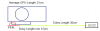
If you use AIDA64, you will already know by now the PCIe port numbers for the mPCIe ports.
![[IMG]](images/storyImages/DellStudio1557PCIePortsWithouteGPU.jpg) Last edited by a moderator: Feb 6, 2015
Last edited by a moderator: Feb 6, 2015 -
I did use AIDA64, is there something I'm missing here? I see two open ports, and I don't know which one the Expresscard/54 slot belongs to. It can either be port 2 or 3.
![[IMG]](images/storyImages/dgerg.png)
If the EC is port 2, then I have to find port 3. When I opened my laptop I was unable to find this port, having found only ports 4 (default wifi) and port 5(the port right next to port 4)
Last edited by a moderator: Feb 6, 2015
DIY eGPU experiences
Discussion in 'e-GPU (External Graphics) Discussion' started by master blaster, Sep 18, 2009.


![[IMG]](http://i1236.photobucket.com/albums/ff457/Kizwan_Chronos/DellStudio15572xPM3NonPCIeports12.jpg)




![[IMG]](http://i1236.photobucket.com/albums/ff457/Kizwan_Chronos/DellStudio1557PCIePortsWithouteGPU.jpg)